
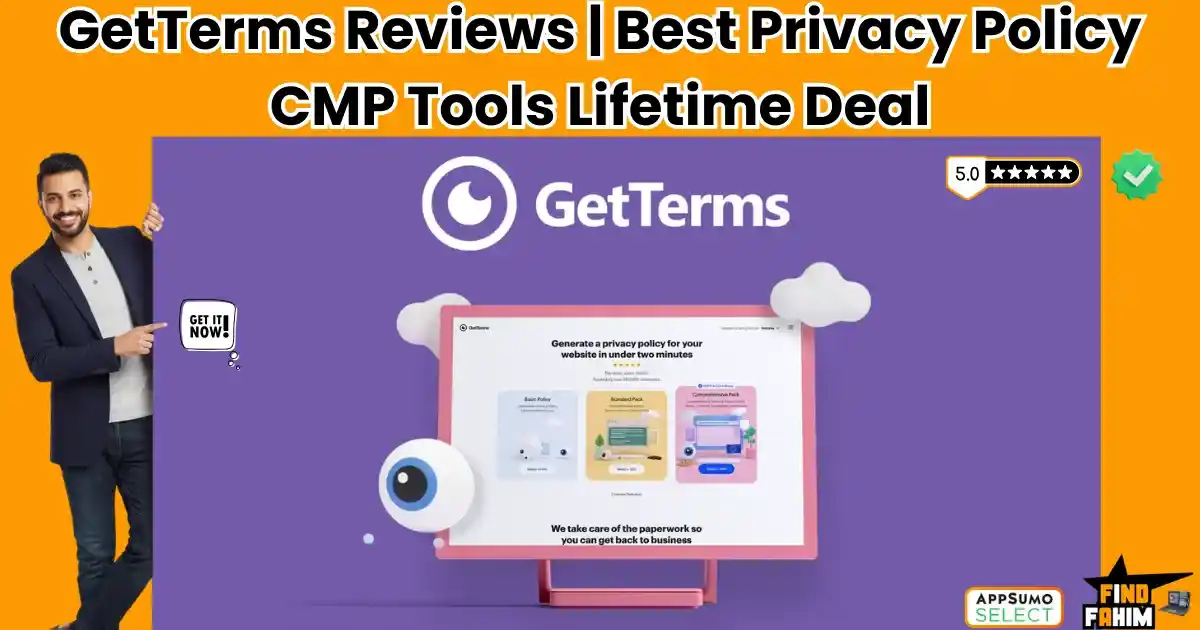
Let’s be honest: Nobody wakes up excited about GDPR compliance. It is the “dentist appointment” of web development. It’s painful, it’s boring, and if you ignore it, it gets incredibly expensive (fines, lawsuits, or lost ad data). For years, website owners and agencies have been stuck between two terrible options: Pay a Lawyer: This costs $1,000+ for a single Privacy Policy that is written in “Legalese” that your customers can’t even read. And the moment the law changes, that expensive document becomes worthless. Use a Subscription Tool: SaaS platforms like Iubenda, Cookiebot, or Termly are great, but they bleed you dry. They charge $15 to $50 every single month just to keep a simple cookie banner on your site. If you stop paying, your compliance disappears. GetTerms is the “Option 3” we have all been waiting for. It is a comprehensive, all-in-one compliance suite that generates lawyer-drafted Privacy Policies, Terms of Service, and a fully functional Cookie Consent Banner (complete with Google Consent Mode v2 support) for a one-time price. There are no monthly fees. There are no “page view” limits. There are no “per-subpage” scanning charges. With a solid 4.3-star rating and a massive update for 2026 (including multi-language support, geo-tagging, and agency client management), GetTerms is positioning itself as the “Iubenda Killer” for smart agencies. In this in-depth, no-fluff GetTerms review, I am testing if this $79 lifetime deal is legally robust enough to protect your business, or if you still need that expensive monthly subscription. Note: This article contains affiliate links. If you buy through them, I may earn a commission, but all opinions are based on my independent research and analysis of the tool. My Quick Take (TL;DR) If you are a developer, agency owner, or SaaS founder who is tired of paying monthly subscriptions for a static cookie banner, here is my honest summary. What is it? A Privacy Policy generator and Consent Management Platform (CMP) combined into one dashboard. Why is it Special? Unlimited Views. Most tools (like CookieYes or Termly) charge you more as your traffic grows. If you go viral, your bill triples. GetTerms offers unlimited banner views on all plans. Plus, it natively supports the critical Google Consent Mode v2. Who is it for? Web Design Agencies, SaaS Founders, Bloggers, and eCommerce Store Owners. The Deal: Lifetime Access starting at $79 (One-time payment). My Verdict: It is a mandatory purchase for agencies. The ability to secure “Unlimited Sites” (Tier 5) means you never have to pay for compliance software again. It is simple, effective, and fully compliant with 2026 regulations. Click Here to Get the GetTerms Lifetime Deal What is GetTerms? The best way to describe this platform is as “Automated Legal Compliance in a Box.” It solves three specific, distinct problems that every website owner faces in 2026: The Legal Documents: You answer a few simple, human-readable questions (e.g., “Do you use Analytics?”, “Do you process refunds?”), and the system generates a professional, lawyer-reviewed Privacy Policy, Terms of Service, and Cookie Policy. The Visual Banner: It provides a lightweight code snippet (or a dedicated WordPress plugin) that displays a GDPR/CCPA-compliant cookie banner on your site. This allows users to “Accept” or “Reject” tracking. The Technical Blocking: It automatically scans your site, identifies tracking scripts (like Facebook Pixel or Hotjar), and technically blocks them from loading until the user gives explicit consent. This is crucial for real GDPR compliance. Unlike generic templates you might download from a free generator, GetTerms policies are dynamic. If a new privacy law passes in California (CPRA) or Brazil (LGPD), GetTerms updates the master template. You don’t have to hire a lawyer to rewrite your site’s footer. Your embedded policy stays current automatically. Quick Look: What’s Inside the Deal? If you are currently paying Iubenda, Termly, or Cookiebot, look at this financial comparison. Feature Replaces… The “Killer” Value Normal Cost Deal Status Policy Generator Lawyer / Termly Professional Legal Docs ~$150/yr ✅ Included Cookie Banner CookieYes Auto-Blocking CMP ~$20/mo ✅ Included Consent Mode v2 Custom Dev Work Google Ad Compliance $$$ ✅ Included Unlimited Views Cookiebot No Traffic Penalties Varies ✅ Included Agency Mode Reseller Plans Client Access & Invite ~$50/mo ✅ Included Total Value Your Peace of Mind Asset Protection ~$500/yr $79 (Lifetime) Why You Need More Than Just a “Template” You might be thinking, “Can’t I just copy a privacy policy from a competitor or use ChatGPT to write one?” No. That is dangerous and potentially illegal. Using a static text document does not protect you in 2026 for two major reasons: 1. The “Prior Consent” Requirement (GDPR) Under GDPR and Privacy laws, you cannot just “tell” people you are tracking them. You must have a mechanism to block the scripts before they load. A text document cannot do that. You need software. GetTerms’ Cookie Banner handles this technical blocking automatically. 2. The “Google Ads” Requirement In 2026, Google Ads enforces Consent Mode v2. If your banner doesn’t send the correct digital signals to Google’s servers, your ads will stop tracking conversions properly. A static policy cannot send digital signals. GetTerms handles this technical integration automatically, saving your ad performance. Why “Compliance Tools” are Trending in 2026 I noticed this tool trending on AppSumo because data privacy laws are tightening globally, and the “Free” tools are dying out. 1. The “Google Consent Mode v2” Crisis Google recently enforced “Consent Mode v2” for all advertisers targeting users in the EEA (European Economic Area). If you don’t have a compliant CMP (Consent Management Platform), your Google Analytics 4 (GA4) and Google Ads data becomes useless. GetTerms updated their tool to support this natively, saving thousands of marketers from sudden data loss. 2. The “Agency Revenue” Model Shift Agencies used to just build websites and hand them over. Now, clients expect “Compliance” to be included in the package. With GetTerms’ Tier 5 (Unlimited Sites) plan, agencies can offer “GDPR Compliance” as a value-add service to
Ethos Reviews 2026 | Best Brand Asset Management Platform | AppSumo Lifetime Deal & Alternatives
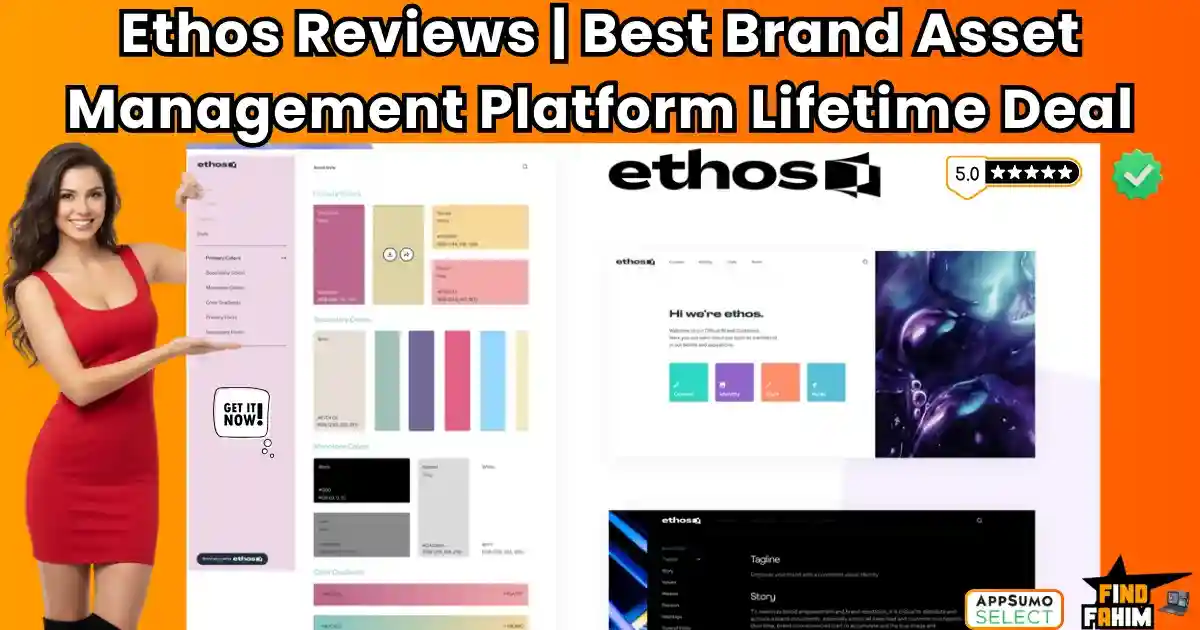
We have all been there. You finish a branding project for a client. You meticulously design the logo, pick the perfect fonts, and define the color palette. Then, you zip it all up in a folder called FINAL_BRAND_V3.zip and email it to them. Two weeks later, you see their Instagram post. They stretched the logo. They used “Comic Sans” instead of the font you chose. They used a neon green that definitely wasn’t in the palette. Why? Because PDF Brand Guides are dead. Clients lose them. Employees ignore them. In 2026, modern brands live in the cloud, not in a PDF. Ethos promises to be the solution. It is a “Brand Platform” that lets you turn those static assets into a living, breathing Interactive Brand Guideline. It’s a central hub where clients can download the correct logo, copy the exact Hex code with one click, and see the brand rules in action. It aims to replace expensive enterprise tools like Frontify and Brandfolder at a fraction of the price. But is a $29 tool really robust enough for a professional agency? Or is it just a glorified Dropbox folder with a pretty cover? In this in-depth Ethos review, I am going to build a full brand kit, test the “White Label” features, and see if this lifetime deal is the secret weapon your agency needs to upsell clients. Note: This article contains affiliate links. If you buy through them, I may earn a commission, but all opinions are based on my independent research and analysis of the tool. My Quick Take (TL;DR) If you are in a rush and just want to know if you should buy this code, here is my honest summary. What is it? A Brand Asset Management (BAM) platform. It allows you to create online “Brand Guidelines” websites where teams can access logos, fonts, and assets. Why is it Special? The “Unlimited” Tier. Most competitors charge per brand or per user. Ethos Tier 4 offers Unlimited Brand Guidelines and Unlimited Users for a one-time price. Who is it for? Branding Agencies, Freelance Designers, and Marketing Teams who want to maintain brand consistency. The Deal: Lifetime access starting at $29. My Verdict: Tier 4 ($116) is an absolute steal. If you run an agency, you can create a dedicated Brand Portal for every single client you have, forever, for $116 total. It makes you look like a premium agency without the premium software cost. Get the Ethos Lifetime Deal on AppSumo What is Ethos? Ethos is a “Single Source of Truth” for your brand. Think of it as a mix between Dropbox and a Website Builder. The Problem: Your logo is in Google Drive. Your fonts are in a zip file. Your brand mission is in a Word doc. The Ethos Solution: You upload everything to Ethos. It generates a beautiful, password-protected website. When a partner asks for your logo, you don’t send an email attachment. You send them brand.yourcompany.com. They can download the SVG, PNG, or JPG directly from there. They can see exactly how to use it (and how not to use it). Founded by Brian Friedman, Ethos was built by brand professionals who were tired of the “Frankenstein” method of asset management. It is designed to bridge the gap between the creative team (who make the assets) and the marketing team (who uses them). Quick Look: What’s Inside the Deal? I know you want to see the value instantly. Here is how Ethos stacks up against the expensive monthly tools you might be considering. Feature Replaces… The “Killer” Value Normal Cost Deal Status Brand Guidelines Frontify Live, web-based Style Guides ~$200/mo ✅ Included Asset Management Dropbox / Drive Visual “Showroom” for files ~$15/mo ✅ Included White Labeling Custom Dev Use your own domain (CNAME) $$$ Dev Cost ✅ Included AI Auto-Writer Jasper Writes brand mission/values ~$29/mo ✅ Included Logo Repository Brandfolder Auto-converts file formats ~$400/mo ✅ Included Unlimited Users Enterprise Plans No “Per Seat” pricing Expensive ✅ Tier 4 Why You Need More Than Just “PDF Guidelines” You might be thinking, “Fahim, I’ve been sending PDF brand books for 10 years. It works fine.” Does it really? The “Version Control” Nightmare You sent Brand_Guide_v1.pdf. Six months later, you update the logo. Now you have to email everyone Brand_Guide_v2.pdf and hope they delete the old one. They won’t. They will keep using the old logo for years. With Ethos, you update the asset in the cloud once, and everyone sees the new version instantly. The “Asset Hunting” Time Suck How many times has a client emailed you: “Hey, can you resend the white version of the logo in PNG format?” Ethos eliminates this email forever. The client logs in, filters by “White” and “PNG,” and downloads it themselves. It is self-serve branding. Why “Brand Asset Management” is Trending in 2026 I noticed this deal trending (48+ reviews) because the definition of “Branding” has changed. In 2020, branding was a Logo and a Website. In 2026, branding is Omnichannel. It’s TikTok, Instagram, LinkedIn, YouTube, Email Newsletters, and Podcasts. The Trend: “Decentralized Content Creation.” It’s not just the design team making content anymore. It’s the social media intern, the sales guy making a deck, and the freelancer editing a video. The Demand: Agencies need Guardrails. They need a system that ensures the sales guy uses the right font and the intern uses the right color hex code. The Shift: Tools like Ethos are moving downstream. What used to be “Enterprise Only” tech (DAM systems) is now essential for every small business. A Look Inside Ethos: Key Features & Benefits I created a test brand guideline using Ethos to see how intuitive it really is. Here is the deep breakdown. 1. Interactive Brand Guidelines (The Core) The Benefit: A living, breathing brand book. You choose a template (they have clean, modern options), and Ethos sets up the structure: Introduction, Logo, Colors, Typography, Imagery, and Voice.
Biyond Reviews 2026 | Best AI-Driven Crypto Investment Research Platform | AppSumo Lifetime Deal & Alternatives
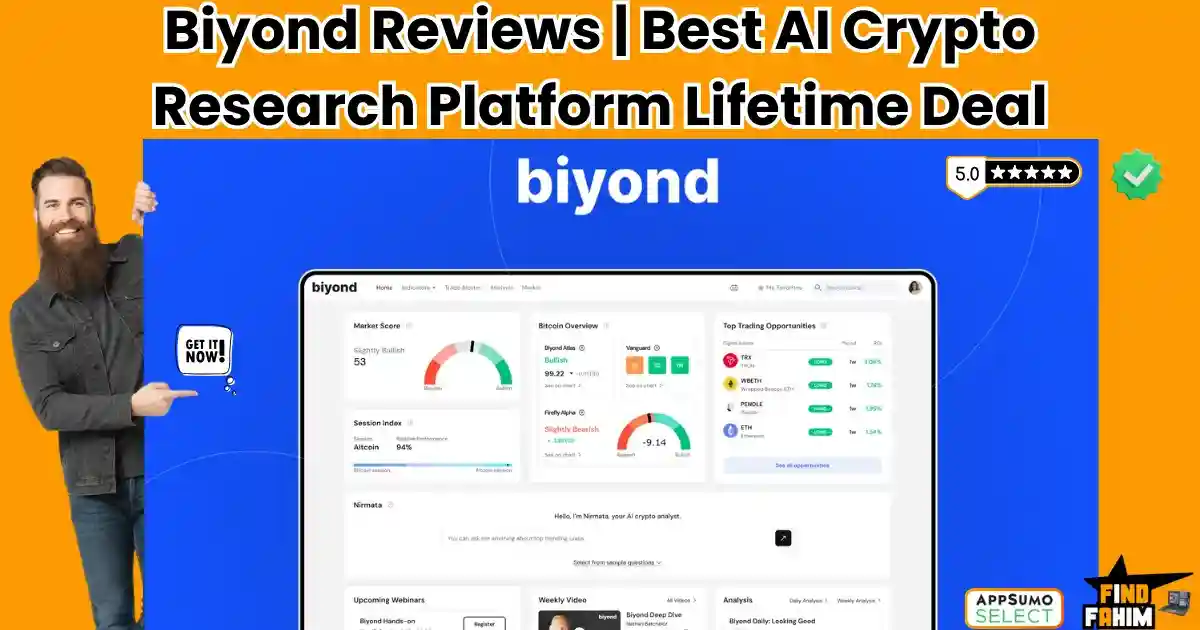
Timing the crypto market usually feels like throwing darts in the dark. One minute, Bitcoin is soaring, and you feel like a genius. The next minute, a random regulatory rumor crashes the market by 15%, and your portfolio is in the red. You panic sell, only to watch it bounce back an hour later. This cycle of “Emotional Trading” is why 90% of retail investors lose money. While you are staring at 1-minute candles on TradingView, institutional investors are using Quantitative Models and AI Sentiment Analysis to make cold, calculated decisions. They don’t guess; they calculate probability. Biyond is your chance to level the playing field. It is an AI-powered crypto intelligence platform that acts as your personal “Quantitative Analyst.” It combines hard data (price action, volume) with soft data (market sentiment, news) to tell you exactly when the market is overheated and when it is ripe for entry. But is a $59 tool really smart enough to beat the market? Or is it just another “Magic Signal” scam wrapped in AI buzzwords? In this in-depth Biyond review, I am going to test the accuracy of its “Nirmata” AI, analyze the quality of its trading signals, and determine if this lifetime deal is the discipline tool your portfolio needs. Note: This article contains affiliate links. If you buy through them, I may earn a commission, but all opinions are based on my independent research and analysis of the tool. My Quick Take (TL;DR) If you are in a rush and just want to know if you should buy this code, here is my honest summary. What is it? An AI-Driven Investment Research Platform. It provides buy/sell signals, market sentiment analysis, and a ChatGPT-style AI analyst dedicated to crypto. Why is it Special? “Nirmata” AI. Unlike generic bots, Biyond’s AI is trained on financial data. It can explain why a coin is moving, not just show you a chart. Who is it for? Crypto Traders, “Hodlers,” and Solopreneurs who want to manage their portfolio with logic rather than emotion. The Deal: Lifetime access starting at $59. My Verdict: Tier 2 ($269) is the real deal. Tier 1 is too limited (only the top 5 coins). If you are serious about altcoins, you need Tier 2. It is a fantastic “Second Opinion” tool that validates your trades before you pull the trigger. Get the Biyond Lifetime Deal on AppSumo What is Biyond? Biyond is not a “Trading Bot.” It will not connect to your Binance account and execute trades for you (copy trading is currently disabled for regulatory reasons). Instead, Biyond is a GPS for the Market. Imagine you are driving a car (trading). TradingView is your windshield—it shows you what is right in front of you. Twitter/X is the noisy passenger screaming bad directions. Biyond is the navigation system. It looks at the traffic ahead (on-chain data), the weather (market sentiment), and the best route (quantitative strategy). It was founded in 2022 by Burkan Beyli in the US, with a mission to bring “Hedge Fund” strategies to the retail guy. It uses a proprietary Quantitative Framework—math-based models that identify trends, support/resistance, and momentum—to give you clear, actionable signals on over 150 cryptocurrencies. Quick Look: What’s Inside the Deal? I know you want to see the value instantly. Here is how Biyond stacks up against the expensive monthly tools you might be subscribing to right now. Feature Replaces… The “Killer” Value Normal Cost Deal Status AI Crypto Analyst TokenMetrics “Nirmata” answers specific crypto Qs ~$100/mo ✅ Included Trading Signals Paid Telegram Groups Data-backed Entry/Exit points ~$50/mo ✅ Included Sentiment Analysis Santiment / LunarCrush Real-time “Fear & Greed” tracking ~$49/mo ✅ Included Portfolio Insights CoinStats Pro Risk management & Asset allocation ~$20/mo ✅ Included Market Education Paid Courses Weekly expert-led webinars ~$500 (One-time) ✅ Included Altcoin Coverage Messari Deep dive data on 150+ coins ~$300/mo ✅ Tier 2 Why You Need More Than Just “TradingView” You might be thinking, “Fahim, I have TradingView and some free indicators. Why do I need Biyond?” You need it because Charts are Reactive; Data is Predictive. The “Lagging Indicator” Problem Most free indicators (RSI, MACD) on TradingView are “lagging.” They tell you what already happened. By the time the MACD crosses over, the big move might be over. Biyond’s AI uses Sentiment Analysis (scanning news, social media, and volatility) to gauge the “mood” of the market before the price candle even prints. The “Analysis Paralysis” Problem On TradingView, you can draw 50 lines and convince yourself of anything. “Is this a Bull Flag or a Bear Trap?” Biyond removes the bias. It gives you a cold, hard Quantitative Score. It doesn’t care if you “like” the coin; it only cares about the math. Why “AI-Augmented Trading” is Trending in 2026 I noticed this deal trending (33+ reviews, 4.7 stars) because the crypto market has matured. The days of “YOLOing” into a coin because a cartoon dog tweeted about it are fading. In 2021, everyone was a genius in a bull market. In 2026, the market is PVP (Player vs Player). You are trading against high-frequency algorithms and institutional AI. The Trend: “Cyborg Trading.” The best traders aren’t purely human or purely bots. They are humans enhanced by AI. The Demand: Retail traders want Institutional Tools. They want the same “Bloomberg Terminal” power that the big banks have, but simplified for a $50k portfolio. The Shift: Tools like Biyond are democratizing Quantitative Finance. They are taking complex Python scripts and Excel models used by hedge funds and wrapping them in a simple, user-friendly UI. A Look Inside Biyond: Key Features & Benefits I dove into the Biyond dashboard to see if the “Institutional” claims held up. Here is the deep breakdown. 1. Nirmata: The AI Crypto Analyst The Benefit: Having a Wall Street analyst in your pocket 24/7. This is the star of the show. Nirmata is an AI agent specifically fine-tuned on crypto market

WPSubscription Reviews 2026 | Best WooCommerce Recurring Payment Plugin | AppSumo Lifetime Deal & Alternatives
If you run a WooCommerce store, you know the pain of the “Extension Tax.” WooCommerce itself is free, but the moment you want to do anything useful—like accept bookings or sell subscriptions—you get hit with a massive bill. The official WooCommerce Subscriptions plugin costs $239 per year. That is $2,390 over a decade just for the privilege of letting your customers pay you monthly. It is the industry standard, but for many small businesses and agencies, that recurring cost eats directly into profits. WPSubscription is the challenger built to kill that recurring bill. It is a lightweight, robust WordPress plugin that handles recurring billing, free trials, and subscription management for a one-time price. It integrates with the payment gateways you actually use (Stripe, PayPal, Paddle, Razorpay) and lives directly inside your WordPress dashboard. With a solid 4.8-star rating and a reputation for rapid updates (they just added WP Fusion and Mollie support), this plugin is positioning itself as the “Budget-Friendly” successor to the official giant. In this in-depth WPSubscription review, I am testing if this $69 lifetime deal is stable enough to trust with your revenue, or if you should stick to the expensive official version. Note: This article contains affiliate links. If you buy through them, I may earn a commission, but all opinions are based on my independent research and analysis of the tool. My Quick Take (TL;DR) If you are tired of renting your subscription functionality and want to own it, here is my honest summary. What is it? A WordPress plugin that enables recurring payments and subscription products on WooCommerce. Why is it Special? Gateway Support. It supports Paddle and Razorpay natively, which even some expensive plugins struggle with. Plus, it has “Upgrade/Downgrade” logic built in. Who is it for? E-commerce Store Owners, Digital Course Creators, and WordPress Agencies. The Deal: Lifetime Access starting at $69. My Verdict: It works. It replaces the official $239/year plugin for 95% of use cases. Unless you need a very obscure add-on that only works with the official plugin, buying WPSubscription is a massive financial win. Click Here to Get the WPSubscription Lifetime Deal What is WPSubscription? The best way to describe this tool is as “The ‘WooCommerce Subscriptions’ Clone without the Annual Fee.” It plugs directly into WooCommerce. When you create a product, instead of just selecting “Simple Product,” you can now select “WPSubscription Simple” or “WPSubscription Variable.” It handles the entire lifecycle of a subscriber: The Sale: Accepts the initial payment via Stripe/PayPal/Paddle. The Renewal: Automatically charges the card next month/year. The Management: Allows the customer to log in to their “My Account” page and pause, cancel, or upgrade their plan without emailing you. The Failure: Retries failed payments automatically to save your revenue. It is not a SaaS (like Chargebee) that takes a % of your revenue. It is a self-hosted plugin. You keep 100% of your sales. Quick Look: What’s Inside the Deal? If you are currently paying Automattic (WooCommerce) every year, look at this math. Feature Replaces… The “Killer” Value Normal Cost Deal Status Recurring Billing Woo Subscriptions Annual License Fee ~$239/yr ✅ Included Payment Gateways Paid Add-ons Stripe, PayPal, Paddle ~$79/yr ✅ Included Customer Portal Custom Coding Self-Serve Cancellations $$$ ✅ Included Email Alerts AutomateWoo Dunning/Renewal Emails ~$99/yr ✅ Included Licensing Annual Renewals One-Time Payment ~$400/yr $69 (Lifetime) Why You Need More Than Just “Stripe Recurring” You might be thinking, “Can’t I just set up a recurring button on Stripe?” Technically, yes. But that disconnects your payments from your website. If someone cancels on Stripe, your WordPress site doesn’t know, so it keeps giving them access to the content. WPSubscription synchronizes everything. If a payment fails, the user’s role on your site changes from “Subscriber” to “On Hold” instantly. If they upgrade, they get access to the new content instantly. It bridges the gap between the Bank and the Website. Why Subscription Plugins are Trending in 2026 I noticed this tool trending because the “Membership Economy” is moving away from SaaS platforms. 1. The “Platform Risk” Escape Creators are realizing that building on Patreon or Teachable means you don’t own the data. By using WooCommerce + WPSubscription, you own the customer record, the transaction history, and the platform. No one can ban you or hike your fees. 2. The Rise of “Hybrid” Stores Stores want to sell physical goods (t-shirts) and digital subscriptions (VIP Club) in the same cart. SaaS tools like MemberPress are bad at physical goods. WPSubscription sits inside WooCommerce, so you can have a T-shirt and a Monthly Membership in the same checkout basket. A Look Inside WPSubscription: Key Features & Benefits This isn’t just a billing script; it’s a full management suite. 1. Multi-Gateway Support (Including Paddle!) What it is: Native integration with Stripe, PayPal, Razorpay, Mollie, and Paddle. Why it matters: Paddle is huge for selling digital software globally because they handle the sales tax (VAT) for you. Most subscription plugins don’t support Paddle well. WPSubscription does. Real-World Scenario: You sell a software plugin to customers in Europe. If you use Stripe, you have to calculate VAT manually. You switch to WPSubscription + Paddle, and Paddle handles the tax compliance automatically. 2. Flexible Schedules & Free Trials What it is: Total control over billing frequency (Daily, Weekly, Monthly, Yearly, Every 3rd Week, etc.). Why it matters: You can build creative business models. Real-World Scenario: You run a “Coffee of the Month” club. You set up a “3-Month Gift Subscription” that expires automatically after 3 payments. Or you offer a “7-Day Free Trial” for your digital course to boost conversions. 3. Upgrade & Downgrade Paths (Proration) What it is: The ability for customers to switch from “Silver ($10)” to “Gold ($20)” seamlessly. Why it matters: It calculates the “Proration” (the math of how much they owe for the rest of the month). Real-World Scenario: A user is on the Silver plan for 15 days. They decide to
Gumlet Video Reviews 2026 | Best Secure Video Hosting & Streaming Platform | AppSumo Lifetime Deal & Alternatives
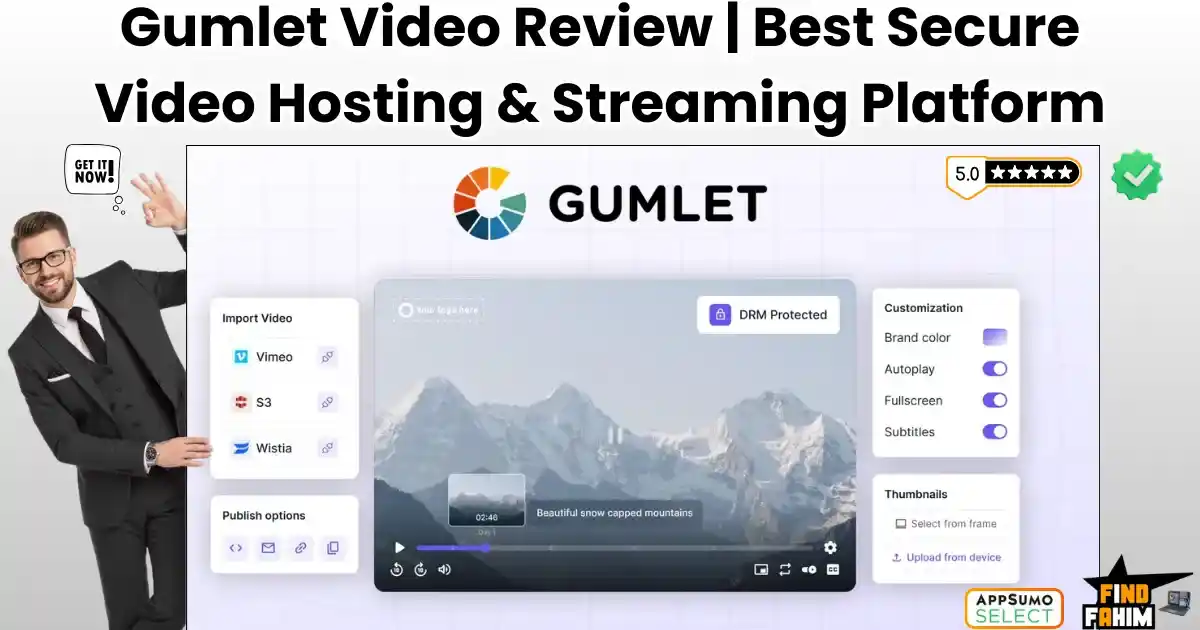
There is nothing worse than finding your paid course uploaded for free on a torrent site. You spent six months writing the script, filming the lessons, and editing the audio. You launch it for $497. Two weeks later, sales drop to zero. Why? Because someone used a simple browser extension to download your videos from Vimeo and uploaded them to a “Group Buy” forum. Now, pirates are stealing your revenue, and you are still paying Vimeo $20 a month for the privilege of being robbed. In 2026, Video Security is not a luxury; it is your paycheck. Gumlet Video promises to be the “Fortress” for your content. It is a secure, high-speed video hosting platform that replaces Vimeo and Wistia. It offers Enterprise-Grade DRM (the same tech Netflix uses) to stop piracy dead in its tracks. But the biggest headline here isn’t just security—it’s the “Unlimited Bandwidth” lifetime deal. In this in-depth Gumlet Video review, I am going to stress-test this platform. I will try to “steal” my own video to see if the protection works, and I will calculate if the lifetime deal is mathematically worth it for your business. Note: This article contains affiliate links. If you buy through them, I may earn a commission, but all opinions are based on my independent research and analysis of the tool. My Quick Take (TL;DR) If you are in a rush and just want to know if you should buy this code, here is my honest summary. What is it? A Secure Video Hosting Platform. It stores, optimizes, and streams your videos using a global CDN. Why is it Special? The “Fortress” Security. It combines Apple FairPlay and Google Widevine DRM (encryption) with Dynamic Watermarking (user emails on screen) to make piracy nearly impossible. Who is it for? Course Creators, Membership Site Owners, and Agencies who are tired of Vimeo’s monthly fees and want better security. The Deal: Lifetime access starting at $79. My Verdict: This is a “Blue-Chip” utility. It is not a flashy AI toy; it is critical infrastructure. If you sell digital content, the Tier 5 (Unlimited Bandwidth) plan is the best investment you will make this year. Get the Gumlet Video Lifetime Deal What is Gumlet Video? Gumlet is “Video Infrastructure in a Box.” Most people think video hosting is just “uploading a file.” It’s not. When you upload a raw 4K video to Gumlet, it doesn’t just sit there. It Transcodes: It creates 5 different versions of the video (1080p, 720p, 480p, 360p) for different internet speeds. It encrypts: It wraps the file in DRM code so it cannot be played without a digital license key. It Distributes: It copies your video to servers in 100+ locations worldwide (CDN), so it loads instantly. When a student presses “Play,” Gumlet automatically detects their internet speed. If they are on 4G, it serves the 480p version. If they are on Fiber, it serves the 1080p version. This guarantees Zero Buffering. Quick Look: What’s Inside the Deal? I know you want to see the value instantly. Here is how Gumlet stacks up against the expensive monthly tools you might be using right now. Feature Replaces… The “Killer” Value Normal Cost Deal Status DRM Security Brightcove Netflix-grade Encryption ~$500/mo ✅ Included Video Hosting Vimeo Pro No Weekly Upload Limits ~$20/mo ✅ Included Unlimited Bandwidth AWS Cloudfront No surprise overage bills Metered ✅ Tier 5 Dynamic Watermark Enterprise Tools Stamps User Email on Video Enterprise ✅ Included Video Heatmaps Wistia Pro See exactly where users drop ~$79/mo ✅ Included Player Branding Vimeo Business Remove all logos/colors ~$50/mo ✅ Included Marketing CTAs Spotlightr Email Capture inside video ~$29/mo ✅ Included Why You Need More Than Just “Vimeo” You might be thinking, “Fahim, Vimeo is the industry standard. Why should I switch?” You need to switch because Vimeo is a “Pricing Trap.” The “Weekly Limit” Problem Vimeo limits how much you can upload per week. If you launch a new course with 50 videos, you might hit your 20GB limit on day one. You are forced to wait until next week or upgrade to a pricey Business plan. Gumlet has No Weekly Limits—upload your entire library at once. The “Security” Problem Vimeo’s “Private Link” protection is weak. Browser extensions can easily download Vimeo videos. Gumlet uses DRM (Digital Rights Management). This encrypts the video stream itself. Even if someone downloads the file, it is just encrypted garbage that won’t play. Why Secure Video Hosting is Trending in 2026 I noticed this deal trending (129+ reviews, 4.7 stars) because the “Creator Economy” has hit a wall: Piracy. In 2020, we just wanted “easy” hosting. We used unlisted YouTube links. In 2026, piracy is automated. Bots scrape membership sites and re-upload courses to Telegram channels in minutes. Creators are losing millions. The Trend: Moving away from “Public” hosts (YouTube) to “Private Infrastructure.” The Demand: Creators want Ownership. They don’t want YouTube showing competitor ads on their course videos. The Shift: Tools like Gumlet are becoming the “Gold Standard” because they offer Enterprise Security at a price point that small businesses can afford. A Look Inside Gumlet Video: Key Features & Benefits I uploaded a 2GB test file to Gumlet to see how it handles real-world workflows. Here is the deep breakdown. 1. Hollywood-Grade DRM (The “Anti-Theft” Shield) The Benefit: Sleeping at night knowing your course is safe. This is the main reason to buy Gumlet. The Tech: Gumlet uses Google Widevine and Apple FairPlay standards. It locks the video file with a digital key. My Test: I tried using “Internet Download Manager” (IDM) and “Video DownloadHelper” to rip a Gumlet video. Both failed. They couldn’t even detect the stream. 2. Dynamic Watermarking (The “Psychological” Shield) The Benefit: Stopping screen recordings. DRM stops downloading, but what if someone uses “OBS” to screen record? The Solution: You can overlay the Viewer’s Email Address onto the video. The Result: If a student tries to

Semrush Pricing 2026 | New AI Visibility Plans vs Classic SEO | Cost Breakdown & Alternatives
If you are looking for a single number, Semrush pricing starts at $139.95 per month. That is the figure most people quote. It is also the reason many businesses end up overspending. The reality of Semrush pricing in 2026 is no longer just a simple choice between “Pro” and “Guru.” What used to be a straightforward SEO subscription has turned into a layered ecosystem: classic SEO plans, AI-focused “Semrush One” bundles, more than a dozen optional toolkits (Local, Social, PR, Ads), and a separate user-seat pricing model that can quietly double your bill. I have spoken with agency owners who signed up for the $249 Guru plan, assuming it covered everything, only to later realize they also needed the Trends add-on and two extra team seats. Their “$249 tool” turned into a $600+ monthly expense without any dramatic feature upgrade. Just quiet add-ons. That is why most Semrush pricing articles don’t actually help. They copy the official pricing table, add a few bullet points, and call it a review. But pricing isn’t about features—it’s about what you actually pay over time. This guide is written to fix that. I am going to dissect every single tier, calculate the “True Cost” of ownership, and show you exactly how to avoid the upsells you don’t need. My Quick Take (TL;DR) For the busy marketer who just wants the answer. Best for Freelancers: Pro Plan ($139.95/mo). It has everything you need to rank sites. Don’t upgrade unless you need historical data. Best for Agencies: Guru Plan ($249.95/mo). The branded PDF reports and Content Marketing Toolkit replace other tools like SurferSEO, making it worth the price. The Hidden Trap: User Seats. Adding a team member costs $45–$80/month each. If you have a team of 3, your bill will double. The AI Update: Unless you specifically need to track your brand inside ChatGPT, ignore the “Semrush One” bundles for now. Stick to the classic plans. Click Here to Start Your 14-Day Free Trial Quick Look: The 2026 Semrush Pricing Cheat Sheet Compare the “Real” costs before you buy. Plan Tier Monthly Price Annual Price (Save 17%) Who It’s Truly For The “Killer” Value Pro $139.95 $117.33/mo Solopreneurs Unlimited Reporting Guru $249.95 $208.33/mo Agencies Historical Data & Branded PDFs Business $499.95 $416.66/mo Enterprises API Access & Share of Voice Semrush One $199.00 $165.17/mo SaaS Brands AI Brand Tracking Get Semrush One (New AEO & GEO Plan) The Foundation: Classic Plans & Core Features How Semrush Pricing Changed in 2026 For most of the last decade, Semrush was purely an SEO tool. You paid for keyword data, backlinks, audits, and rank tracking. That worked—until generative AI changed how people discover brands. With tools like ChatGPT, Google Gemini, and Perplexity influencing buying decisions, Semrush adjusted its pricing model. Today, it offers two clear paths: The SEO Classic Path: Built for ranking in Google’s traditional search results. (Plans: Pro, Guru, Business). The AI Visibility Path: Built for brands that need to know whether AI tools mention or recommend them. (Plans: Semrush One Starter, Pro+, Advanced). Here is where people get burned: picking the wrong path. A local plumber doesn’t need to track ChatGPT answers. A VC-backed SaaS company probably does. Choosing incorrectly means paying for data you’ll never use. In this section, we focus on the SEO Classic plans because they still make sense for about 90% of users. 1. The Semrush Pro Plan Best For: Freelancers, Solopreneurs & Beginners Monthly Price: $139.95 / mo Annual Price: $117.33 / mo (Billed annually — Save 17%) Do not let the “Pro” name fool you. This isn’t just a starter kit; it is more powerful than the enterprise plans of most other tools. For 90% of affiliate marketers and solo SEOs, this is all you will ever need. What’s Inside: Up to 5 websites to monitor (Projects) Keyword research tools Competitor analysis tools Position Tracking Backlink Analysis Site Audit The “Hard” Limits (Watch Out): The bottleneck here is the 500 Tracked Keywords limit. Remember, tracking “Plumber in New York” on Desktop and Mobile counts as 2 keywords. If you do local SEO for multiple cities, you will hit this limit fast. Also, you cannot see Historical Data (no time travel to see past traffic). My Verdict: Start here. Unless you absolutely need to see traffic data from 2020, do not pay more. The annual price of $117.33 is a steal for this level of data. 2. The Semrush Guru Plan Best For: Small Businesses, Agencies & Content Teams Monthly Price: $249.95 / mo Annual Price: $208.33 / mo (Billed annually — Save 17%) This is the standard for anyone with paying clients. The price jumps by $110, but it replaces several other expensive tools (like SurferSEO) thanks to the content features. What’s Inside (All Pro features plus): Up to 15 websites to monitor Historical data (View traffic trends since 2012) Multi-location and device data Content optimization tools (SEO Writing Assistant) The “Killer” Features: The Historical Data is crucial for pitching clients—you can show them exactly when their traffic crashed under their previous agency. Plus, the Content Marketing Toolkit allows you to optimize articles in real-time inside Google Docs. My Verdict: If you have Paying Clients, you need Guru. The ability to send professional, branded reports and explain historical traffic drops helps you retain clients longer. 3. The Semrush Business Plan Best For: Agencies, Mid-Market Companies & Big Data Teams Monthly Price: $499.95 / mo Annual Price: $416.66 / mo (Billed annually — Save 17%) This plan is often misunderstood. It is not just “Guru with more keywords.” It is a completely different tool designed for analyzing massive amounts of data and market dominance. What’s Inside (All Guru features plus): Up to 40 websites to monitor Share of Voice (See exactly what % of the market you own) Extended limits (5,000 tracked keywords) API access Migration from third-party tools (Free concierge service) MCP Access The Enterprise Exclusives: Share of Voice (SoV) is what executives care
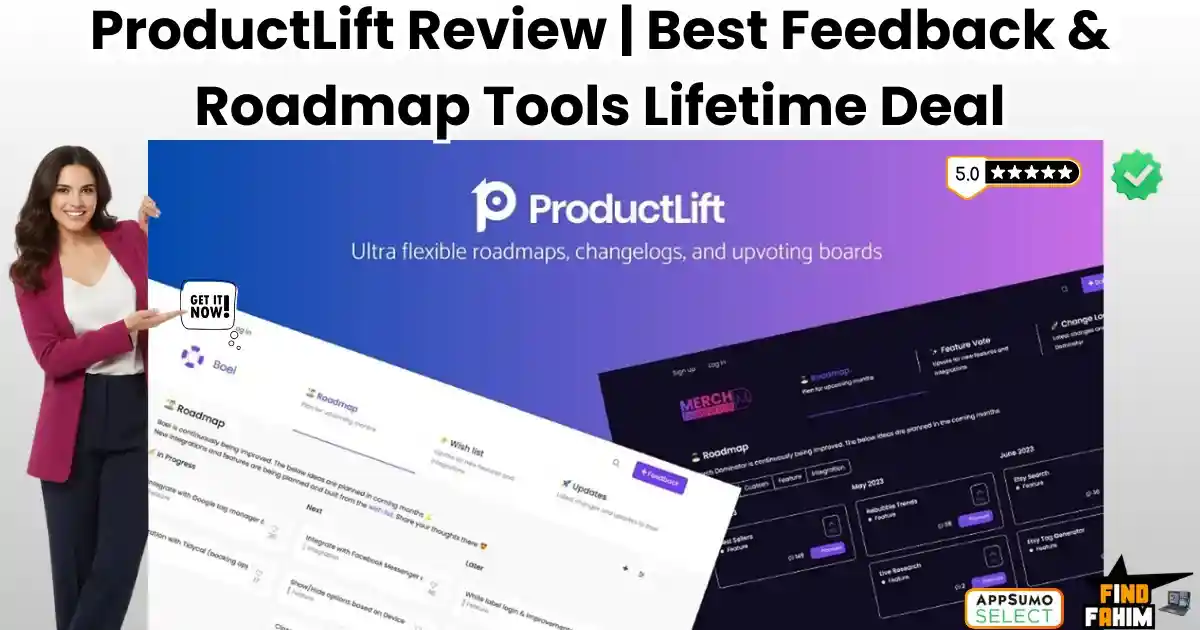
ProductLift Reviews 2026 | Best Feedback Collection & Roadmap Tool | AppSumo Lifetime Deal & Alternatives
Building a software product without user feedback is like driving a car with your eyes closed. You might be moving fast, but you are probably going to crash into a wall. Most SaaS founders rely on a messy combination of Slack messages, email threads, Trello cards, and “gut feeling” to decide what to build next. The result? Feature Bloat. You end up wasting months building complex features that nobody uses, while the simple tweaks your paying customers actually need get ignored. Tools like Canny and Productboard were built to solve this. They are excellent tools. But they are also insanely expensive, charging $360 to $800 per month for the features a growing startup needs. That is “Enterprise Pricing” that kills small bootstrapped teams. ProductLift disrupts this market completely. It is an all-in-one feedback management platform that lets you collect feature requests, prioritize them with a “Value vs. Effort” matrix, and publish a beautiful public roadmap—all for a one-time price. It replaces your spreadsheets, voting boards, and changelog tools in a single dashboard. Created by Ruben Buijs, a former Accenture consultant who optimized product teams for giants like Shell and ING, ProductLift is built for serious product management. But is a $49 lifetime deal mighty enough to replace the industry giants? In this in-depth ProductLift review, I am testing if it’s a robust solution for 2026 or just a cheap alternative. Note: This article contains affiliate links. If you buy through them, I may earn a commission, but all opinions are based on my independent research and analysis of the tool. My Quick Take (TL;DR) If you are a SaaS founder or Product Manager tired of guessing what to build, here is my honest summary. What is it? A centralized feedback collection tool, public roadmap builder, and changelog publisher. Why is it Special? Total Customization. Unlike Canny (which forces its blue/white branding on you), ProductLift lets you use custom CSS to match your brand identity perfectly. Plus, it has a built-in “Prioritization Matrix.” Who is it for? SaaS Founders, Product Managers, and Digital Agencies managing client builds. The Deal: Lifetime Access starting at $49. My Verdict: It lacks the “out-of-the-box” polish of Canny, but it is 95% as powerful for 1% of the cost. The customization options make it the best choice for brands that care about design consistency. Click Here to Get the ProductLift Lifetime Deal What is ProductLift? The best way to describe this platform is as “The User Voice Engine.” It consolidates user feedback from everywhere—email, chat, direct submissions—into one organized dashboard. Instead of an endless list of angry emails, you get a Voting Board. Users can submit ideas (e.g., “Add Dark Mode!”), and other users can upvote them. This democratizes your roadmap and reveals the “Truth” of what the market wants. But it doesn’t stop at collection. ProductLift helps you prioritize. It uses a matrix system (RICE or Value/Effort) to help you mathematically decide what to build. Once you build it, the Changelog feature lets you announce the update to your users automatically via a widget or email, closing the feedback loop. Quick Look: What’s Inside the Deal? If you are thinking about paying monthly for Canny or Upvoty, look at this math. Feature Replaces… The “Killer” Value Normal Cost Deal Status Feedback Boards Canny / Upvoty User Voting & Comments ~$99/mo ✅ Included Roadmap Builder Productboard Public Roadmap Tabs ~$20/mo ✅ Included Changelog HeadwayApp “What’s New” Widget ~$29/mo ✅ Included Prioritization Airfocus Value vs. Effort Matrix ~$19/mo ✅ Included Custom CSS (Enterprise Only) 100% Brand Match $$$ ✅ Included Total Value Your Product Stack A Clear Product Vision ~$2,000/yr $49 (Lifetime) Why You Need More Than Just a “Spreadsheet” You might be thinking, “Can’t I just use a Google Sheet or Trello Board?” Technically, yes. But spreadsheets are internal. Your customers can’t see them. ProductLift is external. It engages your community. The “Black Hole” Problem When a user emails you a feature request, and you say, “I’ll add it to the list,” they don’t believe you. They feel like their feedback went into a black hole. With ProductLift, you send them a link to the public board. They vote for it. They get an email notification when you move it to “In Progress.” They feel heard. This creates loyalty and reduces churn. The “Loudest Voice” Problem In a spreadsheet, you tend to build whatever the angriest customer asked for yesterday. With ProductLift’s Voting System, you see the aggregate demand. You realize that while one person is screaming for “PDF Export,” 500 people are silently waiting for “Dark Mode.” It brings data to your decisions, removing emotion. Why Feedback Tools are Trending in 2026 I noticed this tool trending because the “Product-Led Growth” (PLG) movement is exploding. 1. Transparency Wins Trust Users in 2026 are skeptical. They want to know where a product is going before they buy a subscription. A public roadmap (hosted on ProductLift) serves as a Sales Tool. It shows prospects that the product is alive, evolving, and that the developers are listening. 2. The Rise of “Community-Led” Dev You aren’t the genius anymore; the community is. The most successful SaaS companies (like Notion or Figma) build exactly what the community asks for. ProductLift gives you the infrastructure to run this playbook without building your own custom voting system from scratch. A Look Inside ProductLift: Key Features & Benefits This isn’t just a suggestion box; it’s a strategic command center for your business. 1. The Prioritization Matrix (The “PM Brain”) What it is: A visual chart where you plot features based on “Value” (Y-axis) and “Effort” (X-axis). Why it matters: It stops you from building “Low Value, High Effort” features. Real-World Scenario: You have 50 ideas in your backlog. You score them. The matrix reveals 5 “Quick Wins” (High Value, Low Effort). You build those this week. Your users are thrilled because you shipped fast value. You look like a genius.

Exclusive Addons Reviews 2026 | Best Elementor Extension Plugin | Lifetime Deal & Alternatives
If you use Elementor to build websites for clients, you know the “Plugin Fatigue” struggle all too well. It starts innocently enough. You install the free version of Elementor. Then you realize you need a contact form, so you buy Elementor Pro ($59/year). Then a client asks for a complex “Mega Menu” like Amazon has, so you go out and buy a specialized Menu plugin ($30/year). Then another client wants a “Mini Cart” for their store, so you buy a WooCommerce addon ($40/year). Before you know it, a single client website is bloated with 10 different plugins from 10 different developers. Your dashboard is a mess of license keys, your site speed is tanking because of all the different scripts, and you are bleeding $200+ a year in renewal fees just to keep the site running. This model is broken. In 2026, the smart money is moving away from “Single-Feature Plugins” and towards “All-in-One Toolkits.” Exclusive Addons is the ultimate answer to this problem. It is a massive, comprehensive library that packs 108+ premium widgets, 900+ ready-made blocks, a Header/Footer Builder, and a WooCommerce Builder into a single, lightweight plugin. Instead of installing five different tools to get the job done, you install one. Instead of paying five different annual subscriptions, you pay one lifetime price. But the Elementor addon market is incredibly crowded. We have industry giants like Crocoblock, Essential Addons, and Happy Addons dominating the space. Can a $49 lifetime deal really compete with these heavyweights? Is the code clean? Do the widgets actually look good, or are they dated and ugly? In this in-depth Exclusive Addons review, I am going to tear this tool apart. I will test the load speeds, the design flexibility, and the agency “White Label” features to help you decide if this is the toolkit that will finally replace your expensive subscriptions. Note: This article contains affiliate links. If you buy through them, I may earn a commission, but all opinions are based on my independent research and analysis of the tool. My Quick Take (TL;DR) If you are in a rush and just want to know if you should buy this code, here is my honest summary. What is it? An “All-in-One” Extension for Elementor. It adds 108+ new widgets (Mega Menu, Lottie, Glassmorphism, Woo Cart, etc.) directly to your Elementor editor. Why is it Special? The Unlimited License. Most competitors have stopped offering “Unlimited Site” plans. Exclusive Addons still offers a true unlimited license for a low one-time price, making it an agency goldmine. Who is it for? Web Design Agencies, Freelancers, and “No-Code” Builders who manage multiple client sites and want to reduce their recurring software costs. The Deal: Lifetime access starting at $49 (10 Sites). My Verdict: The design quality of the widgets is stunningly modern. It is lightweight, modular (you can turn off what you don’t use), and the “Cross-Site Copy Paste” feature alone saves hours of repetitive work. It is a must-buy for any serious Elementor user. Get the Exclusive Addons Lifetime Deal What are Exclusive Addons? Exclusive Addons is a “Supercharger” for Elementor. Elementor (the page builder) gives you the basic building blocks: a text box, an image, and a button. But when you want to build something advanced—like a Pricing Table with a Toggle Switch or a 3D Image Tilt Effect—Elementor leaves you stranded. Exclusive Addons fills that gap. It installs as a plugin on your WordPress site and instantly adds a new category of widgets to your Elementor sidebar. It covers every aspect of web design: Core Design: Headings, buttons, cards, and carousels. Marketing: Countdowns, comparisons, and testimonial sliders. E-Commerce: Product grids, checkout pages, and cart icons. Dynamic Content: Post grids, news tickers, and breadcrumbs. It allows you to build “Fortune 500” style websites without writing a single line of CSS or PHP code. Quick Look: What’s Inside the Deal? I know you want to see the value instantly. Here is how Exclusive Addons stacks up against the separate plugins you would need to buy to match its power. Feature Replaces… The “Killer” Value Normal Cost Deal Status Mega Menu Builder UberMenu / MaxMega Build visual menus visually ~$29/yr ✅ Included Header & Footer Elementor Pro Custom headers for free users ~$59/yr ✅ Included Lottie Animations LottieFiles Pro Native JSON animation support ~$20/yr ✅ Included WooCommerce Builder Woolentor Custom Checkout & Cart ~$49/yr ✅ Included Cross-Site Copy Happy Addons Pro Clone designs across domains ~$39/yr ✅ Included White Labeling Agency Addons Rename plugin for clients ~$49/yr ✅ Included Glassmorphism Custom CSS One-click frosted glass effect Dev Time ✅ Included Why You Need More Than Just “Elementor Pro” A common question I get is: “Fahim, I already pay for Elementor Pro. Why do I need another addon?” It is a fair question. Elementor Pro is great, but it is a generalist. It gives you one type of “Testimonial Widget.” It gives you one type of “Post Grid.” The “Cookie Cutter” Problem If you only use Elementor Pro, all your websites start to look the same. You are limited to the default styles. If a client asks for a “Testimonial Slider with a Gradient Border and a Floating Image,” you have to say “I can’t do that” or spend 3 hours writing custom CSS. The “Exclusive” Solution Exclusive Addons is a specialist. It gives you 15 different styles of Testimonial widgets. It gives you 10 different ways to display a blog post. It gives you the creative freedom to say “Yes” to complex design requests. It takes the “Pro” features and puts them on steroids. Why “All-in-One” Toolkits are Trending in 2026 I noticed this deal consistently getting high praise (75+ reviews) because the web design industry is going through a massive consolidation phase. In the early days of WordPress (2018-2020), developers were obsessed with “Best of Breed.” They would buy the best slider plugin, the best menu plugin, and the best form plugin. In 2026,
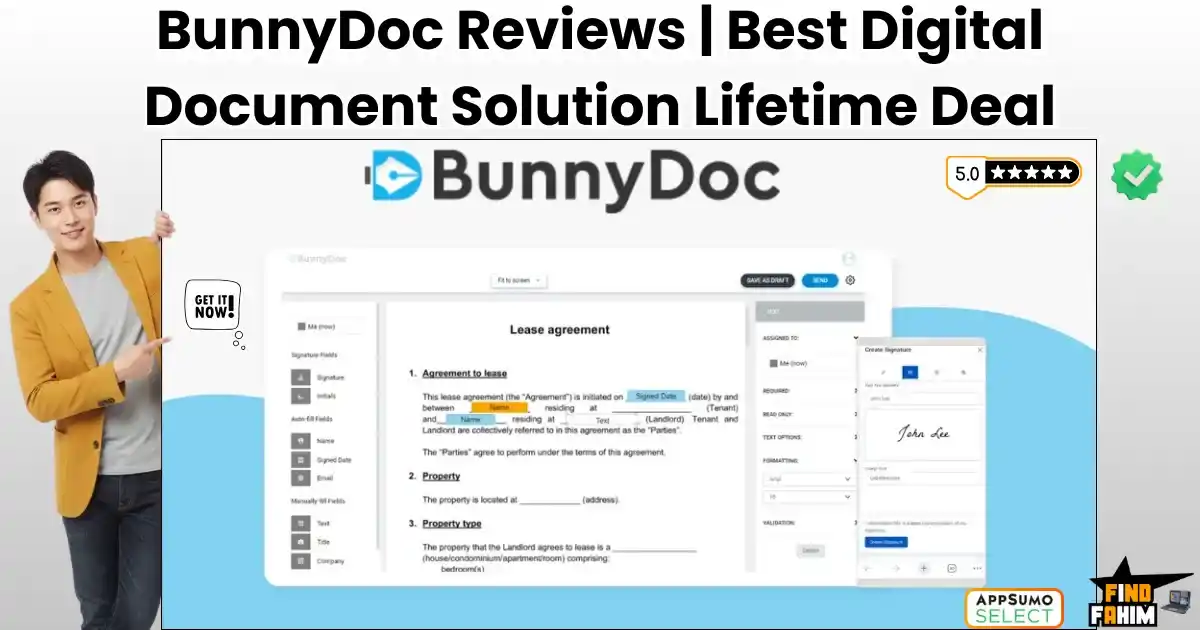
BunnyDoc Reviews 2026 | Best Electronic Signature Platform | AppSumo Lifetime Deal & Alternatives
We have all been there. A client says, “I’m ready to sign,” and you panic. You scramble to find a printer, sign the paper, scan it back in, and email it. Or worse, you pay DocuSign $40 a month just to send three envelopes. BunnyDoc is a legally binding electronic signature platform designed to kill that monthly subscription. It provides a secure, AATL-compliant environment where you can upload contracts, drag-and-drop signature fields, and track real-time status updates—all for a one-time price. Let’s be honest: The “E-Signature Tax” is real. If you are a freelancer, real estate agent, or small business owner, paying $300 to $500 a year for Adobe Sign or DocuSign feels like robbery. You aren’t an enterprise bank; you need a legally binding way to get a signature on a PDF. BunnyDoc disrupts this by offering Bulk Sending, Public Form Links, and Audit Trails—features usually reserved for “Enterprise” tiers—in their basic package. With a solid 4.3-star rating and a roadmap that listens to user feedback (adding requested features like “Folders” and “Reminders”), this tool is positioning itself as the “People’s E-Signature Tool.” In this massive, in-depth BunnyDoc review, I am testing whether this $69 lifetime deal is a safe, legal replacement for the big giants or too risky for your contracts. Note: This article contains affiliate links. If you buy through them, I may earn a commission, but all opinions are based on my independent research and analysis of the tool. My Quick Take (TL;DR) If you just want to know if you should ditch DocuSign, here is my honest summary. What is it? A cloud-based electronic signature platform that lets you prepare, send, and track legally binding documents. Why is it Special? The “Public Form Link.” Most tools require you to know the signer’s email. BunnyDoc generates a URL (like a Google Form) that you can post on your website or Slack, allowing anyone to click and sign. This is a game-changer for NDAs and onboarding forms. Who is it for? Accountants, Real Estate Agents, HR Managers, and anyone tired of “Per-Envelope” fees. The Deal: Lifetime Access starting at $69. Tier 1 gives you 500 signature requests per month. (Yes, per month. Not a lifetime. My Verdict: This is the highest value-for-money e-signature deal I have seen in 2026. 500 requests/month is effectively “Unlimited” for 99% of businesses. The interface is clean, the audit trails are solid, and it saves you ~$480/year immediately. Click Here to Get the BunnyDoc Lifetime Deal What is BunnyDoc? The best way to describe this platform is as “DocuSign without the corporate markup.” It handles the entire lifecycle of a document: Creation: Upload a PDF or Word doc. Preparation: Drag and drop fields like Signature, Initials, Date, Checkbox, and Text Box onto the document. sending: Email it to specific recipients or generate a bulk link. Tracking: See exactly when they opened it, viewed it, and signed it. Storage: Keep the signed, legally binding PDF in your secure cloud folder forever. It is AATL Compliant (Adobe Approved Trust List), meaning the digital signatures are verified and recognized by Adobe’s strict security standards. This is critical for legal validity. Quick Look: What’s Inside the Deal? If you are currently paying for Adobe Sign or HelloSign, look at this math. Feature Replaces… The “Killer” Value Normal Cost Deal Status E-Signatures DocuSign Legally Binding Signing ~$40/mo ✅ Included Public Forms PandaDoc Signing via URL Link ~$50/mo ✅ Included Audit Trails Legal Counsel Court-Admissible Logs Essential ✅ Included Bulk Send Enterprise Plans Send to 100 people at once Custom Pricing ✅ Included Branding “Pro” Tiers Your Logo on Emails ~$20/mo ✅ Included Total Value Your Legal Stack Peace of Mind ~$1,000/yr $69 (Lifetime) Why You Need More Than Just “PDF Preview” In 2026, typing your name in a Word doc isn’t enough. You need a Chain of Custody. The “I Never Signed That” Problem If a client claims they never signed a contract, a simple PDF won’t hold up in court. BunnyDoc provides a Time-Stamped Audit Trail. It records the IP address, browser type, exact time of opening, and exact time of signing. This document is your legal shield. The “Workflow” Problem Sending contracts manually is slow. BunnyDoc’s Templates allow you to save your standard “Freelance Agreement.” Next time you get a client, you just change the name and email, and the 20 signature fields are already in place. It turns a 20-minute task into a 30-second one. Why E-Signature Tech is Trending in 2026 I noticed this tool trending because the world has moved to “Remote-First” agreements. The Death of the Fax Machine Nobody has a fax machine. Nobody wants to print. If you make a client print a document to sign, you look unprofessional. Digital signing is now the baseline expectation for doing business. The Rise of “Click-to-Accept” We are seeing a shift towards Form-Based Signing. Instead of emailing a PDF, companies send a link. BunnyDoc’s Public Form Link feature taps into this trend, allowing you to collect signatures via WhatsApp, Slack, or a website button. A Look Inside BunnyDoc: Key Features & Benefits This isn’t just a signing pad. It’s a document management system. 1. The Editor (Drag & Drop) What it is: The interface where you prepare documents. Why it matters: It is intuitive. How it works: You upload a PDF. On the left sidebar, you see “Signature,” “Initials,” “Date,” “Stamp,” and “Attachment.” You drag “Signature” to the bottom line. You drag “Initials” to page 3. You can set fields as “Mandatory” or “Optional.” 2. Public Form Links (The Lead Magnet) What it is: A URL that anyone can click to sign a document. Why it matters: High-volume onboarding. Real-World Scenario: You run a gym. You need every new member to sign a waiver. You don’t want to email 50 people individually. You create a BunnyDoc Template, generate a “Public Link,” and turn it into a QR Code at the

FlyMSG Reviews 2026 | Best Text Expander & AI LinkedIn Tool | AppSumo Lifetime Deal & Alternatives
We have all been there. You type the same “Thanks for your email, here is the link to my calendar” response for the 500th time this month. Or you stare at a potential client’s LinkedIn post, knowing you should leave a thoughtful comment, but your brain is fried. FlyMSG is a hybrid productivity tool that combines a powerful Text Expander with an AI LinkedIn Assistant. It essentially gives you “Keyboard Superpowers.” Let’s be honest: Typing is the bottleneck of sales. If you are in sales, recruiting, or customer support, you waste hours every week copying and pasting templates from a Google Doc into emails. And networking on LinkedIn? That takes even longer. FlyMSG solves both problems in one extension. First, it acts like TextExpander: you type a shortcode like -cal, and it instantly expands into your full scheduling link and blurb. Second, it acts like a Networking Assistant: It lives inside LinkedIn and writes thoughtful, context-aware comments on posts in seconds to boost your visibility. With a solid 4.8-star rating and over 66 reviews, this “Super Productivity App” claims to save users 30+ hours a month. In this in-depth FlyMSG review, I am testing if this $69 lifetime deal is the ultimate efficiency hack or just another browser extension. Note: This article contains affiliate links. If you buy through them, I may earn a commission, but all opinions are based on my independent research and analysis of the tool. My Quick Take (TL;DR) If you hate repetitive typing and find LinkedIn engagement tedious, here is my honest summary. What is it? A 3-in-1 productivity suite: An Auto-Text Expander, an AI LinkedIn Comment Generator, and a Social Post Creator. Why is it Special? The “Hybrid” Utility. Most tools are just expanders (like TextExpander) or just LinkedIn tools (like Taplio). FlyMSG combines both workflow needs into one extension. Who is it for? Sales Professionals, Recruiters, Customer Support Agents, and anyone who types the same things repeatedly. The Deal: Lifetime Access for $69. This includes unlimited snippets (“FlyCuts”) and access to the AI features. My Verdict: This is an absolute steal for the Text Expander features alone. When you add the AI LinkedIn tools, it becomes a “must-have” for anyone doing social selling. It replaces at least 3 other monthly subscriptions. Click Here to Get the FlyMSG Lifetime Deal What is FlyMSG? The best way to describe this platform is as “TextExpander meets an AI Social Media Intern.” It lives as a sidebar or overlay in your browser (Chrome/Edge). The Expander: It stores your frequently used text—email templates, Zoom links, bios, and onboarding steps—in the cloud. You assign a “FlyCut” (shortcut) to them. Whenever you type that shortcut anywhere on the web (Gmail, Salesforce, Slack), it magically expands into the full text. The AI Writer: It uses OpenAI’s tech to help you write. Specifically, it shines on LinkedIn. It reads a post you are looking at and suggests a thoughtful comment (e.g., “Agree,” “Disagree,” “Question”) so you can engage with prospects without spending 10 minutes thinking of what to say. Quick Look: What’s Inside the Deal? If you are currently paying for TextExpander or a LinkedIn tool, look at this math. Feature Replaces… The “Killer” Value Normal Cost Deal Status FlyCuts TextExpander Auto-Type Templates ~$40/yr ✅ Included FlyEngage Engage AI Auto-Write LinkedIn Comments ~$30/mo ✅ Included FlyPosts Taplio / Jasper Generate LinkedIn Posts ~$40/mo ✅ Included Cloud Storage Google Docs Sync Snippets Across Devices Free ✅ Included FlyPlates Template Libraries 400+ Pre-Written Templates N/A ✅ Included Total Value Your Productivity Stack Speed & Engagement ~$1,000/yr $69 (Lifetime) Why You Need More Than Just “Copy and Paste” In 2026, “Copy and Paste” is too slow. The “Context Switching” Problem Every time you switch tabs to find a template in Google Docs, you lose focus. FlyMSG brings the library to you. You never leave your email tab. You just type -intro, and the email appears. This micro-saving happens 50 times a day, adding up to hours per week. The “Engagement” Problem LinkedIn algorithms reward comments. But writing “Great post!” is useless. You need substantive comments. FlyEngage AI reads the post and generates a relevant, multi-sentence response. It allows you to engage with 20 prospects in the time it used to take to engage with 2. Why Text Expansion is Trending in 2026 I noticed this tool trending because efficiency is the only way to survive in a saturated market. The Rise of “Micro-Automation” People are tired of complex Zaps and automations. They want simple fixes. Eliminating the physical act of typing “Let me know if you have any questions” saves mental load. The “Social Selling” Boom Sales isn’t just cold calling anymore; it’s commenting. Tools that automate the friction of commenting (without being spam bots) are becoming standard issue for modern sales teams. A Look Inside FlyMSG: Key Features & Benefits This isn’t just a snippet tool. It’s a workflow accelerator. FlyCuts (The Engine) What it is: Unlimited shortcuts for your text. Why it matters: You can format them with bolding, images, and hyperlinks. Real-World Scenario: You are a recruiter. You create a FlyCut called -reject. When you type it, it pastes a polite, formatted rejection letter into the email body, saving you from writing it emotionally every time. FlyEngage AI (The Networker) What it is: An AI button that appears on LinkedIn posts. Why it matters: It gives you “modes” like Celebrate, Curious, or Disagree. Real-World Scenario: You see a prospect post about a new product launch. You click “Celebrate.” FlyEngage writes: “Congrats on the launch! The new feature looks like a game-changer for the X industry. How are you handling the rollout?” You click the post. Done in 5 seconds. FlyPosts AI (The Content Creator) What it is: A generator for your own LinkedIn posts. Why it matters: It overcomes writer’s block. Real-World Scenario: You want to post about “Remote Work.” You give FlyMSG the topic. It generates a structured
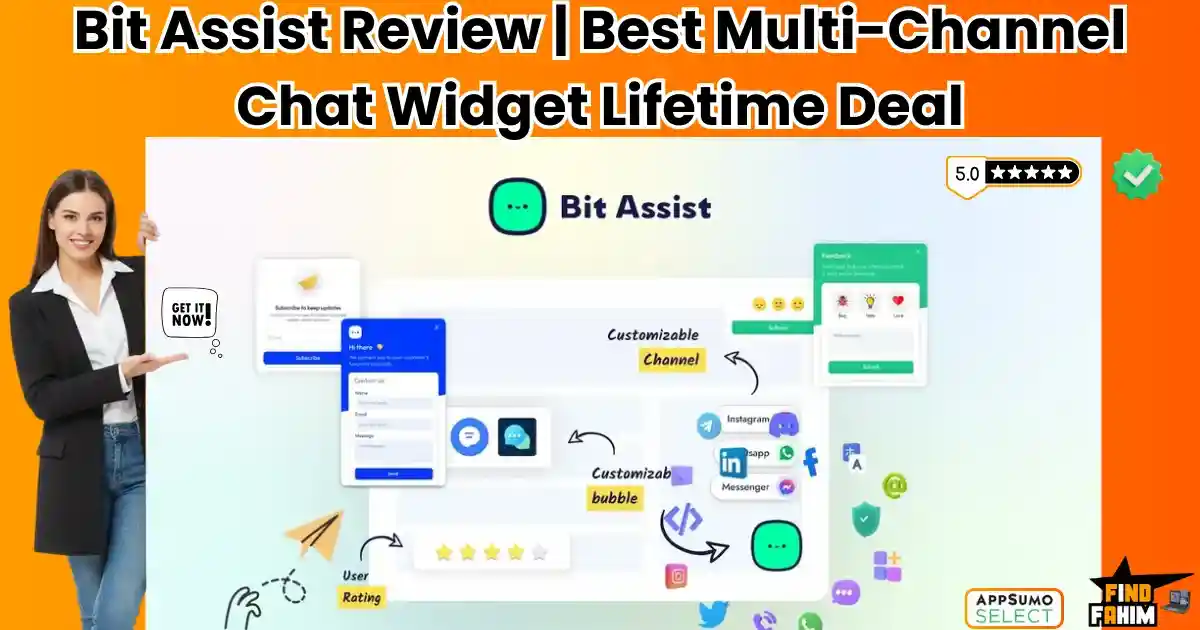
Bit Assist Reviews 2026 | Best Smart Multi-Channel Chat Widget | AppSumo Lifetime Deal & Alternatives
You spend hours driving traffic to your website. You pay for ads. You write blogs. You post on social media. A visitor finally lands on your pricing page. They have one simple question: “Do you ship to Canada?” They look for a chat button. They don’t see one. They don’t want to fill out a long “Contact Us” form and wait 24 hours for an email. So, what do they do? They leave. And they buy from your competitor, who answered that question instantly via WhatsApp. In 2026, Conversational Marketing is not optional. Customers expect to reach you through the apps they already use, such as WhatsApp, Facebook Messenger, or Telegram. Bit Assist is the bridge between your website and your customers’ favorite apps. It is a “Floating Action Button” that sits on the corner of your website. When clicked, it opens a menu of contact options—messaging apps, FAQs, Knowledge Bases, and Contact Forms—without slowing your website. It promises to replace expensive tools like Intercom ($74/mo) with a simple, privacy-focused widget that you pay for once. But is it just a simple button, or is there real power under the hood? Does it really work on Shopify if it’s a WordPress plugin? In this in-depth Bit Assist review, I am going to test every single channel to see if this is the lead generation tool you have been missing. Note: This article contains affiliate links. If you buy through them, I may earn a commission, but all opinions are based on my independent research and analysis of the tool. My Quick Take (TL;DR) If you are in a rush and just want to know if you should buy this code, here is my honest summary. What is it? A “Smart Chat Widget.” It groups 20+ communication channels (WhatsApp, Messenger, Phone, etc.) into one button on your site. Why is it Special? External Hosting. You install it on a WordPress site, but it generates a script that you can use on any site (Shopify, Wix, Webflow, HTML). Who is it for? E-commerce Store Owners, Digital Agencies, and Support Teams who want to consolidate communication. The Deal: Lifetime access starting at $49. My Verdict: It is lightweight, GDPR compliant, and incredibly flexible. If you want to offer WhatsApp support without coding, this is the best ROI tool on the market. Get the Bit Assist Lifetime Deal What is Bit Assist? Bit Assist is a Customer Engagement Widget. Most chat tools try to force customers to stay on your website. They use proprietary “Live Chat” windows. If the customer closes the tab, the conversation is lost forever. Bit Assist takes a different approach. It encourages the customer to take the conversation Off-Site. The Concept: A visitor clicks the Bit Assist button. They chose “WhatsApp.” The chat opens in their WhatsApp app. The Benefit: Even if they leave your website, you still have the chat thread open on their phone. You can follow up 2 hours later, and they will actually see it. It supports over 20+ Channels, including: Social Chat: WhatsApp, Messenger, Telegram, Viber, Snapchat, Skype. Business Tools: Slack, Discord, Microsoft Teams. Support Tools: Knowledge Base, FAQ, Contact Form. Quick Look: What’s Inside the Deal? I know you want to see the value instantly. Here is how Bit Assist stacks up against the expensive monthly tools. Feature Replaces… The “Killer” Value Normal Cost Deal Status Multi-Channel Chat Chaty / Elfsight WhatsApp & Messenger in one ~$15/mo ✅ Included Knowledge Base HelpScout Searchable Docs in widget ~$25/mo ✅ Included FAQ Module Accordion Plugins Quick answers inside chat ~$10/mo ✅ Included Cross-Platform Custom Dev Use a WP plugin on Shopify Technical ✅ Included Dark Mode Custom CSS Auto-detects user preference N/A ✅ Included Webhooks Zapier Send form data anywhere Paid Add-on ✅ Included Business Hours Manual Logic Auto-hide offline channels Standard ✅ Included Why You Need More Than Just “Live Chat” You might be thinking, “Fahim, I have a free live chat plugin. Why do I need this?” You need this because Live Chat requires you to be Live. The “Offline” Problem If a customer messages your Live Chat at 3 AM, and you aren’t there, they stare at a “We are offline” screen. They feel ignored. With Bit Assist, they click “WhatsApp.” They send the message. It sits on your phone. You wake up, see the WhatsApp message, and reply. The conversation continues seamlessly. The “Speed” Problem Most Live Chat scripts (like Intercom or Drift) are heavy. They slow down your website loading speed by 2-3 seconds. Bit Assist is optimized for performance. It uses a lightweight script that doesn’t bloat your site, keeping your Google PageSpeed scores high. Why “Omnichannel Support” is Trending in 2026 I noticed this tool getting consistent 5-star reviews (69+ reviews with a 4.9 rating) because it solves a modern problem: Fragmentation. Your customers are everywhere. Gen Z wants to message you on Instagram. Professionals want to message you on Slack. International clients want to message you on WhatsApp. Old school clients want to call you. Bit Assist puts all these options in one tidy drawer. You don’t need 5 different buttons cluttering up your screen. You look organized, professional, and accessible. A Look Inside Bit Assist: Key Features & Benefits I installed this plugin on my test site and also integrated it into a raw HTML page to test the “External” feature. Here is what I found. 1. The “External” Feature (The Agency Secret) The Benefit: Use WordPress power on ANY website. This is the most unique feature of Bit Assist. The software is a WordPress plugin. You install it on your agency site. The Magic: From your WordPress dashboard, you can create a widget for a client who uses Shopify or Wix. The Output: Bit Assist gives you a tiny snippet of JavaScript code. You paste that code into the Shopify header. The Result: You manage the widget from your WordPress dashboard, but it appears

FlexiFunnels Reviews 2026 | Best AI-Powered Funnel Builder & Course Platform | AppSumo Lifetime Deal & Alternatives
Building a sales funnel usually means one of two things: burning cash on expensive tools like ClickFunnels ($147/mo) and Kajabi ($149/mo), or duct-taping together a mess of WordPress plugins that break every time you update them. FlexiFunnels creates a third option: An all-in-one AI ecosystem for a one-time price. Let’s be honest: The “Funnel Tax” is real. If you want to sell a course, you need a page builder, a checkout cart, a video host, an email autoresponder, and a membership area. By the time you launch, you are bleeding $300 a month in subscription fees before you’ve made your first dollar. FlexiFunnels replaces 15+ of these tools. It is an AI-powered platform that lets you generate conversion-optimized landing pages and funnels from a single text prompt. But it doesn’t stop at design. It handles your payments, hosts your courses, manages your checkouts, and even writes your marketing copy using specialized AI agents. With a strong 4.7-star rating and over $57 Million in transactions processed, this isn’t a beta test. It is a mature platform built by marketers, for marketers. In this in-depth FlexiFunnels review, I am testing if this $49 lifetime deal is truly powerful enough to replace the industry giants. Note: This article contains affiliate links. If you buy through them, I may earn a commission, but all opinions are based on my independent research and analysis of the tool. My Quick Take (TL;DR) If you are tired of the monthly “Funnel Tax” and want a platform that actually builds the pages for you, here is my honest summary. What is it? An AI-powered funnel builder, website creator, and course hosting platform (LMS). Why is it Special? One-Prompt Build. You can type “Yoga course sales page,” and it builds the layout, copy, and design in minutes. Plus, it includes a full Checkout system. Who is it for? Course Creators, Digital Marketers, and Agencies who want to launch fast. The Deal: Lifetime Access starting at $49. My Verdict: This is the most comprehensive “Business-in-a-Box” deal I have seen in 2026. If you sell anything online (courses, ebooks, consulting), buying this is a financial no-brainer compared to ClickFunnels. Click Here to Get the FlexiFunnels Lifetime Deal What is FlexiFunnels? The best way to describe this platform is as “ClickFunnels met ChatGPT.” Traditional builders require you to drag, drop, and design every pixel manually. If you aren’t a designer, your page looks amateur. FlexiFunnels solves this with AI. You go to the dashboard, select “FlexiAI Site Builder,” and describe what you want. The AI generates a professional, mobile-responsive page in about 5–7 minutes. But it is more than just a page builder. It is a Revenue Engine. It has a built-in Learning Management System (LMS) to host your videos and courses. It has Checkout Bump Offers to increase your average order value. It has AI Marketing Agents to write your ads and emails. It is designed to take a stranger and turn them into a customer, all under one roof. Quick Look: What’s Inside the Deal? If you are currently paying for Kajabi or ClickFunnels, look at the math. Feature Replaces… The “Killer” Value Normal Cost Deal Status Funnel Builder ClickFunnels Unlimited Funnels (Tier 3+) ~$147/mo ✅ Included Course Hosting Kajabi / Teachable Host Video Courses ~$119/mo ✅ Included Checkout Cart ThriveCart / SamCart One-Click Upsells ~$50/mo ✅ Included AI Page Builder Framer AI Generate Sites with Prompts ~$20/mo ✅ Included Video Hosting Vimeo / Wistia DRM-Protected Video Player ~$20/mo ✅ Included Total Value Your Tech Stack Full Online Business ~$4,200/yr $49 (Lifetime) Why You Need More Than Just a “Website” A standard website (like a brochure) doesn’t sell. You need a Funnel. The “Tech Spaghetti” Problem Usually, building a funnel involves connecting a WordPress page to a Stripe checkout, then connecting that to a Teachable course, and then to a Mailchimp list. If one connection breaks (Zapier fails), you lose money. FlexiFunnels is integrated. The checkout knows the course. The page knows the checkout. There is no “Tech Spaghetti” to untangle. The “Speed to Launch” Problem Procrastination kills profits. Most creators spend 3 months building their first course page. With FlexiFunnels’ AI Page Builder, you can have a “B+” version of your page live in 10 minutes. You can edit it to an “A+” later, but the speed allows you to test offers instantly. Why AI Funnels are Trending in 2026 I noticed this tool trending because the market is shifting from “Do it Yourself” to “Do it for Me.” 1. The Death of Manual Design Marketers are not designers. We don’t want to choose font pairings. We want a page that converts. FlexiFunnels uses Conversion-Trained AI, meaning it builds layouts based on what has historically sold products, not just what looks pretty. 2. The Rise of “Micro-Courses.” People are selling smaller, faster digital products. Paying $100/month for Kajabi to sell a $20 ebook makes no sense. The Lifetime Deal model of FlexiFunnels allows creators to launch small experiments without the fear of monthly overhead. A Look Inside FlexiFunnels: Key Features & Benefits This isn’t just a builder; it’s an operating system for digital sales. 1. AI Page Builder What it is: A tool where you type a prompt (e.g., “Webinar registration for a crypto trading class”), and it builds the page. Why it matters: It saves you the 10-hour headache of starting from a blank white screen. Real-World Scenario: You wake up with an idea for a “7-Day Detox” ebook. You type the prompt into FlexiFunnels. By the time you finish your coffee, you have a landing page with a headline, benefits section, and checkout button ready to go. 2. Built-in Course Hosting (LMS) What it is: A secure area to host your video lessons, quizzes, and certificates. Why it matters: You don’t need Teachable or Thinkific. Real-World Scenario: A student buys your $97 course. FlexiFunnels automatically creates its login credentials, emails them the access link,
Semrush Reviews 2026 | Rank Higher on Google & AI Search | Features & Alternatives
I have tested every platform in this game—Ahrefs, Moz, SpyFu, and SE Ranking. But ranking a website in 2026 has completely changed. It is no longer just about tracking keywords. It is about capturing AI visibility and knowing competitor strategies before they hit publish. Most reviews are generic fluff. You are about to invest over $130 a month, and you deserve absolute transparency. I combined expert insights from Brian Dean with my own rigorous testing to walk you through every dashboard in this massive Semrush review. Disclaimer: This article contains affiliate links. If you purchase through these links, I may earn a small commission at no extra cost to you. All opinions, market analysis, and research are entirely my own. TL;DR Does this platform make you money? Yes. Semrush has evolved into a complete digital marketing infrastructure, handling everything from technical site audits to tracking if ChatGPT actively recommends your brand. The Quick Look Table Semrush Feature Best For The “Killer” Value Rating Domain Overview Competitor Spying See competitor traffic and ad spend in 1 click. ⭐⭐⭐⭐⭐ Keyword Magic Content Writers Finds 1,000s of easy questions your customers ask. ⭐⭐⭐⭐⭐ Link Building CRM Outreach Finds site owner emails for in-app outreach. ⭐⭐⭐⭐ AI Visibility Future-Proofing Tracks brand mentions in Gemini and ChatGPT. ⭐⭐⭐⭐ Traffic Analytics Market Research Accurate estimates based on real clickstream data. ⭐⭐⭐⭐⭐ My Verdict: If you want to beat competitors, this is mandatory. It replaces multiple expensive tools. Let’s get to work. Semrush Free – Exclusive Link What is Semrush? (The Real Explanation) Imagine you are playing a game of poker, but you are the only one who can see everyone else’s cards. That is what Semrush does for business. It is a software platform (SaaS) that gathers data from all over the internet. It crawls websites, reads Google results, tracks ads, and monitors social media. Then, it puts all that data into a simple dashboard for you. When you type a competitor’s website into Semrush, it shows you: Where do they get their customers (Google, Facebook, or Referrals)? What keywords they are ranking for (and how much money those keywords are worth). Who is linking to them (so you can go get those links too). How much they spend on Google Ads (and exactly what their ads look like). It takes the guessing out of marketing. You don’t have to “hope” a strategy works. You just look at what the winner is doing and do it better. Why You Need More Than Just “Old School” SEO Tools I want to be real with you for a second. A few years ago, you could use a cheap tool, find a keyword like “best dog food,” write a 500-word article, and rank. That is dead. In 2026, we have things like Google’s AI Overviews, ChatGPT Search, and Perplexity. People aren’t just clicking blue links anymore. They are asking AI questions. This is where Semrush is crushing the competition. While other tools (like Moz) are still focused on standard Google rankings, Semrush has built an entire AI Visibility Toolkit. It tracks Prompts: What questions are people asking ChatGPT about your industry? It tracks Sentiment: Is the AI saying nice things about your brand, or is it telling people to avoid you? It tracks Share of Voice: How often does your brand come up in AI answers compared to your rivals? If you are buying a tool today, you cannot buy one that is stuck in 2020. You need a tool that is ready for the future of search. Pros & Cons: The Honest Truth I promised you I would avoid the “robot talk” and give you the real details. I read through every user review and tested it myself. Here is the good, the bad, and the ugly. The Pros (Why Experts Love It) Massive Data Limits: This is a big one. Even on the cheapest plan, Semrush lets you pull 3,000 reports per day. Compare that to Ahrefs, which has strict credit limits that run out fast. If you are a heavy user, Semrush gives you way more freedom. The “CRM” Style Link Building: This is my favorite feature. Most tools just give you a list of websites to contact. Semrush actually finds the email address for you, lets you connect your Gmail/Outlook, and lets you send the emails directly from the dashboard. It tracks who opened them and who replied. It is like having a mini-Salesforce built into your SEO tool. Search Intent Data: Semrush doesn’t just show search volume. It labels every keyword with a letter: I (Informational), N (Navigational), C (Commercial), or T (Transactional). This is huge. It stops you from trying to sell products on keywords where people just want to learn. AI Visibility Tracking: As I mentioned, being able to see if you appear in Google’s AI Overview is a feature very few other tools have right now. Toxic Link Finder: The “Backlink Audit” tool is excellent at finding “spam” links that might get you banned by Google. It automatically creates a “disavow file” you can send to Google to clean up your reputation. The Cons (What Sucks) One User Only: This is annoying. Even if you pay $499/month for the Business plan, you only get one user seat. If you want your business partner or writer to log in, you have to pay extra (usually $45 to $80 per person). Google-Only Data: Semrush is a beast for Google. But if you want data for YouTube search, Amazon, or Bing, it is not as strong as specialized tools. It focuses 95% of its power on Google. Mobile Experience: I tried using Semrush on my iPhone, and honestly, it was frustrating. The text is tiny. You have to pinch and zoom constantly. They have a mobile app, but it is limited to just position tracking. You can’t really do deep research on the go. Domain Overview (Your Command Center) Okay, let’s dig into the actual tools.
Kavout Reviews 2026 | Best AI Financial Research Platform | AppSumo Lifetime Deal & Alternatives
Investing in 2026 feels like drinking from a firehose. Between earnings reports, technical charts, and Jim Cramer yelling on TV, a solo investor can’t process it all. Kavout is an AI-powered investment research platform that acts as your 24/7 financial analyst. It uses machine learning (including their proprietary “K Score”) to crunch millions of data points—fundamentals, technicals, and sentiment—and distills them into a single, actionable rating. Let’s be honest: You don’t have a team of 50 analysts as BlackRock does. Most retail investors are guessing. They buy a stock because a YouTuber mentioned it, or they stare at a chart for hours trying to find a “Cup and Handle” pattern. Kavout levels the playing field. Founded by former hedge fund executives (including Dr. Feifei Li), it brings institutional-grade AI to the little guy. It allows you to ask questions in plain English (“Is Apple a buy right now?”) and get a data-backed answer that weighs the bullish and bearish cases instantly. With a solid 4.7-star rating and a rapidly expanding roadmap (including Crypto and Global Markets), this tool is positioning itself as the “Bloomberg Terminal for the rest of us.” In this in-depth Kavout review, I am testing if this $69 lifetime deal can actually help you beat the market or if it’s just another AI hallucination. Note: This article contains affiliate links. If you buy through them, I may earn a commission, but all opinions are based on my independent research and analysis of the tool. My Quick Take (TL;DR) If you want to stop gambling and start investing with data, here is my honest summary. What is it? An AI financial research platform that combines a Stock Picker, Portfolio Optimizer, and Market Scanner into one dashboard. Why is it Special? The “K Score.” A proprietary AI rating (1-9) that predicts a stock’s probability of outperforming the market. It processes 200+ factors daily, something a human simply cannot do. Who is it for? Retail Investors, Swing Traders, and Solopreneurs who want institutional insights without the $24,000/year terminal cost. The Deal: Lifetime Access starting at $69. Tier 3 ($299) unlocks 1,500 monthly research credits and is recommended for active traders. My Verdict: If you trade individual stocks or crypto, this is a no-brainer. The “Smart Signals” alone saved one reviewer from a bad trade on Gold (XAUUSD). It pays for itself by preventing one bad loss. Click Here to Get the Kavout Lifetime Deal What is Kavout? The best way to describe this platform is as “ChatGPT trained specifically on Wall Street Data.” General AI (like Gemini or OpenAI) is great at writing poems, but terrible at math. If you ask ChatGPT for stock advice, it gives you a generic disclaimer. Kavout is built on financial models. It connects to real-time market data, technical indicators (RSI, MACD), and fundamental data (P/E Ratios, Earnings). When you ask Kavout a question, it triggers an “AI Research Agent.” This agent goes out, reads the news, checks the chart, analyzes the insider trading reports, and writes a synthesized report for you in seconds. Quick Look: What’s Inside the Deal? If you are currently paying for Seeking Alpha or TradingView, look at this math. Feature Replaces… The “Killer” Value Normal Cost Deal Status K Score Analyst Ratings Predictive Outperformance Rating ~$30/mo ✅ Included InvestGPT Perplexity Finance Natural Language Stock Research ~$20/mo ✅ Included Smart Signals TradingView Scripts Real-Time Buy/Sell Setups ~$50/mo ✅ Included Portfolio Opt Personal Capital AI Factor Analysis of Holdings ~$10/mo ✅ Included Stock Screener FinViz Elite Factor-Based Filtering ~$25/mo ✅ Included Total Value Your Research Stack Institutional Grade Data ~$1,500/yr $69 (Lifetime) Why You Need More Than Just “Charts” In 2026, technical analysis isn’t enough. You need “Confluence.” The “Signal Noise” Problem You might see a “Buy” signal on the chart, but maybe the CEO just sold 1 million shares. A chart won’t tell you that. Kavout’s AI Agents look at the whole picture—Insider selling, News Sentiment, and Technicals—to give you a unified conclusion. The “Emotion” Problem Investors lose money because they get emotional. They FOMO into a rallying stock. Kavout acts as your rational partner. As reviewer “RENEWRENEW” noted, Kavout told them to wait on a Gold trade while everyone else was buying. The price dropped exactly as predicted. That emotional check is priceless. Why AI Investing is Trending in 2026 I noticed this tool trending because retail investors are realizing they are gunned down by algorithms. The Rise of “Quant” for Everyone Hedge funds have used “Quantitative Analysis” (math-based trading) for decades. Kavout brings this to you. Its Factor Portfolio Builder lets you build lists based on “Momentum,” “Value,” or “Quality”—strategies previously reserved for pros. The “Research Agent” Revolution Nobody has time to read 10-K filings anymore. We are seeing a shift towards “Agentic AI”—software that does the reading for you. Kavout’s agents digest thousands of pages of financial documents to tell you: “Revenue is up, but margins are down due to supply chain issues.” A Look Inside Kavout: Key Features & Benefits This isn’t just a stock screener. It’s an intelligence platform. 1. The K Score (The “Secret Sauce”) What it is: A daily rating from 1 to 9 for over 9,000 stocks. Why it matters: A score of 9 means the AI predicts a high probability of outperforming the S&P 500. Real-World Scenario: You are looking at two tech stocks. Both look good. Kavout gives Stock A a “K Score” of 3 and Stock B a score of 8. You skip Stock A and focus your deep research on Stock B, saving hours. 2. InvestGPT (Natural Language Research) What it is: A chat interface where you ask complex financial questions. Why it matters: It understands jargon. Real-World Scenario: You ask, “Find me undervalued energy stocks with high dividends and low debt.” Instead of messing with complex filters, Kavout understands the intent and generates a list of tickers that match that specific strategy instantly. 3. Smart

Vivomeetings Reviews 2026 | Best Video Conferencing & Webinar Platform | AppSumo Lifetime Deal & Alternatives
We have all been there. You are 5 minutes into a sales call. You are about to close the deal. And then—click. Your free Zoom limit hits 40 minutes, and the meeting cuts off. You have to awkwardly email the client: “Sorry! Can you join back?” It is embarrassing. It kills your professional image. But the alternative is paying Zoom $149/year per user. Or paying for Webex. Or GoToMeeting. If you have a team of five, you are suddenly burning $750+ a year just to talk to people. Vivomeetings is the answer to the “Subscription Fatigue” of the video conferencing world. It is a cloud-based video platform that offers HD video, screen sharing, webinars, and intelligent transcription—all for a single, one-time payment. It promises to do 95% of what Zoom does, without the monthly “rent.” But let’s be real: We have seen “Zoom Killers” before. Most of them are buggy, laggy messes that drop calls and freeze screens. Is Vivomeetings actually reliable enough for business, or is it just another cheap toy? In this in-depth Vivomeetings review, I am going to stress-test this platform to see if it can truly replace the industry giants. Note: This article contains affiliate links. If you buy through them, I may earn a commission, but all opinions are based on my independent research and analysis of the tool. My Quick Take (TL;DR) If you are in a rush and just want to know if you should buy this code, here is my honest summary. What is it? A Video Conferencing & Webinar Platform. It handles meetings, screen sharing, and recording. Why is it Special? Unlimited Time. No 40-minute cutoffs. Plus, it includes “Webinar Mode” on all plans (which Zoom charges extra for). Who is it for? Consultants, Online Tutors, Sales Teams, and Small Businesses who want professional video without the monthly fees. The Deal: Lifetime access starting at $89. My Verdict: It is not as polished as Zoom, but it is rock solid. The audio is clear, the video is 1080p, and the “Custom Branding” makes you look like a pro. If you just need to host meetings, buying this is a financial no-brainer. Get the Vivomeetings Lifetime Deal What is Vivomeetings? Vivomeetings is a communication hub designed to connect people across devices. Unlike some tools that require everyone to download a heavy app, Vivomeetings is Cloud-Native. This means your clients can join directly from their browser (Chrome, Edge, Safari) without installing anything. It isn’t just for 1-on-1 chats. It is built for scale. For Meetings: Host up to 300 participants. For Webinars: Broadcast to 10,000 viewers (on the Pro plan). For Education: Use virtual whiteboards and breakout rooms to teach classes. It positions itself as the “People’s Platform”—accessible, affordable, and feature-rich. Quick Look: What’s Inside the Deal? I know you want to see the value instantly. Here is how Vivomeetings stacks up against the expensive monthly tools you might be using right now. Feature Replaces… The “Killer” Value Normal Cost Deal Status Unlimited Meetings Zoom Free No 40-min limit ~$149/yr ✅ Included Webinar Mode Zoom Webinar Host large presentations ~$79/mo ✅ Included Cloud Recording Cloud Storage Record to the cloud ~$10/mo ✅ Included Transcription Otter.ai AI auto-transcribes calls ~$20/mo ✅ Included Custom Branding Enterprise Your Logo & Colors Enterprise ✅ Included Dial-In Numbers Phone Plans US/Canada Dial-in Extra Fee ✅ Included Breakout Rooms Education Split groups for workshops Standard ✅ Included Live Streaming Restream Stream to YouTube Live Standard ✅ Included Why You Need More Than Just “Google Meet” You might be thinking, “Fahim, Google Meet is free. Why should I pay $89 for this?” Google Meet is great for casual chats, but it lacks the Professional “Control Room” features that businesses need. The “Webinar” Gap If you want to host a webinar on Google Meet where you speak and 100 people listen (without them unmuting and interrupting), you have to pay for the expensive “Workspace” editions. Vivomeetings gives you Webinar Mode on day one. You control the stage. You control the mics. You control the chat. The “Branding” Gap When you send a Google Meet link, it says “Google.” When you send a Vivomeetings link (on Tier 5+), the waiting room has Your Logo. The background has Your Brand Colors. It subconsciously tells your client: “This person is established. They have their own system.” Why “Alternative Video Tools” are Trending in 2026 I noticed this deal trending (75+ reviews) because the “Work From Home” economy has matured. In 2020, we grabbed whatever tool was famous (Zoom). In 2026, we are smarter with our budgets. Businesses are realizing they are overpaying for “name-brand” video tools. The Shift: Why pay for Zoom’s 1,000 features if you only use 3 (Video, Screen Share, Chat)? The Logic: Tools like Vivomeetings offer the “Core 3” perfectly, plus the high-ticket features like AI Transcription, for a fraction of the cost. A Look Inside Vivomeetings: Key Features & Benefits I tested this platform on both my high-end Desktop and my iPhone to see how it performs. 1. HD Video & Audio (The Foundation) The Benefit: Clarity. Vivomeetings supports 1080p Video. Most free tools throttle you to 720p. My Experience: I hosted a test call with 5 people. The latency (lag) was minimal. The audio was crisp. It uses “Dolby Voice” technology to suppress background noise, which saved me when my neighbor started mowing his lawn during the test. 2. Webinar Mode (The Money Maker) The Benefit: Selling One-to-Many. This is the reason to buy the deal. How it works: You can switch a meeting from “Discussion” (everyone talks) to “Webinar” (only you talk). The Power: You can have panelists. You can have a Q&A box separate from the chat. You can poll the audience. Real-World Scenario: You are a coach. You run a free “Masterclass” to sell your course. You put 50 people in a Vivomeetings Webinar. You teach for 45 minutes, then open the Q&A.

Better Sheets Reviews 2026 | Best Google Sheets Mastery & Apps Script Course | Lifetime Deal & Alternatives
Most people use Google Sheets as a calculator. A few “experts” use it as a database. Better Sheets teaches you how to use it as an App Builder. Let’s be honest: We live in spreadsheets. Whether you are tracking leads, managing a budget, or planning content, you probably have a tab open right now with a grid of data. But you are likely doing things the “hard way”—manually copying rows, fixing broken formulas, and wasting hours on repetitive tasks. Better Sheets isn’t just a course; it’s a complete toolbox for people who want to stop working in their sheets and start making their sheets work for them. Created by Andrew Kamphey, this platform offers 400+ step-by-step tutorials, powerful templates, and exclusive SaaS-like tools (like OnlySheets and SheetOps) that allow you to automate workflows, design beautiful dashboards, and even build and sell your own spreadsheet products. With a solid 4.8-star rating and a community of over 5,000 members, this isn’t a boring “Introduction to Spreadsheets” class. It is a “Hacker’s Guide” to Google Sheets. In this in-depth Better Sheets review, I am testing if this $275 lifetime deal is worth the high price tag compared to a $15 Udemy course. Note: This article contains affiliate links. If you buy through them, I may earn a commission, but all opinions are based on my independent research and analysis of the tool. My Quick Take (TL;DR) If you use Google Sheets every day and want to automate your life, here is my honest summary. What is it? A massive library of tutorials, templates, and software tools to master Google Sheets and Apps Script. Why is it Special? It teaches you to CODE. Unlike basic courses that just show you VLOOKUP, this shows you how to write Apps Script to automate emails, build dashboards, and create sellable digital products. Who is it for? Solopreneurs, Agency Owners, and anyone who wants to sell digital templates. The Deal: Lifetime Access for $275 (One-time). My Verdict: It is expensive, but it pays for itself. If you learn to build one automated tool that saves you 10 hours a month, the ROI is massive. It is the best resource on the internet for “SaaS-ifying” spreadsheets. Click Here to Get the Better Sheets Lifetime Deal What is Better Sheets? The best way to describe this platform is “Netflix for Google Sheets Geeks.” Most courses follow a boring syllabus: Chapter 1: Rows. Chapter 2: Columns. Better Sheets is project-based. You learn by building. You want to build a CRM? There is a video for that. You want to create a Twitter bot inside a sheet? There is a video for that. It solves three specific headaches: “Ugly Sheet Syndrome”: It teaches you design principles to make your sheets look like professional software. “Manual Grunt Work”: It teaches you Google Apps Script (the code behind Sheets) to automate tasks like sending invoices or scraping data. “Monetization”: It teaches you how to package your clever spreadsheets and sell them on marketplaces like Gumroad or AppSumo. Quick Look: What’s Inside the Deal? If you are thinking about buying a generic Udemy course, look at this math. Feature Replaces… The “Killer” Value Normal Cost Deal Status 400+ Tutorials Udemy Courses Project-based learning ~$200/yr ✅ Included OnlySheets Tool Membership Plugins Protect & Sell Sheets ~$29/mo ✅ Included SheetOps Trello / Asana Project Management in Sheets ~$10/mo ✅ Included AI Formula Bot ChatGPT Plus Auto-Write Complex Formulas ~$20/mo ✅ Included Apps Script 101 Coding Bootcamp Learn to Code for Free ~$500 ✅ Included Total Value Your Education A New Income Stream ~$1,789 $275 (Lifetime) Why You Need More Than Just a Google Search You might be thinking, “Can’t I just search this on YouTube?” Technically, yes. But searching “How to do X in Sheets” gives you a 4-minute video that solves one tiny problem. It doesn’t teach you the system. The “Frankenstein” Problem When you learn from random YouTube videos, you end up with a “Frankenstein” spreadsheet—a mess of copied formulas that you don’t understand. When it breaks (and it will), you can’t fix it. Better Sheets gives you a deep understanding of why the formula works, so you can build scalable systems that don’t crash. Why Spreadsheet Skills are Trending in 2026 I noticed this platform trending because the “No-Code” movement is evolving. 1. The Rise of “Micro-SaaS.” People are realizing they don’t need to learn Python to build a software product. You can build a fully functional “app” inside Google Sheets (like a Lead Tracker or an SEO Audit tool) and sell it. Better Sheets is the only course specifically focusing on this “Sheet-to-SaaS” pipeline. 2. Automation is Essential In 2026, if you are manually copy-pasting data between emails and spreadsheets, you are wasting money. Companies are desperate for employees who know Apps Script. Learning to write a simple script that automates a daily report makes you instantly indispensable (and promotable). A Look Inside Better Sheets: Key Features & Benefits This isn’t just a video library. It includes software tools that you would normally pay monthly for. 1. 400+ Step-by-Step Tutorials (The Core) What it is: A massive archive of “How-To” videos, ranging from 5 minutes to 1 hour. Why it matters: It covers everything from “How to make a progress bar” to “How to build a complete inventory system.” Real-World Scenario: You want to track your crypto portfolio. Instead of struggling with IMPORTXML, you watch a Better Sheets tutorial that gives you a pre-made script to pull live prices from an API. You build your dashboard in 20 minutes. 2. Automation & Apps Script (The “Superpower”) What it is: Google Apps Script is a coding language based on JavaScript. Why it matters: This is the secret sauce. Most users are scared of code. Andrew explains it in plain English. Real-World Scenario: You run a newsletter. You build a script that automatically grabs new subscribers from your email, adds them to your Sheet,
SuperCopy.ai Review 2026 | Best AI Persona Marketing Tool | AppSumo Lifetime Deal & Alternatives
Most AI writing tools sound the same. You type “Write a LinkedIn post,” and ChatGPT gives you a generic, robotic wall of text that sounds like everyone else. SuperCopy.ai solves this by focusing on Personas first, content second. It uses AI to build deep, data-driven profiles of your Brand (who you are) and your Audience (who you are talking to). It then writes content specifically for that intersection. Let’s be honest: “Generic” content is dead in 2026. If you are a marketing agency, you can’t send a client copy that sounds like a robot. You need to sound like their brand voice, targeting their specific customer (e.g., “A cynical CTO” or “A busy soccer mom”). Doing this research manually takes days. SuperCopy.ai automates the strategy. It scans a competitor’s website to reverse-engineer their audience. It identifies your unique selling points. Then, it uses those “Guardrails” to generate high-converting emails, ads, and blogs that actually resonate. With a solid 4.6-star rating and a new 2026 update transforming it into a “Full Marketing Engine,” this platform is positioning itself as the strategist’s alternative to Jasper. In this in-depth SuperCopy.ai review, I am testing if this $49 lifetime deal is a robust marketing brain or just another wrapper. Note: This article contains affiliate links. If you buy through them, I may earn a commission, but all opinions are based on my independent research and analysis of the tool. My Quick Take (TL;DR) If you are tired of prompting ChatGPT with “Act like an expert…” every single time, here is my honest summary. What is it? An AI marketing platform that builds deep “Personas” to generate highly targeted, on-brand content. Why is it Special? Audience Analysis. It can scan a website (yours or a competitor’s) and tell you exactly who the audience is, their pain points, and how to talk to them. Who is it for? Marketing Agencies, Copywriters, and Brand Strategists. The Deal: Lifetime Access starting at $49. Tier 3 ($279) unlocks 300,000 tokens/month. My Verdict: If you manage multiple clients with different voices, this is essential. It keeps your “shampoo brand” voice separate from your “SaaS tech” voice perfectly. The “Persona Engine” is a legitimate strategic advantage. Click Here to Get the SuperCopy.ai Lifetime Deal What is SuperCopy.ai? The best way to describe this platform is as “Crystal Knows meets Jasper.” Most AI writers just predict the next word. SuperCopy.ai predicts the relationship. It forces you to define “Who is speaking?” (The Brand Persona) and “Who is listening?” (The Audience Persona) before you write a single word. It acts as a Brand Guardrail. It ensures that your “Gen Z Skincare Brand” never sounds like a “Corporate Law Firm.” It locks in the tone, slang, and values of the persona so you don’t have to keep correcting the AI. Quick Look: What’s Inside the Deal? If you are currently paying for Jasper or Crystal, look at this math. Feature Replaces… The “Killer” Value Normal Cost Deal Status Persona Gen Market Research Auto-Build Customer Avatars ~$2,000 (Agency) ✅ Included Brand Voice Jasper Brand Voice Strict Tone Enforcement ~$49/mo ✅ Included Audience Spy SimilarWeb Scan Competitors for Data ~$100/mo ✅ Included Content Gen Copy.ai Unlimited On-Brand Copy ~$36/mo ✅ Included Brainstorming Creative Strategy Campaign Ideas & Angles Your Time ✅ Included Total Value Your Strategy Stack Data-Driven Creativity ~$2,500/yr $49 (Lifetime) Why You Need More Than Just “Prompts” In 2026, prompting is becoming a commodity. Context is the new king. The “Schizophrenic AI” Problem If you use ChatGPT for 5 different clients, it starts to bleed styles together. One minute it’s formal, the next it’s using emojis. SuperCopy.ai creates Silos. Your “Client A” persona is mathematically separated from “Client B.” This is crucial for agencies that need 100% consistency. The “Blank Page” Problem Knowing what to write is harder than writing it. SuperCopy’s Campaign Brainstorming doesn’t just write the email; it plans the strategy. It suggests: “Given this audience hates expensive software, let’s position your product as the budget-friendly alternative.” It thinks like a strategist. Why Persona-Based Marketing is Trending in 2026 I noticed this tool trending because of the “Hyper-Personalization” shift. The End of “Broadcast” Marketing You can’t shout at everyone anymore. You need to whisper to specific niches. SuperCopy allows you to split your audience into “Stay-at-home Moms” vs. “Corporate Executives” and generate unique messaging for each group instantly. The Rise of “Brand Safety” Brands are terrified of AI saying something “off-brand.” By defining strict Brand Values and Mission Statements inside the Persona, SuperCopy acts as a safety net, ensuring the AI respects the brand’s identity. A Look Inside SuperCopy.ai: Key Features & Benefits This isn’t just a writer. It’s a research lab. The Persona Engine (The “Core Brain”) What it is: A tool that builds detailed profiles of your customers. Why it matters: It goes beyond “Male, 25-34.” It digs into Psychographics. What keeps them up at night? What are their prejudices? Real-World Scenario: You enter “Yoga Mats for Men.” The AI builds a persona called “Brogi Ben.” It tells you Ben is insecure about looking weak in class and values durability. It generates copy that speaks to Ben’s specific insecurity, not just generic yoga features. Competitor Audience Analysis What it is: You paste a competitor’s URL, and the AI reverse-engineers their strategy. Why it matters: It is legal espionage. Real-World Scenario: You are launching a coffee brand. You paste starbucks.com. SuperCopy analyzes their copy and tells you they target “Aspirational Urbanites.” You can then create a counter-persona to target the people Starbucks ignores (e.g., “No-Nonsense Caffeine Addicts”). The SuperChat (Contextual Writing) What it is: A chat interface (like ChatGPT) that is “aware” of your selected personas. Why it matters: You don’t have to re-explain the context. Real-World Scenario: You select your “Eco-Friendly Brand” persona. You type: “Write a tweet about Earth Day.” The AI instantly writes it using your brand’s specific eco-friendly vocabulary and tone, without you needing

SuiteDash Reviews 2026 | Best All-in-One Business Management Platform | AppSumo Lifetime Deal & Alternatives
Running a business in 2026 is expensive. You pay $30 a month for project management. You pay $15 for appointment scheduling. You pay $25 for file storage. You pay $50 for a CRM. And then you pay another $40 for electronic signatures. Before you know it, you are bleeding $500 a month just to keep the lights on. Even worse? None of these tools talk to each other. Your client has to log into three different portals just to work with you. It looks messy. It looks amateur. SuiteDash is the solution to “Subscription Fatigue.” It is a massive, all-in-one business software that combines a Client Portal, CRM, Project Management, Invoicing, LMS (Learning Management System), and File Sharing into a single, white-labeled dashboard. Instead of patching together ten different apps, you get one “Operating System” for your business. AppSumo has just brought SuiteDash back for 2026. This is legendary because it is one of the most mature, feature-rich tools ever listed on the platform. But with great power comes a steep learning curve. Is this tool a dream come true, or is it too complex for the average user? In this in-depth SuiteDash review, I am going to explore every single feature to help you decide if you should ditch your current tech stack. Note: This article contains affiliate links. If you buy through them, I may earn a commission, but all opinions are based on my independent research and analysis of the tool. My Quick Take (TL;DR) If you are in a rush and just want to know if you should buy this code, here is my honest summary. What is it? An “All-in-One” Business Platform. It replaces your CRM, Project Manager, Invoice Tool, and File Storage. Why is it Special? White Labeling. You can completely remove the SuiteDash branding. Your clients log into portal.yourdomain.com, see your logo, and think you built this software yourself. Who is it for? Web Design Agencies, Business Coaches, Consultants, and Solopreneurs who want to look like a Fortune 500 company. The Deal: Lifetime access starting at $159. You can stack up to 10 codes for Unlimited Staff and Storage. My Verdict: This is the “Swiss Army Knife” of AppSumo. It is incredibly powerful. However, it takes time to set up. Do not buy this if you want a “1-click” solution. Buy this if you want to build a scalable empire. Get the SuiteDash Lifetime Deal What is SuiteDash? The best way to describe SuiteDash is as Your Business Operating System. Most tools focus on one thing. Asana focuses on tasks. Dropbox focuses on files. SuiteDash focuses on the Client Lifecycle. It handles everything from the moment a lead contacts you, to the moment they sign the contract, to the day-to-day project management, all the way to the final invoice. It Organizes: It stores your client data (CRM). It manages: It tracks projects and tasks. It Bills: It sends estimates and invoices via Stripe/Plaid. It teaches: It has a built-in LMS to sell courses to clients. It automates: It uses “Logic Engines” to trigger actions automatically. Quick Look: What’s Inside the Deal? I know you want to see the value instantly. Here is how SuiteDash stacks up against the expensive monthly tools you might be using right now. Feature Replaces… The “Killer” Value Normal Cost Deal Status Client Portal Portal / Basecamp Private login for every client ~$99/mo ✅ Included Scheduling Calendly Two-way Google Calendar sync ~$15/mo ✅ Included Project Mgmt Trello / Asana Kanban boards & logic triggers ~$30/mo ✅ Included File Exchange Dropbox / Drive Secure, permission-based files ~$20/mo ✅ Included LMS Teachable Host unlimited courses/training ~$100/mo ✅ Included CRM HubSpot / Pipedrive Unlimited Contacts ~$50/mo ✅ Included Invoicing FreshBooks Recurring billing & subscriptions ~$30/mo ✅ Included White Label Custom Dev Your Domain & Custom Login ~$200/mo ✅ Included Why You Need More Than Just “Single Apps” You might be thinking, “Fahim, I already have Trello and Google Drive. Why do I need this?” You need this because Context Switching is killing your productivity. The “Silo” Problem Right now, your client’s contract is in DocuSign. Their files are in Dropbox. Their chat is in Slack. Their tasks are in Trello. When a client asks, “Where is that file?”, you have to dig through four different apps to find it. The SuiteDash Solution In SuiteDash, everything lives in One Portal. When you open a client’s profile, you see their files, their invoices, their tasks, and their messages on one screen. The Result: You stop being a “Data Janitor” and start being a business owner. Why “Consolidated Operations” is Trending in 2026 I noticed this deal blowing up (280+ reviews) because the market is shifting. In 2024, everyone wanted “Best in Class” apps. They bought the best CRM, the best Chat, and the best Storage. In 2026, people are tired of managing 20 subscriptions. The trend is Consolidation. Businesses want One Login. One Bill: Pay once, get everything. One Data Source: No more Zapier errors trying to sync data between apps. One Client Experience: Your clients don’t want to bookmark 5 different links. They want one portal. A Look Inside SuiteDash: Key Features & Benefits This tool is massive. I could write a book about it. But I want to focus on the features that actually make you money. 1. The White-Labeled Client Portal The Benefit: Instant Brand Authority. This is the crown jewel of SuiteDash. You can create a fully secure, private area for each client. Custom Domain: It lives at portal.yourcompany.com. Custom Login: You customize the login screen with your background image and logo. The Experience: When a client logs in, they see a dashboard customized for them. They see their active projects, outstanding invoices, and recent files. It makes you look like a million-dollar agency, even if you are a solo freelancer working from your bedroom. 2. The Learning Management System (LMS) The Benefit: Passive Income & Client Onboarding. Most
CutMe Short Reviews 2026 | Best AI-Powered Link Management Suite | AppSumo Lifetime Deal & Alternatives
Let’s be honest: Ugly links kill trust. You spend hours writing the perfect email or social media post. You craft a great hook. You add a beautiful image. And then you paste a link that looks like this: www.website.com/products/ref=12390?utm_source=facebook. It looks messy. It looks like spam. And honestly? People are scared to click it. CutMe Short is an AI-powered URL shortener and link management platform that lets you create branded links, track advanced analytics, and use AI to predict click trends—all for a one-time price. For years, we had two choices. You could use a free tool and get a generic link that you don’t own. Or, you could pay Bitly or Rebrandly a monthly fee just to use your own domain name. I have always hated this. Why should I pay rent just to shorten a link? Then I found CutMe Short. It promises to do everything the big guys do—branded domains, retargeting pixels, deep analytics—but for a lifetime deal. No monthly fees. No “link limits” that force you to upgrade. In this in-depth CutMe Short review, I will thoroughly examine this tool to help you determine if it deserves a spot in your marketing stack. Note: This article contains affiliate links. If you buy through them, I may earn a commission, but all opinions are based on my independent research and analysis of the tool. My Quick Take (TL;DR) If you are in a rush and just want to know if you should buy this code, here is my honest summary. What is it? A “Link Management Suite.” It shortens long URLs into short, branded ones (like link.mybrand.com/sale) and tracks exactly who clicks them. Why is it Special? It uses AI to predict future clicks based on past data. It also has a Dynamic UTM Builder that saves me about 10 minutes per campaign setup. Who is it for? Marketing Agencies, Social Media Managers, and Solopreneurs who want professional links without the monthly bill. The Deal: Lifetime access starting at $49. My Verdict: If you are still paying for Bitly, stop. CutMe Short gives you more features (like Link Rotators and unlimited clicks) for a single payment. It is a no-brainer for anyone running ads or affiliate marketing. Get the CutMe Short Lifetime Deal What is CutMe Short? Most people think a URL shortener is just a utility. You put a long link in, you get a short link out. That was true in 2010. In 2026, CutMe Short is more like a Marketing Command Center. It is an AI-powered platform designed to help you track, analyze, and optimize every single click you get. It doesn’t just shorten the link; it “wraps” the link in intelligence. When someone clicks a CutMe Short link, the tool instantly captures data: Where are they from? What device are they using? Did they click from Facebook or an Email? It then redirects them to the right destination. You can even set it to send iPhone users to the App Store and Android users to the Play Store using Link Rotators. It puts you in total control of your traffic flow. Quick Look: What’s Inside the Deal? I know you want to see the value instantly. Here is how CutMe Short stacks up against the expensive monthly tools you might be using right now. Feature Best For… The “Killer” Value Normal Cost Deal Status Branded Domains Building Trust Connect your OWN domain ~$29/mo (Bitly) ✅ Included Dynamic UTMs Marketers Auto-fills tags like “Facebook.” Manual Effort ✅ Included Link Rotator Affiliates Split traffic to 2 pages (A/B Test) Paid Add-on ✅ Included AI Prediction Strategists Predicts click trends for 48h Not Available ✅ Included Unlimited Clicks High Traffic Never charged for “too many clicks.” Variable Cost ✅ Included QR Codes Offline Sales Branded, trackable QR codes ~$10/mo ✅ Included Why You Need More Than Just a “URL Shortener” You might be thinking, “Fahim, can’t I just use a free tool?” You can. But you are leaving money on the table. The “Generic Link” Problem When you share a generic link (like bit.ly/3x9z), people hesitate. In 2026, phishing scams are everywhere. People don’t trust random links. CutMe Short lets you use Branded Domains. Instead of a random string, your link looks like: deals.yourname.com/summer-sale. The Result: Studies show branded links get up to 34% higher click-through rates. That is free traffic just for changing the name. The “Dark Traffic” Problem Do you know exactly which tweet drove the most sales? Most creators see “Direct Traffic” in analytics but don’t know the source. CutMe Short fixes this with UTM Parameters. It tags every link so you know exactly where your money is coming from. Why “AI Link Management” is Trending in 2026 I noticed this tool blowing up on AppSumo (89+ reviews quickly), and I wanted to know why. It turns out that it is riding three massive waves. The Rise of “AI Agents.” We are moving past manual work. CutMe Short isn’t just a database; it looks at your historical data and tells you: “Hey, you usually get a spike on Tuesdays at 10 AM.” This helps you plan your posts when your audience is actually awake. The Death of Third-Party Cookies Google and Apple are killing cookies. Tracking users is getting harder. By using a link shortener like CutMe Short, YOU own the click data. You aren’t relying on Facebook or Google to tell you the truth. The “Micro-Influencer” Boom Solopreneurs need professional tools but can’t afford enterprise software. CutMe Short fits this “Prosumer” gap perfectly—giving enterprise features (like API access and Rotators) to the little guy for a one-time price. A Look Inside CutMe Short: Key Features & Benefits I dove deep into the dashboard to test these features. Here is what actually matters for your business. 1. Branded Domains (The Trust Builder) The Benefit: Instant Authority. You can connect your own domain (e.g., link.mycompany.com). On free plans of other tools, you are
CandyIcons Reviews 2026 | Best AI App Icon & Favicon Generator | AppSumo Lifetime Deal & Alternatives
Finding the perfect app icon usually involves one of two painful options: hiring a designer for $200+ or scouring free icon sites for hours, only to find the same generic “flat style” rocket ship everyone else is using. CandyIcons is an AI-powered icon generator that turns text descriptions into high-resolution, professional app icons in three clicks. Powered by DALL-E 3 technology, it creates unique, royalty-free assets that you actually own. Let’s be honest: Midjourney is hard. If you have tried to generate an icon on Midjourney, you know the struggle. You spend 30 minutes tweaking the prompt to achieve a “white background,” but it still produces weird artifacts. CandyIcons streamlines this. It is a specialized wrapper for DALL-E 3 that is fine-tuned specifically for icon aesthetics—from 3D clay styles to minimal line art. With a solid 4.8-star rating and a massive library of 15+ pre-set styles, this tool is positioning itself as the “Canva for App Icons.” In this in-depth CandyIcons review, I am testing if this $39 lifetime deal is a valid replacement for a professional graphic designer. Note: This article contains affiliate links. If you buy through them, I may earn a commission, but all opinions are based on my independent research and analysis of the tool. My Quick Take (TL;DR) If you are a developer or marketer who needs assets fast, here is my honest summary. What is it? An AI generator dedicated solely to creating App Icons and Favicons. Why is it Special? Full Copyright Ownership. Unlike some free AI tools where rights are murky, CandyIcons explicitly grants you full commercial ownership of the generated images. Who is it for? SaaS Founders, Mobile App Developers, and Web Designers. The Deal: Lifetime Access starting at $39. Stackable codes increase your monthly credits. My Verdict: If you build apps or websites, buy 1 Code immediately. It pays for itself after the first icon. The “iOS Asset Generator” alone saves hours of resizing work. Click Here to Get the CandyIcons Lifetime Deal What is CandyIcons? The best way to describe this platform is as “Midjourney with a UI for Icons.” It removes the complexity of “prompt engineering.” You don’t need to know complex lighting parameters. You just type “A friendly robot holding a wrench,” select the “3D Render” style, choose your brand colors, and hit Generate. It handles the post-production too. It automatically upscales the image to 1024x1024px (high res) and provides a tool to export it for every single Apple device requirement (iPhone, iPad, Watch, Mac) in one click. Quick Look: What’s Inside the Deal? If you are currently paying a designer or buying icon packs, look at this math. Feature Replaces… The “Killer” Value Normal Cost Deal Status AI Icon Gen Fiverr Designers Custom Icons in seconds ~$50/icon ✅ Included Asset Export Photoshop Resizing Auto-Resize for iOS/Mac Your Time ✅ Included Copyright Stock Photo Licenses Full Commercial Rights Varies ✅ Included Favicon Gen Generic Favicons Matching Browser Icons ~$10/mo ✅ Included High Res Upscalers 1024×1024 PNGs ~$9/mo ✅ Included Total Value Your Design Budget Unlimited Creativity ~$500/yr $39 (Lifetime) Why You Need More Than Just “Stock Icons” In 2026, “Generic” is the enemy of conversion. The “App Store” Problem Your app icon is the first thing a user sees in the App Store. If it looks like a generic “FontAwesome” glyph, users assume your app is low quality. CandyIcons allows you to create rich, 3D, textured icons that look like they were designed by an Apple expert. The “Favicon” Problem Most websites treat favicons (the little icon in the browser tab) as an afterthought. CandyIcons ensures your favicon matches your brand identity perfectly. It even generates the specific rounded or circular crops needed for modern browsers. Why AI Design is Trending in 2026 I noticed this tool trending because of the “Hyper-Niche” AI movement. 1. The End of “Generalist” AI People are tired of wrestling with ChatGPT for images. They want tools that do one thing perfectly. CandyIcons is fine-tuned only for icons. It won’t accidentally generate a landscape photo. It understands the constraints of a square canvas. 2. The Speed to Launch Indie hackers are launching products in 24 hours. They can’t wait 3 days for a designer on Upwork. CandyIcons reduces the “Design Phase” from days to minutes. A Look Inside CandyIcons: Key Features & Benefits This isn’t just a random image generator. It’s a workflow tool. 1. The 15+ Style Presets (The “Designer’s Eye”) What it is: A selector that lets you choose the “Vibe” of the icon. Why it matters: You don’t need to describe the art style. Real-World Scenario: You are building a finance app. You select the “Metallic” or “Gradient” style. You type “Gold Coin.” The AI generates a sleek, modern coin that fits perfectly on an iOS 19 home screen. If you are building a game, you select “Pixel Art” or “Clay 3D” for a fun, playful look. 2. The iOS & macOS Asset Generator What it is: A built-in exporter that takes your icon and chops it up. Why it matters: Xcode (Apple’s coding tool) requires about 15 different sizes of your icon (20px, 29px, 40px, 60px, etc.). Doing this manually in Photoshop is torture. Real-World Scenario: You generate a cool robot icon. You click “Export for iOS.” The tool gives you a ZIP file with every single size properly named ([email protected], etc.). You drag that folder into Xcode, and you are done. 3. Full Commercial Copyright What it is: You own the PNG. Why it matters: Some AI tools have restrictive licenses (e.g., “Personal use only”). Real-World Scenario: Your app takes off and gets acquired by Google. Due diligence lawyers check your assets. Because you used CandyIcons, you have clear ownership of the logo, avoiding any legal IP headaches. 4. Custom Color Palette What it is: The ability to enforce your brand colors. Why it matters: Random AI generations often pick weird colors. Real-World Scenario: Your
More Good Reviews 2026 | Best Review Generation & Gating Engine | AppSumo Lifetime Deal & Alternatives
A business with five stars gets the click. A business with no stars tends to get ignored. It is that simple. More Good Reviews is an automated reputation management platform that sends email and SMS review requests to customers, filtering negative feedback to private forms while directing positive feedback to public sites like Google and Yelp. Let’s be honest: Getting reviews is awkward. You finish a job for a client. You ask, “Hey, can you leave a review?” They say yes. Then they forget. You don’t want to nag them, so you let it slide. Meanwhile, your competitors are using expensive software like Podium ($289/month) or BirdEye ($299/month) to blast SMS requests to every single customer automatically. They dominate the “Map Pack” because they have volume. More Good Reviews levels the playing field for a one-time price. It automates the “Ask.” You connect it to your Stripe or CRM. When a customer pays, the system waits 3 days and then sends a polite email or text: “How was your experience?” If they click 5 stars, it forwards them to Google Maps. If they click 1 star, it opens a private feedback form so they can vent to you instead of destroying your reputation online. With a 4.9-star rating and a powerful “Agency White Label” mode, this platform is positioning itself as the “Local SEO in a Box” solution for agencies. In this in-depth More Good Reviews review, I am testing if this $69 lifetime deal works as smoothly as the expensive corporate tools. Note: This article contains affiliate links. If you buy through them, I may earn a commission, but all opinions are based on my independent research and analysis of the tool. My Quick Take (TL;DR) I think you’re here because you know “Social Proof” is money, but you refuse to pay a monthly mortgage payment for reputation software. You want to automate the review chase without looking desperate. What is it? A review generation engine. It sends requests via Email and SMS. Why is it Special? Review Gating. It acts as a shield. It encourages happy customers to go public and keeps unhappy customers private. Who is it for? Local Businesses (Dentists, Roofers), Agencies, and SaaS Founders. The Deal: Lifetime Access starting at $69. My Verdict: If you serve local clients, this is a money-printer. Ranking #1 on Google Maps drives phone calls. Warning: If you are an agency, you must buy Tier 3 ($207) to unlock the White Label features. Get the More Good Reviews Lifetime Deal What is More Good Reviews? The best way to describe this platform is as an Automated Reputation Filter. Most businesses leave reviews to chance. They hope happy customers will find their Google page. More Good Reviews removes “Hope” from the equation. It asks: It automatically contacts every customer via SMS or Email after a purchase. It Routes: It uses “Smart Logic” to send happy customers to public sites (Google, Yelp) and unhappy customers to a private internal form. It monitors: It tracks your reputation growth on a dashboard so you can see exactly how many new stars you earned this month. Quick Look: What’s Inside the Deal? If you are currently paying monthly for reputation management, look at this math. Feature Replaces… The “Killer” Value Normal Cost Deal Status SMS/Email Auto Podium Automate the “Ask” ~$289/mo ✅ Included Review Gating NiceJob Filter Bad Reviews ~$75/mo ✅ Included Kiosk Mode Physical Cards QR Code for In-Store N/A ✅ Included White Label Agency Dash Resell as Your Own ~$499/mo ✅ Tier 3+ Showcase Widget Elfsight Embed Reviews on Site ~$15/mo ✅ Included Why You Need More Than Just “Google Forms” We all make mistakes. Maybe your shipment was late. Maybe your employee was rude. If you don’t ask for feedback, that angry customer goes straight to Google and leaves a 1-star rant. This permanently damages your SEO. The Solution: This software intercepts them. It sends a message asking: “How did we do?” The Psychology: When they see a “1 Star” option, they click it. But instead of Google, they get a private form: “We are sorry! Tell us what went wrong.” They feel heard. They type out their anger. You get the feedback. But the 1-star review never hits the internet. You saved your reputation. Why “Automated Reviews” are Trending in 2026 I noticed this tool trending because of the “Zero-Click” Local Search shift. In 2026, Google Maps is the new homepage. Customers don’t visit your website; they look at your star rating on the map and call you directly. The Old Way: You focus on your website design. The New Way: You focus on your Star Count. Tools that automate this process (like More Good Reviews) are becoming the “secret weapon” for small businesses to outrank big chains. A Look Inside More Good Reviews: Key Features & Benefits This isn’t just an email blaster. It’s a strategic funnel. 1. Automated “Drip” Requests The Benefit: Increasing conversion by 200%. You can set up a sequence. Day 0 (Post-Purchase): Send “Thanks” email. Day 3: Send “How was it?” SMS. Day 7: Send “One last check” email. Real-World Scenario: You run a plumbing business. You finish a job. You forget about it. Three days later, while the customer is sitting on the couch, they get a text. They click the link and leave a 5-star review. You just improved your SEO while sleeping. 2. Agency White Label The Benefit: 100% Profit Margin. Available on Tier 3+, this allows you to remove all branding and put your agency logo on the dashboard. Real-World Scenario: You sell “Reputation Management” to your clients for $99/month. You set them up on your account (which you paid for once). They log in to your branded portal to see their reviews coming in. 3. Kiosk Mode & QR Codes The Benefit: Capturing sentiment instantly. It generates a printable QR code or a “Kiosk Page” perfect for physical locations. Real-World
WebStarts Reviews 2026 | Best Visual Drag-and-Drop Website Builder | AppSumo Lifetime Deal & Alternatives
Building a website usually falls into two categories: “Easy but expensive” (Wix, Squarespace) or “Cheap but complicated” (WordPress). WebStarts is a drag-and-drop website builder that aims to be the “Adult Lego” of web design. It gives you the creative freedom to move any element anywhere on the page—no grid restrictions—while handling all the boring technical stuff like hosting, SSL, and domain emails in the background. Let’s be honest: Monthly subscriptions kill small businesses. If you sign up for Wix or Squarespace, you are looking at $16 to $29 per month forever. That is over $300 a year just to keep your portfolio online. And the moment you stop paying, your site disappears. You are renting your digital existence. WebStarts disrupts this rent-seeking model. It offers a Business Plan features suite—including 40GB of storage, 5 custom email addresses, and e-commerce tools—for a one-time price. It combines the visual freedom of a design tool like Canva with the power of an online store and blog. With a solid 4.7-star rating from over 340 reviewers and a recent 2026 update adding AI tools and “wider page body” support, this platform is positioning itself as the ultimate “Set and Forget” solution. In this in-depth WebStarts review, I am testing if this $69 lifetime deal is a robust alternative to the big giants or just a basic builder. Note: This article contains affiliate links. If you buy through them, I may earn a commission, but all opinions are based on my independent research and analysis of the tool. My Quick Take (TL;DR) If you are tired of paying monthly hosting fees and just want a site that works, here is my honest summary. What is it? A visual, drag-and-drop website builder that includes hosting, email, and e-commerce. Why is it Special? True Drag-and-Drop. Unlike some editors that force you into a “block” grid, this tool lets you move images and text literally anywhere on the canvas (pixel-perfect positioning). Who is it for? Content Creators, Marketers, and Digital Agencies who want to build sites fast without coding. The Deal: Lifetime Access starting at $69. My Verdict: If you need a professional site without the monthly “rent,” this is a no-brainer. It is perfect for landing pages, portfolios, and small stores. The templates are a bit basic, but the customization freedom makes up for it. Click Here to Get the WebStarts Lifetime Deal What is WebStarts? The best way to describe this platform is as “Canva for Websites.” Most builders lock you into rigid templates. You can’t move a button “there” because the code doesn’t allow it. You are fighting the grid. WebStarts is different. It uses a “Free-Form” Editor. If you want to put your logo in the absolute bottom-right corner of the screen, you just click it and drag it there. It stays there. It gives you total control over the X and Y axes of every element. It is an all-in-one ecosystem. It doesn’t just build the site; it hosts it. It manages your domain emails (like [email protected]). It even includes an AI Writer to help you generate text and a Blog App to drive traffic. Quick Look: What’s Inside the Deal? If you are currently paying a monthly subscription for Wix or Weebly, look at this math. Feature Replaces… The “Killer” Value Normal Cost Deal Status Visual Builder Wix / Squarespace Drag-and-Drop Freedom ~$23/mo ✅ Included Hosting & SSL GoDaddy Fast Cloud Hosting ~$10/mo ✅ Included Custom Email Google Workspace 5 Business Inboxes ~$30/mo ✅ Included E-Commerce Shopify Basic Sell Products & Services ~$39/mo ✅ Included AI Writer Jasper Auto-Generate Content ~$20/mo ✅ Included Total Value Your Stack Full Digital Presence ~$1,500/yr $69 (Lifetime) Why You Need More Than Just a “Template” Standard builders are getting smarter, but they are also getting more expensive and restrictive. The “Mobile View” Problem Many builders just “squish” your desktop site onto a mobile screen, breaking the design. WebStarts gives you a Dedicated Mobile Editor. You can tweak the mobile version independently—hide a large image, resize a button—without affecting the desktop version. The “Email” Problem Most builders charge extra for a professional email address. They make you buy it from Google Workspace for $6/user/month. WebStarts includes 5 custom email addresses in the Tier 1 deal. This alone saves you $360/year for a team of five. It is one of the few deals that includes the “Communication Layer” with the “Hosting Layer.” Why No-Code Building is Trending in 2026 I noticed this tool trending because the “Do It Yourself” economy is booming. 1. The “Owned Audience” Shift Social media algorithms are unpredictable. Creators are realizing they need a “Home Base” they actually own. A website is the only place where you control 100% of the user experience. WebStarts makes building this home base accessible to non-techies who cannot afford a $5,000 agency fee. 2. The Speed of Execution In 2026, you can’t spend 3 months coding a site. You need to launch a landing page today to test an idea. The “Adult Lego” logic of WebStarts allows you to go from “Idea” to “Live URL” in under 2 hours. Speed is the new currency. A Look Inside WebStarts: Key Features & Benefits This isn’t just a page builder. It’s a full business suite. 1. True Drag-and-Drop Editor What it is: A canvas where you have total freedom. Why it matters: One reviewer called it an “Adult Lego experience.” You don’t need to understand CSS, padding, or margins. Real-World Scenario: You want your “Buy Now” button to overlap slightly with your product image for a cool 3D effect. On other builders, this is impossible because the “blocks” won’t touch. On WebStarts, you just drag it there. Done. 2. Built-in E-Commerce Store What it is: A fully functional store to sell physical or digital goods. Why it matters: You don’t need a separate Shopify subscription. Real-World Scenario: You are a designer selling merchandise. You upload your T-shirt designs, set
Support Board Reviews 2026 | Best Self-Hosted Chat & Ticket System | AppSumo Lifetime Deal & Alternatives
Most customer support tools are designed to bleed you dry with “per agent” fees. Support Board is an AI-driven omnichannel support platform that unifies WhatsApp, Messenger, Instagram, and web chat into a single dashboard while using OpenAI to automate responses based on your own data. Let’s be honest: The “Agent Tax” is real. If you want a professional support suite like Intercom or Zendesk, you are looking at $50 to $80 per agent, per month. For a small team of three, that’s nearly $3,000 a year just to talk to your customers. And if you want AI features (like Intercom’s “Fin”), they charge you an extra $0.99 per resolution. It feels like you are being punished for growing. Support Board flips this model entirely. It gives you the enterprise-grade “Unified Inbox” experience for a one-time price. Instead of marking up AI costs, it lets you “Bring Your Own Key” (BYOK) from OpenAI. This means you pay the raw, wholesale price for GPT-4 tokens (pennies) instead of the inflated SaaS price. With a solid 4.4-star rating and deep integrations with Shopify and TidyCal, this platform is positioning itself as the self-hosted alternative to the corporate giants. In this in-depth Support Board review, we are testing if this $69 lifetime deal is a robust business solution or just a cheap script. Note: This article contains affiliate links. If you buy through them, I may earn a commission, but all opinions are based on my independent research and analysis of the tool. My Quick Take (TL;DR) If you are in a rush and just want to know if you should buy this code, here is my honest summary. What is it? A self-hosted style chat and ticket system. It handles live chat, bots, and help desk ticketing in one place. Why is it Special? The “Bring Your Own Key” (BYOK) model. You pay OpenAI directly for intelligence, removing the expensive middleman markup found in tools like Intercom. Who is it for? Agencies (White Label is included), Shopify Store Owners, and SaaS founders who refuse to pay monthly seat fees. The Deal: Lifetime Access starting at $69. Tier 4 offers Unlimited Agents. My Verdict: If you are technical enough to copy-paste an API key, this is the steal of the year. It does 90% of what Intercom does for 1% of the cost. Get the Support Board Lifetime Deal What is Support Board? The best way to describe this platform is as the “WordPress of Chat Support.” Big tools like Intercom are “Walled Gardens.” You rent their software, their AI, and their data. If you stop paying, you lose everything. Support Board is different. It is an open-ended logic engine. It Unifies: It pulls messages from WhatsApp, Instagram, Messenger, Telegram, and Email into one dashboard. It Automates: It doesn’t just use a generic bot. It lets you upload PDFs or specific URLs to “Train” the AI on your specific business rules. It Integrates: It connects directly to your database (Shopify/WooCommerce) to answer “Where is my order?” questions without human help. Quick Look: What’s Inside the Deal? If you are currently paying a monthly subscription for chat tools, look at this math. Feature Replaces… The “Killer” Value Normal Cost Deal Status Unified Inbox Intercom All Channels in One Tab ~$74/mo/user ✅ Included AI Bot Intercom Fin Trained on Your Data $0.99/ticket ✅ Included WhatsApp API WATI Official Cloud API Sync ~$49/mo ✅ Included Booking Bot Calendly Book Meetings in Chat ~$12/mo ✅ Included White Label Agency Plans Rebrand as Your Own ~$200/mo ✅ Tier 1+ Why You Need More Than Just a “Chat Bubble” Most cheap chat tools are “dumb.” They are just a window for a human to type in. The problem is that humans sleep. If you run a global business or an e-commerce store, customers have questions at 3 AM. If you rely on a “dumb” chat tool, you lose that sale. You need a tool that can act as a Level 1 Support Agent while you are offline. Support Board isn’t just a communication tool; it is a Resolution Tool. It uses your data to solve the problem, not just log the complaint. Why “BYOK” AI is Trending in 2026 I noticed this tool trending because of the “AI Markup Rebellion.” For the last two years, SaaS companies have been reselling GPT-4 to users at a 10x markup. They act as a middleman. The Old Way: You pay a SaaS tool $50 for “1,000 AI Credits.” The Support Board Way: You put in your own OpenAI API key. You pay OpenAI directly. The Result: You can process thousands of conversations for maybe $5 a month. You get raw power at wholesale prices. This makes it affordable to run a 24/7 AI agent that handles complex queries without bankrupting you. A Look Inside Support Board: Key Features & Benefits This isn’t just a chat bubble. It’s a logic engine. 1. The Omnichannel Inbox The Benefit: Sanity. You don’t need 5 tabs open. A single dashboard pulls in messages from WhatsApp, Instagram, Messenger, Telegram, Email, and your website. Real-World Example: A customer asks a question on Instagram. Your agent replies from the Support Board dashboard. Later, the customer emails you. The system recognizes the user and merges the history. You have a full “Customer 360” view. 2. OpenAI Training on Your Data The Benefit: An agent that actually knows your business. You don’t just get a generic ChatGPT. You get a bot that knows your policies. You upload your “Refund Policy PDF” or paste the URL of your “Knowledge Base.” The system scrapes it and creates vector embeddings. Real-World Example: A user asks: “Do you ship to Canada?” Instead of saying “I don’t know,” the bot replies: “Yes, we ship to Canada via DHL. It takes 5-7 business days,” because it read your FAQ page. 3. Deep E-Commerce Integrations The Benefit: Ending the “Where is my order?” nightmare. The bot
Group Collector Reviews 2026 | Best Facebook Group Lead Extractor Extension | AppSumo Lifetime Deal & Alternatives
Facebook Groups are gold mines for leads, but the platform has a major flaw: it deletes member answers the moment you hit “Approve.” Group Collector is a Chrome extension that automates Facebook Group onboarding by collecting member answers (including emails) and syncing them directly to your Google Sheets and email marketing software before approval. Let’s be honest: Managing a Facebook Group is manual labor. You have 50 people waiting to join. You have to check their profiles, read their answers, copy their email address, paste it into a spreadsheet, and then click approve. If you click approve first, that data vanishes forever. Most group owners either do this manually (wasting hours) or pay for expensive tools like GroupLeads ($27/month) or GroupKit ($34/month). Group Collector solves this for a one-time price. It acts as a bridge between your Facebook Group and your business. It can auto-approve members who meet your criteria (e.g., “Must enter an email”), reject spammers, and push that valuable data straight into ActiveCampaign, ConvertKit, or a Google Sheet. It turns your community into an automated lead funnel. With a solid 4.7-star rating and a developer who updates the tool whenever Facebook changes its layout, this extension is the secret weapon for community managers. In this in-depth Group Collector review, I am testing if this $79 lifetime deal is reliable enough to handle thousands of members without breaking. Note: This article contains affiliate links. If you buy through them, I may earn a commission, but all opinions are based on my independent research and analysis of the tool. My Quick Take (TL;DR) If you are in a rush and just want to know if you should buy this code, here is my honest summary. What is it? A browser extension for Facebook Group admins. It scrapes member answers during the approval process. Why does it matter? No-Zapier Integration. Unlike some tools that require a paid Zapier account to move data, this tool connects directly to 20+ autoresponders. Who is it for? Coaches, Course Creators, and Community Managers who use FB Groups as a top-of-funnel strategy. The Deal: Lifetime Access for $79. My Verdict: If you own a Facebook Group, this is mandatory. It pays for itself in 3 months compared to GroupLeads. Just remember: it’s a Chrome Extension, so it only works on your desktop, not your phone. Click Here to Get the Group Collector Lifetime Deal What is Group Collector? The best way to describe this tool is as a “Lead Catcher” for Facebook. It sits in your browser. When a new member requests to join your group, the extension “intercepts” the approval click. It reads the answers (Name, Email, Goals). It saves them to a Google Sheet. It pushes the email to your CRM (e.g., Mailchimp). Only then does it tell Facebook to “Approve” the user. This entire process happens in milliseconds, ensuring you never lose a lead’s data. Quick Look: What’s Inside the Deal? If you are currently doing this manually or paying monthly, look at the math. Feature Replaces… The “Killer” Value Normal Cost Deal Status Data Extraction Copy/Paste Saves Emails to Sheets 5+ Hours/wk ✅ Included Auto-Approve VA Filter & Approve by Logic $10/hr ✅ Included Email Sync Zapier Direct to ActiveCampaign ~$20/mo ✅ Included Unlimited Groups GroupLeads Run 10+ Groups for Free ~$57/mo ✅ Included Custom Audience Ads Manager Retarget Group Members N/A ✅ Included Total Value Your Time Automated Lead Gen ~$684/yr $79 (Lifetime) The “Vanishing Data” Problem: Why You Need This Facebook wants to keep users on Facebook. They do not want you building an email list. That is why they delete member answers instantly upon approval. The Opportunity When someone joins your group, they are highly motivated. If you ask, “What is your email for a free guide?”, 50-80% will give it to you. The Solution Group Collector acts as the “Save Button” that Facebook forgot to build. It ensures that every person who joins your community also joins your email list, creating a traffic source you actually own. Why Community Automation is Trending in 2026 I noticed this tool trending because organic reach is dying. 1. The “Owned Audience” Shift Smart marketers realize they can’t rely on the Facebook algorithm. Moving users from “Rented Land” (Facebook Group) to “Owned Land” (Email List) is the only safe long-term strategy. 2. The Rise of Niche Micro-Groups Instead of one massive page, brands are running 10+ smaller, niche groups. Managing these manually is impossible. Tools that offer Unlimited Groups (like this one) are essential for this multi-group strategy. A Look Inside the Platform: Key Features & Benefits This isn’t just a scraper. It’s a full onboarding automation suite. 1. The Auto-Approve Engine (The “Gatekeeper”) What it is: You can set rules for who gets into your group. How it works: You can tell the software, “Only approve people who have answered all 3 questions AND entered an email address.” Real-World Scenario: You run a local real estate group. You get 50 requests a day. 20 are spammers. Group Collector automatically declines the spammers and approves the locals who gave their emails. You wake up to 30 new qualified leads without lifting a finger. 2. Direct Autoresponder Integrations (Save on Zapier) What it is: Most cheap scrapers only send data to Google Sheets. You then need Zapier to move it to your CRM. The Magic: This tool integrates directly with ActiveCampaign, ConvertKit, MailerLite, GetResponse, and 20+ others. Real-World Scenario: A user joins your “Keto Diet” group. They enter their email. Group Collector pushes them instantly to your ConvertKit “Welcome Sequence.” By the time they see your group content, they have already received your Welcome Email with the free meal plan. 3. The Custom Audience Builder (The “Ad Hack”) What it is: It allows you to build a Facebook Custom Audience from your group members. Why it matters: You can run ads targeting only your group members (who already know and trust you).

Quizify Reviews 2026 | Best AI-Powered Quiz Funnel Builder | AppSumo Lifetime Deal & Alternatives
Nobody wants to fill out a “Contact Us” form anymore. It feels like shouting into a void. But everyone wants to know “Which Marketing Superhero Are You?” Quizify is an AI-powered funnel builder that creates interactive quizzes, surveys, and forms with advanced logic scoring to capture leads and segment audiences automatically. Let’s face the facts: Standard forms are dead. If you put a static “Subscribe to my Newsletter” box on your site, you are lucky to get a 1% conversion rate. But if you use a Quiz Funnel (like “Take this 60-second assessment to find your perfect skincare routine”), conversion rates often jump to 30% or higher. The problem is the tool cost. Typeform charges $50/month for logic jumps. Interact charges $39/month for basic quizzes. ClickFunnels charges $147/month. You are paying a “Gamification Tax” just to make your website interesting. Quizify disrupts this by giving you the same engagement power for a one-time price. It allows you to build “Outcome Quizzes” (where answers calculate a score), simple surveys, and lead capture forms using AI to generate the questions for you. With a stellar 4.8-star rating and legendary support (shoutout to Chintan in the reviews), this platform is positioning itself as the budget-friendly weapon for marketers who want better leads. In this in-depth Quizify review, I am testing if this $29 lifetime deal is robust enough to replace your expensive Interact subscription. Note: This article contains affiliate links. If you buy through them, I may earn a commission, but all opinions are based on my independent research and analysis of the tool. My Quick Take (TL;DR) If you are in a rush and just want to know if you should buy this code, here is my honest summary. What is it? It is a no-code builder for Quizzes, Surveys, and Forms. It uses AI to write the questions. Why does it matter? Logic & Scoring. It isn’t just data collection; it’s a calculator. It can tell a user, “You scored 80%, so you should buy Product A.” This is the secret to high-converting sales funnels. Who is it for? E-commerce stores (Product Recommendations), Coaches (Client Assessments), and Agencies. The Deal: Lifetime Access starting at $29. My Verdict: If you sell anything online, you need this. A quiz is the single best lead magnet in 2026. Warning: Skip Tier 1 and 2. You need Tier 3 ($129) to remove the branding, which is essential for looking professional. Click Here to Get the Lifetime Deal What is Quizify? The best way to describe this platform is as a “Segmentation Engine.” It doesn’t just collect emails; it collects Context. Instead of just getting an email address, you get an email address attached to data points like “Budget: High” and “Goal: Weight Loss.” It uses AI to generate the content. You type a topic, and it writes the questions, answers, and results. Then, you use the visual builder to connect the dots, sending different people to different “Thank You” pages based on their answers. Quick Look: What’s Inside the Deal? If you are currently paying for a quiz builder, look at this math. Feature Replaces… The Primary Benefit Normal Cost Deal Status Outcome Quizzes Interact “Which X Are You?” Logic ~$39/mo ✅ Included Logic Jumps Typeform Skip logic based on answers ~$50/mo ✅ Included AI Generator ChatGPT Auto-write questions N/A ✅ Included White Label Enterprise Remove Branding ~$80/mo ✅ Tier 3+ CRM Sync Zapier Syncs to Klaviyo/Mailchimp Included ✅ Included Total Value Your Funnel High-Converting Leads ~$600/yr $29 (Lifetime) Why “Gamification” Wins in 2026 We live in the “Scroll Economy.” Attention spans are 3 seconds long. A static form demands work. A quiz offers a reward. The Psychology When a user takes a quiz, they are giving you Zero-Party Data. They are telling you exactly what they want (e.g., “I have oily skin” or “I have a $500 budget”). The Result Instead of sending a generic email blast, you can send a targeted offer: “Here is the best moisturizer for Oily Skin under $500.” This is how you double your sales without doubling your traffic. Why Quiz Funnels are Trending in 2026 I noticed this tool becoming popular because of two shifts in marketing. 1. The Death of Third-Party Cookies Advertisers can no longer rely on Facebook Pixel to know everything about a user. You have to ask them directly. Quizzes are the most polite way to ask for personal data. 2. The Rise of “Hyper-Personalization.” Customers expect brands to know them. Sending the same newsletter to everyone doesn’t work. Tools that allow for Conditional Redirects (sending users to different URLs based on scores) are trending because they create a personalized shopping experience instantly. A Look Inside the Platform: Key Features & Benefits This isn’t just a form builder. It’s a funnel builder. 1. The AI Funnel Builder (The “Lazy Marketer’s” Dream) What it is: You type a topic: “Create a quiz about Dog Training for new owners.” What it does: The AI instantly generates 10 relevant questions, multiple-choice answers, and even the “Outcome” results (e.g., “You are a Puppy Pro” vs “You need Obedience School”). Why it matters: It cures writer’s block. You can launch a lead magnet in 5 minutes instead of 5 days. 2. Outcome Scoring & Logic (The “Consultant” Feature) What it is: You can assign points to answers. Answer A = 10 points (High Budget) Answer B = 0 points (Low Budget) The Magic: At the end, you can redirect high-scoring users to your Booking Calendar (Calendly integration) and low-scoring users to a PDF Ebook. Real-World Scenario: You are a fitness coach. You build a “Fitness IQ” quiz. People who score low get a pitch for your “Beginner’s Course.” People who score high get pitched for “1-on-1 Coaching.” You filter clients automatically. 3. Deep Integrations (Klaviyo, Slack, Google Sheets) What it is: The platform talks to your marketing stack. Why it matters: A lead sitting in a

SurFast Video Downloader Reviews 2026 | Best Video Downloader & Converter Tool | Lifetime Deal & Alternatives
Relying on free “Online Video Converters” is a dangerous game. SurFast Video Downloader is a desktop-based media tool that allows you to download videos, playlists, subtitles, and thumbnails in 8K/4K quality from over 1,000 websites without ads or malware. Let’s be honest: Downloading videos in 2026 is a minefield. If you try to use a free site like SaveFrom or Y2Mate, you are usually bombarded with pop-up ads, fake “Update Your Driver” warnings, and shady redirects. It often feels like you are giving your computer a virus just to save a single YouTube clip. Plus, those free tools almost always cap the quality at 1080p. If you want 4K or 8K footage for your editing projects, you are out of luck. SurFast is the “Clean Room” alternative. It is a dedicated desktop app (Windows & Mac) that strips away the ads, the malware, and the speed limits. You just paste a link, and it pulls the raw video file directly from the server in its highest original quality. With a 4.7-star rating and a price tag that costs less than a single month of some competitors, this tool is positioning itself as the faster, lighter alternative to industry giants like 4K Video Downloader. In this in-depth SurFast Video Downloader review, I am testing if this $19 lifetime deal is the essential utility belt every creator needs. Note: This article contains affiliate links. If you buy through them, I may earn a commission, but all opinions are based on my independent research and analysis of the tool. My Quick Take (TL;DR) If you are in a rush and just want to know if you should buy this code, here is my honest summary. What is it? It is a bulk video downloader and converter. It supports YouTube, TikTok, Facebook, Twitter, and 1,000+ others. Why does it matter? Safety & Quality. Unlike online tools, it runs locally on your PC. It can pull 8K video files and high-bitrate audio (320kbps) without compression. Who is it for? Video Editors (who need raw 4K footage), Educators (who need offline clips), and Agencies. The Deal: Lifetime Access starting at $19. My Verdict: For $19, this is a handy utility. It is cheaper than 4K Video Downloader ($25/year) and faster than typical browser extensions. Buy Plan 1 for personal use. Click Here to Get the Lifetime Deal What is SurFast Video Downloader? Most people think of “Downloaders” as sketchy websites. This tool is professional software. It uses your computer’s processor and internet connection directly to open multiple “threads” to the video server. This maximizes your download speed and bypasses the throttling that browsers often apply. It is designed to be an “Asset Ripper” for creators. It doesn’t just grab the video; it grabs the: Thumbnail (High Res) Subtitles (.SRT files) Audio Track (MP3/WAV) Quick Look: What’s Inside the Deal? If this is better than the free tools you use, look at the specs. Feature SurFast (LTD) Free Online Tools 4K Video Downloader Max Resolution 8K / 4K 1080p (Usually) 8K / 4K Batch Download ✅ Yes (50 at once) ❌ No ✅ Yes Playlist/Channel ✅ Yes ❌ No ✅ Yes Ads/Malware 🛡️ Clean ⚠️ High Risk 🛡️ Clean Audio Extraction ✅ High Quality Low Quality ✅ Yes Cost $19 (Lifetime) Free (Cost = Privacy) ~$25/year Why You Need Desktop Software in 2026 Here is the technical reality: Browser-based tools cannot handle large files. When you try to download a 2-hour podcast or a 4K video via a website, the server usually times out or compresses the file to save bandwidth. You end up with a pixelated, blocky mess. The Desktop Advantage: This software opens a direct pipeline to the content delivery network (CDN). Result: You can download a 10GB 8K video file without it crashing at 99%. It is stable, resumable, and fast. Why “Offline Archiving” is Trending in 2026 I noticed this tool becoming popular because the internet is becoming volatile. 1. The “Deleted Content” Era Creators get banned. Videos get deleted. Channels get hacked. Smart users are becoming “Data Hoarders.” They use tools like this to archive their favorite channels locally so they never lose access to that information. 2. The “Short Form” Explosion Editors need high-quality source clips from TikTok and Reels for reaction videos. Screen recording looks terrible. Downloading the raw file is the only way to get professional-grade footage for edits. A Look Inside the Software: Key Features & Benefits This isn’t just a “YouTube Downloader.” It is a full media extraction suite. 1. The “Everything” Downloader What it is: It supports almost every video site you can think of: YouTube, TikTok (No Watermark), Instagram Reels, Facebook, Vimeo, SoundCloud, and Twitter. Why it matters: As a creator, your inspiration comes from everywhere. You might need a clip from a TikTok trend and a soundbite from a Twitter video. This tool handles them all in one interface. Real-World Scenario: You are editing a documentary. You need footage from a 2015 YouTube video and a clip from a recent Facebook Live stream. You paste both links, and 5 minutes later, you have both raw files on your desktop. 2. Batch & Playlist Downloading What it is: You can paste the link to an entire YouTube Playlist or Channel, and the software will grab every single video inside it. Why it matters: Archiving. Real-World Scenario: You are taking an online course that is hosted on an unlisted YouTube playlist. You want to watch it on a plane. You paste the playlist link, click “Download All,” and the tool pulls down all 50 lessons while you pack your bags. 3. The “Video-to-Audio” Converter What it is: It extracts the audio track from any video and saves it as MP3, WAV, or M4A. Why it matters: Podcasting and Music. Real-World Scenario: You find a great live concert performance on YouTube that isn’t on Spotify. You use this tool to download just the audio in 320kbps

NodeLand Reviews 2026 | Best Visual Knowledge Base & AI Mind Mapping Tool | AppSumo Lifetime Deal & Alternatives
Most note-taking apps force you to think in straight lines, but your brain doesn’t work that way. NodeLand (formerly Cmaps) is an AI-powered visual workspace that combines infinite mind maps, document summarization, and networked note-taking into a single platform for organizing complex ideas. Let’s be honest: Knowledge Management is expensive. If you want a tool that lets you connect ideas visually (like a detective board), you are usually stuck paying: Miro: $16/month (great for teams, bad for notes). Heptabase: $12/month (amazing for research, but pricey). Scrintal: $5/month. You are easily spending $100+ a year just to organize your thoughts. NodeLand disrupts this market by offering a “Speed of Thought” canvas for the price of a takeout lunch. It bridges the gap between a whiteboard and a text editor. You can drop a YouTube video onto the board, and its AI will instantly summarize it into a mind map. You can connect sticky notes to long-form documents seamlessly. With a solid 4.5-star rating and a passionate founder (Gabriel Xara) who is building features based on user requests, this platform is positioning itself as the budget-friendly alternative to the heavyweights. In this in-depth NodeLand review, I am testing if this $19 lifetime deal is a hidden gem or just a basic whiteboard. Note: This article contains affiliate links. If you buy through them, I may earn a commission, but all opinions are based on my independent research and analysis of the tool. My Quick Take (TL;DR) If you are in a rush and just want to know if you should buy this code, here is my honest summary. What is it? It is a visual knowledge base. It’s part Mind Map, part Note App, part AI Summarizer. Why does it matter? The AI Video Summarizer. You paste a YouTube link, and it generates a structured mind map of the video’s key points. It saves hours of watching time. Who is it for? Content Creators, Students/Researchers, and “Visual Thinkers” (ADHD friendly). The Deal: Lifetime Access for $19. (Yes, really. My Verdict: For $19, this is an instant buy. Even if you only use it to summarize YouTube videos, it pays for itself in one week. It’s not as polished as Heptabase yet, but the value proposition is significant. Click Here to Get the NodeLand Lifetime Deal What is NodeLand? The best way to describe this platform is as a “Visual Operating System” for your ideas. It puts everything on One Infinite Canvas. Instead of having your video notes in one app, your PDF highlights in another, and your brainstorms in a third, this tool brings them all together. You can see the YouTube video next to your PDF summary and your sticky notes. It mirrors how your brain actually works: associative and connected. It’s designed to help you break out of the “Linear Trap” of standard documents like Google Docs or Notion. Quick Look: What’s Inside the Deal? If you are wondering if this $19 tool can compete with the giants, look at this breakdown. Feature Replaces… The “Killer” Value Normal Cost Deal Status Visual Notes Heptabase Connect Notes Visually ~$144/yr ✅ Included Mind Mapping Miro Infinite Canvas ~$192/yr ✅ Included AI Summarizer NoteGPT Summarize YouTube/PDFs ~$10/mo ✅ Included Knowledge Base Obsidian Networked Thoughts Free/Paid ✅ Included Presentations PowerPoint Present from the Map N/A ✅ Included Total Value Your Brain A Visual OS ~$450/yr $19 (Lifetime) Why You Need More Than Just “Notion” We’ve all been there. You are researching a topic. You have 15 tabs open. You have a Google Doc full of links. You have a notebook with scribbles. The problem is separation. Linear apps like Notion force you to structure ideas before you fully understand them. Visual tools let you sprawl out. You can dump ideas on the canvas first, and structure them later using arrows and groups. It is a more natural way to learn complex topics. Why Visual Workspaces are Trending in 2026 I noticed this tool climbing the charts because it hits two major productivity trends. 1. The “Spatial Computing” Shift With the rise of spatial interfaces, people are realizing that folders are outdated. We want to navigate our knowledge spatially (top-left for ideas, bottom-right for archive). Tools that offer an “Infinite Canvas” are becoming the standard for modern creative work. 2. The AI Synthesis Boom We consume too much content. We don’t have time to watch 2-hour podcasts. Tools that can AI Summarize media into visual maps are trending because they compress “Consumption Time” into “Understanding Time.” A Look Inside the Workspace: Key Features & Benefits This isn’t just a drawing tool. It’s a thinking engine. 1. AI Video & Document Summarizer (The “Study Hack”) What it is: You paste a URL (YouTube, Webpage) or upload a PDF/Doc. The AI analyzes it. The Result: It doesn’t just give you a text summary. It builds a Visual Mind Map. It breaks the content into “Main Topic” -> “Sub-points” -> “Details.” Real-World Scenario: You need to learn about “SEO Strategies” from a 2-hour podcast. You feed it to the workspace. In 30 seconds, you have a map of the entire episode. You can see the structure of the argument without listening to the whole thing. 2. Hybrid Note-Taking (The “Best of Both Worlds”) What it is: Most mind maps (like MindMeister) only allow short phrases in bubbles. This tool allows Rich Documents. How it works: You can double-click any “Node” (bubble), and it opens a full text editor. You can write a 2,000-word essay inside a single bubble on your map. Why it matters: It allows you to move from “Big Picture” (the map) to “Deep Details” (the document) instantly. 3. The Infinite Canvas & Templates What it is: A whiteboard that never ends. The Templates: It comes with pre-made frameworks like SWOT Analysis, Sales Funnels, and Flashcards. Real-World Scenario: You are planning a product launch. You use the “Kanban” template to track tasks, but you also
Local Rank Tracker Reviews 2026 | Best GMB Management & Tracking Platform | AppSumo Lifetime Deal & Alternatives
Ranking on Google Maps is no longer optional; it is the difference between a ringing phone and a silent business. Local Rank Tracker by Rating Captain is an AI-powered SEO automation tool that monitors your Google Maps rankings, protects your business listings from unauthorized changes, and auto-generates customer review replies to boost local visibility. Let’s be honest: Local SEO is a grind. If you manage Google Business Profiles (GBP) for clients, your week usually looks like this: Log in to check rankings manually. Panic because a competitor suggested an edit to “Permanently Closed” on your client’s profile. Spend 3 hours writing generic “Thanks for the review!” replies. Pay BrightLocal or Semrush $500/month for the privilege of doing all this work. Local Rank Tracker automates the busywork. It gives you “Grid Tracking” (seeing exactly how you rank in every neighborhood), 24/7 Listing Protection (blocking malicious edits instantly), and AI that writes empathetic review responses for you. With a solid 4.1-star rating and a massive Tier 5 Plan that offers Unlimited Locations, this tool is positioning itself as the ultimate agency scaler. In this in-depth Local Rank Tracker review, we are testing if this $59 lifetime deal is robust enough to replace your expensive monthly SEO subscriptions. Note: This article contains affiliate links. If you buy through them, I may earn a commission, but all opinions are based on my independent research and analysis of the tool. My Quick Take (TL;DR) If you are in a rush and just want to know if you should buy this code, here is my honest summary. What is it? It is a GMB Management and Tracking suite. It combines Rank Tracking, Reputation Management, and Listing Security. Why does it matter? 24/7 Listing Protection. Most tools just tell you if your listing changed. This tool actively blocks unauthorized edits to your hours or business name, keeping your profile safe from competitor sabotage. Who is it for? SEO Agencies, Franchise Owners, and Local Marketers managing 5+ profiles. The Deal: Lifetime Access starting at $59. The Tier 5 Plan ($1,199) unlocks Unlimited Locations. My Verdict: If you manage more than 10 locations, the ROI here is instant. The “Listing Protection” feature alone is worth the price of admission. Tier 4 is the sweet spot for White Label reporting. Click Here to Get the Local Rank Tracker Lifetime Deal What is Local Rank Tracker? The best way to describe this platform is as a “Security Guard & Marketer” for Google Maps. Most SEO tools are passive. They just show you a graph. Local Rank Tracker is active. It Watches: It tracks your rankings across a “13-Point Grid.” It doesn’t just say you rank #1 in Chicago; it tells you that you rank #1 Downtown but #5 in the Suburbs. It protects. It monitors your GMB profile every single minute. If a malicious competitor tries to change your phone number or hours, the tool alerts you or reverts it. It Engages: It uses AI to read your customer reviews and draft personalized, keyword-rich replies that improve your SEO relevance. Quick Look: What’s Inside the Deal? If you are currently paying a monthly subscription for local SEO tools, look at this math. Feature Replaces… The “Killer” Value Normal Cost Deal Status Grid Tracking Local Falcon Visual Map Rankings ~$100/mo ✅ Included Review AI Birdeye Auto-Reply to Reviews ~$200/mo ✅ Included Listing Security Manual Checks Blocks Competitor Edits N/A ✅ Included White Label BrightLocal Branded Client Reports ~$60/mo ✅ Included Posts Scheduler SocialPilot Schedule GMB Updates ~$30/mo ✅ Included Total Value Your Agency A Full Local SEO Stack ~$4,680/yr $59 (Lifetime) Why You Need More Than Just “Google Insights” Google’s native dashboard is terrible. It gives you delayed data and zero context. The “Proximity” Problem Google won’t tell you that you are invisible to customers 2 miles away. Local Rank Tracker’s Grid View shows you exactly where your visibility drops off so you can target those areas with ads or posts. The “Sabotage” Problem Google allows anyone to suggest an edit to your business. Competitors abuse this. Without a tool like this, you might not notice your business is marked “Closed” until a customer calls you complaining. Why Local SEO Automation is Trending in 2026 I noticed this tool trending because the local search landscape has become hostile. 1. The “Zero-Click” Search Era Google Maps is now the homepage for local bbusinesses Customers don’t click your website; they call you directly from the map. This makes your GMB Profile your most important asset. Protecting it with Listing Security is no longer optional; it is insurance. 2. The Rise of “Fake Edits”. Competitors are using bots to suggest edits to rival listings. Manual monitoring is impossible. Automation tools that “Revert” changes instantly are becoming the standard defense mechanism for smart agencies. A Look Inside the Platform: Key Features & Benefits This package combines three distinct software tools: A Tracker, A Protector, and A Responder. 1. Geo-Grid Rank Tracking (The “Truth Teller”) What it is: Instead of a single ranking number, you get a map with colored pins. Green means you are in the “3-Pack” (Top 3). Red means you are invisible. Why it matters: Local SEO is all about proximity. You might be #1 at your office b, but #10 three blocks away. Real-World Scenario: You run a Pizza Shop. The Grid shows you are ranking #1 within 1 mile, but #7 in the wealthy neighborhood 3 miles north. You realize you need to create a “GMB Post” targeting that specific neighborhood name to boost relevance there. 2. 24/7 Listing Protection (The “Insurance Policy”) What it is: An always-on monitor that watches your Google Business Profile fields (Name, Address, Phone, Hours). Why it matters: Competitors often use “Suggest an Edit” to change your hours to “Closed” on weekends. It’s a dirty tactic. Real-World Scenario: It’s Friday night. A competitor tries to change your 24-hour locksmith business to “Closed.” Local Rank Tracker detects
Deftform Reviews 2026 | Best GDPR Conversational Form Builder | AppSumo Lifetime Deal & Alternatives
Paying $30 a month to ask people for their email address feels like a scam. Deftform is a privacy-first, no-code form builder that allows you to create beautiful, conversational forms with unlimited responses, custom domains, and integrated Stripe payments for a single one-time fee. Let’s talk about the “Form Tax.” If you run an online business, you probably rely on Typeform or JotForm. They are great tools, but their pricing models are hostile to growth. Typeform charges $29/month and caps you at just 100 responses. JotForm charges $39/month and puts its branding everywhere. If you go viral or launch a successful campaign, you may be penalized with overage fees. It discourages you from collecting data. Deftform flips this model on its head. Built by a privacy-obsessed team in Germany, it offers a clean, conversational interface (just like Typeform) but removes the limits. You get Unlimited Forms and Unlimited Responses for a lifetime price of $49. Plus, it is strictly GDPR compliant, making it the safest choice for European markets or privacy-conscious brands. With a near-perfect 4.9-star rating on AppSumo and over 50 updates shipped since launch, this deal is positioning itself as the “Indie Hacker” alternative to the corporate giants. In this in-depth Deftform review, I am testing if this tool is robust enough to replace your expensive subscriptions or if it’s just too basic. Note: This article contains affiliate links. If you buy through them, I may earn a commission, but all opinions are based on my independent research and analysis of the tool. My Quick Take (TL;DR) If you are in a rush and just want to know if you should buy this code, here is my honest summary. What is it? Deftform is a conversational form builder. It handles surveys, lead capture, contact forms, and payment collection. Why does it matter? GDPR & Unlimited. It hosts data in Germany (EU) and encrypts it, ensuring you are compliant with strict privacy laws. Plus, it never caps your responses. Who is it for? European Businesses, Course Creators, and Marketers who need to collect 1,000+ leads without paying extra. The Deal: Lifetime Access for $49. My Verdict: The value is undeniable. For the price of two months of Typeform, you own this forever. Just be aware that there is a small extra fee (~$10) if you want to remove the “Powered By” branding completely. Click Here to Get the Deftform Lifetime Deal What is Deftform? The best way to describe this platform is as “Typeform for Privacy Freaks.” It focuses on the Conversational Experience. Instead of showing a long, boring list of 20 questions (like Google Forms), it shows one question at a time. This keeps the user focused and typically increases completion rates. Design: You use a simple drag-and-drop editor to add questions (Text, Multiple Choice, Email, File Upload). Logic: You can add “Jump Logic” (e.g., if they answer ‘No’, skip to the end). Share: You can embed it on your website as a pop-up, a widget, or use a standalone link with your own custom domain. Connect: It sends data to Google Sheets, Notion, or Slack via Webhooks. Quick Look: What’s Inside the Deal? If you are currently paying a monthly subscription for a form builder, look at this math. Feature Replaces… The “Killer” Value Normal Cost Deal Status Unlimited Responses Typeform No Monthly Caps ~$50/mo ✅ Included Payment Forms JotForm Collect Money via Stripe ~$39/mo ✅ Included Custom Domains Tally Pro forms.yourdomain.com ~$29/mo ✅ Included GDPR Compliance Google Forms EU Server Hosting Compliance ✅ Included File Uploads Dropbox Users can upload files Paid Tier ✅ Included Total Value Your Data A Complete Form Engine ~$1,400/yr $49 (Lifetime) Why You Need More Than Just “Google Forms” Most people don’t think about where their data lives. But if you serve clients in the EU (or California), privacy laws are getting strict. The “Privacy” Advantage The Problem: Many US-based form builders track user data or store it on servers that don’t meet GDPR standards. Using them puts your business at legal risk. The Solution: Deftform is German-engineered. It minimizes data collection (no unnecessary cookies) and stores everything on secure servers in Frankfurt. It even offers a “backlink removal” option to ensure your form looks totally neutral. It is the “Safe Harbor” for your data. Why Deftform is Trending in 2026 I noticed this tool climbing the charts because it solves two modern problems perfectly. 1. The “Subscription Fatigue.” Marketers are tired of paying for limits. We hate seeing a “Quota Exceeded” email just because a campaign went well. It is trending because it offers Peace of Mind. You pay once, and you never worry about limits again. 2. The “European Tech” Wave With US tech giants facing scrutiny over data handling, European alternatives are booming. Deftform benefits from the “Made in Germany” trust seal, which is highly valuable for B2B companies. A Look Inside Deftform: Key Features & Benefits This isn’t just for contact forms. It’s a versatile data tool. I tested the builder, and here is what stood out. 1. Unlimited Forms & Responses (The “Scale” Feature) What it is: Most “Free” plans stop working after you get 100 replies. Deftform has no cap. Why it matters: If you run a viral giveaway or a Black Friday waitlist, you might get 5,000 signups in one day. Typeform would force you to upgrade instantly to a $83/month plan. This form builder handles the spike for free. Real-World Scenario: You are a YouTuber running a “Submit Your Setup” contest. You expect 2,000 submissions. With Deftform, you collect all 2,000 entries, including photos (File Uploads), without paying a cent more. 2. Native Stripe Payments (The “Cash Register”) What it is: You can add a “Payment” block to any form. Why it matters: It turns a form into a checkout page. Real-World Scenario: You are a coach selling a $50 workshop. You build a Deftform: Q1: What is your name? Q2: What
NoCodeBackend Reviews 2026 | Best Visual Backend Builder with AI | AppSumo Lifetime Deal & Alternatives
Building a backend is traditionally the most painful part of software development. NoCodeBackend is an AI-powered development platform that allows you to generate secure, production-ready REST APIs and relational database schemas instantly without writing a single line of server-side code. If you have ever tried to launch a SaaS or a mobile app, you know the struggle. It starts with a simple idea. You design a beautiful frontend in FlutterFlow or React. You are excited. Then you hit the “Backend Wall.” You realize you need to set up a server. You need to configure a PostgreSQL database. You need to write secure API endpoints, handle authentication, manage documentation, and worry about scaling. Suddenly, your “weekend project” turns into a 3-month engineering nightmare. You either hire a backend developer for $100/hour, or you spend weeks learning Node.js and SQL. NoCodeBackend eliminates this friction. It acts as your “AI Backend Engineer.” You simply tell the AI what you are building (e.g., “A marketplace for vintage shoes”), and it instantly generates the database schema, creates the relationships, and deploys secure API endpoints for you. With a growing user base and a solid 4.8-star rating on AppSumo, this tool promises to be the missing link for frontend developers and no-code builders. In this in-depth NoCodeBackend review, we are testing if this $79 lifetime deal is robust enough to run a real business, or if it’s just a prototyping toy. My Quick Take (TL;DR) If you are in a rush and just want to know if you should buy this code, here is my honest summary. What is it? NoCodeBackend is a visual backend builder. It generates Databases, APIs, and Documentation automatically using AI. Why is it a Game-Changer? The “Agentic AI.” Unlike Airtable (which is just a spreadsheet), this tool uses AI agents to understand your business logic and build complex relational databases (SQL) for you in seconds. It bridges the gap between “Toy App” and “Production App.” Who is it for? FlutterFlow/Bubble users, Frontend Devs (React/Vue), and Freelancers who need to deliver client projects yesterday. The Deal: Lifetime Access starting at $79. My Verdict: If you are building a mobile app or a SaaS, this is a no-brainer. It gives you the power of a tool like Xano, but at a fraction of the price and learning curve. Tier 2 ($159) is the minimum I recommend to unlock the AI features. Click Here to Get the NoCodeBackend Lifetime Deal What is NoCodeBackend? Most people try to use Airtable as a backend. Do not do this. Airtable has strict record limits (50k rows), slow API response times, and isn’t designed for secure user authentication. It is a spreadsheet, not a database. NoCodeBackend is a Real Relational Database (PostgreSQL-based). It handles millions of records, offers sub-second latency, and provides true security. It replaces the “Invisible Stack”: Database Hosting: (Replaces Supabase). API Logic: (Replaces Node.js/Express). Documentation: (Replaces SwaggerHub). You don’t drag and drop boxes manually. You treat the AI like a Senior CTO. You describe the app, and it builds the infrastructure. Quick Look: What’s Inside the Deal? If you are wondering if this replaces your current stack, look at this value breakdown. Feature Replaces… The “Killer” Value Normal Cost Deal Status Relational DB Supabase Full SQL Database Hosting ~$25/mo ✅ Included API Builder Xano Auto-Generated REST Endpoints ~$85/mo ✅ Included AI Agent Hiring a Dev Text-to-Database Generation $100/hr ✅ Included Documentation SwaggerHub Auto-Generated API Docs ~$15/mo ✅ Included Webhooks Zapier Trigger Automations Instantly ~$30/mo ✅ Included Total Value Your Backend A Complete Server Stack ~$1,860/yr $79 (Lifetime) Why You Need More Than Just “Firebase” Here is the dirty secret of the “No-Code” movement: Frontend is easy; Backend is hard. Tools like Webflow and Framer made building beautiful websites accessible to everyone. But as soon as you need to store data—like user profiles, order history, or chat logs—things get complicated. Most people default to Firebase, but Firebase is a “NoSQL” database. It is notoriously hard to query for complex reports (e.g., “Show me all users who bought a Red Shirt in July”). NoCodeBackend gives you a Relational Structure. It creates the links between tables (Users <-> Orders <-> Products) automatically, making your data clean, organized, and easy to query. Why NoCodeBackend is Trending in 2026 I noticed this tool is blowing up because it hits the “Sweet Spot” of current dev trends. 1. The “Full-Stack” Freelancer Boom In 2026, clients don’t want to hire a frontend guy AND a backend guy. They want one person to build the app. NoCodeBackend allows a specialized Frontend Developer (who knows React) to suddenly offer “Full Stack” services without learning SQL. It doubles your earning potential. 2. The Rise of “Agentic Coding.” We are moving past “Copilots” that just suggest code. We are entering the era of Agents that do the work. NoCodeBackend doesn’t just indicate a schema; it builds and deploys it. This shift from “Assistant” to “Worker” is why this tool is trending. A Look Inside NoCodeBackend: Key Features & Benefits This isn’t just a database; it is a full-stack development accelerator. Let’s break down the core engines. 1. AI Schema Generator (The “Instant Architect”) What it is: A text-to-database engine. You describe your project, and it builds the entire infrastructure. Why it matters: It removes the “Analysis Paralysis” of starting from scratch. Real-World Scenario: You are a freelancer building a CRM for a real estate client. Usually, planning the data structure takes 2 days. With NoCodeBackend, you type “Real Estate CRM with properties, agents, and leads,” and the system builds the 12 tables you need instantly. You save 16 hours of billing time immediately. 2. Auto-Generated REST APIs (The “Code Killer”) What it is: The moment you create a table (e.g., “Products”), the system automatically generates secure API endpoints for it: GET, POST, PUT, and DELETE. Why it matters: You never have to write an API route again. Real-World Scenario: You are building a
Unmixr AI Reviews 2026 | Best All-in-One AI Media Studio | AppSumo Lifetime Deal & Alternatives
Creating high-quality content usually costs a fortune in monthly subscriptions. Unmixr AI is a comprehensive media platform that combines realistic Text-to-Speech (1,300+ voices), Speech-to-Text transcription, AI Dubbing, and multi-model AI Chat (GPT-4, Claude 3) into a single dashboard for creators. Let’s be real for a second: “Subscription Fatigue” is killing us. If you are a content creator in 2026, your credit card statement probably looks like a horror movie. You pay $22/mo for ElevenLabs voices, $30/mo for Descript transcription, $20/mo for ChatGPT, and another $29/mo for dubbing software. You are easily spending $100+ a month just to have the basic toolkit required to make a YouTube video or a podcast. It feels like you are renting your own career. Unmixr AI is the antidote to this fragmentation. It takes all those separate, expensive tools and jams them into one “Swiss Army Knife” platform. It gives you studio-quality voiceovers, 99% accurate transcriptions, and Hollywood-style dubbing—all for a single lifetime price that costs less than three months of ChatGPT Plus. With a solid 4.8-star rating on AppSumo and a founder (Shariful) who pushes updates faster than big tech companies, this tool promises to be the only tab you need open to produce content. In this in-depth Unmixr AI review, we are testing if this $79 lifetime deal is a true “ElevenLabs Killer” or just a jack-of-all-trades. My Quick Take (TL;DR) I think you’re here because you want to scale your content (videos, podcasts, courses), but you are bottlenecked by time and budget. You can’t afford to hire voice actors, and you don’t have time to manually transcribe hours of footage. What is it? Unmixr AI is an all-in-one AI Studio. It handles voice-overs, Transcripts, Dubbing, Image Generation, and Copywriting. Why is it Special? The “All-in-One” Value. Usually, tools that do everything do nothing well. Unmixr breaks that rule by integrating top-tier models (like OpenAI and Azure) so you get premium quality across the board without the premium subscriptions. Who is it for? YouTubers, Course Creators, Podcasters, and Agencies who need to localize content globally. The Deal: Lifetime Access starting at $79. Stack up to 4 codes for massive limits. My Verdict: If you are paying for ElevenLabs right now, stop. This deal replaces it immediately. The interface is cleaner, the voices are just as good, and the dubbing feature is a money-printer for expanding to foreign markets. Check the Unmixr AI Lifetime Deal on AppSumo Now! Quick Look: What’s Inside the Deal? If you are wondering how much money this actually saves you, look at this breakdown. It replaces at least 4 separate SaaS subscriptions. Feature Replaces… The “Killer” Value Normal Cost Deal Status AI Voiceover ElevenLabs 1,300+ Emotions-Based Voices ~$22/mo ✅ Included Transcription Descript 99% Accurate, Speaker ID ~$30/mo ✅ Included AI Dubbing Rask AI Translate Video to 100+ Languages ~$49/mo ✅ Included Chatbot ChatGPT Plus Access GPT-4, Claude 3, Gemini ~$20/mo ✅ Included Long Audio Audiobooks Generate 3.5 Hours in 1 Click Custom ✅ Included TOTAL VALUE Your Toolkit A Complete Media Studio ~$1,452/yr $79 (Lifetime) Grab the Unmixr AI Bundle Before It Expires What is Unmixr AI? The best way to describe this platform is as a “One-Stop Media Factory.” In the past, audio and video production were fragmented. You had one tool for writing a script, another for generating voice, and a third for editing subtitles. Moving files between them was a nightmare. Unmixr AI consolidates the entire workflow. Write: Use the built-in Chatbot (powered by GPT-4 and Claude) to write your script. Voice: Instantly convert that text into a human-sounding voiceover with emotion. Localize: Dub that same audio into Spanish or French to reach a global audience. Edit: Use the Transcription Studio to turn your audio back into text for blog posts. It is designed for creators who want to “Create Once, Distribute Everywhere.” Why You Need More Than Just “ChatGPT” Here is the problem with standard AI tools: They are Text-Only. ChatGPT is great at writing, but it can’t speak (at least not with studio-quality export options). ElevenLabs is great at speaking, but it can’t dub video. Unmixr AI bridges the gap. It allows you to move fluidly between Text, Audio, and Video. If you are a solo creator, this tool acts as your entire production team. It replaces your translator, your voice actor, and your transcriptionist. Why Unmixr AI is Trending in 2026 You might be asking, “Is this just another wrapper for ChatGPT?” Actually, in 2026, Multi-Model Access is the biggest trend in tech. Model Agnostic: Unmixr doesn’t force you to use just GPT-4. It gives you access to Claude 3, Gemini Pro, Mistral, and LLaMa-2. You can choose the “Smartest” AI for the job. The “Global” Creator: YouTubers like MrBeast have proven that dubbing your videos into Spanish and Hindi can double your views overnight. Unmixr brings that enterprise-level dubbing tech to the average creator for pennies. Commercial Rights: Many AI tools have murky copyright rules. Unmixr explicitly includes Full Commercial Rights on all plans, meaning you can sell the audiobooks or client videos you create without fear. A Look Inside the Platform: Key Features & Benefits This is a massive platform. It’s essentially four different software products rolled into one dashboard. Let’s break down exactly how each studio works and why it matters to your business. 1. The Voice Studio (Text-to-Speech Engine) What it is: A powerhouse TTS engine with over 1,300+ voices across 150 languages. It isn’t just “Robot Voice”; it offers “Emotion-Based” speech. The “Human” Factor: You can tweak the Pitch, Speed, and Intensity. You can make a voice whisper, shout, sound angry, or sound cheerful. Real-World Scenario: Imagine you are creating a meditation app. You don’t want a standard, flat AI voice. You need something soothing, slow, and breathy. With Unmixr, you select “Whisper” mode, lower the speed by 10%, and add pauses between sentences. The result is indistinguishable from a human instructor. Long-Form Capability:

Automagical Nudge Reviews 2026 | Best AI Assistant for Gmail | AppSumo Lifetime Deal & Alternatives
We all tell ourselves the same lie: “I’ll reply to that email later.” But we don’t. That email gets buried under 50 newsletters, and a potential $5,000 deal dies in the darkness of Page 2. Automagical Nudge is a Gmail productivity extension that uses AI to monitor your inbox for missed conversations, automatically draft context-aware follow-ups, and schedule reminders so no thread ever slips through the cracks. Let’s be honest: The “Star” button in Gmail is broken. You start an email to remind yourself to deal with it. Then you start another. Suddenly, you have a graveyard of 300 starred emails that you are too scared to look at. Most sales tools (like Lemlist or Outreach) are too heavy. They require you to leave Gmail, log into a separate dashboard, and set up complex CSV campaigns just to send one follow-up. It’s overkill for a freelancer or small business owner. Automagical Nudge lives right where you work: inside Gmail. It acts like a hyper-vigilant executive assistant. It scans your inbox for threads where a client asked a question, but you haven’t replied in 3 days. It proactively “Nudges” you: “Hey, John is waiting for a quote. Want me to draft a reply?” With a solid 4.3-star rating and a “Green Unicorn” icon that sits natively in your sidebar, this tool is positioning itself as the smarter, AI-powered successor to Boomerang. In this in-depth Automagical Nudge review, I am testing if this $29 lifetime deal is the cure for my email anxiety. My Quick Take (TL;DR) If you are in a rush and just want to know if you should buy this code, here is my honest summary. What is it? Automagical Nudge is an AI assistant for Gmail. It handles Reminders, Follow-up Sequences, and Inbox Monitoring. Why is it a Game-Changer? The Inbox Monitor. Most tools only track emails you send (outbound). This tool tracks emails you receive (inbound). It alerts you if you missed an important incoming question from a VIP client. Who is it for? Sales Managers, Customer Support Agents, and Freelancers who live in Gmail. The Deal: Lifetime Access starting at $29. My Verdict: If you use Gmail, this is a mandatory utility. For $29 (one-time), it replaces Boomerang ($15/mo) and gives you AI drafting powers. Even if you only use the “Remind Me” feature, it pays for itself in two months. Click Here to Get the Automagical Nudge Lifetime Deal What is Automagical Nudge? Most email tools are dumb. They just schedule emails. Automagical Nudge is smart. It is an “Active Intelligence Layer” for Gmail. It is a browser extension (and mobile add-on) that integrates directly into your Gmail interface. It doesn’t look like a separate app; it looks like a native feature Google should have built. It has three main jobs: The Chaser: It automatically follows up with people who don’t reply to you. The Watchdog: It watches your inbox for emails you forgot to reply to. The Ghostwriter: It uses AI to read the email thread and draft a reply for you in seconds. Quick Look: What’s Inside the Deal? If you are currently paying a monthly subscription for email tools, look at this math. Feature Replaces… The “Killer” Value Normal Cost Deal Status Follow-up Sequences Lemlist Auto-stop on Reply ~$29/mo ✅ Included Inbox Monitor Superhuman Surface Missed Emails ~$30/mo ✅ Included Snooze/Reminders Boomerang “Return if no reply.” ~$15/mo ✅ Included AI Writer Jasper Draft Contextual Replies ~$39/mo ✅ Included Mobile Add-on Desktop Tools Works on Gmail App N/A ✅ Included Total Value Your Sanity Inbox Zero Automation ~$600/yr $29 (Lifetime) Why You Need More Than Just “Gmail Snooze” You might be thinking, “Fahim, Gmail has a built-in Snooze button. Why pay for this?” You are right. Gmail has Snooze. But Gmail is Passive. The “Leaky Bucket” Problem In sales, the money is in the follow-up. Statistics show that 80% of sales require 5 follow-ups, but 44% of salespeople give up after just one. Why? Because remembering is hard. Keeping a mental list of “Who do I need to poke today?” is exhausting. You have to check your “Snoozed” folder every morning and manually decide what to do. Automagical Nudge outsources that memory. You write the email once, set a sequence (“If no reply in 3 days, send this”), and then archive the thread. The software does the chasing for you. You only see the email again if the person replies (Money!) or if the sequence finishes (Closed Lost). It turns your inbox from a “Task List” into a “Slot Machine” where only winning tickets pop up. Why Automagical Nudge is Trending in 2026 I noticed this tool getting traction (4.3 stars) because it solves a specific problem that the “AI Boom” created. 1. The “Inbox Overload” Crisis With AI writing tools, people are sending more emails than ever. Your inbox is flooded. You are missing important messages from real humans because they are buried under AI spam. Automagical Nudge’s “Inbox Monitor” acts as a filter, highlighting the threads that actually need a human reply. 2. The Move to “Native” Tools In 2026, nobody wants to switch tabs. We hate logging into a separate CRM just to send an email. We want tools that live where we work. This tool lives inside the Gmail sidebar, making it frictionless to use. A Look Inside Automagical Nudge: Key Features & Benefits This isn’t just a “Snooze” button. It’s an active agent. I tested the features for a week, and here is what stood out. 1. The Inbox Monitor What it is: This is the flagship feature. The extension scans your inbox for threads that look “Unfinished.” How it works: It uses AI to analyze intent. If an email says “Can you send the invoice?” and you haven’t replied in 48 hours, the Monitor flags it in a special dashboard inside Gmail. Real-World Scenario: You are managing 10 active projects. A client emails you on Friday

Linke Reviews 2026 | Best Link Management & Bio Page Platform | AppSumo Lifetime Deal & Alternatives
Managing your digital footprint across five social networks usually requires a messy stack of expensive tools. Linke is an all-in-one link management platform that combines a URL shortener, a bio page builder, and an advanced analytics suite into a single dashboard that tracks traffic, retargets visitors, and alerts you instantly via SMS if a link goes viral. Let’s talk about the “Link Tax.” To be a serious marketer in 2026, you likely pay for: Linktree Pro ($6/mo) for your bio page. Bitly ($35/mo) for branded short links. PixelMe ($29/mo) for retargeting. You are bleeding nearly $70 a month just to share links. It feels like paying a toll every time you want to send traffic to your own website. Linke disrupts this model by giving you the entire stack for the price of a nice dinner. It consolidates your bio pages, your custom domain shortener, and your ad retargeting pixels into one “Command Center.” Instead of monthly fees, you pay a one-time lifetime fee of $49. It handles everything from simple link shortening to complex “Link Buzz” alerts that tell you when to capitalize on a viral moment. With a solid 4.5-star rating and unique features like “Link Health Checks” (which tell you if your destination URL is broken), Linke’s lifetime deal is positioning itself as the smarter, data-driven alternative to the big players. In this in-depth Linke review, we are testing if this budget-friendly tool is robust enough to handle your agency’s traffic. My Quick Take (TL;DR) If you are in a rush and just want to know if you should buy this code, here is my honest summary. What is it? Linke is a comprehensive link management suite. It creates “Bio Pages” (like Linktree), shortens URLs (like Bitly), and tracks clicks. Why is it a Game-Changer? Buzz Alerts. Linke monitors your traffic velocity. If a link suddenly gets 500 clicks in an hour, it sends you an SMS. This lets you know you are going viral while it’s happening, not 2 days later. Who is it for? Remote Teams, Agencies, and Marketers who run paid ads (because of the Retargeting Pixel feature). The Deal: Lifetime Access for $49. My Verdict: If you run ads or manage multiple brands, this is a no-brainer. The “Retargeting Pixel” feature alone pays for the tool. Buy it, set up your custom domain, and cancel your Bitly subscription immediately. Click Here to Get the Linke Lifetime Deal What is Linke? The best way to describe this platform is as a “Traffic Control Tower.” Most tools just shorten a link. Linke manages the entire lifecycle of a click. Before the Click: It customizes the preview. When you post the link on Facebook, you choose exactly which image and title appear (Dynamic Previews). During the Click: It fires a “Retargeting Pixel.” Even if the user doesn’t buy anything, you capture them in your Facebook Audience to show them ads later. After the Click: It analyzes the data. It tells you their country, browser, and OS. If it Breaks: It checks the destination. If your website goes down, it alerts you via SMS so you can switch the link destination instantly. Quick Look: What’s Inside the Deal? If you are currently paying for Bitly or Linktree, look at this math. Feature Replaces… The “Killer” Value Normal Cost Deal Status Bio Pages Linktree Pro Unlimited Branded Pages ~$72/yr ✅ Included Shortener Bitly Custom Domain Short links ~$300/yr ✅ Included Retargeting PixelMe Add FB/Google Pixels ~$348/yr ✅ Included Buzz Alerts Nothing SMS Alerts for Viral Traffic Unique ✅ Included QR Codes Flowcode Custom Color/Logo QRs ~$10/mo ✅ Included Total Value Your Links A Complete Traffic Suite ~$800/yr $49 (Lifetime) Why You Need More Than Just a “URL Shortener” Here is the dirty secret of the URL shortening industry: It costs them almost nothing. Redirecting a link is incredibly cheap for a server. Yet, companies like Bitly charge enterprise prices because they know businesses need the data. They gatekeep features like “Custom Domains” (e.g., links.yourbrand.com) behind expensive tiers. Linke democratizes this. It gives you Unlimited Custom Domains on the $49 plan. You can look like a Fortune 500 company with branded links without paying the corporate tax. Why Linke is Trending in 2026 I noticed this tool climbing the charts because it solves three specific modern problems. 1. The “Viral” Economy In 2026, content goes viral fast. Creators need to know instantly if a TikTok post is blowing up so they can monetize it. Linke’s “Buzz Alerts” (SMS notifications for traffic spikes) are the only tool that solves this specific need for speed. 2. The Privacy Pivot (First-Party Data) With tracking cookies dying, “Retargeting Links” are becoming essential. Marketers need a way to track interest without relying on third-party cookies. Linke allows you to build custom audiences from people who simply click a link, which is a massive advantage for ad buyers. A Look Inside Linke: Key Features & Benefits This package combines three distinct tools: A Bio Builder, A Shortener, and a Watchdog. 1. The Bio Page Builder (The “Linktree” Replacement) What it is: A drag-and-drop mobile landing page. You add buttons, videos, and social icons. Why it matters: You only get one link in your Instagram/TikTok bio. This page acts as a mini-website. Real-World Scenario: You are a musician. You release a new song. You update your Linke Bio Page to embed the Spotify player at the top, followed by a link to buy merch. You don’t need a web developer; you just drag the “Spotify Block” to the top. 2. Unlimited Retargeting Pixels (The “Marketer’s Dream”) What it is: You can attach your Facebook Pixel, Google Analytics ID, or TikTok Pixel to any short link. Why it matters: This allows you to build “Audiences” from people who click links to third-party sites. Real-World Scenario: You are an affiliate marketer promoting a product on Amazon. Usually, you can’t retarget people who visit Amazon because you don’t

BerqWP Reviews 2026 | Best Automated WordPress Speed Plugin | AppSumo Lifetime Deal & Alternatives
Google doesn’t care how beautiful your website is; if it loads in 4 seconds on mobile, you are invisible. BerqWP is an all-in-one WordPress speed optimization plugin that automatically configures caching, image optimization, and critical CSS to guarantee a 90+ PageSpeed score and pass Core Web Vitals without manual setup. Let’s be honest: Optimizing WordPress is a technical nightmare. To get a perfect “Green” score on Google PageSpeed Insights, you usually have to become a server engineer. You install WP Rocket ($59/year). Then you need Imagify ($10/mo) for images. Then you need a CDN ($20/mo). Then you spend hours tweaking “Minify JS” settings, only to break your site’s layout. It is a never-ending game of whack-a-mole. You fix the speed, you break the design. You fix the design, the speed drops. BerqWP promises to end this struggle. It automates the entire stack. You install it, click “Connect,” and it handles the Cache Warmup, Image WebP conversion, and Global CDN delivery automatically. It is built specifically for “Non-Techies” who just want that green 90+ score without knowing what “LCP” or “CLS” stands for. With a solid 4.0-star rating and a daring claim to replace WP Rocket, it is making waves in the community. In this in-depth BerqWP review, I am testing if this $39 lifetime deal is a true “Set and Forget” miracle or just another snake oil plugin. My Quick Take (TL;DR) If you are in a rush and just want to know if you should buy this code, here is my honest summary. What is it? BerqWP is an automated speed plugin. It combines Caching, Image Optimization, and CDN into one tool. Why is it a Game-Changer? Zero Configuration. Unlike W3 Total Cache (which has 500 settings), this tool works out of the box. Additionally, it includes an Unlimited CDN, which is typically an extra paid feature in other plugins. Who is it for? Bloggers, Affiliate Marketers, and Agencies who manage multiple sites. The Deal: Lifetime Access starting at $39. My Verdict: If you are paying for WP Rocket + BunnyCDN, this deal saves you hundreds instantly. The “Unlimited Sites” tier (Tier 9) is an absolute steal for agencies. Buy it, test it for 10 minutes, and if your score doesn’t hit 90+, refund it. Click Here to Get the BerqWP Lifetime Deal What is BerqWP? Most people think a speed plugin just “clears the cache.” BerqWP is more like a Performance Engineer in a box. It sits between your WordPress site and your visitors. When someone visits your site, this deal takes over. It intercepts your heavy images, bulky CSS code, and slow JavaScript. It optimizes them instantly on the cloud and serves a “Lite” version to the user. The result? Your site looks the same, but it loads 3x faster. It integrates three separate tools into one dashboard: Cache Engine: (Like WP Rocket). Image Compressor: (Like ShortPixel). Content Delivery Network (CDN): (Like Cloudflare). Quick Look: What’s Inside the Deal? If you are currently paying annual fees for speed plugins, look at this math. Feature Replaces… The “Killer” Value Normal Cost Deal Status Auto Caching WP Rocket No “Breaking” Settings ~$59/yr ✅ Included Image Opt ShortPixel WebP + Lazy Load ~$10/mo ✅ Included Global CDN BunnyCDN 300+ PoPs Worldwide ~$30/mo ✅ Included Critical CSS Nitropack Eliminates Render Blocking ~$21/mo ✅ Included Unlimited Sites Agency Plans Optimization for All Clients ~$299/yr ✅ Included (Tier 9) TOTAL VALUE Your Stack A 90+ Mobile Score ~$500/yr $39 (Lifetime) Why You Need More Than Just a “Cache Plugin” You might be thinking, “Fahim, I already use a free cache plugin.” You can. But free plugins only solve 30% of the problem. The “Core Web Vitals” Trap Google made “Page Experience” a ranking factor. This means if your site shifts around while loading (CLS) or takes too long to show the first image (LCP), your SEO rankings drop. The Problem: Fixing these metrics manually is hard. You have to generate “Critical CSS” to load the top of the page first. Most free plugins (like Autoptimize) don’t do this effectively. The BerqWP Solution: It automatically generates Critical CSS and “Preloads” the LCP element. It essentially tricks the browser into loading the most important stuff first, satisfying Google’s algorithm instantly. Why BerqWP is Trending in 2026 Speed plugins have existed forever. Why is this one trending now? 1. The Rise of Heavy Page Builders In 2026, everyone uses Elementor or Divi. These builders are great for design but terrible for code speed. They load massive CSS files. This AppSumo deal is trending because it specifically targets “Page Builder Bloat,” stripping away the unused code that Elementor leaves behind. 2. The “Mobile-First” Index Google now judges your site based on its Mobile Version. A site that loads fast on WiFi might be slow on 4G. BerqWP’s image optimization creates smaller files specifically for mobile devices, which is the only metric that matters for SEO today. A Look Inside BerqWP: Key Features & Benefits This isn’t just a caching plugin. It’s a full-stack performance engine. 1. The “Auto-Pilot” Setup (The Non-Techie Dream) What it is: Most plugins force you to check 50 boxes (“Minify HTML,” “Combine JS,” “Defer Async”). If you click the wrong one, your site breaks. How it works: You install it. You click “Connect.” That’s it. Why it matters: The AI analyzes your theme and plugins to determine the best settings. It avoids the “White Screen of Death” that is common with aggressive optimization plugins. 2. Built-in Global CDN (The “Hidden Gem”) What it is: A Content Delivery Network (CDN) stores copies of your images on servers around the world (London, Tokyo, NY). The Value: Usually, you have to pay extra for this (Cloudflare Pro or BunnyCDN). It includes BerqWP CDN in the lifetime deal. Real-World Scenario: You host your blog in New York. A visitor comes from Australia. Without a CDN, the images have to travel across the ocean (slow). With BerqWP,

Forento Reviews 2026 | Best All-in-One Academy Builder Platform | AppSumo Lifetime Deal & Alternatives
Most creators give up on selling courses, not because they lack knowledge, but because the software costs are terrifying. Forento is a white-label course hosting platform that allows creators to build branded academies, sell digital products, and host communities without monthly subscription fees. Let’s look at the “Creator Tax.” To launch a serious online business in 2026, you usually need a tech stack that looks like this: Kajabi for courses ($149/mo). Circle. So for community ($49/mo). ClickFunnels for sales pages ($97/mo). You are essentially paying $300/month just to keep the lights on, before you’ve sold a single ebook. For a new coach or solopreneur, that overhead is a business killer. Forento disrupts this model completely. It consolidates your course hosting, website building, and community management into one dashboard. Instead of bleeding cash on monthly subscriptions, you pay a one-time lifetime fee (starting at $49). It powers thousands of academies in 140+ countries, handling everything from high-ticket Masterclasses to simple PDF downloads. With a 4.7-star rating and a reputation for rapid updates (they just added automatic tax collection and subtitles), this Appsumo deal is positioning itself as the “Kajabi for the rest of us.” In this in-depth Forento review, we are testing if this budget-friendly tool is robust enough to run a six-figure education business. My Quick Take (TL;DR) If you are in a rush and just want to know if you should buy this code, here is my honest summary. What is it? Forento is an “All-in-One Academy Builder.” It lets you sell Courses, Coaching, Memberships, and Videos. It includes a Website Builder and Community feed. Why is it a Game-Changer? The “Startup” Tiers. Unlike basic LMS tools that just host videos, Forento’s higher tiers include a full Drag-and-Drop Website Builder. You aren’t just building a course; you are building your entire .com brand. Who is it for? Coaches, Solopreneurs, and Video Creators who want a professional home for their content without the monthly rent. The Deal: Lifetime Access starting at $49. (Warning: You MUST stack codes to unlock the website builder. My Verdict: If you are just starting, this is the best financial decision you can make. It removes the pressure of monthly bills. Click Here to Get the Forento Lifetime Deal What is Forento? The best way to describe this platform is as “Shopify for Knowledge.” Just as Shopify gives you a store to sell physical goods, Forento gives you a branded platform to sell digital knowledge. It is White Label, meaning you can remove their branding and use your own Logo, Colors, and Domain (e.g., academy.yourname.com). It supports the full spectrum of digital products: Courses: Structured lessons with video, text, and quizzes. Downloads: Sell PDFs, templates, or ebooks instantly. Coaching: Sell booking slots for live Zoom calls. Events: Sell tickets to webinars or physical workshops. Memberships: Bundle everything into a monthly subscription (e.g., “$49/mo for access to everything”). Quick Look: What’s Inside the Deal? If you are deciding between this and the big players, look at the math. Feature Replaces… The “Killer” Value Normal Cost Deal Status Course Hosting Teachable Unlimited Courses & Students ~$39/mo ✅ Included Community Skool Gamified Feed & Points ~$99/mo ✅ Included Website Builder Squarespace Full Drag-n-Drop Site (Startup Plan) ~$29/mo ✅ Included Video Hosting Vimeo Secure Video Streaming ~$12/mo ✅ Included Coaching Calendly Sell 1-on-1 Sessions ~$10/mo ✅ Included Total Value Your Business A Complete Academy ~$2,268/yr $49 (Lifetime) Why You Need More Than Just “Udemy” Many creators start on Udemy because it’s free. But the problem with Udemy is Control. Price Control: Udemy discounts your $100 course to $10 without asking you. You make pennies. Data Control: You don’t own the student’s email address. You can’t upsell them on coaching later. Brand Control: You are just one of a million instructors listed next to your competitors. Forento gives you ownership. You own the email list, you set the price (and keep 100% of it minus payment fees), and you build the brand relationship. It turns you from a “Teacher” into a “Business Owner.” Why Forento is Trending in 2026 I noticed this deal climbing the charts on AppSumo, and it aligns perfectly with where the “Creator Economy” is going right now. 1. The Death of the “Standalone Course.” In 2026, people don’t just want to watch videos; they want Community. Platforms like Skool proved that learning happens better together. Forento is trending because it doesn’t force you to buy a separate community tool. It builds a social feed right next to your course content, increasing student completion rates. 2. The Rise of “Micro-Education.” Creators are moving away from massive $2,000 masterclasses. They are selling smaller “Digital Products” like templates, ebooks, and 1-hour workshops. Forento’s “Downloads” feature makes it incredibly easy to spin up a quick store for a $19 PDF guide, allowing you to monetize your audience faster without filming a Hollywood-style course. A Look Inside Forento: Key Features & Benefits This package combines a Learning Management System (LMS) with a CMS (Content Management System). I tested the backend, and here is what stands out. 1. The Course & Product Builder (The “Money Maker”) What it is: A flexible editor where you upload your content. You can drip-feed content (release lessons weekly) and create quizzes to test student knowledge. The Flexibility: It isn’t just for video courses. You can sell “Sessions” (Coaching). Real-World Scenario: You are a Fitness Coach. You can sell a Video Course (“30 Day Abs”) for $50. You can upsell a Coaching Session (“1-hour Form Check”) for $100. And you can sell a PDF Download (“Meal Plan”) for $20. You manage all three revenue streams in one dashboard. 2. The Drag-n-Drop Website Builder (The “Startup” Secret) What it is: Available on the Startup Plans (Tier 2, 4, 6). This is a full website editor with 15+ templates. You can build landing pages, blogs, and lead magnet funnels. Why it matters: Most LMS tools just give you a
SEO Generator Reviews 2026 | Best Programmatic SEO Plugin for WordPress | AppSumo Lifetime Deal & Alternatives
SEO Generator is a WordPress programmatic SEO plugin that automatically generates thousands of unique, indexable landing pages for different locations and keywords from a single master template, complete with Spintax support to prevent duplicate content penalties. Let’s be real for a second: Ranking for “Plumber in New York” is hard. The competition is fierce. The cost per click (CPC) is $50. It’s a bloodbath. However, ranking for “Plumber in [Every Tiny Suburb]” is a profitable endeavor. If you run a service business—like a hair salon, plumbing company, or marketing agency—you know the real money is in the “Long Tail.” You don’t just want to rank for “Hair Salon.” You want to rank for: “Hair Salon in Amsterdam.” “Hair Salon in Amstelveen.” “Hair Stylist in Museum Quarter.” To do this manually, you would have to create 500 separate pages in WordPress. You would have to copy-paste the text, change the city name 500 times, and pray you don’t make a typo. It is a nightmare. It takes weeks. It is the definition of “Busy Work.” SEO Generator does this in about 4 minutes. You design one master page using your favorite builder (Elementor, Divi, Bricks). You feed the plugin a list of keywords and cities. It then generates thousands of virtual landing pages that Google treats as legitimate content. With a solid 4.6-star rating and compatibility with Yoast and RankMath, this tool is basically a “cheat code” for dominating local search results. In this in-depth SEO Generator review, I am testing if this $59 lifetime deal is a magic traffic button or a quick way to get slapped by Google. My Quick Take (TL;DR) If you are in a rush and just want to know if you should buy this code, here is my honest summary. What is it? It is a “Mass Page Creator” for WordPress. It uses “Shortcodes” to dynamically swap keywords, locations, and images across thousands of pages. Why is it a Game-Changer? Spintax. Most bulk generators just swap the city name, which Google hates (Duplicate Content). This tool supports advanced Spintax (e.g., {Best|Top|Premier}), so every single generated page reads differently. Who is it for? Local Businesses, Lead Gen Agencies, and Affiliate Marketers targeting multiple cities. The Deal: Lifetime Access starting at $59. My Verdict: If you serve a local area with more than 5 cities, this tool pays for itself on day one. Tier 3 ($177) is the smart buy because “Unlimited Websites” means you can sell this as a service to clients for $500+ a pop. Click Here to Get the SEO Generator Lifetime Deal What is SEO Generator? Most people think “Programmatic SEO” is something only big companies like TripAdvisor or Yelp can do. SEO Generator brings that enterprise power to your $5/month WordPress site. It is a plugin that sits inside your WordPress dashboard. It allows you to create a “Master Template”—a single page where you design the layout, write the copy, and add your images. But instead of typing static text, you use Smart Shortcodes like [city], [service], or [keyword]. When a user (or Googlebot) visits the page, the plugin instantly fills in the blanks. Visitor A sees: “Best Plumber in Brooklyn.“ Visitor B sees: “Top Electrician in Queens.“ It creates these pages virtually. This means it doesn’t clutter your WordPress “Pages” tab with 5,000 individual files (which would crash your database). It generates them on the fly, keeping your site fast and lightweight. Quick Look: What’s Inside the Deal? If you are wondering if this beats doing it manually, look at the math. Here is the value proposition. Feature Best For… The “Killer” Value Normal Cost Deal Status Mass Page Creator Scaling Generate 1,000s of Pages instantly 100+ Hours ✅ Included Spintax Support Safety Makes every page unique (Google Friendly) ~$47/mo (SpinRewriter) ✅ Included Page Builder Support Designers Works inside Elementor/Divi/Bricks Custom Dev ✅ Included Technical SEO Rankings Auto-generates XML Sitemaps & Schema ~$99/yr ✅ Included Dynamic Interlinking Structure Auto-creates “Archive” directory pages N/A ✅ Included Total Value Your Sanity Local SEO Domination ~$1,500/yr $59 (Lifetime) Why You Need More Than Just a “Page Builder” You might be thinking, “Fahim, can’t I just duplicate the page in Elementor and change the text?” You can. But you are wasting your life. The “Manual Scaling” Problem Let’s say you serve 50 cities. To update your phone number, you have to open 50 separate pages, edit the text, and hit update 50 times. With SEO Generator, you update the Master Template once. Boom. All 50 pages update instantly. It turns “Maintenance Hell” into a 30-second task. The “Doorway Page” Risk Google hates “Doorway Pages”—pages that look identical and exist only to funnel traffic. If you manually copy-paste pages, you will get 99% duplicate content. SEO Generator solves this with Spintax Logic. It allows you to write variations of your sentences: Template: {We provide|We offer|Our team delivers} {excellent|top-notch|amazing} services. Result: Every page gets a randomly generated, unique combination. To Google, these look like distinct, hand-written pages. Why SEO Generator is Trending in 2026 “Programmatic SEO” (pSEO) used to require Python coding and expensive servers. Now, it is becoming the standard for small businesses. SEO Generator is trending because it democratizes this power. 1. The “Zero-Click” Search Reality Google AI Overviews are stealing traffic. To win, you need to be extremely specific. Broad keywords like “Best VPN” are dead. Specific keywords like “Best VPN for gaming in Brazil” are alive. SEO Generator allows you to target these hyper-specific “Long Tail” queries at scale without hiring a team of writers. 2. The Rise of “Niche Sites.” Affiliate marketers are realizing that “Authority Sites” take too long. They are building smaller, location-specific niche sites (e.g., “Solar Panel Installers Texas”). This tool is the engine behind those sites. It allows a solopreneur to look like a national directory. A Look Inside SEO Generator: Key Features & Benefits This isn’t just a “Find and Replace” tool. It’s

Pin Generator Reviews 2026 | Best AI-Powered Pinterest Automation Tool | AppSumo Lifetime Deal & Alternatives
Pin Generator is an AI-powered marketing automation tool that creates, designs, and schedules hundreds of unique Pinterest pins from a single URL in seconds. If you have ever tried to grow a Pinterest account manually, you know the pain. It starts with good intentions. You open Canva. You spend 15 minutes designing one beautiful pin. You spend another 10 minutes researching keywords. You upload it. Then you realize: To actually grow on Pinterest, you need to do this 20 times a day. The math is brutal: 1 Pin = 20 minutes. 20 Pins = ~6.5 hours per day. Unless you have a team of virtual assistants or 50 hours of free time a week, manual pinning is a guaranteed path to burnout. This is why most bloggers and e-commerce stores abandon Pinterest, leaving millions of potential visitors unattended. Pin Generator solves this “Content Fatigue” by automating the entire design process. It doesn’t just schedule pins; it designs them, writes the titles using AI, and posts them while you sleep. With a solid 4.5-star rating on AppSumo and a dedicated founder (Ollie) constantly shipping updates, this tool is positioning itself as the faster, leaner alternative to the industry giant, Tailwind. In this comprehensive Pin Generator review, we are testing whether this tool truly lives up to its claim as a “Set and Forget” traffic machine, or if the designs are too generic to rank. My Quick Take (TL;DR) I think you’re here because you know Pinterest is a goldmine for free traffic, but you hate the “grind” of designing fresh images every single day. You want the traffic without the design headache. Here is my direct take. What is it? Pin Generator is an AI-powered automation tool. It scrapes your website (images/text) and auto-generates hundreds of pin designs instantly. Why is it Special? Speed. Tailwind helps you schedule, but Pin Generator helps you create. It solves the “Empty Content Calendar” problem in one click. Who is it for? High-volume Pinners, Shopify Store Owners, and Niche Bloggers who need 20+ pins a day. The Deal: 1-Year Access ($99) OR Lifetime Access (if you stack 3 codes). My Verdict: If you are an e-commerce store with 50+ products, this tool pays for itself in one afternoon. It is the fastest workflow I have ever seen. Stack 3 Codes for the Lifetime Deal is the only smart move here; do not rent it for a year. Check the Pin Generator Lifetime Deal Now! What is Pin Generator? The best way to describe this platform is as a “Factory for Traffic.” Most tools like Canva or Photoshop are “Art Studios.” They are designed for you to lovingly craft one image at a time. Pin Generator is an assembly line. Input: You paste a link to your blog post or Shopify product page. Process: The tool scans the page, pulls your H1 title, your meta description, and all your images. It then remixes them into 100+ different pre-made templates instantly. Output: You select the best 20 designs, use AI to rewrite the titles so they are unique, and schedule them to your boards. It turns a 4-hour design session into a 5-minute review session. Quick Look: What’s Inside the Deal? If you are deciding between this and a monthly subscription to Tailwind, look at these numbers. Feature Best For… The “Killer” Value Normal Cost Deal Status Bulk Creation Speed 1 Click = 100 Pins Created $15/hr (VA) ✅ Included AutoPins Passive Auto-create pins from new blog posts N/A ✅ Included AI Rewriter SEO Rewrites titles to avoid “Spam” flags $20/mo (Jasper) ✅ Included Integrations E-com Shopify, Etsy, Amazon, WordPress Custom ✅ Included Unlimited Profiles Agencies Manage 10+ Client Accounts $10/profile ✅ Included TOTAL VALUE Your Traffic Pinterest Domination ~$203/yr $297 (Lifetime) Grab the Pin Generator Deal Before It Expires Why You Need More Than Just “Canva” Here is the problem with standard design tools: They don’t scale. Canva is fantastic for designing a beautiful, branded image. But Pinterest’s algorithm in 2026 craves “Fresh Pins.” Pinterest explicitly states that they want new images for the same URL. They penalize you if you just repost the same image over and over. This puts you in a bind. You have one blog post, but you need 50 different images for it over the next year. Doing that in Canva involves 50 manual tweaks—moving text, changing colors, swapping background photos. Pin Generator automates the “Remixing.” It randomizes templates, colors, and fonts so that you can feed the “Fresh Pin” algorithm without manually dragging and dropping pixels. Why This Tool is Trending in 2026 You might be thinking, “Is Pinterest still relevant?” Actually, in 2026, Pinterest is the ‘Introvert’s Google’. The “Ad-Free” Search: People are tired of Google’s AI Overview clutter. They go to Pinterest to visually search for “Home Decor Ideas” or “Healthy Recipes.” E-commerce Boom: 80% of weekly Pinners have discovered a new brand on Pinterest. It is a shopping engine, not a social network. AI Fatigue: While everyone fights for SEO on Google, Pinterest remains a less competitive “Blue Ocean” for traffic—if you have the volume. A Look Inside the Platform: Key Features & Benefits This package combines a designer, a copywriter, and a scheduler into one dashboard. 1. URL-to-Pin Automation (The “Magic Trick”) What it is: You paste a URL (e.g., myshop.com/red-shoes). The tool scrapes the price, the product title, and the product photos. It then places them into professional templates tailored for e-commerce. Why it matters: This is a massive time-saver for Shopify/Etsy owners. You don’t have to download product photos and re-upload them to Canva. The data transfer is instant. User “Dana_K” called this “insanely fast and easy.” 2. AutoPins (The “Passive Income” Mode) What it is: You can set the tool to monitor your RSS feed or sitemap. When you publish a new blog post on WordPress, Pin Generator automatically detects it, generates 10 pins, and schedules them. Why it
Spacemail Reviews 2026 | Best Business Email Hosting Service | Features & Alternatives
Let’s be honest: paying $72 a year just to have a professional email address feels like robbery. For years, we’ve been forced into a corner. If you wanted a credible [email protected] address, you had to pay the “Google Tax” (Google Workspace) or the “Microsoft Tax” (Outlook 365). They charge you $6 to $12 per month, per user, for a bundle of tools—Docs, Sheets, Slides—that you might not even use. Spacemail is the rebellion against this bloated pricing. Built by the Spaceship team from the ground up, this platform strips away the expensive fluff and gives you exactly what you need: a secure email service with AI superpowers, advanced spam protection, and a privacy-first architecture—all starting at less than $0.90 a month. In this deep-dive Spacemail review, I am testing if this budget-friendly tool is actually robust enough to run a real business on, or if you get what you pay for. My Quick Take (TL;DR) I think you are here because you are a solopreneur, a freelancer, or a small agency owner. You need a domain email to look pro, but you refuse to pay Google $600/year for your team of five. You want security without the enterprise price tag. What is it? Spacemail is a dedicated business email hosting service. It focuses purely on secure, fast, and spam-free communication. Why is it Special? The Price-to-Privacy Ratio. It offers high-end features like password-protected emails and tracking pixel blockers for a fraction of the market rate. Who is it for? Solopreneurs, Startups, and Privacy-Conscious businesses who don’t need the full Google Office suite. The Deal: It starts at $0.61/month (billed yearly). Even the highest tier is under $2.00. My Verdict: If you already use Notion or Office offline and just need email hosting, this is the smartest financial move you can make in 2026. Check the Spacemail Discounted Plans Here! Quick Look: What’s Inside the Box? If you are tired of monthly subscriptions bleeding you dry, look at this math. This is why people are switching. Feature Best For… The “Killer” Value Normal Cost (Google/Zoho) Spacemail Cost Business Email Credibility Custom [email protected] $6.00/mo $0.47/mo Jellyfish Filter Sanity Machine-Learning Spam Block Paid Add-on ✅ Included AI Assistant Speed Draft emails for you Expensive ✅ Included Privacy Shield Security Removes Spy/Tracking Pixels N/A ✅ Included Encryption Safety Password-Protected Emails Enterprise Only ✅ Included TOTAL COST Your Wallet Running a Pro Business ~$72/year ~$5.64/year The “Google Tax”: Why You Are Overpaying I call it the “Bundle Trap.” Big tech companies trick us into thinking we need an entire ecosystem just to send an email. They bundle cloud storage, video conferencing, and document editors together. But what if you already use Zoom? What if you prefer Notion over Google Docs? You end up paying for a buffet when all you wanted was a sandwich. Spacemail is just the sandwich—made with premium ingredients, costing 90% less. What is Spacemail? Spacemail is a modern, standalone email hosting platform. It is not a plugin; it is a full inbox replacement for Gmail or Outlook. It lives inside the Spaceship ecosystem (a next-gen domain registrar), but you can use it with any domain bought from anywhere (GoDaddy, Namecheap, etc.). It was built for the modern era of 2026, where privacy and AI are not optional extras—they are essentials. It combines a clean, ad-free interface with backend power that usually requires an IT department to set up. Why Spacemail is Trending in 2026 You might be wondering, “Why is everyone talking about email hosting now?” Privacy Awakening: We are tired of big tech scanning our emails for ad data. Spacemail’s “No-Tracking” ethos fits the current mood perfectly. The AI Boom: We expect our tools to write for us. Spacemail integrates AI drafting directly into the composer, putting it ahead of legacy providers. Cost Sensitivity: In a tough economy, cutting a $120/month Google bill down to $10/month for your team is an easy win. A Look Inside Spacemail: Key Features & Benefits This isn’t just “cheap email.” I was surprised to find features here that even the expensive guys don’t offer by default. 1. The “Unbox” Setup (No Tech Skills Required) What it is: A one-click setup wizard. If your domain is with Spaceship, it connects instantly. If it’s elsewhere, it guides you through the DNS records. Why it matters: Setting up business email records (MX, SPF, DKIM) is usually a nightmare. I’ve seen grown men cry over DNS settings. Unbox™ makes it so simple that you can do it while brewing your morning coffee. 2. Jellyfish Spam Protection (The “Bouncer”) What it is: A smart, machine-learning spam filter built in-house. It doesn’t just block keywords; it learns your habits. Why it matters: Spam isn’t just annoying; it’s a security risk. Jellyfish acts like a bouncer at the club door. It filters out phishing attempts and “CEO Fraud” scams before they hit your inbox, keeping your secure email environment clean. 3. Advanced Privacy Shield (The “Anti-Spy” Tool) What it is: Spacemail automatically strips “Tracking Pixels” from incoming marketing emails. Why it matters: Did you know senders can see when you opened their email, where you are located, and how many times you read it? It’s creepy. Spacemail blocks this spying data by default, giving you true privacy. 4. Spacemail AI Assistant (The “Writer’s Block Cure”) What it is: A built-in generative AI tool. You type “Politely decline this meeting but offer next Tuesday,” and it writes the full email for you. Why it matters: It saves you hours of typing repetitive replies. It helps non-native English speakers sound perfectly fluent and professional instantly. The Standout Feature: Password-Protected Emails This is the USP (Unique Selling Proposition) that blew me away. Usually, to send a truly confidential email (like bank details or passwords), you need a service like ProtonMail or a confusing encryption key. How it works: With Spacemail, you click a “Lock” icon before sending. You set a password. The

XInterview AI Reviews 2026 | Best Asynchronous Video Interview Tool | AppSumo Lifetime Deal & Alternatives
What is the point of interviewing candidates you won’t hire? It is the single biggest time-waster in modern business. You schedule a Zoom call, wait 5 minutes for them to join, and within the first 30 seconds, you know deep down they aren’t the right fit. But you are too polite to hang up, so you waste another 25 minutes nodding your head, thinking about the real work you could be doing. XInterview AI ends this cycle of wasted time. It is an intelligent video interviewing platform that automates your first round of screening. Instead of scheduling live calls, candidates record video answers to your specific questions on their own time. The AI analyzes their responses, scores them based on soft skills, and hands you the top 10% on a silver platter. With a solid 4.8-star rating on AppSumo, this platform promises to turn weeks of “Resume Fatigue” into hours of focused decision-making. In this in-depth review, we are testing if this $89 lifetime deal is the secret to hiring “A-Players” on autopilot without burning out your HR team. My Quick Take (TL;DR) I think you’re here because you are drowning in resumes. You posted a job on LinkedIn, got 500 applicants, and realized you simply don’t have time to screen them all. You want a filter that separates the noise from the talent. Here is my direct take. What is it? This is an asynchronous video interview tool. It screens candidates via pre-recorded video questions before you ever speak to them live. Why is it Special? Speed. One user went from 750 applicants to 3 finalists in days without making a single phone call. It filters out the “CV Spammers” instantly because lazy candidates won’t bother recording a video. Who is it for? Recruiters, HR Managers, and Founders are hiring for high-volume roles (Sales, Support, Virtual Assistants). The Deal: This is a lifetime deal starting at $89. It is available in 5 Tiers (stackable up to 10 Codes). My Verdict: If you are hiring more than one person this year, buy this. It saves you ~10 hours per hire. Tier 1 ($89) is enough for small teams, but Tier 3 is the smart buy for Unlimited Jobs. Check the XInterview AI Lifetime Deal on AppSumo Now! What is XInterview AI? The best way to describe this software is as a “24/7 Recruiter.” In a traditional hiring process, you are the bottleneck. You have to read every CV. You have to email back and forth to schedule every call. You have to show up and ask the same questions 20 times. XInterview AI removes you from the early stages entirely. You Post a Job: Create a link with screening questions (e.g., “Tell us about a time you failed and how you fixed it.”). Candidates’ Record: They click the link and record video answers via their webcam or smartphone. AI Analyzes: The system transcribes the video, analyzes their soft skills (confidence, communication, pacing), and gives them a score. You Watch: You log in, watch the best videos at 2x speed, and invite the winners to a live interview. Quick Look: What’s Inside the Deal? (The Impulse Buy Table) If you are in a rush, here is the breakdown of the value. You pay once ($89), and you replace expensive monthly HR software like Spark Hire. Feature Best For… The “Killer” Value Normal Cost Deal Status Video Screening Efficiency Screen 100s of candidates in minutes ~$100/mo ✅ Included AI Evaluation Speed AI ranks candidates by fit automatically ~$50/mo ✅ Included White Labeling Brand Custom Domain/No Branding (Tier 5+) Enterprise ✅ Included Resume Parsing Organization Auto-collects CVs & LinkedIn Data ~$30/mo ✅ Included Unlimited Questions Depth Ask as many screening Qs as you need Limited ✅ Included TOTAL VALUE Your Sanity A Complete Hiring Pipeline ~$816/yr $89 (Lifetime) Grab the XInterview AI Deal Before It Expires Why You Need More Than Just a “Zoom” Account Here is the problem with relying on live interviews: Scheduling Conflicts. Trying to find a time that works for you and 20 different candidates across different time zones is a logistical nightmare. Emails go back and forth for days just to book a 15-minute chat. The platform makes hiring Asynchronous. Candidates can record their answers at midnight if they want. You can review them on Sunday morning while drinking coffee in your pajamas. It respects everyone’s time and drastically widens your talent pool to different time zones (like hiring a dev in Europe or a VA in Asia) without forcing you to wake up at 4 AM for a call. Why This Tool is Trending in 2026 You might be thinking, “Do candidates hate video interviews?” Actually, in 2026, Efficiency is King. The “Ghosting” Epidemic: Candidates apply to 50 jobs at once. If you take 2 weeks to reply, they are gone. This tool lets you screen them instantly and move them to the next round before competitors do. The “Remote” Reality: Hiring global talent is impossible with live scheduling. Video screening is the standard for remote teams because it verifies English proficiency and internet connection quality immediately. AI Bias Reduction: The AI evaluates based on transcripts and keywords, reducing the unconscious bias of “liking someone’s photo” on a resume. It focuses on the content of the answer. A Look Inside the Platform: Key Features & Benefits This lifetime package turns your messy inbox into a streamlined Applicant Tracking System (ATS). 1. One-Way Video Interviews (The “Time Saver”) What it is: Candidates record answers to your pre-set questions. They get a specific “Think Time” to prepare their thoughts and a set “Answer Time” limit to ensure they don’t ramble. Why it matters: You can screen for “Soft Skills” immediately. A resume can’t tell you if a salesperson has charisma or if a support agent has empathy. A 30-second video tells you instantly. You can watch 20 candidates in the time it usually takes to

Headway Reviews 2026 | Best Book Summary App with Gamification | AppSumo Lifetime Deal & Alternatives
We all have that stack of shame. The pile of unread books on our nightstand. The “Must Read” list in our Notes app consists of 50 items. We want to be smarter. We want to learn from the best minds in business and psychology. But we simply don’t have the time to read 300 pages every week. Headway is the cure for “Tsundoku” (the Japanese word for buying books but letting them pile up). It is a mobile-first learning app that condenses non-fiction bestsellers into bite-sized, 15-minute reads.1 It doesn’t just summarize; it gamifies your growth with streaks, challenges, and spaced repetition. With over 154 reviews and a solid 4.6-star rating on AppSumo, this tool promises to turn your commute into a university degree. In this in-depth Headway review, we are testing if this $59 lifetime deal is the secret to “downloading” knowledge into your brain like Neo in The Matrix. My Quick Take (TL;DR) You’re here because you feel guilty about not reading enough. You want to stay competitive in your career, but you are too busy. You want the ideas without the fluff. Here is my direct take. What is it? Headway is a book summary app (like Blinkist) that offers 15-minute text and audio versions of the world’s top nonfiction books.2 Why is it a Game-Changer? Gamification. It feels like Duolingo for reading. It uses “Streaks” and “Daily Goals” to trick your brain into enjoying learning. Who is it for? Entrepreneurs, Educators, and Self-Improvement Junkies who are short on time. The Deal: This is a lifetime deal for $59 (Individual Plan). My Verdict: It’s cheaper than buying three hardcover books. If you use it to learn just one new negotiation tactic or health tip, it has paid for itself. It is a mandatory install for any ambitious person. Check the Headway Lifetime Deal on AppSumo Now! Quick Look: What’s Inside the Deal? If you are in a rush, here is the breakdown of why this deal is a steal. You pay once ($59), and you get a library that usually costs $90/year. Feature Best For… The “Killer” Value Normal Cost Deal Status 1,500+ Summaries Learning Access to Bestsellers (Atomic Habits, etc.) ~$15/book ✅ Included Audio Versions Commuting Professional Voiceovers (Listen on go) ~$15/mo ✅ Included Spaced Repetition Retention Daily Flashcards to remember facts Priceless ✅ Included Gamification Habit Streaks & Challenges to keep you going N/A ✅ Included Lifetime Access Value Pay Once, Use Forever $90/yr $59 (Lifetime) Grab the Headway Deal Before It Expires What is Headway? The best way to describe this tool is as “Spotify for Knowledge.” Most people try to force themselves to read for an hour before bed. They fail because they are tired. Headway flips the script. It takes a 400-page book like Thinking, Fast and Slow, strips away the repetitive anecdotes, and distills it down to the 5 Core Ideas. It then serves these ideas to you in a format that fits your life: Audio: Listen while driving or at the gym. Text: Read while waiting in line for coffee. Cards: Swipe through daily insights like Instagram Stories. Why You Need More Than Just a “Kindle” Here is the problem with standard reading: Retention is low. Studies show we forget 70% of what we read within 24 hours (The Forgetting Curve). Buying a Kindle book ($15) takes 8 hours to read, and you forget most of it. Headway solves this with Spaced Repetition. It doesn’t just let you read; it quizzes you. It creates flashcards of the key insights and shows them to you days later to lock the knowledge into your long-term memory. It turns “Consumption” into “Retention.” Why Headway is Trending in 2026 You might be thinking, “Aren’t book summaries old news?” Actually, in 2026, Micro-Learning is exploding because of our shrinking attention spans. The “TikTok Brain”: We are used to short, punchy content. It formats books like social media stories, making them addictive. The “Skill Gap”: The world changes fast. You can’t spend a month learning “AI Strategy.” You need the 15-minute overview today. Headway gives you that speed. A Look Inside Headway: Key Features & Benefits This lifetime package is more than just a PDF reader. It’s a full EdTech platform. 1. The Summary Library (The “Netflix” of Books) What it is: A curated collection of 1,500+ nonfiction titles across Business, Health, Love, and Wealth.3 Why it matters: You get access to the “Greatest Hits” of human knowledge. Want to fix your sleep? Read the summary of Why We Sleep. Want to get rich? Read The Psychology of Money. It puts the answers in your pocket. 2. Professional Audio Narrations (The “Commute Saver”) What it is: High-quality voiceovers for every summary. Why it matters: This isn’t a robotic text-to-speech voice. These are real actors. It turns your boring commute into a university seminar. You can change speeds (1.5x) to learn even faster. 3. Spaced Repetition Flashcards (The “Brain Hack”) What it is: A feature that saves key quotes and insights into a “Daily Review” deck. Why it matters: As user “Camino” noted, “If you actually want to learn, this app is a no-brainer.” This feature ensures you actually apply what you read, rather than letting it go in one ear and out the other. 4. Daily Insights & Widgets (The “Motivation”) What it is: Headway offers iOS/Android widgets that put a “Quote of the Day” right on your home screen.4 Why it matters: It keeps learning top-of-mind. Seeing a quote about discipline every time you unlock your phone acts as a subtle nudge to open the app and learn something new. The Standout Feature of Headway: The “Challenge” Mode This is the USP (Unique Selling Proposition) that makes this tool different from Blinkist. Headway organizes books into “Challenges” (e.g., “28-Day Emotional Intelligence Challenge” or “15-Day Business Growth Challenge”).5 How it works: Instead of randomly choosing books, you enroll in a challenge.

Warm Welcome Reviews 2026 | Best Personalized Video Platform Tool | AppSumo Lifetime Deal & Alternatives
We are living in a world drowning in AI text. Every email you receive sounds like it was written by ChatGPT. Every website has a generic chatbot giving robotic answers. It’s efficient, sure. But it’s cold. And here is the truth about business in 2026: People buy from people. If you want to stand out today, you don’t need more automation. You need more humanity. Warm Welcome is the tool designed to solve “AI Fatigue.” It is a complete video communication suite that lets you put your face on every part of your business—from a “Video Bubble” on your homepage to a “Video Business Card” in your email signature. With over 164 reviews on AppSumo, this tool promises to build trust faster than any text ever could. In this in-depth Warm Welcome review, we are testing if this $69 lifetime deal is the secret weapon your marketing is missing. My Quick Take (TL;DR) I think you’re here because you are a coach, agency owner, or consultant. You know that when people talk to you, they buy. But you can’t talk to everyone. You want a way to clone yourself without losing that personal touch. Here is my direct take. What is it? Warm Welcome is a personalized video platform. It replaces tools like VideoAsk, Loom, and Bonjoro combined. Why is it Special? It isn’t just one tool. It’s a “Video Ecosystem.” You get video emails, site widgets, and business cards all in one dashboard. Who is it for? Marketers, Real Estate Agents, and Agencies who need to build high-trust relationships remotely. The Deal: This is a lifetime deal starting at $69. My Verdict: If you sell high-ticket services, this is mandatory. The UI isn’t as flashy as VideoAsk, but the Unlimited Users (on Tier 2) makes it the best value deal for teams I have seen all year. Grab the Warm Welcome Bundle Before It Expires Quick Look: What’s Inside the Deal? If you are in a rush, here is the breakdown of why this deal is selling out. You pay once, and you replace a stack of monthly subscriptions. Feature Best For… The “Killer” Value Normal Cost Deal Status Video Bubbles Website Leads Greet visitors face-to-face ~$30/mo ✅ Included Video Emails Follow-ups Embed GIFs in emails instantly ~$40/mo ✅ Included Biz Cards Networking Digital “Link-in-Bio” w/ Video ~$10/mo ✅ Included Unlimited Users Agencies Add your whole team (Tier 2+) $20/user/mo ✅ Included Bulk Sending Campaigns Send video blasts (1k+) Expensive ✅ Included TOTAL VALUE Your Trust A Complete Video Suite ~$1,288/yr $69 (Lifetime) What is Warm Welcome? The best way to describe this tool is as a “Trust Acceleration Engine.” Most businesses hide behind text. Warm Welcome forces you to step out from behind the curtain. It is a cloud-based software that allows you to record, send, and track personalized videos across three main channels: Your Website: (Pop-up Video Bubbles). Your Inbox: (Embedded Video Emails). Your Network: (Shareable Video Business Cards). It was built by David Jay (who calls himself the “Chief Lovecat”), and that quirky title tells you everything you need to know. This tool isn’t about “Corporate Polish.” It’s about Authenticity. Why You Need More Than Just a “Text” Tool Here is the problem with standard marketing tools: Conversion rates are dropping. Cold emails get ignored (0.5% reply rate). Website visitors bounce in 3 seconds. Digital business cards get lost. Why? Because trust is at an all-time low. When a prospect sees a video of YOU—smiling, saying their name, and answering their specific question—their brain switches from “Ignore” to “Listen.” Warm Welcome bridges the gap between “Digital Scale” and “Human Connection.” Why Warm Welcome is Trending in 2026 You might be thinking, “Isn’t video old news?” Actually, in 2026, authentic video is more valuable than ever because of AI Saturation. The “Deepfake” Fear: As AI avatars become common, real, imperfect, raw video proves you are human. The “Faceless” Fatigue: Consumers are tired of faceless brands. They want to know the founder. Async Work: We are working remotely. Sending a video explanation is 10x faster than typing a long email or scheduling a Zoom call. Warm Welcome gives you the tools to ride this “Human-First” wave without needing a videographer. A Look Inside Warm Welcome: Key Features & Benefits This lifetime package is surprisingly dense. It packs features that usually require 3 or 4 separate subscriptions. 1. Video Bubbles (The “Website Greeter”) What it is: A small circle video widget that sits in the corner of your website. When a visitor clicks it, it expands to play a welcome message from you. Why it matters: It stops the scroll. Instead of a generic chatbot asking “How can I help?”, visitors see your face. You can ask them to book a call, sign up for a newsletter, or answer a question with their own video. It creates a two-way conversation instantly. 2. Video Emails & Signatures (The “Pattern Interrupt”) What it is: Instead of sending a plain-text email, you record a quick 30-second video. Warm Welcome generates an animated GIF preview and embeds it in your Gmail or Outlook. Why it matters: Seeing a moving GIF of a person waving in an inbox is a massive “Pattern Interrupt.” It boosts click-through rates significantly. Plus, the “Video Signature” ensures every boring admin email you send still has a touch of personality. 3. Video Business Cards (The “Modern Handshake”) What it is: A dedicated landing page that serves as your digital business card. It features a video intro, your bio, links to your socials, and a “Reply” button. Why it matters: Paper business cards are dead. When you meet someone on Zoom or at a conference, you text them this link. They watch your video, save your contact info, and can reply instantly. It makes you memorable. 4. Community & Reply Options (The “Two-Way Street”) What it is: Most video tools are one-way (Broadcast). Warm Welcome allows the recipient to
Acumbamail Reviews 2026 | Best Tool to Build Email Campaigns & Landing Pages | AppSumo Lifetime Deal & Alternatives
Most email platforms punish you for being successful. Their business model increases your bill every time a new subscriber joins, forcing you to pay hundreds of dollars to communicate with an audience you already own. Acumbamail fixes this financial drain by offering unlimited subscribers for a single price. Currently running an AppSumo lifetime deal starting at $109, this platform handles newsletters, automated workflows, and landing pages without charging a monthly subscription fee. Disclaimer: This article contains affiliate links. If you buy through these links, I earn a small commission. All opinions are my own. My Quick Take (TL;DR) Tired of paying massive fees just to store inactive contacts? Here is the executive summary of this AppSumo offer. What is it? A marketing suite handling newsletters, automations, and landing pages. Why is it Special? It gives you unlimited subscribers. You only pay based on your monthly send volume. Who is it for? Small businesses, freelancers, and marketing agencies. The Deal: A $109 lifetime deal for 20,000 monthly sends. Stack up to Tier 9 ($1,579). My Verdict: With a 4.4-star rating, this ten-year-old platform permanently replaces expensive monthly email subscriptions. Get the Acumbamail Lifetime Deal on AppSumo Now What is Acumbamail? Acumbamail is an enterprise-grade marketing platform designed to handle high-volume email campaigns and automated workflows. Founded in 2012 by Rafael Cabanillas, it solves the primary problem facing digital marketers: the rising cost of audience management. Instead of paying a massive premium for fragmented tools, this dashboard centralizes your operations. You can design mobile-responsive newsletters using 850 templates, build custom landing pages, and deploy behavioral automations from a single interface. Quick Look: What’s Inside the Deal Paying for separate software to handle your forms, emails, and automations destroys your profit margins. When your list grows, those individual subscriptions compound into a massive operational expense. Transitioning to a unified lifetime platform instantly reclaims your budget. Here is the financial value of replacing fragmented tools with this single deal. Feature Replaces… The Real Value Normal Cost Deal Status Email Sends Mailchimp Unlimited contact storage ~$150/mo ✅ Included Automations ActiveCampaign Behavioral drip sequences ~$149/mo ✅ Included Landing Pages Leadpages Custom domain publishing ~$49/mo ✅ Included List Cleaning NeverBounce Automatic bounce removal ~$20/mo ✅ Included Total Fragmented Unified System ~$4,416+/yr $109 (Lifetime) Why Manual Email Marketing Is Failing Businesses Managing lists manually wastes hours on tedious administrative data entry. Moving CSV files and cleaning addresses by hand steals critical time better spent on closing sales and growing the brand. Legacy pricing models also crush profit margins by punishing growth. Charging per contact forces you to delete leads to avoid high bills, which essentially destroys your long-term marketing database and historical data. Why Automated Newsletters Are Trending in 2026 Modern marketing teams now prioritize extreme speed and behavioral relevance. Automated workflows trigger emails based on specific user clicks, delivering targeted offers instantly without any manual intervention or constant daily monitoring. Combining automation with unlimited storage is the ultimate 2026 growth strategy. Keeping cold leads for years allows sequences to slowly warm them up until they finally convert into profitable, long-term paying customers. A Look Inside Acumbamail: Key Features This platform strips away the complicated, developer-heavy interfaces found in enterprise tools. By focusing entirely on a visual drag-and-drop experience, your marketing team can launch massive campaigns in minutes. Here is a detailed breakdown of the exact tools included in this lifetime deal, designed to help you capture leads and send high-converting emails without touching any HTML code. 850+ Professional Templates You do not need to hire a graphic designer to look professional. The system includes a massive library of mobile-responsive templates covering almost every industry and holiday. You simply drag and drop your text and images into the blocks to build highly visual, retail-ready campaigns instantly. Marketing Automations The workflow builder allows you to create highly specific drip sequences. You can set up behavioral triggers, such as sending a specific discount code two days after a user clicks a certain link in your previous email, entirely automating your sales follow-ups. Built-In Landing Pages You can stop paying for expensive third-party page builders. The platform includes a dedicated landing page editor that allows you to build email capture forms, webinar registrations, and thank-you pages, all published directly on your own custom domain. Agency Sub-Accounts This feature turns the software into a direct revenue stream. You can create separate, isolated sub-accounts for your different clients. They get their own login and dashboard to view their campaigns, while you manage everything under your single lifetime license. The Standout Feature: Unlimited Subscribers Almost every major competitor charges you a “success tax” based on how many contacts you have. Acumbamail completely ignores your list size. You can upload a database of 500,000 people and pay zero dollars to store them. You are only limited by the actual number of emails you send per month. This allows you to keep every single lead you ever generate without facing financial penalties. Recent 2026 Platform Updates The development team actively pushes major platform updates based directly on feedback from over 5,000 global users. Their recent system improvements focus heavily on scalability and third-party connections: WooCommerce Integration: Building deeper direct connections to handle automated abandoned cart emails natively. Backend Architecture: Refining their internal sending systems to successfully push over 500 million emails every single month. Data Compliance: Maintaining strict European GDPR standards while simultaneously ensuring high delivery rates across all active user campaigns. Acumbamail Pricing & AppSumo Deal Details The AppSumo lifetime deal uses a highly scalable, nine-tier structure. You simply choose the exact license limit that fits your required monthly sending volume. Here is a look at the core available tiers to help you decide which package provides the right amount of bandwidth for your specific business needs. License Tier Price (One-Time) Monthly Email Sends Subscribers Agency Accounts Tier 1 $109 20,000 Unlimited ✅ Included Tier 3 $339 100,000
Pretty Prompt Reviews 2026 | Improve AI Prompts in Seconds | AppSumo Lifetime Deal & Alternatives
We have all been there. You open ChatGPT, you feel lazy, and you type: “Write an email to my boss about the project.” The AI generates a generic, robotic, and boring email. You sigh, rewrite the prompt, get another bad result, and waste 10 minutes iterating. The problem isn’t the AI. The problem is your prompt. Pretty Prompt lifetime deal is the solution to “Lazy Prompting.” It is a Chrome extension that lives inside your ChatGPT, Claude, and Gemini chat boxes. You type your lazy idea, click one button, and it instantly transforms it into a structured, context-rich “Mega-Prompt” that gets perfect results on the first try. With a strong 4.8-star rating on AppSumo, this tool claims to be the “spellcheck for AI logic.” In this in-depth Pretty Prompt review, we are testing if this $34 lifetime deal is a must-have productivity hack or just a gimmick. My Quick Take (TL;DR) I think you’re here because you know your prompts could be better, but you don’t want to spend 20 minutes “engineering” them. You want a shortcut. Here is my direct take. What is it? Pretty Prompt is a browser extension that acts as a “Prompt Editor.” It automatically rewrites your raw text into optimized instructions. Why is it a Game-Changer? The “Refine” feature. Instead of just guessing, it interviews you. It asks: “Who is the audience? What is the tone?” and then builds the prompt based on your answers. Who is it for? Marketers, Content Creators, Vibe Coders, and anyone who uses AI daily but isn’t a “Prompt Engineer.” The AppSumo Deal: This is a lifetime deal starting at $34. It is available in 4 Tiers. My Verdict: If you use ChatGPT professionally, this pays for itself in one hour. It turns “Average” users into “Power” users instantly. Tier 1 ($34) is a no-brainer entry point. Check the Pretty Prompt Lifetime Deal on AppSumo Now! What is Pretty Prompt? The best way to describe this tool is as “Grammarly for Prompts.” Just as Grammarly fixes your spelling before you send an email, Pretty Prompt fixes your logic before you send it to ChatGPT. It works on a simple 3-step philosophy: The “One-Click” Fix: You type “Plan a marketing strategy.” You click the Pretty Prompt icon. It rewrites it to: “Act as a Senior Marketing Strategist. Create a comprehensive marketing plan for [Product] targeting [Audience]. Include channels, KPIs, and a timeline…” The “Refine” Interview: This is the magic. If your prompt is too vague, the tool pops up and asks you 3 specific questions (e.g., “What is the tone?”). It forces you to clarify your thoughts, ensuring the AI understands exactly what you want. The Seamless Integration: You don’t have to log into a separate dashboard. It adds a button directly inside the ChatGPT, Claude, and Gemini interface. It feels native. Quick Look: What’s Inside the Deal? If you are in a rush, here is the breakdown of the value. You pay once ($34), and you get a tool that permanently upgrades your AI output. Feature Best For… The “Killer” Value Normal Cost Deal Status One-Click Improve Speed Instantly fixes vague prompts $10/mo ✅ Included Refine Mode Accuracy Asks questions to clarify intent Priceless ✅ Included Prompt Library Teams Save & reuse best prompts $15/mo ✅ Included Multi-Platform Flexibility Works on GPT, Claude, Gemini N/A ✅ Included Team Users Agencies Add team members (Tier 2+) $10/user ✅ Included TOTAL VALUE AI Mastery Perfect Outputs Every Time ~$180/yr $34 (Lifetime) Grab the Pretty Prompt Lifetime Deal on AppSumo Now! Why You Should Stop Writing Raw Prompts The biggest mistake AI users make is thinking, “The AI is smart, it will figure it out.” No, it won’t. If you give GPT-4o a generic instruction (“Write a blog post”), it reverts to the average of the internet, which is mediocre. Pretty Prompt fixes this by automating the “Context Injection.” Built-in Personas: It assigns the AI a role (e.g., “Expert Copywriter”). Built-in Formatting: It forces the AI to use bullet points, tables, or code blocks. Built-in Constraints: It tells the AI what not to do. It turns you from a “Casual Chatter” into a “Prompt Engineer” without you needing to learn the skills. Why This 4.8-Star Deal is an “AppSumo Legend.” Pretty Prompt has quickly gathered 89 reviews with a 4.8-star average. Users are loving the simplicity. “Understand exactly what I want”: User “Olmocha” (5 deals bought) says: “It analyzes what I’m asking for really quickly… and gives me a complete prompt that directly asks for exactly what I want to say but can’t quite express.” “Magic Refinement”: User “Cara75” notes: “The magic comes in the ‘refine’ a prompt… It is dissected, and you have to answer questions… The refined prompt is comprehensive, and on testing, so far, it has enhanced all the outputs.” “Daily Driver”: User “mrt” (199 deals bought!) says: “I now use Pretty Prompt daily and highly recommend it… The ‘Improve Prompt’ function turns a raw idea into a very good basic prompt.” The founders, Ilai and Charlie, are active in the community. They recently released a massive update supporting “Vibe Coding” (using natural language to write code), which makes this tool essential for anyone using AI to build apps. A Look Inside the Platform: Key Features & Benefits This lifetime package replaces the need for expensive “Prompt Marketplaces” or prompt engineering courses. 1. The “Improve” Button What it is: A small button that appears next to the “Send” icon in ChatGPT. Why it matters: It removes ambiguity. It adds structure (Role, Task, Constraint) instantly. It turns a 5-word sentence into a 50-word instruction manual for the AI. 2. The “Refine” Workflow What it is: A guided wizard. It asks you: “What is the goal? Who is the target audience? What tone should be used?” Why it matters: As user “Cara75” mentioned, this forces you to think about things you missed. “Oh, I didn’t think about the tone.” By answering

Brilliant Directories Reviews 2026 | Best Membership Website Builder Platform | AppSumo Lifetime Deal & Alternatives
Building a membership site on WordPress is a nightmare. You need a theme ($60), a directory plugin ($100), a payment gateway plugin ($200), an SEO plugin ($50), and weeks of “Plugin Tetris” to make them all talk to each other. And when one updates, the whole site breaks. Brilliant Directories is the antidote. It is a complete, all-in-one platform that replaces the entire “Frankenstein” stack. It handles hosting, payments, members, email marketing, and SEO in one dashboard. With a staggering 4.9-star rating across 874 reviews, this is one of the most trusted tools in AppSumo history. In these in-depth Brilliant Directories reviews, we’re testing if this AI-powered platform is truly the “Business-in-a-Box” solution for 2026. My Quick Take (TL;DR) I think you’re here because you want to build a “Yellow Pages” style site, a local business directory, or a niche community (e.g., “Find a Vegan Chef”). You want to monetize it without becoming a full-time developer. Here is my direct take. What is it? Brilliant Directories is a turnkey platform for building membership websites. It combines a CMS (Content Management System) with a CRM (Customer Relationship Management). Why is it a Game-Changer? It solves the “Empty Room” problem. With Instant Business Records, you can pre-load your site with 10,000 real businesses so it looks active immediately. Who is it for? Entrepreneurs, local marketers, and industry associations who want recurring revenue. The AppSumo Deal: This is a lifetime deal starting at $89. It is available in 6 Tiers. My Verdict: If you are building a directory, do not use WordPress. Use this. It is faster, cheaper, and designed specifically for monetization. The Tier 5 plan is the sweet spot for serious founders. Check the Brilliant Directories Lifetime Deal on AppSumo Now! What is Brilliant Directories? The best way to describe this tool is as a “Monetization CMS.” It isn’t just about displaying info; it’s about getting paid for it. The “Claim Listing” Engine: This is the most powerful feature. You import 1,000 local plumbers. They get an email: “Your profile is live on [YourSite]. Click here to claim it.” They click, see the value, and pay $50/month to upgrade to a “Premium Listing.” The Lead Gen Engine: Visitors come to your site and type, “I need a plumber.” The system captures the lead and sells it to the plumbers in your directory. You make money on the match. The Content Engine: Members can publish articles, events, and coupons. This User-Generated Content (UGC) ranks on Google, bringing you more free traffic. Quick Look: What’s Inside the Deal? If you are in a rush, here is the breakdown of the value. You pay once, and you get a business platform that usually costs $1,000+/year. Feature Best For… The “Killer” Value Normal Cost Deal Status Directory Builder Niche Sites SEO-Ready Business Profiles ~$150/mo ✅ Included Monetization Revenue Sell Leads, Ads, & Memberships ~$50/mo ✅ Included Business Records Launch Speed 10,000 Pre-Loaded Leads (Tier 6) $0.20/lead ✅ Included Claimable Listings Lead Gen Businesses pay to “Claim” profiles Priceless ✅ Included Hosting Speed Fully Managed SSL Hosting ~$30/mo ✅ Included TOTAL VALUE Your Empire A Full SaaS Business ~$2,500/yr $89 (Lifetime) Grab the Brilliant Directories Deal Before It Expires Why You Should Stop Using Plugins The biggest mistake new founders make is thinking, “I’ll just use a free WordPress plugin.” Six months later, they are paying for 5 premium add-ons, their site load speed is 5 seconds, and their emails are going to spam. The platform fixes this by being a “Walled Garden.” Built-in Email Marketing: No need for Mailchimp. Built-in Payments: Connects to Stripe/PayPal instantly. Built-in SEO: Dynamic SEO pages are generated automatically for every member. It turns you from a “Site Maintainer” into a “Business Owner.” Why This 4.9-Star Deal is an “AppSumo Legend.” Brilliant Directories has an insane 4.9-star rating across 874 reviews. That is not normal. Most software has bugs or angry users. This tool has a cult following. “Exceeded My Expectations”: User “russward” (68 deals bought) says: “I was previously using a different directory platform… Brilliant Directories fixed both problems immediately. I had businesses joining in under 12 hours.” “Everything You Need”: User “syfpsy” notes: “I now get why people like this so much… it has everything you would need for a multitude of directory cases.” “Impressive Support”: User “EpicLayer” (Tier 6 buyer) says: “The instant business records and claimable listings solve the problem of launching… saving tons of time.” The founder, Jason, is active in the community, hosting “Webinar Wednesdays” where he teaches users how to make money. You aren’t just buying software; you are joining a masterclass. A Look Inside the Platform: Key Features & Benefits This lifetime package replaces a stack of expensive tools. 1. Instant Business Records What it is: You can import thousands of business details (Name, Address, Phone) instantly. Why it matters: Nobody joins an empty directory. With Tier 5 or 6, you get thousands of these records included. Your site looks established from Day 1. 2. “Claimable Listings” Strategy What it is: Profiles are marked as “Unclaimed.” The business owner must sign up to take control, edit details, and reply to reviews. Why it matters: This is the #1 way to convert cold businesses into paying members. It creates “FOMO” (Fear Of Missing Out). 3. AI Content Creator What it is: A built-in ChatGPT integration. Why it matters: It writes blog posts, “About Us” pages, and listing descriptions for you. You can populate your site with SEO-rich content in seconds without hiring a writer. 4. The “Member Dashboard.” What it is: Each of your members gets their own portal to manage their billing, leads, and content. Why it matters: It empowers your users. They do the work (uploading photos, writing bios), and you get the SEO credit. The Brilliant Directories AppSumo Deal Pricing This is a highly stackable lifetime deal, available in 6 Tiers. The tiers scale based on

Gemini vs ChatGPT Reviews 2026 | Best AI Chatbot Comparison | Ultimate Showdown & Hidden AI Tool Alternatives
The debate over Gemini vs ChatGPT is no longer just a tech headline; it is the defining decision for every professional in 2026. We can all agree that the world of AI feels like it’s moving at a million miles per hour. It’s a constant state of AI whiplash: one day a new tool changes everything, and the next day another one renders it obsolete. But at the center of this storm, two undisputed champions have emerged to claim the throne. This isn’t just software; it’s the modern-day Ali vs. Frazier, the Coke vs. Pepsi of artificial intelligence. While they are both incredibly powerful, they are fundamentally different. And the truth? One of them is likely a much better fit for the specific work you do every single day. My goal in this massive, five-part series is to give you a clear, no-nonsense answer. We are going to put these two giants head-to-head in a series of real-world tests to settle the ChatGPT vs Gemini score once and for all. But we’re also going to do something more important. We’re going to talk about the AI tools they don’t want you to know about—the specialized, often more affordable alternatives that can outperform both of them for specific, high-value business tasks like SEO, affiliate marketing, and content scaling. So, let’s get into it. Welcome to the main event. My Quick Take (TL;DR) I know you’re busy, so let’s cut straight to the chase. The “best” AI isn’t a simple answer; it depends entirely on the job you need to do. What is ChatGPT? The reliable workhorse. It is a polished, powerful wordsmith that excels at generating structured, high-quality text, from complex code to persuasive emails. What is Gemini? The creative data wizard. As Google’s native AI, its superpower is its live connection to the internet and its multimodal brain that understands text, images, and video simultaneously. The Quick Verdict: If you need a polished, structured draft that is ready to publish, ChatGPT often holds the edge in writing quality. If you need real-time research, creative brainstorming, or data analysis from the live web, Gemini has a massive advantage. The Hidden Secret: For specialized business tasks, both of them can be beaten. A dedicated SEO tool will crush them at keyword research. A purpose-built affiliate writer will monetize your content faster. And a lifetime deal from AppSumo will always beat their expensive monthly subscriptions in value. This series will give you the clarity to choose the right tool for the right job, every single time. What is ChatGPT? (The Undisputed King) Unless you’ve been living under a rock, you know about ChatGPT. Launched by OpenAI in late 2022, it was the tool that started the entire AI revolution we’re living in today. It’s a “Generative Pre-trained Transformer,” which is a very fancy way of saying it’s an AI that is incredibly good at predicting the next word in a sentence. Think of it like talking to an incredibly well-read assistant who has consumed a massive library of books, articles, and websites. It excels at understanding context and generating human-like text that is coherent, structured, and often, very polished. ChatGPT’s Key Strengths: Polished Writing Quality: It’s famous for producing well-written, grammatically correct text that often requires minimal editing. Strong Conversational Ability: It’s excellent at maintaining a conversation, remembering previous points, and acting as a true creative partner. Great for Creative & Technical Writing: From writing a poem to debugging a piece of code, its core language engine is incredibly versatile. Massive Ecosystem: With millions of custom GPTs and a huge user base, there’s a massive community and a ton of resources available for it. What is Gemini? (The Challenger from Google) Gemini is the new name for what was once Google’s Bard. But it’s much more than just a name change. Gemini is Google’s answer to ChatGPT, and it’s a beast in its own right, built on decades of Google’s research into language and search. The most important thing to understand about Gemini is that it is multimodal. This means it wasn’t just trained on text. It was designed from the ground up to understand text, images, video, audio, and code all at the same time. Think of Gemini not just as a writer, but as a multi-talented reasoning engine with a live, high-speed connection to the entire Google search index. Gemini’s Key Strengths: Real-Time Web Access: This is its killer feature. Gemini can access and process up-to-the-minute information from the internet, making it far superior for research on current events. Multimodality: You can give it an image and ask questions about it, or have it analyze a set of data. Its ability to understand more than just text is a huge advantage. Integration with Google: As it becomes more deeply integrated with Google Docs, Gmail, and other Google products, it will become an incredibly powerful part of that ecosystem. Creative Idea Generation: Many users find Gemini to be more creative and less “corporate” in its responses, making it fantastic for brainstorming and coming up with unique ideas. The Core Difference: How They “Think” The easiest way to understand the difference between them is to think about their “brains.” ChatGPT’s brain is like a massive, static library. It has read more books and websites than any human in history, so its knowledge is incredibly deep and detailed. However, for the most part, the library doors were locked at a certain point in time. It can’t, on its own, tell you what happened in the news this morning. Gemini’s brain is like a brilliant university researcher with the world’s fastest internet connection. Its core library of knowledge might not be as historically deep as ChatGPT’s in every single area, but it can instantly access any piece of public information online, synthesize it, and give you an up-to-the-minute summary. This fundamental difference in their architecture is why they excel at different tasks. Round 1: Creative Writing & Content Generation Let’s

Semrush One Reviews 2026 | Best AI Visibility & SEO Intelligence Platform | Features & Alternatives
Search is broken. Or at least, the version of search we knew for the last 20 years is gone. For two decades, the goal was simple: Rank #1 on Google, get the click, make the sale. But in late 2025, user behavior shifted. People aren’t just “Googling” anymore. They are asking ChatGPT for advice. They are using Perplexity to find sources. They are reading Google AI Overviews without ever clicking a link. If your SEO tool only tracks blue links on a search results page, you are effectively flying blind. You are optimizing for a world that is shrinking, while ignoring the AI platforms where your customers actually are. Semrush One is the industry’s first answer to this crisis. It is a massive, flagship evolution of the classic platform that combines Traditional SEO with a cutting-edge AI Visibility Toolkit. It promises to tell you not just where you rank, but what the AI thinks of you. In this massive Semrush One review, we are tearing this new suite apart. We will test the “Prompt Research” capabilities, analyze the “Brand Sentiment” data, and determine if this $199/month investment is the future-proofing your business needs, or just an expensive add-on. My Quick Take (TL;DR) I think you are here because you are an SEO professional, agency owner, or brand manager who is terrified of “Zero-Click” searches. You see your traffic dipping even though your rankings are stable, and you suspect AI is stealing your clicks. Could you let me know if this new platform is the solution? What is it? Semrush One is a unified search intelligence platform. It bundles the classic SEO Toolkit (Keywords, Backlinks, Audits) with the new AI Visibility Toolkit into a single subscription. The Core Promise: It tracks your brand’s presence across the “New Big 5”: Google, ChatGPT, Perplexity, Gemini, and Google AI Overviews. The “Killer” Feature: Prompt Research. It treats AI prompts (e.g., “What is the best CRM for startups?”) like keywords, allowing you to optimize for the exact questions users ask chatbots. The Cost: It starts at $199/month (Starter). This is higher than the old Pro plan, but it replaces the need for separate “AI Tracking” tools like Profound. My Verdict: If you only care about organic traffic from 2015, stick to the old tools. However, if you want to survive in 2026, Semrush One is currently the only major platform that provides a comprehensive view of your digital presence. It is a mandatory upgrade for modern brands. Start Your Free 7-Day Trial of Semrush One Today! The “New Reality”: Why SEO Is No Longer Enough To understand why this platform exists, we have to look at the data. Recent studies suggest that traffic from Large Language Models (LLMs) like ChatGPT is up to 4.4x more valuable than traditional search traffic. Why? Intent. When someone types “running shoes” into Google, they are browsing. When someone asks ChatGPT, “I need running shoes for flat feet, under $100, that are good for marathons,” they are buying. If your brand is mentioned in that ChatGPT answer, you win the sale. If you aren’t, you don’t exist. Traditional SEO tools—Ahrefs, Moz, and even the “Old” Semrush—cannot see this data. They can’t tell you if Perplexity recommends your product or if Gemini hates your customer service. Semrush One was built to fill this void. It creates a new metric: “Total Visibility.” This aggregates your dominance on the Search Engine Results Page (SERP) with your “Share of Voice” inside the AI models. Feature Deep Dive: The AI Visibility Toolkit This is the star of the show. It is what separates Semrush One from every other tool on the market. Let’s break down exactly what it does. 1. The “AI Visibility Score.” When you log in, you don’t just see “Organic Traffic” anymore. You see an AI Visibility Score. This is a proprietary metric that calculates how often your brand appears in AI-generated responses compared to your competitors. The Benchmark: It shows you a direct comparison. “Your brand appears in 12% of AI answers for ‘Email Marketing’, while Mailchimp appears in 45%.” The Platforms: It pulls data from ChatGPT Search, Google AI Overviews, and Google AI Mode. Note: It currently focuses heavily on Google/OpenAI ecosystems. Why this matters: This is your new KPI. If your SEO traffic is flat but your AI Visibility Score is rising, you know your brand awareness strategy is working. It gives you a number to show your boss or clients to prove you are winning the “AI War.” 2. Prompt Research (The New Keyword Research) This is the feature that blew me away. In traditional SEO, we track “Keywords” (e.g., Best Coffee Maker). In Semrush One, you track Prompts (e.g., “I want a coffee maker that grinds beans and has a timer, budget $200”). The platform analyzes millions of anonymized interactions to show you the actual prompts users are typing into AI chatbots related to your niche. Intent Analysis: It tells you if the prompt is informational (“How does it work?”) or transactional (“Which one should I buy?”). Topic Clusters: It groups these prompts into themes, allowing you to see that 500 people asked AI about “Safety Features” while only 50 asked about “Color Options.” Strategic Insight: This changes your content strategy. Instead of writing a generic “Ultimate Guide,” you can write specific FAQ sections that directly answer the complex prompts users are feeding into ChatGPT. 3. Brand Sentiment & Perception Analysis This is the scariest and most valuable feature. The tool reads the AI’s answers about your brand and analyzes the Sentiment. Positive: “The AI recommends your tool as the industry leader.” Negative: “The AI cites a 2021 forum post complaining about your customer support.” Real-World Example: The agency Coalition Technologies used this feature for a client. They found that ChatGPT was describing their client’s outdoor gear as “outdated technology.” It wasn’t true—it was just military surplus style. But the AI misunderstood. By spotting this Negative Sentiment in Semrush

AppSumo Black Friday Bundle Review | Hostinger + Top 4 Deals Analysis 2026
Launching a startup usually requires a “Subscription Stack” that bleeds your bank account before you even make your first dollar. You need hosting ($15/month), a calendar tool ($15/month), an AI builder ($20/month), and an automation tool ($20/month). By the time you launch, you are already $700 in the hole for the year. The AppSumo Black Friday Bundle is here to destroy that barrier. It packages five premium tools—including industry heavyweights like Hostinger and Reclaim.ai—into a single $69 package for one full year. In this in-depth review, we break down every tool in the “Startup Starter Pack” to answer one question: Is this bundle a random collection of leftovers, or is it the best value deal of 2025? My Quick Take (TL;DR) I think you’re here because you saw the “94% Off” tag and recognized names like Hostinger. You want to know if there’s a catch (it’s 1-year access, not lifetime) and if the tools are actually the “Pro” versions. Here is my direct take. What is it? A bundle of 5 SaaS tools: Bolt (AI Builder), Reclaim (AI Calendar), Hostinger (Web Hosting), Pica (Integrations), and Emergent (AI Backend). The “ROI Anchor”: The Hostinger Cloud Startup Plan allows up to 100 websites and usually costs ~$150+/year alone. This single tool pays for the entire $69 bundle price immediately. Who is it for? Solopreneurs, developers, and “Idea Machine” founders who want to launch multiple projects cheaply. The Catch: This is 1-Year Access. It is not a lifetime deal. Also, Hostinger and Bolt are for new users only. My Verdict: With a 4.9-star rating, this is a “No-Brainer.” If you need hosting or a better calendar, buy it. The other three AI tools are essentially free bonuses that allow you to build and ship apps faster than ever before. Check the AppSumo Black Friday Bundle Now! Quick Look: What’s Inside the $69 Bundle? If you are in a rush, here is the breakdown of the value. You pay $69 once, and you get access to a stack that would normally cost over $600 a year. Tool Best For… The “Killer” Feature Normal Price Bundle Status 1. Hostinger Hosting Sites 100 Websites + NVMe Storage ~$150/yr ✅ Included 2. Reclaim.ai Time Mgmt Auto-Blocks “Focus Time” on G-Cal $96/yr ✅ Included 3. Bolt Building Apps 10M AI Tokens (Build Unlimited MVPs) ~$200/yr ✅ Included 4. Pica Integrations Connects AI to Gmail/Slack (No Code) ~$100/yr ✅ Included 5. Emergent Backend Dev Builds Database & Logic via Chat ~$100/yr ✅ Included TOTAL VALUE The Startup Stack Everything You Need to Launch ~$646/yr $69 (1 Year) Grab the Full Bundle for $69 Before It Expires. The “Builder’s Stack”: Why This Bundle Exists Most founders get stuck in “Tool Paralysis.” They spend weeks researching the best hosting, the best scheduler, or the best AI builder. They burn their energy on decisions rather than execution. This bundle creates a “Just Ship It” environment. It gives you the complete stack you need to go from “Idea” to “Live Product” without spending another dime. Need a website? Use Hostinger. Need to build the app? Use Bolt or Emergent. Need to manage your time? Use Reclaim. Need to connect it all? Use Pica. It removes the friction of “buying tools” so you can focus on building the business. Let’s look at each tool individually to see if they are actually usable, or just “shelfware.” Tool 1: Hostinger (The Financial Anchor) The Verdict: This is the tool that pays for the entire bundle. Let’s be honest: Hosting is usually a boring, recurring bill that eats into your startup budget. You need it, but you hate paying for it. That is why Hostinger is the star of this show. We aren’t talking about a cheap, restricted “Basic” plan here. This bundle gives you the full Cloud Startup Plan, which is a serious piece of infrastructure. The Deal: Cloud Startup Plan (1-Year Access) 100 Websites: This is not a typo. Most entry-level hosting plans cap you at 1 or 5 sites. This plan lets you host up to 100 websites under a single account. If you are an “Idea Machine” with 10 different business concepts, or an agency building landing pages for clients, this capacity is essentially unlimited. 100GB NVMe Storage: Speed matters. NVMe storage is significantly faster than the older SSDs used by budget hosts like Bluehost. This means your WordPress sites and landing pages will load instantly, which is critical for Google rankings and user experience. Free Domain & Email: It includes a free domain registration for the first year (worth ~$15) and allows you to create up to 100 professional email addresses (e.g., [email protected]). Why It Matters (The Math) If you went to Hostinger’s website today, this specific Cloud Startup plan would cost you roughly $100–$150/year (depending on their current promo). By buying this bundle for $69, you are getting that same premium hosting for half the price, plus you get four other powerful AI tools effectively for free. Strategic Note: This offer is valid for New Hostinger Accounts Only. If you already have an account, simply sign up with a new email address to claim this deal. It is worth the extra 2 minutes of admin work for the savings alone. Tool 2: Reclaim.ai (The Productivity Engine) The Verdict: The digital executive assistant you always wanted but couldn’t afford. We all know the pain of “Calendar Tetris.” You spend half your week just trying to find a time to meet, and the other half in meetings that could have been emails. Reclaim.ai fixes this by aggressively defending your time. It doesn’t just “schedule” events; it negotiates your day for you. The Deal: Starter Plan AI Focus Time: This is the killer feature. Reclaim analyzes your calendar, finds open slots, and automatically blocks them off as “Focus Time” to ensure you get deep work done. But here is the magic: if a VIP meeting comes up, Reclaim can automatically

RTILA Reviews 2026 | Best Robotic Process Automation (RPA) Tool | AppSumo Lifetime Deal & Alternatives
Most people buy software. A select few build software. But what if you could do both—without knowing a single line of code? Imagine noticing that local real estate agents are desperate for leads. Instead of selling them a service, you build a “Lead Bot” that scrapes Zillow, finds emails, and sends them a CSV. Then, you compile that bot into a standalone .exe file, lock it with a license key, and sell it to 50 agents for $100/month. RTILA is the 4.8-star-rated platform that turns this fantasy into reality. It’s not just a web scraper; it’s an “Automation Making Factory” that lets you create, run, and sell your own software robots. In these in-depth RTILA reviews, we’re testing this “AppSumo Legend” (now on Version 8) to see if it’s the ultimate side-hustle generator for 2025. My Quick Take (TL;DR) You’re here because you’re a growth hacker, agency owner, or aspiring SaaS founder. You want to automate complex web tasks (such as scraping LinkedIn or filling out forms), but tools like UiPath are too expensive ($5,000+), and Chrome extensions are too limited. Here’s my direct take. What is it? RTILA is a desktop-based Robotic Process Automation (RPA) tool. It automates web browsing, data extraction, and form filling. Why is it a Game-Changer? It has a unique “Compiler” feature. You can turn your automation project into a standalone piece of software that runs on any computer without RTILA installed. You essentially become a software vendor. Who is it for? Data miners, lead generation agencies, and entrepreneurs who want to build and monetize automation tools. The AppSumo Deal: This is a lifetime deal starting at $109. It is highly stackable (up to 6 codes). My Verdict: With a 4.8-star rating from 114 reviews, this is a “Power Tool.” It has a steep learning curve, but the ROI is infinite if you use the compiler. If you want to build a business, buy Tier 6. If you just want to scrape data, buy Tier 1. Check the RTILA Lifetime Deal on AppSumo Now! Now, let’s talk about the “RPA Revolution.” Robotic Process Automation (RPA) is usually a corporate buzzword. Companies pay millions for bots that move data from Excel to Salesforce. The platform democratizes this power. It gives you a “studio” where you can visually record your actions on a website. “Go to LinkedIn.” “Search for CEO.” “Copy the Name.” “Click Next Page.” “Repeat 1,000 times.” But unlike simple scrapers, RTILA can handle complex logic: “If the email is missing, skip to the next profile. If a captcha appears, pause for manual input.” It creates resilient, human-like bots that work 24/7 while you sleep. What is RTILA? (Your Software Factory) The best way to describe this software is as a “Visual Coding Environment.” It runs locally on your Windows, Mac, or Linux machine (not in the cloud). This gives it raw power and speed. The Inspector: It has a built-in browser panel that lets you point and click on elements (like a price or a button) to “teach” the bot what to do. The Logic Engine: You can add conditions (If/Then), loops, and delays to make your bot smart. The Compiler (The Secret Sauce): Once your bot works, you click “Compile..” It wraps your bot into a branded application that you can send to anyone. With the new V8 Update (released Late 2025), it now includes an AI Assistant that helps you write the logic and find the CSS selectors, drastically reducing the learning curve. Why You Need “Standalone Bots” (The Money Maker) This is the feature that separates RTILA from every other tool on AppSumo (like Hexomatic or Captain Data). Other tools let you run automations. This tool lets you sell them. Scenario: You find a way to automate “Instagram DM Outreach.” With Other Tools: You run the service for clients. You are a service provider. With RTILA, you compile the “IG DM Bot.” You add a License Key check (built-in feature). You sell the software for a one-time fee or subscription. You own the IP. You keep 100% of the revenue. You are building assets, not just completing tasks. Why This 4.8-Star Deal is a “Hidden Gem.” RTILA has quietly become a cult favorite among technical marketers, boasting a 4.8-star rating across 114 reviews. The reviews highlight the massive potential but also the learning curve: “Hidden Gem”: User “arjan99” says: “I’ve started using version eight… I’m impressed. The AI assistant handles most of the setup… It’s a hidden gem on AppSumo.” “Outstanding Support”: User “CaX” (86 deals bought) notes: “This is by far one of the best support experiences… Mohamed’s kindness makes you wish all founders showed that level of interest.” “Must Have”: User “itrait24” says: “With time, I’ve noticed RTILA is a must have if you need a tool that builds tools.” The founder, Mohamed Es Fih, is a legend in the community. He posts tutorials, hosts “ClassMercial” masterclasses, and is transparent about the development roadmap. This is a safe, long-term bet. A Look Inside the Platform: Key Features & Benefits This lifetime package is packed with features that usually cost thousands in enterprise RPA software. 1. Visual Web Automation What it is: A point-and-click interface to build bots. Why it matters: You don’t need to know Python or Selenium. If you can browse the web, you can build a bot. It handles scrolling, clicking, and typing automatically. 2. Standalone Executable Bots (Tier 6) What it is: The ability to export your project as a .exe or .app file. Why it matters: This allows you to distribute your automation to clients who don’t have the software installed. It includes a Licensing System so you can lock the bot and charge for access. 3. Deep Browser Fingerprinting (V7/V8) What it is: The software integrates with Incogniton and uses advanced fingerprinting to mimic real browsers (Brave, Chrome, Edge). Why it matters: It prevents you from getting banned. Websites like LinkedIn
Press Ranger Reviews 2026 | Best All-in-One AI PR Platform | AppSumo Lifetime Deal & Alternatives
The old PR model is broken. You pay an agency a $5,000 monthly retainer, they promise “outreach,” and three months later, you have zero placements and a $15,000 hole in your bank account. Press Ranger is the 4.6-star-rated platform that democratizes this entire industry. It gives you the same database of 2 million journalists that the big agencies use, combined with an AI engine that writes the pitches for you. In these in-depth Press Ranger reviews, we’re testing this “Black Friday” AppSumo deal to see if a piece of software can truly replace an expensive PR firm. My Quick Take (TL;DR) I think you’re here because you’re a startup founder or marketer. You know you need press (backlinks, authority, trust), but you can’t afford a retainer. You want a tool that lets you do it yourself, effectively. Here’s my direct take. What is it? Press Ranger is an all-in-one PR platform. It combines a massive media contact database (journalists, podcasts, publishers) with AI outreach tools and “Wholesale” press release distribution. Why is it a Game-Changer? It solves the “Gatekeeper” problem. You don’t need a Rolodex; you just search the database. Plus, its new “AI Indexing” feature (Nov 2025) ensures your brand shows up when people ask ChatGPT about your industry. Who is it for? Startups, SEO agencies, and small businesses that want to control their own narrative. The AppSumo Deal: This is a lifetime deal starting at $64. It is highly stackable (up to 10 codes). My Verdict: With a 4.6-star rating from 139 reviews, this tool is a verified winner. It’s not just a database; the “Wholesale Distribution” to Yahoo Finance alone is worth 10x the price. It’s the highest ROI marketing asset you can buy right now. Check the Press Ranger Lifetime Deal on AppSumo Now! Now, let’s talk about the “Invisible Brand” problem. In 2026, if you aren’t in the news, you don’t exist. But traditional PR is manual, slow, and expensive. The PR platform fixes this by automating the grunt work. Instead of Googling “tech journalists,” the software gives you a list of 5,000 writers who covered “SaaS” in the last 30 days. Instead of writing a pitch from scratch, the AI generates a personalized email referencing the journalist’s recent articles. Instead of begging for coverage, you use the “Wholesale Distribution” to guarantee placement on top-tier sites like Business Insider and MarketWatch. It turns PR from a “relationship game” into a “numbers game” that you can win. What is Press Ranger? (Your PR Command Center) The best way to describe this tool is as a “Sales Navigator for Journalists.” It gives you direct access to the people who shape public opinion. The Database: Access 500,000+ Journalist Profiles, 160,000+ Publishers, and 200,000+ Podcasts. You can filter by niche, location, and “recent articles.” The AI Pitcher: The system drafts your email pitches using GPT-4 logic. It knows who you are pitching and why, making the email sound human and relevant. The Newswire: It acts as a press release distributor (like PR Newswire but cheaper). You can publish your story to hundreds of news sites instantly. It empowers a solo founder to run a campaign that looks like it came from Edelman or Ogilvy. Why You Need “AI Indexing” (The New PR) This is the most critical update from November 2025. Traditional SEO helps you rank on Google. Modern PR helps you rank on ChatGPT. When a user asks Perplexity or Gemini, “What is the best CRM for small businesses?”, the AI looks for “Authoritative Sources” to form its answer. Press Ranger creates those sources. By distributing your press release to high-authority news sites (which AI models trust), you increase the chance that ChatGPT cites YOUR brand as the answer. This “AI Indexing” strategy is the future of brand visibility, and this platform is the first to productize it. Why This 4.6-Star Deal is a “Must-Buy.” Press Ranger has quickly built a loyal following with a 4.6-star rating across 139 reviews. The reviews are passionate because the founder, Steve Beyatte, is obsessed with user success. “One of My Best Purchases”: User “hagaigat” (219 deals bought) says: “I loooove Press Ranger… I started with Tier 1 and then maxed to 10 codes! It is very intuitive.” “Dedicated Founder”: User “eyiinc” (330 deals!) bumped their review to 5 stars, noting: “The guy behind the program, Steve. He’s dedicated and committed… Overall, one of the best-managed programs ever offered on AppSumo.” “Full Stack This Bad Boy”: User “Ltd_addict_chris” says: “I rarely full-stack LTDs but couldn’t help myself… It makes your brand accessible to the world.” When power users with 300+ purchases are maxing out a deal, that is the strongest buy signal you can get. A Look Inside the Platform: Key Features & Benefits This lifetime package replaces three expensive subscriptions: a database (Muck Rack), a pitch tool (Mailshake), and a distributor (PR Newswire). 1. The Journalist & Podcast Database What it is: A searchable engine of 2 million contacts. Why it matters: You can find the exact right person. Need a “Crypto Podcaster in London”? You can find them in seconds. This data alone usually costs $200/month on other platforms. 2. Wholesale Press Release Distribution What it is: You get access to “member-only” pricing for press releases. Why it matters: PR Newswire charges $1,000+ per release. With Press Ranger, you can distribute to Yahoo Finance, AP News, and Business Insider for a fraction of that cost. It removes the “middleman markup.” 3. AI-Writer & Pitching What it is: The AI writes your press release and your pitch emails. Why it matters: Most founders don’t know how to write a press release. The AI follows the correct “AP Style” format automatically, ensuring your news looks professional. 4. Media Rooms (Custom Branding) What it is: A hosted page for your brand’s news (e.g., press.yourcompany.com). Why it matters: Journalists need a place to download your logo and headshots. This tool builds

Plerdy Reviews 2026 | Best All-in-One CRO & SEO Toolkit | AppSumo Lifetime Deal & Alternatives
Designing a website without data is like driving a car with a blindfold on. You think you’re going in the right direction, but you’re probably crashing into a wall. You guess that your “Buy Now” button is in the right spot, but your visitors are ignoring it completely. Plerdy is the 4.9-star-rated platform that tears off the blindfold. It gives you “X-Ray Vision” into your website, showing you exactly where users click, how far they scroll, and—crucially—why they leave. In these in-depth Plerdy reviews, we’re testing this “AppSumo Hall of Fame” deal to see if it’s finally time to cancel your expensive Hotjar subscription. My Quick Take (TL;DR) You’re here because you want to increase your website’s sales, but you don’t want to pay $100/month for enterprise analytics. You want to see real user behavior, not just Google Analytics numbers. Here’s my direct take. What is it? Plerdy is an all-in-one Conversion Rate Optimization (CRO) toolkit. It combines Heatmaps, Session Recordings, SEO Analysis, and Pop-Up Forms into one dashboard. Why is it a Game-Changer? It does what Hotjar does (Heatmaps/Recordings) but adds a killer “SEO Checker” that audits your pages daily for missing keywords and broken tags. It’s a “2-for-1” tool for marketers. Who is it for? E-commerce store owners, digital agencies, and SEO professionals who need data-backed insights to improve ROI. The AppSumo Deal: This is a lifetime deal starting at $69. It is highly stackable (up to 10 codes). My Verdict: With a massive 4.9-star rating from 251 reviews, this is a proven winner. It is more feature-rich than the free version of Hotjar and infinitely cheaper than the paid version. For $69, it is an absolute no-brainer for any serious website owner. Check the Plerdy Lifetime Deal on AppSumo Now! Now, let’s talk about the “Hotjar Tax.” Hotjar is the industry leader, but it gets expensive fast. Its “Business” plan starts around $80-$99/month. That is nearly $1,000 a year to see where people are clicking. Plerdy disrupts this model by offering a similar (and in some ways, superior) suite of tools for a one-time payment of $69. But price isn’t everything. Does it actually work? User “Bob” (who bought 240 deals!) says: “I never realized how much I needed Plerdy… I randomly logged on 1 year later and realized how much data it captured, and am currently using this data to increase sales across the board.” This tool isn’t just about “watching” users; it’s about finding the hidden bottlenecks that are killing your conversions. What is Plerdy? (Your “Website Doctor”) The best way to describe Plerdy is as a “Multi-Tool for Website Health.” It doesn’t just look at one symptom; it looks at the whole patient. UX & Behavior: It uses Heatmaps and Session Replays to show you how users navigate. (Are they rage-clicking a broken link? Are they scrolling past your pricing table?) SEO Health: It uses a daily SEO Checker to audit your content. (Is your H1 tag missing? Is your description too short?) Lead Generation: It uses Smart Pop-ups to capture emails or offer discounts when users try to leave. It replaces Hotjar, Crazy Egg, and a basic SEO Audit tool (like Screaming Frog) with one lightweight script. Why You Need More Than Just “Google Analytics” Google Analytics tells you what happened. (“Bounce rate is 70%”). Plerdy tells you why it happened. GA4 says: “People left the checkout page.” Plerdy shows: A video recording of a user trying to click the “Pay Now” button, but it wasn’t working on their iPhone. That insight is the difference between losing a customer and fixing a bug. As user “j_vdy” noted in their review: “Great video recordings and heatmaps. These already give me incredibly useful insights into user behavior… highly recommended.” Why This 4.9-Star Deal is a “Blue-Chip” Champion Plerdy is not a new, risky beta tool. It has been on the market for years and has gathered 250+ reviews with a near-perfect 4.9-star rating. The reviews highlight exactly why it’s a fan favorite: “Better than Hotjar”: User “rossiochini” simply states: “Best alternative to Hotjar! Great deal!” “Data You Can’t Live Without”: User “Rvd4now” says: “I’m not sure what you’re doing, but if you’re not using this to watch your website, you are missing out.” “Excellent Support”: User “j_vdy” confirmed: “I had a CSP issue… and the founder himself responded with clear guidance.” This level of stability and support makes it a “Blue-Chip” investment. It’s a tool you can install on a client’s site and trust it to work. A Look Inside Plerdy: Key Features & Benefits This lifetime package is packed with features that cover the entire “User Journey.” 1. Dynamic Heatmaps What it is: A visual map of your website showing where people click (hot spots) and where they don’t (cold spots). Why it matters: Unlike basic heatmaps that just take a screenshot, Plerdy tracks dynamic elements. If you have a drop-down menu or a pop-up, Plerdy tracks clicks inside those moving parts. This is critical for modern websites. 2. Session Replay (Video Recordings) What it is: It records a video of a real user’s visit. You can watch their mouse move, see them scroll, and watch them hesitate. Why it matters: You can filter by “Rage Clicks” (when someone clicks repeatedly in frustration). Watching 5 minutes of these videos can reveal bugs that would otherwise cost you thousands in lost sales. 3. SEO Checker (The “Secret Weapon”) What it is: This is what separates Plerdy from Hotjar. It automatically scans your pages every day for SEO errors. Why it matters: It acts like a “Mobile-First” SEO audit. It checks for missing Title tags, “Mobile-First” indexability, and H1 errors. It helps you fix technical SEO issues before they hurt your Google rankings. 4. Smart Pop-Up Forms What it is: A built-in builder for creating exit-intent popups, surveys, and lead capture forms. Why it matters: You don’t need to buy a separate tool like OptinMonster.