
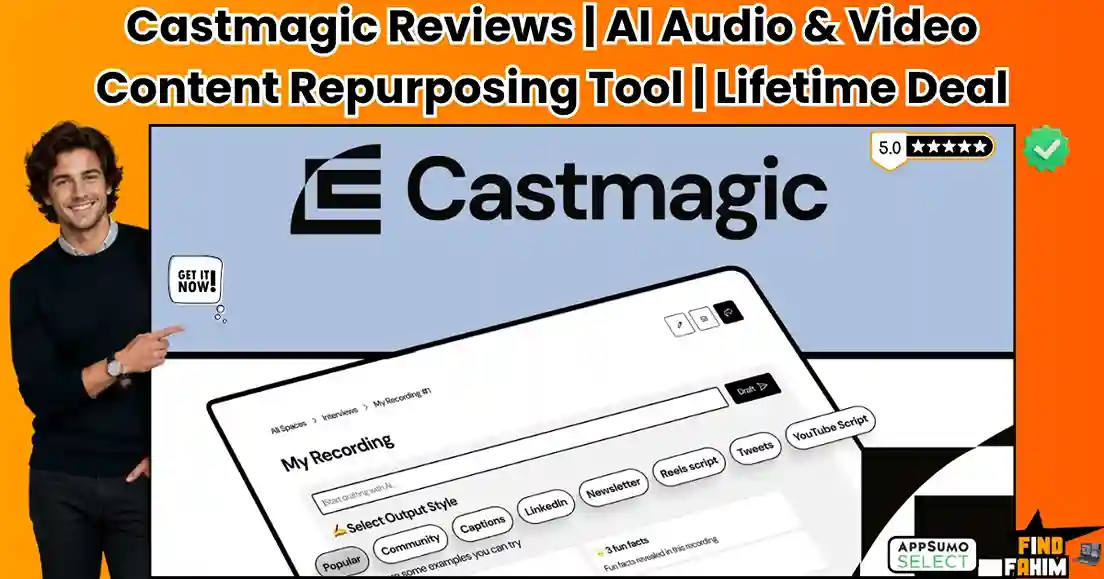
Manually transcribing long-form audio file fragments your daily focus and destroys your agency’s profit margins. When your team spends hours pulling timestamps and drafting social media captions from a single podcast episode, it represents a severe operational failure. This manual workflow burns cash daily. The Castmagic lifetime deal solves this heavy bottleneck immediately by converting raw audio recordings into ready-to-publish text assets. Securing this software replaces expensive freelancers and repairs your broken content pipeline completely. Disclaimer: This article contains affiliate links. If you purchase through these links, I may earn a small commission at no extra cost to you. All opinions and market analysis are entirely my own. My Quick Take (TL;DR) What is it: An AI-powered media repurposing platform that extracts high-quality transcripts, show notes, and social posts from audio and video files. Special Feature: Custom repeatable prompts that automatically generate targeted assets across your entire media library upon upload. For Who: Podcasters, online coaches, digital content creators, and B2B marketing agencies. The Deal: Access options include a $59 annual plan or lifetime access tiers starting at a one-time payment of $399. Verdict: A mandatory workflow tool that stops your team from wasting hours on transcription busywork and cuts your recurring software fees. Click Here to Get the Castmagic Deal on AppSumo What is Castmagic? Castmagic is a specialized media asset platform built to transform raw audio and video files into structured marketing copy. You upload your recording directly into the dashboard, and the software immediately runs an automated processing sequence to generate clean text files. The system replaces the need for slow manual typing or hiring expensive freelance transcriptionists to clean up audio. It extracts timestamps, quotes, and summaries in seconds, allowing you to scale your daily production schedule without expanding your payroll. Content Repurposing: What Inside the Deal Securing this specific lifetime deal stops your agency from burning cash on fragmented marketing applications. It unifies expensive transcription and writing tools, permanently protecting your operational profit margins. Feature Replaces… The Real Value Normal Cost Deal Status Audio Transcription Otter.ai Automated text conversion ~$240/year ✅ Included Content Generation Jasper AI Show notes and blog drafts ~$480/year ✅ Included Social Copywriting Copy.ai Social media caption scripts ~$432/year ✅ Included Meeting Summaries Descript Post-call action item lists ~$180/year ✅ Included Total Value Separate Subscriptions Massive operational savings ~$1,332/year $59 Annual / $399 Lifetime A Look Inside Castmagic: Key Features This platform operates as a centralized production hub for your entire content strategy. Here is exactly how these core processing tools eliminate manual workflows and protect your daily profit margins. Automated Transcription The processing engine converts your uploaded audio files into highly accurate text readouts in seconds. It identifies individual speakers automatically and appends accurate time stamps throughout the file layout. This allows your editors to locate specific conversation milestones quickly without listening to hours of footage. It supports over sixty different international languages for global outreach. Custom Prompt Training You can train the internal processing tools to mimic the specific voice, structure, and style guidelines of your clients. This ensures the output reads naturally. By saving these custom directives inside your workspace pipelines, the software executes them automatically on every single file upload. Your workflows remain highly efficient across multiple distinct projects. Social Asset Creation The platform builds promotional text snippets specifically optimized for distribution across platforms like Instagram, LinkedIn, and TikTok. It extracts punchy quotes and builds structured summaries. This gives your team immediate raw material to use for daily scheduling engines. It removes the creative friction of looking at a blank document after recording an episode. Team Spaces and Collaboration Managing client approvals is simple because the interface allows you to build distinct project folders for different stakeholders. You can share assets using public web links. Your clients can leave direct feedback or make adjustments to the text layout right inside the workspace. This keeps your delivery pipeline clean and organized. Standout Feature: Claude MCP Integration The software provides a deep Model Context Protocol connector that links your complete media library straight to external AI systems like Claude. This setup turns your entire archive of raw recordings and text transcripts into a highly searchable, centralized business knowledge base. You can instantly run complex queries across months of historical client conversations, training modules, or marketing interviews simultaneously without manual text mining. This advanced layout speeds up asset generation by turning old audio files into active data assets for your digital agency. Castmagic Updates: What is New in 2026 The development team pushed a major structural update on June 7, 2026, to expand how agencies utilize past media archives. Released the Claude MCP Connector to turn old transcription folders into live queryable databases. Redesigned the side-by-side editing interface to let users view text output directly next to live transcripts. Upgraded the clip management library to allow faster extraction of specific audio highlights. Castmagic Pricing & AppSumo Deal Details Deal Feature Annual Tier 1 ($59) Annual Tier 2 ($169) Lifetime Tier 1 ($399) Lifetime Tier 2 ($699) Lifetime Tier 3 ($999) Transcription Hours 2 / Month 5 / Month 15 / Month 40 / Month 80 / Month User Seats 1 Included 1 Included 1 Included Unlimited Unlimited Cloud Storage 10 GB 100 GB 100 GB 500 GB 1 TB Magic Chat Access ✅ Yes ✅ Yes ✅ Yes ✅ Yes ✅ Yes Image Generation ✅ Yes ✅ Yes ✅ Yes ✅ Yes ✅ Yes Which Plan Should You Buy? Solopreneurs can manage fine with Annual Tier 1 or Lifetime Tier 1 for low-volume tracking. However, digital agencies must secure Lifetime Tier 2 immediately because it introduces unlimited user seats and forty monthly transcription hours, letting your team scale up workflows without hitting strict limits. Important Note on the Refund Policy Every plan option purchased through the store is fully protected by the standard 60-day money-back guarantee. You can process hours of raw audio, test the transcription accuracy, and evaluate
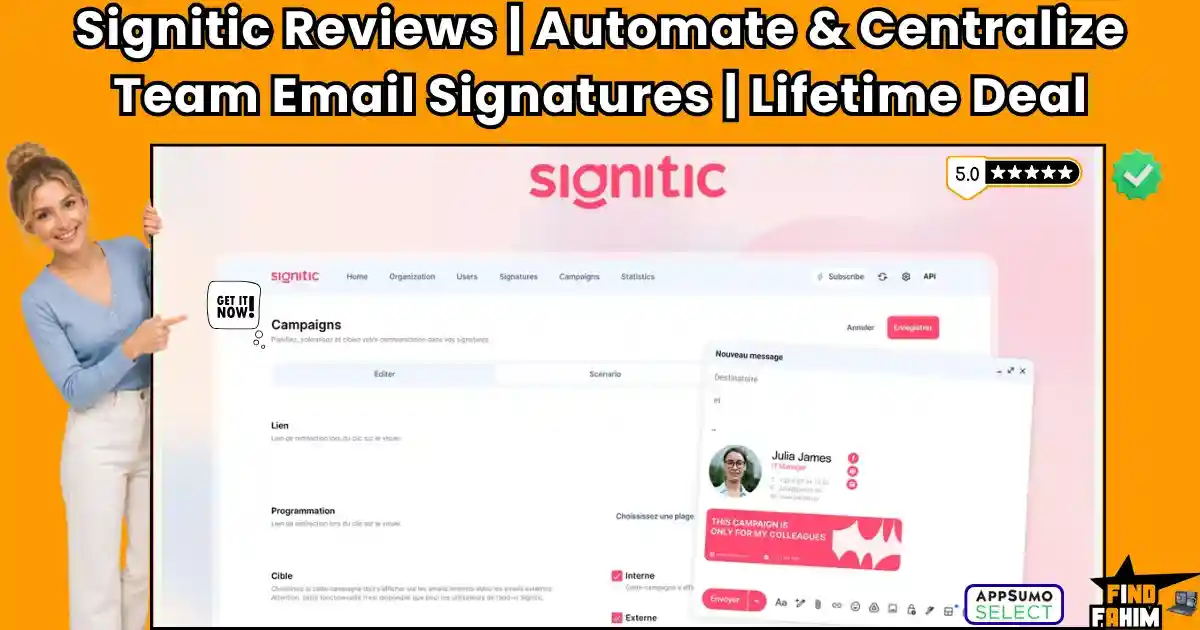
Signitic Reviews 2026 | Automate & Centralize Team Email Signatures | AppSumo Lifetime Deal & Alternatives
Manual email signatures burn cash and create massive operational failures for B2B teams. If your agency relies on employees to update contact details, your pipeline is broken. The direct solution is the Signitic AppSumo deal, a centralized hub that delivers flawless branding instantly. Converting dead email space into advertising assets permanently protects your profit margins. I thoroughly analyzed this Signitic Lifetime deal to assess its impact on the financial workflow. (Disclaimer: This article contains affiliate links. If you purchase through these links, I may earn a small commission at no extra cost to you. All opinions, market analysis, and research are entirely my own.) My Quick Take (TL;DR) What is it? A centralized signature manager that pushes uniform, branded templates and promotional banners directly to your team’s inboxes. Special Feature: Targeted banner campaigns that allow you to run different clickable advertisements based on the specific company department. For Who: Marketing directors, sales managers, IT administrators, and B2B agency owners. The Deal: AppSumo lifetime access begins at exactly $39 for a 5-user license. Verdict: An absolute BUY. It permanently replaces manual IT updates and turns outgoing messages into highly trackable marketing assets. Click Here to Get the Signitic Lifetime Deal on AppSumo What is Signitic? Signitic is a centralized administration platform designed to control your entire corporate email branding. It connects directly to your Active Directory to automatically generate and update employee signatures. Instead of forcing staff to paste HTML code manually, you build a single master template. The system instantly overwrites old signatures across your network, ensuring every outgoing message looks completely professional. Centralized Branding: What’s Inside the Deal Manual IT updates quickly destroy your operating budget. You pay recurring fees for basic signature managers and external marketing tools. Look exactly at what this Signitic AppSumo deal covers and how much monthly SaaS cash it immediately replaces. Feature Replaces… The Real Value Normal Cost Deal Status Central Management Exclaimer Controls all company signatures ~$600/year ✅ Included Banner Ads Mailtastic Pushes targeted marketing campaigns ~$480/year ✅ Included Canva Builder WiseStamp Design templates without coding ~$150/year ✅ Included Click Analytics Bitly Tracks exact engagement metrics ~$100/year ✅ Included Total Value Disparate SaaS Stack Permanent Branding Infrastructure $1,330/year $39 Lifetime A Look Inside Signitic: Key Features This platform acts as a permanent IT administrator for your business. Let us look closely at the primary tools included inside this dashboard. Native Workspace Sync This software connects directly to your Google Workspace or Microsoft 365 administration panel. It completely avoids clunky workarounds by reading your central active directory automatically. The system instantly pulls names, phone numbers, and job titles for every single employee. You never have to perform manual data entry again. Drag-And-Drop Builder You do not need to hire expensive web developers to write complex HTML code. The visual editor allows you to build completely custom layouts in minutes. It features a direct Canva integration for graphic design. You drop your logo, arrange your social icons, and publish the final result instantly. Auto-Filling User Fields Building fifty different individual profiles wastes valuable administrative hours. You simply create one master template containing dynamic text brackets for your staff. When you deploy the template, the system accurately inserts the correct photo and contact details for each specific employee, guaranteeing absolute consistency across your entire sales team. Performance Analytics Marketing requires hard data to measure actual financial returns. The internal dashboard tracks the exact performance of every single deployed hyperlink. You can see exactly how many prospects clicked your newest webinar banner. This allows you to measure engagement by department and feed the traffic data into Google Analytics. Standout Feature: Targeted Banner Campaigns Converting dead email space into a revenue driver is the most powerful aspect of this platform. You do not have to show the same advertisement to every single person in your company database. The software allows you to assign highly specific marketing banners to different departments. Your sales team can promote a calendar booking link, while human resources advertises open job roles. You can rotate different designs and run A/B tests to determine which graphic drives the highest amount of pipeline clicks. Signitic Updates: What is New in 2026 The development team actively upgrades its security protocols for massive corporate clients. They deployed a major structural update on February 12, 2026, to ensure enterprise-grade compliance. Achieved full ISO-27001 certification to guarantee complete data traceability and safety. Released a native HubSpot extension to sync templates directly into your CRM sequences. Added dynamic QR code generation for digital business cards. Signitic Pricing & AppSumo Deal Details Deal Feature Tier 1 ($39) Tier 2 ($99) Tier 3 ($249) Tier 4 ($699) Total Licenses 5 Users 15 Users 50 Users 200 Users Signature Templates Unlimited Unlimited Unlimited Unlimited Banner Campaigns Unlimited Unlimited Unlimited Unlimited A/B Testing Included Included Included Included Signitic Branding Removed Removed Removed Removed Which Plan Should You Buy? Micro agencies can manage their operations using Tier 1 for $39. However, growing B2B businesses looking to secure their entire staff roster must purchase Tier 3 for $249 to gain fifty licenses and permanently lock in their corporate branding without paying recurring fees. Important Note on the Refund Policy This Signitic Lifetime deal includes a strict 60-day money-back guarantee directly from AppSumo. You have two full months to connect your workspace directories and test the automated deployments completely risk-free before deciding. Lock In Your Signitic Lifetime Price Pros & Cons of This Lifetime Package Every automated software tool has specific strengths and weaknesses. Here is the exact reality of using this platform in a live production environment. Evaluating these distinct performance factors helps your operational pipeline determine if the investment yields immediate workflow improvements. The Pros ✅ Massive Expense Reduction: Replaces expensive monthly IT platforms and cuts direct administrative costs. ✅ Instant Deployment: Pushes perfect formatting to your entire team with one single click. ✅ Marketing Analytics: Tracks exact click rates and engagement

Letterly Reviews 2026 | Best Voice-to-Text App That Works on Every Device | AppSumo Lifetime Deal & Alternatives
Manual transcription processes burn cash and create massive operational failures for modern B2B teams. If your agency relies on typing notes and summaries after client meetings, your profit margins are bleeding out. The direct solution is the Letterly AppSumo deal, an intelligent voice-to-text tool built to capture your speech instantly. Converting audio into polished text without adding expensive administrative payroll permanently protects your bottom line. I completely analyzed this Letterly Lifetime deal to see if it actually speeds up your daily workflows. Disclaimer: This article contains affiliate links. If you purchase through these links, I may earn a small commission at no extra cost to you. All opinions, market analysis, and research are entirely my own. My Quick Take (TL;DR) What is it? An AI-driven dictation tool that turns spoken words into perfectly formatted text, meeting summaries, and emails across all devices. Special Feature: A completely unlimited recording mode with zero word caps, scrubbing out filler words and typos instantly. For Who: Digital marketing agencies, C-suite executives, content creators, and bootstrapped startup founders. The Deal: AppSumo lifetime access begins at exactly $89 for one device license with unlimited transcription. Verdict: An absolute BUY. It permanently replaces pricey subscription-based note-takers and eliminates daily administrative typing overhead. Get the Letterly Lifetime Deal on AppSumo Now What is Letterly? Letterly is a high-performing voice dictation software that transforms your spoken ideas into clean, professional text. It acts as your personal digital assistant, working quietly across your phone, desktop, or smartwatch to record conversations. Instead of manually typing long documents, you simply speak. The tool automatically removes hesitation sounds and formats your sentences correctly, dropping the finished text directly into your email or document editor. Voice-to-Text Automation: What’s Inside the Deal Monthly transcription subscriptions destroy your operating budget quickly. You pay recurring fees for basic dictation widgets, note-taking applications, and audio storage. See exactly what this Letterly AppSumo deal covers and how much monthly SaaS cash it immediately replaces in your business. By paying a single flat fee today, you completely eliminate these mandatory operational costs from your pipeline forever. Feature Replaces… The Real Value Normal Cost Deal Status Unlimited Dictation Otter.ai Converts unlimited speech into text ~$200/year ✅ Included Cross-Device Sync WisprFlow Syncs notes across mobile and desktop ~$140/year ✅ Included AI Rewriting Grammarly Polishes text and removes filler words ~$144/year ✅ Included App Integrations Zapier Connects voice notes to external tools ~$240/year ✅ Included Total Value Disparate SaaS Stack Permanent Voice Infrastructure $724/year $89 Lifetime A Look Inside Letterly: Key Features This platform acts as a permanent transcription employee for your business. Let us look closely at the primary tools included inside this dashboard. Cross-Platform Dictation Typing long emails on your phone wastes valuable administrative time. This software operates directly on your iPhone, Android, Mac, or Windows computer. You press a single hotkey and speak your thoughts aloud. The system instantly types your exact words into any active application, meaning you never have to manually copy and paste text across different screens. Real-Time Text Scrubbing Human speech is naturally filled with pauses, stutters, and awkward phrasing. If you dictate directly into a basic word processor, you still have to manually edit the raw text afterward. This platform automatically removes filler words and corrects your grammar instantly. It restructures your scattered thoughts into highly professional, boardroom-ready sentences before dropping them onto the page. Unlimited Meeting Mode Recording client meetings using standard software usually involves strict hourly limits. When you run out of monthly credits, you have to pay expensive overage fees. This system completely removes those frustrating boundaries. You hit record during a long consulting session, and the tool captures every single word without any restrictive word caps, storing the organized summary neatly inside the application. External Workflow Integrations A note-taking tool is completely useless if your data is trapped inside a closed system. You need your transcripts connected to your active marketing pipeline. This software connects directly to your external tools via Zapier webhooks. You can automatically push your finalized meeting summaries into your CRM or project management boards without performing any manual data entry. Standout Feature: Unlimited Language Support Expanding your agency globally means dealing with multiple languages. Standard dictation platforms force you to manually toggle language settings or pay extra fees for translation features. This creates heavy friction when communicating with international clients. This software automatically detects and supports over ninety different languages in real time. You can speak naturally without pausing to adjust internal settings. The system recognizes the shift and transcribes your audio perfectly, allowing you to capture ideas and communicate across borders without raising your payroll costs. Letterly Updates: What is New in 2026 The development team actively listens to its user base. They pushed a major structural update on May 20, 2026, to improve high-volume text processing. Added native Apple Watch support for recording thoughts instantly on the go. Expanded the internal application to support smooth cross-device synchronization between mobile and web. Introduced a brand-new offline mode, allowing you to capture critical voice notes without requiring an active internet connection. Letterly Pricing & AppSumo Deal Details Deal Feature 1 Code ($89) 3 Codes ($267) 5 Codes ($445) 7 Codes ($623) 10 Codes ($890) Device Licenses 1 4 8 12 20 Dictation Platforms All Devices All Devices All Devices All Devices All Devices Unlimited Notes Included Included Included Included Included Word Limits None None None None None Supported Languages 90+ 90+ 90+ 90+ 90+ Which Plan Should You Buy? Solo consultants can easily manage their daily workflow using 1 Code for $89. However, growing marketing agencies looking to equip their entire staff with cross-device dictation absolutely must secure 5 Codes for $445 to gain eight total device licenses and permanently speed up content production. Important Note on the Refund Policy This Letterly Lifetime deal includes a strict 60-day money-back guarantee from AppSumo. You have two full months to integrate the software, test the dictation accuracy,

INBOX Reviews 2026 | Best All-in-One Email Marketing Platform | AppSumo Lifetime Deal & Alternatives
Modern businesses lose thousands paying expensive contractors for unoptimized email campaigns. Guessing contact preferences manually burns cash on dead leads and broken workflows, hurting your profit margins. The direct solution is the INBOX lifetime deal. To be completely clear, this is a highly affordable lifetime deal providing permanent platform access for one single payment. This application analyzes subscriber engagement to create effective marketing sequences, helping keep your sales pipeline full without expensive recurring fees. Available now on AppSumo. Disclaimer: This article contains affiliate links. If you buy through these links, I earn a small commission at no extra cost to you. All research & opinions are my own. My Quick Take (TL;DR) What is it? A cloud-based marketing application that uses visual design editors to extract maximum engagement from email subscribers. Special Feature: An integrated cold email sending system that automatically processes outreach campaigns alongside standard automated newsletters. For Who: Marketing agencies, e-commerce brands, healthcare SaaS developers, small businesses, and web design agency owners. The Deal: A single $99 payment secures the INBOX AppSumo deal forever on the entry tier. Verdict: This INBOX lifetime deal completely replaces expensive monthly email marketing subscriptions efficiently, drastically reducing your operational costs permanently. Click Here to Get the INBOX AppSumo Deal What is INBOX? Most agencies ignore targeted automation because they avoid spending hours mapping customer journeys manually. INBOX fixes this completely by providing an organized platform containing an intelligent campaign builder. You simply import your contact list, and the software automatically manages segmentation and delivery tracking perfectly. This application guarantees you bypass premium agencies and generate highly accurate email traffic independently. Campaign Automation: What’s Inside the Deal Transitioning to this automated marketing application instantly eliminates expensive recurring software fees for your agency. Replacing tools like ActiveCampaign, Mailchimp, and MailerLite secures massive financial savings. Look at the exact monetary value below. Feature Replaces… The Real Value Normal Cost Deal Status Email Automation ActiveCampaign Instant drip sequence building ~$1,068/yr ✅ Included Visual Editor Mailchimp Drag-and-drop template design ~$708/yr ✅ Included Cold Outreach Lemlist Integrated cold sending limits ~$400/yr ✅ Included List Segmentation MailerLite Automated tagging and filtering ~$540/yr ✅ Included Total Cost Fragmented Stack Complete Email Engine ~$2,716/yr $99 (Lifetime) A Look Inside INBOX: Key Features Evaluating the core components of this email platform reveals why it handles high-volume campaigns so efficiently. Transitioning your outbound process to these built-in utilities directly eliminates manual tracking bottlenecks. Drag-and-Drop Newsletter Editor You are not restricted to basic text blocks when drafting newsletters. The software includes intuitive visual builders that inject professional formatting directly into your outbound email campaigns. This flexibility lets you generate marketing assets rapidly, uncovering perfect brand designs that your competitors missed. You pull diverse templates from the extensive library easily to maintain brand consistency. Audience Segmentation Engine Extracting precise demographics from messy contact lists manually kills productivity. This program uses automated tagging rules to evaluate subscriber behavior, clicks, and engagement scores simultaneously. Your team pulls heavy amounts of audience data without struggling. You generate massive segmented groups in a fraction of the time a dedicated researcher requires, keeping your messaging highly relevant. Multi-Brand Account Management Managing multiple separate client profiles from completely fragmented individual dashboards repeatedly often leads to massive frustration. The system fully supports multi-brand administration, scanning your entire organizational structure securely. This hides your repetitive logging requirements so you can coordinate distinct operations safely. You monitor massive outbound efforts across various client domains without experiencing frustrating navigational layout errors. Automated Drip Sequences Sending manual follow-up emails across different time zones is incredibly expensive. This platform provides native auto-responder tools directly inside the campaign dashboard environment. By relying on this tool, you stop paying external contractors just to monitor lead replies. This actively protects your budget and ensures absolute outreach consistency across your entire B2B sales funnel. Standout Feature: Smart Campaign Auto-Resend Maximizing open rates manually requires your team to carefully filter unengaged recipients and duplicate outbound workflows continuously. Once you launch a broadcast, this platform includes a smart auto-resend toggle that targets non-openers completely automatically. It actively tracks delivery windows, formats message variations, and injects clean subject lines immediately without requiring manual list rebuilds. This provides the exact infrastructure required to launch highly profitable newsletters instantly for your B2B clients, guaranteeing predictable audience engagement every single time you hit send. INBOX Updates: What is New in 2026 AppSumo buyers requested massive deliverability improvements, and the development team absolutely delivered. They actively monitor community feedback to shape their upgrades, ensuring the tool matches modern marketing demands perfectly. In May 2026, they rolled out a massive algorithmic update regarding global privacy compliance. GDPR and CCPA Verification: Built-in compliance protocols securely protect international operations. A/B Split Testing Engine: Automate subject line variations to optimize performance instantly. Integrated Form Builder: Embed dynamic capture boxes directly onto external web pages. Cold Sending Pools: Dedicated internal delivery structures to safeguard standard newsletter parameters. INBOX Pricing & AppSumo Deal Details Deal Feature Tier 1 ($99) Tier 2 ($198) Tier 3 ($297) Subscriber Contacts 2,500 Contacts 5,000 Contacts 7,500 Contacts Cold Email Credits 5,000 / month 10,000 / month 15,000 / month Standard Sending ✅ Included ✅ Included ✅ Included Newsletter Editor ✅ Included ✅ Included ✅ Included Marketing Automation ✅ Included ✅ Included ✅ Included Which Plan Should You Buy? This specific deal is incredibly straightforward. If you are a solo freelancer, Tier 1 is sufficient. However, if you run a growing marketing agency, you must secure Tier 3 for $297. You pay exactly once to secure massive contact limits, drastically cutting operational expenses. Important Note on the Refund Policy This lifetime email marketing deal includes AppSumo’s standard 60-day money-back guarantee for complete peace of mind. If the software fails to generate profitable workflows for your agency, secure a full refund completely risk-free. Secure Your Lifetime Access & Lock In These Limits Today Pros & Cons of This Lifetime Package Transitioning your outbound production requires absolute
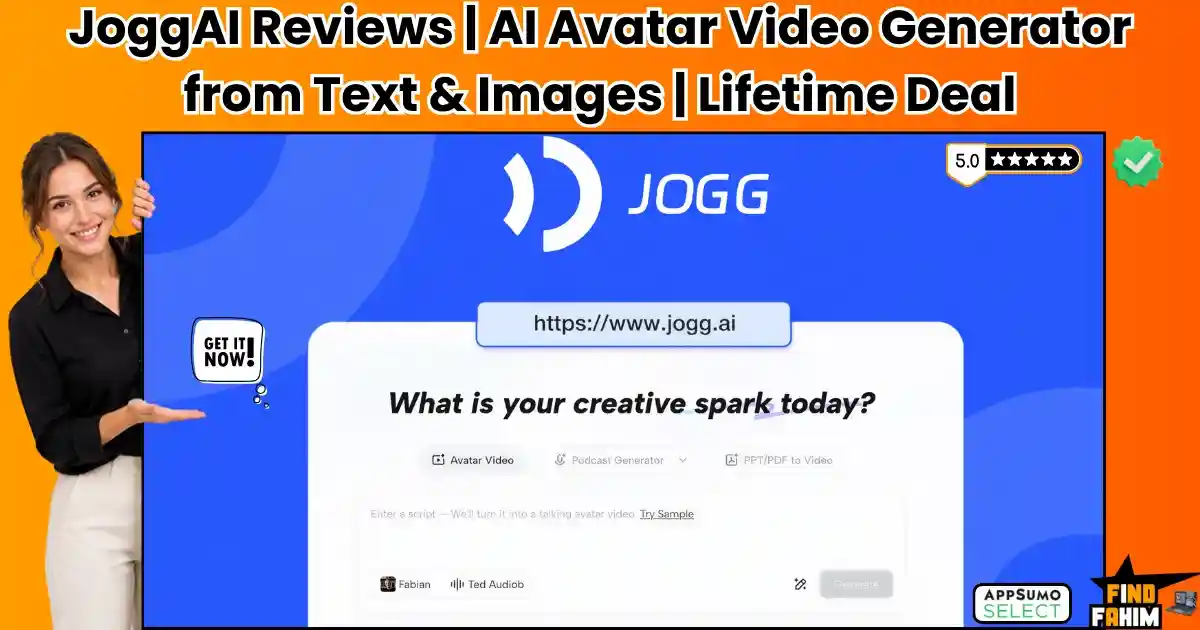
JoggAI Reviews 2026 | Best AI Avatar Video Generator from Text, Links & Images | AppSumo Lifetime Deal & Alternatives
Relying on physical video production actively burns cash and destroys your agency’s profit margins. When I watch marketing teams hire actors, rent studios, and pay expensive freelance editors just to create standard social media content, I see a massive operational failure. The JoggAI lifetime deal fixes this broken pipeline immediately. I use this platform to generate highly realistic artificial intelligence avatar videos directly from simple text prompts, saving my business thousands of dollars in weekly production costs. Disclaimer: This article contains affiliate links. If you purchase through these links, I may earn a small commission at no extra cost to you. All opinions and market analysis are entirely my own. My Quick Take (TL;DR) What is it: An AI video generator that turns text, links, and images into high-quality avatar videos without filming or editing. Special Feature: The podcast video generator converts plain URLs and PDFs into dynamic, interview-style podcast videos instantly. For Who: Marketing agencies, social media managers, e-commerce founders, and digital course creators. The Deal: Lifetime access starts at exactly $99 for Tier 1, giving you unlimited video previews and custom avatar creation. Verdict: A mandatory investment. It completely replaces expensive studio rentals and heavy monthly tool subscriptions like Synthesia. Click Here to Get the JoggAI Lifetime Deal on AppSumo What is JoggAI? JoggAI is a powerful artificial intelligence video platform that generates professional marketing content using digital avatars. You type your script, and the software renders a highly realistic human presenting your exact message. This eliminates the need for expensive cameras, studio lighting, or human actors. You can instantly translate your videos into over ninety languages, allowing your business to reach global markets without paying international voiceover artists. Avatar Video Generation: What’s Inside the Deal Buying this JoggAI lifetime deal permanently eliminates expensive recurring fees. Agencies burn cash paying for separate voice cloning and avatar generators like Synthesia. Securing this package instantly protects your profit margins and scales your content pipeline. Feature Replaces… The Real Value Normal Cost Deal Status Video Generation Synthesia Unlimited AI avatars ~$264/year ✅ Included Voice Cloning ElevenLabs Exact digital voice twins ~$264/year ✅ Included Podcast Creation Riverside.fm AI podcast interviews ~$180/year ✅ Included Video Translation HeyGen 90+ language dubbing ~$348/year ✅ Included Total Value Manual Subscriptions Massive cash savings ~$1,056/year $99 Lifetime A Look Inside JoggAI: Key Features This platform operates as a complete digital production studio for your agency. Here is exactly how these core tools accelerate your workflows. Text to Video Generation Type a basic text prompt or paste a product description directly into the editor. The system reads your script and generates a polished marketing video featuring a lifelike human presenter. This method eliminates complex editing software to speed up your production calendar. Your team can produce dozens of advertisements without paying physical actors. Digital Voice Cloning Personal brands require strict consistency. You just record a short audio sample to generate an exact digital clone of your voice directly inside the application. Use this digital twin to narrate long-form content or sales pitches. Your agency scales production rapidly while maintaining an authentic identity that buyers trust. Global Video Translation Expanding internationally usually means hiring expensive foreign voiceover artists. This tool translates your original videos into over ninety different languages instantly without leaving your desk. The software adjusts the avatar’s lip movements to match the new language perfectly. This guarantees your campaigns look completely natural to native speakers browsing social media. Static Image Animation Upload a standard portrait photo and force the system to animate it. The static image instantly becomes a fully moving, speaking avatar reading your script flawlessly. This is highly effective for turning custom brand mascots into active presenters. It drives massive engagement on social media without requiring heavy graphic animation skills. Standout Feature: AI Podcast Generator Launching an interview show requires massive preparation, guest scheduling, and audio editing. This feature bypasses traditional recording by converting plain URLs, blog posts, or PDFs into dynamic, dual-speaker podcast videos instantly. The system generates a natural conversation between two digital avatars discussing your source material. You turn boring whitepapers into engaging video assets in minutes. This tool protects profit margins by creating consumable content without renting a studio. JoggAI Updates: What is New in 2026 The engineering team released several critical platform updates on May 12, 2026, directly addressing agency requests to expand their digital marketing capabilities significantly. Added the Product QuickAds builder to generate e-commerce promotional clips rapidly for advertising campaigns. Launched the AI Podcast Generator to convert standard web URLs into dynamic interview formats. Released the native mobile application to allow users to render avatar videos from their phones remotely. JoggAI Pricing & AppSumo Deal Details Deal Feature Tier 1 ($99) Tier 2 ($199) Tier 3 ($299) Tier 4 ($599) Video Previews Unlimited Unlimited Unlimited Unlimited Custom Avatars 1 Included 2 Included 3 Included 5 Included Max Video Length 3 Minutes 3 Minutes 5 Minutes 15 Minutes Fast Production 15 Mins/Month 30 Mins/Month 60 Mins/Month 100 Mins/Month Non-Video Credits 5/Month 5/Month 10/Month 15/Month Which Plan Should You Buy? Independent creators can start with Tier 1 for basic social media clips. However, marketing agencies must purchase Tier 3 directly. It extends your maximum video length to five minutes and provides sixty fast production minutes monthly, ensuring you can actually deliver heavy client workloads on schedule. Important Note on the Refund Policy This specific lifetime package includes AppSumo’s standard 60-day money-back guarantee. You have two full months to test the lip-sync accuracy and evaluate the digital avatars completely risk-free before committing your budget. Lock In Your JoggAI Lifetime Price Pros & Cons of This Lifetime Package Based on heavy testing and verified buyer data, this software presents clear operational advantages. Here is the direct truth regarding the current state of the rendering engine. The Pros ✅ Incredible Value: Replaces expensive recurring subscriptions to enterprise video platforms permanently. ✅ Speed: Generates polished marketing videos in minutes rather

CX Genie Reviews 2026 | AI-Powered 24/7 Customer Support Platform | AppSumo Lifetime Deal & Alternatives
Manual customer service pipelines burn cash and create massive operational failures for modern B2B teams. If your agency relies on human agents to answer repetitive questions at two in the morning, your profit margins are bleeding out. The direct solution is the CX Genie AppSumo deal, an intelligent system built to handle inquiries instantly. It captures leads around the clock and eliminates expensive payroll overhead to protect your bottom line permanently. Let’s look closely at exactly how this CX Genie Lifetime deal automates your specific workflows. Disclaimer: This article contains affiliate links. If you purchase through these links, I earn a small commission. All opinions and research are my own. My Quick Take (TL;DR) What is it? An AI-driven customer support chatbot that handles incoming inquiries, captures leads, and routes complex tickets to human agents automatically. Special Feature: A complete white-label agency dashboard, allowing you to rebrand the chatbot and resell it directly to your clients. For Who: Digital marketing agencies, B2B SaaS founders, e-commerce store owners, and solo consultants. The Deal: AppSumo lifetime access begins at exactly $79 for 10,000 monthly conversations. Verdict: An absolute BUY. It permanently replaces pricey support staff and stops customer churn. Click Here to Get the CX Genie Lifetime Deal on AppSumo What is CX Genie? CX Genie is a high-performing automated customer support platform powered by advanced language models like ChatGPT-4. It acts as your primary front-line employee, managing incoming questions from your website visitors. Reading your existing documentation and sales pages builds an internal knowledge base. When a complex issue arises, it instantly hands the ticket over to your actual human staff for resolution. Customer Support Automation: What’s Inside the Deal Monthly chat subscriptions destroy your operating budget quickly. You pay recurring fees for basic widgets, ticketing systems, and analytics tracking. See exactly what this CX Genie AppSumo deal covers and how much monthly SaaS cash it immediately replaces in your business. By paying a single flat fee today, you completely eliminate these mandatory operational costs from your pipeline forever. Feature Replaces… The Real Value Normal Cost Deal Status AI Chatbots Intercom Answers common questions automatically ~$890/year ✅ Included Ticketing System Zendesk Routes complex issues to staff ~$600/year ✅ Included Multi-Channel Inbox Freshchat Centralizes social media messages ~$350/year ✅ Included Form Builders Typeform Captures lead data instantly ~$300/year ✅ Included Total Value Disparate SaaS Stack Permanent Support Infrastructure $2,140/year $79 Lifetime A Look Inside CX Genie: Key Features This platform acts as a permanent employee for your business. Let us look closely at the primary tools included inside this dashboard. Advanced Knowledge Base Training The chatbot learns directly from your specific company data. You simply upload your previous FAQ documents or link your live website URLs. Once trained, it provides highly accurate, personalized answers to your clients. You never have to manually correct its responses regarding your business policies again. Smooth AI-To-Human Handoff Automated bots cannot solve every single high-level problem. When a customer presents a complicated billing issue, the system recognizes the frustration immediately. It automatically transfers that exact conversation to a live human agent. This ensures your high-value clients are never stuck speaking to an unhelpful machine during critical moments. Multi-Channel Unified Inbox Managing support tickets across different social platforms wastes hours of administrative time. This software pulls messages from Facebook, Instagram, WhatsApp, and Telegram. Every single message drops into one centralized dashboard. Your human agents log into one screen to clear the daily queue, vastly improving your overall team efficiency. Drag-And-Drop Workflow Builder You do not need to hire expensive developers to build logical conversation paths. The internal workflow builder uses a simple visual interface. You apply conditional logic and specific branching paths to qualify leads. It forces the chat widget to ask specific qualifying questions before collecting an email address. Standout Feature: Complete White Label Agency Setup Selling chatbot setups as a monthly retainer is incredibly profitable. This software provides a fully white-labeled backend architecture specifically designed for agencies to resell. You apply your own brand logos, custom colors, and custom authentication directly to the platform. When your clients log in to check their daily chat statistics, they only see your agency branding, allowing you to charge premium monthly rates. CX Genie Updates: What is New in 2026 The development team actively listens to its user base. They pushed a major structural update on March 15, 2026, to improve high-volume chat processing. Added direct e-commerce data syncs for Shopify and WooCommerce. Expanded the internal language models to support over 55 different local languages. Introduced custom intent and emotion detection algorithms to trigger human handoffs faster. CX Genie Pricing & AppSumo Deal Details Deal Feature Tier 1 ($79) Tier 2 ($229) Tier 3 ($459) Conversations / Mo 10,000 30,000 60,000 Chatbots 20 50 Unlimited Team Members 5 20 Unlimited AI Knowledge Docs 50 Unlimited Unlimited White Labeling Included Included Included Which Plan Should You Buy? Solo consultants can manage their workload using Tier 1 for $79. However, growing agencies looking to rebrand and resell these chatbots to multiple clients absolutely must secure Tier 3 for $459 to gain unlimited chatbots and team members. Important Note on the Refund Policy This CX Genie Lifetime deal includes a strict 60-day money-back guarantee from AppSumo. You have two full months to integrate the chatbots and test your automated workflows completely risk-free. Lock In Your CX Genie Lifetime Price Pros & Cons of This Lifetime Package Every automated software tool has specific strengths and weaknesses. Here is the exact reality of using this platform in a live production environment. The Pros ✅ Massive Expense Reduction: Completely replaces expensive monthly customer service platforms and cuts direct payroll costs. ✅ Agency Reselling: Full white-label capabilities allow you to charge clients recurring fees for chatbot access. ✅ Intelligent Handoffs: Automatically transfers angry or confused customers to your live agents to prevent negative reviews. ✅ Centralized Dashboard: Gathers all Facebook, Instagram, and WhatsApp

Prompt Architects Reviews 2026 | Best AI Prompt Optimizer for ChatGPT & Gemini | AppSumo Lifetime Deal & Alternatives
Modern businesses lose thousands paying expensive consultants for basic content generation. When your team relies on vague AI commands, you burn cash on terrible outputs, endless revisions, and broken workflows, actively destroying your profit margins. The direct solution is the Prompt Architects AppSumo deal. To be completely clear, this is a highly affordable lifetime deal that provides permanent access. This application transforms simple ideas into perfectly structured AI instructions, rapidly filling your production pipeline without expensive recurring fees. Disclaimer: This article contains affiliate links. If you purchase through these links, I may earn a small commission at no extra cost to you. All opinions, market analysis, and research are entirely my own. My Quick Take (TL;DR) What is it? A desktop Chrome extension and web application that automatically transforms basic text into highly structured AI prompts. Special Feature: A vast, searchable template library offering pre-built prompt commands for text, image, and video generation. For Who: Marketing agencies, copywriters, solopreneurs, and local B2B software developers. The Deal: A single $39 payment unlocks the Prompt Architects AppSumo deal forever. Verdict: This Prompt Architects lifetime deal completely replaces expensive monthly AI prompt management subscriptions safely and efficiently. Click Here to Get the Prompt Architects AppSumo Deal What is Prompt Architects? Most agencies ignore advanced prompting because they avoid spending hours learning complex AI engineering. Prompt Architects fixes this completely by providing an organized, standalone platform containing an intelligent command builder. You simply type a basic idea, and the software automatically structures the role, format, and constraints perfectly. This application guarantees you bypass premium consultants and generate highly accurate outputs independently. Prompt Structuring: What Inside the Deal Transitioning to this automated prompt application instantly eliminates expensive recurring software fees for your agency. Replacing tools like AIPRM, PromptPerfect, and Notion AI secures massive financial savings. Look at the exact monetary value below. Feature Replaces… The Real Value Normal Cost Deal Status Prompt Engineering PromptPerfect Instant AI instruction structuring ~$120/yr ✅ Included Template Library AIPRM Premium Thousands of ready-made prompts ~$240/yr ✅ Included Context Storage Notion AI Personal workflow memory slots ~$120/yr ✅ Included Cross-Platform AI Jasper Art Image and video prompt generation ~$240/yr ✅ Included Total Cost Fragmented Stack Complete Prompt Engine ~$720/yr $39 (Lifetime) Why Traditional Prompt Engineering Is Failing Forcing your team to manually write AI commands from scratch is a complete operational failure. Traditional prompting creates severe bottlenecks between having an idea and getting a usable result, ultimately causing immediate employee burnout. Furthermore, relying on unorganized documents for prompt storage is a massive gamble. You pay employees for wasted hours fixing broken AI outputs, completely draining your operational budget every single month. Why Automated Prompting Tools Are Trending The demand for high-quality AI content has peaked aggressively across the entire digital marketing industry. Agencies expect immediate, highly accurate text to pitch their services instantly to clients without technical friction. Automated prompt generators eliminate slow manual engineering. By injecting correct context directly into live models, these modern tools ensure you only generate highly usable assets, allowing you to build aggressive marketing campaigns rapidly. A Look Inside Prompt Architects: Key Features This platform is incredibly straightforward, allowing absolute beginners to operate it without touching complex coding tutorials. By removing technical barriers, these specific tools directly increase your daily production volume. Text Prompt Structuring You are not restricted to basic questions when talking to ChatGPT or Claude. The software includes distinct structural models that inject professional frameworks directly into your requests. This flexibility lets you generate marketing copy rapidly, uncovering perfect brand tones that your competitors missed. You pull diverse assets from multiple models to ensure maximum quality. Image & Video Prompt Libraries Extracting perfect visual assets from Midjourney or RunwayML manually kills productivity. This program uses ready-made templates to structure lighting, style, and camera angles simultaneously. Your team pulls heavy amounts of creative data without struggling, generating massive visual assets in a fraction of the time a dedicated designer requires. Personal Context Slots Feeding background information into AI repeatedly often leads to massive frustration. The system fully supports permanent personal context slots, storing your business details, target audience, and brand voice securely. This hides your repetitive typing so you can extract tailored data safely and run massive regional campaigns without frustrating output errors. Universal Chrome Extension Unlike premium platforms that limit you to a single browser tab, this application works everywhere. You can access your prompt library freely inside any platform using hotkey commands. This completely protects your profit margins while scaling your workflows. You run the program all day to generate massive outputs directly inside your CRM without switching windows. Standout Feature: One-Click Prompt Enhancement Writing a perfect instruction is incredibly tedious, but finding the exact wording manually is difficult. Once you type a basic thought, the software actively refines the text automatically. It actively hunts for missing context, formats the constraints, and injects tone instructions immediately. This provides the exact command required to launch highly profitable content campaigns instantly for your B2B clients, guaranteeing predictable AI behavior every single time you hit send. Prompt Architects Updates: What is New in 2026 AppSumo buyers requested massive workflow improvements, and the development team absolutely delivered. They actively monitor community feedback to shape their upgrades, ensuring the tool matches modern digital marketing demands perfectly. In May 2026, they rolled out a massive algorithmic update regarding dynamic context. Dynamic Variables: Insert custom data into templates effortlessly. MCP Connection: Direct integrations for faster background processing. Universal Sidebar: A unified interface across all web pages. Context Slots: Unlimited memory added for higher agency tiers. Prompt Architects Pricing & AppSumo Deal Details Deal Feature Tier 1 ($39) Tier 2 ($99) Tier 3 ($229) Tier 4 ($439) Total Prompts 300 / month 1,500 / month 7,500 / month 20,000 / month Team Support 0 Members 4 Members 10 Members 20 Members Context Slots 1 Slot 10 Slots Unlimited Unlimited Prompt History 50 Entries 200 Entries
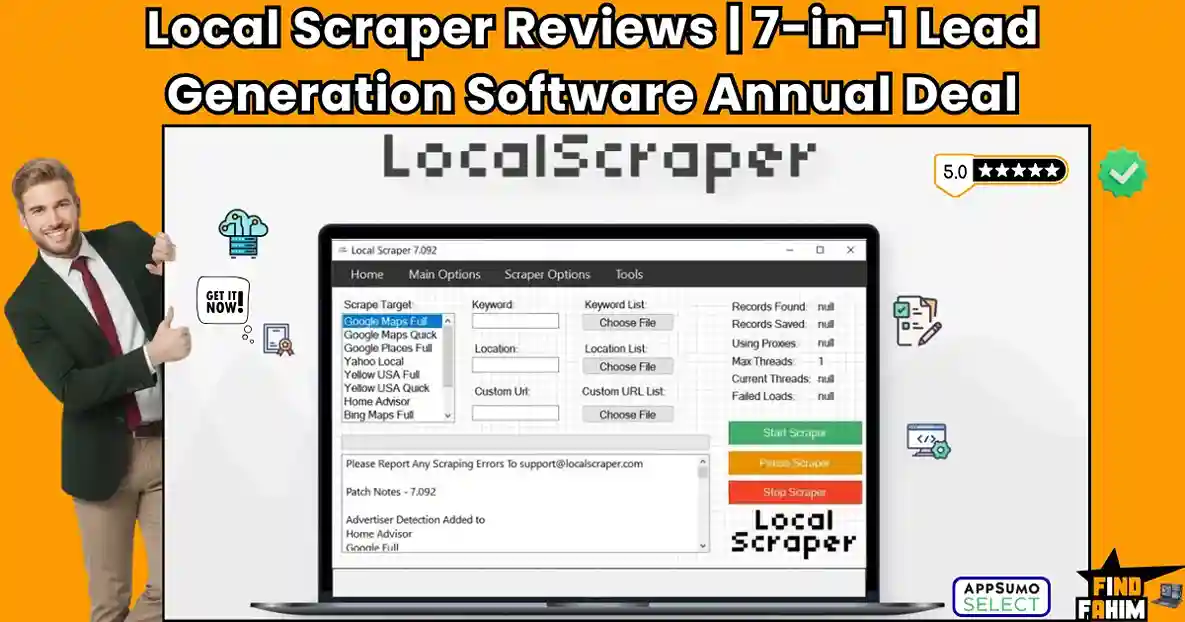
Local Scraper Reviews 2026 | Best 7-in-1 Lead Generation Scraper for Google Maps & Yellow Pages | AppSumo Annual Deal & Alternatives
Modern businesses lose thousands buying outdated contact lists from expensive third-party data brokers. When you rely on external vendors, you burn cash on dead emails and closed businesses, actively destroying your profit margins. The direct solution is the Local Scraper AppSumo deal. To be completely clear, this is a highly affordable yearly deal that provides twelve months of unlimited access. This desktop software automatically extracts accurate, real-time contact data from seven internet directories, instantly filling your sales pipeline without expensive recurring overage fees. Disclaimer: This article contains affiliate links. If you purchase through these links, I may earn a small commission at no extra cost to you. All opinions, market analysis, and research are entirely my own. My Quick Take (TL;DR) What is it? A desktop data extraction tool that instantly scrapes local business leads from massive map directories. Special Feature: An automated email finder that locates direct contact information and social profiles. For Who: Marketing agencies, B2B sales teams, local SEO freelancers, and reputation management consultants. The Deal: A single $99 payment unlocks the Local Scraper AppSumo deal for one full year. Verdict: This Local Scraper yearly deal completely replaces expensive monthly data broker subscriptions safely and efficiently. Click Here to Get the Local Scraper AppSumo Deal What is Local Scraper? Most agencies ignore automated prospecting because they strictly avoid learning complex Python code to gather leads. Local Scraper fixes this completely by providing a highly organized, standalone desktop program that gives you eleven different scrapers in one simple package. You simply select your target directory, type your industry keyword and city, and the software automatically pulls names and website links directly to your hard drive. This application guarantees you bypass premium lead vendors and gather real-time market data independently. Scraping Automation: What’s Inside the Deal Transitioning to this automated desktop application instantly eliminates expensive recurring software fees for your agency. Replacing tools like ZoomInfo, Apollo, and Hunter.io secures massive financial savings. Look at the exact monetary value below. Feature Replaces… The Real Value Normal Cost Deal Status Data Extraction Virtual Assistants Instant contact list building ~$2,000/yr ✅ Included Lead Generation Apollo & ZoomInfo Unlimited local business data ~$1,188/yr ✅ Included Email Finding Hunter.io Scrapes sites for direct emails ~$468/yr ✅ Included Multi-Site Search D7 Lead Finder 7 different map directories ~$400/yr ✅ Included Total Cost Fragmented Stack Complete Extraction Engine ~$4,056/yr $99 (Yearly) A Look Inside Local Scraper: Key Features This platform is incredibly straightforward, allowing beginners to operate it without touching a single line of code. By removing technical barriers, these specific tools directly increase your daily outbound sales volume. Multi-Site Extraction You are not restricted to one directory. The software includes eleven distinct scrapers covering seven major platforms, including Google Places, Bing Maps, and Yellow Pages. This flexibility lets you cross-reference local markets rapidly, uncovering hidden contact lists that your competitors missed. High-Speed Multithreading Extracting thousands of business records manually kills productivity. This program uses multithreading technology to run multiple connections simultaneously. Your computer pulls heavy amounts of data without freezing, generating massive prospect lists in a fraction of the time a virtual assistant requires. Proxy and VPN Support Scraping directories aggressively often leads to IP bans. The system fully supports third-party proxies and private VPN connections. This hides your physical location so you can extract data safely and run massive regional campaigns without frustrating network blackouts. Unlimited Data Exporting Unlike premium platforms that charge per contact, this application has zero data limits. You can scrape and export millions of rows freely, running the program all day to generate massive CSV files without paying overage fees. Standout Feature: Built-In Email Finder Finding a business name is incredibly easy, but finding the owner’s exact email address is difficult. Once the software scrapes a local listing, it actively visits the target company’s actual website automatically. It actively hunts for direct email addresses, Twitter handles, and Facebook accounts to scrape. This provides the exact contact information required to launch highly profitable cold outreach campaigns instantly for your B2B clients. Local Scraper Updates: What is New in 2026 AppSumo buyers requested massive extraction speed improvements, and the dedicated development team absolutely delivered. They actively monitor community feedback to shape their software upgrades, ensuring the tool matches the demands of modern digital marketing agencies perfectly. In January 2026, they rolled out a massive algorithmic update that drastically improved data accuracy across all map directories. Google Maps Bypass: Completely refined the extractor to bypass search restrictions much faster. Email Crawler Overhaul: Updated the algorithm to scan contact pages significantly deeper. Proxy Integration: Streamlined third-party proxy connections for absolute stability. Faster Exports: Improved CSV generation speeds for massive lead lists. Local Scraper Pricing & AppSumo Deal Details Deal Feature 1-Year Access ($99) Data Limits Unlimited Computer Installs 2 Licenses Total Scrapers 11 Included Email Finder ✅ Yes Proxy Support ✅ Yes Which Plan Should You Buy? This specific deal is incredibly straightforward because it only offers a single flat-rate tier. You pay exactly once to unlock a full year of unlimited scraping execution across two different computer licenses. Secure it immediately to drastically cut your external data acquisition expenses and finally fill your sales pipeline. Important Note on the Refund Policy This annual data extraction deal includes AppSumo’s standard 60-day money-back guarantee for complete peace of mind. If the software fails to generate profitable local leads for your marketing agency, simply secure a full refund online. Secure Your Local Scraper Yearly Deal Plan Now Pros & Cons of This Lifetime Package Transitioning your lead generation requires absolute operational clarity before purchasing. Based on verified community feedback, here is the balanced truth regarding its extraction capabilities. The Pros ✅ Incredible Value: Replaces massive Apollo subscriptions with one affordable yearly payment. ✅ Zero Overage Fees: Scraping infinite leads costs the same amount. ✅ Dual Licenses: Run scrapers at the office and home simultaneously. ✅ Deep Extraction: Pulling secondary data helps segment
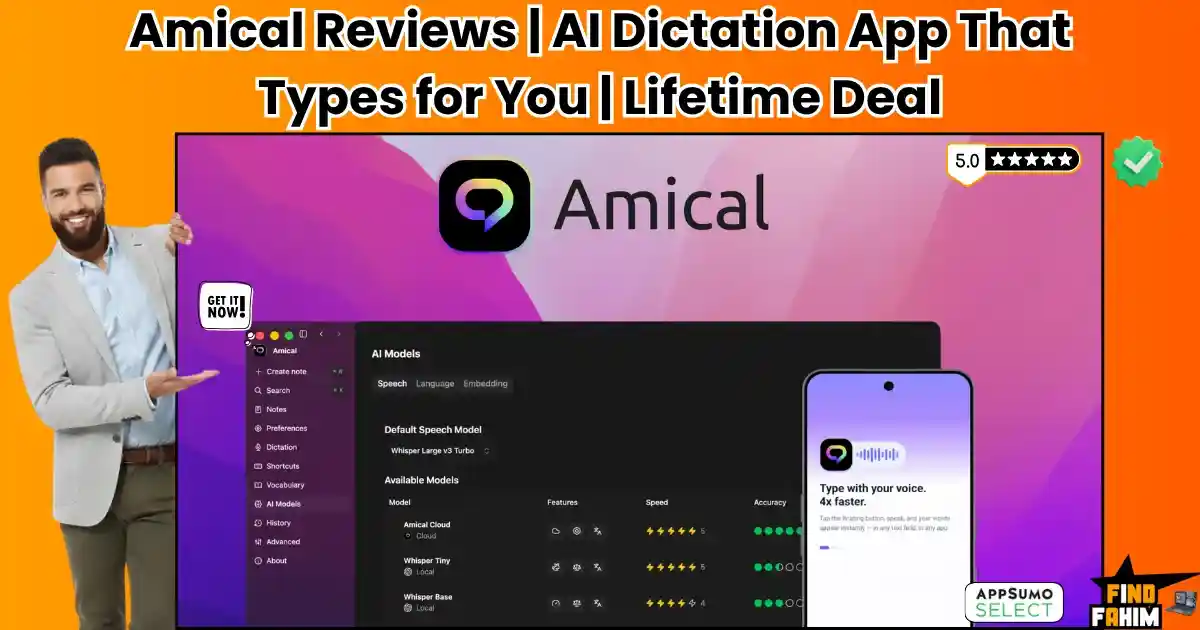
Amical Reviews 2026 | Best Private AI Dictation App for Any App & Device | AppSumo Lifetime Deal & Alternatives
Typing is the most frustrating bottleneck between your ideas and a finished draft. When you spend your days grinding out 3,000 to 4,000-word SaaS reviews or handling endless client emails, your fingers simply cannot match the speed of your brain. Amical is an extremely fast AI dictation tool that turns your spoken words into perfectly formatted text inside any application. By combining accurate cloud transcription with private local models, it lets you dictate directly into Slack, Gmail, or Google Docs without touching your keyboard. Disclaimer: This article contains affiliate links. If you purchase through these links, I may earn a small commission at no extra cost. All opinions and market research are entirely my own. My Quick Take (TL;DR) Tired of typing fatigue? Here is my summary. What is it? A smart AI dictation app for Mac, Windows, iOS, and Android. Special Feature: Runs entirely on local AI models, keeping your voice data strictly on your hard drive for total privacy. For Who: Content writers, agency owners, and professionals dealing with heavy typing. The Deal: Lifetime access starts at $49 on AppSumo. Buy Tier 3 to secure unlimited local models for your entire team. Verdict: A mandatory productivity tool that replaces terrible default operating system dictation. Click Here to Get the Amical Lifetime Deal on AppSumo What is Amical? Amical is an accurate voice-to-text application for all major devices. It eliminates manual typing by letting you speak directly into any active text field, securely capturing your voice and turning it into polished sentences instantly. Unlike standard dictation tools that spit out messy text, this software understands context. It uses artificial intelligence to format your spoken sentences perfectly, actively adding correct punctuation and paragraph breaks, whether you are sending casual messages or formal emails. Quick Look: What’s Inside the Deal If your business relies on rapid communication or high-volume content creation, manual typing is actively slowing you down. Transitioning to this unified dictation engine instantly reclaims your time and protects your hands from physical fatigue. Replacing your fragmented writing tools with a one-time purchase secures massive recurring savings. Here is the exact financial value you unlock when you switch to this platform. Feature Replaces… The Real Value Normal Cost Deal Status Universal Dictation Native voice typing Type directly into any app ~$120/yr ✅ Included Local AI Models Cloud-only apps Maximum privacy air-gap ~$240/yr ✅ Included Contextual Formatting Manual editing AI matches the app’s tone ~$150/yr ✅ Included Custom Vocabulary Autocorrect fails Learns your industry terms ~$99/yr ✅ Included Total Value Fragmented Tools Complete Dictation OS ~$609+/yr $49 (Lifetime) Why Traditional Voice Typing Is Failing Forcing your team to rely on basic voice typing is an absolute operational failure. These traditional applications lack deep AI understanding, transcribing exactly what they hear without fixing grammar, removing pauses, or formatting the final text. Furthermore, relying on standalone transcription websites introduces massive workflow friction. Recording audio elsewhere and copying and pasting it into your email actively disrupts your focus and completely collapses your daily productivity. Why AI Dictation Is On the Rise in 2026 Modern creators and remote teams demand extreme speed alongside absolute data privacy. AI-powered dictation is exploding in 2026 because we must immediately accelerate our writing output without ever compromising the security of our internal business communications. Pairing an incredibly accurate speech engine with local processing changes our execution strategy. When you eliminate typing bottlenecks, your team can draft content significantly faster, creating massive operational efficiency. A Look Inside Amical: Key Features This desktop application completely removes the frustrating interfaces found in standard transcription tools. It operates quietly in the background of your operating system to kill distractions. By eliminating manual typing, the software increases your daily drafting speed and output. Here is exactly what the system offers. Universal Application Integration You never have to switch tabs to record your thoughts. This tool works directly wherever your cursor is active. It injects your transcribed text straight into Slack messages, Gmail threads, Jira tickets, and Google Docs, eliminating the need to copy and paste from external dashboards. Context-Aware Auto-Formatting Stop wasting time fixing messy grammar. The system recognizes exactly which application you are using and structures the final output accordingly. It formats a professional client email entirely differently from a quick team update, handling all the capitalization, proper punctuation, and paragraph breaks automatically. Custom Vocabulary Engine Generic voice tools constantly ruin technical language. You can permanently feed your industry jargon, unique client brand names, and complex acronyms into the memory bank. The software guarantees it will accurately spell your core marketing terminology without forcing you to make frustrating manual corrections later. Standout Feature: Dual-Processing Models This is the exact reason professionals choose this application over invasive competitors. The platform gives you absolute control over your private data. You can run the entire transcription process locally on your own hardware, guaranteeing maximum security for confidential client meetings and financial reporting. When raw speed is more critical than absolute privacy, you simply flip a toggle to activate the cloud models. This dual approach ensures you get the fastest possible processing times for standard tasks while maintaining a strict local wall for your sensitive business information. Amical Updates: What is New in 2026 The development team directly applied AppSumo buyer feedback to heavily upgrade the language recognition engines. Offline Mode: Optimized local Whisper models now allow flawless offline dictation, filtering out heavy background noise completely. Mobile Parity: The iOS and Android applications now match the exact processing speed and transcription accuracy of the desktop software. Smart Commands: Users can program custom voice shortcuts to instantly generate specific text blocks or trigger actions hands-free. Amical Pricing & AppSumo Deal Details Stop paying expensive monthly SaaS fees. Amical offers five stackable tiers built for solo creators and massive agencies. Review the matrix below to match your exact team limits. Feature Tier 1 Tier 2 Tier 3 Tier 4 Tier 5 One-Time
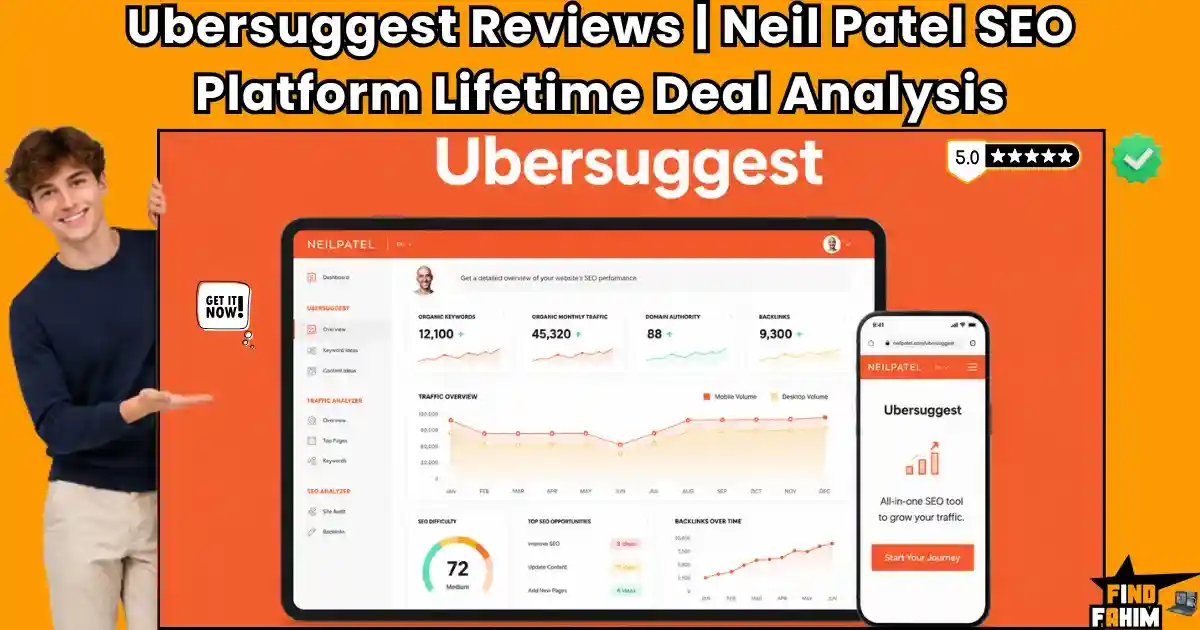
Ubersuggest Reviews 2026 | Best Beginner-Friendly SEO Platform by Neil Patel | Official Lifetime Deal & Alternatives
Juggling multiple expensive SEO subscriptions drains our operational budget. The traditional method of paying massive monthly fees for complex platforms with strict search limits creates heavy administrative drag, slows down our marketing execution, and destroys our profit margins. Ubersuggest is the ultimate structural fix for this exact problem. It is a highly specialized business operating system designed to centralize our keyword research, competitor analysis, and technical site auditing into one single, unified dashboard. Disclaimer: This article contains affiliate links. If you purchase through these links, I may earn a small commission at no extra cost to you. All opinions, market analysis, and research are entirely my own. My Quick Take (TL;DR) Tired of paying for expensive Ahrefs credits? Here is my summary. What is it? A beginner-friendly SEO operating system featuring integrated keyword research, weekly site audits, and AI writing tools. Why is it Special? It provides enterprise-level data, including advanced ChatGPT and Gemini AI insights, without the complicated interface of legacy software. Who is it for? Niche affiliate marketers, local brick-and-mortar owners, freelance content writers, boutique marketing agencies, and solo SaaS founders. The Deal: A scalable lifetime offer starting at $120 for permanent data access. My Verdict: Boasting comprehensive search visibility tracking, this platform permanently replaces expensive monthly subscriptions for SEMrush and Moz. Click Here to Get the Ubersuggest Lifetime Deal What is Ubersuggest? Ubersuggest is an enterprise-grade web application designed by Neil Patel to handle high-volume organic search workflows. It solves the main problem facing digital teams today: the rising cost of maintaining visibility when SEO tools charge strictly by the month. Instead of paying a premium for scattered dashboards, this software centralizes your ranking workflow. You can track keywords, audit technical errors, analyze backlinks, and generate AI content from a single interface, neutralizing your monthly overhead. Quick Look: What’s Inside the Deal Paying for separate rank trackers, site auditors, and AI writing assistants destroys your profit margins. Transitioning to this unified platform instantly reclaims your budget. Here is the financial value. Feature Replaces… The Real Value Normal Cost Deal Status Keyword Research Ahrefs Deep search volume data ~$1,188/yr ✅ Included Site Auditing Screaming Frog Weekly technical checks ~$259/yr ✅ Included Rank Tracking AccuRanker Daily position updates ~$1,500/yr ✅ Included AI Content Writer Jasper AI Automated blog drafting ~$468/yr ✅ Included Total Value Fragmented Tools Unified SEO OS ~$3,415+/yr $120 (Lifetime) Why Manual SEO Is Failing Managing technical search engine optimization manually forces business owners into tedious administrative tasks. Watching your operational hours drain away while trying to compile spreadsheet data for keyword search volumes wastes cash that we should spend on paid advertising. The traditional pricing models of legacy SEO companies are failing modern creators. Charging users a strict monthly premium just to export basic backlink reports actively punishes agencies that require high-volume daily output. Why Native SEO Suites Are Trending in 2026 Modern marketing teams demand extreme efficiency and reliable data stability. Native SEO suites are trending heavily because we must immediately launch clean, highly optimized blog posts without waiting days to run a manual competitor analysis. Pairing an incredibly fast, centralized architecture with built-in artificial intelligence changes our entire production strategy. When you do not have to worry about hitting your monthly rank tracking limits, your publishing volume increases drastically, leading directly to higher daily organic traffic. A Look Inside Ubersuggest: Key Features This platform strips away the complicated interfaces found in traditional developer environments. By focusing entirely on a clean, centralized experience, your marketing team can deploy highly complex digital search campaigns in minutes. Deep Keyword Research You do not need to guess what your audience wants. The system allows you to analyze search volumes, discover related terms, and identify highly profitable long-tail keywords directly from the same unified dashboard. Automated Site Auditing You no longer have to manually check for broken links. The platform features a weekly web crawler that scans your entire domain, instantly flagging technical errors and providing exact instructions to fix your loading speeds. Competitor Intelligence You do not have to pay for external espionage tools. The software includes native competitor tracking to analyze exactly which keywords bring traffic to your rivals, allowing you to reverse-engineer their entire content strategy. Built-In AI Writer This feature turns the software into a highly capable drafting assistant. The platform actively generates meta titles, full paragraphs, and answers to common Google queries, allowing you to scale your content production rapidly. Standout Feature: ChatGPT & Gemini Integration Almost every major competitor forces you to rely on basic search metrics. Ubersuggest completely ignores this restriction by actively integrating highly advanced ChatGPT and Gemini AI models directly into the keyword research flow to provide deep search intent analysis. Furthermore, it guarantees you understand exactly how AI Overviews affect your specific niches. This elite processing structure allows high-volume agencies to instantly generate strategic prompts and analyze historical ranking data without leaving the application. Recent 2026 Platform Updates The Ubersuggest engineering team actively deploys major platform enhancements directly based on intensive feedback from their highly active digital marketing community. These specific updates actively reduce research times and improve accurate data generation directly on your private workspace. Gemini AI Sync: Upgrading backend systems to finalize native connections with Google’s Gemini models for advanced search intent predictions. Chrome Extension Expansion: Launching a dedicated roadmap initiative to handle native, real-time keyword data directly inside your web browser. Mobile Rank Tracking: Adding complex controls that allow agencies to map out mobile-specific search visibility and compare it directly against desktop traffic. Ubersuggest Pricing & Lifetime Deal Details This lifetime deal scales perfectly with your growing agency. I’ve laid out the three pricing tiers side-by-side below, making it easy to instantly compare their limits. The entry plan offers massive value for solo consultants. But if your agency handles multiple clients and heavy tracking, you’ll need the higher tiers to unlock extra domains and searches. Feature Individual Business Enterprise One-Time Price
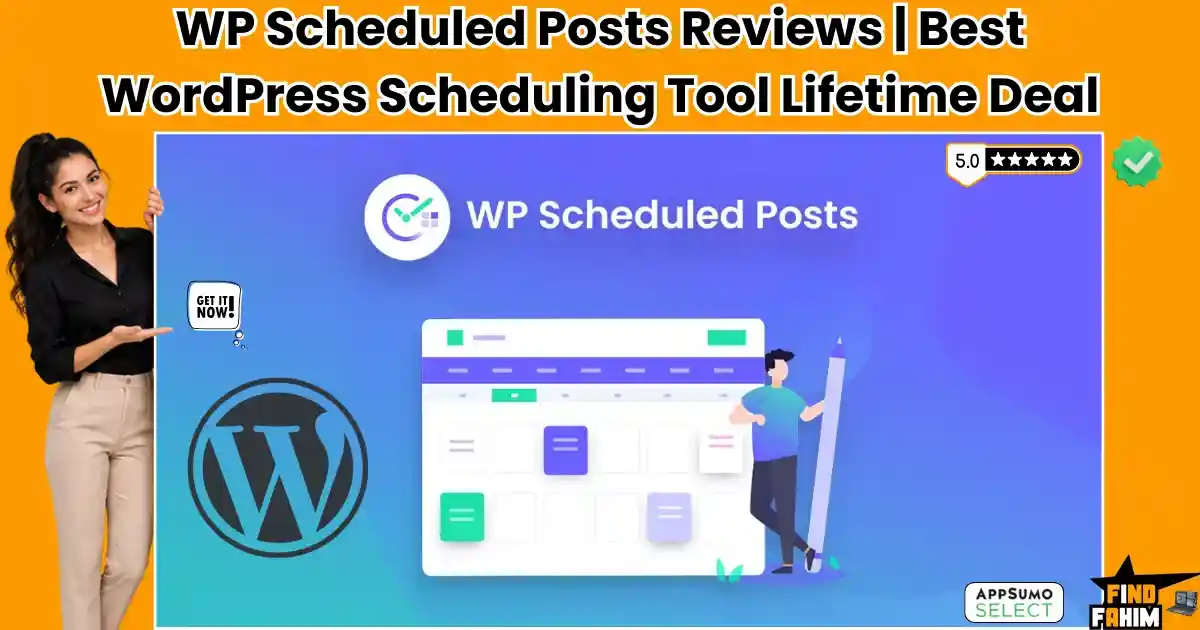
WP Scheduled Posts Reviews 2026 | Best WordPress Content Scheduling Plugin | AppSumo Lifetime Deal & Alternatives
Running a high-volume WordPress blog means manually hitting publish on every article. Tracking multiple authors across scattered spreadsheets creates severe bottlenecks and kills your deadlines. WP Scheduled Posts is an editorial calendar plugin built to fix this issue. It automates your content pipeline, visualizes your drafting process, and ensures WordPress publishes exactly on time. Disclaimer: This article contains affiliate links. If you purchase through these links, I may earn a small commission at no extra cost to you. All opinions, market analysis, and research are entirely my own. My Quick Take (TL;DR) Tired of jumping between messy spreadsheets and your WordPress backend? Here is the executive summary. What is it? A plugin featuring a visual drag-and-drop calendar for scheduling articles. Special Feature: A missed-schedule handler that forces posts to go live, bypassing native server errors. For Who: Content creators and agencies managing high-volume websites. The Deal: Lifetime access starting at $39. Stack three codes to secure unlimited websites. Verdict: A mandatory WordPress upgrade that replaces confusing editorial spreadsheets and expensive social media schedulers instantly. Get the WP Scheduled Posts Lifetime Deal on AppSumo What is WP Scheduled Posts? Most website owners hate planning editorial calendars because WordPress lacks a native visual organizer. This plugin transforms your default dashboard into a highly organized planning hub. You can drag draft articles onto specific dates, schedule them weeks ahead, and let the software push them live to your blog and social networks automatically. Quick Look: What’s Inside the Deal If your business relies on manual publishing or paying for separate social media schedulers, your operations are bleeding cash. Transitioning to this unified WordPress plugin instantly saves you time and money. Here is the financial value. Feature Replaces… The Real Value Normal Cost Deal Status Content Planning Excel Sheets Visual drag-and-drop calendar Tedious Labor ✅ Included Auto-Publishing Manual Clicks Posts go live while you sleep ~$15/hour ✅ Included Social Sharing Buffer Auto-posts to Twitter & FB ~$216/yr ✅ Included Error Handling Constant Checking Fixes WP cron job failures ~$300/yr ✅ Included Total Value Fragmented Tools Unified Editorial Plugin ~$516+/yr $39 (Lifetime) Why Traditional Content Planning Is Failing Forcing your team to track blog articles in massive spreadsheets is an operational failure. Traditional planning creates severe disconnects between writing content and publishing it, leading to missed deadlines and extreme frustration across your editorial team. Furthermore, managing multiple freelance writers through messy email chains guarantees publishing errors. When editors cannot visually see what is scheduled directly inside the CMS, your website’s content strategy collapses entirely. Why Editorial Calendars Are On Top in 2026 The demand for consistent publishing has peaked. Search engines expect daily, high-quality content to rank websites effectively. Modern agencies require tools that bypass manual intervention and push articles live automatically. Editorial plugins eliminate workflow friction. By visualizing your entire content pipeline natively inside WordPress, these tools allow editors to spot gaps instantly. You can finally execute aggressive organic marketing strategies without hesitation. A Look Inside WP Scheduled Posts: Key Features This plugin is highly powerful but intentionally straightforward. There is no confusing setup process or bloated developer menus. Here is exactly what the dashboard offers to streamline your workflow. Visual Calendar Interface You no longer need to click through basic text lists of draft posts. The plugin provides a clean, month-to-month calendar directly inside your WordPress admin panel. You can easily drag and drop articles to change their publishing dates instantly without ever opening the individual post editor. Multi-Author Management Controlling a team of writers is incredibly simple. The dashboard allows administrators to view exactly who is assigned to each article and what their current progress is, ensuring your entire editorial team stays completely organized and accountable. Automatic Social Sharing Getting traffic requires active social promotion. Once your blog post goes live, the software automatically pushes the link directly to your connected Twitter and Facebook accounts. You eliminate the need to manually copy and paste URLs into separate social media applications. Standout Feature: Missed Schedule Handler This is the primary reason professional bloggers buy this software. Natively, WordPress relies on “WP-Cron” to publish scheduled articles. This system requires active website visitors to trigger the publishing event. If your site has low traffic at the exact minute your post is scheduled, WordPress will miss the deadline entirely. This plugin includes a dedicated handler that bypasses this native flaw. It actively monitors your scheduled drafts and forces the system to publish them exactly on time, guaranteeing you never lose valuable search traffic to a technical server failure again. Recent 2026 Platform Updates The development team actively shapes this software based directly on user feedback, deploying massive backend improvements to your dashboard. Refined Handler Technology: Upgrading the missed schedule handler to ensure absolute publishing success on low-traffic servers. Social Stability Patches: Launching dedicated API updates to keep your Facebook and Twitter connections permanently locked in without re-authentication. Custom Post Support: Adding complex controls allowing agencies to drag-and-drop WooCommerce products directly onto the visual calendar. WP Scheduled Posts Pricing & Lifetime Deal Details Unlike heavy recurring subscriptions, this AppSumo deal is highly affordable and fully stackable. The pricing matrix below compares the exact limits across three clear tiers so you can find your perfect fit instantly. Feature 1 Code 2 Codes 3 Codes One-Time Price $39 $78 $117 Website Limit 5 Sites 10 Sites Unlimited Sites Visual Calendar ✅ Yes ✅ Yes ✅ Yes Auto-Sharing ✅ Yes ✅ Yes ✅ Yes Missed Handler ✅ Yes ✅ Yes ✅ Yes Lock In Your Exact Lifetime Tier on AppSumo Understanding the Stacking Strategy Independent bloggers can safely start with a single $39 code for five websites. However, marketing agencies and freelance developers must stack three codes ($117) immediately. This maximum tier secures unlimited website installations, allowing you to deploy the editorial calendar across every single client site you manage without ever paying extra fees. Lifetime Deal Refund Policy This deal
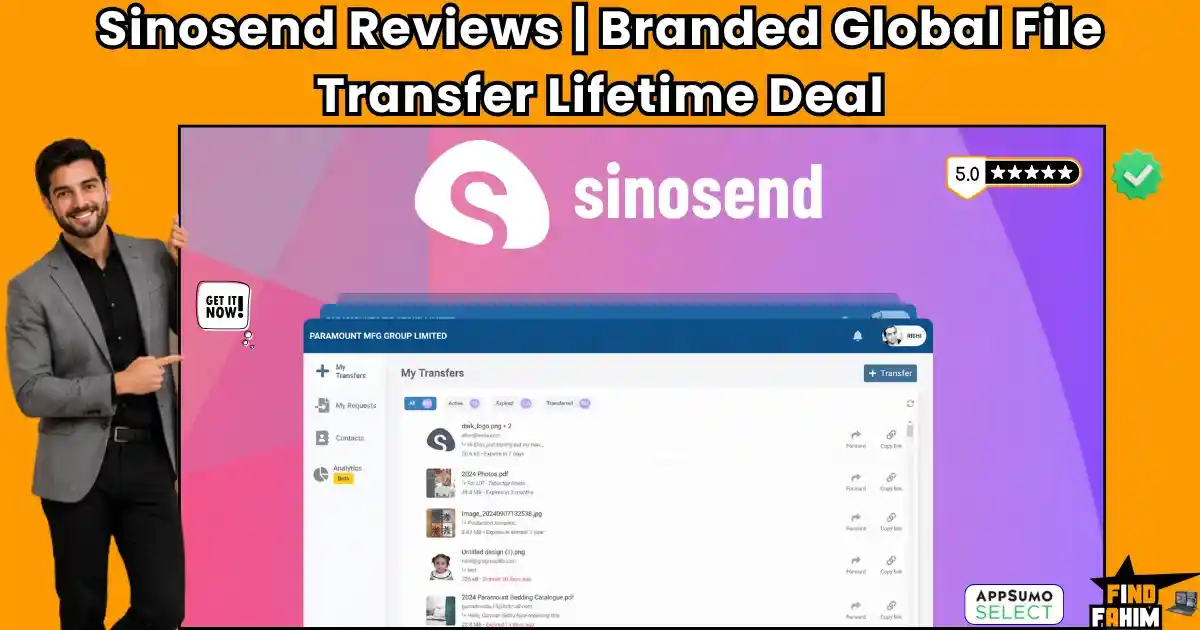
Sinosend Reviews 2026 | Branded Global File Transfer Tool for Teams | AppSumo Lifetime Deal & Alternatives
Relying on basic email attachments to deliver massive client assets stalls your workflow. Paying recurring fees for clunky transfer sites with strict limits slows delivery speeds and makes your agency look unprofessional. Sinosend solves this bottleneck. It is a specialized cloud system designed to centralize large-file transfers, secure client requests, and white-label your asset delivery across a fast global network. Disclaimer: This article contains affiliate links. If you purchase through these links, I may earn a small commission at no extra cost to you. All opinions, market analysis, and research are entirely my own. My Quick Take (TL;DR) What is it? A secure file delivery network built for global trade, allowing transfers without email limits. Why is it Special? It operates across data regions to bypass blocks, offering custom branding and download tracking. Who is it for? Freelance designers, video production agencies, and architectural firms are sending massive renders. The Deal: A scalable lifetime offer on AppSumo starting at $49. My Verdict: Holding a 4.8-star rating, this platform permanently replaces expensive WeTransfer and Dropbox subscriptions. Get the Sinosend Lifetime Deal on AppSumo Now What is Sinosend? Sinosend is a web application designed to handle high-speed digital asset delivery securely. It solves a massive pain point for agencies: the inability to share heavy videos and confidential documents without hitting an annoying inbox cap. Instead of paying a premium for generic transfer sites, this platform centralizes outbound delivery. You can send a 100GB design folder, request a signed contract, and monitor exact download locations from a single custom-branded interface, eliminating your monthly storage overhead. Quick Look: What’s Inside the Deal Paying for separate file delivery, cloud storage, and client portal software drains your revenue. Transitioning to this unified platform instantly reclaims your budget. Here is the financial value. Feature Replaces… The Real Value Normal Cost Deal Status Branded Transfers WeTransfer Pro White-labeled delivery ~$144/yr ✅ Included Global Data Regions Google Drive Faster cross-border speeds ~$120/yr ✅ Included Secure File Requests Dropbox Advanced Encrypted client uploads ~$288/yr ✅ Included Activity Tracking Manual Follow-ups Real-time download alerts ~$99/yr ✅ Included Total Value Fragmented Tools Unified Transfer OS ~$651+/yr $49 (Lifetime) Why Manual File Sharing Is Failing Sending digital assets manually forces you to do exhausting administrative work. Staring at a loading bar while a massive zip folder uploads to a slow server burns hours you should spend acquiring clients. Old cloud storage pricing actively punishes modern creators. Charging expensive monthly fees just to deliver one large video file crushes growing agencies that require high-volume daily output. Why Native Transfer Portals Are On the Rise in 2026 Marketing teams demand extreme speed and international stability. Native transfer platforms are exploding in popularity because you can instantly send heavy media files without stressing over foreign firewalls blocking your download links. Combining localized server speeds with automated custom branding changes how you present work. Showing clients your own logo instead of a third-party watermark builds professional authority, leading straight to higher retention rates. A Look Inside Sinosend: Key Features This platform strips away the complicated interfaces found in traditional developer environments. By focusing entirely on a clean, centralized experience, your team can deploy highly complex digital transfer portals in minutes. Custom Branded Portals You do not need to rely on generic download pages. The system allows you to map your own custom CNAME domain, add your agency logo, and apply custom CSS styling so the client never realizes they left your website. Global Data Residency You no longer have to worry about slow international download speeds. The platform features native server locations in the US, EU, Dubai, and Hong Kong, allowing you to route files locally for lightning-fast speeds and strict privacy compliance. Secure File Requests You do not have to wait for clients to figure out how to compress their assets. The software includes a dedicated request portal where clients can securely drop their files directly into your dashboard, complete with enforced size limits. Advanced Activity Tracking This feature turns the software into a highly capable sales assistant. The system actively monitors every single link, providing you with real-time email alerts, precise IP locations, and exact timestamps the moment a client opens or downloads your file. Standout Feature: Massive Transfer Limits Almost every major cloud competitor forces you to rely on strict per-file upload caps. Sinosend completely ignores this restriction by allowing up to 100GB transfers on its higher tiers, handling massive 4K video renders or heavy 3D architectural models natively. Furthermore, it guarantees your links remain active exactly as long as you need them to. This elite processing structure allows high-volume teams to set custom expiration dates or remove expirations entirely without paying additional usage fees. Recent 2026 Platform Updates The Sinosend engineering team actively deploys major platform enhancements directly based on intensive feedback from their highly active AppSumo creator community. These specific updates actively reduce upload times and improve tracking accuracy directly on your private workspace. Voice Memos: Upgrading backend systems to finalize native connections for attaching quick audio explanations alongside heavy file deliveries. Enhanced Password Protection: Launching a dedicated roadmap initiative to handle native, bank-level encryption codes for highly sensitive legal documents. Client Portal Embeds: Adding complex controls that allow agencies to place the file request upload box directly inside their own native website. Sinosend Pricing & Lifetime Deal Details This AppSumo deal spans eight tiers. Solo consultants can grab the entry plan, but marketing agencies rendering heavy video must buy Tier 5 or Tier 8 for massive cloud storage. Compare the pricing below. Feature Tier 1 Tier 2 Tier 3 Tier 5 Tier 8 One-Time Price $49 $98 $147 $245 $392 Max Transfer Size 10 GB 25 GB 100 GB 100 GB 100 GB Monthly Transfers 30 Unlimited Unlimited Unlimited Unlimited Total Storage 50 GB 200 GB 1 TB 2 TB 5 TB Team Logins 0 Seats 2 Seats 5 Seats 15 Seats 25 Seats
Semrush vs Ahrefs vs Moz vs Ubersuggest 2026 | Best SEO & Marketing Tool Comparison | Features, Pricing & Verdict
For years, the SEO industry was a comfortable duopoly. Now, the market is completely fractured. Ahrefs continues to frustrate loyal users with harsh credit limits, while Semrush has bloated into a massive marketing operating system. At the same time, Moz is slashing entry prices, and Ubersuggest is aggressively pushing lifetime deals. The debate for growing blogs always comes down to the heavyweights: Semrush vs Ahrefs vs Moz. Do you actually need a premium subscription to rank, or can a cheaper alternative do the job? Here at FindFahim, I maintain active subscriptions to all four platforms. I ignore the marketing hype and focus entirely on return on investment. Here is the definitive test to see which tool actually builds traffic and drives revenue in 2026. Quick Look: The 2026 Cheat Sheet If you are in a rush and just want the bottom line, here is the exact mapping of who should buy what based on real-world agency experience. For All-in-One Power (Agencies): Choose Semrush. It is the undisputed king of comprehensive marketing, PPC research, and competitor intelligence. For Ease of Use & Local SEO (Beginners): Choose Moz Pro. It is the most user-friendly option for small-to-mid-sized teams and brick-and-mortar businesses. For Deep Data & Backlinks (SEOs): Choose Ahrefs. It is the gold standard for backlink tracking and pure technical SEO accuracy, though expensive. For Low Budgets (Freelancers): Choose Ubersuggest. It is the most affordable option for basic keyword research and rank tracking. What Each Tool Actually Does Before we look at the spreadsheets and crawl speeds, we need to talk about workflow. Each tool has a distinct personality. Buying the wrong “vibe” will cost you months of frustration. Semrush: The “All-In-One” Juggernaut Semrush wants to be the only software bill you pay. They don’t just help you rank on Google; they help you run your Facebook Ads, list your business on Yelp, and write your blog posts with AI. It is a “Marketing Operating System.” The Killer Feature: Unlimited reporting. You can pull data and run audits all day long without paying extra. Ahrefs: The Data Purist Ahrefs is the “Apple” of the SEO world. They don’t care about your social media or your PPC ad copy. They care about links, data hygiene, and clean charts. The Fatal Flaw: The new “Usage-Based” pricing (Credits) punishes you for exploring your own data. It creates a scarcity mindset where you are afraid to click a button. Moz Pro: The Beginner & Local Champion Moz effectively invented the industry with its Domain Authority (DA) metric. Today, they focus on making SEO less scary for non-experts. Their data isn’t the biggest, but their explanations are the clearest. The Secret Weapon: The Moz Local integration and the legendary free MozBar extension. Ubersuggest: The Budget Disruptor Neil Patel’s tool is built on one angry premise: SEO tools are too expensive. He strips away the complex API access and historical data to give you the “80% that matters” for 20% of the price. Keyword Research Battle: Who Has the Best Data? Your entire SEO strategy collapses if you target the wrong search terms. Finding profitable phrases requires a massive database and accurate difficulty metrics. Here is exactly how the major platforms handle keyword research. Semrush dominates this category with its Keyword Magic Tool. Backed by an industry-leading 25-billion-keyword database, it automatically tags every query with a specific Search Intent. This lets you filter directly for buyers who are ready to spend, eliminating wasted writing time. Ahrefs takes a highly practical approach using Traffic Potential. Instead of showing just exact-match volume, it estimates the total traffic the top-ranking page receives, helping you uncover hidden long-tail opportunities. Moz simplifies research by combining volume and click-through rates into a single Priority score. It is highly approachable for beginners, though the database is noticeably smaller than the leaders. Ubersuggest works fine for basic brainstorming. However, its difficulty scores are consistently overly optimistic. It often labels highly competitive keywords as easy, meaning you must verify the data manually before you actually start writing. Winner: Semrush for sheer data volume and exact intent filtering. Try the Semrush Keyword Magic Tool (14-Day Free Trial) Backlink Analysis: The Ahrefs Advantage vs. The Rest Backlinks are the currency of Google. You need a tool that finds them fast and finds them all. Ahrefs is the industry gold standard for backlink data. Its web crawler is second only to Google. It tracks new and lost backlinks incredibly fast, making it the professional default for serious link builders. If you run a link-building agency, you use Ahrefs. Period. Semrush has a vast backlink database (43 trillion links) and a highly robust Backlink Audit tool. It assigns a “Toxic Score” to risky links (like spam or gambling sites) and helps you generate a Disavow File to protect your site from Google penalties. Ahrefs ignores toxic links entirely, claiming Google handles spam automatically. Moz claims the largest publicly stated backlink index and is highly reliable for checking inbound links. However, it lacks the fast discovery speed and granular filtering of the top two. Ubersuggest offers a modest backlink overview. It is adequate for basic awareness, showing you do-follow vs. no-follow links, but its data gaps are simply too large for serious outreach campaigns. Winner: Ahrefs (For raw data speed) and Semrush (For link auditing and outreach). Technical SEO & Site Audits: Project Manager vs. Developer You cannot rank if your site is broken. Who finds the errors before Google does? The Semrush Site Audit acts like a Project Manager. It scans for 140+ error types and gives you a clear “Site Health” percentage (e.g., 82%). It explains why the issue matters in plain language and how to fix it, making it perfect for agencies explaining technical errors to non-technical clients. It even includes brand-new 2026 checks for AI Search visibility. Run a Free Site Audit with Semrush Moz shines for beginners here. It catches all

Brand2Social Reviews 2026 | Best Social Media Management Platform for Agencies | Dealify Lifetime Deal & Alternatives
Managing dozens of client social accounts manually forces agencies to waste hours jumping between open browser tabs. Logging into Twitter, Instagram, and LinkedIn separately to schedule daily posts creates operational drag and eats into profit margins. Brand2Social fixes this exact problem. It is a specialized dashboard that centralizes scheduling, reporting, and direct messaging in a single interface. Disclaimer: This article contains affiliate links. If you purchase through these links, I may earn a small commission at no extra cost. All opinions and research are my own. My Quick Take (TL;DR) What is it? A unified platform for scheduling posts, tracking analytics, and replying to messages. Special Feature: Automated DMs, an integrated content generator, and a centralized global inbox. For Who: Digital marketing agencies, freelancers, and businesses managing multiple profiles. The Deal: A lifetime Dealify offer starting at $59 for 25 accounts, scaling up to 500 accounts for agencies. Verdict: This platform permanently replaces expensive monthly subscriptions like Hootsuite and Buffer. Click Here to Get the Brand2Social Deal on Dealify What is Brand2Social? Brand2Social handles high-volume content distribution and automated workflows. It solves the primary problem facing digital marketers: the rising cost of audience management across fragmented channels. Instead of paying a premium for multiple tools, this dashboard centralizes your daily operations. You can design content, schedule posts across major networks, and generate white-label performance reports for clients directly from a single interface. Quick Look: What’s Inside the Deal Paying for separate social media, AI writing, and reporting software destroys your profit margins. Transitioning to this unified platform instantly reclaims your budget. Here is the exact financial value. Feature Replaces… The Real Value Normal Cost Deal Status Social Scheduling Buffer Multi-channel posting ~$60/mo ✅ Included Unified Inbox Sprout Social Centralized messaging ~$249/mo ✅ Included AI Content Jasper AI Automatic post creation ~$49/mo ✅ Included Agency Reports Hootsuite White-label client data ~$130/mo ✅ Included Total Value Fragmented Tools Unified Marketing Suite ~$5,856+/yr $59 (Lifetime) Why Manual Social Media Management Is Failing Handling social accounts manually forces you into endless data entry. Resizing images by hand and uploading posts individually destroys the time you desperately need for closing sales. Legacy tools make this worse by punishing your growth. Charging massive monthly fees just to add a new team member or client account actively drains your profit margins. Why Automated Social Scheduling Is Trending Modern agencies demand extreme speed. Automation allows you to plan an entire month of content in one afternoon, guaranteeing a consistent online presence without any daily manual effort. Combining that scheduling with a centralized inbox fixes your engagement strategy. Answering customer comments from one screen drastically improves response times, building trust and directly increasing your conversions. A Look Inside Brand2Social: Key Features This platform strips away the complicated, developer-heavy interfaces found in older enterprise tools. By focusing entirely on a visual calendar experience, your marketing team can launch massive campaigns in minutes. Here is a detailed breakdown of the exact tools included in this Dealify lifetime deal, designed to help you capture attention and manage engagement without constantly switching browser tabs. Multi-Channel Scheduling You do not need to log into individual networks to look professional. The system connects directly to Facebook, Instagram, Twitter, LinkedIn, and YouTube. You simply draft your text, upload your media, and the system automatically adjusts the formatting for each specific platform. Built-In AI Content Generation The integrated writing assistant allows you to generate completely unique posts instantly. You can input a basic prompt, and the system will produce 30 days’ worth of highly relevant, optimized social media content, completely removing writer’s block from your workflow. Unified Social Inbox This feature turns the software into a direct customer support hub. The global inbox pulls all direct messages, comments, and replies from every connected social account into one single feed. You can reply to an Instagram comment and a LinkedIn message consecutively without ever leaving the dashboard. The Standout Feature: Agency White Labeling Almost every major competitor charges hundreds of dollars a month for customized branding. Brand2Social completely ignores this restrictive pricing model. On the agency tiers, you can rebrand the entire platform with your own logo, colors, and custom domain (CNAME), giving your clients a highly professional, proprietary experience. Recent 2026 Platform Updates The development team actively pushes major platform updates based directly on feedback from their global agency users. Their recent system improvements focus heavily on automated workflows and client management: Threads Integration: Building deeper direct connections to handle cross-posting and scheduling on newer social channels. Auto DMs: Refining their internal systems to automatically send direct messages to customers who comment on specific posts. White-Label Reporting: Maintaining strict agency standards while ensuring fast data exports and custom domain mapping for clients. Brand2Social Pricing & Lifetime Deal Details The Dealify lifetime deal uses a highly scalable structure designed for different business sizes. You simply choose the exact license limit that fits your required monthly client volume. Here is a look at the core available tiers to help you decide which package provides the right amount of bandwidth for your specific SaaS workflow. License Tier Price (One-Time) Social Accounts Scheduled Posts Agency Features Team Plan $59 25 Unlimited ❌ No Business Plan $129 50 Unlimited ✅ Advanced Reports Agency Plan $249 500 Unlimited ✅ Full White Label Understanding the Stacking Strategy If you run a single local business or a small internal team, the $59 plan gives you exactly enough bandwidth to manage your core brand. However, digital marketing agencies handling content for dozens of different clients must secure the $249 Agency Plan to ensure they have the white-label branding and custom domain mapping necessary to impress high-ticket clients. Lifetime Deal Refund Policy Dealify protects this purchase with a strict 30-day money-back guarantee. You get an entire month to connect your accounts, build your visual calendar, and test the auto-posting features completely risk-free. Stop Paying Monthly Fees. Grab Brand2Social Today
Presenti AI Reviews 2026 | Turn Documents Into Professional Slides with AI | AppSumo Lifetime Deal & Alternatives
Struggling to build slide decks manually drains our budget. Relying on slow formatting processes creates massive administrative drag and destroys profit margins. Presenti AI is our direct counter-attack. It is a specialized cloud system designed to centralize slide generation, custom formatting, and collaboration into one unified workspace. Disclaimer: This article contains affiliate links. I may earn a small commission at no additional cost. All opinions and analyses are my own. My Quick Take (TL;DR) Tired of wasting hours formatting templates? Here is my summary. What is it? An AI presentation maker that turns text, audio, and documents into polished, on-brand slide decks instantly. Why is it Special? It uses advanced AI models to convert PDFs, web links, and mind maps directly into slides without manual styling. Who is it for? Digital marketing agencies, corporate educators, SaaS founders, B2B project managers, and freelance business consultants. The Deal: A scalable lifetime offer on AppSumo starting at $69. My Verdict: Boasting a strong 3.9/5 community rating, this platform permanently replaces tedious subscriptions for traditional presentation software. Get the Presenti AI Lifetime Deal on AppSumo Now What is Presenti AI? Presenti AI is an enterprise-grade application handling rapid slide creation. It solves the primary problem facing professionals today: the massive time cost of turning raw data into visually appealing presentations. Instead of paying for graphic designers, this dashboard centralizes your workflow. You can upload an Xmind file, extract key points, and generate a branded deck from a single interface, neutralizing your design overhead. Quick Look: What’s Inside the Deal Paying for separate presentation editors, graphic designers, and AI writing assistants destroys your profit margins. Transitioning to this unified platform instantly reclaims your budget. Here is the financial value. Feature Replaces… The Real Value Normal Cost Deal Status AI Slide Generation Tome / Gamma Automated deck building ~$192/yr ✅ Included Document Conversion Manual Typing PDF/Word to Slides ~$100/yr ✅ Included Team Collaboration Google Workspace Real-time editing ~$144/yr ✅ Included Brand Customization Canva Pro Locked brand guidelines ~$120/yr ✅ Included Total Value Fragmented Tools Unified Presentation OS ~$556+/yr $69 (Lifetime) Why Manual Slide Formatting Is Failing Building pitch decks by hand drags you into tedious administrative work. Spending hours aligning text boxes across forty slides burns valuable time you should spend closing deals. Expensive recurring subscriptions from legacy design software also hurt modern agencies. Paying high monthly fees just to download basic layouts punishes teams producing massive daily volume. Why Native AI Presentation Tools Are Smart Marketing teams require immediate results to survive. Artificial intelligence slide builders are exploding in popularity because founders need professional pitch decks today, rather than waiting a week for designers. Combining instant generation with automated formatting fixes your production pipeline. When the software automatically styles your charts, your output doubles overnight, allowing you to pitch more clients much faster. A Look Inside Presenti AI: Key Features This platform strips away the complicated interfaces found in traditional developer environments. By focusing entirely on a clean, centralized experience, your marketing team can deploy highly complex digital presentations in minutes. Multi-Format Input Support You do not need to manually copy and paste text. The system allows you to upload Word, PDF, Markdown, and Xmind files directly, instantly converting your raw documents into structured presentation outlines. AI Image & Chart Generation You no longer have to buy expensive stock photos. The platform features built-in AI image generation and dynamic data visualization, automatically creating charts, tables, and mind maps that fit your content perfectly. Universal Language Translation You do not have to pay for external translators. The software includes native tools to generate content in dozens of languages, allowing you to seamlessly pitch international clients in French, Japanese, or German. Custom Brand Kit & Security This feature turns the software into a highly capable corporate assistant. The platform actively locks your custom fonts, colors, and logos, while allowing you to add secure watermarks and password protection to sensitive files. Standout Feature: Advanced AI Engine Almost every major competitor forces you to rely on basic text generation limits. Presenti AI completely ignores this restriction by utilizing the highly advanced Gemini 3 Pro model to deeply analyze your input and extract logical key points natively. Furthermore, it guarantees a seamless editing experience right inside the browser. This elite processing structure allows high-volume teams to generate up to 75 detailed slides per deck without suffering from formatting crashes or layout errors. Recent 2026 Platform Updates The Presenti AI engineering team actively deploys major platform enhancements directly based on intensive feedback from their highly active AppSumo creator community. These specific updates actively reduce rendering times and improve accurate text generation directly on your private workspace. Gemini 3 Pro Integration: Upgrading the backend systems to finalize massive native connections with advanced reasoning models for smarter slide content. Enhanced Image Models: Launching a dedicated roadmap initiative to handle native, high-resolution AI image generation directly within the slide editor. Advanced Xmind Support: Adding complex controls that allow agencies to map out massive visual mind maps and convert them into perfectly formatted slides. Presenti AI Pricing & Lifetime Deal Details This AppSumo deal features four pricing tiers, formatted below for easy comparison. Solo consultants should grab the entry plan, but growing agencies must buy higher tiers for extra team seats. Feature Tier 1 Tier 2 Tier 3 Tier 4 One-Time Price $69 $129 $239 $359 Active Seats 1 Seat 3 Seats 10 Seats 20 Seats Monthly Credits 20,000 / Seat 20,000 / Seat 20,000 / Seat 20,000 / Seat Max Slides / Deck 75 Slides 75 Slides 75 Slides 75 Slides Brand Kit Access ✅ Yes ✅ Yes ✅ Yes ✅ Yes Lock In Your Exact Presenti AI Lifetime Tier on AppSumo Understanding the Stacking Strategy Because Presenti AI operates as a cloud application tied to your team size, we must carefully manage our seat licenses. Buying Tier 3 provides exactly ten active seats and a massive 100 GB
Reelify AI Reviews 2026 | Turn Long Videos Into Viral Clips Locally on Mac | AppSumo Lifetime Deal & Alternatives
Manually scrubbing through hours of long-form video to find viral clips is a massive waste of your operational budget. Worse, paying for expensive cloud-based subscriptions with strict monthly download limits destroys your profit margins. Reelify AI solves this problem directly. It is a powerful desktop software designed to handle your video clipping, auto-captioning, and formatting right from your own local hardware. Disclaimer: This article contains affiliate links. If you purchase through these links, I may earn a small commission at no extra cost to you. All opinions, market analysis, and research are entirely my own. My Quick Take (TL;DR) What is it? A native Mac video editor using unlimited artificial intelligence to turn long videos into viral clips. Special Feature: Operates completely locally. It finds hooks and generates captions without uploading private files to servers. For Who: Podcasters, YouTubers, marketing agencies, and SaaS founders. The Deal: A scalable AppSumo lifetime deal starting at $59. Verdict: Boasting a perfect 5-star rating, this platform permanently replaces expensive credit-heavy subscriptions like Opus Clip. Click Here to Get the Reelify AI Lifetime Deal on AppSumo What is Reelify AI? Reelify AI is an enterprise-grade desktop application built to handle high-volume video processing. It solves the biggest problem facing social media teams: the rising cost of maintaining daily output when tools charge strictly by the minute. Instead of paying cloud server premiums, this software brings clipping locally. You import large podcast interviews, automatically detect emotional hooks, generate dynamic captions, and export high-quality vertical videos from one interface, instantly reducing your editing overhead. Quick Look: What’s Inside the Deal Paying for separate video rendering, transcription software, and caption animations destroys your profit margins. Transitioning to this unified offline platform instantly reclaims your budget. Here is the financial value. Feature Replaces… The Real Value Normal Cost Deal Status Unlimited Clipping Opus Clip AI hook detection ~$340/yr ✅ Included Auto-Captions Rev Word-by-word text ~$180/yr ✅ Included Auto-Framing Premiere Pro Keeping subjects centered ~$264/yr ✅ Included Local Exporting Cloud Servers Private offline rendering ~$120/yr ✅ Included Total Value Fragmented Tools Unified Mac Clipper ~$904+/yr $59 (Lifetime) Why Manual Video Editing Is Failing Managing long podcasts manually creates tedious administrative work. Hunting for a compelling 30-second hook inside a two-hour interview burns cash that is better spent on paid ads. Traditional cloud subscriptions fail modern creators entirely. Charging strict monthly premiums just to export captioned media actively punishes marketing agencies requiring high-volume daily output. Why Native AI Clippers Are Trending in 2026 Modern teams demand extreme efficiency and offline stability. Desktop applications are trending heavily because we must launch optimized social media clips instantly, completely bypassing slow cloud servers that take hours to process massive files. Pairing incredibly fast, localized architecture with built-in formatting fixes major production bottlenecks. When you stop worrying about empty credits, your volume spikes massively. A Look Inside Reelify AI: Key Features This platform strips away complicated developer environments and expensive video editors. By focusing entirely on a clean interface, your marketing team can deploy aggressive video campaigns in minutes. Local Video Processing You do not need to upload massive raw files to cloud servers. The system imports two-hour podcasts directly onto your local hard drive. This eliminates agonizing upload wait times and keeps unreleased client content perfectly secure from leaks. Smart Virality Detection You no longer have to manually scrub through boring footage. The platform scans audio tracks to detect emotional peaks naturally. It automatically cuts out dead air to create aggressive, fast-paced vertical clips optimized for social media algorithms. Dynamic Auto-Captions You do not have to pay for expensive transcription software. The application generates highly accurate, word-by-word captions instantly. You apply customizable fonts and colors, ensuring your content remains highly engaging for audiences watching in silent mode. Active Speaker Tracking This tool acts as an automated camera operator. The system actively tracks the main speaker across wide shots and dynamically adjusts the framing. It ensures the right person stays centered in the frame, keeping the final output highly professional. Standout Feature: Unlimited AI Clipping Almost every major cloud competitor forces you to adhere to strict per-minute processing limits. Reelify AI completely ignores this major restriction by utilizing the native hardware power of Apple Silicon chips to provide truly unlimited rendering. You will never hit a monthly credit cap again. This processing structure allows high-volume marketing agencies to export hundreds of clips daily without paying expensive extra usage fees. Recent 2026 Platform Updates The Reelify AI engineering team actively deploys major platform enhancements directly based on intensive feedback from their highly active AppSumo creator community. These specific updates actively reduce rendering times and improve accurate text generation directly on your private desktop ecosystem. B-Roll Integration: Upgrading backend systems to finalize native connections for automated stock footage overlays during long podcast explanations. Multi-Language Models: Launching a dedicated roadmap initiative to handle native caption generation for non-English speakers. Custom Brand Kits: Adding complex controls that allow agencies to save specific font shadows and color schemes for different clients. Reelify AI Pricing & Lifetime Deal Details This AppSumo deal scales directly with your digital studio. Single creators get massive value from the entry plan. However, marketing agencies handling heavy rendering across multiple workstations must secure higher tiers to activate additional Mac licenses. Feature Tier 1 Tier 2 Tier 3 Tier 4 One-Time Price $59 $108 $157 $206 Mac Licenses 1 Machine 3 Machines 10 Machines 25 Machines AI Clipping Unlimited Unlimited Unlimited Unlimited Video Processing Unlimited Unlimited Unlimited Unlimited Commercial Rights ✅ Yes ✅ Yes ✅ Yes ✅ Yes Check Reelify AI Lifetime Deal All Plan on AppSumo Understanding the Stacking Strategy Because Reelify AI operates natively on your Mac, you must manage machine licenses carefully. Upgrading to Tier 2 provides three active installations, making it highly cost-effective for small editing teams sharing Apple Silicon laptops. Lifetime Deal Refund Policy AppSumo includes a strict 60-day money-back guarantee. You have two full

DocPro Reviews 2026 | 2,800+ Lawyer-Approved Legal Templates Library | AppSumo Lifetime Deal & Alternatives
Business owners bleed cash paying hourly retainers for basic contracts. Hiring a law firm to draft a non-disclosure agreement from scratch wastes your budget. Relying on free internet templates is worse, leading to unprotected assets and expensive lawsuits. DocPro provides instant access to 2,800+ lawyer-approved documents. Instead of waiting weeks for attorneys, you generate specific legal forms in minutes. The biggest advantage is the jurisdiction engine. You answer questions, and the software adjusts the contract to favor your position using local governing laws. Export the draft as a Word document and skip the legal fees entirely. Disclaimer: This article contains affiliate links. If you purchase through these links, I may earn a small commission at no extra cost to you. All opinions are entirely my own. My Quick Take (TL;DR) What is it? A database of 2,800+ lawyer-approved contracts. Special Feature: A jurisdiction engine applying local governing laws. For Who: Freelancers, startup founders, and small businesses. The Deal: Lifetime access and unlimited downloads for $179. Verdict: A mandatory tool instantly replacing expensive attorney fees and risky free templates. Get the DocPro Lifetime Deal Here What is DocPro? Most founders ignore legal protection until they face a lawsuit because corporate attorneys are simply too expensive. DocPro fixes this operational gap completely. It operates as a searchable database containing over 2,800 contracts created by actual lawyers. You search for the exact agreement you need, and the platform guides you through filling in the missing details. Once finished, you download the final, legally sound file directly to your hard drive for immediate use. Quick Look: DocPro vs Manual Legal Work If your business relies on expensive law firms or blind internet searches to draft contracts, your operations are bleeding cash. Look at what this database replaces. Feature / Process Replaces… The Real Value Normal Cost Deal Status Contract Drafting Hourly Lawyers Instant document generation ~$300/hour ✅ Included Template Access Rocket Lawyer 2,800+ proven documents ~$39/month ✅ Included Custom Drafting Local Counsel Request new forms for free Expensive Fees ✅ Included Governing Laws Legal Research Auto-applies local laws Tedious Labor ✅ Included Why Traditional Legal Services Fail Agencies Forcing your agency to hire attorneys for every minor contract is an operational failure. Traditional firms create massive delays between closing a client and signing the paperwork, causing deals to die. Furthermore, lawyers charge exorbitant hourly rates for basic administrative work. You cannot burn thousands of dollars waiting weeks for a simple non-disclosure agreement to be drafted. Why Legal Templates Are Trending in 2026 The demand for fast business protection has peaked. Founders expect immediate access to contracts that allow them to close deals instantly. Modern agencies require tools that bypass slow legal reviews entirely. Legal platforms eliminate this friction. By providing pre-vetted documents, these tools remove financial barriers. You can finally build highly protected business relationships without spending your entire budget on legal fees. A Look Inside DocPro: Key Features This platform operates as a highly powerful legal database that remains intentionally straightforward. There is no confusing legal jargon to decode. Here is exactly what this system offers to agency owners. Massive Legal Template Library You gain immediate, unrestricted access to over 2,800 legal, personal, and business documents. From drafting non-disclosure agreements to building complex website terms of service, this database covers almost every administrative scenario a small business will ever face. Step-by-Step Customization Engine You do not need a law degree to execute these forms properly. The platform utilizes an interactive questionnaire to guide you through the drafting process. It prompts you to enter client names, contract dates, and payment terms before injecting that data perfectly into the contract. Custom Document Requests If you search the entire database and still cannot find the exact contract you need, you are not out of luck. The platform allows you to submit custom requests directly to their internal legal team, and their attorneys will draft the brand-new template for you at absolutely no extra cost. Direct Word and PDF Exports Once you finish answering the required prompts, you maintain total ownership and control over your files. You can export the final draft instantly as a highly formatted Microsoft Word document for manual editing, or as a locked PDF file that is ready for immediate electronic client signatures. Standout Feature: The Jurisdiction Engine This is the primary reason businesses buy this software instead of relying on generic templates. Different states and countries operate under entirely different legal frameworks. The proprietary jurisdiction engine allows you to select your exact location and preferred dispute resolution methods. The platform then automatically adjusts the governing law clauses inside the contract, ensuring your document is enforceable in your local courts. DocPro Updates: What is New in 2026 Kim and her legal team actively monitor verified AppSumo community feedback to shape and expand this business contract database. Massive Template Library Expansion: The platform officially crossed the 2,800 document threshold, adding hundreds of new, lawyer-vetted templates to cover highly specific marketing and agency scenarios. Upgraded Jurisdiction Engine: Developers heavily refined the core local compliance engine, allowing the software to cover significantly more international borders, foreign business jurisdictions, and strict regional laws. Rapid Document Fulfillment: The custom contract request pipeline remains highly active, publishing user-specific legal forms within days. DocPro Pricing & AppSumo Deal Details Unlike heavy retainer fees, this lifetime deal is highly affordable and straightforward. You do not need to worry about confusing monthly limits. Deal Feature Single Tier ($179) Document Access Unlimited Total Templates 2,800+ Included Jurisdiction Engine ✅ Yes Word/PDF Export ✅ Yes Document Requests ✅ Yes Lock In Your DocPro Lifetime Price Which Plan Should You Buy? This specific AppSumo deal is incredibly straightforward because it only offers a single $179 tier. There are no expensive upgrades or hidden monthly limits to worry about. You pay exactly once and immediately unlock unlimited access to all 2,800 templates and future updates. Secure it

Selldone Reviews 2026 | All-in-One Ecommerce Platform with 1,500+ Native Features | AppSumo Lifetime Deal & Alternatives
Managing an online store manually drains our operational budget. Paying for base subscriptions and relying on expensive third-party plugins for marketing and shipping creates administrative drag and destroys profit margins. Selldone is our direct counter-attack. It is a specialized business system designed to centralize e-commerce infrastructure, digital delivery, and marketplace management into one unified interface. Disclaimer: This article has affiliate links. I may earn a small commission at no extra cost. All opinions are my own. My Quick Take (TL;DR) Tired of paying for bloated Shopify plugins? Here is my summary. What is it? A native e-commerce operating system featuring 1,500+ tools for selling physical goods, digital files, and services. Why is it Special? It operates without external plugins. Advanced SEO, affiliate marketing, and POS systems are hard-coded natively. Who is it for? E-commerce owners, agencies, and drop-shippers scaling brands safely. The Deal: A scalable lifetime offer on AppSumo starting at $99. My Verdict: Boasting a 4.8/5 community rating, this platform permanently replaces expensive subscriptions for Shopify and WooCommerce. Click Here to Get the Selldone Lifetime Deal on AppSumo What is Selldone? Selldone is an enterprise application handling digital commerce and automated storefront workflows. It solves the main problem facing retail teams today: the cost of maintaining stability when a store relies on multiple third-party apps crashing together. Instead of paying premiums for scattered software, this dashboard centralizes your sales workflow. You can sell physical shirts, offer digital downloads, charge for consulting, and run an affiliate program from a single interface, neutralizing your software overhead. Quick Look: What’s Inside the Deal Paying for separate review plugins, affiliate trackers, and checkout software destroys your profit margins. Transitioning to this unified platform instantly reclaims your budget. Here is the financial value. Feature Replaces… The Real Value Normal Cost Deal Status Storefront Shopify Basic Core e-commerce engine ~$468/yr ✅ Included Affiliate Tools Rewardful Native referral tracking ~$348/yr ✅ Included Digital Delivery SendOwl Secure file hosting ~$108/yr ✅ Included POS System Square POS Offline retail scanning ~$120/yr ✅ Included Total Value Fragmented Tools Unified Commerce OS ~$1,044+/yr $99 (Lifetime) Why Manual E-Commerce Scaling Is Failing Managing store plugins manually forces us into tedious administrative tasks. Watching hours drain away trying to fix code conflicts while our website crashes during holiday sales wastes capital we should spend on advertising. Legacy subscription models fail modern creators. Charging monthly premiums for a basic store, then taxing extra for abandoned cart recovery, actively punishes growing agencies requiring high-volume digital output. Why Native Business Operating Systems Are Trending in 2026 Modern marketing teams demand extreme operational efficiency. Native setups trend heavily because we must launch optimized storefronts instantly without waiting weeks for developers to patch security holes in outdated code. Removing plugin bloat alters our entire content strategy. Skipping separate browser tabs drops fulfillment times drastically, leading directly to higher daily customer satisfaction. A Look Inside Selldone: Key Features This platform strips away complicated developer environments. By focusing on a centralized experience, your team can deploy complex digital stores in minutes. Universal Product Selling You do not need separate websites. The system allows you to list standard physical inventory, sell secure digital files with specific download limits, and invoice clients for custom digital services, all from the same unified storefront. Built-In Mobile POS You no longer have to buy expensive retail hardware. The platform features a built-in Point of Sale system that scans barcodes using your standard smartphone camera, syncing offline customer sales directly with your online inventory instantly. Native Marketing & Affiliates You do not have to pay for external tracking tools. The software includes built-in allocation blocks to generate custom discount codes, run gamified loyalty programs, and establish an organic affiliate referral network seamlessly. Global Payment & SEO Infrastructure The platform supports 143 currencies natively using Stripe, Razorpay, and Flutterwave. Operating on high-speed cloud hosting, it automatically generates dynamic sitemaps and advanced structured schema data to give your store a massive organic Google ranking advantage. Standout Feature: Zero-Plugin Architecture Almost every major competitor forces you to rely on risky third-party plugins. Selldone completely ignores this restriction by hard-coding over 1,500 features natively into the core platform to keep your site fast and secure. Furthermore, on Tier 3 and above, it unlocks a massive multi-vendor marketplace engine. This elite tool allows you to host independent sellers with automated commission splitting, operating exactly like your own private Etsy. Recent 2026 Platform Updates The Selldone engineering team actively deploys major platform enhancements directly based on intensive feedback from their highly active AppSumo community. Dropshipping Integrations: Upgrading the backend systems to finalize massive native connections with global dropshipping suppliers just in time for the heavy retail seasons. Digistore24 Sync: Launching a dedicated roadmap initiative driven entirely by user feedback to natively connect European digital product networks directly to the checkout flow. Media Demo Controls: Adding complex digital product restrictions that allow musicians and course creators to upload free 30-second audio or video samples before requiring a purchase. Selldone Pricing & Lifetime Deal Details The AppSumo lifetime deal uses a highly scalable structure. Because it currently has exactly 5 tiers available, I have listed every single option below so you can find the exact limit that fits your required monthly output volume. Here is a look at all the available tiers to help you decide which package provides the right amount of bandwidth for your specific workflow. Feature Tier 1 Tier 2 Tier 3 Tier 4 Tier 5 One-Time Price $109 $189 $409 $549 $899 Active Stores 1 Store 2 Stores 5 Stores 7 Stores 12 Stores File Storage 100 GB 100 GB / Store 300 GB / Store 300 GB / Store 300 GB / Store Digital File Fee 7% 7% 3% 3% 3% Marketplace Builder ❌ No ❌ No ✅ Yes ✅ Yes ✅ Yes Understanding the Stacking Strategy If you run a single physical boutique, the $99 Tier 1 plan provides massive

Subscribr Reviews 2026 | AI YouTube Script Writer That Goes Viral | AppSumo Lifetime Deal & Alternatives
Passive creators lose thousands of views to unstructured content. If your hooks fail within five seconds, your production budget is wasted. Subscribr is an AI-driven platform built to locate outlier channel data and generate high-retention video blueprints before audiences click away. Instead of hiring expensive freelance writers or guessing what your niche wants to watch, use this platform to deploy optimized narratives. The primary benefit is its proprietary data-tracking algorithm. You pinpoint exactly what performs exceptionally well for competitors, directly increasing click-through rates and long-term channel authority. Disclaimer: This article contains affiliate links. If you purchase through these links, I may earn a small commission at no extra cost to you. All opinions and research are entirely my own. My Quick Take (TL;DR) Struggling to maintain steady viewer retention? Here is the executive summary. What is it? A data-backed writing assistant that turns top-performing YouTube metrics into custom scripts. Special Feature: Voice-matching technology that captures your distinct speaking style. For Who: Video marketers, faceless channel operators, and bootstrapped creators. The Deal: AppSumo lifetime tiers beginning at $79. Verdict: A mandatory acquisition. It replaces pricey monthly subscriptions and builds immediate viewer retention. Get the Subscribr Lifetime Deal on AppSumo Now What is Subscribr? Managers often blame their video-editing gear when analytics drop. In reality, viewers simply lack a compelling reason to stay. If your presentation fails to capture attention right away, they abandon your upload. Subscribr addresses this exact pacing gap. It is an engineering-first platform that builds detailed storylines, hooks, and localized metadata. You train the system on your channel files once, and it develops screenplays based on proven algorithmic layouts that keep audiences watching longer. Quick Look: What’s Inside the Deal Monthly video production expenses destroy your creative creator margins quickly. See exactly what this standalone lifetime license covers and how much software subscription cash it replaces. Feature / Process Replaces… The Real Value Normal Cost Deal Status Outlier Analysis Manual Spreadsheets Extracts viral video patterns instantly ~$150/year ✅ Included Script Writing Freelance Writers Generates multi-hour drafts in minutes ~$480/year ✅ Included Thumbnail Sketches Graphic Designers Delivers 4 conceptual layout frameworks ~$300/year ✅ Included Voice Training Generic ChatGPT Models your exact personal vocabulary ~$240/year ✅ Included Total Value Disparate SaaS Stack Permanent Production Infrastructure $1,170/year $79 Lifetime Why Traditional Writing Assistants Are Failing Creators Forcing a flat, uninspired automated draft onto your video audience is a massive retention error. Standard copywriting software produces predictable material that alienates viewers and immediately increases your bounce rate. They remain static, poorly paced, and completely ignore specific video storytelling frameworks. Furthermore, juggling multiple standalone platforms slows down your creative production speed, eventually causing you to drop out of recommended search feeds entirely. Why AI Video Scripting is Trending in 2026 The demand for personalized, engaging multimedia assets is significantly higher than ever before. Audiences actively ignore basic summaries and only respond when a narrative structure directly connects with their exact viewing preferences. Automated video blueprints are trending because they establish deep consistency. By assessing top competitor data or natural speech patterns, these intelligent platforms apply optimal pacing formulas designed specifically to secure high listener retention. A Look Inside Subscribr: Key Features This platform is incredibly advanced but intentionally simple to navigate. There is no steep learning curve or cluttered configuration dashboard. Here is exactly what it offers. Outlier Analytics & Intel Chasing saturated keywords wastes time. Subscribr scans prominent channels and topics within your sector to identify why specific videos suddenly outperform baseline averages. This reveals open content gaps you can dominate instantly. Authentic Brand Voice Matching You do not have to settle for rigid, automated phrasing. The system evaluates uploaded transcripts or audio files to extract your natural vocabulary. When generating a new layout, the language mirrors your genuine speaking personality. Multi-Format Framework Library Different content styles require unique structural pacing. Whether you are creating educational text, listicles, or detailed documentaries, the tool adjusts its internal formatting to match your specific video blueprint goals. Comprehensive Context Injection An automated script is useless if the facts are wrong. Subscribr allows you to drop in external links, documents, and reference articles directly. The engine cross-references these assets to maintain complete technical precision throughout your narrative. Standout Feature: Outlier Data Analysis Instead of constructing your content plans blindly inside an unoptimized text editor, Subscribr shifts your entire production model using direct integration with YouTube performance data. You identify highly specific viral trends and outlier content formats across your exact niche before typing a single sentence. This completely removes the frustrating guesswork of modern media creation. You see exactly what structural hooks and concepts are capturing attention in the open market right now, saving weeks of trial-and-error research. By building text around proven engagement signals, your videos stand a significantly higher chance of hitting algorithm recommendations. Recent 2026 Platform Updates The development team recently deployed several highly anticipated technical upgrades to directly improve long-form script output quality. Integrated a new AI Thumbnail Studio that generates four distinct conceptual visual sketches across proven formats within seconds. Eliminated internal research credit fees, expanding historical context analysis up to 125,000 background words completely free. Partnered with veteran scriptwriter Bryan Ng to train all core algorithmic models on verified viral storytelling formulas. Subscribr Pricing & AppSumo Deal Details Unlike basic text generation apps, this lifetime package is divided into several highly flexible operational tiers. This lets you scale your access based on your monthly publishing schedule. Deal Feature Tier 1 ($79) Tier 2 ($129) Tier 3 ($269) Tier 5 ($809) Tier 7 ($2169) Script Credits / Mo 0 (Chat Only) 20 60 400 1,500 Connected Channels 0 1 2 Unlimited Unlimited Ideation Chat 200 / Month Unlimited Unlimited Unlimited Unlimited Research Words 50,000 50,000 75,000 75,000 75,000 Thumbnail Gen / Mo 0 0 5 30 50 Lock In Your Subscribr Lifetime Price Strategic Plan Selection Freelancers running a one-channel brand find
Stepsy Reviews 2026 | Auto-Capture SOP & Step-by-Step Guide Creator | AppSumo Lifetime Deal & Alternatives
Modern businesses burn thousands of dollars and hundreds of billable hours, forcing employees to type out standard operating procedures manually. Every time a team member crops a screenshot or pastes an image into a blank file, your productivity dies. The Stepsy lifetime deal is a smart extension that tracks your exact actions, building step-by-step guides with sharp images every time you click. Instead of paying for heavy software that locks your data behind a monthly wall, this tool pushes your procedures straight to Google Docs or HTML. Its biggest edge is the automatic privacy masking and duplicate removal. You keep your financial secrets safe while the software cleans up your messy clicks. By killing manual post-production, you can build a massive training library and delegate tasks without losing another afternoon to tedious documentation. Disclaimer: This article contains affiliate links. If you purchase through these links, I may earn a small commission at no extra cost to you. All opinions, research, and analysis are entirely my own. My Quick Take (TL;DR) The Tool: A browser extension capturing clicks to create instant SOPs. Standout Feature: Immediate Google Docs export with auto-redaction. Target Audience: Agency founders, IT team, entrepreneurs, and customer support. The Cost: $39 for lifetime access. (only plan) The Verdict: A high-value replacement for expensive tools like Scribe or Tango. Click Here to Get the Stepsy Lifetime Deal on AppSumo What is Stepsy? Creating training manuals is a painful, ignored chore. Founders hate documentation because it steals time from revenue-generating work. Stepsy fixes this by watching you work in the background. It is a lightweight tool that follows your mouse and takes perfectly cropped images automatically. You perform your normal daily tasks, and the software builds a high-quality manual as you go. When you finish, you simply click export. It generates a formatted file that you can hand to a new hire or virtual assistant immediately. Quick Look: What’s Inside the Deal Stop relying on manual text files that confuse your team. Here is how this deal cuts your monthly costs. Feature / Process Replaces… The Real Value Normal Cost Deal Status Guide Creation Scribe Unlimited visual guides ~$23/mo ✅ Included Storage Notion Direct G-Docs export ~$10/mo ✅ Included Privacy Manual Blurring Masks data instantly High Labor ✅ Included Cleanup Manual Edits Removes duplicate clicks High Labor ✅ Included Why Traditional Documentation Fails Agencies Forcing your team to type out every workflow step manually is an operational failure. Traditional documentation creates a massive delay between designing a process and teaching it to staff, causing immediate frustration. Furthermore, written instructions become outdated fast. Without visual screenshots, new hires make expensive mistakes because they cannot see exactly where to click, rendering your old text guides completely useless. Why Automated SOP Tools Are Trending in 2026 The demand for remote work has peaked. Agencies expect immediate, highly visual training materials that allow virtual assistants to execute tasks perfectly. Modern managers require tools that bypass slow writing entirely. Automated SOP tools eliminate this friction. By tracking your mouse clicks, these extensions remove physical typing. You can finally build aggressive training libraries that scale your business constantly without relying on human memory. A Look Inside Stepsy: Key Features This extension is highly powerful but intentionally lightweight. There is no steep learning curve or heavy interface to click through. Here is exactly what it offers. Automatic Click Capture You do not need to constantly hit keyboard shortcuts to grab an image. The extension runs quietly in your browser and automatically captures a high-quality screenshot every single time your mouse clicks on a new element. Intelligent Duplicate Removal Sometimes you click the wrong button or double-click accidentally. The software recognizes these redundant actions and automatically deletes the duplicate screenshots. This ensures your final instruction manual remains incredibly clean and avoids confusing your readers. Sensitive Data Masking Recording financial dashboards or client accounts is dangerous. The platform includes a powerful blurring tool. You can select specific regions on your screen, and the software will permanently obscure that private data before you ever export the document. Local HTML Saving If you refuse to store your internal processes on a cloud server, you have options. The extension allows you to export your completed training guides directly to your hard drive as local HTML files for maximum security. Standout Feature: Direct Google Docs Export This is the primary reason agencies buy this software. Instead of trapping your training manuals inside a proprietary, expensive third-party application, the extension exports your work straight into Google Docs. Your formatted guides, complete with text descriptions and annotated images, appear immediately in your Google Drive. You maintain absolute ownership of your data and can share the documents with your team instantly. Stepsy Updates: What is New in 2026 AppSumo buyers requested specific additions, and the development team delivered. Vova and Sasha actively monitor community feedback to shape their roadmap during their time on the marketplace. The biggest upgrades revolve around extreme export flexibility. They refined the Google Drive integration to ensure the image format is perfect without breaking the document margins. Additionally, the privacy blurring tools have become significantly faster, allowing you to hide sensitive client data instantly. Stepsy Pricing & AppSumo Deal Details Unlike heavy software subscriptions, this lifetime deal is highly affordable and straightforward. You do not need to worry about confusing limits. Deal Feature Personal Plan ($39) Guides Created Unlimited Google Docs Export ✅ Yes HTML Export ✅ Yes Data Masking ✅ Yes Brand Removal ✅ Yes Lock In Your Stepsy Lifetime Price Which Plan Should You Buy? This specific AppSumo deal is incredibly straightforward because it only offers a single $39 tier. There are no expensive upgrades or hidden monthly limits to worry about. You pay exactly once and immediately unlock unlimited guide creation, unlimited Google Docs exports, and the sensitive data masking tools. Secure it immediately to speed up your onboarding. Important Note on the
Answerly Reviews 2026 | AI-Powered 24/7 Customer Support Chatbot | AppSumo Lifetime Deal & Alternatives
Customers expect instant answers. Hiring human support teams across multiple time zones drains your operating budget. If someone asks a question at two in the morning, they will buy from a faster competitor. Answerly solves this exact problem. Running a $74 AppSumo lifetime deal, this platform digests your data to generate accurate, human-like replies twenty-four hours a day. Disclaimer: This article contains affiliate links. If you buy through these links, I earn a small commission at no extra cost to you. All opinions and research are my own. My Quick Take (TL;DR) Tired of answering the same questions every day? Here is the executive summary. What is it? An autonomous agent handling customer inquiries automatically. Why is it Special? It features a V3 architecture delivering near-instantaneous responses. Who is it for? Support teams, marketing agencies, and SaaS founders. The Deal: A $74 lifetime deal for one agent. Stack to Tier 5 for unlimited. My Verdict: It completely replaces expensive ticketing software by automating repetitive inquiries. Click Here to Get the Answerly Lifetime Deal on AppSumo What is Answerly? Answerly is an intelligent conversational agent that automatically handles daily inquiries. Founded by Fatos Bediu, it recently launched a massive V3 update that entirely rebuilt the platform for lightning-fast speeds. Instead of writing chat scenarios manually, you simply feed the bot your data. It reads your website and PDFs, creating an artificial intelligence agent that speaks directly to customers. Quick Look: What’s Inside the Deal Paying human staff to answer repetitive questions wastes significant operational capital. Automating these basic inquiries allows your team to focus strictly on complex technical issues that require actual human empathy. Moving to an automated support environment immediately reclaims your budget. Here is the exact financial value of replacing fragmented ticketing software with this single lifetime purchase. Feature Replaces… The Real Value Normal Cost Deal Status Live Chat Intercom 24/7 customer availability ~$74/mo ✅ Included Knowledge Base Zendesk Auto-syncing company data ~$55/mo ✅ Included Lead Capture Typeform In-chat email collection ~$50/mo ✅ Included Custom Bots Developers No-code widget building Dev Fees ✅ Included Total Value Fragmented Tools Automated Support ~$2,148+/yr $74 (Lifetime) Why Manual Customer Support Is Failing Businesses Traditional live chat relies on human availability. If your desk closes at five, nighttime visitors face empty windows. This causes frustration and directly loses sales to global competitors. Rigid chatbot paths fail just as badly. Buyers hate clicking through twenty menu buttons for a shipping policy. They want to type specific questions and receive exact answers immediately. Why AI Chatbots Are Trending in 2026 Modern consumers demand instant gratification. Automated widgets are trending because they read intent instantly, pulling facts from databases in milliseconds instead of making users wait in long queues. Capturing leads changes your entire sales pipeline. Instead of just ending the chat, intelligent agents proactively collect email addresses mid-conversation, pushing warm prospects into your CRM while you sleep. A Look Inside Answerly: Key Features This platform removes the headache of training language models from scratch. Using direct data ingestion, you can spin up a knowledgeable support agent quickly without writing any computer code. Here is a breakdown of the exact tools included in this lifetime deal, designed to help you capture leads and deliver instant customer service. Data Digesting Train your agent by feeding it raw information. Upload PDFs, CSV files, or simply paste your website URL. The system converts this data into an active knowledge base instantly. Agent Health Monitoring The dashboard shows exactly how many queries resolve without needing human follow-up. It identifies the specific messages that triggered a handoff, allowing you to close knowledge gaps immediately. Custom Lead Capture Your chat window acts as a direct sales funnel. Create custom forms that the agent prompts users to fill out mid-conversation, syncing new leads directly to your CRM automatically. White Label Dashboard If you manage clients, this creates a new revenue stream. Brand the management dashboard with your own logo, selling AI chat services entirely under your own flag. The Standout Feature: The V3 Latency Rebuild Older chat tools suffer from massive lag, taking seconds to generate a single sentence. Answerly stands out because the founder completely rebuilt the platform from the ground up purely for speed. The new V3 architecture boasts incredibly low latency. It generates near-instantaneous responses that feel completely natural, keeping users highly engaged instead of leaving your website in frustration. Recent 2026 Platform Updates The development team actively pushes major updates based directly on the feedback from the AppSumo community. They listen closely to agency owners to deploy features that actually increase user satisfaction. These recent changes drastically reduced the Time to First Token (TTFT). Responses now generate almost instantaneously. They also introduced a new feature allowing you to set a central conversation starter that highlights your latest brand updates immediately when the chat opens. Answerly Pricing & AppSumo Deal Details The AppSumo lifetime deal uses a scalable tier structure. Choose the exact limit that fits your required agents, workspaces, and domains. Note: Answerly requires your own OpenAI API key. License Tier Price (One-Time) Agents Workspaces Domains Tier 1 $74 1 1 1 Tier 2 $129 2 2 2 Tier 3 $229 5 5 5 Tier 5 (Max) $529 Unlimited Unlimited Unlimited Understanding the Stacking Strategy If you run a single e-commerce store, Tier 1 ($74) is an incredible value to handle your incoming tickets. However, marketing agencies and freelancers managing multiple clients must secure Tier 5 ($529) to unlock absolutely unlimited agents, workspaces, and connected domains. AppSumo Refund Policy AppSumo protects this purchase with a strict 60-day money-back guarantee. You get two full months to test the V3 speed, embed the widget, and analyze the response accuracy completely risk-free. Secure Your Answerly Lifetime License Here Pros & Cons of This Lifetime Package Transitioning your support desk requires absolute clarity. You must know exactly where this software excels and where
FormNX Reviews 2026 | No-Code Form Builder with AI & Drag-and-Drop | AppSumo Lifetime Deal & Alternatives
Building custom forms used to require HTML knowledge and database setups. Without coding skills, you relied on expensive third-party tools that hijacked your brand identity. FormNX fixes this. It is a no-code visual builder that creates everything from contact pages to medical documents. Currently offering a $59 AppSumo deal, it gives you total control over data collection. Disclaimer: This article contains affiliate links. If you buy through these links, I earn a small commission at no extra cost to you. All opinions and research are my own. My Quick Take (TL;DR) Tired of paying monthly fees to collect survey responses? Here is the executive summary. What is it? A visual form builder with conditional logic. Why is it Special? It tracks partial submissions so you never lose abandoned leads. Who is it for? Consultants, agencies, and small businesses. The Deal: A $59 lifetime deal. Stack to Plan 6 ($354) for agency storage. My Verdict: It replaces expensive subscriptions by offering absolutely unlimited submissions. Click Here to Get the FormNX Lifetime Deal on AppSumo What is FormNX? FormNX is a web application designed to simplify custom data collection. Founded in 2023 by Nikhil Agarwal, it targets businesses needing to capture client details without writing hard-coded HTML databases. Instead of fighting broken WordPress plugins, you use a drag-and-drop interface featuring twenty field types. You can build advanced surveys, accept Stripe payments, and embed the final product anywhere online. Quick Look: What’s Inside the Deal Hard-coded data collection requires expensive developers. Traditional form builders also drain budgets by charging you based on strict monthly submission limits. Transitioning to an unlimited platform instantly reclaims your budget. Here is the financial value of replacing fragmented tools with this single deal. Feature Replaces… The Real Value Normal Cost Deal Status Builder Typeform Visual surveys ~$50/mo ✅ Included Signatures DocuSign Legal consent ~$40/mo ✅ Included Payments Custom Code Stripe checkout Dev Fees ✅ Included Routing Zapier Webhooks ~$20/mo ✅ Included Total Fragmented Unified System ~$1,320+/yr $59 (Lifetime) Why Manual Form Building Is Failing Businesses Coding forms manually wastes technical resources. Waiting days for engineering to build a simple webinar survey completely kills your campaign momentum. Established form builders destroy profit margins. They penalize success by capping submissions, forcing highly expensive enterprise upgrades when your campaign goes viral. Why No-Code Data Collection Is Trending in 2026 Marketing teams demand extreme agility. No-code platforms allow non-technical users to launch complex, multi-page intake surveys in minutes without writing CSS. Artificial intelligence accelerates this process entirely. You simply type a basic text prompt, and the AI automatically generates the exact input fields instantly. A Look Inside FormNX: Key Features This platform strips away the frustrating limitations of traditional survey tools. By offering a massive variety of input fields, you can build exactly what your specific business logic demands. Here is a detailed breakdown of the exact tools included in this lifetime deal, designed to help you capture leads, schedule events, and securely process payments. 20+ Advanced Field Types You are not limited to basic text boxes. The builder includes highly specialized input elements, including e-signature pads, secure file uploads, star rating scales, and dynamic matrix grids. It also features legal compliance elements like native Terms & Conditions consent checkboxes for immediate GDPR compliance. Conditional Logic & Validation Building smart surveys increases your completion rate drastically. You can use conditional logic to hide or show specific questions based on how the user answered the previous one. The system also includes advanced validation, preventing spam submissions by utilizing built-in reCAPTCHA and duplicate-check controls. Native Application Integrations Your collected data never sits isolated in a dead database. The platform connects natively with Mailchimp, Google Sheets, Zapier, and standard webhooks. If you need to sell products, you can integrate Stripe directly into the form, accepting payments and passing the customer data directly into your CRM simultaneously. Universal Embed Options Sharing your final product is incredibly simple. You can publish your survey as a direct standalone link, or use the provided HTML snippets to embed it as an iframe, a floating pop-up, or a feedback widget directly inside any existing CMS or static website. The Standout Feature: Partial Submission Tracking Most traditional form builders only save data when the user explicitly clicks the final submit button. FormNX operates differently by offering native partial submission tracking directly out of the box. If a potential lead completes three pages of your questionnaire but abandons the session before finishing, the system automatically captures that partial data. This allows your sales team to follow up directly. Recent 2026 Platform Updates The development team actively pushes major updates based directly on the feedback from the AppSumo community. They listen closely to marketers and agencies to deploy features that actually increase conversion rates. Recent releases include the highly requested Email Verification (OTP) system, which forces users to confirm their email address before the form submits, ensuring your marketing list stays completely free of spam. They also introduced a voice recorder field, allowing respondents to record audio answers for qualitative feedback surveys. FormNX Pricing & AppSumo Deal Details The AppSumo lifetime deal uses a highly scalable, stackable code structure. You buy the exact number of codes that fit your required storage limits and agency workspaces. Here is a look at the available tiers to help you decide which package provides the right amount of bandwidth for your specific data collection needs. License Tier Price (One-Time) Workspaces Storage Form Submissions Plan 1 $59 1 5 GB Unlimited Plan 2 $118 4 50 GB Unlimited Plan 3 $177 8 100 GB Unlimited Plan 4 $236 20 250 GB Unlimited Plan 6 (Max) $354 28 350 GB Unlimited Note: FormNX offers 6 plans, but we highlighted the strategic upgrade paths below. Understanding the Stacking Strategy If you run a single brand, Plan 1 ($59) is absolutely incredible because it offers completely unlimited forms and submissions. However, if you are a
WP Security Ninja Reviews 2026 | WordPress Security Plugin with Firewall & Malware Scanner | AppSumo Lifetime Deal & Alternatives
WordPress runs a massive portion of the internet, making it the absolute primary target for malicious hackers, automated bot networks, and brute-force login attacks. If you leave your digital storefront entirely exposed without a dedicated defense system, a single vulnerability inside an outdated theme can destroy years of hard work. WP Security Ninja steps in to lock down your digital assets permanently before a devastating attack even happens. Currently offering a highly sought-after AppSumo lifetime deal starting at just $69, this powerful plugin provides enterprise-grade malware scanning, real-time firewalls, and instant one-click fixes to protect your traffic and your brand reputation. Disclaimer: This article contains affiliate links. If you buy through these links, I earn a small commission at no extra cost to you. All opinions and research are my own. My Quick Take (TL;DR) Tired of constantly worrying about hidden malware destroying your organic traffic? Here is the executive summary of this AppSumo offer. What is it? A highly effective WordPress protection plugin featuring built-in firewalls and deep vulnerability scanners. Why is it Special? It runs over fifty specific vulnerability tests and provides instant, one-click fixes for complex server holes. Who is it for? Freelancers, web designers, and marketing agencies are managing multiple client websites. The Deal: A $69 lifetime deal for one website. Stack up to the Max Tier ($399) for absolutely unlimited website installations. My Verdict: With a 4.4-star rating, this plugin successfully replaces expensive monthly security subscriptions by providing complete, easily managed site protection. Get the WP Security Ninja Lifetime Deal on AppSumo What is WP Security Ninja? WP Security Ninja is a highly effective WordPress protection plugin specifically designed to defend your site against aggressive brute-force attacks and malicious code injections. Founded in 2015 by Lars Koudal in Miami, the software platform was built specifically to simplify complex server security into an intuitive, easily accessible user dashboard. Instead of requiring you to write custom firewall rules manually, the plugin runs over fifty distinct vulnerability tests completely automatically. It instantly identifies weak passwords, exposed database prefixes, and dangerous file permissions, allowing you to patch these massive security holes immediately with a single click of a button. Quick Look: What’s Inside the Deal Securing a website manually requires deep technical knowledge. A single typo in your server files can instantly crash your entire digital operation. Automated protection removes this heavy technical burden. Here is the exact value of this lifetime deal. Feature Replaces… The Real Value Normal Cost Deal Status Active Firewall Wordfence Premium Blocks bad IP addresses instantly ~$119/yr ✅ Included Malware Scanner MalCare Finds hidden malicious code ~$149/yr ✅ Included Login Security Limit Login Attempts Stops brute-force password guessing ~$59/yr ✅ Included Activity Log WP Activity Log Tracks exactly what users change ~$99/yr ✅ Included Total Value Fragmented Tools Unified WordPress Shield ~$426+/yr $69 (Lifetime) Why Manual Security Management Is Failing Businesses Relying on your web host for protection is highly dangerous. Standard hosting only offers basic server barriers, leaving your WordPress application completely exposed to outdated plugins and bot networks. Patching these holes yourself by copying code usually breaks website functionality. If hackers exploit a hidden vulnerability while you sleep, manual recovery takes days and costs thousands in lost revenue. Why Automated WordPress Security Is Important? Cyber attacks operate through bots that scan millions of domains daily, looking for broken code. Modern businesses counter this threat by deploying automated firewalls that block known malicious IP addresses immediately. Proactive malware scanners change how site owners sleep. Instead of waiting for a Google penalty, these systems detect injected spam links and hidden backdoors instantly, neutralizing the threat before causing any permanent website server damage. A Look Inside WP Security Ninja: Key Features This platform strips away the confusing jargon usually associated with server protection. By placing every critical tool inside a clean dashboard, you gain absolute control over your digital property. Here is a detailed breakdown of the exact defense mechanisms included in this lifetime deal, designed to help you lock down traffic and prevent data breaches. Daily Updated Cloud Firewall The core plugin features a massive firewall connected to a database of over 600 million malicious IP addresses. It blocks bad bots before they ever reach your WordPress installation, saving server bandwidth entirely. Deep Malware Scanner Hidden code injections steal customer data quietly. This native scanner deeply inspects your core files and themes, comparing them against the official WordPress repository. It immediately highlights any files infected by an outside attacker. Detailed Event Logger If multiple people manage your website, you must track who changed what. The Event Logger records every action, including modified settings and failed logins, providing clear timestamps and IP addresses for your audit trail. MainWP Agency Integration Managing security across fifty client websites is difficult. This plugin integrates directly with MainWP, allowing you to monitor firewall blocks and run vulnerability scans across your entire client portfolio from one central dashboard. The Standout Feature: One-Click Security Fixes Most security auditing tools only tell you that a server problem exists, leaving you to figure out how to fix it manually. WP Security Ninja stands out by offering direct fixes for its vulnerability tests. If it detects that your database prefix is exposed, you simply click a single button. The plugin instantly rewrites the necessary server rules for you, permanently closing the backdoor without touching FTP. Recent 2026 Platform Updates The development team actively pushes major updates to keep the defense mechanisms highly effective against modern threats. They constantly monitor global attack patterns to ensure the firewall definitions block the newest zero-day vulnerabilities. Recent releases include full compatibility preparations for the upcoming WordPress 7 core architecture. They also completely overhauled the malware scanning engine, making it process heavy files significantly faster while drastically reducing the background load on your server CPU. WP Security Ninja Pricing & AppSumo Deal Details The AppSumo lifetime deal uses a tier-based structure rather

Dealify Reviews 2026 | All-in-One Lifetime Deals Marketplace | Best Dealify Alternative & Top Platforms
Monthly software subscriptions drain your operating budget. You pay recurring fees for email marketing, hosting, and social media scheduling, but if your revenue dips, those fixed costs remain. Dealify Lifetime Deals provides a direct escape route from this financial trap by offering premium digital products for a single, one-time payment. Instead of hunting for discount codes across the internet, you can use this platform to acquire permanent licenses for powerful marketing and developer assets. The biggest advantage is their strict vetting process. Rather than listing thousands of buggy applications, they curate a focused selection of highly functional tools designed specifically for digital founders. Disclaimer: This article contains affiliate links. If you purchase through these links, I may earn a small commission at no extra cost to you. All opinions, market analysis, and research are entirely my own. My Quick Take (TL;DR) Tired of watching your profit margins disappear into monthly SaaS fees? Here is the executive summary. What is it? A curated software marketplace offering lifetime access to digital tools. Special Feature: A strict 30-day money-back guarantee backed by highly responsive human support. For Who: Growth hackers, digital marketing agencies, and bootstrapped startup founders. The Platform: Browse carefully vetted applications across SEO, AI, and e-commerce categories. Verdict: An excellent, trustworthy alternative to AppSumo with a major focus on quality over sheer quantity. Click Here to Explore Dealify Lifetime Deals What is Dealify? Most founders assume that building a professional tech stack requires thousands of dollars in annual commitments. In reality, early-stage software companies actively want to trade lifetime access for immediate cash flow and early user feedback. Dealify bridges this gap perfectly. Founded by Tom van de Heuvel, a growth marketer from the Netherlands, it is a digital marketplace that connects software creators with entrepreneurs. You buy the tool once through their storefront, and you own the license permanently without ever paying another monthly invoice. Quick Look: What’s Inside the Dealify Platform This marketplace is not just a single tool; it is an entire conversion suite for your business. Look at exactly what is packed inside this platform, what it replaces in your current tech stack, and the monthly subscription cost it saves you. Platform Metric Replaces… The Real Value Standard Market Dealify Status Purchasing Model Monthly SaaS Subs Pay once, own forever Recurring Fees ✅ Lifetime Software Quality Blind Searching Hand-picked, vetted tools High Risk ✅ Curated Refund Window Strict “No Refund” rules 30 days to test the tools 14 Days ✅ Included Customer Support Automated chatbots Direct human intervention Slow Replies ✅ Active Why Standard Subscriptions Are Failing Agencies Locking yourself into a rigid monthly payment tier the exact second you start an agency is a massive operational mistake. Traditional SaaS models drain cash reserves and immediately increase your financial pressure. They are inflexible, expensive, and completely ignore whether you actively used the tool that month. Furthermore, managing dozens of different billing cycles slows down your administrative speed. If you have ten different credit card charges hitting on random days for your SEO, hosting, and CRM tools, your accounting becomes a nightmare. Why Lifetime Deal Platforms Are Trending in 2026 The demand for predictable business expenses is higher than ever. Bootstrapped founders ignore high-priced monthly contracts. They only react when an offer specifically protects their long-term cash flow. Platforms offering Dealify Lifetime Deals are trending because they establish financial security. By paying a flat rate upfront, you eliminate future overhead costs. You can secure a premium video editor or lead generation scraper today and continue using it for years without paying another cent. A Look Inside Dealify: Key Marketplace Features This platform is extremely powerful but intentionally focused. There is no endless, overwhelming catalog to click through. Here is exactly what the marketplace offers. Quality Over Quantity Listing identical applications wastes buyers’ time. Dealify avoids marketplace clutter by enforcing strict curation. They do not accept every software submission. Instead, they filter the applications to ensure only high-functioning, practical tools make it to the front page. Exclusive Community Access Buying software shouldn’t happen in isolation. The platform maintains an active, private Facebook group for its buyers. This community allows growth hackers to share specific use cases, verify software claims, and help each other maximize their purchases. Human-Led Customer Support A refund policy is useless if the company ignores your emails. Dealify is heavily praised on Trustpilot for its actual human support team. If a software creator vanishes or a tool fails to work as promised, the internal team steps in to mediate and protect your investment. Developer Vetting Buying early-stage software carries inherent risks. Dealify mitigates this by thoroughly reviewing the development teams behind the tools. They check the founder’s history and the product roadmap to ensure the software has a realistic future before taking their money. The 30-Day Money-Back Guarantee Instead of forcing you into a blind commitment, Dealify changes the purchasing workflow entirely with its strict 30-day refund window. You buy the software, load it directly into your active business environment, and test its performance in real time. This entirely removes the frustrating risk of buying unproven technology. You see exactly how the new application handles your actual data, clients, and existing workflow before you permanently commit. If the software underperforms or the developer lacks communication, you can simply request your money back within 30 days, saving hundreds of dollars on bad investments. Dealify Software Categories: What Can You Buy? Instead of highlighting specific deals that might expire tomorrow, it is important to understand how Dealify categorizes its permanent inventory. You can consistently find premium lifetime offers across these core sectors: AI-Powered: Generative text, image, and workflow automation tools. Business: CRM systems, invoicing, and project management dashboards. Creative: Ad generation, video editors, and graphic design suites. Developer Tools: Database builders, server monitors, and API connectors. Marketing & Sales: Lead scrapers, email validators, and outreach automation. SEO & Social Media: Keyword trackers, analytics, and
Fouita Smart Widgets Reviews 2026 | Interactive Website Widgets Boost Conversions | AppSumo Lifetime Deal & Alternatives
Passive website visitors cost your business money. You pay for traffic through advertising, but if those visitors simply read your text and leave, your marketing budget is wasted. Fouita Smart Widgets is a conversion platform designed to capture attention and force interaction before a user bounces. Instead of hiring a developer to build custom calculators or review sliders, you can use this platform to deploy highly targeted notifications, pop-ups, and forms. The biggest advantage is its trigger system. You can specify exactly who sees which widget based on their geographic location or website behavior, significantly increasing your lead generation. Disclaimer: This article contains affiliate links. If you purchase through these links, I may earn a small commission at no extra cost to you. All opinions, market analysis, and research are entirely my own. My Quick Take (TL;DR) Tired of watching your website traffic disappear without submitting an email or booking a call? Here is the executive summary. What is it? A no-code platform to build, trigger, and track interactive website widgets. Special Feature: Inline editing allows you to design the widget directly on your live website. For Who: Digital marketing agencies, SaaS founders, and local business owners. The Deal: AppSumo lifetime access starting at $89. Buy higher tiers to manage more client websites. Verdict: An absolute necessity. It replaces expensive subscription tools like Elfsight and drives immediate lead conversion. Click Here to Get the Fouita Lifetime Deal on AppSumo What are Fouita Smart Widgets? Most business owners assume their website design is the problem when conversion rates drop. In reality, visitors just lack a reason to act. If you do not prompt them at the exact right moment, they leave. Fouita solves this engagement gap. It is a no-code software application that builds interactive elements like social media feeds, countdown timers, and email capture forms. You connect it to your site once, and then deploy these elements dynamically based on what the user is actually doing. Quick Look: What’s Inside the Deal This AppSumo lifetime offer is not just a single tool; it is an entire conversion suite. Look at exactly what is packed inside this deal, what it replaces in your current tech stack, and the monthly subscription cash it saves you. Feature / Process Replaces… The Real Value Normal Cost Deal Status Review Sliders Custom Coding Displays Google reviews instantly ~$500/build ✅ Included Smart Modals OptinMonster Triggers forms based on exit intent ~$30/month ✅ Included Social Feeds Elfsight Pulls Instagram posts automatically ~$15/month ✅ Included Analytics Google Tag Manager Tracks widget clicks automatically Highly Complex ✅ Included Why Traditional Popups Are Failing Agencies Forcing a full-screen banner on a visitor the exact second they load your page is a major operational mistake. Traditional static popups annoy users and immediately increase your bounce rate. They are poorly timed and completely ignore user intent. Furthermore, basic widgets slow down your page speed. If you install ten different WordPress plugins to handle your social feeds, reviews, and forms, your site performance tanks. Google punishes slow websites, causing you to lose valuable search rankings. Why Smart Widgets Are Trending in 2026 The demand for personalized web experiences is higher than ever. Website visitors ignore generic banners. They only react when an offer specifically aligns with their current browsing behavior or geographic location. Smart widgets are trending because they establish relevance. By tracking a user’s scroll depth or traffic source, these tools deploy the exact right message at the exact right time. You can show a specific discount code only to users visiting from a targeted Facebook ad. A Look Inside Fouita: Key Features This platform is extremely powerful but intentionally lightweight. There is no steep learning curve or heavy interface to click through. Here is exactly what it offers. Behavior and Location Targeting Deploying the same message to everyone wastes impressions. Fouita allows you to trigger widgets based on highly specific rules. You can filter by region, the specific pages a user visits, or even their traffic source. Native Tool Integrations A lead capture form is useless if the data gets stuck. Fouita connects directly with your existing marketing stack. It natively supports Airtable, ConvertKit, HubSpot, and Mailchimp. When a user submits an email, it flows directly into your CRM. Complete Design Control You do not need to settle for ugly, rigid templates. You have total control over the text, colors, and images. Advanced users can even inject custom code into individual widgets to match complex brand guidelines perfectly. Smart Auto-Hide Logic Repeating the same prompt to a user who already subscribed is incredibly annoying. The platform utilizes advanced flow management. You can configure widgets to hide themselves permanently once a user completes the desired action. Standout Feature: Inline Website Editing Instead of building a widget blindly in a disconnected backend dashboard, Fouita changes the workflow entirely with its live inline editor. You load the software directly over your active website, allowing you to build and customize the element in real-time. This entirely removes the frustrating guesswork of standard web design. You see exactly how the new interactive element aligns with your actual brand colors, fonts, and existing layout before you ever hit publish, saving hours of tedious trial and error. Fouita Updates: What is New in 2026 AppSumo buyers requested specific additions during the initial launch, and the development team delivered. Founder Abdelhay recently brought the tool back to celebrate an AppSumo anniversary event. The biggest upgrade is the new AI Builder feature, allowing users to generate widgets using text prompts. They also introduced massive improvements to the customization logic and completely rebuilt the user interface for faster loading speeds. Fouita Pricing & AppSumo Deal Details Unlike basic form builders, this lifetime deal is structured into nine highly flexible tiers. This allows you to scale your purchase based on your required monthly page views. Deal Feature Tier 1 ($89) Tier 2 ($178) Tier 3

No Code MBA Reviews 2026 | Best No-Code Development Course Platform | AppSumo Lifetime Deal & Alternatives
If you cannot write code, building applications feels impossible. Business ideas die simply because founders cannot pay a developer ten thousand dollars to build a basic prototype. No Code MBA fixes this barrier. It teaches you to build powerful apps and automations visually. Currently offering a $159 AppSumo deal, it gives you the skills to launch digital products yourself. Disclaimer: This article contains affiliate links. If you buy through these links, I earn a small commission at no extra cost to you. All opinions and research are my own. My Quick Take (TL;DR) Tired of app ideas collecting dust? Here is the executive summary. What is it? Video tutorials teaching visual software development. Why is it Special? You build functional clones of Reddit and Airbnb. Who is it for? Non-technical founders and solopreneurs. The Deal: A $159 lifetime deal for over 60 courses. My Verdict: With a 4.9-star rating, it replaces expensive bootcamps entirely. Get the No Code MBA Lifetime Deal on AppSumo Now What is No Code MBA? No Code MBA is an educational platform for non-technical builders. Founded by Seth Kramer, it helps entrepreneurs who have brilliant concepts but zero programming experience. Standard courses teach boring theory. No Code MBA forces you to build real projects. You follow tutorials to construct functional dating apps and automated dashboards using visual platforms. Quick Look: No Code MBA vs Manual Workflow Trying to learn software development by randomly searching videos wastes massive amounts of time. You end up watching outdated tutorials that use old interfaces, leaving you completely stuck when the buttons no longer match your screen. Transitioning into a structured learning path reclaims hours of lost productivity. Let us look at the exact operational value of replacing fragmented tutorials with this single, comprehensive lifetime deal. Feature Replaces… The Real Value Normal Cost Deal Status App Building Coding Bootcamps Visual drag-and-drop skills ~$10,000+ ✅ Included Database Logic YouTube Tutorials Structured backend training Hours of Time ✅ Included AI Integration Expensive Consultants API connection training ~$150/hr ✅ Included Tech Support Stack Overflow Private builder community Paid Forums ✅ Included Total Value Fragmented Learning Unified Visual Education ~$10,500+ $159 (Lifetime) Why Manual Learning Is Failing Businesses Hiring freelance developers to build your initial idea is highly dangerous for new startups. If you pay an agency to code your first version, you become completely dependent on them for every minor text change, draining your budget rapidly. Learning through scattered forum posts causes extreme frustration. Visual development platforms update their interfaces constantly, meaning a free video from last year is entirely useless today, leaving you with broken projects. Why Visual Development Is Trending in 2026 Modern software builders demand speed and total control over their products. Visual platforms are trending heavily because they allow founders to drag and drop elements on a screen, bypassing the need to learn complex programming languages entirely. Adding artificial intelligence to these visual builders completely changes what a single person can create. You can now connect OpenAI directly into a visual interface, allowing solo founders to launch massive tools over a single weekend. A Look Inside No Code MBA: Key Features This platform strips away the boring theory found in traditional computer science classes. By focusing entirely on actual building, your daily study time directly results in a usable software portfolio. Here is a breakdown of the exact learning tracks included in this lifetime deal, designed to help you launch apps faster without relying on outside agencies. Project-Based Curriculum You do not learn by watching slides. The curriculum forces you to build clones of highly successful software, including marketplaces like Airbnb and community boards like Product Hunt, giving you hands-on experience. Artificial Intelligence App Building You will learn exactly how to connect Visual Builders to OpenAI and Stable Diffusion using direct API connections to build custom text generation tools and artificial intelligence avatars. Workflow Automations The platform includes masterclasses on Zapier and Airtable. You learn how to turn basic spreadsheets into automated databases that handle repetitive tasks, saving your team hours of manual data entry. Private Builder Community Learning technical skills alone is frustrating. The platform includes access to a private community of builders and instructors where you can ask questions and get direct technical support immediately. The Standout Feature: Bubble & Webflow Training Most tutorials only teach you how to make a site look pretty. No Code MBA stands out by focusing strictly on the backend database logic required to make an application actually work. It heavily explores Bubble.io and Webflow, teaching you how to handle user authentication, recurring payments, and secure data storage. This ensures your visual app functions exactly like hard-coded software. Recent 2026 Platform Updates The development team actively pushes major course additions to keep the curriculum highly relevant for modern builders. They are constantly recording new modules to cover the latest shifts in the artificial intelligence market. These recent updates ensure the platform handles the newest API connections while keeping the video tutorials completely accurate to the current software interfaces. Lovable & Cursor Training: New tracks added to teach students how to build and launch SaaS products using the latest AI-assisted coding tools. Mobile Application Focus: Added specific courses for creating professional mobile applications that can be published directly to app stores. Updated UI Videos: Several older Bubble tutorials were re-recorded to match the platform’s current visual interface. No Code MBA Pricing & AppSumo Deal Details The AppSumo lifetime deal uses a highly simplified pricing structure rather than confusing stackable codes. You simply pay a single flat rate to secure the entire educational library permanently. Here is a look at the exact pricing tier to help you decide if this training center fits your educational budget and long-term business goals. (Note: This offer consists of a single, all-inclusive tier. License Tier Price (One-Time) Access Level Course Count Community Support Lifetime Plan $159 Unlimited 60+ Curated Courses ✅ Included Understanding
TextFocus Reviews 2026 | SEO & GEO Analysis Tool Boosts Rankings with Semantic HTML Fixes | AppSumo Lifetime Deal & Alternatives
Ranking higher requires more than guessing what your audience types. When pages stall on the second page, the underlying issue hides within your semantic structure and HTML coding. TextFocus analyzes your website directly to expose exactly what is broken. Currently offering a $94 AppSumo lifetime deal, this tool reads content as search crawlers do, providing exact fixes for traditional SEO and generative engines. Disclaimer: This article contains affiliate links. If you buy through these links, I earn a small commission at no extra cost to you. All opinions and research are my own. My Quick Take (TL;DR) Tired of guessing why competitors consistently outrank you? Here is the executive summary. What is it? A highly technical semantic SEO and Generative Engine Optimization analyzer. Why is it Special? It provides pure data on HTML tags and competitor semantic fields. Who is it for? SEO consultants, marketing agencies, and hardcore content creators. The Deal: A $94 lifetime deal for 750 monthly credits. Stack to Plan 10 for agency limits. My Verdict: With a 4.8-star rating, it delivers unmatched on-page data to fix your site architecture permanently. Get the TextFocus Lifetime Deal on AppSumo Now What is TextFocus? TextFocus is an advanced semantic analysis platform built to bridge the gap between technical metrics and content relevance. Founded in 2016 by SEO consultant Christophe Hilmoine in France, it targets the exact reasons why seemingly good articles fail to rank. Unlike standard WordPress plugins that just check for basic keyword density, TextFocus performs a heavy audit of your HTML code and related semantic vocabulary. It compares your page against top-ranking competitors in real time, revealing the exact missing phrases you need to add to satisfy search algorithms. Quick Look: TextFocus vs Manual Workflow Transitioning from a scattered software stack into a single diagnostic dashboard reclaims hours of lost productivity. When you stop paying for separate subscriptions, your operating margins immediately improve. Let us look at the exact operational value of replacing your current tools with this single lifetime deal. Feature Replaces… The Real Value Normal Cost Deal Status Semantic Audits Surfer SEO Extracts missing topic vocabulary ~$119/mo ✅ Included Code Analysis Screaming Frog Checks exact HTML heading tags ~$259/yr ✅ Included Keyword Volumes Ahrefs Finds search traffic metrics ~$99/mo ✅ Included Competitor Tracking Manual Searching Scrapes the top 50 ranking pages Hours of Time ✅ Included Total Value Fragmented Tools Unified Technical SEO ~$2,800+/yr $94 (Lifetime) Why Manual SEO Is Failing Businesses Basic keyword stuffing stopped working years ago. Search algorithms aggressively penalize websites that awkwardly repeat exact phrases while ignoring related vocabulary. Manually checking competitor pages wastes massive amounts of time. Without an automated scanner, finding the missing semantic terms your competitors use requires hours of reading, leaving your content strategy completely exposed to human error. Why Semantic SEO & GEO Are Trending in 2026 Modern search engines rely entirely on understanding the context behind words. Semantic SEO builds topical authority by covering every related concept, proving to the algorithm that your article is the ultimate resource. Generative Engine Optimization (GEO) takes this further. Chatbots read the structural semantics of your page to formulate their answers. Organizing your HTML correctly forces these AI models to cite your brand directly. A Look Inside TextFocus: Key Features This platform skips the flashy, confusing dashboards to deliver pure, usable data. By exposing exactly how search crawlers read your pages, you can fix architectural errors fast. Here is a breakdown of the specific tools included in this lifetime deal, designed to help you analyze pages and benchmark competitors accurately. Real-Time Semantic Analysis Running an audit immediately shows you exactly how search engines interpret your page. The system scans your entire HTML structure, checking if your target phrases appear correctly in your title tags, H1 headers, and metadata. It also measures the balance of your text. It warns you if you are risking over-optimization penalties, ensuring your writing reads naturally while maintaining strict structural guidelines. Competitor Benchmarking You do not have to guess what topics to cover. The tool pulls the top results for your target keyword and extracts the exact semantic fields your competitors use. It lists these expressions clearly and checks if you already include them in your own draft. Discovering these shared terms allows you to find new content angles and match the exact intent of the searcher. Keyword Audit & Search Volumes Finding new ranking opportunities happens directly inside the dashboard. You can search for specific phrases to expand your targeting and see exactly what questions users type into search bars. The system calculates the exact search volumes for these terms. You can build your entire content calendar around answering the specific questions your audience actively researches. The Standout Feature: Technical HTML Exposure Most writing assistants completely ignore the actual code of your website. TextFocus stands out by heavily exposing your technical HTML structure alongside your text. It shows you exactly where heading tags are missing, where image alt text fails, and how the underlying code prevents search bots from understanding your semantics. Recent 2026 Platform Updates The developer actively updates the system to support the growing demands of the AppSumo community. Recent releases focus heavily on agency collaboration and scaling semantic audits. The most requested addition was team workspaces. Users can now invite collaborators directly into their account, allowing writers and developers to look at the exact same technical SEO data simultaneously without sharing login credentials. TextFocus Pricing & AppSumo Deal Details The AppSumo lifetime deal uses a tier-based structure rather than stackable codes. You simply choose the exact license limit that fits your organization’s monthly credit requirements. Here is a look at the available tiers to help you decide which package provides the right amount of bandwidth for your specific content operation. (Note: TextFocus offers 10 plans, but we highlighted the strategic tiers below. License Tier Price (One-Time) Monthly Credits Users Competitor Analysis Plan 1 $94 750 1
MyMemo Reviews 2026 | AI-Powered Knowledge Base & Digital Memory Tool | AppSumo Lifetime Deal & Alternatives
Saving articles online feels productive, but it usually creates a digital graveyard. Professionals hoard bookmarks, yet spend hours searching for that one link they saved months ago. MyMemo fixes this by organizing saved content into a searchable second brain. Currently running a $39 AppSumo deal, this platform categorizes links so you never lose an idea again. Disclaimer: This article contains affiliate links. If you buy through these links, I earn a small commission at no extra cost to you. All opinions and research are my own. My Quick Take (TL;DR) Tired of losing research inside disorganized folders? Here is the executive summary. What is it? An AI-driven platform acting as a searchable second brain. Why is it Special? It converts your saved articles into listenable audio podcasts. Who is it for? Bloggers, marketers, and product managers. The Deal: A $39 lifetime deal for 1,000 monthly uploads. Stack to Code 3 ($117) for unlimited access. My Verdict: With a 4.1-star rating, this platform makes your saved data instantly retrievable. Get the MyMemo Lifetime Deal on AppSumo What is MyMemo? MyMemo is a knowledge management platform acting as your digital memory. Founded by Rosa W in 2023, it solves a modern problem: we consume too much information and retain almost none of it. Instead of manually tagging every link, the system does the work for you. Drop YouTube videos, articles, and PDFs into the dashboard, and the AI summarizes the data, making everything retrievable through a chat interface. Quick Look: MyMemo vs Manual Workflow Building a personal knowledge base using traditional folders requires intense manual labor and strict discipline. If you forget to tag a single document, that file vanishes into the depths of your hard drive. Let us look at the exact operational value of replacing your scattered digital folders with this single, intelligent lifetime deal. Feature Replaces… The Real Value Normal Cost Deal Status Link Archiving Chrome Bookmarks A visual, searchable database Free but messy ✅ Included Document Search Desktop Folders Chat with your saved PDFs ~$120/yr ✅ Included Audio Reviews Speechify Turns articles into podcasts ~$139/yr ✅ Included Text Extraction Apple Live Text Reads text directly from images Device Locked ✅ Included Total Value Fragmented Tools Unified Memory System ~$259+/yr $39 (Lifetime) Why Manual Bookmarking Is Failing Businesses Saving endless URLs into standard browser folders destroys information retrieval. Without context or summaries, a massive list of links becomes entirely useless to a busy professional. Relying on scattered desktop directories creates identical issues. When your PDFs, images, and text notes live in isolated locations, connecting ideas becomes impossible, slowing down your research significantly. Why AI Knowledge Bases Are Trending in 2026 Modern workers demand instant answers from their saved research. Platforms using chat interfaces are trending heavily because they eliminate the need to manually read through dozens of old files. Using artificial intelligence to process saved content completely changes learning. Instead of hoarding dead links, these systems actively summarize the data, keeping your daily workflow highly efficient. A Look Inside MyMemo: Key Features This platform removes the friction of organizing a massive digital library. By centralizing your notes, videos, and articles, you reclaim hours previously spent digging through old browser histories. Here is a detailed breakdown of the exact tools included in this workspace, designed to help you capture, analyze, and instantly retrieve your most important research. Universal Content Processing You are not restricted to just text. The platform accepts direct web links, YouTube videos, Word documents, and large PDF files. It scans the content of each format automatically, pulling out the exact transcripts and text so everything becomes fully searchable inside one dashboard. AI Chat Retrieval Instead of clicking through folders to find an old statistic, you simply chat with your database. You can ask the AI a direct question, and it will scan all your uploaded documents, images, and links to provide an exact answer based purely on your saved knowledge. Advanced Image Recognition If you take a screenshot of a chart or a physical book page, the information is not lost. The platform includes advanced optical character recognition. It reads the text directly inside your uploaded images, ensuring that even your visual screenshots show up in your search results. Team Workspaces Knowledge sharing is built directly into the system. You can invite other team members or co-founders into specific workspaces, allowing them to upload their own research, co-edit documents, and ask the AI questions about the collective company database. The Standout Feature: MemoCast Daily Review Saving articles is easy, but actually reading them is rare. MyMemo solves this exact problem with a unique tool called MemoCast. It takes the web links and text notes you saved yesterday and automatically converts them into a customized audio podcast. You can listen to summaries of your saved research while commuting or walking, ensuring your saved content never collects dust. Recent 2026 Platform Updates The development team actively pushes major feature releases to keep the tool highly competitive for the AppSumo community. They listen closely to their user base and deploy updates rapidly. These recent changes ensure the platform handles complex media formats while keeping the user interface entirely bug-free across all devices. Mobile App Launch: They officially released a native Android application, allowing users to save links directly from their phones. Multilingual Parsing: The system now automatically detects and processes uploaded documents in French, Portuguese, and dozens of other languages. Chat Output Controls: Users can now force line breaks and format the exact structure of the AI chat responses for cleaner reading. MyMemo Pricing & AppSumo Deal Details The AppSumo lifetime deal uses a highly scalable code-stacking structure. You buy the exact number of codes that fit your required monthly upload volume and file size limits. Here is a look at the available tiers to help you decide which package provides the right amount of bandwidth for your specific content operation. (Note: MyMemo
SalesBlink Reviews 2026 | AI Cold Email Outreach Tool with Warmup | AppSumo Lifetime Deal & Alternatives
Sending cold emails often feels like shouting into a void. You spend hours writing pitches, only to watch your domain reputation tank as messages hit the spam folder. SalesBlink fixes this entirely. It is an AI-powered outreach engine that writes sequences, warms up sender accounts, and organizes replies. Currently on AppSumo, starting at $79, it puts your outbound sales on autopilot. Disclaimer: This article contains affiliate links. If you buy through these links, I earn a small commission at no extra cost to you. All opinions and research are my own. My Quick Take (TL;DR) Tired of paying monthly fees for separate warmup tools and sequence builders? Here is the executive summary. What is it? An AI-driven cold email tool with built-in deliverability protection. Why is it Special? A 30,000+ inbox warmup pool protects your domain while BlinkGPT writes your follow-up sequence. Who is it for? B2B founders, marketing agencies, and sales teams. The Deal: A $79 lifetime deal for 50,000 monthly sends. Stack to Tier 2 ($158) for unlimited sending. My Verdict: With a 4.5-star rating, this perfectly replaces expensive subscriptions by combining sending, warming, and AI replies. Get the SalesBlink Lifetime Deal on AppSumo Now What is SalesBlink? SalesBlink is an outreach automation platform designed to turn cold contacts into booked meetings. Founded in 2020 by Sushant Shekhar, it solves the most frustrating parts of outbound sales: low open rates and manual writing. Standard tools force you to draft templates and manage deliverability separately. SalesBlink operates differently. Type a description of your product, and BlinkGPT AI generates a multi-step sequence tailored to your brand. The platform manages follow-ups, tracks replies in a unified inbox, and allows prospects to book calls directly. Quick Look: SalesBlink vs Manual Workflow Building a high-volume cold email machine requires extreme organization if you rely on older, manual methods. Let us look at the exact operational value of replacing your current software stack with this single lifetime deal. Feature Replaces… The Real Value Normal Cost Deal Status Email Sequences Mailchimp / Gmail AI writes the multi-step pitch ~$40/mo ✅ Included Domain Warmup Warmup Inbox 30k network keeps you out of spam ~$39/mo ✅ Included Unified Inbox Multiple browser tabs All replies feed into one dashboard Administrative Time ✅ Included Meeting Scheduler Calendly Native booking links in the email ~$15/mo ✅ Included Total Value Fragmented Tools Automated B2B Pipeline ~$1,128+/yr $79 (Lifetime) Why Manual Cold Email Is Failing Businesses Mass email blasts from spreadsheets fail today. Google and Yahoo aggressively block generic, copy-pasted text. Sending hundreds of identical messages will quickly blacklist your domain. Managing replies manually destroys sales pipelines. Switching between multiple sender accounts causes missed messages. If you take 48 hours to answer a hot lead, the deal goes cold. Why AI-Automated Outreach Is Trending in 2026 B2B buyers demand highly personalized responses before replying. AI models solve this by writing highly specific opening lines for every contact, allowing massive daily volume that feels entirely human. These systems also protect your domain. Instead of blasting emails, they slowly increase the sending volume. They converse with trusted inboxes in the background, convincing spam filters that your domain is safe. A Look Inside SalesBlink: Key Features This platform strips away the tedious administrative work of outbound sales. Here is a detailed breakdown of the core features included in the deal. BlinkGPT Sequence Generator Staring at a blank screen, trying to write a catchy subject line, wastes hours. With SalesBlink, you simply enter a plain-text description of your service and your target audience. The BlinkGPT AI instantly generates a complete sequence, including the initial pitch, the value proposition, and multiple timed follow-up emails designed to get a reply. Automated Email Warmup Buying a new domain and immediately sending 1,000 emails will ruin your sender reputation permanently. SalesBlink includes a built-in warmup network of over 30,000 active email addresses. It automatically sends dummy emails back and forth from your account, opening and replying to them. This builds a strong sender reputation so your actual sales pitches land in the primary inbox. Master Unified Inbox Running outreach campaigns at scale means you need multiple sender addresses. Instead of checking ten different Gmail accounts, SalesBlink pulls every single reply into one centralized dashboard. You can read, organize, and reply to every lead from a single screen, ensuring no prospect ever falls through the cracks. Built-In Meeting Scheduler Friction kills sales. Sending a prospect back and forth through multiple links just to pick a time drops your conversion rate. SalesBlink connects directly to your Google or Outlook calendar, generating a native scheduling link. When a lead wants to talk, they simply click the link in your email and pick a time, eliminating the scheduling headache. The Standout Feature: Built-In Warmup & AI Agents Most cold email platforms force you to buy separate deliverability software just to keep your domain safe. SalesBlink eliminates this extra cost by connecting your domain to a 30,000-inbox warmup pool immediately. Combining this heavy background protection with the newly released AI Agents—which automatically read and draft replies to incoming leads—creates a completely self-running outbound pipeline that actually protects your domain reputation. Recent 2026 Platform Updates The development team actively pushes major feature releases to keep the tool highly relevant in a fast-moving market. In April 2026, they launched a massive architectural update that prepared the platform for AI Agents. With new MCP and AI Skills, users can now connect SalesBlink’s backend directly to external models such as Claude and OpenClaw. This means you can command an external AI agent to schedule emails, check metrics, and manage your pipeline without even logging into the dashboard yourself. SalesBlink Pricing & AppSumo Deal Details The AppSumo lifetime deal uses a highly scalable code-stacking structure, allowing you to stack up to 10 total codes. Here is a look at the most popular tiers to help you decide. License Tier Price (One-Time) Email Sends
Happierleads Reviews 2026 | Identify Anonymous Website Visitors & Automate Outreach | AppSumo Lifetime Deal & Alternatives
Driving traffic to your website means nothing if you cannot contact those visitors directly. Businesses waste massive budgets generating clicks, only to lose those prospects the second they close the browser tab. Happierleads fixes this by identifying anonymous site visitors and instantly turning them into targetable leads. Currently running an AppSumo lifetime deal starting at $69, this platform reveals exact contact details so you can launch outbound campaigns before your competitors do. Disclaimer: This article contains affiliate links. If you buy through these links, I earn a small commission at no extra cost to you. All opinions and research are my own. My Quick Take (TL;DR) Tired of losing 96% of your website traffic to anonymity? Here is the executive summary. What is it? A visitor identification and cold email outreach platform. Why is it Special? It provides exact person-level identification in over 173 countries, not just basic company-level data. Who is it for? B2B marketers, sales agencies, and solo founders. The Deal: A $69 lifetime deal for 1,000 monthly credits. Stack to Tier 5 ($345) for 5,000 credits and 25 mailboxes. My Verdict: With a 4.3-star rating, this highly accurate tool stops traffic waste by instantly converting invisible visitors into direct leads. Click Here to Get the Happierleads Lifetime Deal on AppSumo What is Happierleads? Happierleads is a B2B visitor tracking software designed to reveal exactly who is browsing your website. Founded in 2019 by George Georgiadis in London, it solves a painful sales problem: high traffic but zero inbound inquiries. Standard analytics tools only show numbers. Happierleads uses a proprietary network to identify the exact person visiting your pages, even if they work from home. It then pushes these contacts into automated email sequences, filling your sales pipeline instantly. Quick Look: Happierleads vs Manual Workflow Building a daily prospecting list requires hours of manual research if you rely on standard data scrapers. Let us look at the exact operational value of replacing your current software stack with this single lifetime deal. Feature Replaces… The Real Value Normal Cost Deal Status Visitor Tracking Leadfeeder Shows exactly who is on your site ~$139/mo ✅ Included B2B Database ZoomInfo Access to 180M+ decision-makers ~$15,000/yr ✅ Included Email Sequences Lemlist Automated cold outreach emails ~$59/mo ✅ Included Data Enrichment Clearbit Appends revenue and contact info ~$99/mo ✅ Included Total Value Fragmented Tools Automated B2B Pipeline ~$16,000+/yr $69 (Lifetime) Why Manual Lead Generation Is Failing Businesses Relying purely on inbound forms fails today. Visitors rarely fill out contact sheets unless ready to buy. Waiting for them to initiate contact means losing deals to faster competitors. Paying for cold traffic drains budgets. Clicks are expensive, and when 96% of users leave without identifying themselves, your ad spend vanishes. You must capture this lost value instantly. Why Visitor Identification Is Trending in 2026 Outbound sales teams require targeted data. Platforms revealing exact website visitors provide instant warm leads. Instead of cold calling random businesses, you contact prospects already researching your exact product. Modern tracking technology now identifies remote workers. Older tools only recognized corporate IP addresses, missing buyers working from home. New systems track individuals across personal devices, completely transforming B2B prospecting. A Look Inside Happierleads: Key Features This platform strips away the tedious administrative work of outbound sales. Here is a detailed breakdown of the core features included in the deal. Identify Anonymous Site Visitors The core engine tracks exactly who lands on your pages. In the US and 173 other countries, it provides person-level data. It shows you the exact decision-maker browsing your site, what pages they looked at, and how long they stayed, even if they use personal devices. 180M+ Decision-Maker Database Beyond tracking your own site, the platform includes a massive global B2B database. You can search over 180 million contacts and 60 million companies to find email addresses, job titles, and annual revenue metrics. You can instantly download these lists for your own external campaigns. Automated Cold Outreach Once a visitor is identified, you do not have to email them manually. The system automatically drops them into a segmented outbound campaign. You can build multi-step email sequences that trigger the moment a specific company looks at your pricing page. CRM Data Enrichment Upload your existing, outdated CSV lists, and the platform scans them. It verifies which emails are still valid and appends up to 20 missing attributes, such as industry classification and year founded, cleaning your CRM data instantly. Multi-Mailbox Rotation Scaling cold email requires multiple sender addresses to avoid spam filters. The platform allows you to connect multiple mailboxes and automatically rotates your outgoing messages between them. This keeps your daily sending volume high while protecting your main domain reputation. The Standout Feature: Person-Level Global Tracking Most identification software only reveals the broad company name of your website visitors. Happierleads operates differently. It uses a proprietary publisher network to identify the exact individual browsing your pages across 173 different countries. This tracking technology completely removes outbound guesswork. Instead of fighting through corporate gatekeepers, your sales team can pitch the correct decision-maker instantly, turning anonymous web traffic into highly targeted leads. Recent 2026 Platform Updates The development team actively pushes major feature releases to keep the tool highly relevant for modern sales teams. AI Spintax: They added AI-driven email personalization, allowing users to automatically spin unique variations of their pitch to avoid spam filters. Global Person-Level ID: Expanded their tracking network to identify exact individuals across 173+ countries, vastly outperforming standard corporate IP trackers. Enrich Beta: Launched new internal tools to enrich massive CSV files in real-time using hundreds of pre-built data connectors. Happierleads Pricing & AppSumo Deal Details The AppSumo lifetime deal uses a highly scalable code-stacking structure, allowing you to stack up to 10 total codes. Here is a look at the most popular tiers to help you decide. License Tier Price (One-Time) Monthly Credits Mailboxes Workspaces Tier 1 (1 Code)
Buildin.AI Reviews 2026 | All-in-One AI Workspace for Docs, Projects & Sales | AppSumo Lifetime Deal & Alternatives
When your daily workflow scatters across six different applications, your productivity pays the ultimate price. Teams waste hours jumping between note-taking apps, task managers, and separate platforms just to sell their digital products. Buildin fixes this fragmentation. It is an all-in-one AI workspace that lets you create documents, manage complex projects, and sell premium content directly from one dashboard. Currently running an AppSumo lifetime deal starting at $49, this platform replaces expensive subscriptions by keeping your research, writing, and monetization in a single place. Disclaimer: This article contains affiliate links. If you buy through these links, I earn a small commission at no extra cost to you. All opinions and research are my own. My Quick Take (TL;DR) Are you tired of paying for Notion, Trello, and Gumroad separately? Managing your daily workflow should not require three different expensive software subscriptions. Here is the executive summary of this AppSumo offer, breaking down exactly what you get, why it matters, and who it serves best. What is it? A unified workspace combining documents, databases, project management, and digital product sales. Why is it Special? It integrates multiple artificial intelligence models (GPT, Gemini, DeepSeek) directly into your mind maps and databases. Who is it for? Project managers, remote teams, and digital creators. The Deal: A $49 lifetime deal for 100GB of storage. Stack to Tier 3 ($309) for 500GB and 6 team seats. My Verdict: With a 4.2-star rating, this platform successfully centralizes knowledge management while adding direct content monetization. Click Here to Get the Buildin Lifetime Deal on AppSumo What is Buildin? Buildin is a collaborative workspace designed to replace the messy web of individual productivity apps. Founded by Gavin Wang in Hong Kong, it solves the painful problem of context-switching that drains creative energy. Instead of writing in Google Docs and tracking tasks in Asana, Buildin brings everything under one roof. You can map out ideas visually, convert them into trackable databases, query your past notes using built-in chat models, and immediately lock premium content behind paid subscription walls. Quick Look: Buildin vs Manual Workflow Transitioning from a scattered software stack into a single workspace reclaims hours of lost productivity. When you stop paying for separate subscriptions, your operating margins immediately improve. Let us look at the exact operational value of replacing your current tools with this single lifetime deal. Feature Replaces… The Real Value Normal Cost Deal Status Document Wikis Notion Centralized team knowledge ~$120/yr ✅ Included Project Boards Trello Visual task tracking ~$120/yr ✅ Included AI Writing ChatGPT Multi-model text generation ~$240/yr ✅ Included Content Sales Gumroad Native paid subscriptions 10% Fees ✅ Included Total Value Fragmented Tools Unified AI Workspace ~$480+/yr $49 (Lifetime) Why Fragmented Workflows Are Failing Businesses Scattering company data across multiple unlinked applications destroys team efficiency. When project details live in an isolated chat window, and the actual execution happens in a separate task manager, information gets lost immediately. Paying individual monthly fees for note-taking, project tracking, and file hosting drains your operating budget. Employees waste hours simply searching for old documents across different platforms, drastically lowering their daily output. Why Unified AI Workspaces Are Trending in 2026 Modern professionals demand centralized platforms that keep their data completely connected. Workspaces combining text documents directly with visual project boards are trending rapidly because they eliminate the need to switch browser tabs. Adding chat models natively into these databases changes how teams research. Instead of manually reading old wikis, users simply ask the bot questions about their past notes, retrieving exact answers instantly without breaking their concentration. A Look Inside Buildin: Key Features This platform removes the friction of jumping between separate productivity applications. By centralizing your operations, your team reclaims the hours previously spent searching for lost data. Here is a detailed breakdown of the exact tools included in this workspace, designed to help you write faster, organize better, and generate direct revenue. Multi-Model AI Assistant You are not locked into a single language model. The platform lets you choose between GPT, Gemini, and DeepSeek, matching the right intelligence to the specific task. The system can summarize long documents, generate fresh drafts, or translate your text instantly. Space Q&A Finding old information is incredibly fast. The Space Q&A feature allows you to ask direct questions based on your existing workspace history. It scans your past notes, PDFs, and wikis to retrieve the exact data point you need. Visual Project Management Move from planning to execution without changing apps. The system includes flexible databases that you can view as Kanban boards, timelines, or simple lists. You can track progress from the backlog to completion while keeping all the related documents attached to the exact task card. Interactive Mind Maps Visual thinkers can quickly map out complex concepts using native mapping tools. When you finish brainstorming, the platform easily converts those visual nodes into structured outlines and trackable tasks, ensuring your ideas turn into actual projects. The Standout Feature: Built-In Monetization Most workspaces only store information. Buildin allows you to actually sell it. You can lock specific folders, playbooks, templates, or entire workspaces behind a paywall. By offering paid subscriptions directly through the platform, you eliminate the need to integrate third-party checkout software. Recent 2026 Platform Updates The development team has shipped major updates rapidly throughout early 2026 to support the AppSumo community. They are actively listening to user feedback and deploying highly requested features to compete with industry giants. These updates include a highly refined API importer that ensures clean data transfer for new users coming from other platforms. Additionally, they expanded their backend capabilities, allowing users to switch freely between GPT, Gemini, and DeepSeek to match the correct model to specific writing tasks. Buildin Pricing & AppSumo Deal Details The AppSumo lifetime deal uses a tier-based structure rather than stackable codes. You simply choose the exact license limit that fits your organization’s storage and team size requirements. Here
Blazly Reviews 2026 | AI Content Tool Ranks on Google & Gets Cited by ChatGPT | AppSumo Lifetime Deal & Alternatives
While you try ranking on Google, your competitors are getting cited inside ChatGPT, Claude, and Perplexity. Blazly fixes this. An AI content engine generating pillar-and-cluster articles, tuning them for AI visibility, and publishing directly to WordPress or Webflow. Currently on AppSumo, starting at $79, it prepares your site for modern search so you stop losing traffic. Disclaimer: This article contains affiliate links. If you buy through them, I earn a small commission at no extra cost. All opinions are my own. My Quick Take (TL;DR) Tired of paying monthly fees for writing assistants? Here is the executive summary. What is it? An AI content suite built for Generative Engine Optimization and traditional SEO. Why is it Special? It creates backend files (AI.json), allowing Language Models to cite your brand. Who is it for? Marketers, SEO agencies, and bloggers. The Deal: A $79 lifetime deal for 3 projects and 15 monthly articles. My Verdict: With a 4.7-star rating, this tool connects Google rankings with AI citations. Get the Blazly Lifetime Deal on AppSumo What is Blazly? Blazly is an advanced content architecture platform designed to handle the entire lifecycle of a blog post, from the initial keyword research to the final CMS publication. Founded by Jerryton Surya in late 2024, it was built to solve a massive problem in the modern marketing industry: AI search visibility. Standard writing assistants simply spit out text. Blazly operates as an automated strategist. You enter a single target phrase, and the system generates a complete content map, writes the drafts, rewrites them to bypass AI detectors, and pushes the finished pages directly to your site. It eliminates the tedious copy-pasting process that slows down production teams. Quick Look: Blazly vs Manual Workflow Building out massive topical authority requires hundreds of hours of manual labor if you rely on fragmented tools. Let us look at the exact operational value of replacing your current software stack with this single lifetime deal. Feature Replaces… The Real Value Normal Cost Deal Status Content Planning Spreadsheets Instant pillar-and-cluster mapping Hours of Labor ✅ Included Draft Generation Jasper / Copy.ai Full article writing ~$49/mo ✅ Included Site Audits Screaming Frog Identifies broken internal links ~$259/yr ✅ Included Rank Tracking SEMrush Monitors prompt citations ~$129/mo ✅ Included Total Value Fragmented Tools Unified SEO Hub ~$1,024+/yr $79 (Lifetime) Why Traditional Search Is Failing Businesses Pumping out basic blogs no longer guarantees traffic. Users bypass search engines entirely, preferring direct answers from AI bots. If you rely purely on backlinks, traffic drops rapidly. Managing publishing manually exhausts your teams. Jumping between writing apps and CMS editors destroys output limits. You lose hours just formatting text headers. Why Generative Engine Optimization Is Trending If a language model cannot read your website data, your business disappears. Generative Engine Optimization structures your backend so AI bots can process easily and recommend you as a source. Platforms automating this technical preparation are trending hard. By generating the exact formatting required, they force chat engines to cite your brand, capturing entirely new traffic sources. A Look Inside Blazly: Key Features This platform removes the guesswork from modern content creation. Here is a detailed breakdown of the core features. Automated Pillar-and-Cluster Plans Building topical authority requires structure. Instead of staring at a blank spreadsheet, you type your main topic into the dashboard. The system instantly generates a complete “Pillar and Cluster” map, suggesting the exact main articles and supporting sub-topics you need to write to dominate a specific niche. AI Humanization and Tone Training Generic AI text actively harms your site’s reputation. Blazly includes a native training module where you upload your brand assets and product documents. The engine learns your exact writing style. It then actively rewrites its own generated drafts to remove robotic phrasing, ensuring the final output reads like a real human wrote it and easily passes detection filters. Competitor Citation Tracking You can finally see exactly who AI models recommend. The dashboard allows you to compare your brand’s visibility against competitors across ChatGPT, Gemini, Claude, Perplexity, and Grok. It highlights specific gaps in your strategy, showing you exactly which topics you need to cover to steal citations away from your rivals. Direct CMS Integration Copy-pasting destroys productivity. Blazly connects directly to WordPress and Webflow installations. Once you finish reviewing a draft inside the dashboard, you click a single button. The software pushes the fully formatted text, comparison tables, meta titles, and descriptions directly to your live server. The Standout Feature: AI.json and Prompt Tracking Preparing a website for AI crawlers requires specific backend files that most webmasters do not know how to code. Blazly entirely automates the creation of AI.json and specific LLM robots.txt files. These files act as a direct map for AI bots, telling them exactly where your most valuable information lives and how to credit your brand properly. Beyond just building the files, the platform actively tracks how specific text prompts perform in the real world. You can monitor exactly what happens when a user asks ChatGPT a question related to your industry. This shows you precisely where your brand appears in the generated answer, allowing you to tweak your internal linking and content until you secure the top citation spot. Recent 2026 Platform Updates The development team shipped major updates rapidly throughout early 2026 for the AppSumo community: April Tools: A native Page Speed Checker and complete Backlink Audit tool analyze domain health directly. Grok Integration: Monitor brand mentions across X’s primary model. Global Languages: Write landing pages and blogs in multiple languages for international reach. Kanban Boards: Agencies gain visual tracking from the planning stage to publishing. Blazly Pricing & AppSumo Deal Details The AppSumo lifetime deal utilizes a four-tier structure. You simply select the package that fits your required website limits and monthly article generation needs. License Tier Price (One-Time) Projects (Websites) Monthly Articles AI Visibility Tracker Tier 1 $79 3 15 / month ✅

BeFreed Reviews 2026 | AI Podcast Learning Tool Turns Books Into Audio Lessons | AppSumo Lifetime Deal & Alternatives
Consuming educational content is a massive bottleneck for busy professionals. You bookmark articles, buy lengthy audiobooks, and queue up expert podcasts, but never find the hours to actually finish them. BeFreed is an AI-powered audio learning platform that solves this exact problem by transforming complex documents into personalized, bite-sized podcasts. (Note: This article contains affiliate links. Opinions are my own independent research and market analysis). My Quick Take (TL;DR) Tired of drowning in unread books and unfinished courses? Here is the executive summary. What is it? An AI learning platform that generates customized audio podcasts from books, research papers, and expert talks. Why is it Special? It creates a personalized learning plan with adaptive flashcards and real-time AI chat for active learning. Who is it for? Solopreneurs, business owners, and lifelong learners need to consume information rapidly. The Deal: A single-tier lifetime deal for $69, fully backed by a 60-day guarantee. My Verdict: An incredible tool for digesting technical documentation and nonfiction books effortlessly. Get the BeFreed Lifetime Deal Now What is BeFreed? To understand this platform’s true value, you must look at the massive inefficiency of standard education. Most professionals waste hours sifting through dense 300-page business books just to extract three actionable insights. BeFreed replaces this outdated consumption model as your personalized AI audio tutor. It is a highly optimized web and mobile application that digests any book, research paper, or technical document. It then generates a perfectly structured, conversational podcast tailored strictly to your specific goals and preferred learning style. Quick Look: BeFreed vs Traditional Learning If you currently rely on standard audiobooks or manual reading, your learning velocity is severely bottlenecked. Look at what this unified AI platform replaces in your daily routine. Feature / Process Replaces… The Real Value Normal Cost Deal Status Audio Summaries Blinkist Custom-tailored audio lessons ~$15/month Included Full Audiobooks Audible No 12-hour commitments ~$15/month Included Active Recall Anki Flashcards AI-generated flashcards ~$5/month Included Study Tutor ChatGPT Plus Real-time audio chat ~$20/month Included Why Standard Audiobooks Are Failing Learners Committing to a standard 12-hour audiobook is a massive operational mistake for busy professionals. Traditional audiobooks are static, linear, and filled with unnecessary filler chapters that do not directly apply to your specific business problems. Furthermore, passive listening guarantees incredibly low knowledge retention. You consume the information while driving or working out, but without an active recall mechanism, you forget the core concepts within days. You are bleeding valuable time without acquiring applicable skills. Why Personalized Audio Learning is Trending in 2026 The demand for high-velocity skill acquisition is higher than ever before. Market leaders want instant insights from specific technical documentation, competitor analysis, and psychology books delivered in minutes, not weeks. Professionals no longer have the luxury of reading cover-to-cover. AI platforms like BeFreed process massive datasets and isolate exactly what you need to know immediately. Access to an adaptive, AI-enhanced audio tutor is now a mandatory infrastructure requirement for continuous professional development. A Look Inside BeFreed: Key Features This platform is incredibly robust yet straightforward. You simply define your intent, select your sources, and start learning. Custom AI Podcasts Listening to generic summaries wastes time and limits your competitive edge. BeFreed allows you to turn any book, research paper, or expert talk into a custom podcast. Choose your preferred AI voice, adjust the tone, and set the exact episode length to fit your daily commute perfectly. Adaptive Learning Plans Staring at a massive reading list is paralyzing for most users. BeFreed solves this by generating a personalized learning roadmap. The AI tracks your progress, recommends the next best piece of content, and adapts the curriculum based on your evolving goals. Massive Knowledge Library Finding high-quality source material is tedious and requires multiple subscriptions. BeFreed includes instant access to over 100,000 books, research papers, and expert talks. You can pull from a massive library spanning productivity, business, psychology, and leadership to build your custom curriculum. Real-Time AI Chat Tutor Passive listening is inherently flawed for complex subjects. BeFreed’s absolute best feature is its real-time AI agent chat integration. You can pause the podcast mid-session and ask the AI to clarify complex concepts or explore related ideas. The system utilizes a multi-layer validation system to provide fact-checked, source-cited insights, eliminating AI hallucinations. BeFreed Updates: What is New in 2026 AppSumo buyers have eagerly awaited a tool that actually adapts to their personal learning style. According to founder Jisong Liu, the Columbia University development team has completely rebuilt the core software architecture. The most impactful updates include a massive focus on deep source citation. The AI now rigorously cites specific books and web pages within your custom lesson, ensuring verifiable accuracy. They have also transitioned from simple linear summaries to highly structured, interactive classroom-style environments. BeFreed Pricing & AppSumo Deal Details Unlike complex, multi-tier software, this lifetime deal is a highly straightforward, single-tier offer. It provides immediate, unlimited access for a one-time payment. Deal Feature Tier 1 License ($69) Access Level Lifetime Access Audio Generation Unlimited AI Podcasts Knowledge Library Full Access (100k+ assets) Customization Custom length, depth, and voice Interactive Tools Real-time AI chat & flashcards Device Support iOS, Android, Web, CarPlay Lock In Your BeFreed Lifetime Price Pros & Cons of This Lifetime Package Based on community feedback and verified user reviews, here is the truth about the platform’s current operational state. The Pros Source Verification: The AI cites every single source clearly, allowing you to dig deeper into the raw materials safely. High-Quality Output: Users report exceptional audio quality and highly accurate voice synthesis. Complex Synthesis: Easily digests dense technical software documentation into simple, conversational lessons. Cross-Platform: Works flawlessly across web browsers, Apple CarPlay, and mobile applications. The Cons Mobile Screen Issues: The mobile app occasionally turns the screen off during playback, making it difficult to read along with transcripts. Language Support: While primary languages are excellent, support for secondary and niche
DM Champ Reviews 2026 | White-Label AI Sales Agent for WhatsApp & Instagram DMs | AppSumo Lifetime Deal & Alternatives
Businesses lose thousands daily because human teams cannot reply to direct messages fast enough. When leads ask questions at midnight, they demand immediate answers. DM Champ is an artificial intelligence agent that connects to your social media inboxes to close deals, handle objections, and secure deposits automatically. Instead of relying on frustrating decision trees, this platform acts as an intelligent closer that books appointments automatically. Its biggest advantage is the white-label dashboard. You can remove the branding and resell this sales engine to local clients for pure profit. Disclaimer: This article contains affiliate links. If you purchase through these links, I may earn a small commission at no extra cost to you. All opinions, market analysis, and research are entirely my own. My Quick Take (TL;DR) What is it? A white-label AI agent that closes deals in direct messages. Special Feature: Rebrand the software completely and sell it under your own domain. For Who: Agencies, freelancers, and high-ticket service providers. The Deal: AppSumo deals start at $59. Buy Tier 2 for client sub-accounts. Verdict: A powerhouse that replaces expensive Intercom subscriptions and manual support teams. Get the DM Champ Lifetime Deal on AppSumo What is DM Champ? Most businesses lose thousands of dollars simply because they cannot reply to direct messages fast enough. When a lead asks a pricing question at midnight, they expect an immediate answer. If you wait until morning, they will have already purchased from your competitor. DM Champ completely bypasses this slow response time. It is an artificial intelligence sales agent built specifically for direct messages. You upload your website text, and the AI actively talks to prospects. It handles price objections, books calendar appointments, and collects cash deposits instantly. Quick Look: DM Champ vs Manual Sales Teams If your business relies on manual chat support, your daily operations are bleeding cash. Look at what this automated application replaces. Feature / Process Replaces… The Real Value Normal Cost Deal Status 24/7 Chat Support Human Employees Active selling at any hour ~$2,000/month ✅ Included Booking System Calendly Book meetings inside the chat ~$15/month ✅ Included Agency Reselling Custom Coding Add your own agency logo ~$150/month ✅ Included Omnichannel Inbox Intercom WhatsApp, IG, FB in one place ~$74/month ✅ Included Why Traditional Sales Teams are Failing Agencies Forcing your agency to manually type Instagram replies is an operational failure. Traditional messaging creates severe bottlenecks between a lead asking a question and booking a call, causing immediate employee burnout. Furthermore, humans require sleep. If you run global ads, traffic hits your site constantly. When your team goes offline, expensive ad clicks turn into wasted cash because nobody is closing. Why AI Sales Agents Are Trending in 2026 The demand for instant communication has peaked. Clients expect immediate, detailed responses inside the messaging apps they already use. Modern agencies require tools that bypass slow email threads entirely. AI sales agents eliminate all mechanical friction. By integrating language models with direct messaging, these tools completely remove physical typing. You can finally build aggressive, automated sales funnels that operate constantly. A Look Inside DM Champ: Key Features This platform is powerful but intentionally lightweight. There is no steep learning curve or heavy flowchart interface to click through. Here is exactly what it offers. Multi-Platform Inbox Consolidation Managing conversations across different social media applications is terrible. DM Champ pulls WhatsApp, Instagram, Facebook Messenger, and website chat into one single inbox. You can monitor every conversation and track exactly which channels close the most deals. Automated Appointment Booking You do not need to send awkward external links anymore. The AI integrates directly with Google Calendar. It actively suggests available times and secures the meeting right inside the chat window. It even sends automatic reminders to stop no-shows. Instant Cash Deposit Collection This AI does not just answer basic questions; it is designed to actually sell. You can configure the system to demand a cash deposit before a client can book an appointment, automatically securing the money upfront. Bring Your Own Key (BYOK) Advanced users demand extreme control over their outputs. You can plug in your own Anthropic API keys. This ensures you maintain total control over your data and bypass standard system rate limits for high-volume campaigns. Human Hand-Off Protocol Sometimes a prospect demands to speak with a real person. The AI recognizes intense frustration, immediately pauses its automated responses, and alerts you to jump into the dashboard to close the deal manually. Standout Feature: The Agency White-Label Dashboard This is the primary reason agencies buy this software. You can completely remove the DM Champ branding, attach your own custom domain name, and apply your agency logo directly to the software interface. Once rebranded, you can sell this AI agent to your local clients. By giving them their own branded login portal, you can easily charge a massive monthly retainer while keeping 100% of the profit. DM Champ Updates: What is New in 2026 AppSumo buyers requested specific additions, and the development team delivered. The founder, Sohaib Ahmad, actively monitors community feedback to shape their roadmap during this return to the marketplace. The biggest upgrade is the new website chat widget and multi-language interface. You can now drop the AI directly onto your homepage. Additionally, they finally launched white-label capabilities across all agency plans, giving resellers total control over their branded client portals. DM Champ Pricing & AppSumo Deal Details Unlike basic chatbots, this lifetime deal is structured into six highly flexible tiers. This allows you to scale your purchase based on your required sub-accounts and monthly message limits. Deal Feature Tier 1 ($59) Tier 2 ($139) Tier 3 ($229) Tier 6 ($999) Sub Accounts 0 3 10 Unlimited AI Credits 100 300 500 3,000 White Label ✅ Yes ✅ Yes ✅ Yes ✅ Yes Unlimited Contacts ✅ Yes ✅ Yes ✅ Yes ✅ Yes Appointment Booking ✅ Yes ✅ Yes ✅ Yes ✅ Yes Lock

Shareables Reviews 2026 | Turn Google Sheets & Airtable into Websites | AppSumo Lifetime Deal & Alternatives
Duct-taping a raw Google Spreadsheet onto your homepage instantly destroys credibility. Nothing kills attention faster than forcing users to scroll horizontally through hundreds of messy rows just to find a simple price or event date. Shareables fixes this mess instantly. Instead of showing an ugly iFrame, it turns your spreadsheet into something clean, readable, and actually enjoyable to browse. No coding, no complexity—just a simple way to turn raw data into beautiful directories, product catalogs, and widgets that make your site look clean, professional, and easy to trust. Disclaimer: This article contains affiliate links. If you purchase through these links, I may earn a small commission at no extra cost to you. All opinions, market analysis, and research are entirely my own. My Quick Take (TL;DR) Tired of manually updating your website when a spreadsheet changes? Here is the executive summary. What is it? A no-code builder converting Google Sheets, Airtable, and Notion data into clean, embeddable widgets. Why is it Special? It syncs live. Update your spreadsheet, and your website updates instantly. Who is it for? Marketers and directory builders are displaying data beautifully. The Deal: A 5-tier AppSumo lifetime offer starting at $59. My Verdict: Backed by a phenomenal 4.9-star rating, this is an absolute must-buy. Get the Shareables Lifetime Deal Now What is Shareables? Shareables is a data-to-design conversion tool. It operates as the visual bridge between your raw backend databases and your public-facing audience. Instead of manually designing a new webpage for every single product in your inventory, you simply connect your Notion workspace or Airtable base to the platform. The software reads your rows and columns and instantly maps them into clean, pre-designed visual cards, lists, and event calendars. You can publish these views on a custom domain or embed them directly into your existing WordPress or Webflow site. Quick Look: Shareables vs Traditional Coding If you manage a business directory or a client portal, your choice of development dictates your operating speed. Look at exactly how this tool replaces slow, manual web design. Feature / Process Traditional Coding The Shareables Approach Updating Content Requires opening the site editor to type. Updates instantly when you edit your spreadsheet. Search & Filters Requires heavy custom JavaScript. Built directly into the widget by default. Design Time Takes weeks to format data tables. Takes five minutes using pre-made visual cards. Maintenance High risk of breaking during updates. Zero maintenance. It reads the data automatically. Hosting Costs Expensive monthly server fees. Included directly in your lifetime purchase. Why Messy Spreadsheets Fail Forcing your audience to read raw spreadsheets guarantees a terrible user experience. They are built exclusively for internal storage, not public consumption. They break on mobile phones and force visitors to hunt for keywords blindly. Embedding a clunky table immediately spikes your bounce rate, costing you sales simply because your catalog was too frustrating to browse. Why the No-Code Data Widgets Trend in 2026 Modern web design has abandoned static pages. Businesses realize that manually re-typing information into a website builder is a massive waste of energy. No-code widgets trend heavily because they establish a single source of truth. By keeping data inside Airtable and using Shareables to display it, your public site guarantees 100% accuracy. You never show outdated prices because everything updates live. A Look Inside Shareables: Key Features This lifetime package is engineered strictly for speed and visual clarity. Here are the core pillars that provide the highest value for independent creators. Broad Database Integrations This platform does not force you to migrate your current workflow. It connects natively to Google Sheets, Airtable, Notion, Stackby, Smartsuite, Excel, Trello, Teable, and NoCodeBackend. You simply link your account, and the platform instantly pulls your live records into the design editor. Pre-Made Visual Layouts You do not need an art degree to make your data look good. The dashboard includes multiple ready-to-use templates designed specifically for lists, image cards, team directories, and calendars. You map your spreadsheet columns to the layout—for example, mapping the “Image URL” column to the “Card Header”—and the system automatically builds the visuals for you. Global Brand Colors Keeping your embeds on-brand is incredibly easy. You can set your exact hex codes at the project level. The system applies your specific brand colors to every single button, search bar, and highlight across all your widgets, ensuring they blend perfectly into your existing website design. Fast Embeds and Custom Domains Once your design is finished, you have two distinct deployment options. You can copy a lightweight snippet and embed the widget directly into your Webflow, Carrd, or WordPress site. Alternatively, you can host the entire directory as a standalone website directly on Shareables using your own custom domain with full SSL protection. The Standout Feature: Conditional Filtering Visual layout matters, but advanced filtering separates this software from basic iFrames. When connecting massive datasets, forcing users to scroll manually ruins their experience. Shareables fixes this by building custom dropdown filters, live search bars, and date ranges directly above your data cards. Conditional visibility tools give you total control over what the audience actually sees. You can hide the main list entirely until a user specifically types a query, keeping the interface incredibly clean. Combine strict rules to create highly targeted viewing experiences without writing any JavaScript. Shareables Updates: What is New in 2026 AppSumo buyers demand software with a highly active founder. Ryan Walker has proven to be incredibly responsive, shipping heavy feature requests rapidly based directly on community feedback. The most impactful recent updates include: Notion Block Support: You can now display actual Notion page blocks directly inside your widget detail pages, perfectly retaining your original formatting. Events Calendar Layouts: A massive new widget type that displays data in Month, Week, Day, and Schedule views, complete with “Add to Calendar” buttons. Data Source Expansion: Immediate rollouts for Trello, AiTable, Teable, and NoCodeBackend integrations, drastically expanding where you can pull
Katteb Reviews 2026 | AI Writer for Content That Ranks in ChatGPT, Bing AI & Google AI | AppSumo Lifetime Deal & Alternatives
Publishing fifty blog posts a month means nothing if Google AI Overviews and ChatGPT refuse to cite your website. The era of blindly generating massive amounts of unchecked text is over. Modern search engines actively punish generic, unverified articles, leaving marketers watching their site traffic drop to zero overnight. Katteb serves as a direct countermeasure to this exact problem. It is a highly specialized content generator designed to produce 100% fact-checked, verifiable articles that meet strict modern search engine requirements. Disclaimer: This article contains affiliate links. If you make a purchase through these links, I may earn a small commission at no additional cost to you. All opinions, market analysis, and research are entirely my own. My Quick Take (TL;DR) Tired of wasting hours fixing factual errors and hallucinations from standard generators? Here is the executive summary. What is it? A fact-checked article writer that clones your brand voice and automatically publishes directly to WordPress. Why is it Special? It uses actual citations and real-time internet data, making your articles highly credible for Google AI Overviews. Who is it for? SEO marketers, copywriters, and agencies who need accurate, high-volume blog production. The Deal: A 10-tier AppSumo lifetime offer starting at $39 for 15,000 monthly credits, scaling up to $390 for heavy commercial limits. My Verdict: Supported by over 880 positive reviews, this platform is an absolute must-buy for anyone publishing serious, high-ranking blog posts. Get the Katteb Lifetime Deal on Appsumo Now What is Katteb? Katteb is a highly focused article production platform. Instead of operating as a general chatbot, it serves as a strict, fact-based writing assistant designed to produce credible, verifiable content for your digital assets. When you type a prompt into a standard tool, the machine guesses the most likely next word, which often results in fake statistics and broken links. Katteb operates differently by actively searching the live internet, extracting confirmed data from top-ranking pages, and inserting real in-text citations. This ensures every single claim your brand publishes is entirely verifiable. Quick Look: What’s Inside the Deal Paying for separate writing, SEO, and publishing software destroys your profit margins. Transitioning to this unified platform instantly reclaims your budget. Here is the exact financial value. Feature Replaces… The Real Value Normal Cost Deal Status Fact-Checking ChatGPT Plus Real-time live data ~$20/mo ✅ Included SEO Scoring SurferSEO Live editor metrics ~$89/mo ✅ Included Brand Voice Jasper AI Style cloning ~$49/mo ✅ Included Auto-Publish Zapier WordPress integration ~$20/mo ✅ Included Total Value Fragmented AI Unified Writing Suite ~$2,136+/yr $39 (Lifetime) Why Generic AI Writing Is Failing Marketers Relying on chatbots to write blogs is a massive mistake. Search engines recognize lazy patterns produced by cheap software. When potential buyers read articles filled with fake statistics and weird phrasing, they instantly lose trust and close the tab. Fixing poorly written content takes longer than writing from scratch. You spend hours deleting filler words, finding real links, and reformatting for WordPress. This friction kills your return on investment. Why Verified Content Trends In 2026 Search engines now push automated summaries to the top. To win those premium spots, your website must be an absolute authority. Accuracy is the only currency modern algorithms actively trust today. Katteb builds researched articles backed by legitimate patents, expert quotes, and live data. A Look Inside Katteb: Key Features This lifetime package is engineered strictly for serious publishers. Real-Time Fact Checking & Citations Katteb refuses to invent information. It connects to the live internet to pull current events, pricing data, and historical facts. It automatically weaves legitimate in-text citations into your paragraphs, ensuring every bold claim is supported by a trusted external link. Brand Voice Cloning Stop settling for robotic writing. Feed the software your past work, and it analyzes your exact sentence structure, humor, and formatting habits. The system saves this profile, letting you generate hundreds of articles reading exactly like you wrote them manually. One-Click WordPress AutoBlogging Publishing content is normally a tedious manual chore. Katteb removes this bottleneck. Assign your cloned style and let the software automatically write and push finished articles directly to your WordPress site on a set weekly schedule. Native AI Image Designer Blog posts need visuals to retain reader attention. The dashboard includes a built-in generator creating custom featured images, infographics, and charts based directly on the text. You get ready-to-publish pages without opening separate graphic design tools. The Standout Feature: Live AI SEO Editor While fact-checking is incredible, the built-in SEO Editor turns this software into a massive revenue driver. Writing great articles means nothing if they cannot rank. As you generate text, Katteb analyzes top-ranking pages for your target keyword. It extracts exact terms, headings, and topic clusters your competitors use. The editor provides a live score, showing exactly which phrases you must add to match search intent perfectly. This ensures your article is ready to beat the competition before hitting publish. Katteb Updates: What is New in 2026 AppSumo buyers demand software with an active roadmap. Founder Ahmed Ezat consistently ships major updates based on community feedback to beat search algorithm changes. Recent upgrades include: Search Console Sync: Connect Google Search Console directly to identify and automatically refresh declining pages. Humanizer Tool: Adjusts sentence variety and pacing to bypass aggressive AI detection completely. Entity Extraction: The SEO editor now targets specific entities, not just basic keywords, matching how modern search engines rank authority. Katteb Pricing & AppSumo Deal Details This lifetime deal utilizes a highly flexible, 10-tier structure. This allows individual freelancers and massive publishing houses to secure the exact monthly word limits they require. Deal Feature 1 Code ($39) 3 Codes ($117) 5 Codes ($195) 10 Codes ($390) Monthly Credits 15,000 Credits 45,000 Credits 75,000 Credits 150,000 Credits Fact Checker Included Included Included Included WordPress Sync Included Included Included Included Live SEO Editor Included Included Included Included Team Seats Included Included Included Included Which Plan Should You
Icanpreneur Reviews 2026 | AI Customer Research to GTM Strategy Platform | AppSumo Lifetime Deal & Alternatives
Founders often build products nobody actually wants because they skip the customer research phase entirely. Conducting manual target audience interviews takes weeks, and organizing that raw data into a clear business strategy is an exhausting, frustrating process. Icanpreneur solves this exact problem by acting as your digital co-founder. It handles early idea validation, runs synthetic target interviews, and outputs perfectly formatted marketing materials instantly. Disclaimer: This article contains affiliate links. If you purchase through these links, I may earn a small commission at no extra cost to you. All opinions, market analysis, and research are entirely my own. My Quick Take (TL;DR) Tired of wasting months writing code for a software concept before knowing if anyone will actually buy it? Here is the executive summary. What is it? An AI-powered co-founder platform that runs synthetic customer interviews and extracts highly accurate market research data. Why is it Special? It automatically builds ready-to-use marketing assets, detailed buyer personas, and sales pitch decks directly from your raw interview data. Who is it for? Startup founders, marketers, and product teams building evidence-backed business strategies. The Deal: A 3-tier AppSumo lifetime deal starting at $69 for 8,000 monthly AI credits and one active project workspace. My Verdict: Backed by excellent early reviews, this is a highly valuable investment for testing fresh business ideas without wasting months on manual outreach. Get the Icanpreneur Lifetime Deal Now What is Icanpreneur? It is a highly structured AI-powered workspace built specifically to guide founders from a raw, untested idea to a completely ready-to-launch product. Instead of relying on guesswork or gut feelings, this platform applies proven, rigorous methodologies to validate your business concepts through deeply structured research. The platform features a smart virtual assistant named IVA. This assistant helps you define your exact target audience, conducts automated interviews in 36 different languages, and summarizes the final findings. It takes your scattered notes, messy audio transcripts, and scattered thoughts and organizes them into a clear go-to-market playbook. This ensures that actual data, rather than blind assumptions, backs your final business decisions. Quick Look: Icanpreneur vs Manual Research If you are planning to launch a new agency or software product, your validation method dictates your success rate. Look at exactly how Icanpreneur replaces heavy, fragmented, and slow research methods. Feature / Process Manual Research Methods The Icanpreneur Approach Initial Feedback Cold emailing LinkedIn contacts for weeks. Instant synthetic interviews with AI buyers. Data Extraction Manually re-watching recorded Zoom calls. Automated insights are extracted instantly. Asset Creation Hiring a copywriter for a landing page. Auto-generates copy based on interview data. Strategy Building Guessing the best go-to-market channels. Provides a playbook based on actual evidence. Language Barriers Hiring expensive translators for global research. Natively runs customer interviews in 37 languages. Why Manual Validation Fails Founders Testing a new software or service concept manually is incredibly slow and highly prone to personal bias. Most founders either avoid talking to customers entirely out of fear or ask the wrong leading questions, resulting in dangerous false positives. Scheduling calls with thirty different target buyers takes weeks of aggressive cold outreach. Once those calls finally finish, you are left staring at hours of recorded audio and messy text notes. Converting those scattered, informal conversations into a clear, usable sales strategy takes far too much time. This heavy friction causes many teams to simply give up on the research phase, guess what the market wants, and ultimately build a product that fails. Why AI-Driven Market Research Trends in 2026 The sheer speed of software development has increased drastically across all industries. Competitors can launch a copycat product in a matter of days. Because execution is so incredibly fast, the only real, defensible advantage a business has is an accurate, deeply researched understanding of market demand. AI research platforms are trending heavily because they completely remove the speed limit on customer validation. Founders can now simulate complex conversations with specific target buyers instantly. You can test your assumptions, refine your pricing models, and generate perfectly structured marketing assets before you ever write a single line of code or spend a dollar on advertising. A Look Inside Icanpreneur: Key Features This lifetime package is engineered strictly for early-stage business validation and rapid scaling. Here are the core pillars that provide the highest value for entrepreneurs. Lean Canvas Generation Before you build anything, you need a plan. The AI assistant instantly builds a highly structured Lean Canvas for your concept. It clearly defines the exact problem you are solving, your proposed solution, and your ideal early adopters, giving you total clarity before you commit any financial resources. Multilingual Support Reach your target buyers across the entire globe without friction. You can run customer interviews in 37 different languages. The system automatically translates the responses and analyzes all the raw data in English, allowing you to test international markets without hiring costly translators. Go-To-Market Playbooks The system generates a complete, step-by-step strategy based directly on your validated insights. It provides clear messaging pillars, recommended distribution channels, and specific growth experiments, removing the guesswork from your official product launch. Instant Marketing Assets Once the research phase concludes, the platform does not just leave you with a PDF report. It automatically drafts a structured website landing page and a full sales pitch deck. These assets use the exact language and pain points extracted from your target audience, making them highly effective for securing early investors. The Standout Feature: Synthetic AI Interviews While generating a landing page is helpful, the synthetic interview system is the absolute strongest reason to purchase this software. Securing thirty minutes with busy professionals for basic research calls is incredibly difficult and highly frustrating for new founders. Icanpreneur solves this major bottleneck by allowing you to run simulated interviews with AI respondents. These respondents are modeled directly on your exact buyer profiles. You can test your assumptions, sharpen your specific questions, and find obvious

Sbl.so Reviews 2026 | AI LinkedIn Lead Generation Agent That Books Sales Calls | AppSumo Lifetime Deal & Alternatives
Growing a B2B pipeline is impossible when you spend all week manually chasing cold LinkedIn leads. This tedious grind drains your time and yields terrible reply rates. Sbl.so replaces this. The AI outreach platform handles lead generation, messaging, objections, and call booking. Currently on AppSumo for $89, it fully automates outbound sales, so you just close. Disclaimer: This article contains affiliate links. If you purchase through these links, I may earn a small commission at no extra cost to you. All opinions, market analysis, and research are entirely my own. My Quick Take (TL;DR) Tired of paying for generic LinkedIn automation tools that fail to convert? Here is the executive summary of this AppSumo offer. What is it? An AI-driven LinkedIn outreach tool automates lead generation, messaging, and appointment setting. Why is it Special? The Persuasive AI Chat Model handles objections and multi-turn conversations until a call is booked. Who is it for? Marketing agencies, B2B founders, and sales managers. The Deal: An $89 lifetime deal for 10,000 outreach credits and 1 active account. Stack up to Tier 3. My Verdict: With a 4.8-star rating, this premium tool perfectly mimics human SDRs to scale your outbound pipeline. Get the Sbl.so Lifetime Deal on AppSumo What is Sbl.so? Sbl.so is an advanced sales automation platform designed specifically to turn cold LinkedIn outreach into booked meetings. Founded in 2023 by Shubham Kumar and Ayush Singh, it was built out of pure frustration with the existing market. Traditional outreach platforms rely heavily on bulk templates and robotic scripts. They send a connection request, and if the prospect replies, the automation breaks, forcing you to step in manually. Sbl.so is entirely different. Trained on over a million real sales conversations, it utilizes persuasion science to actually hold a dynamic conversation, answer product questions, and secure a calendar booking without any human intervention. Quick Look: Sbl.so vs Manual Workflow Switching to an AI-driven outreach system drastically changes your daily operations. It completely eliminates the need to hire expensive entry-level Sales Development Representatives (SDRs). Let us look at the operational value of replacing your current software stack with this single lifetime deal. Feature Replaces… The Real Value Normal Cost Deal Status Lead Generation Apollo / ZoomInfo AI-prompted ICP targeted lists ~$99/mo ✅ Included Outreach Sequencing Dripify / Expandi Multi-account rotation ~$79/mo ✅ Included Objection Handling Manual Typing AI answers FAQs natively Hours of Labor ✅ Included Intent Scraping PhantomBuster Pulls leads from viral posts ~$50/mo ✅ Included Total Value Fragmented Tools Automated Pipeline ~$2,736+/yr $89 (Lifetime) Why Manual LinkedIn Outreach Is Failing Businesses Mass-blast tools rely on generic templates that no longer convert. Buyers instantly recognize copy-paste scripts, resulting in flat reply rates and wasted connection limits. Furthermore, slow manual follow-ups kill campaign momentum. If you cannot handle objections immediately, prospects go cold. Managing these disjointed conversations across multiple accounts becomes a disorganized, revenue-draining nightmare. Why AI-Automated Outreach Is Trending in 2026 The 2026 sales landscape demands hyper-personalization at scale. Buyers ignore generic pitches, making intelligent AI necessary. Modern systems analyze intent signals, targeting only active prospects. Platforms like Sbl.so trend because they manage conversations autonomously. The AI handles complex objections, answers product questions, and books calendar appointments while you sleep, letting founders focus purely on closing. A Look Inside Sbl.so: Key Features This platform strips away generic spam scripts to focus strictly on persuasive, high-converting outreach. Here is a deep dive into the core features. Automated Lead Generation Type your exact buyer persona into the dashboard, and the software immediately generates a highly targeted list of prospects. Before a single message goes out, the platform scores every imported contact against your specific criteria. This strict filtering ensures you never waste time pitching to unqualified contacts who lack the authority to buy. Multi-Account Management Scaling outbound messaging often leads to suspended profiles. Sbl.so prevents this by allowing you to connect unlimited sender accounts inside one centralized dashboard. Once an active profile hits its daily sending cap, the software instantly rotates to the next available account, keeping your campaigns running safely around the clock. Intent Signal Targeting Pitching cold audiences yields terrible results. Instead, paste the URL of any viral LinkedIn post directly into the tool. It instantly scrapes the profiles of everyone who engaged with it. You can then launch a campaign targeting people who have actively shown interest in your exact niche, warming up the conversation immediately. Persuasive AI Chat Model Generic bots kill sales. This system relies on a trained model built from over a million successful outbound calls. You feed it your exact product FAQs, pricing details, and preferred brand voice. When a prospect replies, the software reads the context and answers their questions naturally. It handles complex objections entirely on its own. The Standout Feature: End-to-End Call Booking Most LinkedIn automation tools stop the exact moment a prospect replies, handing a cold, unbooked conversation back to you. This completely kills your campaign momentum if you aren’t sitting at your desk ready to answer immediately. Sbl.so solves this bottleneck by keeping the conversation moving. The AI actively handles common objections, sends strategically timed follow-ups, and continuously nudges the prospect toward a calendar invite. You never touch the keyboard; you only show up when the meeting is officially booked. Recent 2026 Platform Updates The Sbl.so development team pushes highly requested updates at an impressive pace. Based on early feedback from the AppSumo community, they rolled out several massive feature expansions in April 2026: Curated Leads Expansion: They launched a proprietary lead sourcing system that pulls from premium data sources. Tier 1 users now get 4,000 lifetime curated leads, scaling up to 15,000 for Tier 3. Workspace Upgrades: Agency management improved drastically. Tier 2 now includes 2 distinct workspaces, and Tier 3 unlocks 4 workspaces to keep client data separated. Credit Clarification: They officially established a transparent top-up system, allowing users to refill 10,000 outreach credits for just $60
Teable Reviews 2026 | AI-Native Database for Projects, CRM & Marketing Automation | AppSumo Lifetime Deal & Alternatives
Scattered project, CRM, and marketing data creates absolute chaos. When teams juggle multiple disconnected spreadsheets, daily productivity collapses completely. Teable replaces this fragmented approach. It is a powerful AI database agent that organizes complex data, automates workflows, and generates customer-facing apps in minutes through natural language chat. Currently running a highly sought-after lifetime deal on AppSumo starting at $69, this platform promises to eliminate expensive Airtable subscriptions and turn your messy data into an intelligent system. Disclaimer: This article contains affiliate links. If you purchase through these links, I may earn a small commission at no extra cost to you. All opinions, market analysis, and research are entirely my own. My Quick Take (TL;DR) Tired of paying monthly fees for rigid database tools? Here is the executive summary of this AppSumo offer. What is it? An AI-native database that organizes CRM, projects, and marketing data using chat. Why is it Special? Agent-powered automation. You build tables, create apps, and extract document data using plain language. Who is it for? Project managers, marketing agencies, and operations teams. The Deal: A $69 lifetime deal for 100,000 rows and 500 monthly AI credits. My Verdict: With a 4.4-star rating, this is an incredible Airtable alternative, replacing tedious scripting with a conversational AI engine. Get The Teable Lifetime Deal Now What is Teable? Teable is a highly advanced, AI-driven database built specifically for non-technical teams who need to manage complex operations. Founded by Bieber Chen, it was designed to bridge the gap between simple spreadsheets and complex enterprise software. Instead of forcing you to learn complicated formulas or database architecture, it acts as an intelligent agent. You simply tell the AI what kind of data you want to track, and it automatically builds the relational tables, configures the fields, and sets up the internal linking logic for you. Quick Look: Teable vs Manual Workflow Switching to an AI-native database drastically changes how your team operates. It eliminates the need for expensive third-party automation tools and manual data entry clerks. Let us look at the operational value of replacing your current software stack with this single lifetime deal. Feature Replaces… The Real Value Normal Cost Deal Status Relational Tables Airtable Subscriptions Dynamic data linking ~$24/mo ✅ Included Document AI Manual Data Entry Extracts invoice/receipt text Hours of Labor ✅ Included App Generation Custom Developers Builds client portals fast Thousands ✅ Included Automations Zapier/Make Plain-language triggers ~$30/mo ✅ Included Total Value Fragmented Tools Unified Data Hub ~$648+/yr $69 (Lifetime) Why Manual Databases Are Failing Businesses Relying on traditional spreadsheets for complex CRM or project data creates massive bottlenecks. Without native automation, your team wastes hours manually copying data between different marketing and sales platforms. Furthermore, building relational databases traditionally requires heavy coding. When standard tools cannot scale, data gets siloed, making it impossible to track performance accurately without hiring expensive database administrators. Why AI-Native Databases Are Trending in 2026 The demand for no-code databases is surging because AI has eliminated the technical learning curve. In 2026, tools must understand natural language commands rather than requiring complex SQL formulas. Teable is trending rapidly because it functions as an intelligent agent. By allowing users to generate tables and extract data via chat, it empowers non-technical teams to operate highly advanced data systems effortlessly. A Look Inside Teable: Key Features This platform strips away complex coding requirements to focus strictly on intelligent data management. Here is a deep dive into the core features. Conversational Database Building Instead of manually configuring columns, describe what you need in plain English. The AI instantly generates a fully structured, relational database with the exact fields and linking logic required for your CRM. Live App Generation Teable transforms raw tables into customer-facing applications in minutes. You can build editable forms and dashboards without writing code. These published apps stay live and synchronized with your database automatically, ensuring data is always current. Document Intelligence (OCR) Manual data entry is eliminated. Upload invoices or contracts, and the AI automatically extracts the relevant text. It maps the data directly into your designated fields, turning tedious administrative work into a three-second automated process. Plain-Language Automations Automating workflows no longer requires complex third-party connectors. Type a sentence like, “Send a Slack message when a lead closes.” Teable interprets the command and orchestrates the automation, updating records and triggering notifications instantly. The Standout Feature: Advanced Authority Matrix Security is paramount when managing operational data, especially if you share workspaces with external clients. Standard databases often force you to duplicate tables just to hide sensitive information, creating a massive administrative nightmare. The granular Authority Matrix solves this completely. It allows you to set precise access permissions, hiding specific columns, rows, or financial fields from specific team members. You can invite external contractors to collaborate safely without exposing proprietary data. Recent 2026 Platform Updates The Teable development team has been incredibly responsive to the AppSumo community’s feedback, specifically regarding credit consumption. In early 2026, many users felt that the AI tools consumed credits too quickly. On April 10, 2026, the team rolled out a massive engine upgrade. This update significantly improved the AI Chat’s ability to handle complex intents while reducing credit consumption to just 3% of previous levels, drastically increasing the platform’s overall value. Teable Pricing & AppSumo Deal Details The AppSumo lifetime deal is broken into a highly scalable, four-tier system. You simply choose the plan that fits your required row limits and team size. The limits are hard caps that provide immense enterprise leverage. Unlike software that charges per user every month, Teable provides a bulk set of seats for a single one-time payment. License Tier Price (One-Time) Seats Included Total Rows Monthly AI Credits Tier 1 $69 3 Seats 100,000 Rows 500 / month Tier 2 $169 5 Seats 300,000 Rows 1,500 / month Tier 3 $329 10 Seats 600,000 Rows 3,000 / month Tier 4 (Max) $549 50 Seats 1,000,000

Linko Reviews 2026 | All-in-One Link Management Platform with Bio Pages & QR Codes | AppSumo Lifetime Deal & Alternatives
Juggling multiple subscriptions to manage digital links gets expensive. Between URL shorteners, QR code generators, and bio pages, costs add up fast. Linko replaces this, bringing short links, bio pages, dynamic QR codes, file hosting, and bot-proof analytics into one unified dashboard. Running a lifetime deal on AppSumo starting at $79, this platform eliminates recurring marketing bills and gives you total control over every click. Disclaimer: This article contains affiliate links. If you purchase through these links, I may earn a small commission at no extra cost to you. All opinions, market analysis, and research are entirely my own. My Quick Take (TL;DR) Tired of paying monthly fees for basic link tools? Here is the executive summary of this AppSumo offer. What is it? An all-in-one link platform handling URL shortening, bio pages, QR codes, and file hosting. Why is it Special? Bot-proof analytics. It filters automated traffic to reveal real human clicks alongside geographic data. Who is it for? Digital marketers, affiliate bloggers, and local agencies. The Deal: A $79 lifetime deal for 500 monthly short links and 6 bio pages. Stack up to 3 codes. My Verdict: With a 4.9-star rating, this incredible consolidation tool successfully replaces multiple marketing subscriptions in one clean interface. Get the Linko Lifetime Deal on AppSumo Now What is Linko? Linko is a comprehensive link management hub designed specifically for sales and marketing professionals. Whenever you share a link online—whether it is an affiliate link on Twitter, a restaurant menu QR code on a table, or a bio link on TikTok—you need to know exactly what happens after the user clicks. Historically, marketers used separate tools for each of these media. Linko brings them all under one roof. It allows you to shorten long URLs into branded links using your own custom domain. It lets you build beautiful, customized landing pages for your social profiles. It generates trackable QR codes for your offline marketing. Most importantly, it tracks the performance of all these assets in a single, centralized analytics dashboard, giving you a complete picture of your digital traffic. Quick Look: Linko vs Manual Workflow Let’s break down the operational value of replacing your current fragmented link stack with this lifetime offer. Here is what this tool replaces in your workflow. Feature Replaces… The Real Value Normal Cost Deal Status Short Links Bitly Premium Branded, trackable URLs ~$29/mo ✅ Included Bio Pages Linktree Pro Custom social landing pages ~$10/mo ✅ Included Dynamic QR QR Code Generators Editable codes for print ~$15/mo ✅ Included Analytics Manual Tracking Bot-proof geographic click data Time Saver ✅ Included Total Value Fragmented Subscriptions Unified Marketing Hub **~$648+/yr** $79 (Lifetime) Why Juggling Multiple Link Tools is Failing Businesses Using separate tools for bio pages and QR codes completely silos your data. This prevents tracking the full customer journey, while multiple subscriptions rapidly drain your budget. Fragmented platforms also create dead ends. If a URL changes, manually updating routing across different accounts wastes time and risks losing revenue to broken links. Why All-In-One Link Management is Trending in 2026 Consolidation is trending due to the ongoing war against bot traffic. Free shorteners drastically inflate click metrics, making campaigns look successful when most clicks were just automated bots. Linko solves this by delivering 99% bot-proof analytics. By actively filtering server noise, it reveals exactly how many real humans engaged, ensuring you accurately calculate your return on ad spend. A Look Inside Linko: Key Features This platform strips away enterprise complexity to focus strictly on the conversion tools marketers actually need. Here is a deep dive into the core features. Advanced Link Shortening Shorten any URL into a clean, branded link using your custom domain. You can set expiration dates for promotions, schedule links to go live, and utilize deep linking to force apps like YouTube or Instagram to open natively on mobile devices. Bio Pages (Link-in-Bio) Instead of forcing social media followers to click a single link, build stunning bio pages. Choose from 11 animated themes or build a custom design. Add over 48 widgets, including countdown timers, product carousels, FAQs, and email capture forms directly on the page. Dynamic QR Codes Print marketing is useless without tracking. Linko generates dynamic QR codes, allowing you to change the destination URL later without reprinting your flyers. Customize colors, embed your company logo, and download high-quality SVG or PDF files for massive print banners. Bot-Proof Analytics Dashboard Stop guessing who clicks your content. The dashboard tracks every visitor’s country, city, device type, and referring website. View performance charts alongside a real-time feed of active clicks. Filter data by date range or custom domain, and export reports for clients. The Standout Feature: Retargeting Pixels and Overlays This feature separates Linko from basic utilities. Attach retargeting pixels (like Facebook or Google) directly to your short links. If you share a third-party news article, you still fire your tracking pixel to retarget users later. Add custom CTA overlays to capture leads on external content. Recent 2026 Platform Updates The development team, led by founder Milad Azami, is highly responsive to the AppSumo community. In recent months, they have shipped several massive quality-of-life updates: Chrome Extension Unlocked: Previously gated, the Chrome extension is now included in all AppSumo tiers, allowing you to shorten links directly from your browser toolbar. White-Label Client Portals: Agencies can now share bio pages and analytics dashboards with their clients without revealing the Linko branding. UI Redesign: The entire backend dashboard received a major overhaul to simplify navigation and make spotting top-performing content significantly faster. Linko Pricing & AppSumo Deal Details The AppSumo lifetime deal is broken into a highly scalable, three-tier stacking system. The price scales strictly based on your required monthly volume for links, clicks, and domains. License Tier Price (One-Time) Short Links / Month Bio Pages Custom Domains Team Members 1 Code $79 500 6 2 1 User 2 Codes $158 2,000 30 10 6
vidBoard Reviews 2026 | AI Avatar Video Creator from Documents & URLs | AppSumo Lifetime Deal & Alternatives
Producing high-quality corporate or educational videos manually is a massive waste of energy and resources. If you want to scale your marketing agency or course business, you cannot afford to rely on expensive cameras, dedicated lighting setups, or days of tedious editing for a single clip. vidBoard is a generative AI video platform that completely automates your production pipeline. It allows you to turn plain text, documents, and website URLs into polished videos featuring lifelike AI avatars, custom voice cloning, and multilingual lip-syncing without ever stepping in front of a camera. Disclaimer: This article contains affiliate links. If you purchase through these links, I may earn a small commission at no extra cost to you. All opinions, market analysis, and research are entirely my own. My Quick Take (TL;DR) Tired of wasting entire days filming and editing video content manually? Here is the executive summary. What is it? A generative video platform that turns plain text, documents, and URLs into presenter-led videos. Special Feature: The URL to Video extraction instantly converts a live blog post into a fully animated presentation. For Who: Digital marketing agencies, online course creators, and corporate HR departments. The Deal: AppSumo lifetime deal starting at $69. Upgrade to Tier 2 to unlock custom voice cloning. Verdict: Absolute powerhouse. It easily replaces expensive recurring subscriptions to Synthesia and standard stock footage libraries. Get the vidBoard Lifetime Deal on AppSumo What is vidBoard? Most entrepreneurs hate being on camera. They struggle with proper studio lighting, mess up their spoken lines, and spend hours editing out awkward pauses. Those who hire freelance human spokespersons end up paying hundreds of dollars for a single video. vidBoard completely bypasses this outdated workflow. It is an end-to-end generative AI video platform designed for extreme speed. You provide the raw information via a Word document, a PDF, or a website link. The system’s AI automatically slices your text into slides and generates an ultra-realistic avatar to present it. Quick Look: vidBoard vs Manual Video Production If your business relies on traditional video shoots, your daily operations are drastically slowed down. Look at what this unified generative application replaces. Feature / Process Replaces… The Real Value Normal Cost Deal Status Human Presenter Actors/Freelancers 100+ digital avatars included ~$300/video ✅ Included Voiceover Audio Voice Actors 500+ AI voices via ElevenLabs ~$100/track ✅ Included Video Editing Adobe Premiere Automated slide rendering ~$20/month ✅ Included Stock Assets Shutterstock 1M+ free integrated media files ~$30/month ✅ Included Why Traditional Video Production is Failing Creators Forcing your agency team to manually film and edit every single marketing update is an operational mistake. Traditional video production creates a massive bottleneck between your script and your final publish date. It leads to slow campaign rollouts and severe creative burnout. Furthermore, traditional video is uneditable. If a client changes a single line of text or updates a product price, you have to completely reshoot the footage. This destroys your profit margins and forces you to waste billable hours on minor revisions. Why AI Video Generators Are Trending in 2026 The demand for high-volume video communication is higher than ever. Clients expect daily YouTube shorts, engaging LinkedIn videos, and highly polished course materials. Modern professionals require tools that allow them to produce studio-quality videos directly from their laptops. AI video generators are trending because they eliminate mechanical friction. By integrating large language models with rapid video rendering, these tools allow users to bypass physical filming entirely. You can create perfectly formatted, multilingual video campaigns in half the normal time. A Look Inside vidBoard: Key Features This platform is incredibly powerful but intentionally lightweight. There is no steep learning curve or heavy interface to navigate. Here is exactly what it offers. 100+ AI Presenter Avatars Finding the right face for your brand is critical. vidBoard provides a massive library of over 100 pre-made AI avatars. These digital humans span a wide variety of demographics, ages, ethnicities, and professional presentation styles. The perfect presenter is instantly available. 500+ Premium AI Voices & Integrations The platform provides access to over 500 ultra-realistic AI voices. vidBoard natively integrates with industry leaders like ElevenLabs, Resemble.ai, OpenAI, and Microsoft Azure. This ensures your narration sounds perfectly human, completely avoiding the robotic audio that plagues cheaper video generators. 125+ Languages with Multilingual Lip-Sync Scaling your business globally is effortless. The platform allows you to type your script in English and instantly translate it into over 125 different languages. Their proprietary lip-sync engine perfectly matches the avatar’s mouth movements to the chosen language seamlessly. Canva-Style Drag-and-Drop Editor You do not need an editing degree to use this software. The interface features a highly intuitive, Canva-style drag-and-drop canvas. You have complete creative control to adjust text styling on every single slide, apply smooth transitions, and easily reorder your timeline objects. 1 Million+ Free Media Assets You will never need to pay for an expensive stock subscription again. vidBoard integrates directly with Pexels, Unsplash, and Pixabay right inside the editor. This gives you instant access to over a million high-quality background videos, stock images, and professional music tracks. Faceless Video Generation Not every video requires a human presenter. If you are building automated YouTube channels or basic explainer content, the platform fully supports Faceless Videos. You can utilize the AI to generate stunning background visuals and automatically sync on-screen captions without an avatar. The Standout Feature: URL to Video Conversion This feature completely changes how you repurpose content. You do not need to manually write video scripts or build complex slide decks. You can simply paste a live website URL, upload a dense PDF, or drop in a standard Word document. The AI instantly analyzes the raw text, extracts the most important marketing points, and automatically constructs a multi-slide video presentation. This allows agencies to turn a standard client blog post into a highly engaging YouTube video in mere seconds. vidBoard Updates: What is New in 2026
Blip AI Reviews 2026 | Voice-to-Text Tool for Mac, Windows & Android | AppSumo Lifetime Deal & Alternatives
Typing every single email and Slack message manually is a massive bottleneck. No matter how fast your fingers move, traditional typing limits your daily output and constantly breaks your creative flow during complex tasks. Blip AI is an advanced dictation tool that completely automates your keyboard. It converts your natural speech into clean, formatted text inside any application instantly, allowing you to draft emails, code, and chat entirely by voice. Disclaimer: This article contains affiliate links. If you purchase through these links, I may earn a small commission at no extra cost to you. All opinions, market analysis, and research are entirely my own. My Quick Take (TL;DR) If you are tired of spending hours manually typing out client emails, here is the executive summary. What is it? A desktop dictation assistant that formats speech and executes AI text commands. Special Feature: Action Mode allows you to dictate complex prompts and receive fully written paragraphs. For Who: Content creators, marketing agencies, developers, and customer support teams. The Deal: AppSumo lifetime deal starting at $49. Upgrade to Tier 3 for 1.4 million monthly words. Verdict: Incredibly fast and highly accurate. It easily replaces expensive subscriptions to WisprFlow or standard dictation software. Get the Blip AI Lifetime Deal on AppSumo Now What is Blip AI? To understand this platform, consider the daily friction in digital communication. Most professionals waste hours physically typing out meeting recaps or Slack updates. Built-in operating system dictation tools are usually terribly inaccurate, ignore punctuation, and require constant manual editing. Blip AI replaces these basic tools as your intelligent desktop listening assistant. You press a single global hotkey and speak naturally. The AI instantly removes filler words like “um” and types perfectly formatted, punctuated sentences directly at your active cursor. Quick Look: Blip AI vs Manual Typing If your team relies on manual typing or basic Apple dictation, your daily operations are drastically slowed down. Look at what this unified voice application replaces. Feature / Process Replaces… The Real Value Normal Cost Deal Status Smart Dictation WisprFlow Instantly formatted speech ~$15/month ✅ Included Generative AI ChatGPT Plus In-app contextual replies ~$20/month ✅ Included Text Expansion TextExpander Voice-triggered shortcuts ~$40/year ✅ Included Translation DeepL Pro On-the-fly language shifts ~$10/month ✅ Included Why Manual Typing is Failing Creators Forcing yourself to manually type hundreds of messages a day is an operational mistake. Physical typing creates a massive bottleneck between your brain and your screen. It leads to slower client response times, repetitive strain injuries, and severe creative burnout. Furthermore, switching contexts destroys focus. If you have to leave Gmail, open ChatGPT, type a prompt, wait for the generation, and paste it back into your email, you have completely lost your workflow momentum. Why Voice AI Tools Are Trending in 2026 The demand for high-volume communication is higher than ever. Clients expect immediate, highly detailed responses. Modern professionals require tools that live directly at their fingertips and process complex thoughts instantly without requiring a keyboard. Voice AI tools are trending because they eliminate mechanical friction. By integrating large language models with rapid speech recognition, these tools allow users to bypass typing entirely. You can create perfectly formatted documents and emails in half the normal time. A Look Inside Blip AI: Key Features This platform is incredibly powerful but intentionally lightweight. There is no steep learning curve or heavy interface to navigate. It runs quietly in the background of your operating system. Here are the core features that provide the absolute highest value for modern digital professionals. Cross-Platform Integration Blip AI functions flawlessly across macOS, Windows, and Android environments. It does not force you to use a proprietary text editor or web dashboard. You can dictate directly into Gmail, VS Code, Notion, or Slack. The text drops exactly where your active cursor is blinking. Smart Formatting & Filler Removal Traditional dictation types every single mistake you make. Blip acts as your automatic editor. It listens to your natural speech, automatically strips out annoying filler words, and applies perfect punctuation and capitalization before the text ever hits your computer screen. Custom Vocabulary & Shortcuts Generic voice tools constantly struggle with specific industry jargon. Blip allows you to program custom words and acronyms to ensure perfect spelling for your niche. You can also map specific phrases to text snippets, like saying “my portfolio” to instantly drop your website URL. The Dedicated Scratch Pad Sometimes you do not want to dictate directly into an active client email or code editor. Blip AI includes a built-in Scratch Pad. You can quickly capture rapid thoughts, brainstorm marketing ideas, or outline entire documents by voice without opening a separate application first. Multilingual Auto-Detection If you work with international clients, manually switching computer language settings is highly tedious. Blip AI automatically detects and supports over 99 different dictation languages. The AI will perfectly transcribe and format your speech seamlessly without requiring any constant, manual configuration changes. Developer API Access For advanced users and technical agencies, Blip AI provides full API access across all lifetime tiers. This allows you to integrate their powerful, high-speed speech recognition directly into your own custom applications or internal workflows for massive operational flexibility. The Standout Feature: “Hey Blip” Action Mode This feature completely changes how you interact with AI. Instead of just transcribing exactly what you say, the “Hey Blip” command allows you to give the AI contextual instructions directly through your microphone. You can hold your global hotkey and say, “Hey Blip, draft a polite email thanking the client.” The AI will process the command and instantly type out a complete, professional email directly into your Gmail compose window. Blip AI Updates: What is New in 2026 AppSumo buyers heavily requested specific changes, and the development team rapidly delivered. According to founder Ayush Bansal, the team actively monitors community feedback on Discord to shape their roadmap. In early April 2026, they pushed a massive update increasing device

MagicFit Reviews 2026 | AI Product Photo to Video & Ad Creator | AppSumo Lifetime Deal & Alternatives
Scaling an e-commerce brand or digital marketing agency is heavily dependent on one single bottleneck: creative production. Generating highly engaging, viral-ready video content usually requires hiring expensive UGC creators, renting photography studios, and paying professional video editors to stitch it all together. MagicFit is built to demolish that expensive workflow completely. It is an AI-powered creative studio designed to turn a single, basic product photo or standard URL into scroll-stopping video ads, dynamic social posts, and perfectly formatted static creatives in a matter of minutes. Disclaimer: This article contains affiliate links. If you purchase through these links, I may earn a small commission at no extra cost to you. All opinions, market analysis, and research are entirely my own. My Quick Take (TL;DR) If you are tired of spending thousands of dollars on video production just to test a new Facebook ad angle, here is the executive summary of this AppSumo offer. What is it? An advanced AI content studio that instantly generates video hooks, static ads, and social posts directly from a product URL or photo. Why is it Special? It uses top-tier enterprise AI models such as Google Veo 3.1 and Kling 2.6 Turbo Pro to generate hyper-realistic, UGC-style videos without requiring actual actors. Who is it for? E-commerce owners, digital marketing agencies, and dropshippers who need to test ad creatives at scale. The Deal: A 4-tier lifetime deal starting at $89, scaling up to $569 for high-volume commercial users. My Verdict: Backed by a stellar 4.7-star rating, this platform offers a massive unfair advantage for marketers looking to bypass expensive video production costs. Get the MagicFit Lifetime Deal Now What is MagicFit? The best way to describe this platform is as your in-house, fully automated creative director and video production team. It replaces the fragmented, frustrating process of jumping between separate AI image generators, copywriting tools, and video editors. Instead of staring at a blank timeline, you simply paste your Shopify product link into the dashboard. MagicFit instantly pulls the product data and deploys its specialized AI agents. It can automatically replace dull backgrounds, generate bold cinematic cuts, write high-converting video scripts, and output 1080p high-definition videos with native audio. It is a complete, end-to-end studio designed specifically for direct-response marketing. Quick Look: MagicFit vs Traditional Video Production If you run paid traffic, your choice of creative production dictates your return on ad spend (ROAS). Look at exactly how MagicFit replaces the traditional, slow-moving agency model. Feature / Process Traditional Production The MagicFit Approach Asset Creation Requires physical product shipping. Uses existing product URLs or basic photos. UGC Style Ads Weeks to source and pay human creators. Instantly generates viral hooks and scripts. Video Rendering Expensive Adobe Premiere editors. Automated via Google Veo 3.1 and Kling 2.6. Static Ads Hourly rates for graphic designers. 1,000+ auto-formatted conversion templates. Iteration Speed One new creative test per week. Dozens of new creative variations per hour. Why Manual Ad Creation is Failing Marketers Relying on manual creative production is a critical operational mistake. TikTok and Instagram Reels have drastically shortened the lifespan of an ad. A video that took weeks to edit might suffer from severe ad fatigue in just three days. When production is slow, media buyers cannot test enough angles. You end up forcing massive budgets behind mediocre videos simply because you cannot afford new ones, leaving your brand trailing behind faster competitors. Why AI Content Studios Are Trending in 2026 Modern social media algorithms do not care about your expensive Hollywood camera crew. They strictly rank and reward high volume, immediate hook retention, and rapid iteration. AI creative studios are trending because they allow bootstrapped brands to match massive corporate output. By leveraging AI, marketers can launch a product and generate ten different high-definition ad variations by the afternoon, creating the ultimate competitive advantage. A Look Inside MagicFit: Key Features This lifetime package is meticulously engineered for direct-response performance. Here are the core pillars that provide the absolute highest value for scaling e-commerce brands. Premium Image-to-Video Generation MagicFit avoids cheap, open-source models by providing direct access to Google Veo 3.1 and Kling 2.6 Turbo Pro. You can take a flat photo of a skincare bottle and instantly generate a cinematic video of it resting on a beach with dynamic, moving ocean waves. Static Ad & Template Library While video dominates, static image ads still convert incredibly well. The dashboard includes over 1,000 proven, high-converting templates. You can automatically generate branded social media posts with correct aspect ratios and perfect Call-to-Action zones already built into the design. Shopify Native Integration Friction is the ultimate enemy for e-commerce owners. MagicFit features a seamless, native Shopify integration. You never need to manually download product photos. The system pulls imagery and pricing data directly from your storefront to generate matching promotional materials instantly. Advanced Background Replacement Standard product photography usually features a sterile white background. The AI engine instantly isolates your product and places it into realistic lifestyle environments. Whether you need a coffee mug on a cafe table or sneakers in a neon studio, it handles it without Photoshop. The Standout Feature: Viral Hooks Agent While image generation is fantastic, the Viral Hooks Agent transforms MagicFit into a mandatory tool for media buyers. Hooking the viewer in the first three seconds is the absolute most critical metric in video advertising today. Simply select your product, and the AI automatically writes psychology-driven video hooks. It dictates camera angles, selects b-roll, and generates voiceover scripts. You instantly get the retention rates of high-end User Generated Content without managing human influencers. MagicFit Updates: What is New in 2026 AppSumo buyers demand software that is actively maintained and scaling alongside AI advancements. Founder Puru Govind recently released a massive structural update, transforming the tool from a basic image editor into a full-scale agency platform. The most impactful recent upgrades include: Top-Tier Model Integration: Upgrading the rendering engine to

Stackable Reviews 2026 | WordPress Gutenberg Block Builder with 350+ Layouts | AppSumo Lifetime Deal & Alternatives
Building a WordPress website should not feel like a server stress test to see how many plugins your hosting environment can survive. For years, digital agencies and freelancers have relied on heavy, bloated page builders that drastically slow down load times and create endless compatibility nightmares. Stackable is a highly popular AppSumo deal designed to solve this exact performance crisis. It transforms the native WordPress Gutenberg editor into a lightning-fast, full-featured page builder. In this in-depth review, we are testing this 4.8-star, developer-loved toolkit to see if it can truly replace your heavy visual builders without sacrificing design freedom. Disclaimer: This article contains affiliate links. If you purchase through these links, I may earn a small commission at no extra cost to you. All opinions, market analysis, and research are entirely my own. My Quick Take (TL;DR) If you are tired of battling Core Web Vitals and want to build sophisticated, high-speed WordPress sites, here is the executive summary of this AppSumo offer. What is it? A premium Gutenberg companion that adds 44 custom blocks, 350+ ready-made layouts, and advanced dynamic content controls directly into the native WordPress editor. Why is it Special? It offers the design flexibility of a traditional page builder (like Elementor) but outputs perfectly clean, lightweight HTML that guarantees lightning-fast load speeds. Who is it for? WordPress developers, web design agencies, and freelancers who want to build high-performance client sites at scale. The Deal: A 4-tier lifetime deal starting at $69 for 3 websites, scaling up to $276 for unlimited agency sites. My Verdict: Backed by a flawless 4.8-star rating from 53 reviews, this is a mandatory investment for anyone migrating away from bloated legacy page builders. Get the Stackable Lifetime Deal Now What is Stackable? Stackable is best described as the ultimate bridge between WordPress’s native block editor and heavy, full-featured page builders. It is a comprehensive design plugin that supercharges your default editing environment. Instead of forcing you into a proprietary third-party interface, Stackable integrates seamlessly into Gutenberg. It provides a massive arsenal of 44 highly customizable blocks, ranging from simple buttons and advanced headings to complex feature grids, pricing tables, and dynamic content displays. It empowers teams to spin up responsive, beautifully designed websites without writing custom CSS or relying on bloated external frameworks. Quick Look: Stackable vs Traditional Page Builders If you manage a portfolio of WordPress client sites, your choice of builder dictates your server costs and maintenance time. Look at exactly how Stackable’s native approach replaces fragmented design stacks. Feature / Process Heavy Page Builders (Legacy) The Stackable Native Approach Code Output Heavy <div> nesting and massive CSS files. Clean, semantic HTML generated natively. Performance Requires heavy caching and optimization plugins. Lightning-fast out of the box. Passes Core Web Vitals. Interface Proprietary overlay that hijacks the WP dashboard. Uses the native Gutenberg Block Editor perfectly. Theme Lock-in High. Disabling the plugin breaks the entire site. Low. Content degrades gracefully if deactivated. Dynamic Data Requires expensive add-ons (like Crocoblock). Built-in dynamic content and ACF integration. Why Bloated Page Builders Are Failing Creators Heavy visual builders like Elementor were once the industry standard. Today, their outdated architecture actively harms your SEO. Traditional builders inject massive amounts of unnecessary code into every page, destroying your Google Core Web Vitals. They also frequently cause critical plugin conflicts, forcing you to waste billable hours fixing broken layouts. Why Native Gutenberg Block Builders Are Trending in 2026 Because search engines prioritize raw page speed, WordPress is rapidly shifting toward native block tools. Gutenberg block libraries trend because they utilize the core framework instead of hijacking your site. Tools like Stackable provide the exact flexbox controls and pixel-perfect design capabilities of a heavy builder, but deliver the massive SEO advantages of lightweight, unbloated code. A Look Inside Stackable: Key Features This lifetime package is meticulously engineered for raw speed and agency workflow efficiency. Here are the core pillars that provide the absolute highest value for professional WordPress developers. 44 Advanced Custom Blocks Stackable provides 44 highly sophisticated blocks engineered for building complex layouts. This includes advanced Accordions, Countdowns, Video Popups, Testimonial sliders, and highly customizable Icon Lists. Every single block is optimized to load only the specific CSS required, keeping your live website incredibly lightweight. 350+ Ready-Made Layouts & Wireframes You no longer have to stare at a blank screen. The plugin includes a massive library of over 350 premium, pre-designed block layouts and full-page wireframes. Instantly drop in high-converting hero sections, feature grids, and complex pricing tables to drastically fast-track your client design process. Global Design System Maintaining design consistency across a massive website is usually a nightmare. Stackable fixes this with a robust Global Design System. You define exact typography, global color palettes, and spacing rules centrally. When a client requests a brand change, update it once to instantly sync everywhere. Advanced Flexbox & Responsiveness Controls Professional web design requires granular control over complex mobile layouts. Stackable offers advanced Flexbox options and dedicated responsive controls. You can easily hide specific blocks on mobile, adjust padding per device, and control exact column wrapping perfectly without writing a single line of CSS. The Standout Feature: Dynamic Content Integration While the block library is fantastic, the Dynamic Content functionality is what truly transforms Stackable from a simple design tool into a powerful, agency-grade website builder. Stackable natively integrates with custom field plugins like ACF, Toolset, and Meta Box. You can design a stylized block and dynamically map text or images directly from your WordPress database. This allows you to build complex, data-driven directory sites or WooCommerce catalogs effortlessly. Stackable Updates: What is New in 2026 AppSumo buyers demand software that is actively maintained. Founder Benjamin Intal—a veteran who previously built 30+ addons for Visual Composer—has kept this platform on the bleeding edge of WordPress development. The most impactful recent upgrades to the 160,000+ active user base include: Full Site Editing (FSE) Readiness:
Roundups Reviews 2026 | AI Product Review Generator for Affiliate Blogs | AppSumo Lifetime Deal & Alternatives
Writing affiliate product guides manually takes countless hours of researching specs, analyzing user reviews, and formatting comparison tables. By the time you finally hit publish, prices have often changed, and faster competitors have already outranked you. Roundups eliminate this exhausting workflow. It is an AI-powered content engine designed to instantly generate high-converting, SEO-optimized buying guides without requiring you to do the manual heavy lifting. Disclaimer: This article contains affiliate links. If you purchase through these links, I may earn a small commission at no extra cost to you. All opinions, market analysis, and research are entirely my own. My Quick Take (TL;DR) Tired of spending your entire week formatting comparison tables instead of driving traffic? Here is the executive summary. What is it? An AI content generator that builds SEO-friendly product review articles and buying guides. Why is it Special? It pulls live data natively from platforms like Amazon and automatically embeds your affiliate links. Who is it for? Affiliate bloggers and marketers are scaling their product roundups. The Deal: A multi-tier lifetime deal starting at $59 for 1,000 monthly credits. My Verdict: Backed by 4.6-star early reviews, this tool drastically cuts production time while keeping output highly structured for search engines. Get the Roundups Lifetime Deal Now What is Roundups? Founded in 2020 by Josh Barkin, Roundups emerged from a simple frustration: researching products online is incredibly tedious. Barkin wanted to build a tool that could analyze reviews, pricing, and comparisons instantly. Most AI writing tools are generalized. If you ask a standard AI to write a product review, it hallucinates features or writes generic, unhelpful fluff. Roundups are strictly optimized for commerce. It connects to live product databases, synthesizes actual user reviews, builds comparison tables, and formats the entire article to help readers make informed buying decisions. You simply input the products, and the engine outputs a polished, ready-to-publish affiliate guide. Quick Look: Roundups vs Manual Workflow Let us break down the operational value of replacing your current content pipeline with this lifetime offer. Here is what this tool actually replaces in your daily workflow. Feature Replaces… The Real Value Normal Cost Deal Status Data Scraping Manual Research Pulls specs and reviews instantly Hours of Labor Included Comparison Tables WP Table Plugins Auto-formats clean product boxes ~$40/yr Included SEO Formatting External Editors Outputs ready-to-rank subheadings ~$99/mo Included Direct Publishing Copy and Paste Pushes directly to Ghost or WP Time Saver Included Total Value Premium Subscriptions Massive Monthly Savings ~$1,500+/yr $59 (Lifetime) Why Manual Affiliate Reviews Are Failing You might assume writing affiliate articles manually adds authenticity, but this mindset costs bloggers significant revenue. Crafting a single “Top 10” guide easily consumes twelve grueling hours of researching specs and formatting links. While you struggle with basic comparison tables, massive media publishers push out dozens of articles. Manual workflows simply cannot scale, leaving you completely burned out and losing search rankings to much faster competitors. Why AI-Generated Buying Guides Are Trending in 2026 Modern search algorithms no longer reward generic keyword stuffing. Google actively prioritizes highly structured content that helps readers make immediate purchasing decisions through clear comparison boxes and definitive verdicts. AI platforms are trending because they perfectly match this exact search intent. Tools like Roundups instantly process massive product datasets, generating the highly scannable formats that both modern buyers and search engines demand. A Look Inside Roundups: Key Features This platform strips away the generalized AI chat interfaces to focus entirely on generating profitable commerce content. Here is a deep dive into the core feature set. AI-Generated Product Research The engine does the heavy lifting of data aggregation. You can access millions of products directly from popular marketplaces. The AI automatically analyzes the live pricing, reads through verified user reviews to find common complaints and praises, and structures this data into highly readable insights. It completely eliminates the need to keep twenty browser tabs open while researching a single item. Customizable Content Editor While the AI generates the initial draft, you retain complete editorial control. The platform includes a robust content editor where you can put your own spin on the text. You can highlight why your specific perspective is better than competitors, add engaging media, stylize the text, and generate click-worthy SEO titles. This ensures the final output matches your specific brand voice before it goes live. 1-Click Publishing Content stuck in a Google Doc does not make money. Roundups are built for rapid deployment. Once your guide is finalized, you can publish it directly to WordPress or Ghost with a single click. The tool ensures all the formatting, tables, and product boxes transfer perfectly to your live domain without breaking your site’s CSS or layout structure. Global Monetization The platform is designed specifically to protect your revenue. When you import products, you simply paste your affiliate links. The system automatically embeds these links into the call-to-action buttons across the entire article. Furthermore, the AI can generate content in over 50 languages, allowing you to easily localize your buying guides and capture international search traffic without hiring translators. The Standout Feature: Universal URL Import Initially, the tool only supported native integrations with Amazon and AppSumo. However, a recent update introduced the Universal URL Import feature, which is a total game-changer. You can now import any publicly accessible product into your roundup. You simply drop in a URL from any website or niche affiliate program. The system will scrape the product data and generate the roundup using your custom affiliate links, opening up unlimited monetization potential beyond just standard Amazon items. Recent 2026 Platform Updates The development team led by Josh Barkin actively listens to the AppSumo community. They have recently shipped several massive updates to improve the platform. Credit System Migration: They moved away from arbitrary limits and implemented a flexible credit system, giving all users access to premium Pro features regardless of their license tier. Goal-Driven Content: The AI now

Taja Reviews 2026 | AI Video Repurposing Tool Creates Shorts from Long Videos | AppSumo Lifetime Deal & Alternatives
Creating long-form video content is just the beginning. To grow online, you are trapped chopping videos into shorts, writing descriptions, and formatting posts. Taja AI completely automates this workflow. It turns one long video into perfectly optimized shorts, SEO titles, and scheduled cross-platform posts instantly. Disclaimer: This article contains affiliate links. If you purchase through these links, I may earn a small commission at no extra cost to you. All opinions, market analysis, and research are entirely my own My Quick Take (TL;DR) Tired of editing podcasts into TikToks? Here is the executive summary. What is it? AI platform for viral shorts, SEO metadata, and scheduling. Special Feature: Auto Kick-Off automatically pulls and optimizes unlisted YouTube videos. For Who: YouTubers, podcasters, and agencies. The Deal: AppSumo lifetime deal for $59. Stack for unlimited shorts. Verdict: Huge time-saver. Replaces Opus Clip, TubeBuddy, and Buffer entirely. Get the Taja AI Lifetime Deal on AppSumo Now What is Taja AI? Creators rarely have the energy to manually cut Instagram Reels, write detailed social posts, and research SEO tags after filming. Taja AI instantly replaces this fragmented workflow. You upload a video, and the AI analyzes retention spikes to automatically cut highly engaging vertical shorts. Beyond editing, it handles all metadata entirely. Taja generates perfect YouTube titles, chapters, and hashtags, while crafting text posts for X and LinkedIn. Everything is perfectly processed and ready to schedule directly from one centralized dashboard. Quick Look: Taja AI Overview If you currently manage a fragmented video distribution pipeline, your profit margins and free time are shrinking. Look at what this unified application replaces in your daily operations. Feature / Process Replaces… The Real Value Normal Cost Deal Status Shorts Generation Opus Clip AI-cut vertical reels ~$19/month ✅ Included YouTube SEO vidIQ / TubeBuddy Titles, tags, and chapters ~$29/month ✅ Included Social Scheduling Buffer / Hootsuite Direct cross-platform posting ~$15/month ✅ Included Text Repurposing ChatGPT Plus Formatted LinkedIn/X posts ~$20/month ✅ Included Why Manual Video Repurposing is Failing Creators Forcing yourself or your editing team to manually scroll through a 45-minute podcast looking for a 30-second “viral moment” is a massive operational mistake. It leads to extreme creative burnout. Furthermore, simply cutting the clip is not enough. You have to manually reframe the aspect ratio for mobile, type out the captions, and export the file. By the time you finish manually producing three TikTok clips, you have wasted half a workday that could have been spent recording new, original content. Why AI Video Repurposing is Trending in 2026 The demand for high-volume, short-form video content is higher than ever. The algorithms on YouTube Shorts, Instagram Reels, and TikTok demand daily uploads to maintain channel growth. Creators no longer have the luxury of spending hours on a single edit. AI platforms that can instantly identify retention spikes and automatically generate captioned, vertical videos are now a mandatory modern infrastructure for anyone serious about audience growth. A Look Inside Taja AI: Key Features This platform is incredibly robust, yet intentionally straightforward. There are no steep learning curves or complicated node-based editing systems. Here is exactly what is inside the dashboard. Automated Shorts Generation The core engine of Taja is its ability to automatically cut and trim key moments. The AI scans your long-form video for punchlines, emotional spikes, and high-retention topics. It then perfectly frames the speakers, crops the video to a vertical format, and adds accurate, engaging captions. YouTube SEO Optimization Before a video goes live, it needs metadata. Taja optimizes your video’s SEO based on trending keywords and audience insights. It automatically generates high-converting titles, rich descriptions, perfectly timed video chapters, and relevant hashtags, ensuring your long-form content actually ranks in search results. AI Thumbnail Generation Thumbnail design is notoriously difficult. Taja levels up your visual packaging by generating up to four engaging thumbnail variations for every video. It can even extract your face from the video feed and apply it to the designs, allowing you to easily A/B test your covers and boost your click-through rates. The Auto Kick-Off Pipeline This feature completely removes you from the optimization process. By linking your channel, Taja creates an unlisted playlist. The moment you upload a raw video to that specific playlist, Taja’s AI automatically begins processing it—generating the SEO, cutting the shorts, and preparing the social posts before you even log into the dashboard. The Standout Feature: Cross-Platform Scheduling While generating viral clips is incredibly helpful, manually logging into multiple platforms to post them is highly annoying. Taja AI solves this massive distribution bottleneck by acting as your fully-fledged social media manager. You can easily schedule your newly created YouTube videos, Shorts, Instagram Reels, TikToks, LinkedIn articles, and X threads directly from the platform’s intuitive content calendar. This completely automates your publishing workflow without opening another tab. Taja AI Updates: What is New in 2026 AppSumo buyers have eagerly awaited this return. According to founder Ibrahim Mohmed, the team spent the past few months heavily analyzing community feedback and completely revamping the software architecture. They launched this massive new V2 version in early March 2026. The most impactful updates include a drastically redesigned, modern UI that speeds up workflow, alongside significant improvements to the AI’s rendering speed and thumbnail generation accuracy. Previous AppSumo customers are also being grandfathered into the new features, proving the team’s dedication to early adopters. Taja AI Pricing & AppSumo Deal Details Unlike simple single-tier applications, this lifetime deal is structured into four specific, highly strategic tiers. This allows you to scale your purchase based on your exact production volume. Deal Feature Tier 1 ($59) Tier 2 ($118) Tier 3 ($177) Tier 4 ($236) Users 1 1 3 5 Title/Description Gen 4 videos/month 8 videos/month 12 videos/month 100 videos/month Thumbnail Gen 4 videos/month 8 videos/month 12 videos/month 100 videos/month Shorts Generation Up to 10 per video Up to 20 per video Up to 40 per video Unlimited per video SEO

FlexClip Reviews 2026 | AI-Powered Video Editor with 4M+ Stock Assets | AppSumo Lifetime Deal & Alternatives
Video editing is notoriously the most time-consuming bottleneck in modern digital marketing. You spend hours hunting for royalty-free background music, fighting with complex timeline layers, and manually typing out subtitles just to publish a single promotional clip. FlexClip is a comprehensive, AI-powered online video editor designed to completely eliminate these technical hurdles by combining an intuitive timeline with a massive stock media library and powerful AI automation tools. (Note: This article contains affiliate links. Opinions are my own independent research and market analysis). My Quick Take (TL;DR) Tired of expensive, heavy desktop video software crashing your computer? Here is the executive summary. What is it? A cloud-based platform with 4,000+ templates, built-in AI tools, and 4M+ stock assets. Why is it Special? A centralized workflow. Screen record, add stock footage, and auto-generate AI subtitles entirely within your browser. Who is it for? Creators, digital marketers, and business owners need rapid video production. The Deal: A multi-tier lifetime deal starting at $99, backed by a 60-day guarantee. My Verdict: Upgrade to Tier 2 or 3 for 4K exports and unlimited stock. It is a powerhouse investment that easily replaces Kapwing. Get the FlexClip Lifetime Deal Now What is FlexClip? To understand this platform’s value, consider the daily friction in standard video production. Most creators use completely separate tools for screen recording, downloading stock footage, generating voiceovers, and editing timelines. FlexClip replaces this fragmented workflow as your centralized, browser-based production studio. It bridges the gap between basic apps and overly complex professional software. You get instant access to a drag-and-drop timeline, dynamic text animations, and an advanced AI suite that handles script generation and audio processing. Instead of overloading your hard drive with heavy files, everything is processed and saved securely in the cloud. Quick Look: FlexClip vs Manual Video Production If you currently manage a fragmented video production pipeline, your profit margins and time are shrinking. Look at what this unified web application replaces in your daily operations. Feature / Process Replaces… The Real Value Normal Cost Deal Status Stock Library Envato Elements 4M+ assets built-in ~$20/month Included Auto Subtitles Descript Subscriptions Instant AI captioning ~$15/month Included Timeline Editor Adobe Premiere No heavy local rendering ~$22/month Included Screen Recorder Camtasia Direct-to-timeline capture ~$12/month Included AI Voiceovers ElevenLabs Text-to-speech built-in ~$19/month Included Why Complex Desktop Editors Are Failing Creators Forcing your team to learn heavy apps like Premiere Pro is a massive operational mistake. Those tools are built for Hollywood film colorists, not for marketers pushing out five vertical ads before lunch. Furthermore, desktop editors require incredibly expensive hardware. Rendering a simple 4K video will freeze a standard machine. Why Cloud Platforms Are Trending in 2026 The demand for high-volume video content is higher than ever. Clients want daily YouTube Shorts and polished presentations delivered in days, not weeks. Creators no longer have the luxury of spending hours on a single edit. Cloud platforms process rendering on external servers, meaning you can export massive 4K videos from a basic laptop. AI-enhanced editors are now a mandatory modern infrastructure. A Look Inside FlexClip: Key Features This platform is incredibly robust, yet intentionally straightforward. There are no steep learning curves or complicated node-based editing systems. You simply open your browser, import your media, and start building. Here is exactly what is inside the editor. The Ready-Made Video Templates Staring at a blank timeline wastes production time. FlexClip provides over 4,000 professionally designed templates across specific categories like real estate, marketing promos, and education. Select a template, swap the text with your branding, drop your logo, and export. The AI-Powered Editing Suite FlexClip integrates AI to speed up mundane tasks. Your lifetime deal includes monthly AI credits to access powerful generative tools. Utilize the text-to-video generator, create AI images, and deploy realistic text-to-speech voiceovers. You can produce narrated YouTube videos without ever buying an expensive studio microphone. Built-In Screen and Webcam Recording This feature eliminates expensive third-party screen recording tools. FlexClip lets you record your screen and webcam simultaneously directly in the browser. Capture your full monitor or a single tab. The recording drops instantly onto your timeline, ready to be trimmed. The Massive Royalty-Free Stock Library Finding b-roll usually requires a secondary subscription. FlexClip includes seamless integration with top stock providers, granting instant access to 4,000,000+ royalty-free videos, photos, and music. Drop cinematic drone footage directly into your project without worrying about YouTube copyright strikes. The Standout Feature: Auto AI Subtitles Manually typing subtitles is agonizing work. FlexClip’s automatic subtitle generator completely automates this process with stunning accuracy. The AI instantly generates perfectly timed captions across your video. Apply over 1,000 dynamic text animations and transitions to make them visually pop. This is critical for social media, where most users watch videos muted. Adding highly animated subtitles drastically increases viewer retention rates. FlexClip Updates: What is New in 2026 AppSumo buyers have eagerly awaited this return. According to founder David Lin, the team spent their time away completely evolving the software architecture to create a smarter, more intuitive editing experience. The most impactful updates include: Pooled AI Credits: Seamlessly allocate your generation limits across text-to-speech, image creation, and scripting tools. Reduced Friction: Eliminating production hurdles so you can focus entirely on visual storytelling. FlexClip Pricing & AppSumo Deal Details Unlike simple single-tier applications, this lifetime deal is structured into three specific, highly strategic tiers. This allows you to scale your purchase based on your exact production needs, hardware requirements, and client volume. Deal Feature Tier 1 ($99) Tier 2 ($198) Tier 3 ($297) Max Resolution 1080p Full HD 4K Ultra HD 4K Ultra HD Stock Assets / Project 5 Assets Unlimited Unlimited Cloud Storage 30 GB 100 GB 100 GB Video Hosting Space 100 GB 1 TB 1 TB AI Credits 3,000 7,000 12,000 Commercial Rights Included Included Included Watermark Removed Removed Removed Lock In Your FlexClip Lifetime Price Important Note on the Refund Policy

Git Aset Reviews 2026 | Unlimited Premium Graphic Assets Library | AppSumo Lifetime Deal & Alternatives
Searching for a single vector graphic can completely derail your afternoon. You waste hours dodging shady download links and restrictive licenses just to finish a basic mockup. Git Aset is a massive graphics platform that solves this exact problem by granting unlimited access to thousands of premium design files. (Note: This article contains affiliate links. Opinions are my own independent research). My Quick Take (TL;DR) If you are tired of expensive monthly subscriptions just to download simple icons and web illustrations, here is the executive summary. What is it? A massive library of over 13,000 graphic assets, including premium fonts, 3D graphics, UI kits, and vector illustrations. Why is it Special? The unrestricted commercial license. You can download, edit, and export assets for client projects without attribution or watermarks. Who is it for? Graphic designers, web developers, UI/UX professionals, and freelance artists. The Deal: A $49 Lifetime Deal for unlimited downloads. Note: This specific deal is non-refundable. My Verdict: For $49, it is an essential fallback library. Even if used solely for presentation templates and basic icons, it pays for itself immediately. Click Here to Get the Git Aset Lifetime Deal on AppSumo What is Git Aset? To understand this platform’s value, consider the daily friction in digital design. Creating every visual element from scratch is financially impossible for most freelancers and small agencies. Git Aset acts as your personal, unlimited digital supply closet. It is a curated platform featuring ten creative categories. You get instant access to typography, isometric illustrations, vector graphics, mockups, and presentation templates. Professional designers created every single product. All templates are fully editable. Instead of buying individual vector packs for $15 apiece on marketplace websites, you pay one flat fee for unrestricted access to the entire growing catalog. Quick Look: Git Aset vs Manual Purchasing If you currently buy graphics on an as-needed basis, your profit margins are shrinking. Look at what this unified library replaces in your current workflow. Feature Replaces… The Real Value Normal Cost Deal Status Unlimited Downloads Pay-Per-Asset Sites No more counting credits ~$15/asset ✅ Included Commercial License Sketchy Free Sites Zero copyright strikes Varies ✅ Included UI/UX Kits Starting from Scratch Build app screens faster ~$40/kit ✅ Included Icon Sets Flaticon Subscriptions Consistent icon styles ~$10/mo ✅ Included Why Paying Per Asset is Failing Creators If you buy graphics individually from massive stock websites, you are bleeding money. Paying $10 for a single font and $15 for a UI kit destroys the profitability of small client projects. Alternatively, hunting for “free” assets on Google Images often leads to hidden copyright strikes and embarrassing takedown notices. You need a trusted, legally clear library to maintain your professional reputation without breaking your project budget. Why UI/UX Asset Libraries are Trending in 2026 The demand for rapid web and app development is higher than ever. Clients want to see functional, beautiful mockups in days, not weeks. Designers no longer have the luxury of drawing every single button and background illustration by hand. Pre-built UI kits and vector templates allow developers to assemble stunning interfaces rapidly. Access to a massive, reliable asset library is now mandatory infrastructure for any modern creative professional. A Look Inside Git Aset: Key Features This platform is intentionally simple. There is no complex software to learn. You simply log in, browse, and download directly from the vault. The Asset Categories The library features ten highly specific categories. This includes premium fonts, illustration kits, vector graphics, UI components, and presentation templates. This broad coverage ensures you have the correct starting point for any creative project. It puts an entire design agency at your fingertips. Unlimited Monthly Downloads Unlike other lifetime deals that strictly cap usage, this platform allows for completely unlimited downloads. You never have to ration credits. If you need fifty illustrations to test on a landing page, you can grab them immediately. You will never hit a paywall. Fully Editable Source Files These are not flat, restrictive images. The assets are fully editable source files built specifically for professional workflows. Open them in software like Figma or Illustrator. You can instantly adjust colors and layouts to match specific client brand guidelines. Lifetime Commercial License This is the most critical feature for freelancers. Every single design asset includes a comprehensive lifetime commercial license. Use these graphics freely on commercial websites, physical merchandise, and paid ads. There are zero watermarks, and you never provide attribution. The Standout Feature: 3D Graphics and Isometrics Standard flat icons are easy to find, but high-quality 3D graphics and isometric illustrations are notoriously expensive. They usually require hiring a dedicated technical artist. This vault includes a massive collection of premium 3D elements ready for instant download. These assets instantly elevate SaaS landing pages, making your designs look modern and technically advanced with zero extra effort. Git Aset Pricing & AppSumo Deal Details Instead of forcing you into a confusing web of subscription tiers or arbitrary download limits, this lifetime deal is structured as a single, highly affordable package. There are no complicated code stacking rules to figure out, and there are no hidden upgrade paths required to unlock the premium graphics. You pay exactly one time and gain unrestricted access to the entire vault. Here is exactly what you get inside the single tier: Deal Feature Git Aset Lifetime Plan One-Time Price $49 Download Limit Completely Unlimited Asset Library 13,000+ Premium Files Licensing Lifetime Commercial Rights File Types Fully Editable Source Files Future Additions Included Automatically Important Note on the Refund Policy It is critical to understand the terms before you purchase. Unlike standard software deals on AppSumo that offer a 60-day testing window, this specific deal is strictly non-refundable. Because the product consists of instantly downloadable digital files, the platform cannot allow users to buy the deal, download the entire asset library to their local hard drive, and then request their money back. You must be completely confident in the

EpicPxls Reviews 2026 | Premium Website Template Library & UI Kits | AppSumo Lifetime Deal & Alternatives
Starting a web design project from a blank screen is the fastest way to destroy your creative momentum and burn through your client’s budget. EpicPxls is a premium design asset library created specifically to fix this exact problem. It bridges the gap between backend coding and frontend aesthetics by offering a massive collection of UI kits, templates, fonts, and graphics. Instead of spending weeks drawing buttons and layout grids from scratch, you download ready-to-code interfaces to get your ideas off the ground immediately. Note: This article contains affiliate links. Opinions are my own, independent research and analysis. My Quick Take (TL;DR) If you are a freelance web designer, a no-code developer, or an agency owner, buying individual UI kits for every new client drains your profit margins. Here is the direct summary of this offer. What is it? A premium digital marketplace offering high-quality design assets, including mobile app UI kits, WordPress templates, fonts, and vector graphics. Why is it Special? Format curation. It provides assets in the specific file formats professionals actually use today: Figma, Sketch, Adobe XD, Photoshop, and Illustrator. Who is it for? Freelance web designers, solo software developers, and marketing agencies who need to ship beautiful digital products fast. The Deal: A lifetime deal starting at $39 for 20 premium downloads a month. You can stack up to 10 codes for massive agency volume. My Verdict: With an average 4.8-star rating, this is an incredible utility tool. The Tier 1 plan pays for itself instantly on your very first client project. Click Here to Get the EpicPxls Lifetime Deal on AppSumo What is EpicPxls? EpicPxls is a premium design asset marketplace built strictly for people who build the web. When you create a digital product, you need high-quality design assets. You need uniform icons, matching fonts, and interface layouts that make sense to the end user. Historically, you either drew these elements from scratch, burning hundreds of unbillable hours, or you bought them individually from expensive designers. EpicPxls operates as a centralized hub for professional resources. Your lifetime subscription allows you to browse this library, select the exact UI kit you need, and download the raw source files to your hard drive, bypassing the agonizing design phase entirely. Quick Look: EpicPxls vs Manual Workflow Let’s break down the financial value of replacing expensive per-item purchases with the EpicPxls library. Here is what this tool replaces in your workflow. Asset Category Replaces… The Real Value Normal Cost Deal Status Mobile UI Kits Hiring UX Designers Ready-to-use screens for Figma ~$40 per Kit ✅ Included Web Templates Custom Development Pre-coded HTML & WP themes ~$60 per Theme ✅ Included Premium Fonts Standard Google Fonts Unique typography for brands ~$25 per Font ✅ Included Vector Graphics Stock Illustration Sites Cohesive icon sets and vectors ~$15 per Set ✅ Included Total Value A La Carte Markets Unlimited Prototyping Speed ~$288+/yr $39 (Lifetime) Why Free UI Kits Are Failing Businesses Searching the Figma Community for free dashboard kits is a trap. Free files have terrible layer organization. Instead of labeled components, you find unnamed layers, forcing you to spend hours reorganizing. Furthermore, free kits are rarely complete. A designer might share a beautiful login screen but exclude critical error states, leaving you with a fragmented mess. Why Premium Design Assets Are Trending in 2026 Demand for premium UI libraries is surging. In 2026, tools like Webflow allow founders to build software without code, but you still must design the visual interface. Because technical barriers have dropped, the market is flooded with new apps. Premium assets give you a visual advantage to launch professional products. A Look Inside EpicPxls: Key Features This platform skips multimedia clutter to focus strictly on static assets. Here is what you actually get. Multi-Format UI Kits and App Designs Complete interfaces are the primary value driver. You can download extensive UI kits containing dozens of pre-designed screens. Filter searches to only show files compatible with Figma, Sketch, or Adobe XD, ensuring the asset fits directly into your current workflow. Website and WordPress Templates When you need functional code instead of just visuals, the platform provides responsive HTML templates and WordPress themes. This allows agencies to spin up secure landing pages rapidly without the risks associated with free internet themes. Curated Fonts and Typography Default system fonts make websites look generic. EpicPxls includes bold display fonts and elegant script fonts. With your monthly allowance, you bypass expensive commercial licenses and build a massive local folder of premium typography options for free. Vector Graphics and Icon Sets Visual consistency is crucial. EpicPxls offers cohesive icon sets with perfectly matched elements to unify your interface. These scalable vectors stay sharp on any screen size, allowing you to easily adjust colors to match your exact brand palette natively. The Standout Feature: Zip File Preview The most frustrating part of buying assets is spending credits on flattened, uneditable images. EpicPxls solves the blind purchase problem with its Zip File Preview. Before clicking download, you can look inside the folder directly from your browser to verify that a proper layered source file exists. Recent 2026 Platform Updates The development team actively improves the marketplace experience. In recent months, they have rolled out several quality-of-life updates: Auto-Layout Enforcement: The curation team now heavily prioritizes UI kits utilizing proper Figma Auto-Layout constraints. Enhanced Search Filtering: You can now filter vector graphics strictly by color palette, drastically speeding up the search process. Creator Messaging: Buyers can now directly message the original designers to ask quick questions about layer structures. EpicPxls Pricing & AppSumo Deal Details The AppSumo lifetime deal is broken into a scalable, ten-tier system. The tiers scale based on the number of premium items you can download every single month. License Tier Price (One-Time) Premium Downloads / Month Asset Access & Updates 1 Code $39 20 Items ✅ All Formats Included 2 Codes $78 40 Items ✅
Lapsula Reviews 2026 | Best Online Booking & Appointment Scheduling Tool | AppSumo Lifetime Deal & Alternatives
Running a service business should not mean being chained to your calendar, juggling appointments, and chasing down no-shows. For years, service providers had to stitch together clunky calendar apps, separate invoicing tools, and manual text messages just to confirm a single appointment. Lapsula replaces this fragmented approach. It offers a sleek, minimalist booking flow that converts visitors into clients, collects Stripe payments, and sends automated WhatsApp reminders in just three clicks. Currently running a highly sought-after lifetime deal on AppSumo starting at $39, this platform promises to eliminate unpaid no-shows and organize your team perfectly. Note: This article contains affiliate links. Opinions are my own, independent research and analysis. My Quick Take (TL;DR) If you are tired of losing hours every week to manual scheduling and unpaid appointments, here is the executive summary of Lapsula. What is it? A comprehensive online appointment scheduling software that offers customizable booking pages, automated reminders, and native mobile apps. Why is it Special? The frictionless client experience. It features a sleek flow allowing clients to book, fill out custom intake forms, and pay securely via Apple Pay or Google Pay in just three clicks. Who is it for? Consultants, freelancers, online coaches, psychologists, and service teams who want to reduce no-shows. The Deal: A $39 Lifetime Deal on AppSumo. To unlock CNAME custom domain support, you need the $78 Pro Plan. My Verdict: With a 4.5-star rating, this tool is an incredible value. Its strict focus on user simplicity makes it an instant upgrade over legacy calendar tools. Click Here to Get the Lapsula Lifetime Deal on AppSumo What is Lapsula? To understand the value of Lapsula, you have to look at the friction involved in modern service booking. When a potential client decides they want to book a consulting call or a salon visit, their motivation is at its peak. If you force them to send an email, wait for a reply, confirm a time, and wait for an invoice, you introduce massive friction. Lapsula is an intent-driven booking engine designed to capture that motivation instantly. It allows you to create a fully branded booking experience directly on your website. The client clicks a button, sees real-time availability, answers custom questions, and submits their deposit all in one continuous flow. Quick Look: Lapsula vs Manual Workflow Let’s break down the operational value of replacing your current fragmented scheduling stack with this single lifetime offer. Feature Replaces… The Real Value Normal Cost Deal Status Two-Way Sync Manual Entry Prevents double booking via Google ~$15/mo ✅ Included Secure Payments Chasing Invoices Collects Stripe, Apple, and Google Pay Time Saver ✅ Included Auto Reminders Manual Texting Sends Email, SMS, WhatsApp alerts ~$20/mo ✅ Included Team Management Multiple Logins Assigns specific services to staff Premium ✅ Included Native Mobile Apps Desktop Only Manage bookings on iOS/Android High Tier ✅ Included Why Generic Calendars Are Failing You might already use standard Google Calendar features. But relying purely on generic calendar tools leaves money on the table. Standard calendar invites do not collect business intelligence. When someone books time, you still have to follow up to ask what the meeting is about. Furthermore, old tools view scheduling as a purely organizational task. Lapsula views scheduling as a revenue-generating event. By enforcing flexible deposit rules directly on the booking page, it transforms scheduling from a simple time-blocking exercise into a secured income stream. Why Automated Service Agents Are Trending in 2026 I noticed Lapsula gaining traction because it aligns with a massive shift in service businesses: the demand for absolute client autonomy. Consumers no longer want to call a front desk during business hours. They want to browse your services at midnight, select a time, and pay immediately. Businesses failing to offer a self-serve portal see significantly higher drop-off rates. Lapsula provides this scheduling capability to solo operators without requiring complex coding or expensive web developers. A Look Inside Lapsula: Key Features This platform strips away the complex setups usually required to build a booking portal and focuses entirely on usability. Three Clicks to Perfect Bookings Setting up a page is incredibly intuitive. You can brand the experience with your logo and integrate the form directly into your WordPress site via an embed widget. The interface is optimized to convert visitors into confirmed clients in just three clicks. Secure Payments and Deposits You no longer have to worry about unpaid no-shows. Lapsula accepts credit cards seamlessly through Stripe. You can require a partial deposit or full payment up front to secure the slot. It also supports Apple Pay and Google Pay. Team and Schedule Management If you run a multi-person operation, you manage your entire team from one dashboard. You can create individual staff accounts with custom permissions and specific service assignments. You can track performance and optimize availability in real-time. Instant Mobile Notifications Service professionals rarely sit at a desk all day. Lapsula provides native iOS and Android apps. You receive instant push notifications for new bookings, schedule changes, and cancellations. You can view client history directly from your pocket. Smart Scheduling Workflows You have full control over your calendar rules. You can set flexible approval workflows, choosing between manual review and automatic confirmation. The platform automatically schedules online meetings with Zoom and connects to thousands of applications via Zapier. The Standout Feature: Ticket Packs & Group Bookings While basic 1-on-1 scheduling is solid, the true standout feature is the advanced booking types. Lapsula allows you to sell prepaid packages directly on your page using “Ticket Packs.” You can sell a bundle of five coaching sessions at a discount, driving repeat business. It also natively supports Group Bookings, allowing you to manage multiple clients in a single class with waitlists. Recent 2026 Platform Updates The development team actively listens to user feedback and has shipped several highly requested updates: WhatsApp Integration: Automated reminders now natively support WhatsApp, massively reducing no-show rates for international clients. Redesigned