

Pin Generator is an AI-powered marketing automation tool that creates, designs, and schedules hundreds of unique Pinterest pins from a single URL in seconds.
If you have ever tried to grow a Pinterest account manually, you know the pain. It starts with good intentions. You open Canva. You spend 15 minutes designing one beautiful pin. You spend another 10 minutes researching keywords. You upload it. Then you realize: To actually grow on Pinterest, you need to do this 20 times a day.
The math is brutal:
-
1 Pin = 20 minutes.
-
20 Pins = ~6.5 hours per day.
Unless you have a team of virtual assistants or 50 hours of free time a week, manual pinning is a guaranteed path to burnout. This is why most bloggers and e-commerce stores abandon Pinterest, leaving millions of potential visitors unattended.
Pin Generator solves this “Content Fatigue” by automating the entire design process. It doesn’t just schedule pins; it designs them, writes the titles using AI, and posts them while you sleep.
With a solid 4.5-star rating on AppSumo and a dedicated founder (Ollie) constantly shipping updates, this tool is positioning itself as the faster, leaner alternative to the industry giant, Tailwind.
In this comprehensive Pin Generator review, we are testing whether this tool truly lives up to its claim as a “Set and Forget” traffic machine, or if the designs are too generic to rank.
My Quick Take (TL;DR)
I think you’re here because you know Pinterest is a goldmine for free traffic, but you hate the “grind” of designing fresh images every single day. You want the traffic without the design headache. Here is my direct take.
- What is it? Pin Generator is an AI-powered automation tool. It scrapes your website (images/text) and auto-generates hundreds of pin designs instantly.
- Why is it Special? Speed. Tailwind helps you schedule, but Pin Generator helps you create. It solves the “Empty Content Calendar” problem in one click.
- Who is it for? High-volume Pinners, Shopify Store Owners, and Niche Bloggers who need 20+ pins a day.
- The Deal: 1-Year Access ($99) OR Lifetime Access (if you stack 3 codes).
- My Verdict: If you are an e-commerce store with 50+ products, this tool pays for itself in one afternoon. It is the fastest workflow I have ever seen. Stack 3 Codes for the Lifetime Deal is the only smart move here; do not rent it for a year.
Check the Pin Generator Lifetime Deal Now!
What is Pin Generator?
The best way to describe this platform is as a “Factory for Traffic.”
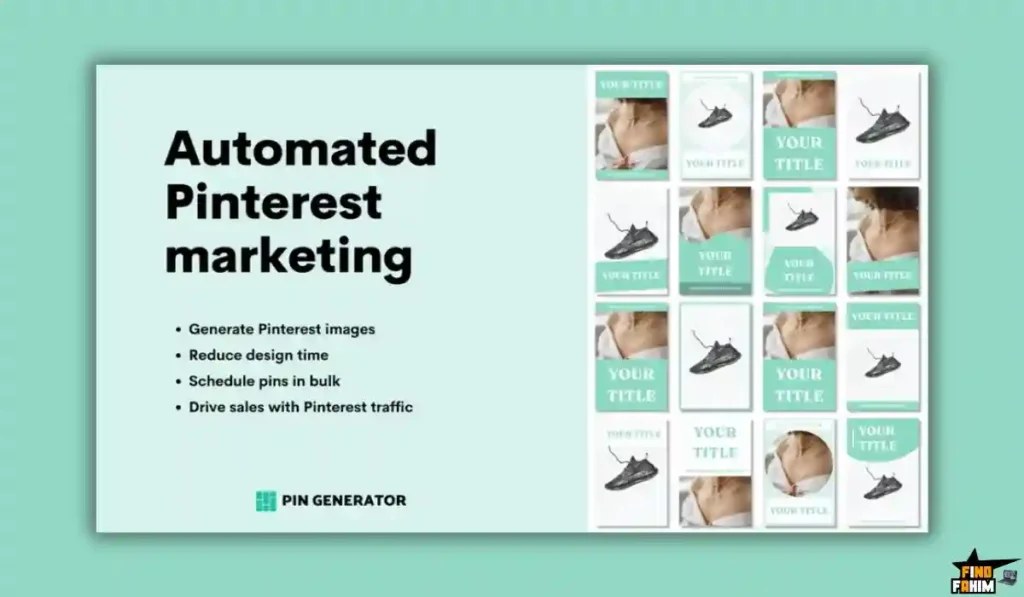
Most tools like Canva or Photoshop are “Art Studios.” They are designed for you to lovingly craft one image at a time.
Pin Generator is an assembly line.
- Input: You paste a link to your blog post or Shopify product page.
- Process: The tool scans the page, pulls your H1 title, your meta description, and all your images. It then remixes them into 100+ different pre-made templates instantly.
- Output: You select the best 20 designs, use AI to rewrite the titles so they are unique, and schedule them to your boards.
It turns a 4-hour design session into a 5-minute review session.
Quick Look: What’s Inside the Deal?
If you are deciding between this and a monthly subscription to Tailwind, look at these numbers.
| Feature | Best For… | The “Killer” Value | Normal Cost | Deal Status |
| Bulk Creation | Speed | 1 Click = 100 Pins Created | $15/hr (VA) | ✅ Included |
| AutoPins | Passive | Auto-create pins from new blog posts | N/A | ✅ Included |
| AI Rewriter | SEO | Rewrites titles to avoid “Spam” flags | $20/mo (Jasper) | ✅ Included |
| Integrations | E-com | Shopify, Etsy, Amazon, WordPress | Custom | ✅ Included |
| Unlimited Profiles | Agencies | Manage 10+ Client Accounts | $10/profile | ✅ Included |
| TOTAL VALUE | Your Traffic | Pinterest Domination | ~$203/yr | $297 (Lifetime) |
Grab the Pin Generator Deal Before It Expires
Why You Need More Than Just “Canva”
Here is the problem with standard design tools: They don’t scale.
Canva is fantastic for designing a beautiful, branded image. But Pinterest’s algorithm in 2026 craves “Fresh Pins.”
Pinterest explicitly states that they want new images for the same URL. They penalize you if you just repost the same image over and over.
This puts you in a bind. You have one blog post, but you need 50 different images for it over the next year.
Doing that in Canva involves 50 manual tweaks—moving text, changing colors, swapping background photos.
Pin Generator automates the “Remixing.” It randomizes templates, colors, and fonts so that you can feed the “Fresh Pin” algorithm without manually dragging and dropping pixels.
Why This Tool is Trending in 2026
You might be thinking, “Is Pinterest still relevant?”
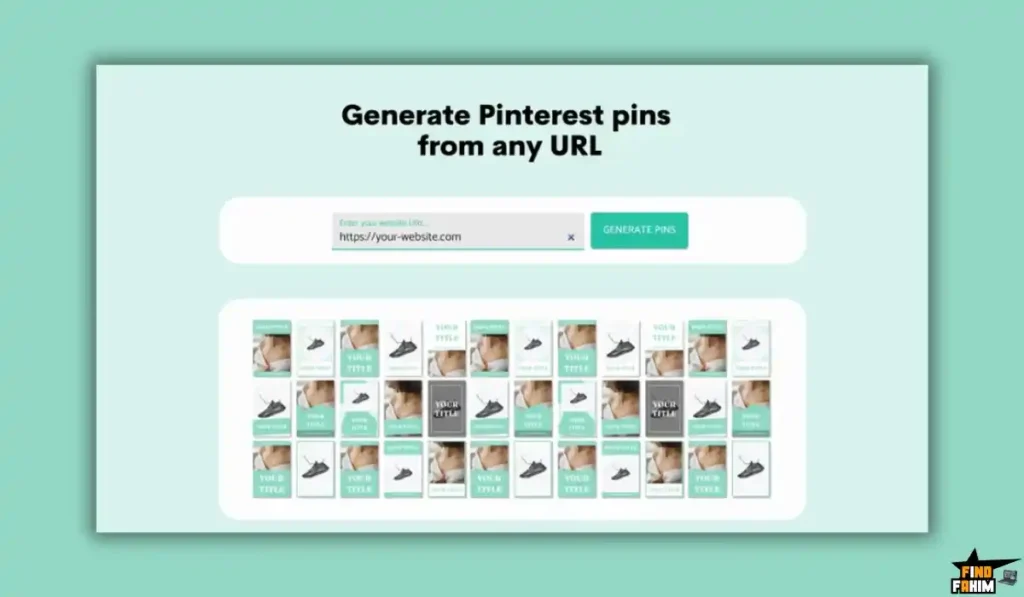
Actually, in 2026, Pinterest is the ‘Introvert’s Google’.
- The “Ad-Free” Search: People are tired of Google’s AI Overview clutter. They go to Pinterest to visually search for “Home Decor Ideas” or “Healthy Recipes.”
- E-commerce Boom: 80% of weekly Pinners have discovered a new brand on Pinterest. It is a shopping engine, not a social network.
- AI Fatigue: While everyone fights for SEO on Google, Pinterest remains a less competitive “Blue Ocean” for traffic—if you have the volume.
A Look Inside the Platform: Key Features & Benefits
This package combines a designer, a copywriter, and a scheduler into one dashboard.
1. URL-to-Pin Automation (The “Magic Trick”)
- What it is: You paste a URL (e.g., myshop.com/red-shoes). The tool scrapes the price, the product title, and the product photos. It then places them into professional templates tailored for e-commerce.
- Why it matters: This is a massive time-saver for Shopify/Etsy owners. You don’t have to download product photos and re-upload them to Canva. The data transfer is instant. User “Dana_K” called this “insanely fast and easy.”
2. AutoPins (The “Passive Income” Mode)
- What it is: You can set the tool to monitor your RSS feed or sitemap. When you publish a new blog post on WordPress, Pin Generator automatically detects it, generates 10 pins, and schedules them.
- Why it matters: This is true automation. You write the blog post, and the marketing happens in the background. You don’t even have to log in to the tool. It ensures your Pinterest account never goes silent, even when you are on vacation.
3. AI Title & Description Rewriter (The “SEO Shield”)
- What it is: Pinterest hates duplicate content. If you post 20 pins with the same title (“Best Red Shoes”), you get flagged as spam. The built-in AI rewrites your title into variations (e.g., “Top Rated Red Sneakers,” “Affordable Ruby Footwear”).
- Why it matters: It keeps your account safe. It ensures every pin looks unique to the algorithm, helping you rank for multiple different keywords with a single product.
4. Bulk Scheduling (The “Calendar Filler”)
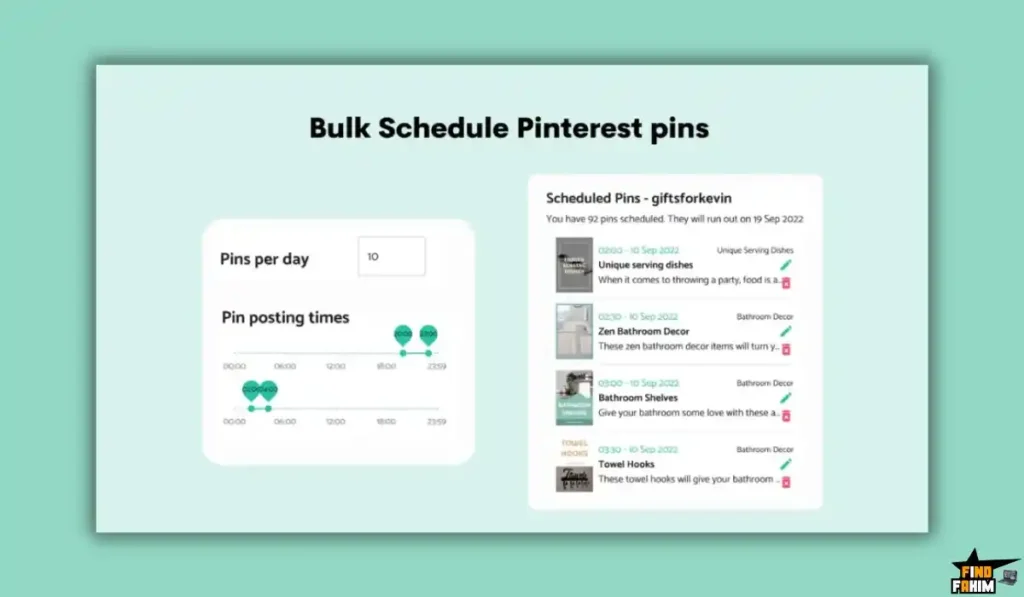
- What it is: Once you have generated 50 pins, you can click “Schedule All.” You can set rules like “Post 5 pins per day, between 6 PM and 9 PM.”
- Why it matters: Consistency is the #1 ranking factor on Pinterest. This feature ensures you have a steady drip of content going out every single day, which signals to Pinterest that you are an active, high-quality creator.
The Standout Feature: The “Design Randomizer”
This is the USP (Unique Selling Proposition). Most tools force you to pick one template.
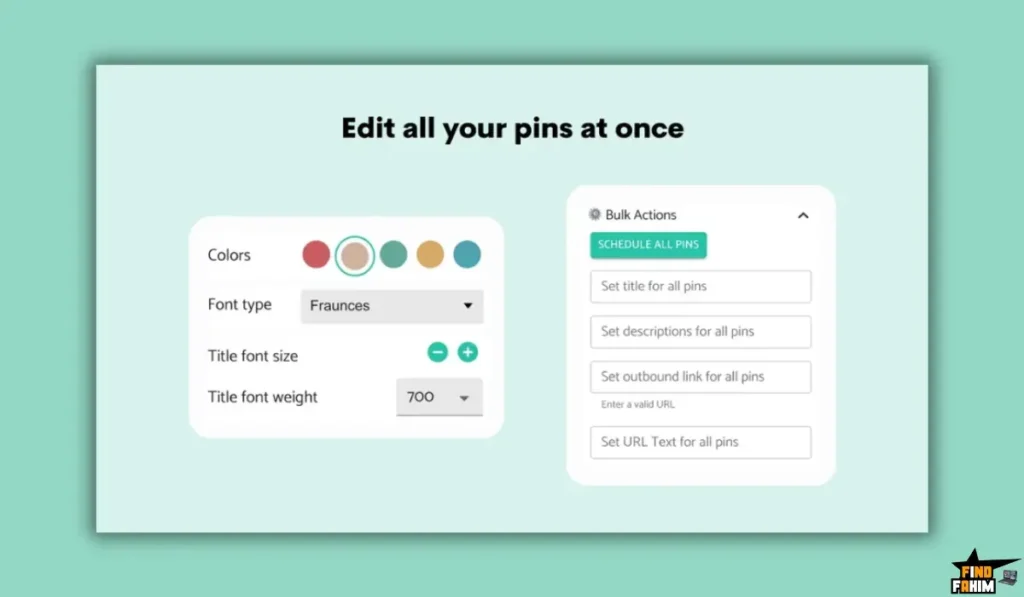
This platform understands that variety is key.
- The Feature: When you generate pins, you can click “Shuffle Colors” or “Shuffle Fonts.”
- How it works: It instantly applies your brand palette (which you saved in settings) but in different combinations across 100 pins. Pin A might be red text on white; Pin B is white text on red.
- The Benefit: It creates visual diversity. Your Pinterest board looks like a curated collection, not a robotic spam feed.
How Does It Work? (A Quick Look)
The workflow is designed for Batching.
- Input: Paste your URL (or multiple URLs).
- Generate: The tool spits out rows of designs.
- Refine: Click “AI Rewrite” to vary the text. Drag and drop a new image if the auto-selection was weird.
- Schedule: Select the best 10, click “Schedule,” and choose your board.
- Done: You just did a week’s worth of marketing in 4 minutes.
Pricing & AppSumo Deal Details
This is a stackable deal with a critical twist. You MUST pay attention here.
- 1 Code ($99): 1-Year Access.
- 2 Codes ($198): 1-Year Access.
- 3 Codes ($297): LIFETIME ACCESS.
| Feature | 1 Code | 2 Codes | 3 Codes (The Winner) |
| Price | $99 / year | $198 / year | $297 / once |
| Access | 1 Year | 1 Year | Lifetime |
| Credits/Mo | 600 Pins | 2,000 Pins | 3,000 Pins |
| Profiles | Unlimited | Unlimited | Unlimited |
| Best For… | Testing | Agencies (Yearly) | Everyone |
Check the Pin Generator Lifetime Deal Now!
ROI Anchor Logic:
- Tailwind Create: Costs $15/month ($180/year) for limited designs.
- Pin Generator (3 Codes): Costs $297 once.
- The Math: If you use this tool for just 18 months, the Lifetime Deal is cheaper than Tailwind. After that, it is basically a free money-printing machine for your traffic.
- My Recommendation: Do NOT buy 1 Code. Renting software for a year is a bad deal on AppSumo. Buy 3 Codes or don’t buy it at all. The value is in the Lifetime License.
Pros & Cons of This Lifetime Package
With 87 reviews and a 4.5-star rating, users are happy, but it’s not perfect.
The Pros
- Speed is Unmatched: There is simply no faster way to put images on Pinterest. As user “colin85” said, “It generates and automates… ridiculously easy!”
- Direct Integration: It posts directly to Pinterest. You don’t have to download the image and then upload it to a scheduler. It cuts out the middleman.
- Template Customization: You can build your own templates in the builder if you don’t like the defaults, or import designs from Canva (Beta feature).
The Cons
- The “Ghost” Bug: User “joepawdog” mentioned some bugs with “ghost templates” getting stuck. The tool is being updated fast, so bugs appear and disappear, but the UX can sometimes feel a bit “indie” rather than corporate and polished.
- Code Confusion: The fact that you have to buy 3 codes to get Lifetime is a bit hidden. Many users might accidentally buy 1 code thinking it’s lifetime. Be careful.
Best Use Cases for the Platform
- For Shopify Stores: You have 100 products. You want each product to have 10 pins. That’s 1,000 pins. Doing this manually is impossible. Pin Generator does it in an afternoon.
- For Niche Bloggers: You run a food blog. You need to keep old recipes alive. Set up AutoPins to constantly repost your “Best Lasagna” recipe with new images every month, driving fresh traffic to old content.
- For Affiliate Marketers: You don’t even need a website. You can input your Amazon Affiliate link directly. The tool grabs the product image and price, creates a pin, and you can drive traffic directly to Amazon to earn commissions.
- For Agencies: With Unlimited Profiles, you can manage Pinterest for 10 different clients from one account. You can charge each client $500/month for “Pinterest Management” and do the work in 20 minutes using this tool.
Pin Generator vs The Competition
This is the most important part of the review. Pin Generator isn’t just competing with other schedulers; it is competing with the industry giant Tailwind and the manual “Canva Grind.”
Most users assume Tailwind is the only option because it has been around forever. Here is why Pin Generator might be the smarter financial move for high-volume pinners.
Pin Generator vs Tailwind
Tailwind is the “Coca-Cola” of Pinterest marketing. It is the official partner, massive community, and standard tool.
Where Tailwind Takes the Lead
Communities & Analytics. Tailwind has “Tailwind Communities” (formerly Tribes), which allow you to get repins from other creators in your niche. If your strategy relies on networking, Tailwind wins. Their analytics are also deeper, showing you exactly which pin drove which sale.
Where Pin Generator Wins
Creation Speed. Tailwind has a design tool (“Tailwind Create”), but it is slower and clunkier. You still have to select images manually.
Pin Generator is a “Bulk Factory.” You paste a URL, and it spits out 50 pins instantly.
- The Price Gap: Tailwind costs $15 to $40 per month (recurring forever). Pin Generator is $297 for a Lifetime License (if you stack 3 codes). Over 3 years, Tailwind costs you $1,000+. Pin Generator costs you $297.
The Verdict: If you need deep analytics and community, rent Tailwind. If you need to generate 1,000 pins fast without a monthly bill, own a Pin Generator.
Pin Generator vs Canva
Canva is the world’s favorite design tool, and you probably already use it.
Where Canva Takes the Lead
Design Quality. You can’t beat Canva for pixel-perfect design. If you want to create a viral, aesthetic pin with complex layers and specific typography, Canva is superior. Pin Generator templates are “functional,” while Canva templates are “beautiful.”
Where Pin Generator Wins
Scale. Creating 50 pins in Canva takes about 3 hours. You have to duplicate the page, swap the image, change the text, and export.
Pin Generator does those 50 pins in 2 minutes. It connects directly to your website data (Price, Title, Image). Canva is manual; Pin Generator is automated.
Pin Generator vs Buffer / Hootsuite
These are “Generalist” social media schedulers.
Where Buffer Takes the Lead
Omnichannel Scheduling. If you want to schedule one post to go to Instagram, LinkedIn, X (Twitter), and Pinterest all at the same time, Buffer is the tool. It manages your entire social presence.
Where Pin Generator Wins
Pinterest Specificity. Buffer treats Pinterest like just another image feed. It doesn’t understand “Boards,” “Rich Pins,” or “SEO Titles” the way a dedicated tool does.
Pin Generator allows you to pin to specific boards, shuffle queues, and rewrite titles for SEO. Trying to grow a Pinterest account with Buffer is like trying to chop a tree with a butter knife.
Pin Generator vs BlogToPin
BlogToPin is a direct competitor that also automates pin creation from URLs.
Where BlogToPin Takes the Lead
Simplicity. It is a simpler tool with fewer bells and whistles. If you just want to “set it and forget it” for a blog, it’s a decent option.
Where Pin Generator Wins
Customization & Integrations. Pin Generator allows you to build custom templates (or import from Canva). It also integrates deeply with Shopify and Etsy, whereas BlogToPin is mostly for WordPress blogs. The AI Rewriter in Pin Generator is also more advanced, preventing your account from looking like spam.
All Competitors Matrix
| Tool | Pricing Model | Best For… | Creation Speed | AI Rewriting |
| Pin Generator | Lifetime ($297) | Volume Pinning | Fastest | ✅ Yes |
| Tailwind | Sub ($15/mo) | Community/Tribes | Medium | ❌ No |
| Canva | Sub ($12/mo) | Aesthetics | Slow | ❌ No |
| Buffer | Sub ($6/mo) | Multi-Channel | None | ❌ No |
| BlogToPin | Sub ($29/mo) | Simple Blogs | Fast | ⚠️ Basic |
Is This Lifetime Deal a Smart Business Investment?
Let’s do the financial math for the 3-Code Stack ($297 Lifetime).
Scenario: You have a Shopify store with 50 products. You want to post 5 pins per product (250 pins total).
- Outsourcing Cost: Hiring a VA on Upwork to design 250 pins at $2/pin = $500.
- Tailwind Cost: Paying $15/month for 2 years = $360.
- Pin Generator Cost: $297 (One-time).
The ROI Math:
- The tool pays for itself the first time you use it compared to hiring a freelancer.
- Compared to Tailwind, you break even in 19 months, and then you have free marketing forever.
- If just one automated pin goes viral and brings 1,000 visitors to your store (converting at 1%), you make back the investment in sales immediately.
How to Redeem the Deal
- Go to the official Pin Generator AppSumo deal page.
- Crucial Step: Select 3 Codes at checkout. (Do NOT buy 1 code; that is just a 1-year rental).
- Complete the purchase.
- You will receive redemption codes.
- Create your account at PinGenerator.com.
- Pro Tip: Immediately connect your Pinterest account and try the “AutoPins” feature on your RSS feed to see the magic happen.
Final Verdict: Is This Cost-Friendly Deal Worth It?
After testing the URL scraper, the template randomizer, and the scheduler, my final verdict is a solid 4.5-Star YES.
It is the ultimate “Lazy Marketing” tool.
- It solves the Design Bottleneck. No more staring at a blank Canva canvas.
- It solves the Consistency Problem. Your Pinterest queue will never be empty.
- It saves the Budget. $297 once is a steal compared to paying a monthly SaaS tax for years.
If you are serious about e-commerce or blogging, you need volume on Pinterest. This is the only tool that gives you that volume without the burnout.
Grab the Pin Generator Lifetime Deal Before It Sells Out!
(Note: Deal ends soon. Ensure you stack 3 codes for Lifetime access.)
About the Author: Why I Care About This So Much
I run a niche site that gets 50,000 visitors a month from Pinterest. I used to spend every Sunday designing pins in Canva until my eyes hurt.
Pin Generator gave me my Sundays back. Now, I generate a month’s worth of pins in 20 minutes while drinking coffee. I write these reviews to help you automate the boring stuff so you can focus on strategy.
If you want to see the other tools I use to save money, check out my full AppSumo deal reviews page.
FAQ: Your Pin Generator Questions, Answered
What is Pin Generator?
Pin Generator is a Pinterest marketing automation tool that creates hundreds of Pinterest pins in seconds by extracting images, product data, and content directly from your website or eCommerce store.
Is Pin Generator really a Lifetime Deal?
Yes, but only if you stack 3 codes. Purchasing the 3-code stack unlocks the Lifetime License, while 1 or 2 codes provide only 1-year access.
Can I upload my own images to Pin Generator?
Yes, you can upload your own images in bulk, use auto-scraped images from your website, or select visuals from the built-in stock photo library.
Does Pin Generator integrate with Shopify?
Yes, Pin Generator integrates deeply with Shopify and also supports Etsy and WooCommerce, automatically pulling product titles, prices, and descriptions.
Does Pin Generator post to Instagram automatically?
No, Pin Generator is built specifically for Pinterest automation. You can download the images and manually post them on other platforms if needed.
Can I create custom Pinterest pin templates?
Yes, Pin Generator allows you to create fully custom dynamic pin templates using its drag-and-drop editor to match your brand identity.
Does Pin Generator rewrite pin titles and descriptions?
Yes, Pin Generator uses AI to rewrite pin titles and descriptions, helping avoid duplicate content issues and improving Pinterest SEO.
How many Pinterest accounts can I connect?
With the Lifetime Deal, you can connect unlimited Pinterest accounts, making Pin Generator ideal for agencies and multi-brand businesses.
What is AutoPins in Pin Generator?
AutoPins is a set-and-forget feature that connects your RSS feed and automatically creates and schedules new pins when you publish content.
Does Pin Generator support video pins?
Yes, Pin Generator supports video pins through video uploads, but it does not include advanced video editing timelines.
Does Pinterest still drive traffic in 2026?
Yes, Pinterest remains one of the strongest traffic platforms because every pin allows direct outbound links to websites.
How many Pinterest pins should I post per day?
Most Pinterest experts recommend posting between 5 and 20 fresh pins per day for consistent reach and growth.
Will automated Pinterest pins get my account banned?
No, when used correctly. Pin Generator ensures freshness by rotating templates, colors, and AI-generated titles to keep pins unique.
Is Pin Generator better than hiring a Pinterest VA?
For pin creation and scheduling, Pin Generator is faster and more cost-effective than hiring a VA, though a VA can handle engagement tasks.
Can I use Pin Generator for affiliate marketing?
Yes, Pin Generator can be used for affiliate marketing by generating pins with affiliate links, including Amazon and blog-based offers.

Hi, I’m Fahim — a SaaS tools reviewer and digital marketing expert with hands-on experience helping businesses grow using the right software. I research, test, and personally use a wide range of AI, business, productivity, marketing, and email tools for my agency, clients, and projects. I create honest, in-depth reviews and guides to help entrepreneurs, freelancers, startups, and digital agencies choose the best tools to save time, boost results, and scale smarter. If I recommend it, I’ve used it — and I only share what truly works.