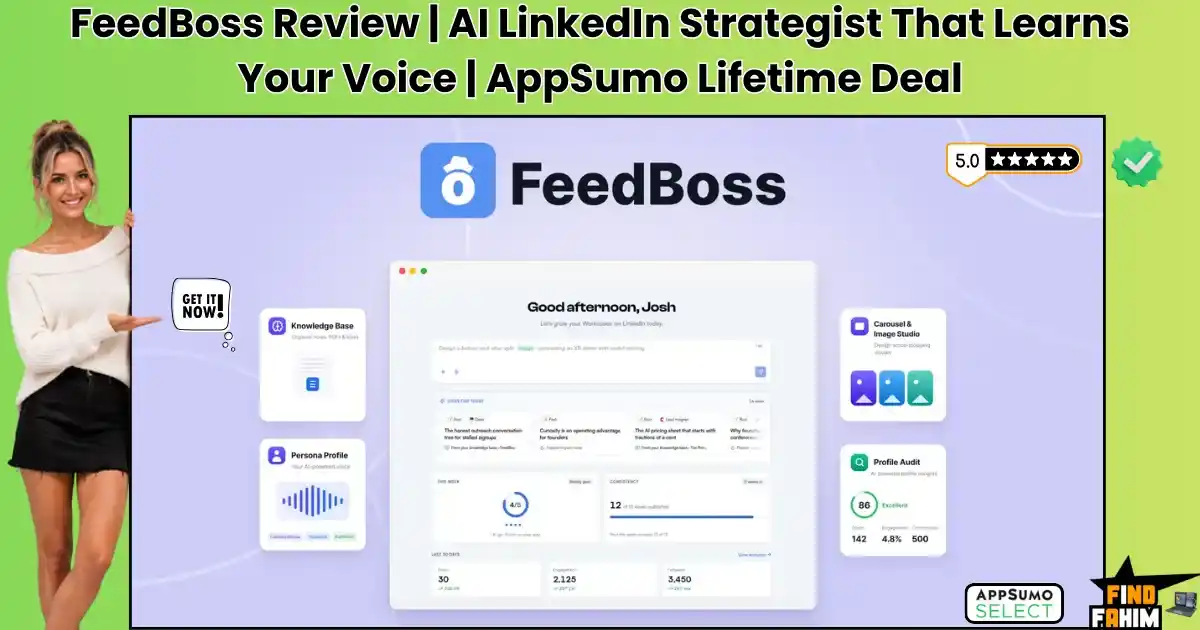

Growing a personal brand on LinkedIn means posting every single day. Most creators burn out jumping between ChatGPT to write the post, Canva to design the carousel, and a separate scheduler to publish it.
Worse, generic AI writing sounds robotic — killing your credibility and driving away B2B leads. The FeedBoss lifetime deal replaces that entire workflow.
It works as your 24/7 LinkedIn strategist: learning your exact voice, generating carousels in seconds, and drafting engaging comments, all from one dashboard.
Disclaimer: This article contains affiliate links. If you purchase through these links, I may earn a small commission at no extra cost to you. All opinions are entirely my own.
My Quick Take (TL;DR)
- What is it? An AI-powered content workbench for creating, designing, and scheduling LinkedIn posts.
- Special Feature: A built-in Canvas Editor that turns text prompts into swipeable carousels and infographics.
- For Who: B2B founders, marketing agencies, thought leaders, and digital sales teams.
- The Deal: A multi-tier AppSumo package starting at $59 lifetime, scaling up for agency collaboration.
- Verdict: A smart pickup for anyone tired of juggling disconnected apps to manage their LinkedIn presence.
Claim Your FeedBoss Lifetime Deal Now
What is FeedBoss?
FeedBoss is a comprehensive artificial intelligence workstation built specifically for LinkedIn growth. It goes far beyond basic scheduling, serving as an all-in-one thought leadership engine that helps you plan, design, and publish high-converting content easily.
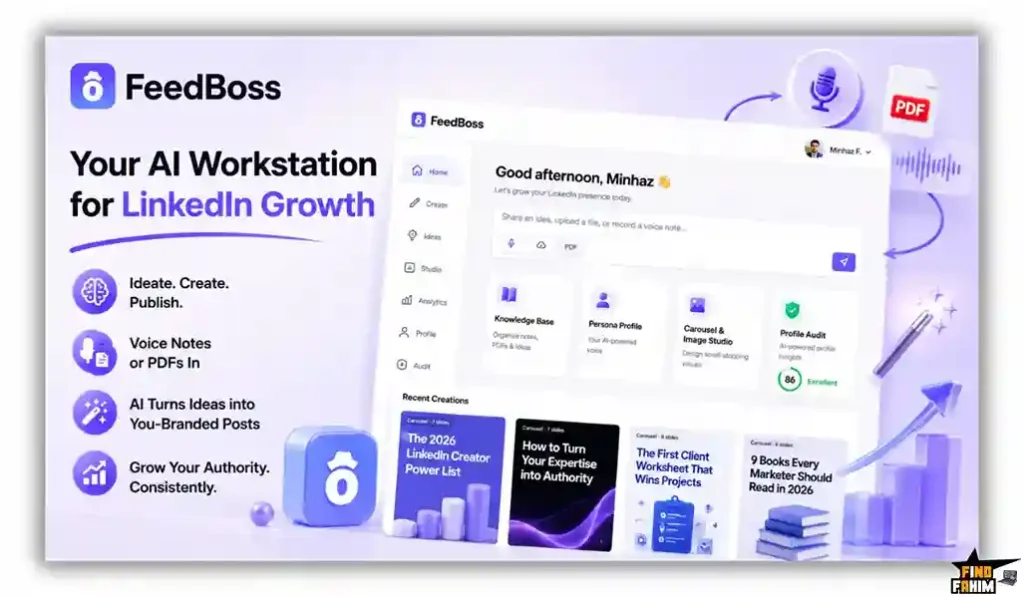
Instead of staring at a blank screen, you feed the system your ideas through voice notes or PDFs. The platform studies your unique writing style and transforms those raw thoughts into polished, brand-aligned posts that sound exactly like you wrote them.
The True Cost of Manual LinkedIn Growth
Buying standalone applications to write text, design graphics, and schedule posts drains your monthly marketing budget quickly. This software package removes the heavy financial burden of holding multiple subscriptions. Here is the exact value breakdown of what you receive inside this single purchase.
| Feature | Replaces… | The Real Value | Normal Cost | Deal Status |
| Voice Matching | Taplio | Writes in your exact tone | ~$468/year | ✅ Included |
| Carousel Design | Canva Pro | Builds swipeable slides | ~$120/year | ✅ Included |
| Comment Drafting | Engage AI | Writes replies in-feed | ~$360/year | ✅ Included |
| Strategic Mapping | Freelance Strategist | Plans content pillars | ~$1,500/year | ✅ Included |
| Total Cost | Fragmented Stack | Unified LinkedIn Hub | ~$2,448/year | $59 (Lifetime) |
A Look Inside FeedBoss: Key Features
FeedBoss provides a powerful suite designed specifically to protect your time and grow your professional network. These primary functions eliminate frustrating technical bottlenecks that usually drain your marketing budget.
Voice-Matched Persona Drafting
Most writing tools produce generic prose that damages your personal brand credibility. FeedBoss uses an advanced engine that analyzes your existing LinkedIn profile and past posts to replicate your natural tone.
By studying your past work, the system adapts to your unique voice. Every generated post reads authentically, eliminating hours of manual rewriting while keeping your audience engaged.
Built-In Canvas & Carousel Studio
Hiring freelance artists for carousel designs quickly inflates your monthly social media budget. This platform embeds a visual Canvas Editor directly inside your workspace, offering premium templates optimized for slide decks.
You input descriptive prompts to generate swipeable carousels in seconds. This maintains strict visual continuity across your personal brand without requiring separate design software or expensive monthly retainers.
Authority Mapping & Knowledge Base
Generating daily ideas usually requires maintaining messy spreadsheets. FeedBoss reads your industry expertise to build an automated Authority Map, showing core topic pillars and automatically suggesting highly relevant posts.
You can upload massive PDFs or record raw voice notes directly into the knowledge base. The model consults these materials during drafting, ensuring your content delivers real value instead of generic fluff.
Chrome Extension Commenting
Leaving thoughtful replies on competitor posts remains the fastest way to attract new profile viewers. The dedicated Chrome extension brings the writing assistant directly into your native LinkedIn feed seamlessly.
You can track specific prospects and generate voice-matched comments without leaving the platform. This targeted strategy helps you build genuine industry relationships without spending hours trying to think of clever replies.
Bring Your Own Key (BYOK)
Relying on standard platform credits for daily publishing across multiple profiles drains your monthly allowance quickly. Higher tiers let you connect your personal API keys for major language models directly to the writing workspace, bypassing restrictive internal usage limits.
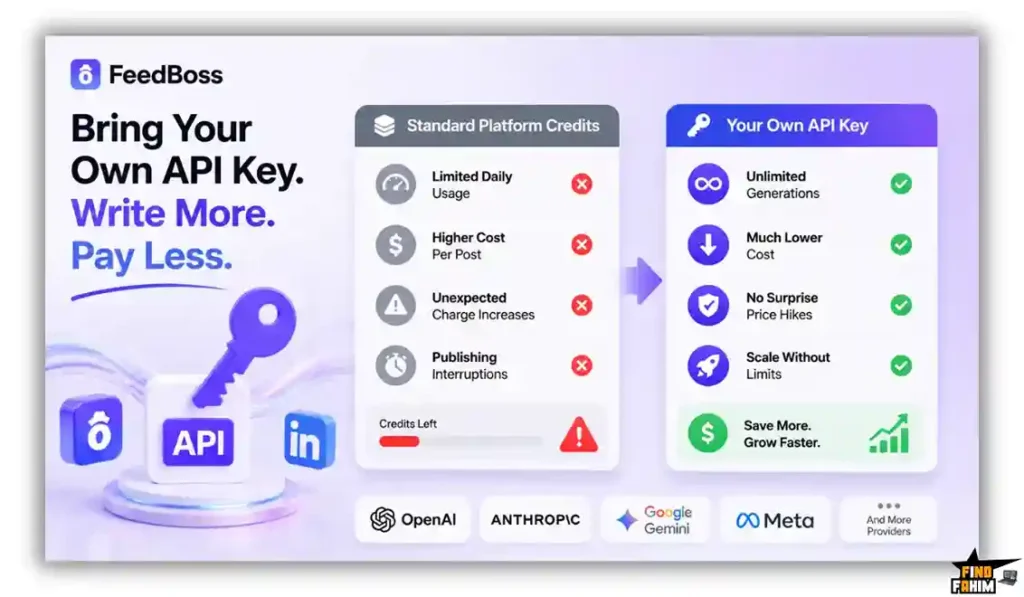
Using your own key drops generation costs dramatically for marketing teams. You access wholesale pricing directly from providers, protecting your budget while scaling massive content volumes without facing unexpected fee increases or interrupting your posting schedule.
What is New in 2026
The founding team pushed a major platform update in August 2026, delivering significant upgrades requested by early power users and beta testers.
- Introduced an expanded Image Studio with over a hundred new templates, including high-quality AI headshot generators.
- Added an entirely redesigned Popular Posts dashboard to surface viral content from genuine, vetted influencers for better remixing.
- Released nearly a hundred new templates for the Canvas Editor to make building swipeable LinkedIn carousels faster.
- Expanded the Bring Your Own Key functionality to ensure heavy agency users can scale their output without hitting credit walls.
FeedBoss Pricing & AppSumo Deal Details
| Deal Feature | Tier 1 ($59) | Tier 2 ($149) | Tier 3 ($299) | Tier 4 ($499) |
| LinkedIn Profiles | 1 Profile | 5 Profiles | 10 Profiles | 30 Profiles |
| Team Members | 1 Member | 2 Members | 10 Members | 30 Members |
| Monthly AI Credits | 400 Credits | 1,200 Credits | 3,000 Credits | 10,000 Credits |
| Knowledge Base | Voice + Text | + PDFs / Audio | + PDFs / Audio | + PDFs / Audio |
| Approval Workflow | ❌ No | ❌ No | ✅ Yes | ✅ Yes |
Which Plan Should You Buy?
Solo founders should pick Tier 1 to manage a single profile affordably. Small teams need Tier 2 to unlock PDF uploads and extra capacity. Large agencies must secure Tier 3 or Tier 4 for heavy team collaboration, client approvals, and multiple accounts.
Important Note on the Refund Policy
This deal features AppSumo’s 60-day money-back guarantee. You can test the voice-matching engine and built-in carousel designer risk-free to ensure it fits your workflow.
Let AI Execute Your Strategy — Get FeedBoss Here
Pros & Cons of This Lifetime Package
Reviewing your workflow is highly recommended before adopting new software. Here is the strict truth about the main strengths and practical limits of this package.
The Pros
- ✅ Replaces expensive subscriptions for separate scheduling, design, and writing apps.
- ✅ Includes a native Canvas Editor to generate swipeable slide carousels.
- ✅ Tracks competitors and drafts thoughtful comments via a Chrome extension.
- ✅ Analyzes your profile to learn your exact voice for authentic drafting.
- ✅ Allows custom API connections to lower costs and bypass platform limits.
The Cons
- ❌ Lacks automatic publishing to LinkedIn Company Pages due to API restrictions.
- ❌ Heavy agency teams will consume lower-tier credit allowances quickly during planning.
Who Should NOT Buy FeedBoss?
If you run a visual e-commerce brand relying on Instagram, this software adds zero value. It is engineered purely for LinkedIn thought leadership.
Also, if you manage corporate pages and refuse to manually copy-paste drafts due to API limits, this environment will frustrate your team.
Why Legacy Schedulers Fail on LinkedIn
Paying premium subscriptions for software that only pushes text to a feed creates massive bottlenecks. A basic calendar interface forces your staff to write documents and design graphics outside the platform.
This fragmented approach pulls focus away from building real relationships. Teams spend valuable time fighting clunky upload buttons instead of engaging with industry peers in the comments where real business happens.
The Shift to Authentic Thought Leadership
Modern B2B buyers actively ignore robotic marketing posts in their daily feeds. The surge in artificial intelligence means educated prospects instantly spot lazy content generated without unique insight, quickly scrolling past.
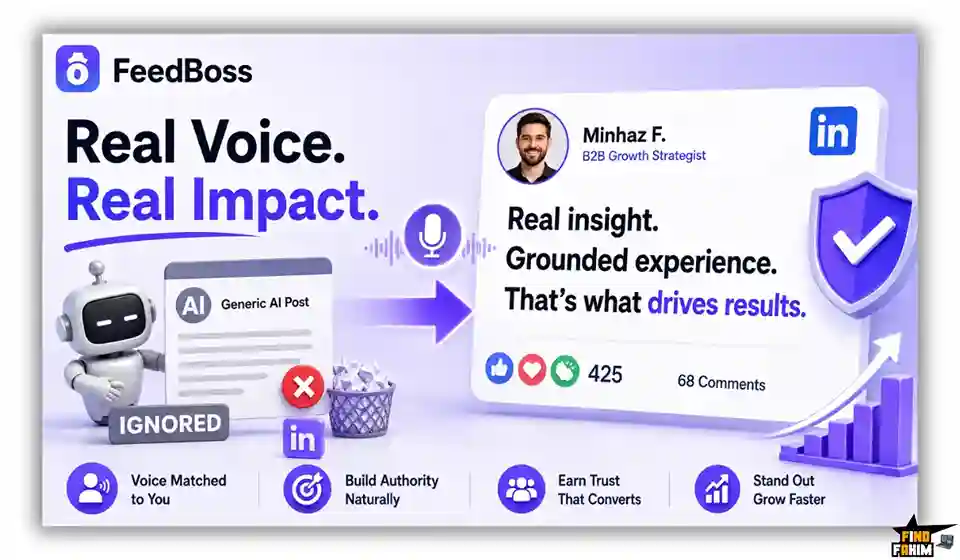
Adapting your strategy to include voice matching and grounded expertise protects your organic reach. Adopting these advanced methods ensures your brand remains highly trusted as low-quality spam floods the network.
The FeedBoss Content Creation Process
- Train Your Persona: Connect your LinkedIn account and let the system scan your past activity to build a highly accurate voice profile.
- Upload Your Knowledge: Add text documents, record voice notes, or upload industry PDFs to ground the language model in real facts.
- Generate the Draft: Select a topic from your strategic Authority Map and ask the assistant to write a post matching your specific tone.
- Design the Visuals: Use the Canvas Editor to turn the written text into a beautiful, swipeable carousel with a single click.
- Schedule and Engage: Place the post on your calendar, then use the Chrome extension to leave insightful comments on competitor pages.
Best Use Cases for FeedBoss
- B2B Service Founders: Building personal authority requires consistent daily posting. You can use the voice matching engine to turn your raw voice notes into polished stories, ensuring your network sees you as a dedicated industry expert.
- Marketing Agencies: Managing executive profiles for multiple clients takes extensive effort. You can leverage the dedicated workspaces to keep client voices separate, using the approval workflows to get final sign-off before publishing.
- Sales Professionals: Attracting warm leads requires active networking in the feed. You can utilize the Chrome extension to track high-value prospects, drafting intelligent replies that spark direct messages and book more sales calls.
Enjoy FeedBoss for a One-Time Fee of $59
FeedBoss Alternatives
Understanding how this platform compares to other social media tools helps ensure you choose the right fit for your budget.
FeedBoss vs Taplio
Where Taplio Wins: Massive lead databases and viral post inspiration. It provides an established ecosystem for finding trending content and automating direct message outreach for outbound sales teams. Where FeedBoss Wins: Native visual design and BYOK capabilities. While Taplio focuses on text and analytics, this platform generates swipeable carousels internally and lets you connect custom API keys to lower costs.
FeedBoss vs AuthoredUp
Where AuthoredUp Wins: Pure text formatting and readability scoring. It offers a rich-text editor that previews exactly where the “see-more” button falls, prioritizing manual layout control for traditional writers. Where FeedBoss Wins: Complete generative capability. AuthoredUp requires you to write every word from scratch. This system acts as your active partner, generating core ideas, structured text, and beautiful visuals automatically.
FeedBoss vs Supergrow
Where Supergrow Wins: Interface simplicity and fast daily prompts. It delivers a clean dashboard that helps beginners quickly grab basic templates and schedule text updates without feeling overwhelmed. Where FeedBoss Wins: Advanced networking and strategic tracking. Supergrow lacks competitive intelligence. This platform features a Chrome extension for targeted commenting on prospect posts and builds a visual Authority Map.
FeedBoss vs Buffer
Where Buffer Wins: Multi-platform social scheduling. It remains the industry standard for publishing the same update across Twitter, Facebook, Instagram, and LinkedIn from one unified calendar interface. Where FeedBoss Wins: Purpose-built LinkedIn strategy. Buffer treats all social networks identically. This tool optimizes specifically for professional networking, focusing intensely on personal brand voice matching and native carousel formatting.
FeedBoss vs Canva
Where Canva Wins: Endless general design templates. It provides millions of visual assets for everything from wedding invitations to corporate presentations across every possible digital platform. Where FeedBoss Wins: Integrated writing and automated syncing. Canva cannot write or schedule thought leadership posts. This platform links your designs directly to written drafts, ensuring slides match your narrative instantly.
Top 5 Competitors Matrix
| Platform | Pricing Model | Core Focus | Built-In Carousels | Best For… |
| FeedBoss | Lifetime Deal | AI Thought Leadership | ✅ Yes | Founders & Agencies |
| Taplio | Monthly Sub | Viral Post Analytics | ❌ No | Outbound Sales |
| AuthoredUp | Monthly Sub | Text Readability | ❌ No | Manual Writers |
| Supergrow | Monthly Sub | Basic Scheduling | ✅ Yes | Solo Beginners |
| Buffer | Monthly Sub | Cross-Platform Sync | ❌ No | Social Managers |
| Canva | Monthly Sub | General Graphic Design | ✅ Yes | Visual Artists |
Stop Fighting Multiple Apps — Switch to FeedBoss
Is This Deal a Smart Business Investment?
Securing the Tier 1 package for $59 is a strong financial move for any digital business looking to scale online. Subscribing separately to content scheduling tools, graphic design software, and intelligent writing assistants easily totals hundreds of dollars each year, draining your marketing budget fast.
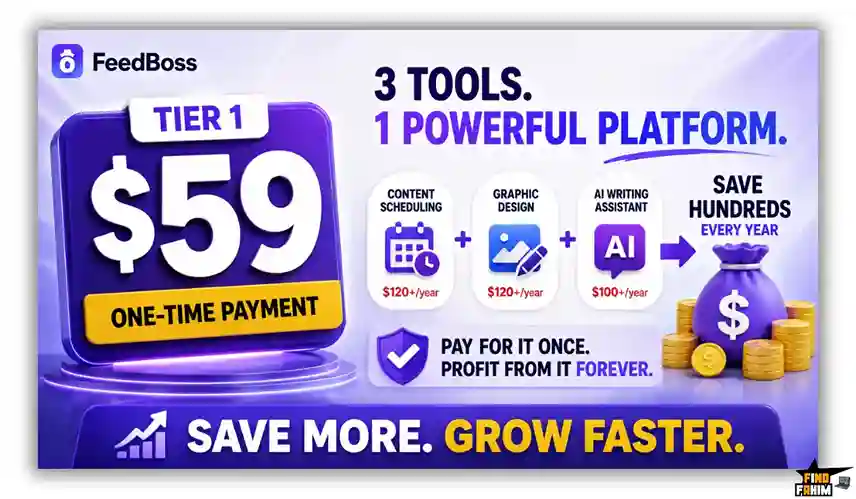
The platform pays for itself as soon as you publish a high-converting carousel and secure a new high-ticket client through inbound interest. Moving to a consolidated system reduces massive administrative overhead and gives your team a reliable technical foundation for long-term audience growth.
How to Redeem the FeedBoss Deal
- Buy: Click the secure partner links in this guide to visit the official AppSumo offer page.
- Register: Complete your order and set up your new account using your primary business email.
- Activate: Enter your lifetime license code within sixty days to set up your profiles and credit quotas.
- Use: Connect your LinkedIn account, train your persona, and generate your first carousel instantly.
Final Verdict: Is This Deal Worth It?
FeedBoss earns a clear BUY recommendation for marketers and executives. It removes the friction of daily posting by pairing strategic voice matching with automated visual design in a clean interface.
If you want to maintain professional visibility and build genuine industry authority without spending hours editing graphics, this software provides the necessary tools. Lock in your lifetime license before the promotional pricing ends.
Grab Your FeedBoss License Before It Ends
About the Author
Minhaz Fahme built FeedBoss to completely fix the massive headache of manual content creation. After watching teams waste days copying and pasting text between writing tools and design apps, his team created one simple dashboard to handle your entire publishing workflow effortlessly.
Here at FindFahim, finding real SaaS tools that help you cut expensive monthly costs is my absolute priority. A fast, easy workflow is exactly what you need to grow your agency revenue without burning out.
If you want to speed up your content machine even more, I highly recommend checking out the Pin Generator lifetime deal – Automated Pinterest Marketing. You can manage your main posts with FeedBoss, and then use Pin Generator to instantly put your visual marketing on pure autopilot!
FAQ: Your FeedBoss Lifetime Deal
FeedBoss is an AI-powered LinkedIn content platform that helps users write posts, create visual carousels, and schedule content from one dashboard.
Currently, FeedBoss publishes directly to personal LinkedIn profiles. Company content can be created in FeedBoss and then copied to a company page manually.
FeedBoss analyzes your connected LinkedIn profile and previous posts to create a Persona Profile based on your tone, vocabulary, and niche experience.
The Canvas Editor is a built-in design studio that turns written content into visual slide decks, carousels, and infographics.
Yes, FeedBoss includes a Chrome extension that can help track prospects and create voice-matched replies directly within the LinkedIn feed.
Yes, higher FeedBoss tiers include Bring Your Own Key support, allowing users to connect their own language model API keys and reduce reliance on internal generation limits.
An AI LinkedIn content tool helps users create, design, schedule, and manage professional social media content using artificial intelligence.
Content automation tools can reduce repetitive writing and design work, helping creators maintain a more consistent LinkedIn publishing workflow. What is FeedBoss?
Does FeedBoss publish to LinkedIn Company Pages?
How does FeedBoss learn my writing style?
What is the FeedBoss Canvas Editor?
Can FeedBoss help write LinkedIn comments?
Does FeedBoss support BYOK?
What is an AI LinkedIn content tool?
Why do LinkedIn creators use content automation tools?

Hi, I’m Fahim — a SaaS tools reviewer and digital marketing expert with hands-on experience helping businesses grow using the right software. I research, test, and personally use a wide range of AI, business, productivity, marketing, and email tools for my agency, clients, and projects. I create honest, in-depth reviews and guides to help entrepreneurs, freelancers, startups, and digital agencies choose the best tools to save time, boost results, and scale smarter. If I recommend it, I’ve used it — and I only share what truly works.