
Creating professional video content means nothing if your message is trapped in a single language or ruined by burned-in subtitles. Most creators hit a wall here — hiring freelance translators, paying voiceover artists to dub audio, and manually scrubbing old text off video frames with clunky editing software.
Standard transcription platforms don’t help much either. They lock you into costly monthly subscriptions and still deliver robotic translations that mispronounce technical terms.
The SubEasy AI lifetime deal replaces that entire fragmented workflow. It’s an all-in-one AI localization studio that transcribes speech, erases hardcoded subtitles, translates scripts into over 100 languages, and clones speaker voices.
Browse our curated list of AppSumo deals ending soon to grab high-impact software before prices increase.
Disclaimer: This article contains affiliate links. If you purchase through these links, I may earn a small commission at no extra cost to you. All opinions are entirely my own.
My Quick Take (TL;DR)
- What is it? An AI-powered video localization studio for transcription, translation, and voice dubbing.
- Special Feature: A Video OCR Subtitle Eraser that removes burned-in text and replaces it with clean multilingual captions.
- For Who: Content creators, digital marketing agencies, course instructors, and global media teams.
- The Deal: A multi-tier AppSumo package starting at $49 lifetime, scaling up for heavy agency production.
- Verdict: A mandatory pickup for anyone wanting to scale global video reach without recurring monthly fees.
Claim Your SubEasy AI Lifetime Deal Now
What is SubEasy AI?
SubEasy AI is a comprehensive artificial intelligence video localization studio engineered for international content distribution. It goes far beyond standard caption generators by serving as an all-in-one transcription, translation, subtitle styling, and audio dubbing hub.
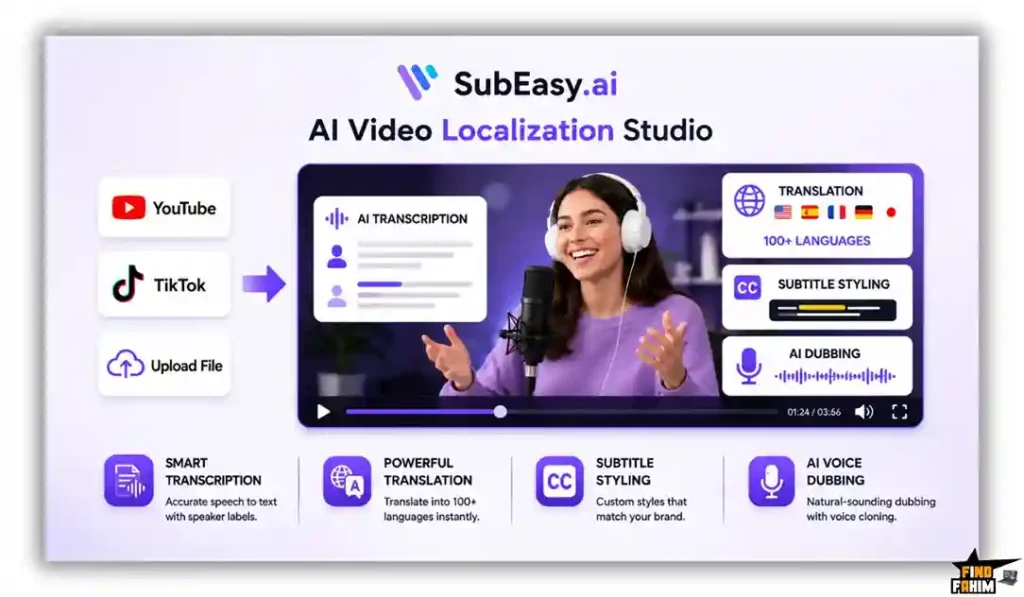
Instead of manually typing subtitles, you paste a link from YouTube, TikTok, or upload raw files directly. The platform transcribes speech into clear paragraphs with automatic speaker labels, translates dialogue across 100+ languages, and even dubs the audio using voice cloning.
The True Cost of Manual Video Localization
Hiring external translation agencies, paying monthly transcription fees, and buying voiceover software quickly drains your production budget. This lifetime software package eliminates recurring subscription overhead completely. Here is the exact value breakdown of what you receive inside this single investment.
| Feature | Replaces… | The Real Value | Normal Cost | Deal Status |
| Multilingual Transcription | Otter.ai Pro | Transcribes audio & video | ~$204/year | ✅ Included |
| Voice Cloning & Dubbing | Descript Creator | Clones voice & retimes audio | ~$288/year | ✅ Included |
| Video OCR & Text Eraser | Manual Editing | Removes hardcoded subtitles | ~$600/year | ✅ Included |
| 4K Multilingual Export | Veed.io Pro | Exports styled 4K captions | ~$360/year | ✅ Included |
| Total Cost | Fragmented Stack | Unified Localization Hub | ~$1,452/year | $49 (Lifetime) |
SubEasy AI: Key Features
SubEasy AI provides a powerful suite built to protect your editing time and expand your global viewership. These core functions eliminate the technical bottlenecks of video post-production.
Multilingual Transcription & Translation
Most basic transcription apps generate unformatted text walls full of spelling mistakes and inaccurate speaker tags. SubEasy AI delivers crystal-clear transcriptions across 100+ languages, automatically structuring sentences into readable paragraphs with precise speaker identification labels.
The platform supports specialized industry glossaries to keep technical terms consistent across every file. It also handles right-to-left languages like Arabic and Hebrew with native layout alignment, ensuring your translated subtitles display accurately for international viewers.
Video OCR & Subtitle Eraser
Re-purposing international footage or client assets with burned-in captions usually requires re-shooting or messy cropping. SubEasy AI uses optical character recognition to read hardcoded subtitles directly from video frames without needing original project files.
The built-in eraser scrubs original text from the screen and overlays fresh, translated subtitles smoothly. It also includes an integrated blur tool to remove unwanted watermarks, giving you clean video files ready for social distribution.
Voice Cloning & Retimed Dubbing
Hiring foreign voice actors to localize video courses and advertisements quickly inflates marketing budgets. This platform clones any speaker’s natural voice, producing human-sounding localized dialogue rather than generic, robotic computer speech across target languages.
The software automatically retimes translated dialogue to match video scene cuts without altering the edit. If voice cloning is unnecessary, you can select from a curated library of regional voices for rapid voiceover creation.
Animated Captions & Safe Zones
Creating viral, dynamic captions for short-form social videos usually forces editors into complex keyframing timelines. SubEasy AI includes trending subtitle animation presets, custom typography styling, and AI emphasis highlighting that draws immediate viewer attention.
The editor features built-in safe zone overlays for TikTok, Instagram Reels, and YouTube Shorts. This prevents your text from being covered by platform UI buttons, ensuring high readability and viewer retention on mobile screens.
Integrated AI Companion
Manually reviewing hour-long transcriptions line by line to catch minor speech errors drains creative energy fast. SubEasy AI integrates a ChatGPT-powered companion that audits your generated text and flags low-confidence words automatically for fast proofreading.
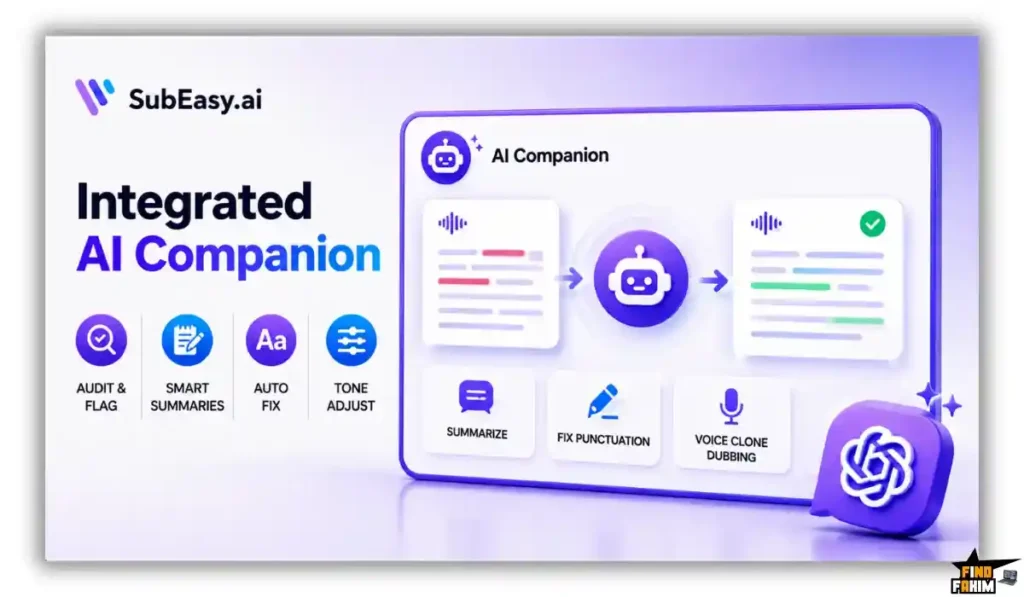
You can prompt the assistant to summarize transcripts into show notes, fix punctuation, or adjust subtitle tone from casual social styles to formal educational lectures. This automated review workflow lets you finalize multi-language video captions in minutes while preserving total control over technical terminology.
What is New in 2026
The SubEasy AI development team delivered significant platform improvements in 2026, expanding capabilities for professional media creators and agency workflows.
- Introduced full 4K video rendering across all license tiers without watermarks.
- Released advanced AI Voice Cloning with automated speech-to-video timeline sync.
- Added dedicated mobile recording workflows via a revamped iOS application.
- Expanded developer API access on upper license tiers for programmatic video translation pipelines.
SubEasy AI Pricing & AppSumo Deal Details
| Deal Feature | Tier 1 ($49) | Tier 2 ($119) | Tier 3 ($209) | Tier 4 ($399) |
| Monthly Credits | 200 Credits | 500 Credits | 1,500 Credits | 3,000 Credits |
| API Monthly Credits | 0 Credits | 0 Credits | 0 Credits | 500 Credits |
| 4K Video Export | ✅ Included | ✅ Included | ✅ Included | ✅ Included |
| Voice Cloning | ✅ Included | ✅ Included | ✅ Included | ✅ Included |
| Subtitle Eraser | ✅ Included | ✅ Included | ✅ Included | ✅ Included |
Which Plan Should You Buy?
Solo creators should pick Tier 1 to transcribe short social clips and podcasts affordably. Growing channels need Tier 2 or Tier 3 for 500 to 1,500 monthly credits to support regular YouTube output. Agencies and production houses should choose Tier 4 ($399) or Tier 5 ($599) to unlock developer API integration and high credit limits for client campaigns.
Important Note on the Refund Policy
This deal includes AppSumo’s 60-day money-back guarantee. You can test the transcription accuracy, voice cloning, and subtitle erasing features completely risk-free to confirm the software fits your video editing pipeline.
Let AI Localize Your Videos — Get SubEasy AI Here
Pros & Cons of This Lifetime Package
Reviewing your production workflow is essential before adopting new software. Here is an honest assessment of the strengths and practical limitations of this platform.
The Pros
- ✅ Replaces expensive recurring subscriptions for transcription, dubbing, and editing tools.
- ✅ Includes a built-in OCR engine that erases burned-in subtitles from video files.
- ✅ Clones speaker voices to produce natural, human-sounding localized dubs.
- ✅ Features animated social caption styles with mobile safe zone overlays.
- ✅ Supports 4K video rendering and developer API integration on higher tiers.
The Cons
- ❌ Developer API access is restricted to Tier 4 and Tier 5 licenses.
- ❌ High-volume video agencies will consume entry-tier credit quotas quickly.
Who Should NOT Buy SubEasy AI?
If you strictly produce uncaptioned audio podcasts with zero intention of publishing video, this platform offers more visual tools than you require. A basic audio recorder is sufficient for simple voice transcription.
Additionally, if you require manual human verification for strict legal deposition compliance, this automated artificial intelligence studio cannot fully replace certified courtroom transcription specialists.
Why Manual Subtitling Slows Video Production
Typing subtitles manually and syncing timestamps by hand creates severe production bottlenecks. Spending hours pausing video playback to type captions wastes valuable creative energy that belongs on shooting content.
This slow approach delays your publishing schedule and inflates freelancer costs. Editors end up doing tedious data entry rather than refining visual storytelling and building audience engagement strategies.
The Shift to Global Video Localization
Global audiences prefer watching content localized into their native languages. Relying solely on single-language audio limits your viewer retention and cuts off massive international search traffic.
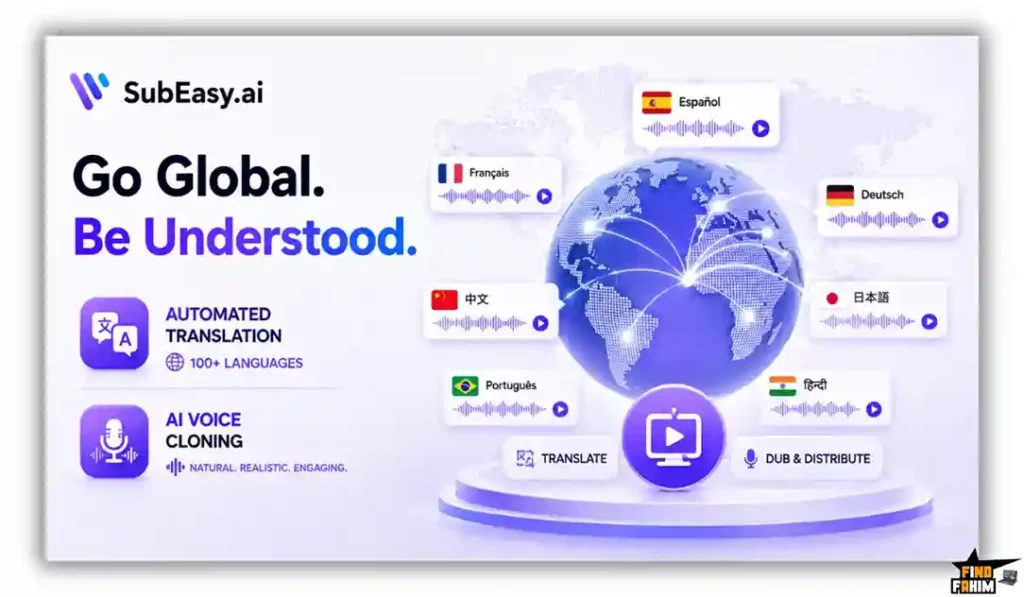
Adopting automated translation and voice cloning allows your brand to expand across international markets rapidly. Multilingual video distribution ensures your message connects globally while protecting your content from language barriers.
The SubEasy AI Production Process
- Upload Media: Import local video files or paste links from YouTube, TikTok, or social platforms directly into the cloud workspace.
- Generate Transcript: Run the speech recognition engine to produce structured paragraphs with automatic speaker tags.
- Erase Old Captions: Use the Video OCR tool to detect and remove hardcoded subtitles or unwanted watermarks from the frame.
- Translate and Dub: Translate text into 100+ languages and apply voice cloning to match the original speaker’s vocal tone.
- Export Styled Video: Apply animated captions with safe zone guides, then render clean 4K video files or export subtitle SRTs.
Best Use Cases for SubEasy AI
- YouTube Creators: Expanding audience reach requires publishing multilingual subtitles. You can use the automated translation engine to generate accurate captions across dozens of languages, boosting worldwide views and subscriber growth.
- Online Course Instructors: Delivering educational lessons to international students requires clear instruction. You can clone your voice to dub lectures naturally, selling premium courses to global markets without re-recording materials.
- Digital Marketing Agencies: Managing social ad campaigns across foreign territories demands fast iteration. You can erase burned-in text from existing assets and overlay localized messaging quickly for multi-country client promotions.
Unlock SubEasy AI for a One-Time Fee of $49
SubEasy AI Alternatives
Comparing this platform to leading transcription and video tools ensures you make the right software investment.
SubEasy AI vs Descript
Where Descript Wins: Full timeline multitrack audio and video editing. Descript functions as a complete digital audio workstation, making it ideal for podcasters who want to edit media by modifying text transcripts.
Where SubEasy AI Wins: Hardcoded subtitle removal and lifetime pricing. SubEasy AI includes dedicated Video OCR to erase burned-in captions and provides multi-language voice cloning without expensive monthly subscriptions.
SubEasy AI vs Otter.ai
Where Otter.ai Wins: Live meeting transcription and calendar syncing. Otter excels at joining Zoom and Google Meet calls in real time to capture live conversational meeting minutes for remote corporate teams.
Where SubEasy AI Wins: Video localization and subtitle styling. Otter only handles basic audio-to-text. This platform edits video directly, removes hardcoded captions, translates into 100+ languages, and exports 4K files.
SubEasy AI vs Veed.io
Where Veed.io Wins: In-browser video templates and stock assets. Veed provides an expansive library of stock footage, sound effects, and sticker overlays for quick social media video creation.
Where SubEasy AI Wins: Deep translation glossaries and lifetime cost. Veed charges high monthly subscription fees for translation features. This tool offers voice cloning, OCR subtitle erasing, and lifetime access.
SubEasy AI vs Happy Scribe
Where Happy Scribe Wins: Human-in-the-loop professional review services. Happy Scribe offers paid human proofreading networks for organizations that require manual verification for legal or regulatory standards.
Where SubEasy AI Wins: Speed, dubbing, and AI proofreading. SubEasy AI leverages an integrated AI companion to audit text instantly, offering voice cloning and video subtitle erasing at a fraction of the cost.
SubEasy AI vs CapCut
Where CapCut Wins: Mobile visual effects and trending music libraries. CapCut delivers a consumer-friendly mobile app packed with viral transitions, filters, and audio effects for everyday social clips.
Where SubEasy AI Wins: Enterprise translation glossaries and API access. CapCut lacks custom translation term locking and subtitle erasing. This tool provides 4K exporting, clean branding, and developer API workflows.
Top 5 Competitors Matrix
| Platform | Pricing Model | Core Focus | Subtitle Eraser | Best For… |
| SubEasy AI | Lifetime Deal | Video Localization | ✅ Yes | Creators & Agencies |
| Descript | Monthly Sub | Podcast Editing | ❌ No | Audio Editors |
| Otter.ai | Monthly Sub | Meeting Notes | ❌ No | Remote Teams |
| Veed.io | Monthly Sub | Browser Editing | ❌ No | Social Marketers |
| Happy Scribe | Pay As You Go | Human Transcription | ❌ No | Legal Teams |
| CapCut | Freemium | Viral Effects | ❌ No | Mobile Creators |
Stop Paying Monthly Fees — Switch to SubEasy AI
Is This Deal a Smart Investment?
Securing the Tier 1 package for $49 is an outstanding financial decision for any digital brand. Paying separate monthly subscriptions for transcription services, translation tools, and voice-cloning software quickly adds up to hundreds of dollars a year.
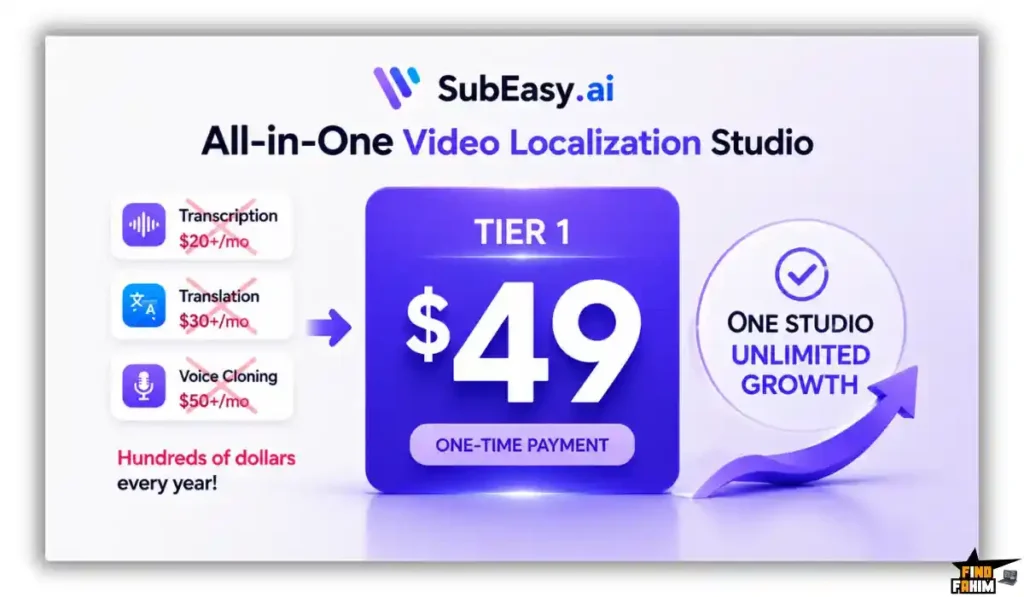
The platform pays for itself the moment you localize an existing video campaign and unlock new international revenue streams. Moving to a unified studio reduces administrative overhead and gives your team a reliable system for ongoing video production.
How to Redeem the SubEasy AI Deal
- Buy: Click the partner links in this guide to visit the official AppSumo offer page.
- Register: Complete your purchase and create a new account using your business email.
- Activate: Apply your lifetime license code within 60 days to configure your credit limits.
- Use: Upload your first video file, erase unwanted subtitles, and generate voice-cloned dubs immediately.
Final Verdict: Is This Deal Worth It?
SubEasy AI earns a clear BUY recommendation for creators and marketing teams. It solves the headache of multilingual video production by combining accurate transcription, subtitle erasing, and voice cloning in one interface.
If you want to expand your international audience and streamline post-production without recurring software fees, this platform delivers unmatched value. Secure your lifetime license before the promotion ends.
Grab Your SubEasy AI License Before It Ends
About the Author
The SubEasy AI team built this platform to eliminate the friction of multilingual video editing. After seeing creators spend hours fixing misaligned captions and re-editing burned-in footage, they developed an automated studio to handle translation and dubbing effortlessly.
At FindFahim, my top priority is finding practical software that cuts recurring business expenses. A streamlined localization workflow is essential for scaling your brand across international markets.
If you want to enhance your visual production pipeline further, check out the FlexClip lifetime deal to create professional AI-powered videos. Pairing FlexClip’s video creation suite with SubEasy AI’s automated localization gives you a complete content machine!
FAQ: Your SubEasy AI Lifetime Deal
SubEasy AI is an AI-powered video studio that provides multilingual transcription, translation, subtitle removal, and voice dubbing.
SubEasy AI uses Video OCR to detect burned-in subtitles, remove the original text, and add clean translated captions to the video.
Yes, SubEasy AI can clone the original speaker's voice to create natural-sounding dubbed audio that matches localized video scenes.
SubEasy AI supports more than 100 languages for transcription and translation, including right-to-left languages such as Arabic and Hebrew.
Yes, all AppSumo license tiers include 4K video export without watermarks.
Yes, developer API access and dedicated monthly API credits are included with License Tier 4 and Tier 5.
AI video translation uses artificial intelligence to transcribe spoken content, translate it into another language, and create localized subtitles or dubbed audio.
AI voice dubbing can help creators localize videos for international audiences by generating translated speech while preserving a natural-sounding voice. What is SubEasy AI?
How does SubEasy AI remove subtitles from videos?
Does SubEasy AI support voice cloning?
How many languages does SubEasy AI support?
Can SubEasy AI export videos in 4K?
Does SubEasy AI provide API access?
What is AI video translation?
What is AI voice dubbing used for?

Hi, I’m Fahim — a SaaS tools reviewer and digital marketing expert with hands-on experience helping businesses grow using the right software. I research, test, and personally use a wide range of AI, business, productivity, marketing, and email tools for my agency, clients, and projects. I create honest, in-depth reviews and guides to help entrepreneurs, freelancers, startups, and digital agencies choose the best tools to save time, boost results, and scale smarter. If I recommend it, I’ve used it — and I only share what truly works.