

Ever felt completely blank during a high-stakes client call or a tough job interview? Hedy AI is the real-time AI meeting coach built specifically to fix that exact brain freeze.
As remote consultants, project managers, and agency owners in 2026, we spend half our lives in virtual meetings. Juggling the conversation, reading the room, and furiously typing notes at the same time is impossible. Eventually, you miss a critical detail, or worse, you fail to ask the perfect follow-up question that would have closed the deal.
Created by founder Julian Pscheid to combat unproductive meetings and language barriers, Hedy AI doesn’t just passively record your calls. It actively listens, analyzes the context, and proactively prompts you with brilliant questions and insights right on your screen while you are speaking. But with a premium $179 entry price, is it actually better than your standard Otter.ai subscription?
In this comprehensive Hedy AI review, I break down its “bot-free” native recording, compare it to the top meeting assistants, and help you decide if it is the right tool to upgrade your communication skills.
Note: This article contains affiliate links. If you buy through them, I may earn a commission, but all opinions are based on my independent research.
My Quick Take (TL;DR)
If you are tired of passive transcription tools and want an active co-pilot for your business calls, here is the direct summary of this AppSumo offer.
- What is it? A real-time AI meeting assistant that captures system audio, transcribes conversations, and provides proactive coaching and suggested responses without joining your call as a bot.
- Why is it Special? Automatic Suggestions & No Bots. It operates invisibly on your desktop or phone. During a call, it automatically surfaces insights and questions. It also organizes past sessions into “Topics,” so it remembers previous client context.
- Who is it for? Tech consultants, sales managers, non-native English speakers, and job seekers.
- The Deal: Lifetime Access for a single payment of $179 on AppSumo.
- My Verdict: A premium, highly practical operational asset. If you rely on discovery calls or technical consulting to make a living, having a safety net that feeds you the right answers in real time pays for itself on the very first closed deal.
Get the Hedy AI Lifetime Deal on AppSumo
What is Hedy AI? (Your Virtual Co-Pilot)
The easiest way to understand this platform is to think of it as a brilliant colleague whispering the perfect answers into your ear during a high-pressure negotiation.
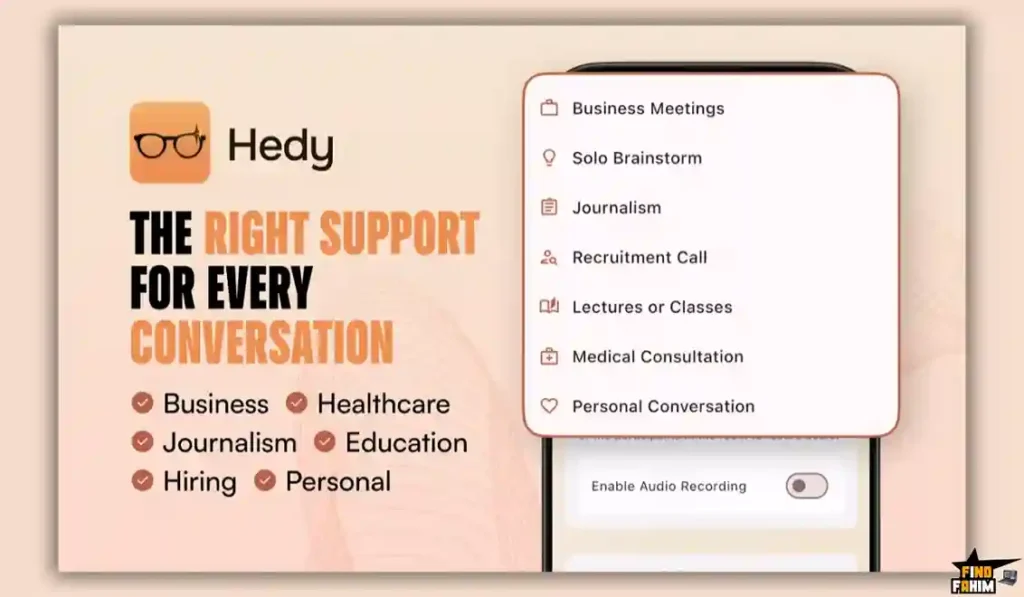
Standard AI note-takers are reactionary. They listen to an hour-long meeting, and then send you a summary 10 minutes after everyone has already logged off.
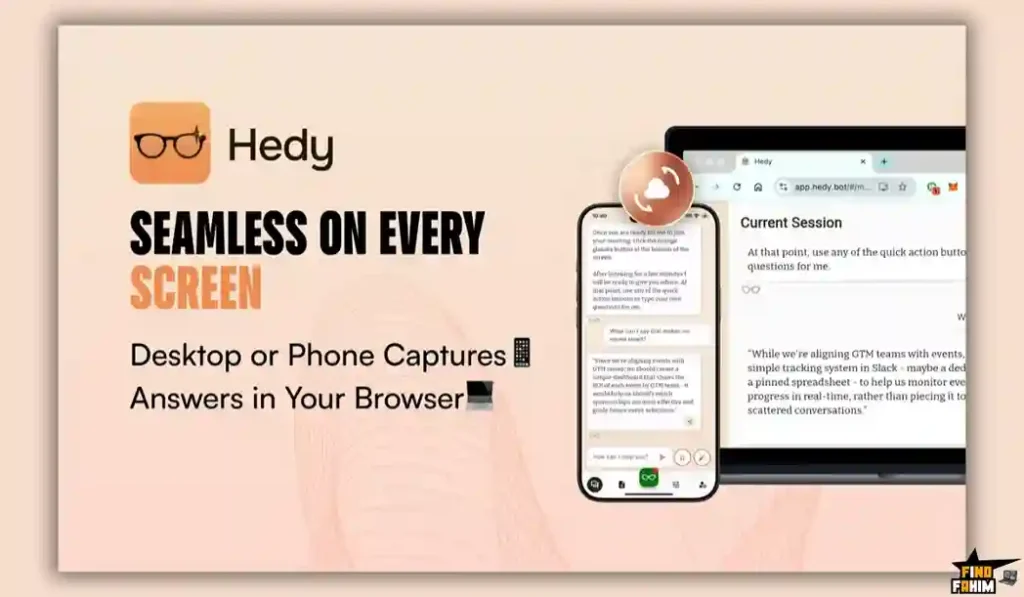
Hedy AI is proactive. It lives as a native app on your Mac, Windows PC, or smartphone. As your client is speaking, It analyzes their words on the fly. If the client mentions a specific pain point, Hedy instantly pops a suggestion on your screen with a smart follow-up question to ask them. It levels the playing field, making you look incredibly sharp, organized, and attentive, regardless of how chaotic the meeting actually is.
Quick Look: Hedy AI vs Traditional Note-Taking
If you are currently furiously typing notes during your Zoom calls, look at this operational breakdown of what this tool replaces.
| Feature | Replaces… | The Real Value | Normal Cost | Deal Status |
| Real-Time Coaching | Panic & Brain Freezes | Look sharp on every call | Executive Coach | ✅ Included |
| Bot-Free Capture | Awkward AI Bots | Keeps client calls private | Priceless | ✅ Included |
| Auto Prep Notes | Frantic Pre-Meeting Prep | Recalls past context instantly | Workflow hassle | ✅ Included |
| Action Items | Post-Call Typing | Auto-sends tasks to Zapier | ~$20/mo | ✅ Included |
| Total Value | Your Meeting Anxiety | Close Deals Faster | ~$240+/yr | $179 (Lifetime) |
Why Manual Note-Taking is Failing Professionals
You might be thinking, “I just record the Zoom call and type my own notes. Why do I need an AI coach?”
Because when you are typing, you are not actively listening. When a client is explaining their business problem, and you are staring at your keyboard trying to capture their exact phrasing, you break eye contact and lose the emotional connection.
Furthermore, you cannot mentally process their current sentence while simultaneously writing down their previous sentence. Manual note-taking forces you into a passive administrative role. Hedy AI handles the administration completely invisibly, freeing your brain to actively listen, strategize, and lead the conversation.
Why “Proactive AI” is Trending in 2026
I noticed this specific AppSumo deal trending because the software market has completely shifted away from “passive transcription.”
Two years ago, getting an AI transcript was impressive. In 2026, transcription is a commodity; your phone does it for free. The new frontier is MCP (Model Context Protocol) and Active Coaching. Users want their software to actually do something with the transcript while the meeting is happening. Hedy’s ability to act as an MCP server—allowing you to connect its live meeting data directly into advanced tools like Anthropic’s Claude to build massive automations—is exactly why power users are swarming this deal.
A Look Inside Hedy AI: Key Features
Here is exactly what you are getting when you install this native application on your devices.
Automatic Suggestions (Real-Time Prompts)
This is the core engine. You do not have to manually type a prompt to ask Hedy for help. It watches the conversation flow and automatically spots opportunities you might miss. It will literally prompt you with, “The client just mentioned budget constraints, ask them if they have a phased deployment in mind.” (Pro users receive 120 minutes of these automatic suggestions per session).
Specialized Meeting Modes
Not all conversations require the same advice. Hedy features custom modes including Business, Coaching & Mentoring, Job Interview, Negotiation, Healthcare, and Recruitment. If you switch to “Negotiation Mode,” the AI fundamentally changes the aggressive or defensive tone of the real-time advice it feeds you.
Topic Organization & Auto-Prep Notes
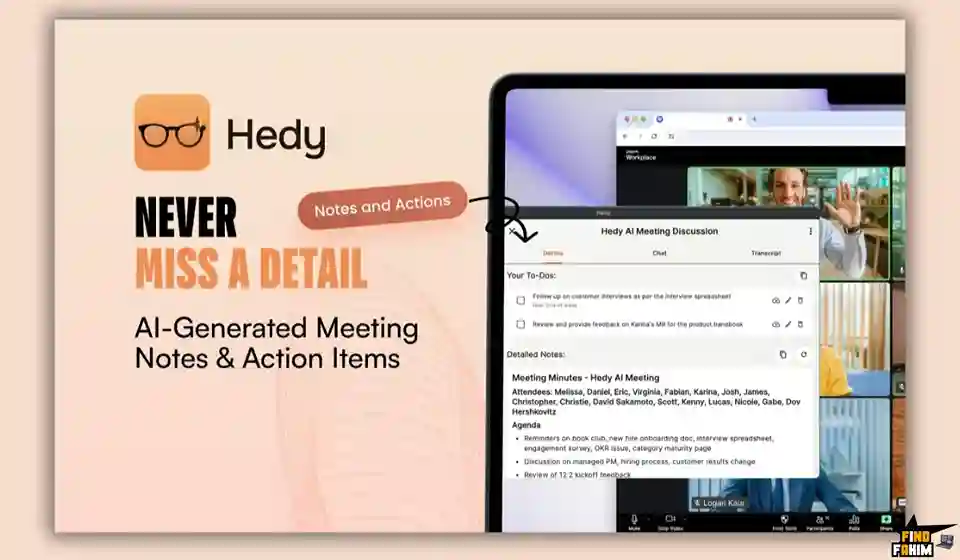
Hedy groups recurring meetings together. If you have a weekly sync with “Client A,” it organizes all those sessions into one “Topic.” Five minutes before your next meeting, Hedy generates an “Automatic Prep Note,” reminding you exactly what was discussed last week, what the unresolved action items are, and what questions you need to ask today.
Zapier, Webhooks, & API
The tool does not trap your data. Once a meeting finishes, It can automatically trigger a Webhook or a Zapier automation. You can have it instantly push the meeting summary into your Notion database, drop the action items into Asana, and send the transcript to your team’s Slack channel without clicking a single button.
The Standout Feature: Bot-Free Native Audio
This specific engineering detail deserves its own section because it solves the biggest complaint people have with AI meeting tools.
If you use Fathom or Otter, the software requires a virtual “Bot” to join your Zoom or Microsoft Teams lobby. It sits in the participant list as “Otter.ai Notetaker.” For sensitive consulting calls, legal discussions, or high-stakes sales pitches, a third-party bot recording the call makes clients incredibly uncomfortable and ruins the natural vibe.
Hedy operates entirely locally. It captures the system audio directly from your Mac or Windows soundcard. There is no awkward bot joining the meeting. Your client has no idea you are using an AI assistant, keeping the conversation fluid, natural, and highly private.
Recent 2026 Platform Updates
The Hedy development team is pushing aggressive updates. Since launching, they have rolled out a massive “generation change” for 2026:
- Apple Watch Companion App: You can now glance at your wrist to see real-time suggestions during an in-person meeting without pulling out your phone.
- YouTube Import & Analysis: You can paste a YouTube URL directly into Hedy. It will ingest the audio, transcribe it, and allow you to chat with the video’s content.
- EU Data Residency: European users can now explicitly choose to store their conversation data strictly on EU servers to comply with local privacy regulations.
- Background Processing (Beta): You can now turn your phone screen off while Hedy continues to listen and process in-person conversations in your pocket.
Hedy AI Pricing & AppSumo Deal Details
This lifetime deal is incredibly straightforward. There are no confusing tiers or stacking games. You pay one flat fee for the ultimate Pro Plan.
| Feature | Pro Plan (Lifetime Deal) |
| One-Time Price | $179 |
| Meeting Length | Unlimited |
| Total Sessions | Unlimited |
| Automatic Suggestions | ✅ Yes (120 mins/session) |
| Bot-Free Audio | ✅ Yes |
| API & Webhooks | ✅ Yes |
The Truth About the Price
At $179, this is a premium-priced AppSumo deal. However, you are receiving unlimited sessions and unlimited meeting lengths. Competing AI tools aggressively cap you at 1,000 transcription minutes a month. If you are a consultant taking four hours of calls a day, those monthly limits break instantly. Hedy’s unlimited architecture makes the $179 an absolute steal for heavy users.
Secure Your Hedy AI Lifetime Plan on AppSumo
Pros & Cons of This Lifetime Package
With an exceptional 4.7-star rating from 173 buyers, the community loves the workflow, but we must evaluate the technical realities of native applications.
The Pros
- ✅ Invisible Operations: The lack of a creepy AI bot in the Zoom lobby is the single biggest selling point for B2B professionals.
- ✅ The Prep Notes: Getting an automatic summary of last week’s call right before you jump into this week’s call makes you look incredibly organized to your clients.
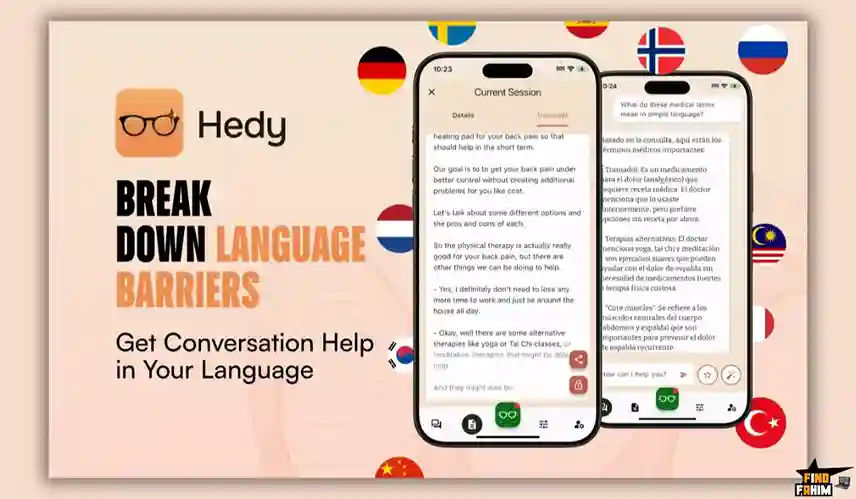
- ✅ Multi-Lingual: It supports over 30 languages. If you are conducting business in your second language, having Hedy translate and suggest native-sounding responses in real-time is a massive confidence booster.
The Cons
- ❌ Hardware Requirements: Because it captures native system audio, you need a relatively modern machine. It requires macOS 15+ (M1 chip or newer), or Windows 10+ (dedicated GPU recommended).
- ❌ In-Person Audio Constraints: If you use the mobile app for an in-person meeting at a coffee shop, you must be mindful of phone placement. Background noise can disrupt the transcription accuracy if the phone is buried in your pocket.
- ❌ Not a Web-First Tool: While they have a web app, to get the “bot-free” system audio capture, you must install the native desktop application on your Mac or PC.
How Does Hedy AI Work? (Step-by-Step)
Here is how fast you can supercharge your next client call.
- Install: Download the native macOS or Windows application.
- Select Mode: Before your Zoom call starts, open Hedy and select “Business” or “Negotiation” mode.
- Start the Meeting: Join your Zoom or Teams call normally. Hedy captures the audio invisibly in the background.
- Read the Prompts: As the client talks, glance at the Hedy window. It will automatically populate bullet points with suggested responses and follow-up questions.
- Automate: When the call ends, It automatically generates the summary and uses your pre-set Webhook to push the action items into your Slack channel.
Best Use Cases for Hedy AI
Who actually extracts the highest ROI from this specific premium setup?
1. The High-Ticket Consultant
You charge $200 an hour for technical strategy calls. You cannot afford to look confused when a client asks a highly specific question. You run Hedy silently on your second monitor. When the client asks about a complex integration, This tool instantly pulls up the relevant talking points from your previous sessions, allowing you to answer flawlessly without breaking eye contact.
2. The Job Seeker
You are interviewing for a massive corporate role via Microsoft Teams. You set Hedy to “Job Interview” mode. When the hiring manager asks a tricky behavioral question, This ai tool instantly provides a structured, bulleted framework on your screen to help you construct a perfect STAR-method response in real time.
3. The Non-Native English Speaker
You are pitching a product to an American company, but English is your second language. You sometimes struggle to find the exact professional phrasing. Hedy acts as a real-time translator and coach, suggesting the perfect English idioms and professional vocabulary to use during the negotiation.
Stop Blanking in Meetings. Get Hedy AI Today.
Hedy AI Alternatives
This is the critical evaluation phase. Choosing a meeting assistant dictates how your entire team handles sensitive data, interacts with clients, and manages post-meeting workflows. Let’s compare Hedy directly against the Top 5 heavyweights in the transcription and coaching market to see which tool deserves a spot in your tech stack.
Hedy AI vs Otter.ai
Otter is the absolute giant of corporate transcription and meeting summaries, frequently used by massive organizations to document internal syncs.
- Where Otter Wins: Collaborative Workspaces. Otter is built for massive corporate teams. Its standout feature is the ability for multiple people to highlight, comment on, and add photos to a live transcript simultaneously, making it great for internal all-hands meetings.
- Where Hedy Wins: Real-Time Coaching and Privacy. Otter joins your calls as a highly visible bot, and it is entirely passive—it just takes notes. Hedy operates invisibly on your desktop without a bot and actively feeds you advice on what to say next, making it far superior for external sales and high-stakes client calls.
Hedy AI vs Fathom
Fathom is a wildly popular, free-to-use Zoom integration that gained massive traction by offering generous core features for individual users.
- Where Fathom Wins: Entry Price and Video Clipping. Fathom is completely free for basic use. It allows you to easily clip short video highlights from the Zoom recording with one click to send to your team, which is perfect for capturing bug reports or customer feedback.
- Where Hedy Wins: Proactive Intelligence. Fathom is a post-meeting tool. It gives you a great summary and clips after the fact. This Ai coach gives you the intelligence during the meeting when it actually matters. By suggesting follow-up questions in real-time, Hedy helps you actively steer the conversation.
Hedy AI vs Fireflies.ai
Fireflies is the undisputed king of CRM integrations and automated sales routing, built specifically for high-performance sales floors.
- Where Fireflies Wins: Enterprise CRM Syncing. Fireflies can intelligently route specific meeting notes into highly specific custom fields inside Salesforce or HubSpot based on custom voice commands and AI filters. It is an operational powerhouse for teams managing massive data entry.
- Where Hedy Wins: The Lifetime Deal. Fireflies requires a recurring monthly subscription (roughly $19/mo per user) and aggressively caps your monthly transcription minutes. Hedy offers unlimited meeting length and unlimited sessions for a one-time AppSumo payment, making it a drastically better financial investment for solo founders and small agencies.
Hedy AI vs Poised
Poised is a dedicated communication coach designed specifically to fix your physical speaking habits and vocal performance.
- Where Poised Wins: Physical Speech Analytics. Poised actively monitors your physical speaking speed, your use of filler words (“ums” and “uhs”), and your tone, giving you a comprehensive score on your actual vocal delivery after every call.
- Where Hedy Wins: Contextual Business Advice. Poised tells you how you are speaking. Hedy tells you what to say. While Poised helps you sound confident, It provides the actual business intelligence to win the negotiation. Furthermore, Poised costs roughly $16/month forever, whereas Hedy is a flat lifetime asset.
Hedy AI vs Tactiq
Tactiq is a lightweight Chrome extension that transcribes Google Meets and Zoom calls without requiring a bot to join the lobby.
- Where Tactiq Wins: Zero Installation. Because it is just a Chrome extension, you don’t have to download native apps. This makes it incredibly easy to deploy on locked-down corporate laptops where you lack administrator privileges.
- Where Hedy Wins: Cross-Platform Native Power. Tactiq only works inside the web browser (primarily Google Meet). Because Hedy is a native desktop app, it captures audio across Zoom, Teams, Skype, Slack huddles, or even a random YouTube video playing on your desktop, offering far more flexibility.
All 5 Competitors Matrix
| Platform | Pricing Model | Key Strength | Best For… |
| Hedy AI | Lifetime ($179) | Bot-Free Live Coaching | Consultants & Sales |
| Otter.ai | Sub ($10+/mo) | Multi-User Collaboration | Internal Team Syncs |
| Fathom | Freemium | Video Highlight Clipping | Casual Zoom Users |
| Fireflies | Sub ($19+/mo) | Deep CRM Integrations | Enterprise Sales Teams |
| Poised | Sub ($16+/mo) | Vocal Performance Metrics | Public Speakers |
| Tactiq | Sub ($12+/mo) | Lightweight Chrome Ext. | Google Meet Users |
Ready to Upgrade Your Meetings? Grab Hedy AI Now
Who Should NOT Buy Hedy AI?
To ensure you make a profitable investment, I must be completely transparent about where this tool is a bad fit.
- Do not buy it if you just want a cheap transcription. If all you want is a basic text file of what was said during a meeting so you can read it later, do not spend $179 on Hedy. Just use the free built-in transcription on Microsoft Teams or Zoom. Hedy is a premium coaching tool; if you aren’t going to use the live suggestions, it is overkill.
- Do not buy it if you use an old, underpowered laptop. Native audio capture requires processing power. If you are using a 7-year-old cheap Windows laptop with no dedicated GPU, the native desktop app might struggle to process the live AI models smoothly.
Is This Lifetime Deal a Smart Business Investment?
Let’s solve the exact financial math of choosing Hedy AI versus paying for a premium coaching and transcription stack.
- Cost of a premium tool like Fireflies or Poised (1 Year): ~$228/year.
- Cost of Hedy AI (Pro Plan – Unlimited Sessions): $179 (One-time payment).
The ROI Math:
- You break even in less than 10 months.
- Over a standard 3-year business cycle, choosing Hedy AI saves you over $500 in recurring software subscriptions.
- More importantly, the ROI of this tool is measured in closed deals. If the “Negotiation Mode” feeds you one perfect counteroffer that helps you close a $2,000 consulting contract, the software has paid for itself 10x over on a single phone call.
How to Redeem the Hedy AI Deal
- Buy: Click the link below to purchase the activation code securely on AppSumo.
- Redeem: You will instantly receive a unique activation code in your email.
- Activate: Follow the instructions to create your account and apply the code within 60 days.
- Configure: Download the native Mac or Windows application. Jump on a quick test Zoom call with a friend, switch on “Personal Conversation” mode, and watch the live suggestions populate.
- Verify: Remember that AppSumo offers a risk-free 60-day money-back guarantee. You have two full months to test the Webhook integrations and the bot-free audio capture entirely risk-free.
Final Verdict: Is This AppSumo Deal Worth It?
After analyzing the seamless MCP integrations, the cross-session topic memories, and the massive 2026 updates, my final verdict is a highly confident 4.8-Star YES.
It is the ultimate “Executive Unfair Advantage.”
- It eliminates Meeting Anxiety and Brain Freezes.
- It stops Awkward Bot Intrusions.
- It provides Unlimited Professional Transcription.
While it does require a relatively modern computer to run the native application smoothly, the ability to get real-time, highly contextual business advice directly on your screen without your client knowing is an absolute superpower. Grab the lifetime code and dominate your next client call.
Secure Your Hedy AI Lifetime License Before It Ends
About the Author
I spend my time researching and analyzing SaaS products, digital tools, and lifetime deals to help smart entrepreneurs stop overpaying for software.
We all know the extreme frustration of hanging up a client call and realizing you completely forgot to ask the most important qualification question, which is exactly why I investigated the Hedy AI lifetime deal today. I do the heavy lifting of evaluating these offers—digging into the specific bot-free capabilities, the hardware requirements, and the Webhook integrations—so you know exactly what you are getting before you pull out your credit card. If you want to see what other software I am currently analyzing to cut business costs, check out my Full Guide to the Best Lifetime Software Deals.
FAQ: Your Hedy AI Questions, Answered
Hedy AI is a real-time meeting assistant that captures system audio, transcribes conversations, and provides live insights without joining your calls as a bot.
No, Hedy runs as a native application on your device and captures system audio directly, so there is no visible bot in your Zoom or meeting room.
Hedy supports over 30 languages including English, Spanish, French, German, Italian, Japanese, Mandarin, and Portuguese with high transcription accuracy.
No, the lifetime deal includes unlimited sessions and unlimited meeting durations with no monthly transcription limits.
Automatic Suggestions are real-time AI insights that appear during meetings, offering follow-up questions, ideas, and relevant information based on the conversation flow.
Yes, Hedy offers native apps for macOS and Windows, along with support for iOS, Android, and web platforms.
Yes, you can paste a YouTube URL into Hedy, and it will transcribe the video and allow you to chat with the AI to extract insights.
Hedy groups recurring meetings into topics and automatically generates prep notes with summaries and action items before your next call.
Yes, Hedy integrates with tools using Webhooks, Zapier, n8n, and APIs to send notes to apps like Notion, Slack, and Asana.
EU Data Residency ensures that all your meeting data is stored on European servers to comply with GDPR and privacy regulations.
AppSumo offers a 60-day money-back guarantee, allowing you to test Hedy risk-free and request a refund if it does not meet your needs.
Hedy stands out because it does not join meetings as a bot, offering more privacy and a smoother experience compared to traditional AI notetakers.
Yes, AI meeting assistants can save time by automatically capturing, summarizing, and organizing notes so you can focus on the conversation.
Yes, especially tools like Hedy that run locally without bots, ensuring greater privacy and control over sensitive conversations.
Professionals, sales teams, freelancers, and agencies can use AI meeting assistants to improve productivity, reduce manual work, and capture key insights. What is Hedy AI?
Does Hedy join my meeting as a bot?
What languages does Hedy support?
Is there a limit on how many meetings I can record?
What are Automatic Suggestions in Hedy?
Does Hedy work on both Mac and Windows?
Can Hedy analyze YouTube videos?
How do Automatic Prep Notes work in Hedy?
Can I send Hedy meeting notes to other tools?
What is EU Data Residency in Hedy?
What is the AppSumo refund policy for Hedy?
Is Hedy better than AI meeting bots like Fireflies or Otter?
Can AI meeting assistants replace manual note-taking?
Are AI meeting tools safe for client calls?
Who should use an AI meeting assistant like Hedy?

Hi, I’m Fahim — a SaaS tools reviewer and digital marketing expert with hands-on experience helping businesses grow using the right software. I research, test, and personally use a wide range of AI, business, productivity, marketing, and email tools for my agency, clients, and projects. I create honest, in-depth reviews and guides to help entrepreneurs, freelancers, startups, and digital agencies choose the best tools to save time, boost results, and scale smarter. If I recommend it, I’ve used it — and I only share what truly works.