
Let’s be honest: Nobody wakes up excited about GDPR compliance.
It is the “dentist appointment” of web development. It’s painful, it’s boring, and if you ignore it, it gets incredibly expensive (fines, lawsuits, or lost ad data).
For years, website owners and agencies have been stuck between two terrible options:
- Pay a Lawyer: This costs $1,000+ for a single Privacy Policy that is written in “Legalese” that your customers can’t even read. And the moment the law changes, that expensive document becomes worthless.
- Use a Subscription Tool: SaaS platforms like Iubenda, Cookiebot, or Termly are great, but they bleed you dry. They charge $15 to $50 every single month just to keep a simple cookie banner on your site. If you stop paying, your compliance disappears.
GetTerms is the “Option 3” we have all been waiting for.
It is a comprehensive, all-in-one compliance suite that generates lawyer-drafted Privacy Policies, Terms of Service, and a fully functional Cookie Consent Banner (complete with Google Consent Mode v2 support) for a one-time price.
There are no monthly fees. There are no “page view” limits. There are no “per-subpage” scanning charges.
With a solid 4.3-star rating and a massive update for 2026 (including multi-language support, geo-tagging, and agency client management), GetTerms is positioning itself as the “Iubenda Killer” for smart agencies. In this in-depth, no-fluff GetTerms review, I am testing if this $79 lifetime deal is legally robust enough to protect your business, or if you still need that expensive monthly subscription.
Note: This article contains affiliate links. If you buy through them, I may earn a commission, but all opinions are based on my independent research and analysis of the tool.
My Quick Take (TL;DR)
If you are a developer, agency owner, or SaaS founder who is tired of paying monthly subscriptions for a static cookie banner, here is my honest summary.
- What is it? A Privacy Policy generator and Consent Management Platform (CMP) combined into one dashboard.
- Why is it Special? Unlimited Views. Most tools (like CookieYes or Termly) charge you more as your traffic grows. If you go viral, your bill triples. GetTerms offers unlimited banner views on all plans. Plus, it natively supports the critical Google Consent Mode v2.
- Who is it for? Web Design Agencies, SaaS Founders, Bloggers, and eCommerce Store Owners.
- The Deal: Lifetime Access starting at $79 (One-time payment).
- My Verdict: It is a mandatory purchase for agencies. The ability to secure “Unlimited Sites” (Tier 5) means you never have to pay for compliance software again. It is simple, effective, and fully compliant with 2026 regulations.
Click Here to Get the GetTerms Lifetime Deal
What is GetTerms?
The best way to describe this platform is as “Automated Legal Compliance in a Box.”
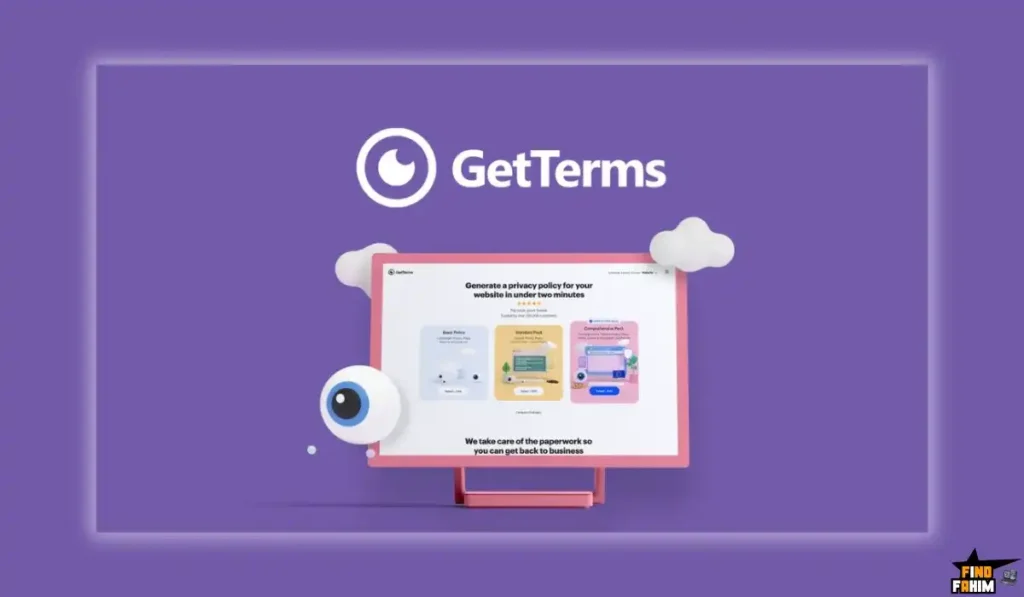
It solves three specific, distinct problems that every website owner faces in 2026:
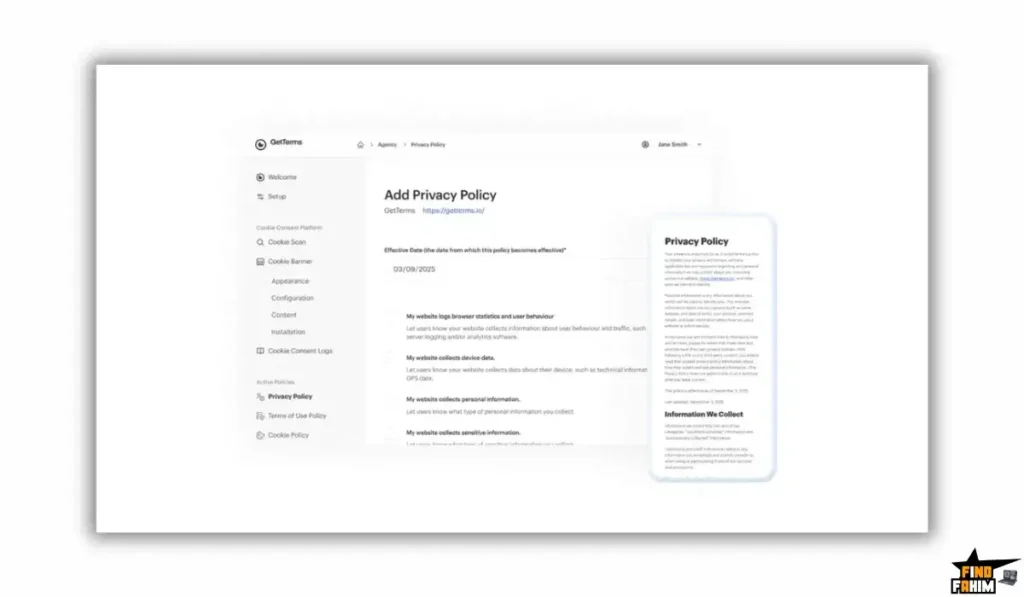
- The Legal Documents: You answer a few simple, human-readable questions (e.g., “Do you use Analytics?”, “Do you process refunds?”), and the system generates a professional, lawyer-reviewed Privacy Policy, Terms of Service, and Cookie Policy.
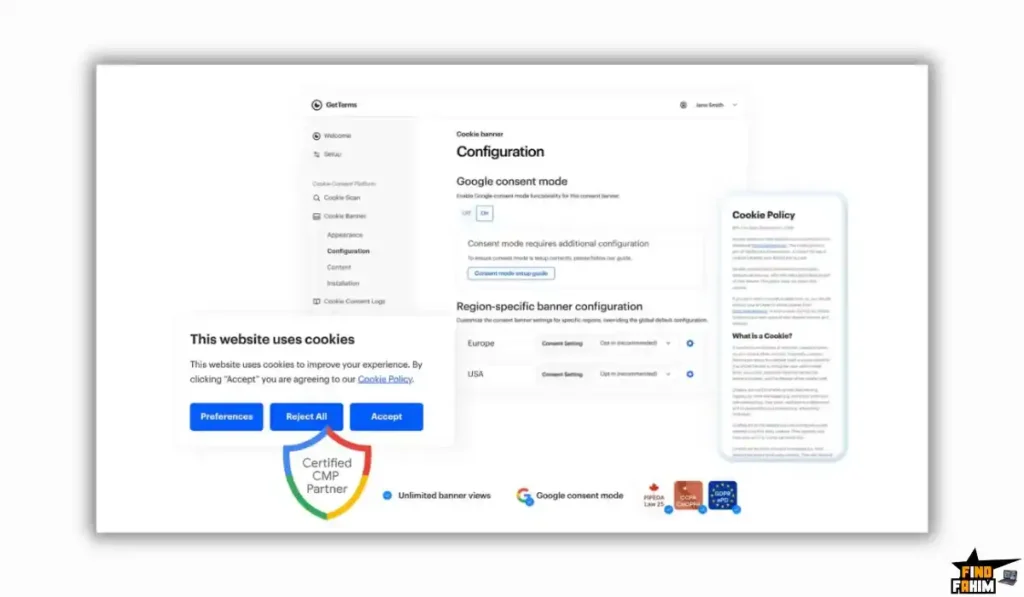
- The Visual Banner: It provides a lightweight code snippet (or a dedicated WordPress plugin) that displays a GDPR/CCPA-compliant cookie banner on your site. This allows users to “Accept” or “Reject” tracking.
- The Technical Blocking: It automatically scans your site, identifies tracking scripts (like Facebook Pixel or Hotjar), and technically blocks them from loading until the user gives explicit consent. This is crucial for real GDPR compliance.
Unlike generic templates you might download from a free generator, GetTerms policies are dynamic. If a new privacy law passes in California (CPRA) or Brazil (LGPD), GetTerms updates the master template. You don’t have to hire a lawyer to rewrite your site’s footer. Your embedded policy stays current automatically.
Quick Look: What’s Inside the Deal?
If you are currently paying Iubenda, Termly, or Cookiebot, look at this financial comparison.
| Feature | Replaces… | The “Killer” Value | Normal Cost | Deal Status |
| Policy Generator | Lawyer / Termly | Professional Legal Docs | ~$150/yr | ✅ Included |
| Cookie Banner | CookieYes | Auto-Blocking CMP | ~$20/mo | ✅ Included |
| Consent Mode v2 | Custom Dev Work | Google Ad Compliance | $$$ | ✅ Included |
| Unlimited Views | Cookiebot | No Traffic Penalties | Varies | ✅ Included |
| Agency Mode | Reseller Plans | Client Access & Invite | ~$50/mo | ✅ Included |
| Total Value | Your Peace of Mind | Asset Protection | ~$500/yr | $79 (Lifetime) |
Why You Need More Than Just a “Template”
You might be thinking, “Can’t I just copy a privacy policy from a competitor or use ChatGPT to write one?”
No. That is dangerous and potentially illegal.
Using a static text document does not protect you in 2026 for two major reasons:
1. The “Prior Consent” Requirement (GDPR)
Under GDPR and Privacy laws, you cannot just “tell” people you are tracking them. You must have a mechanism to block the scripts before they load. A text document cannot do that. You need software. GetTerms’ Cookie Banner handles this technical blocking automatically.
2. The “Google Ads” Requirement
In 2026, Google Ads enforces Consent Mode v2. If your banner doesn’t send the correct digital signals to Google’s servers, your ads will stop tracking conversions properly. A static policy cannot send digital signals. GetTerms handles this technical integration automatically, saving your ad performance.
Why “Compliance Tools” are Trending in 2026
I noticed this tool trending on AppSumo because data privacy laws are tightening globally, and the “Free” tools are dying out.
1. The “Google Consent Mode v2” Crisis
Google recently enforced “Consent Mode v2” for all advertisers targeting users in the EEA (European Economic Area). If you don’t have a compliant CMP (Consent Management Platform), your Google Analytics 4 (GA4) and Google Ads data becomes useless. GetTerms updated their tool to support this natively, saving thousands of marketers from sudden data loss.
2. The “Agency Revenue” Model Shift
Agencies used to just build websites and hand them over. Now, clients expect “Compliance” to be included in the package. With GetTerms’ Tier 5 (Unlimited Sites) plan, agencies can offer “GDPR Compliance” as a value-add service to every client without increasing their own costs. It transforms compliance from a “cost” into a “profit center.”
A Look Inside GetTerms: Key Features & Benefits
This isn’t just a document generator; it’s a full-stack technical compliance suite.
1. Auto-Blocking Cookie Banner (The Shield)
What it is: A banner that pops up at the bottom of your site and stops tracking scripts from loading.
Why it matters: Many “free” banners found in WordPress plugins are fake. They show an “Accept” button, but don’t actually stop the cookies from firing in the background. That is not compliance; that is “Compliance Theater.”
- How it works: GetTerms scans your site, categorizes cookies into groups (Marketing, Analytics, Essential), and blocks the non-essential ones until the user clicks “Accept.”
2. Google Consent Mode v2 Integration (The Ad Saver)
What it is: A specialized signal sent to Google tags via the dataLayer.
Why it matters: It tells Google, “The user denied cookies, but you can still collect anonymous, non-identifying data.”
- Real-World Benefit: This allows you to recover about 70% of the ad conversion data you would otherwise lose if users reject cookies. Without this feature, your ROAS (Return on Ad Spend) looks terrible because conversions aren’t being tracked.
3. “Living” Documents (Dynamic Updates)
What it is: Policies hosted on GetTerms’ servers (or embedded via an HTML snippet).
Why it matters: Laws change constantly. If a new law passes in California (CPRA), GetTerms updates the master template.
- The Benefit: You don’t have to hire a lawyer to rewrite your site’s footer every year. Your embedded policy stays current automatically. You place the embed code once, and you never touch the “Legal” page again.
4. Agency Client Access (The Business Model)
What it is: You can invite your client to the GetTerms dashboard via email to answer the legal questions themselves.
Why it matters: Liability. You (the web designer) shouldn’t be guessing your client’s data practices. “Do they sell data? Do they use remarketing?” If you guess wrong, you could be liable. By inviting them to fill out the form, you shift the responsibility to them, protecting yourself from legal blame.
The Standout Feature: “Unlimited Banner Views”
This is the feature that makes GetTerms a “No-Brainer” compared to competitors.
Most compliance tools charge you based on Page Views or Sessions.
- Cookiebot: Free up to 100 pages. If you have 101 pages, you pay $13/mo.
- Termly: Free up to 10,000 visits. If a blog post goes viral, you get hit with a bill, or your banner shuts off.
GetTerms includes Unlimited Banner Views on ALL plans.
Whether you have 10 visitors or 10 million visitors, the price is the same ($0/month). This is practically unheard of in the CMP industry and is the primary reason high-traffic blogs switch to GetTerms.
Installation Guide: Is it Hard?
It is designed for non-technical users, but it has power for developers.
Step 1: The Questionnaire
Create a new “Site” in the dashboard. Answer simple questions: “What is your URL?”, “Do you show ads?”, “Do you collect emails?, “What is your refund period?”
Step 2: The Scan
GetTerms automatically scans your URL to find cookies. It auto-categorizes them (e.g., “Facebook Pixel” -> Marketing, “Stripe” -> Essential).
Step 3: The Embed (WordPress)
If you use WordPress, download the GetTerms Plugin. Paste your API key. That’s it. The banner appears automatically and starts blocking.
Step 4: The Embed (Custom/Shopify)
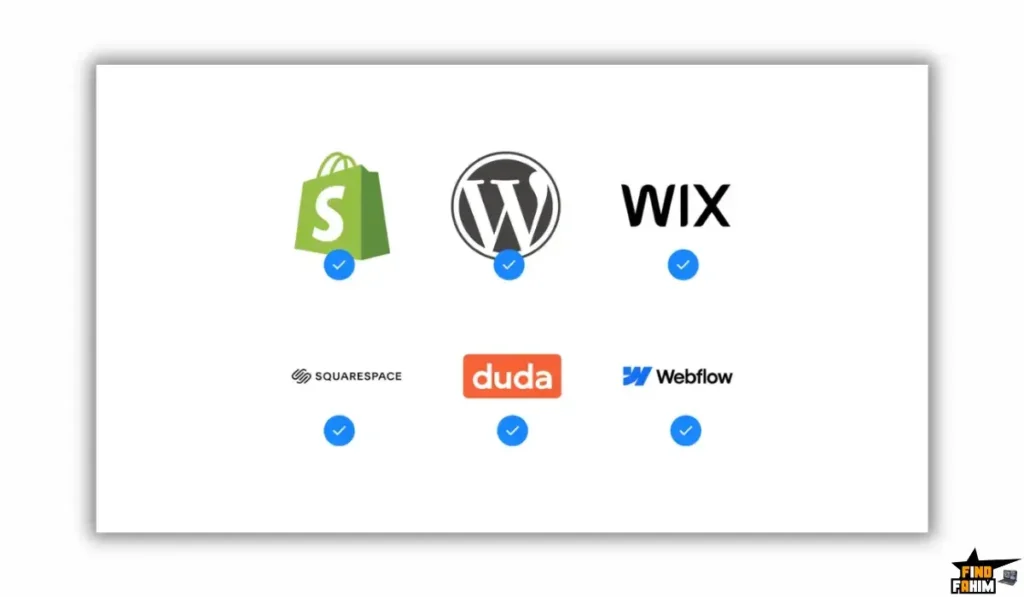
If you use Shopify, Wix, or custom HTML, copy the <script> tag provided. Paste it into your theme. liquid or header code. It works universally across all platforms.
GetTerms Pricing & AppSumo Deal Details
This is a Tiered Lifetime Deal.
The scaling factor is the Number of Sites. All features (Consent Mode, Policies, Unlimited Views) are included in ALL plans.
The Full Tier Breakdown
| Feature | Tier 1 | Tier 2 | Tier 3 | Tier 4 | Tier 5 (Empire) |
| Price | $79 | $149 | $289 | $459 | $569 |
| Sites/Apps | 3 Sites | 10 Sites | 25 Sites | 50 Sites | Unlimited Sites |
| Policies | ✅ All | ✅ All | ✅ All | ✅ All | ✅ All |
| Cookie Banner | ✅ Yes | ✅ Yes | ✅ Yes | ✅ Yes | ✅ Yes |
| Banner Views | Unlimited | Unlimited | Unlimited | Unlimited | Unlimited |
| Ideal For | Solopreneur | Small Shop | Agency | Scale Agency | Web Empire |
ROI Anchor Logic: The “Agency Math”
- Iubenda “Pro” Plan costs $29/month per site.
- GetTerms Tier 5 costs $569 (one-time) for Unlimited Sites.
The Reality:
If you run an agency with just 20 clients:
- Iubenda Cost: $580/month -> $6,960/year.
- GetTerms Cost: $569 once.
You save $6,400 in the first year alone.
This is effectively “Free Money” for any WordPress agency. You can even charge your clients a recurring “Compliance Maintenance Fee” of $50/year, turning this tool into a recurring profit center for your business.
My Recommendation
Buy Tier 5 ($569).
- Why? The jump from Tier 4 (50 sites) to Tier 5 (Unlimited) is only $110. But “Unlimited” gives you infinite scaling potential. You never have to worry about buying another license again, no matter how big your agency grows.
- Buy Tier 1 ($79) if you are a solo blogger with just 1-3 sites and zero plans to expand.
Check the GetTerms Price & Get Lifetime Access
Pros & Cons of This Lifetime Package
I promised you honesty. With a 4.3-star rating, it’s good, but let’s look at the nuances.
The Pros
- ✅ Set & Forget: Once installed, it scans and updates itself. You don’t have to babysit it.
- ✅ No Branding: Even on Tier 1, there is no “Powered by GetTerms” watermark on your banner (unlike free tools, which force their logo).
- ✅ Multi-Language Support: Supports major languages (English, Spanish, French, German, Italian, etc.) for global compliance.
- ✅ WordPress Plugin: Makes installation stupidly easy for WP users without touching code.
The Cons
- ❌ Scanner Limits: The cookie scanner is good, but not perfect. Occasionally, it might miss a weird custom cookie (like a specific niche heatmap tool), and you have to add it manually in the dashboard.
- ❌ Complex Edge Cases: If you are a massive enterprise (like a Bank or Hospital) handling highly sensitive medical data (HIPAA), you might need a custom legal team, not a generator. This tool is best for standard Business, SaaS, and e-commerce sites.
Best Use Cases for GetTerms
Who actually needs this platform?
1. The “WordPress Agency.”
You build brochure sites for local businesses (Dentists, Plumbers, Cafes).
- The Scenario: You hand off the site. The client asks, “Is this GDPR compliant?”
- The Benefit: You install GetTerms (Tier 5). You charge the client a $99 setup fee. You are compliant instantly, and you made a profit on the tool purchase in one sale.
2. The “Mobile App Developer.”
You are launching a new iOS or Android app.
- The Scenario: You need a Privacy Policy URL to submit to the App Store. Apple rejects apps without a valid policy.
- The Benefit: GetTerms generates specific “App” policies (EULA) that satisfy Apple and Google’s store requirements in minutes.
3. The “Dropshipper.”
You run a Shopify store targeting customers in Europe.
- The Scenario: You need to block pixels before consent to avoid heavy GDPR fines, but you still want to track sales.
- The Benefit: GetTerms integrates with Google Consent Mode v2, so you can still track conversions legally, keeping your Facebook Ads profitable while staying legal.
Pro Tip: If you want to drive traffic to your compliant site, check out my reviews of the best SEO Tools.
Start Securing Your Site with GetTerms Today
GetTerms Alternatives
This is the most important part of the review. Is GetTerms robust enough to replace the expensive heavyweights, or is it just a cheap placeholder?
Let’s compare it against the Top 5 players in the Compliance space.
GetTerms vs Iubenda
Iubenda is the “Enterprise Standard” for legal compliance.
Where Iubenda Wins
Legal Depth.
Iubenda has a massive team of international lawyers constantly updating thousands of clauses. If you are a multinational corporation with complex data flows (e.g., cross-border HR data, specialized medical tracking), Iubenda’s granularity is unmatched. It also covers more obscure regulations like Brazil’s LGPD in deeper detail.
Where GetTerms Wins
Cost & Simplicity.
Iubenda gets expensive fast. A decent plan with a cookie solution and terms costs $29/month per site. If you run an agency with 20 client sites, that’s $600/month. GetTerms Tier 5 covers unlimited sites for $569 once.
Verdict
Iubenda for Enterprise/FinTech.
GetTerms for Agencies, SaaS, and eCommerce.
GetTerms vs Termly
Termly is a popular, design-friendly compliance tool.
Where Termly Wins
UI Polish.
Termly’s dashboard is beautiful, and their policy generator has a very intuitive “wizard” interface. It feels slightly more modern than GetTerms’ utilitarian backend. Their banner customization options (fonts/colors) are also more visual.
Where GetTerms Wins
Traffic Limits.
Termly’s pricing is based on “unique visitors.” The free plan is limited to 10,000 visits. If a blog post goes viral, your banner stops working, or you get hit with a bill. GetTerms has Unlimited Views on all plans. You never get punished for success.
Verdict
Termly for low-traffic boutique sites.
GetTerms for high-traffic blogs and growing businesses.
GetTerms vs CookieYes
CookieYes is a specialized CMP (Consent Management Platform).
Where CookieYes Wins
Banner Customization.
CookieYes is strictly a cookie tool (no policies). Because it focuses on one thing, its banner customization (CSS, layout, behavior) is slightly more granular. It has arguably the best scanner in the market for finding obscure cookies.
Where GetTerms Wins
All-in-One Value.
CookieYes is just a cookie banner. You still need to go elsewhere to generate your Privacy Policy and Terms of Service. GetTerms gives you both the banner and the legal documents in one dashboard. Also, CookieYes charges monthly ($10/mo+).
Verdict
Cookie: Yes, if you already have a lawyer for your policies.
GetTerms if you need the full compliance stack.
GetTerms vs Cookiebot
Cookiebot is the “Google-Recommended” scanner.
Where Cookiebot Wins
Scanning Power.
Cookiebot’s scanner is aggressive. It finds hidden tracking pixels that other scanners miss. It is the gold standard for technical compliance and is often used by government sites.
Where GetTerms Wins
Price Shock.
Cookiebot is notoriously expensive for large sites. It charges per subpage. If your WordPress site has 500 tags/pages, the price jumps to $50/month. GetTerms has no page limits.
Verdict
Cookiebot for technical purists with deep pockets.
GetTerms for pragmatists who want compliance without bankruptcy.
GetTerms vs Free Generators
Free Tools are everywhere.
Where Free Wins
Zero Cost.
It costs $0.
Where GetTerms Wins
Actual Protection.
Free generators are static text. They do not block cookies. They do not support Google Consent Mode v2. Using a free text generator in 2026 is like driving without a seatbelt; it looks fine until you crash (get audited or lose ad data).
Verdict
Free Generators for hobby sites.
GetTerms for real businesses.
All Competitors Matrix
| Feature | GetTerms | Iubenda | Termly | CookieYes | Cookiebot | Free Tools |
| Pricing | Lifetime ($79) | ~$29/mo | ~$15/mo | ~$10/mo | ~$50/mo | Free |
| Documents | ✅ Included | ✅ Yes | ✅ Yes | ❌ No | ❌ No | ⚠️ Static Text |
| Cookie Banner | ✅ Included | ✅ Yes | ✅ Yes | ✅ Yes | ✅ Yes | ❌ Fake |
| Views Limit | Unlimited | Varies | 10k Limit | 100k Limit | Page Limit | Unlimited |
| Agency Mode | ✅ Yes | ✅ Partner | ❌ No | ❌ No | ❌ Reseller | ❌ No |
| Best For… | Agencies | Enterprise | Design | Banner Only | Tech Compliance | Hobbyists |
Who Should NOT Buy GetTerms?
I want to be transparent. This tool is a problem-solver, but it has limits.
- Don’t buy it if you are “High-Risk FinTech/Health.” If you are handling HIPAA data, medical records, or high-volume financial transactions, you need a custom legal team, not a generator. GetTerms is for standard web/app compliance, not specialized regulatory environments.
- Don’t buy it if you want “Complex Cross-Domain Consent.” If you run a network of 50 interconnected domains where consent on Site A needs to carry over to Site B automatically, enterprise tools like OneTrust handle that handshake better.
Is This Lifetime Deal a Smart Business Investment?
Let’s do the financial math for Tier 1 ($79).
Scenario: You have a small freelance portfolio and 2 client sites.
- Cost of Termly (3 Sites): $15 x 3 = $45/month -> $540/year.
- Cost of GetTerms: $79 (One-time).
The ROI Math:
- You save $461 in the first year.
- Over 5 years, you save $2,600+.
- The break-even point is less than 2 months.
Agency Math (Tier 5 – $569):
If you sell “GDPR Compliance Setup” to just 3 clients for $200 each, you have paid for the entire Unlimited License. Everything after client #3 is 100% profit.
How to Redeem the GetTerms Deal
- Buy: Purchase the code on AppSumo (Select Tier 3 or 5 for Agency features).
- Redeem: You will get a redemption link.
- Register: Create your Agency account on GetTerms.io.
- Onboard: Click “New Organization” to set up your profile.
- Generate: Click “Add Site,” scan your URL, and copy the embed code.
Final Verdict: Is This Cost-Friendly Deal Worth It?
After testing the scanner accuracy and the Google Consent Mode integration, my final verdict is a solid 4.3-Star YES.
It isn’t as “glossy” as Termly, but it is a Workhorse.
- It solves the Legal Requirement (Docs).
- It solves the Technical Requirement (Blocking).
- It solves the Budget Requirement (Lifetime).
For agencies and developers, this is a “Toolbox Essential.” You buy it once, and you have compliance ready for every client you ever sign.
Secure Your GetTerms License Now
Note: Deal ends soon. The “Unlimited Sites” on Tier 5 is the real gem here.
About the Author: Why I Care About This Tool So Much
I run multiple niche sites. Paying monthly fees for a “cookie banner” feels like robbery.
GetTerms frees up that cash flow. I write these reviews to help you find tools that solve boring problems permanently, so you can focus on growing your business.
If you want to see the other tools I use to save money, check out my Full AppSumo Deal Reviews Page.
FAQ: Your GetTerms Questions, Answered
GetTerms is an all-in-one legal compliance tool that generates cookie consent banners and privacy policies to help websites meet GDPR, CCPA, and global data protection laws.
Yes, GetTerms fully supports Google Consent Mode v2 and sends the correct signals to Google Tag Manager so you can legally continue running Google Ads in the EU.
Yes, the base policy templates are drafted and reviewed by legal professionals in the US, UK, and Australia to meet GDPR, CCPA, and other major regulations.
Yes, the Auto-Blocking feature scans your website scripts, categorizes them, and blocks cookies until the user gives valid consent.
Yes, GetTerms offers a dedicated WordPress plugin that allows quick setup by simply entering your license key.
Yes, GetTerms works on any platform that allows adding custom HTML or JavaScript code to the website header.
No, all lifetime plans include unlimited cookie banner views, so high-traffic websites are not charged extra.
Yes, lifetime deal plans allow you to remove the GetTerms branding from the cookie banner for a professional appearance.
GetTerms supports more than six major languages including English, Spanish, French, Italian, and German for banners and policies.
Yes, Tier 3 and higher plans allow you to invite clients to the dashboard so they can manage their own company details and compliance.
Yes, hosted and embedded policies are automatically updated when legal requirements change, with no manual edits required.
Yes, GetTerms includes clauses for iOS and Android mobile apps, covering permissions, data usage, and app store compliance.
Yes, it includes refund policies and clauses related to payments, shipping, and customer data for online stores.
Yes, you can group websites into separate organizations to manage multiple brands or businesses from one dashboard.
GetTerms comes with AppSumo’s 60-day money-back guarantee, allowing you to test the banner and policies risk-free. What is GetTerms?
Does GetTerms support Google Consent Mode v2?
Are GetTerms policies written by real lawyers?
Does GetTerms block cookies automatically?
Can I use GetTerms on WordPress?
Does GetTerms work on Shopify, Wix, or Squarespace?
Is there a banner view limit with GetTerms?
Can I remove the Powered by GetTerms branding?
How many languages does GetTerms support?
Can I manage clients using GetTerms?
Do GetTerms policies update automatically?
Does GetTerms support mobile apps?
Is GetTerms suitable for e-commerce websites?
Can I manage multiple businesses with GetTerms?
What is the refund policy for GetTerms?

Hi, I’m Fahim — a SaaS tools reviewer and digital marketing expert with hands-on experience helping businesses grow using the right software. I research, test, and personally use a wide range of AI, business, productivity, marketing, and email tools for my agency, clients, and projects. I create honest, in-depth reviews and guides to help entrepreneurs, freelancers, startups, and digital agencies choose the best tools to save time, boost results, and scale smarter. If I recommend it, I’ve used it — and I only share what truly works.