
You spend hours driving traffic to your website. You pay for ads. You write blogs. You post on social media.
A visitor finally lands on your pricing page. They have one simple question: “Do you ship to Canada?”
They look for a chat button. They don’t see one. They don’t want to fill out a long “Contact Us” form and wait 24 hours for an email.
So, what do they do? They leave. And they buy from your competitor, who answered that question instantly via WhatsApp.
In 2026, Conversational Marketing is not optional. Customers expect to reach you through the apps they already use, such as WhatsApp, Facebook Messenger, or Telegram.
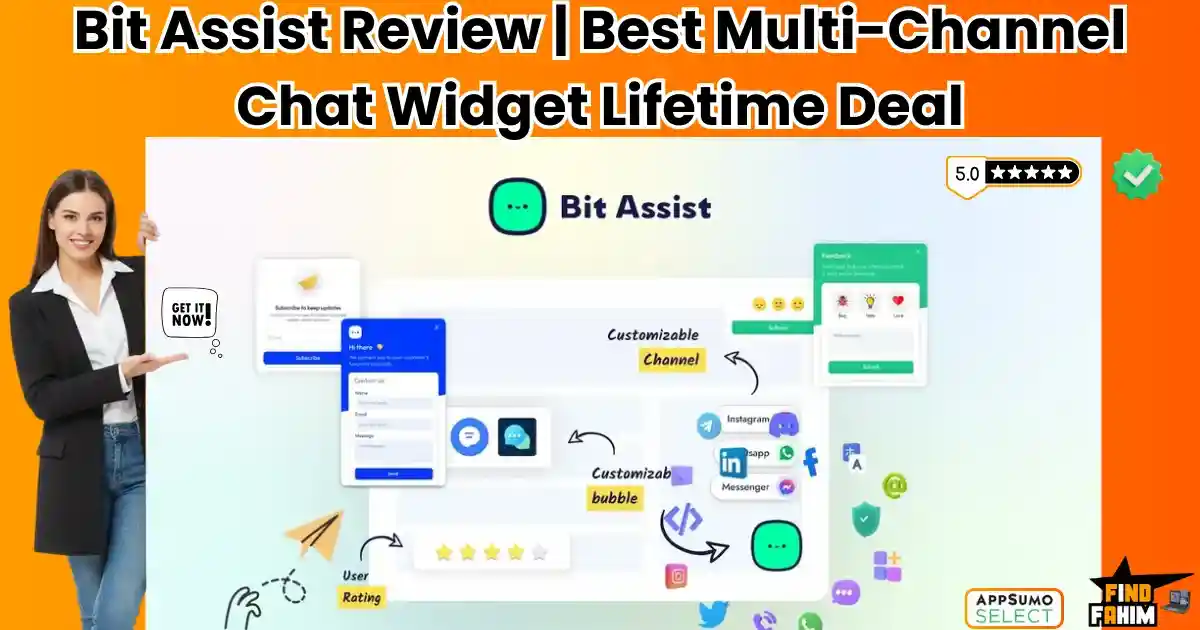
Bit Assist is the bridge between your website and your customers’ favorite apps.
It is a “Floating Action Button” that sits on the corner of your website. When clicked, it opens a menu of contact options—messaging apps, FAQs, Knowledge Bases, and Contact Forms—without slowing your website.
It promises to replace expensive tools like Intercom ($74/mo) with a simple, privacy-focused widget that you pay for once.
But is it just a simple button, or is there real power under the hood? Does it really work on Shopify if it’s a WordPress plugin? In this in-depth Bit Assist review, I am going to test every single channel to see if this is the lead generation tool you have been missing.
Note: This article contains affiliate links. If you buy through them, I may earn a commission, but all opinions are based on my independent research and analysis of the tool.
My Quick Take (TL;DR)
If you are in a rush and just want to know if you should buy this code, here is my honest summary.
- What is it? A “Smart Chat Widget.” It groups 20+ communication channels (WhatsApp, Messenger, Phone, etc.) into one button on your site.
- Why is it Special? External Hosting. You install it on a WordPress site, but it generates a script that you can use on any site (Shopify, Wix, Webflow, HTML).
- Who is it for? E-commerce Store Owners, Digital Agencies, and Support Teams who want to consolidate communication.
- The Deal: Lifetime access starting at $49.
- My Verdict: It is lightweight, GDPR compliant, and incredibly flexible. If you want to offer WhatsApp support without coding, this is the best ROI tool on the market.
Get the Bit Assist Lifetime Deal
What is Bit Assist?
Bit Assist is a Customer Engagement Widget.
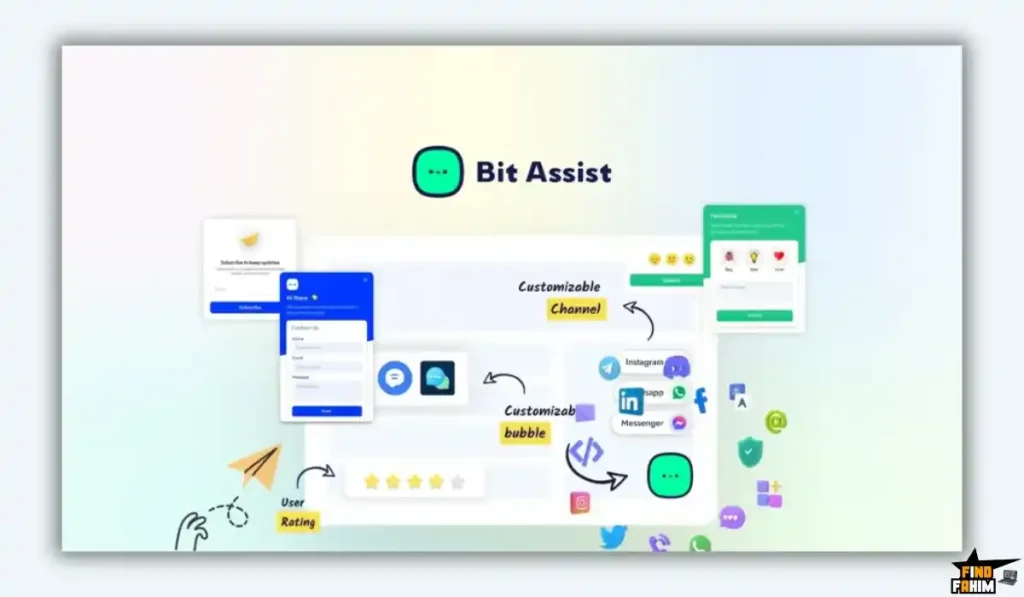
Most chat tools try to force customers to stay on your website. They use proprietary “Live Chat” windows. If the customer closes the tab, the conversation is lost forever.
Bit Assist takes a different approach. It encourages the customer to take the conversation Off-Site.
- The Concept: A visitor clicks the Bit Assist button. They chose “WhatsApp.” The chat opens in their WhatsApp app.
- The Benefit: Even if they leave your website, you still have the chat thread open on their phone. You can follow up 2 hours later, and they will actually see it.
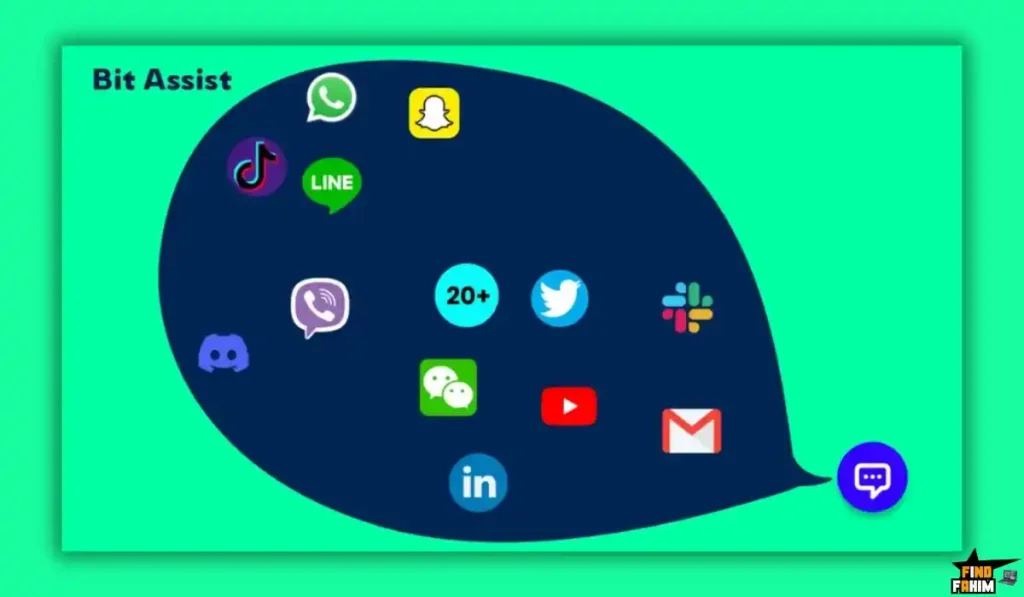
It supports over 20+ Channels, including:
- Social Chat: WhatsApp, Messenger, Telegram, Viber, Snapchat, Skype.
- Business Tools: Slack, Discord, Microsoft Teams.
- Support Tools: Knowledge Base, FAQ, Contact Form.
Quick Look: What’s Inside the Deal?
I know you want to see the value instantly. Here is how Bit Assist stacks up against the expensive monthly tools.
| Feature | Replaces… | The “Killer” Value | Normal Cost | Deal Status |
| Multi-Channel Chat | Chaty / Elfsight | WhatsApp & Messenger in one | ~$15/mo | ✅ Included |
| Knowledge Base | HelpScout | Searchable Docs in widget | ~$25/mo | ✅ Included |
| FAQ Module | Accordion Plugins | Quick answers inside chat | ~$10/mo | ✅ Included |
| Cross-Platform | Custom Dev | Use a WP plugin on Shopify | Technical | ✅ Included |
| Dark Mode | Custom CSS | Auto-detects user preference | N/A | ✅ Included |
| Webhooks | Zapier | Send form data anywhere | Paid Add-on | ✅ Included |
| Business Hours | Manual Logic | Auto-hide offline channels | Standard | ✅ Included |
Why You Need More Than Just “Live Chat”
You might be thinking, “Fahim, I have a free live chat plugin. Why do I need this?”
You need this because Live Chat requires you to be Live.
The “Offline” Problem
If a customer messages your Live Chat at 3 AM, and you aren’t there, they stare at a “We are offline” screen. They feel ignored.
With Bit Assist, they click “WhatsApp.” They send the message. It sits on your phone. You wake up, see the WhatsApp message, and reply. The conversation continues seamlessly.
The “Speed” Problem
Most Live Chat scripts (like Intercom or Drift) are heavy. They slow down your website loading speed by 2-3 seconds.
Bit Assist is optimized for performance. It uses a lightweight script that doesn’t bloat your site, keeping your Google PageSpeed scores high.
Why “Omnichannel Support” is Trending in 2026
I noticed this tool getting consistent 5-star reviews (69+ reviews with a 4.9 rating) because it solves a modern problem: Fragmentation.
Your customers are everywhere.
- Gen Z wants to message you on Instagram.
- Professionals want to message you on Slack.
- International clients want to message you on WhatsApp.
- Old school clients want to call you.
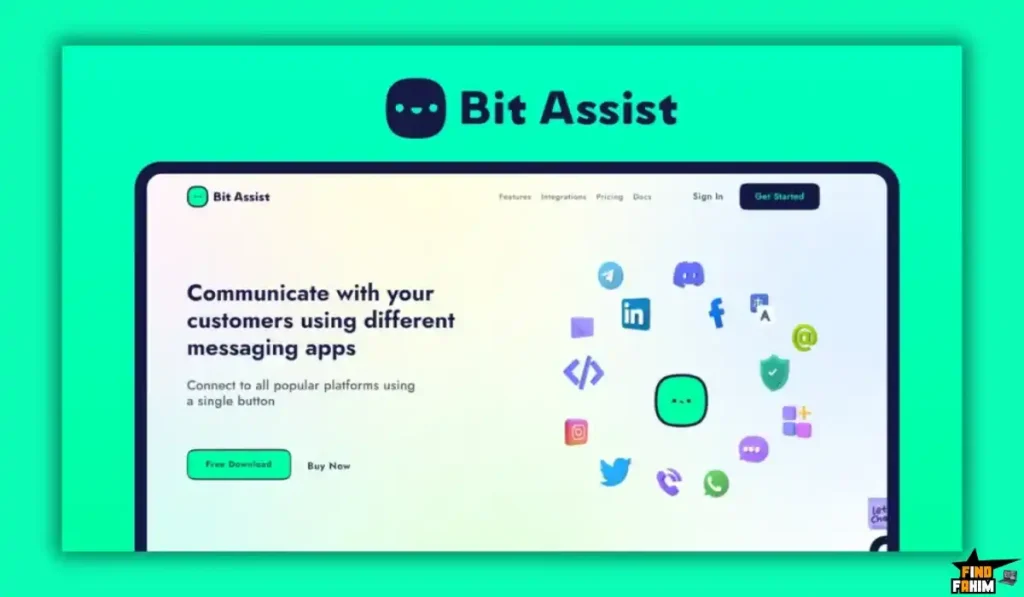
Bit Assist puts all these options in one tidy drawer. You don’t need 5 different buttons cluttering up your screen. You look organized, professional, and accessible.
A Look Inside Bit Assist: Key Features & Benefits
I installed this plugin on my test site and also integrated it into a raw HTML page to test the “External” feature. Here is what I found.
1. The “External” Feature (The Agency Secret)
The Benefit: Use WordPress power on ANY website.
This is the most unique feature of Bit Assist. The software is a WordPress plugin. You install it on your agency site.
- The Magic: From your WordPress dashboard, you can create a widget for a client who uses Shopify or Wix.
- The Output: Bit Assist gives you a tiny snippet of JavaScript code. You paste that code into the Shopify header.
- The Result: You manage the widget from your WordPress dashboard, but it appears on the Shopify site. This allows you to sell “Chat Widget Management” to clients regardless of what platform they use.
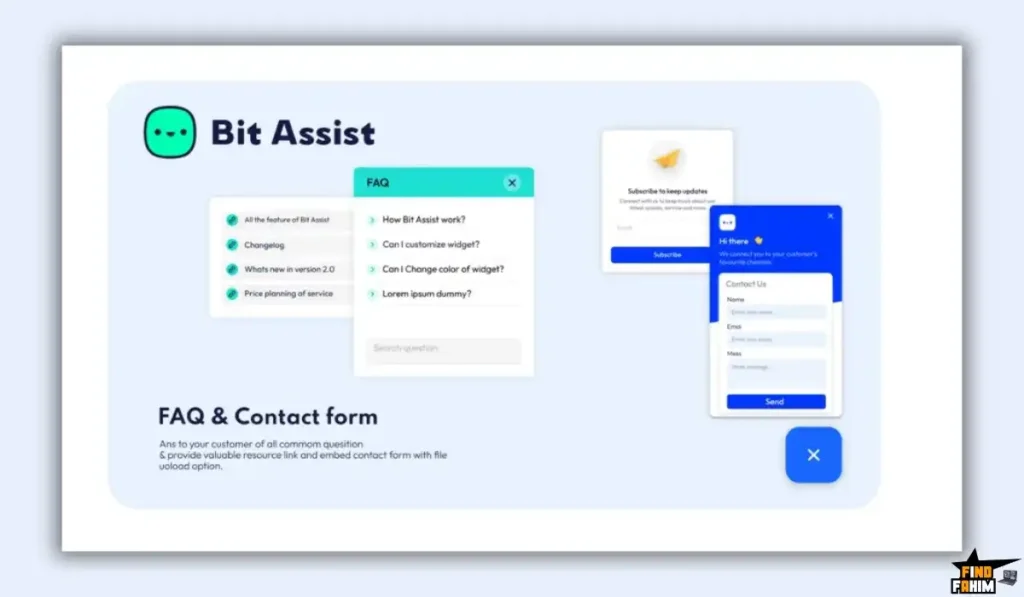
2. Knowledge Base & FAQ Integration
The Benefit: Reducing support tickets by 40%.
Sometimes, a customer doesn’t want to talk. They just want to know your refund policy.
- The Setup: You can create a tab inside the widget called “FAQ.”
- The Experience: The user clicks the widget. Instead of opening a chat app, they see a searchable list of questions right there. They find “How do I return an item?”, read the answer, and close the widget.
- The Win: You saved yourself a conversation. You provided instant help.
3. Smart Triggers & Business Hours
The Benefit: Controlling the flow.
You don’t always want people to message you.
- Business Hours: You can set the “Phone Call” button to only appear between 9 AM and 5 PM. After 5 PM, that button automatically disappears, and only the “Contact Form” button remains.
- Scroll Triggers: You can set the widget to pop open only after the user has scrolled 50% down the page. This ensures you are engaging interested visitors, not just bouncers.
4. Lead Generation Forms with Webhooks
The Benefit: Capturing data instantly.
Bit Assist isn’t just for chatting. It has a built-in Custom Form Builder.
- The Workflow: A user clicks “Request Quote.” A form slides up inside the widget. They enter their Name, Email, and Budget.
- The Automation: Bit Assist uses a Webhook to send that data instantly to your CRM, Google Sheets, or Slack. You get the lead immediately without them ever leaving the current page.
5. Privacy First (GDPR Compliance)
The Benefit: No legal headaches.
In Europe and California, privacy laws are strict. Many chat tools track users with cookies, which requires annoying consent banners.
- The Feature: Bit Assist does not store visitor data. It does not use tracking cookies. It acts purely as a UI layer.
- The Result: You can use it freely without worrying about violating GDPR or CCPA regulations.
The Standout Feature: “Multi-Platform Centralization”
If you are an agency, this feature alone is worth the price of admission.
Imagine you have 50 clients.
10 are on WordPress.
10 are on Shopify.
10 are on ClickFunnels.
20 are on custom HTML sites.
Usually, you would need different tools for each.
With Bit Assist (Tier 4), you install the plugin on ONE of your domains (e.g., tools.youragency.com).
You create 50 different widgets inside that one dashboard. You paste the scripts onto your 50 client sites.
You now manage all client chat widgets from one central “Mission Control.”
How Does Bit Assist Work?
Setting this up is surprisingly fast.
- Step 1: Install. Upload the plugin to your WordPress site.
- Step 2: Create Widget. Click “Add Widget.” Give it a name (e.g., “Main Store”).
- Step 3: Add Channels. Drag and drop the icons you want. WhatsApp, Messenger, FAQ.
- Step 4: Configure. Enter your WhatsApp number. Paste your Facebook Page ID.
- Step 5: Design. Choose your brand color (e.g., #FF5733) and the position (Bottom Right).
- Step 6: Deploy. If it’s a WP site, just toggle “Active.” If it’s a non-WP site, copy the JS Code and paste it into the <body> tag of the other site.
Bit Assist Pricing & AppSumo Deal Details
This is a stackable deal where the main variable is the Number of Domains.
| Code Stack | Price | Sites | Channels | Best For… |
| 1 Code | $49 | 5 Sites | Unlimited | Solopreneurs |
| 2 Codes | $98 | 50 Sites | Unlimited | Freelancers |
| 3 Codes | $147 | 100 Sites | Unlimited | Small Agencies |
| 4 Codes | $196 | UNLIMITED | Unlimited | The Empire Builder |
ROI Anchor Logic:
A subscription to Intercom is $74/month.
A subscription to Elfsight (for widgets) is $15/month.
Bit Assist Tier 1 is $49 (one-time).
If you use this for just 4 months, you have beaten the cost of a “cheap” widget subscription.
If you buy Tier 4 ($196) and use it on 20 client sites, you are paying roughly $9 per client for lifetime access. That is an absurd value.
My Recommendation:
Buy Tier 4 ($196).
Why? The jump from “100 Sites” to “Unlimited Sites” is the difference between a tool and a business model. With Unlimited, you can offer “Chat Widget Setup” as a bonus to every single client you ever work with, forever, at zero extra cost to you.
See All Stacking Options & Get Lifetime Access
Pros & Cons of This Lifetime Package
I read through the 69 verified reviews to see what real users are saying.
The Pros
- Lightweight: It does not drag down your Google PageSpeed score. This is a huge advantage over bloated tools like HubSpot Chat.
- Flexibility: The ability to mix “Chat” buttons with “FAQ” buttons in the same menu is brilliant UX.
- Development Pace: The founder, Abdul Kaioum, is behind other successful plugins (Bit Form, Bit Integrations). They have a track record of updating their tools.
- No Monthly Fees: You own the connection to your customers.
- Dark Mode: It looks great on modern devices.
The Cons
- Analytics: It has basic analytics (click counts), but it won’t give you deep user journey data like Intercom.
- WordPress Core: You must have at least one WordPress site to host the plugin. You cannot log into a “Cloud Dashboard” at bitassist.com. You log into your own WordPress site to manage it.
- No Built-in Chatbox: Remember, this opens the user’s apps (WhatsApp/Messenger). It does not have a native “Chat with us live right here” backend unless you connect it to a tool like Tawk. to (which is supported).
Best Use Cases for Bit Assist
Who actually needs this tool? Here are 3 specific avatars.
1. The E-Commerce Store
The Scenario: You sell clothes. Customers always ask about sizing.
The Fix: You add Bit Assist. You add a WhatsApp button for “Sales Inquiries” and an FAQ button for “Returns & Sizing.”
The Result: Customers check the FAQ first (saving you time). If they are still unsure, they WhatsApp you. You close the sale via chat.
2. The Digital Agency
The Scenario: You manage websites for 50 local businesses (plumbers, dentists).
The Fix: You buy Tier 4 ($196). You install Bit Assist on every client site.
The Upsell: You charge the dentist an extra $50 setup fee to “Add a WhatsApp Booking Button” to their site. You pay $0 for the tool. The $50 is pure profit.
3. The Course Creator
The Scenario: You sell a course. Potential students have doubts.
The Fix: You add a Video Bubble (GIF) to the widget. It’s a video of you saying, “Hi! Have questions about the course? DM me on Messenger.”
The Result: It builds instant trust. They click Messenger. You answer their doubt. They buy the $500 course.
If you want to optimize your workflow further, check out my reviews of the best Productivity Tools.
Get Lifetime Access to Bit Assist Today
Bit Assist Alternatives
Is Bit Assist really the best chat widget, or just the cheapest? There are hundreds of chat plugins on the market.
Let’s compare it against the Top 4 competitors to see if it holds up.
Bit Assist vs Chaty
Chaty is the biggest competitor in the WordPress space with over 100,000+ active installs.
Where Chaty Wins
Popularity & Ecosystem. Chaty has been around longer. It has a slightly more polished UI for the settings panel. If you want the “safe” choice that everyone else is using, Chaty is the standard.
Where Bit Assist Wins
The External Feature. Chaty is primarily a WordPress plugin for WordPress sites. Bit Assist allows you to use your WordPress dashboard to generate widgets for other sites (like Shopify or pure HTML). This “Cross-Domain” capability makes Bit Assist superior for agencies managing multiple client platforms.
Verdict: Use Chaty if you only have one WordPress site; Use Bit Assist if you manage multiple sites or use Shopify.
Bit Assist vs Elfsight
Elfsight is a SaaS platform that offers beautiful widgets for everything (Reviews, Chat, Feeds).
Where Elfsight Wins
Design Templates. Elfsight widgets are stunning. They have better animations, gradients, and “eye-catching” designs out of the box. If aesthetics are your #1 priority, Elfsight looks slightly more premium.
Where Bit Assist Wins
Ownership & Price. Elfsight is a SaaS. You pay a monthly fee (starting at ~$6/mo per widget) forever. If you stop paying, the widget disappears. With Bit Assist, the code lives on your server. You pay once, and it works forever. You own the infrastructure.
Verdict: Elfsight for short-term beauty; Bit Assist for long-term ROI.
Bit Assist vs Intercom
Intercom is the industry standard for SaaS support.
Where Intercom Wins
User Tracking & Live Chat. Intercom isn’t just a button; it’s a CRM. It tracks every page the user visits. It allows you to chat live on the website without leaving. It has chatbots and automated tours. It is a full support suite.
Where Bit Assist Wins
Simplicity & Speed. Intercom is heavy. It slows down your site. It costs $74/month minimum. Bit Assist is just a “Signpost” directing people to WhatsApp. It is lightweight, fast, and dirt cheap.
Verdict: Intercom for SaaS companies; Bit Assist for Service Businesses and E-commerce.
Bit Assist vs Tawk. to
Tawk. to is a famous “100% Free” live chat software.
Where Tawk.to Wins
Real-Time Chat. Tawk. to allows you to chat with visitors in real-time on your site for free. It also has a mobile app so you can answer on the go.
Where Bit Assist Wins
Omnichannel Freedom. Tawk. to forces the user to stay on your website to chat. If they close the tab, you lose them. Bit Assist pushes them to WhatsApp or Messenger. This means you “capture” the lead permanently on their phone, rather than just having a temporary chat session.
Verdict: Tawk. to for live support; Bit Assist for lead generation.
All Competitors Matrix
| Feature | Bit Assist | Chaty | Elfsight | Intercom | Talk. to |
| Pricing | Lifetime ($49) | $49/yr | $6/mo | $74/mo | Free |
| Cross-Domain | ✅ Yes | ❌ No | ✅ Yes | ✅ Yes | ✅ Yes |
| Channels | 20+ | 20+ | varies | Native | Native |
| Load Speed | 🚀 Fast | 🚀 Fast | 🐢 Slow | 🐢 Slow | 😐 Med |
| Ownership | ✅ Self-Hosted | ✅ Self-Hosted | ❌ SaaS | ❌ SaaS | ❌ SaaS |
| Best For… | Agencies | WP Users | Design | SaaS | Support |
Who Should NOT Buy Bit Assist?
I want to be transparent. This tool is a connector, not a full CRM.
- The “Live Chat” Purist: If you want a chat window that opens inside your website where you can talk to the customer immediately without them opening WhatsApp, do NOT buy this. This tool redirects users to their own apps.
- The “SaaS” Enterprise: If you need to track “User Last Seen” or trigger automated messages based on user behavior (e.g., “User viewed pricing page for 10 seconds”), you need Intercom or Gist. Bit Assist is a passive button, not an active tracker.
- The Non-Techie (Non-WordPress): While you can use it on Shopify, you must have a WordPress installation somewhere to act as the “Host.” If you do not have a single WordPress site to install the plugin on, you cannot use this tool.
Is This Lifetime Deal a Smart Business Investment?
Let’s do the financial math for Tier 4 ($196) (The Agency Plan).
Scenario: You are an agency managing 20 client websites.
- Option A (Elfsight):
- $6/month per widget x 20 clients = $120/month.
- Total: $1,440/year.
- Option B (Bit Assist):
- Total: $196 (One-time payment).
The ROI Math:
- You break even in less than 2 months.
- Over 5 years, you save $7,000+.
- You can charge your clients a “Maintenance Fee” for the widget, turning a cost into a profit center.
How to Redeem the Bit Assist Deal
- Buy: Purchase the code on AppSumo.
- Download: You will receive a link to download the plugin ZIP file.
- Install: Go to your WordPress Dashboard -> Plugins -> Add New -> Upload Plugin.
- Activate: Enter your AppSumo license key to activate the Pro features.
- External Use: If you want to use it on Shopify, go to the “External Widget” tab in the plugin settings, create your widget, and copy the JS code.
Final Verdict: Is This Cost-Friendly Deal Worth It?
After testing the webhook integration, the speed impact, and the cross-domain functionality, my final verdict is a solid 4.8 Stars.
Bit Assist is the smartest way to handle customer communication in 2026.
- It moves the conversation to WhatsApp/Messenger (where customers actually live).
- It protects your Site Speed (unlike Intercom).
- It gives Agencies a Secret Weapon to manage client chat widgets from one dashboard.
If you want to stop losing leads because you were “offline,” install this button and let the leads come to your phone.
Secure Your Lifetime Access to Bit Assist Now
About the Author: Why I Care About This So Much
I run niche affiliate sites. For years, I missed sales because I didn’t have a way for people to ask quick pre-sales questions. I installed a similar button, and my conversion rate jumped 20% overnight.
Bit Assist does exactly what those expensive tools do, but for a one-time price. I write these reviews to help you find these “Set and Forget” gems that print money for your business.
If you want to see the other tools I use to save money, check out my full AppSumo deal reviews page.
FAQ: Your Bit Assist Questions, Answered
What is Bit Assist?
Bit Assist is a WordPress plugin that adds a floating contact button to your website, allowing visitors to reach you through 20 plus channels like WhatsApp, Messenger, Telegram, and email.
Does Bit Assist slow down my website?
No, Bit Assist is highly optimized and loads asynchronously, so it does not block or slow down your website performance.
Can I use Bit Assist on Shopify or Wix?
Yes, you install Bit Assist on a WordPress site first and then generate a code snippet that can be added to Shopify, Wix, or any custom HTML website.
Do I need to pay for the WhatsApp API to use Bit Assist?
No, Bit Assist uses WhatsApp Click to Chat, which opens the WhatsApp app directly without requiring the costly WhatsApp Business API.
Can I customize the Bit Assist button design?
Yes, you can customize colors, upload your own logo, change button position, and fully match the widget with your brand identity.
Does Bit Assist include a contact form?
Yes, Bit Assist includes a built-in contact form and supports webhooks to send form data to tools like Zapier, Google Sheets, or CRMs.
Is Bit Assist GDPR compliant?
Yes, Bit Assist does not store personal user data or use tracking cookies, making it safe for GDPR-compliant websites.
Can I set business hours in Bit Assist?
Yes, you can control channel visibility by business hours, showing or hiding options like calls or chat based on availability.
Does Bit Assist work on mobile devices?
Yes, Bit Assist is fully responsive and opens apps like WhatsApp instantly on mobile and WhatsApp Web on desktop.
How many websites can I use Bit Assist on?
The number of websites depends on the plan, with Tier 1 supporting 5 sites and higher tiers allowing unlimited websites.
Can I remove the Powered by Bit Assist branding?
Yes, all paid plans allow you to remove the Bit Assist branding completely.
Is Bit Assist good for agencies?
Yes, Bit Assist is ideal for agencies managing multiple client websites because it supports unlimited sites on higher tiers.
Can Bit Assist improve website conversions?
Yes, by offering instant communication options like WhatsApp and Messenger, Bit Assist helps increase leads and customer engagement.
Does Bit Assist support global messaging apps?
Yes, Bit Assist supports WeChat, Line, Viber, Skype, Snapchat, and other popular international messaging platforms.
Can I show different buttons on different pages?
Yes, Bit Assist includes page filters that let you display or hide specific contact buttons on selected pages.

Hi, I’m Fahim — a SaaS tools reviewer and digital marketing expert with hands-on experience helping businesses grow using the right software. I research, test, and personally use a wide range of AI, business, productivity, marketing, and email tools for my agency, clients, and projects. I create honest, in-depth reviews and guides to help entrepreneurs, freelancers, startups, and digital agencies choose the best tools to save time, boost results, and scale smarter. If I recommend it, I’ve used it — and I only share what truly works.