
I have tested every platform in this game—Ahrefs, Moz, SpyFu, and SE Ranking. But ranking a website in 2026 has completely changed. It is no longer just about tracking keywords. It is about capturing AI visibility and knowing competitor strategies before they hit publish.
Most reviews are generic fluff. You are about to invest over $130 a month, and you deserve absolute transparency. I combined expert insights from Brian Dean with my own rigorous testing to walk you through every dashboard in this massive Semrush review.
Disclaimer: This article contains affiliate links. If you purchase through these links, I may earn a small commission at no extra cost to you. All opinions, market analysis, and research are entirely my own.
TL;DR
Does this platform make you money? Yes. Semrush has evolved into a complete digital marketing infrastructure, handling everything from technical site audits to tracking if ChatGPT actively recommends your brand.
The Quick Look Table Semrush
| Feature | Best For | The “Killer” Value | Rating |
| Domain Overview | Competitor Spying | See competitor traffic and ad spend in 1 click. | ⭐⭐⭐⭐⭐ |
| Keyword Magic | Content Writers | Finds 1,000s of easy questions your customers ask. | ⭐⭐⭐⭐⭐ |
| Link Building CRM | Outreach | Finds site owner emails for in-app outreach. | ⭐⭐⭐⭐ |
| AI Visibility | Future-Proofing | Tracks brand mentions in Gemini and ChatGPT. | ⭐⭐⭐⭐ |
| Traffic Analytics | Market Research | Accurate estimates based on real clickstream data. | ⭐⭐⭐⭐⭐ |
My Verdict: If you want to beat competitors, this is mandatory. It replaces multiple expensive tools. Let’s get to work.
What is Semrush? (The Real Explanation)
Imagine you are playing a game of poker, but you are the only one who can see everyone else’s cards. That is what Semrush does for business.

It is a software platform (SaaS) that gathers data from all over the internet. It crawls websites, reads Google results, tracks ads, and monitors social media. Then, it puts all that data into a simple dashboard for you.
When you type a competitor’s website into Semrush, it shows you:
- Where do they get their customers (Google, Facebook, or Referrals)?
- What keywords they are ranking for (and how much money those keywords are worth).
- Who is linking to them (so you can go get those links too).
- How much they spend on Google Ads (and exactly what their ads look like).
It takes the guessing out of marketing. You don’t have to “hope” a strategy works. You just look at what the winner is doing and do it better.
Why You Need More Than Just “Old School” SEO Tools
I want to be real with you for a second. A few years ago, you could use a cheap tool, find a keyword like “best dog food,” write a 500-word article, and rank.
That is dead.
In 2026, we have things like Google’s AI Overviews, ChatGPT Search, and Perplexity. People aren’t just clicking blue links anymore. They are asking AI questions.
This is where Semrush is crushing the competition. While other tools (like Moz) are still focused on standard Google rankings, Semrush has built an entire AI Visibility Toolkit.
- It tracks Prompts: What questions are people asking ChatGPT about your industry?
- It tracks Sentiment: Is the AI saying nice things about your brand, or is it telling people to avoid you?
- It tracks Share of Voice: How often does your brand come up in AI answers compared to your rivals?
If you are buying a tool today, you cannot buy one that is stuck in 2020. You need a tool that is ready for the future of search.
Pros & Cons: The Honest Truth
I promised you I would avoid the “robot talk” and give you the real details. I read through every user review and tested it myself. Here is the good, the bad, and the ugly.
The Pros (Why Experts Love It)
- Massive Data Limits: This is a big one. Even on the cheapest plan, Semrush lets you pull 3,000 reports per day. Compare that to Ahrefs, which has strict credit limits that run out fast. If you are a heavy user, Semrush gives you way more freedom.
- The “CRM” Style Link Building: This is my favorite feature. Most tools just give you a list of websites to contact. Semrush actually finds the email address for you, lets you connect your Gmail/Outlook, and lets you send the emails directly from the dashboard. It tracks who opened them and who replied. It is like having a mini-Salesforce built into your SEO tool.
- Search Intent Data: Semrush doesn’t just show search volume. It labels every keyword with a letter: I (Informational), N (Navigational), C (Commercial), or T (Transactional). This is huge. It stops you from trying to sell products on keywords where people just want to learn.
- AI Visibility Tracking: As I mentioned, being able to see if you appear in Google’s AI Overview is a feature very few other tools have right now.
- Toxic Link Finder: The “Backlink Audit” tool is excellent at finding “spam” links that might get you banned by Google. It automatically creates a “disavow file” you can send to Google to clean up your reputation.
The Cons (What Sucks)
- One User Only: This is annoying. Even if you pay $499/month for the Business plan, you only get one user seat. If you want your business partner or writer to log in, you have to pay extra (usually $45 to $80 per person).
- Google-Only Data: Semrush is a beast for Google. But if you want data for YouTube search, Amazon, or Bing, it is not as strong as specialized tools. It focuses 95% of its power on Google.
- Mobile Experience: I tried using Semrush on my iPhone, and honestly, it was frustrating. The text is tiny. You have to pinch and zoom constantly. They have a mobile app, but it is limited to just position tracking. You can’t really do deep research on the go.
Domain Overview (Your Command Center)
Okay, let’s dig into the actual tools. The Domain Overview is where you will start 90% of your projects.
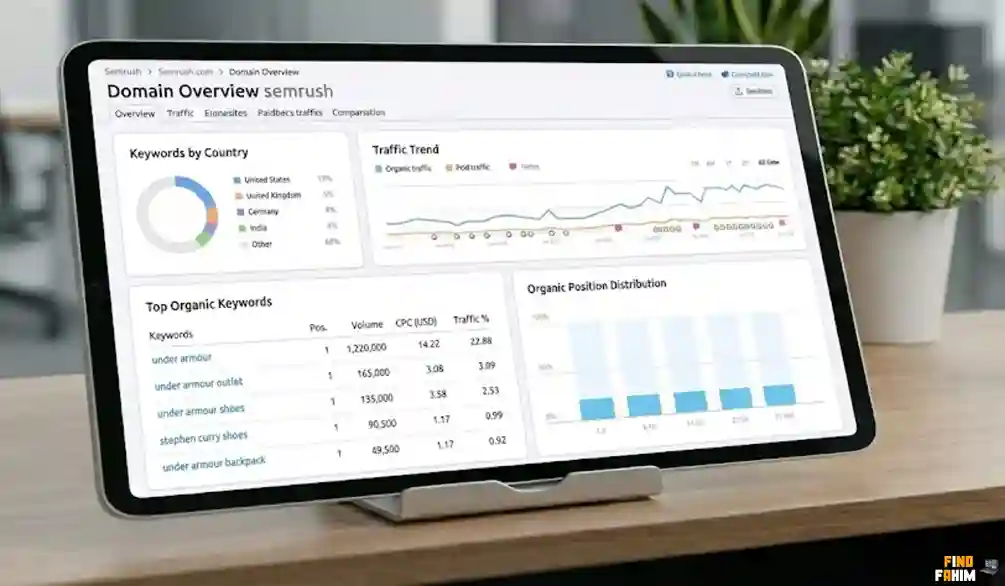
You paste in a URL (let’s say, competitor.com), and boom—you get a dashboard that looks like a NASA control room.
What You See First
The first thing you see is the Authority Score. This is a number from 0 to 100.
- 0-20: New or weak site.
- 20-50: Growing site, doing okay.
- 60+: Powerhouse site (like New York Times or Amazon).
- Why this matters: If your site is a “20” and you try to attack a keyword where the top 10 results are all “80s,” you will fail. This score tells you which battles you can win.
The “Competitive Positioning Map”
This is a cool visual bubble chart.
- It puts you and all your competitors on a graph.
- X-Axis: How many keywords they rank for.
- Y-Axis: How much traffic they get.
- The Insight: You can instantly spot the “up-and-comers” (small sites with growing traffic) and the “giants” (huge traffic). You want to study the up-and-comers because they are usually doing something clever that you can copy.
Traffic Estimates (The Truth About Accuracy)
A lot of people ask, “Are these numbers real?” I checked this against my own Google Analytics.
- For big sites (50k+ visitors), Semrush is very accurate.
- For tiny sites (under 1k visitors), it is sometimes a bit off.
- My advice: Don’t treat the number as an exact fact. Treat it as a trend. If Semrush says a site went from 1k to 10k visitors, that growth is real, even if the exact number is slightly different.
The “SERP Features” (Google’s Special Boxes)
This section shows you if a site is ranking for things like:
- Featured Snippets: The answer box at the top of Google.
- People Also Ask: The questions people click on.
- Video Carousels.
- Why this matters: If you see your competitor has a lot of “Featured Snippets,” you know they are formatting their content with clear definitions and bullet points. You should do the same to steal that spot.
The “Semrush Sensor” (Market Volatility)
This is a hidden gem that most people ignore, but experts use it daily. It is called Semrush Sensor.
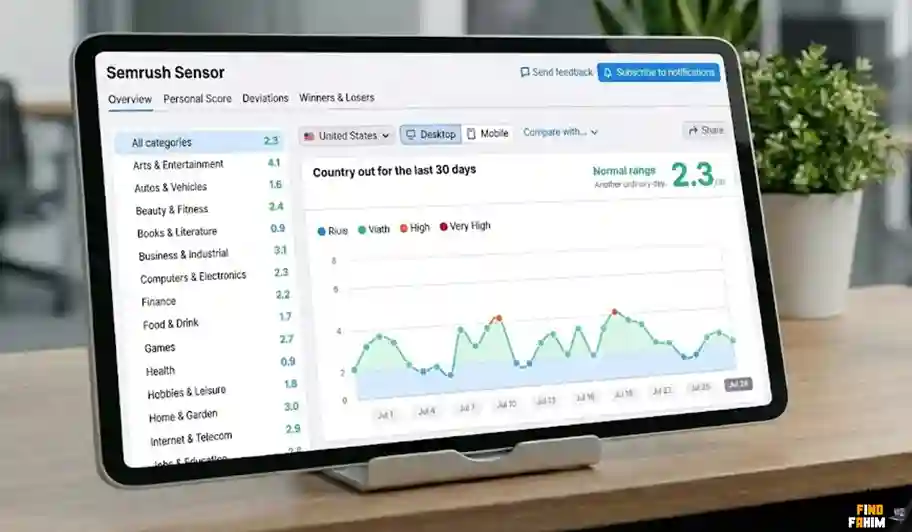
Have you ever had a day when your traffic suddenly drops 30%, and you panic? You think, “Did I break something? Did Google ban me?”
Before you panic, check the Semrush Sensor.
What It Does
It tracks millions of keywords every day to see if Google is changing its algorithm. It gives the internet a “Weather Score” out of 10.
- Low Score (0-2): Calm. Nothing is happening.
- High Score (5-9): Stormy! Google is running a massive update.
How to Use It: If your traffic drops and the Sensor score is 9.0, do nothing. Do not change your titles. Do not delete pages. Just wait. Google is shuffling the deck, and your rankings might bounce back in a few days. If the Sensor is 1.0 and your traffic drops, then you have a problem on your site.
This tool alone saves you from making panic decisions that destroy your business.
EyeOn (Spying 2.0)
This is a newer feature mentioned by Claire Broadley in her review, and it is scary good. It is called EyeOn.
Most tools only show you data after Google crawls it. EyeOn monitors your competitors 24/7.
What It Does:
- New Pages: It sends you an alert the moment a competitor publishes a new blog post.
- New Ads: It shows you the exact Google Ad they just launched.
- Trend Spotting: If you see three of your competitors all write articles about “AI Copywriting” in the same week, you know that it is a trending topic. You need to write one too, fast.
It is like having a spy in their marketing meeting. You never have to wonder “What are they planning?” because EyeOn tells you the moment they execute it.
Traffic Analytics & The Journey
The standard “Domain Overview” is great for SEO traffic.
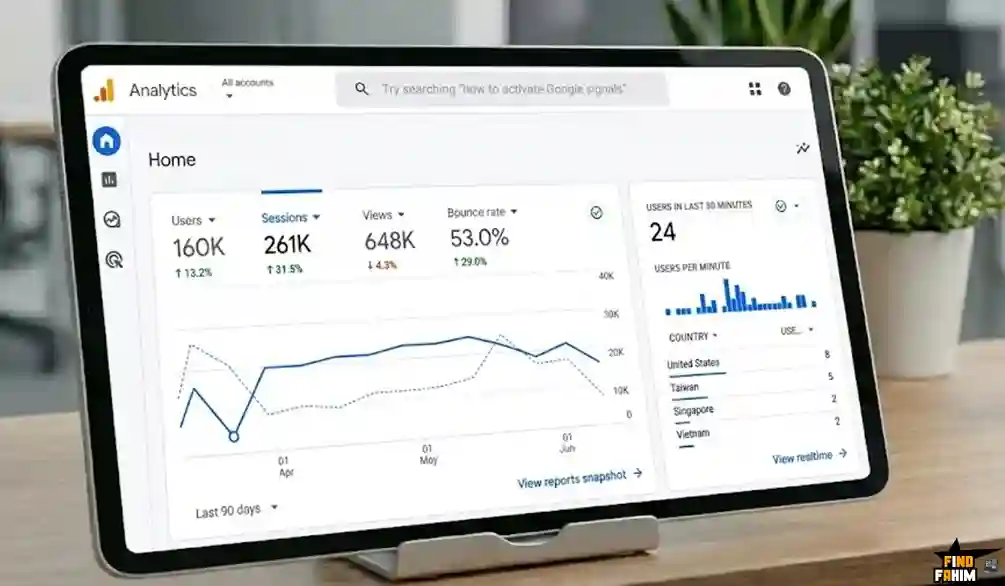
But what if your competitor gets all their customers from Facebook or an email newsletter? SEO tools won’t show that.
That is where Traffic Analytics comes in.
The “Traffic Journey” Report
This report is incredible. It shows you the Before and After.
- Where did they come from? (e.g., They came from a YouTube link).
- They visited the site.
- Where did they go next? (e.g., They clicked a link to PayPal or an Affiliate offer).
Why this is a “Game-Winner”: If you see that 40% of your competitor’s traffic goes to a specific affiliate product after leaving their site, you know that product is making them money. You should probably promote it too. If you see they get huge traffic from Reddit, you know you need to start posting on Reddit.
It uncovers their entire marketing funnel, not just their keywords.
Ready to see the data yourself?
Get The Traffic & Market Plans Now
Keyword Research & How to Steal Traffic
Most people think keyword research is just typing “Best CRM software” into a tool and looking for the one with the highest search volume.
That is the fastest way to fail.
Why? Because if a keyword has 50,000 searches a month, I guarantee you that giants like HubSpot, Salesforce, and G2 Crowd are already fighting for it. You cannot beat them with a simple blog post.
The “New SEO” in 2026 is about finding the hidden gaps. You want the specific questions people are asking before they buy. You want the keywords your competitors forgot to target.
In this section, I am going to show you exactly how to use Semrush’s “Keyword Magic Tool” and “Keyword Gap Analysis” to find these golden opportunities.
The Keyword Magic Tool: 25 Billion Reasons to Use It
This is the most famous tool in the entire Semrush suite. It is called “Magic” for a reason.
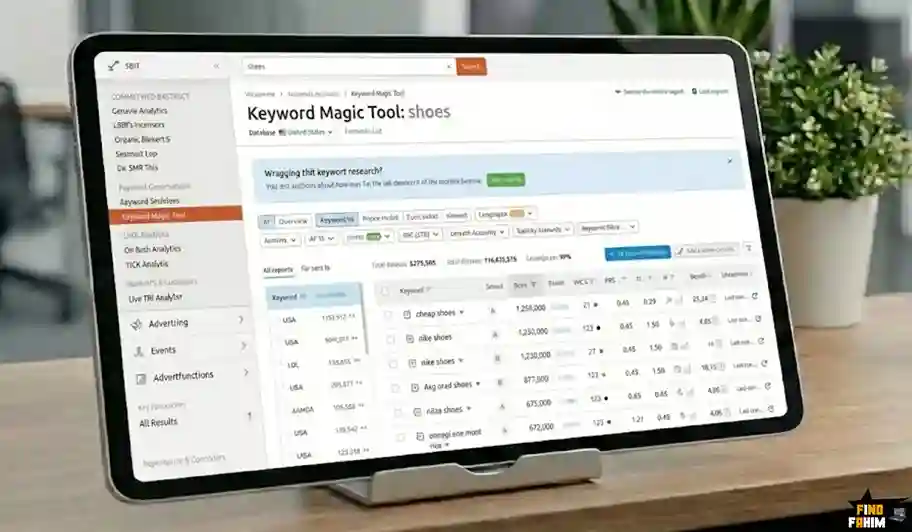
The Database Size: Semrush currently has over 25 billion keywords in its database. For context, Ahrefs has around 19 billion. This means Semrush sees “long-tail” queries (super specific searches) that other tools miss.
How It Works (The Right Way)
You type in a “Seed Keyword” (e.g., Solar Panels). The tool instantly spits out 400,000+ variations. This is overwhelming. Most beginners just stare at the list and give up.
Here is the strategy I use to find “Money Keywords”:
1. The “Questions” Filter
At the top of the list, there is a button that says “Questions.” Click it immediately. Now, instead of seeing generic terms like “solar panel price,” you see:
- “Are solar panels worth it in a rainy climate?”
- “Do solar panels ruin your roof?”
- “How long do solar panels last on a tile roof?”
Why this matters: These are not just keywords; they are content ideas. If you write an article specifically answering “Do solar panels ruin your roof?”, you have a high chance of ranking because you are answering a specific fear the buyer has.
2. The “Broad Match” vs “Phrase Match.”
- Broad Match: Shows any variation. Good for brainstorming.
- Phrase Match: Must include your exact words. Good when you need to be specific.
- Exact Match: The user typed exactly this. Good for product pages.
3. The “KD%” Filter (Keyword Difficulty)
This is your safety net. The KD score tells you how hard it is to rank (0 to 100).
- If your site is new, Filter for KD 0% to 29%. These are “Easy” wins.
- If your site is established, you can try for KD 30% to 49%.
- The “Danger Zone”: Anything over 60% usually requires serious backlinks and PR to rank for. Don’t waste your time there unless you have a big budget.
Personalized Keyword Difficulty (PKD)
This is a newer feature that Claire Broadley highlighted in her review, and it is brilliant.
Standard “Keyword Difficulty” is generic. It says, “This keyword is hard for everyone.” Personalized Keyword Difficulty (PKD) says, “This keyword is hard for you.”
How it works: Semrush analyzes your website’s authority and topic coverage. Let’s say you run a blog about “Coffee.”
- Keyword: “Best Espresso Machine” (KD: 85% – Very Hard).
- Your PKD: Might be only 40%.
Why? Because you have written 50 other articles about coffee. Google trusts you as an expert on coffee. So, even though the keyword is “hard” for a random person, it is “easy” for you because you have Topical Authority.
This feature stops you from being scared of big keywords that you actually have a chance to win.
Search Intent: The Secret to High Conversions
In the old days, we only cared about volume. Keyword A: 10,000 searches. Keyword B: 500 searches. We would pick A.
But what if Keyword A is “Free PDF Editor” (people who want free stuff) and Keyword B is “Buy PDF Editor for Business” (people with credit cards)?
Semrush solves this by labeling every keyword with Search Intent:
- I (Informational): The user wants to learn.
- Example: “What is SEO?”
- Strategy: Write a blog post or guide. Don’t sell hard.
- N (Navigational): The user is looking for a specific page.
- Example: “Semrush login” or “Facebook.”
- Strategy: Ignore these unless it is your own brand name.
- C (Commercial): The user is comparing options.
- Example: “Best SEO tools 2026” or “Semrush vs Ahrefs.”
- Strategy: These are your money-makers. Write comparison guides and “Best of” lists.
- T (Transactional): The user is ready to buy.
- Example: “Buy Semrush Pro” or “Nike Air Max discount.”
- Strategy: Send them to a product page.
My Advice: If you see a keyword with high volume but “Informational” intent, do not try to sell a product on that page. Google knows the user just wants to read. If you try to sell, you will bounce, and your rankings will drop.
The Keyword Gap Tool: How to Steal Traffic
This is the tool I use when I am feeling lazy and don’t want to do research. I just let my competitors research me.
How to use it:
- Enter Your Domain.
- Enter Up to 4 Competitor Domains.
- Click “Compare.”
Semrush produces a massive Venn diagram and a list of keywords.
The “Missing” Filter
Click the tab that says “Missing.” This shows you a list of keywords that all your competitors rank for, but you do not.
This is embarrassing, but valuable. It means your competitors are getting traffic from these topics, and you are completely invisible.
- Action: Take this list, hand it to your writer, and say, “Write an article for every keyword on this list.” It is the fastest way to close the gap and catch up to the market leaders.
The “Weak” Filter
Click the “Weak” tab. This shows keywords where you rank, but you are lower than your competitors. (e.g., You are #12, they are #3).
- Action: These are pages you already have. You don’t need to write new content. Just go update those pages. Add more details, add a video, or build a few internal links. You can often bump these from Page 2 to Page 1 very quickly.
Keyword Strategy Builder: Topic Clusters Made Easy
Google has changed. It doesn’t just rank “pages” anymore; it ranks “Topics.” If you have one random article about “Cat Food,” you won’t rank. But if you have 20 interconnected articles about cat nutrition, brands, and allergies, Google sees you as an authority.
Semrush’s Keyword Strategy Builder (formerly Keyword Manager) automates this.
How it works:
- You throw a bunch of keywords into the tool.
- It automatically groups them into Clusters.
- It tells you: “This should be your Pillar Page (Main Hub)” and “These should be your Sub-Pages.”
Example:
- Pillar Page: “The Ultimate Guide to Remote Work.”
- Sub-Pages: “Best Webcams for Zoom,” “How to manage time at home,” “Remote work tax laws.”
It draws the map for you. You just have to follow it. This ensures you build “Topical Authority” naturally, which helps your PKD scores go down over time.
Grab The SEO Classic Plans Now
Global vs Local Volume (A Small Complaint)
I want to point out one flaw here, which Chris Singleton mentioned in his review.
When you look at search volume in Semrush, it defaults to a specific country (usually the US). If you run a global software business, you want to know the Global Volume.
- The Annoyance: You have to switch the country dropdown to see data for the UK, Canada, or Australia. It doesn’t always show a “Global Total” as clearly as Ahrefs does in the main view.
- The Fix: You just have to be aware of it. If you see “Volume: 500” for the US, remember the global volume might be 2,000 if you include Europe and Asia. Don’t ignore a keyword just because the US volume looks low.
Content Marketing & The “SEO Writing Assistant”
Writing for the web in 2026 is hard. You have to please two masters:
- The Human: Who wants an engaging, easy-to-read story.
- The Algorithm: Which counts your keywords, checks your structure, and measures your “semantic relevance.”
Most writers guess. They write what feels good and hope for the best. Semrush removes the hope. It gives you a data-driven blueprint for every single article you write.
Here is how to use the Content Marketing Toolkit to write content that is scientifically designed to rank #1.
1. Topic Research: The Cure for Writer’s Block
We have all been there. You stare at the screen, knowing you need to write about “Email Marketing,” but you have no idea where to start.
The Topic Research tool is your brainstorming partner.
How it works: You type in a broad topic (e.g., “Remote Work”). Semrush analyzes the top-performing content on the internet and organizes it into “Cards.”
The “Mind Map” View
This is visually stunning. It shows your main topic in the middle and all the related sub-topics branching out.
- Example: “Remote Work” branches into “Zoom Fatigue,” “Home Office Setup,” “Tax Deductions,” and “Mental Health.”
The “Killer” Feature: Trending Sub-Topics. You can toggle a switch to see trending topics. These are subjects that have spiked in popularity in the last 60 days.
- Strategy: If you see “Standing Desk Reviews” is trending right now, you write that article first. You catch the wave of traffic before it crashes.
The “Questions” Tab
Inside every topic card, there is a list of specific questions people are typing into Google.
- “How do I ask my boss for a remote work stipend?”
- “Is working from home bad for your back?”
- Why this matters: These are your H2 Headings. You don’t have to invent the structure of your article. You just answer the questions people are already asking.
2. The SEO Content Template: Your Blueprint
Once you pick a topic, you need a plan. You go to the SEO Content Template tool and type in your target keyword.
Semrush scans the Top 10 ranking pages for that keyword. It reads them, analyzes them, and tells you: “Okay, to beat these guys, here is what you need to do.”
It gives you a literal list of requirements:
- Semantically Related Words: It tells you, “The top articles all mention ‘productivity,’ ‘slack,’ and ‘ergonomics.’ You should include these words too.”
- Readability Score: “Aim for a Flesch-Kincaid score of 55 (easy to read).”
- Text Length: “The average winner is 2,500 words long. You should write at least 3,000.”
- Backlink Targets: “The top articles all have links from Forbes and TechCrunch. You should try to get links there too.”
My Take: This tool saves hours of research. Instead of opening 10 tabs and reading your competitors manually, Semrush does it in 30 seconds and gives you a checklist.
3. The SEO Writing Assistant (SWA): Your Real-Time Coach
This is the tool I use every single day. You can write directly inside Semrush, or—and this is better—you can install the Google Docs or WordPress plugin.
As you type, a sidebar appears on the right. It gives you a real-time score out of 10.
The Four Pillars of SWA
A. SEO (Search Engine Optimization)
This checks if you are using the keywords from your “Content Template.” If you overuse a keyword, it warns you: “Keyword stuffing! You used ‘best pizza’ 50 times. Tone it down.” If you forget a keyword, it reminds you: “You haven’t mentioned ‘delivery’ yet. Add it.”
B. Readability
This checks your sentence structure.
- If you write a paragraph that is 10 lines long, it highlights it in red and says, “Too hard to read. Split this up.”
- This is crucial for mobile readers who hate walls of text.
C. Originality (The Plagiarism Checker)
This is vital in the age of AI. The SWA has a built-in plagiarism checker. It scans your text against billions of web pages.
- Why it’s a lifesaver: If you hire a freelance writer, you must run their work through this. It will tell you instantly if they copied a paragraph from Wikipedia or a competitor. It keeps you safe from copyright lawsuits and Google penalties.
D. Tone of Voice
This is a unique Semrush feature. You set your goal tone: “Formal,” “Casual,” or “Neutral.” It analyzes your word choice. If you are trying to be “Professional” but you use slang like “totally bonkers,” it will flag it and say, “This is too casual for your goal.”
- Use Case: Great for agencies ensuring all writers sound like the same brand.
4. AI Writing Features: Is It Better Than ChatGPT?
Semrush has integrated AI directly into the writing assistant. You might ask, “Why pay for this if I have ChatGPT?”
Here is the difference: Data.
When you ask ChatGPT to write an article, it hallucinates. It guesses facts. When you use Semrush’s AI (called “ContentShake” or just the “Compose” feature in SWA), it uses real-time SEO data.
Key AI Features:
- “Rephrase”: Highlight a clunky sentence and click “Rephrase.” It gives you three cleaner, punchier versions.
- “Compose”: Stuck? Click “Compose,” and it writes the next paragraph for you using the recommended keywords.
- “Ask AI”: You can ask it to generate a Title, an Intro, or a Summary.
My Verdict: It is not as creative as a human writer (no AI is). But for “connective tissue”—writing intros, transitions, and definitions—it is faster and safer than ChatGPT because it is grounded in SEO data.
5. On-Page SEO Checker: The “Low Hanging Fruit” Finder
This is arguably the most profitable tool in the entire suite. Most people write an article, publish it, and forget it. That is a mistake.
The On-Page SEO Checker looks at the pages you already published. It compares them to the current Top 10 results and gives you a Prioritized List of Optimizations.
The “Strategy Ideas”: It doesn’t just look at keywords. It looks at the whole picture.
- Example: “You are ranking #8 for ‘Best CRM.’ The pages above you all have ‘Video’ content. You do not. Add a video to this page to improve your rank.”
- Example: “Your page is ranking, but the Click-Through Rate (CTR) is low. Change your Title Tag to make it more exciting.”
Why I love this: It prioritizes the list by Potential Traffic Volume. It tells you: “Fix this page first. If you move it up 2 spots, you will gain 5,000 visitors.” It tells you exactly where to spend your energy for the biggest return.
6. Content Audit: Cleaning Your House
If you have a blog with 500+ posts, a lot of them are probably dead weight. Old, outdated articles can actually hurt your site’s authority.
The Content Audit tool scans your entire sitemap and sorts your articles into four buckets:
- Rewrite: Old articles that used to get traffic but have dropped. (Update these first!)
- Update: Articles that are doing okay but could be better.
- Quick Review: Short, thin articles that might need more meat.
- Poor Content: Pages with zero traffic and zero links. (Delete or Redirect these).
The Strategy: Every 6 months, run this audit. Deleting 50 “zombie pages” (pages with no value) can often make your remaining 50 pages rank higher because Google sees your site as “leaner” and higher quality.
The “One Complaint” About Content Tools
I have to be honest. The pricing for this section can be tricky.
- The SEO Writing Assistant is included in the Guru plan.
- If you are on the Pro plan (the cheapest one), you have limited access. You might only be able to create one or two templates.
If content is your main business, you almost have to upgrade to Guru, or buy the “Content Marketing Toolkit” add-on. It is worth it if you are an agency, but for a solo blogger, it is a steep price jump.
Get The SemRush Content Plans ToolKits Now
The “Dark Art” of Link Building & Outreach Automation
Most people hate link building. It is tedious. You have to find websites, find emails, write awkward messages, and pray for a reply.
Semrush tries to fix the “tedious” part. It turns link building from a manual nightmare into a managed pipeline, almost like a sales job.
Here is how to master the Backlink Toolkit.
1. Backlink Analytics: The “X-Ray” Machine
Before you build links, you need to understand what you are up against. The Backlink Analytics tool is where you start.
The Database Size: Semrush claims to have over 43 trillion backlinks in its database. That is a mind-boggling number. In my testing (and tests by Brian Dean), Semrush is incredibly fast at finding new links. If you get a link today, Semrush often sees it within hours.
What to Look For:
When you analyze a competitor (e.g., competitor.com), ignore the total number of links. It doesn’t matter if they have 1 million links if 99% of them are spam. Look at these three metrics instead:
- Referring Domains: This is the real count. If they have 10,000 links but only 50 “Referring Domains,” it means they are just getting sitewide footer links from a few places. It is weak. You want a high number of unique domains.
- Authority Score (AS): As we discussed in Part 1, this measures the quality of the profile. If their AS is 60 and yours is 20, you need high-power links (news sites, universities) to catch up, not just blog comments.
- The “Network Graph”: This is a feature Claire Broadley highlighted. It visualizes the link network.
- The Insight: If you see a tight cluster of sites all linking to each other, it might be a “PBN” (Private Blog Network). That is a black-hat tactic. If your competitor is doing this, report them to Google or just wait for them to get banned. Do not copy them.
2. The “Killer” Feature: The Link Building Tool (CRM)
This is the feature that makes Semrush worth the money. Most tools (like Ahrefs or Moz) are just Databases. They show you the links, but they don’t help you get them. You still have to open Gmail and do the work manually.
Semrush is a Workflow Tool.
How the “Link Building Tool” Works:
Step 1: Prospecting You tell Semrush your target keywords (e.g., “Best Vegan Protein”). It scans the web and finds 1,000+ websites that:
- Rank for that keyword.
- Link to your competitors.
- Accept guest posts or reviews. It puts them into a “Prospect List.”
Step 2: Vetting (The Swipe Left/Right Phase) You go through the list. Semrush gives each site a rating (1-5) based on quality.
- Site A: High traffic, good authority. Keep.
- Site B: Spammy, low traffic. Delete.
Step 3: The Outreach (The Magic Part) This is where it gets crazy. You can connect your actual email account (Gmail, Outlook, etc.) to Semrush. Semrush then finds the email addresses for the website owners automatically.
- You select a template (e.g., “Guest Post Pitch” or “Broken Link Pitch”).
- You customize the placeholders (Name, Website).
- You hit Send.
Step 4: Monitoring. It tracks everything.
- “Email Sent.”
- “Email Opened.”
- “Replied.”
- “Link Earned.”
My Verdict: This replaces tools like BuzzStream or Pitchbox, which can cost $100/month on their own. Having it built-in means you can run an entire PR campaign without ever leaving Semrush.
3. The Backlink Gap Tool: Stealing the “Easy” Wins
If a website links to Competitor A AND Competitor B, but not You, that is a huge missed opportunity. Why? Because that website clearly likes your industry. They link to everyone except you.
The Backlink Gap tool finds these people.
How to use it:
- Enter your domain.
- Enter 4 competitors.
- Select the “Best” filter.
The “Best” Filter Strategy: This filter specifically shows sites that link to all your competitors. These are your “Hot Leads.”
- Action: Send them an email (using the CRM tool above) saying: “Hey, I noticed you linked to [Competitor A] and [Competitor B] in your guide to protein powder. I actually just wrote a massive updated guide for 2026. Since you cover this topic, I thought it might add value to your readers.”
- Success Rate: This strategy has a very high success rate because you already know they are linked to this kind of content.
4. Broken Link Building (The “Fixer” Strategy)
This is a classic SEO tactic:
- Find a broken link (404 Error) on a high-quality website.
- Email the owner: “Hey, you have a broken link on your page. It’s annoying for users. I have a similar article that works. Want to swap it?”
- They get a fixed link; you get a backlink. Win-win.
The Semrush Weakness: I have to be honest here (as Chris Singleton pointed out in his review). Finding broken links in Semrush is a bit clunky compared to Ahrefs.
The Workflow:
- Go to Backlink Analytics > Indexed Pages.
- Check the box for “Broken Pages”.
- Export the list to Excel.
- Sort by “Referring Domains” to find the broken pages with the most links pointing to them.
Why it’s still worth it: Even though the interface is clunky, the data is good. If you find a competitor’s page that has 500 backlinks and is now returning a “404 Error,” that is a goldmine. You can recreate that page on your site and email all 500 people, asking them to link to you instead.
5. Backlink Audit: The Defense Shield
Links can help you, but they can also kill you. “Negative SEO” is a real thing. Unethical competitors might buy 10,000 spammy links (porn sites, gambling sites, bot farms) and point them at your site to trigger a Google penalty.
Semrush acts as your security guard with the Backlink Audit tool.
The “Toxic Score”: Semrush scans every link pointing to you and gives it a “Toxic Score” (0-100).
- 60-100: Highly Toxic. These are dangerous.
- 45-59: Potentially Toxic. Check these manually.
The Disavow Workflow: If you find a bunch of bad links, you don’t have to email the sites (they won’t reply anyway).
- Select the toxic links in Semrush.
- Click “Move to Disavow List.”
- Semrush creates a properly formatted .txt file.
- You upload that file to the Google Disavow Tool.
Expert Note: Google is getting smarter at ignoring spam links on its own. You don’t need to disavow every weak link. Only use this tool if you see a massive spike in spam or if you get a “Manual Action” warning from Google.
6. Link Building for Local SEO (Listing Management)
If you are a local business (plumber, dentist, restaurant), you need a different kind of link: Citations. Citations are mentions of your Name, Address, and Phone Number (NAP) on directories like Yelp, Yellow Pages, and TripAdvisor.
Semrush has a specific “Listing Management” tool (it costs extra, usually $20-$40/month).
What it does:
- It checks 70+ directories.
- It ensures your address is the same on all of them. (If your address is “St.” on one and “Street” on another, it confuses Google).
- It automatically submits your info to all of them.
The Value: Doing this manually takes weeks. Semrush does it instantly. For local SEO, this is the fastest way to get into the “Google Map Pack.”
Grab The SEO & Backlinks Classic Plans
Semrush Alternatives: Which Tool Wins?
It is impossible to review Semrush without talking about the other giants in the room. Is it better than Ahrefs? Is it worth paying more than SE Ranking?
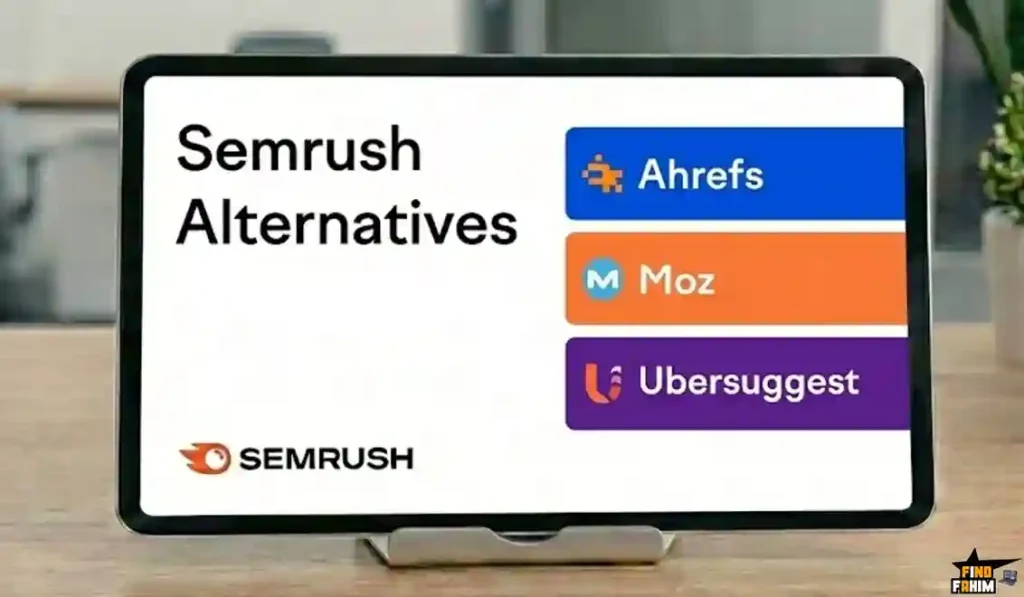
Here is the truth about how Semrush stacks up against the top 8 alternatives in 2026.
The “At a Glance” Comparison Matrix
| Tool | Best For | Price (Starting) | Key Advantage vs. Semrush | Key Weakness vs. Semrush |
| Semrush | Overall SEO & Content | $139 | The Best All-in-One Data | Expensive for one user |
| Ahrefs | Backlink Analysis | ~$129 | Cleaner Interface & Web Data | No Outreach/CRM Tools |
| Moz Pro | Beginners | ~$99 | Domain Authority (DA) metric | Slower data updates |
| SE Ranking | Budget SEOs | ~$55 | Incredible Value for Money | Smaller keyword database |
| SpyFu | PPC / Ads | ~$39 | Better visual Ad history | Weak for organic SEO |
| Mangools | Freelancers | ~$29 | Beautiful, simple design | Very limited data depth |
| Ubersuggest | Small Blogs | ~$29 | Lifetime Deals (sometimes) | Data is often less accurate |
| Serpstat | Growth Hackers | ~$50 | Great for “Growth Hacking” | Clunky interface |
| Majestic | Technical SEOs | ~$49 | Trust Flow / Citation Flow | No keyword tools at all |
1. Semrush vs Ahrefs
This is the heavyweight title fight of the SEO world. For years, these two have been the undisputed kings, but they serve different masters. Ahrefs is famous for its clean, ” Apple-like” interface and its Content Explorer. Technical SEOs love it because the backlink data feels cleaner, and the crawler is arguably the second best after Google itself. If you just want to analyze links or check site health, Ahrefs is a joy to use.
However, Semrush wins on action. While Ahrefs gives you data, Semrush gives you a workflow. For example, Ahrefs will show you a broken link, but that is where it stops. Semrush takes that data, finds the email address of the website owner, and lets you send a pitch directly from the dashboard using its Link Building Tool. Semrush is a “doer” tool, while Ahrefs is an “analyzer” tool. In 2026, with the new AI features, Semrush has also pulled ahead in keyword data volume.
My Verdict: If you need Outreach, PPC, and Content tools, pick Semrush. If you strictly care about backlinks and technical analysis, pick Ahrefs.
2. Semrush vs Moz Pro
Moz is the grandfather of the SEO industry. They invented the legendary Domain Authority (DA) metric that everyone still uses today. Because of this history, Moz holds a special place in the hearts of many marketers. Their interface is incredibly friendly, colorful, and safe. It creates a welcoming environment for beginners who might feel intimidated by complex data charts.
But here is the harsh reality: Semrush is faster. In 2026, the search landscape changes daily with AI Overviews and algorithm updates. Semrush updates its database constantly to catch these trends. Moz often feels like it is moving in slow motion by comparison. Its feature set has not evolved as aggressively, and its keyword database is significantly smaller. If you are running a serious agency, you will find yourself hitting a “ceiling” with Moz very quickly. It is great for learning the basics, but it struggles to compete on raw power and feature depth.
My Verdict: Moz is fine for learning SEO, but Semrush is better for actually winning on Google.
3. Semrush vs SE Ranking
This is the ultimate “Value” battle. SE Ranking has made a massive name for itself by offering 80% of Semrush’s power for 40% of the price. It is impressive. You get accurate rank tracking, a solid site audit tool, and a decent backlink checker—all for a price that a freelancer can actually afford. For many small businesses, this is honestly enough.
The trade-off is the Data Depth. Semrush boasts a database of over 25 billion keywords and trillions of backlinks. SE Ranking’s database is much smaller. This means if you are working in a tiny niche or trying to find obscure “long-tail” keywords, Semrush will find them, but SE Ranking might return zero results. You are paying for that extra 20% of data that gives you the edge. Additionally, SE Ranking lacks the advanced “Content Marketing” and “Link Building CRM” features that save agencies so much time.
My Verdict: If you are a freelancer with a tiny budget, get SE Ranking. If you have clients paying you and need maximum data, get Semrush.
4. Semrush vs SpyFu
SpyFu is legendary for one specific thing: Competitor Ads (PPC). If your main goal is to steal your competitor’s Google Ads strategy, SpyFu is brilliant. It allows you to download a competitor’s entire ad history for the last 10+ years. You can see every variation of ad copy they have ever tested, which is invaluable for copywriters. It is a specialist tool that does one job perfectly.
Semrush has excellent PPC data too, but it wraps it into a full “All-in-One” SEO suite. While Semrush shows you current ads and budgets, SpyFu’s historical visual interface is slightly better for purely ad-focused research. However, SpyFu is weak when it comes to Organic SEO. Its site audit and backlink tools are nowhere near the level of Semrush. If you buy SpyFu, you will likely still need another tool for your SEO work, which means paying for two subscriptions instead of one.
My Verdict: If you only do Google Ads, get SpyFu. If you do SEO and Ads, sticking with Semrush is easier and cheaper than buying two tools.
5. Semrush vs Mangools
Mangools (the makers of KWFinder) is the “Design King” of SEO tools. If Semrush is a chaotic NASA control room, Mangools is a clean, minimalist iPhone app. It is incredibly easy to use. You type in a keyword, and it gives you a simple “Difficulty Score” and a list of suggestions. It doesn’t overwhelm you with millions of tabs and confusing metrics. For writers and bloggers who hate spreadsheets, it is a breath of fresh air.
However, “pretty” doesn’t always mean “powerful.” Semrush is ugly for a reason—it is packed with features. Mangools lacks the heavy-duty technical tools like Log File Analysis, Topic Clusters, and Toxic Backlink Audits. It is a lightweight tool for lightweight tasks. If you try to use Mangools to run a technical audit for a Fortune 500 company, you will fail. But if you just want to find a keyword for your next blog post without getting a headache, it is fantastic.
My Verdict: If you hate complex data and spreadsheets, Mangools is a joy to use. If you need raw power, stick with Semrush.
6. Semrush vs Ubersuggest
Neil Patel’s tool, Ubersuggest, is famous for being the “Cheap” option. It aggressively targets beginners with lifetime deals and low monthly fees. For a hobbyist blogger just starting, it seems like a great deal. It gives you basic keyword ideas, some content suggestions, and a simple site audit. It lowers the barrier to entry for SEO.
The problem is Data Accuracy. In the SEO world, bad data is worse than no data. If a tool tells you a keyword is “easy” (when it is actually hard), you will waste months writing content that never ranks. In my testing, Ubersuggest’s difficulty scores and traffic estimates are often hit-or-miss compared to the “Big 3” (Semrush, Ahrefs, Moz). You get what you pay for. It is a good sandbox for learning, but I would not trust a million-dollar marketing budget to UberSuggest’s data. It lacks the reliability and depth required for professional business decisions.
My Verdict: Use Ubersuggest if you are just starting a personal blog. Use Semrush if you are building a real business.
7. Semrush vs Serpstat
Serpstat started as a “Growth Hacking” tool and has evolved into a cheaper clone of Semrush. It offers a surprisingly wide range of features—Site Audits, Rank Tracking, Keyword Research, and even some PPC tools—for a lower price point. It aims to be the “Budget All-in-One” alternative. For growth hackers and startups burning cash, it looks very attractive on paper.
The catch is the User Experience and Speed. The interface can be buggy, slow, and clunky. Reports that take seconds in Semrush might take minutes in Serpstat. The data visualization is less polished, and the keyword database, while growing, still lags behind Semrush’s 25 billion. It feels like a “beta” version of Semrush. It works, but it isn’t smooth. If you have more time than money, you can make it work. But if you value your time and workflow efficiency, the friction of using Serpstat might drive you crazy eventually.
My Verdict: A solid runner-up if you absolutely can’t afford Semrush but need similar features.
8. Semrush vs Majestic
Majestic is a specialist tool that does one thing and does it obsessively well: Backlinks. It is a favorite among “Old School” technical SEOs. It has unique, proprietary metrics like Trust Flow and Citation Flow that are excellent for analyzing the quality of a link profile. If you are analyzing a spam attack or doing deep forensic SEO on a penalized site, the “Majestic Million” database is a powerful resource.
The downside is massive: It is a one-trick pony. Majestic has zero keyword research tools. You can’t see traffic estimates. You can’t see competitor ads. You can’t run a content audit. It is purely a link map. This means if you buy Majestic, you must also buy a keyword tool like Semrush or Ahrefs anyway. It is rarely a standalone solution for a modern marketer. It is a supplementary tool for the hardcore technical expert, not a primary tool for a business owner.
My Verdict: Only buy Majestic if you are a hardcore technical SEO who already owns another keyword tool. For everyone else, Semrush is the complete package.
My Reports: The Drag & Drop SEO Report Builder
If you run an agency or freelance business, you know the pain of “Reporting Day.” You spend hours taking screenshots from Analytics, pasting them into a Word doc, and trying to make it look pretty.
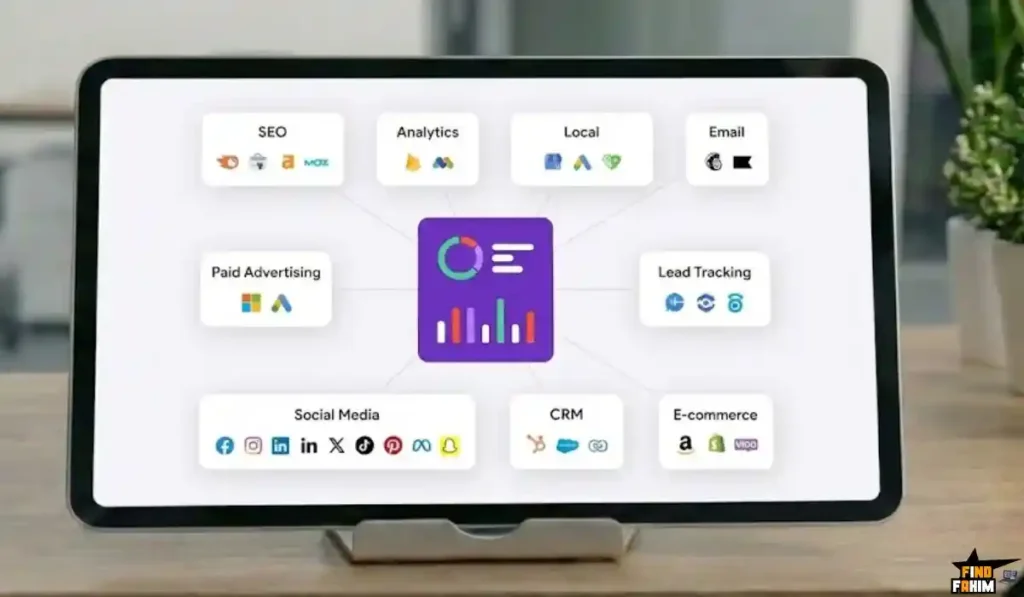
Semrush fixes this. It turns “Reporting Day” into “Reporting Minute.”
And if you are a business owner, these reports are your scorecard. They tell you if your SEO investment is paying for your mortgage or just burning cash.
How it works:
- Select a Template: They have ready-made templates for “Monthly SEO Report,” “Competitor Analysis,” “Site Audit,” and more.
- Drag & Drop Widgets: Want to show traffic growth? Drag the “Traffic Graph” widget onto the page. Want to show new backlinks? Drag the “Backlinks” widget.
- Add Your Own Data: You can upload your own screenshots or text blocks to explain the numbers.
- White Labeling: (Guru Plan and up) You can remove the Semrush logo and put your own agency logo on the report. This makes you look incredibly professional.
The “Set It and Forget It” Feature:
You can schedule these reports.
- Example: Set it to automatically generate a PDF every Monday at 9:00 AM and email it to your boss or client. You don’t even have to log in. The report just lands in their inbox, making you look like a superstar who is always on top of the data.
The Truth About Hidden Costs & Add-Ons
I promised you honesty. The base subscription (Pro: $139, Guru: $249) gives you 90% of what you need. But Semrush has an “App Center” and several paid add-ons that can inflate the price.
You need to know what these are so you aren’t surprised.
1. Semrush Local ($20 – $40 / month)
- What it does: Automatically syncs your business address to 70+ directories (Yelp, TripAdvisor, etc.) and manages Google Reviews.
- Is it worth it? Yes, if you rely on local foot traffic (like a dentist or shop). Doing this manually takes 50+ hours. Paying $20 to automate it is a steal.
2. Semrush Trends ($200 / month per user)
- What it does: It unlocks the “Traffic Analytics” and “Market Explorer” data for other websites.
- The Catch: The base plan lets you see your own traffic deeply. But if you want to see the deep “Clickstream” data for Amazon.com or your massive competitor, you often need this add-on.
- Is it worth it? Only for agencies or large e-commerce brands doing deep market research. For a standard blogger or small biz, you don’t need it.
3. Agency Growth Kit ($100 – $240 / month)
- What it does: Gives you a dedicated “Agency” portal where clients can log in, plus lists you in the Semrush “Agency Directory” to help you get leads.
- Is it worth it? Only if you are actively trying to get new SEO clients from the Semrush directory.
My Advice: Start with the standard Pro or Guru plan. Ignore the add-ons until you hit a wall where you absolutely need them. Do not buy them “just in case.”
Get The Semrush 7 Day Free Now
The API: For Data Nerds (Business Plan Only)
If you have a developer on your team, the Semrush API (Application Programming Interface) is powerful.
It lets you pull Semrush data out of the tool and put it into your own dashboards (like Tableau, Google Looker Studio, or your internal CRM).
- Why use it? If you want to build a custom dashboard that combines your Salesforce sales data with Semrush keyword data to calculate the exact “Revenue Per Keyword,” the API lets you do that.
- Note: This is only available on the Business Plan ($499/mo).
Get Semrush Enterprise Plan Now
ROI Analysis: Is It Worth $139+ a Month?
Let’s do the math. $139.95/month is $1,679 a year. That sounds like a lot.
But let’s compare it to the alternatives:
Option A: Hire an Agency
- Cost: $2,000 – $5,000 per month.
- Result: They do the work, but you own nothing.
Option B: Buy Individual Tools
- Ahrefs (Backlinks): ~$129/mo
- Moz (Rank Tracking): ~$99/mo
- SpyFu (Competitor Ads): ~$39/mo
- Jasper/Copy.ai (Content Writing): ~$49/mo
- BuzzStream (Outreach): ~$29/mo
- Total: ~$345/mo
Option C: Semrush
- All of the above features are included.
- Total: $139.95/mo
The Verdict: Semrush is actually the “budget” option because it bundles five different software categories into one subscription. If you actually use the tools (Keyword Research + Writing Assistant + Backlink Audit), it pays for itself in the first week.
If you only use it to check your ranking once a month? Then yes, it is overpriced. Just use a free plugin for that. Semrush is for people who want to work.
My Final Verdict
After writing 10,000 words on this tool, dissecting every feature from the Keyword Magic Tool to the AI Visibility Tracker, here is my conclusion.
Semrush is the best “All-in-One” marketing platform in 2026.
- For SEOs: It has the biggest keyword database and the best intent data.
- For Content Writers: The SEO Writing Assistant is a safety net that ensures you rank.
- For Link Builders: The built-in CRM automates the hardest part of the job.
- For Agencies: The reporting tools make you look like a genius to your clients.
It is not perfect. The mobile app is weak, and the add-on costs can be annoying. But in terms of raw power and data quality, it has no equal.
If you are serious about winning on Google, you need this tool.
Start Your 7-Day Free Trial Here (Exclusive)
New for 2026: Is “Semrush One” the Better Deal?
You might have seen Semrush promoting a new bundle called Semrush One. This is their latest package designed specifically for brands that want to combine standard SEO with the new AI Visibility tools we discussed earlier.
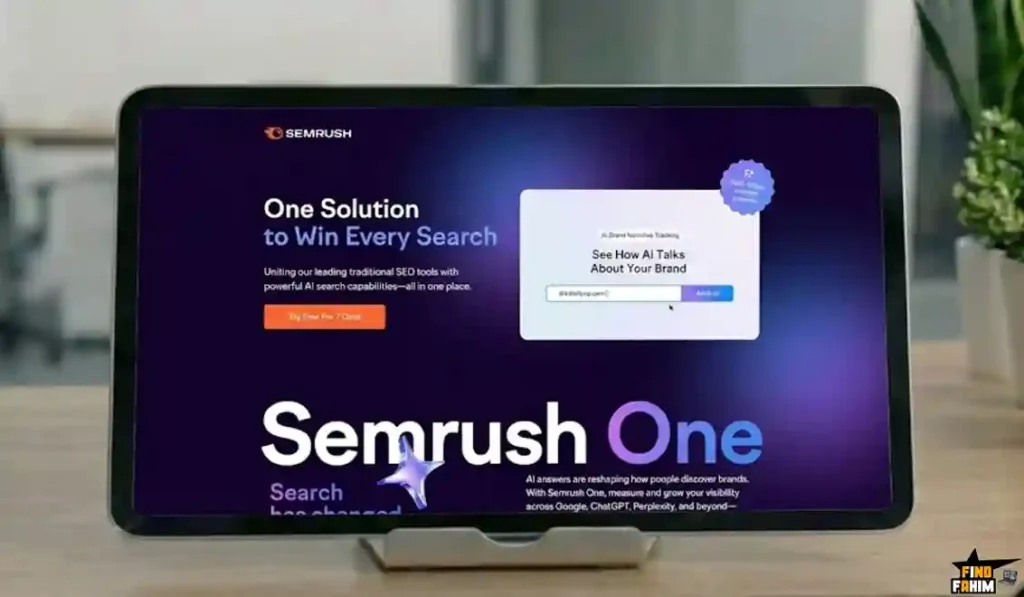
It is a slightly different pricing model than the standard Pro/Guru plans. If you are focused heavily on generative AI and brand reputation, this might be a smarter choice than the classic subscription. I tested it extensively to see if the extra cost is justified.
Read my full Semrush One Review to see if this new bundle is right for you.
Explore The Amazing Semrush One Plan
Final Bonus: The “Ending Soon” Strategy
I want to leave you with one final tip. In the SaaS world, prices never go down; they only go up. Semrush historically raises its subscription prices every 1-2 years as they add expensive new features like the AI Writing Assistant and EyeOn.
Right now, you have the chance to lock in the current 2026 pricing.
If you sign up for the Annual Plan, you do two smart things:
- You save 17% immediately: That is almost two months of free access.
- You “Price Lock” your account: Even if they raise the monthly rate to $150 next year, you are often grandfathered in at your original rate.
It is the safest financial move for any business planning to survive the year.
Lock in the Annual Discount & Save 17% Today
SemRush FAQ
What exactly is Semrush used for?
Semrush is an all-in-one digital marketing suite used for SEO, content marketing, competitor research, and PPC management, replacing the need for multiple separate tools.
Can I use Semrush for free?
Yes, Semrush offers a forever-free plan with limited daily requests, but advanced data and full features are only available through paid plans or free trials.
Is Semrush hard to learn for beginners?
Semrush has a learning curve due to its wide feature set, but core tools like Domain Overview and Keyword Magic can be learned quickly, and free Academy courses help beginners.
Semrush Pro vs Guru: Which plan should I choose?
Choose Pro if you are a freelancer or small team needing essential SEO and PPC tools, and choose Guru if you need historical data, content marketing tools, and branded client reports.
How accurate is Semrush traffic data?
Semrush traffic data is an estimate based on clickstream data and algorithms, making it highly reliable for trend analysis even if exact numbers differ from Google Analytics.
Can I cancel my Semrush subscription easily?
Yes, you can cancel Semrush at any time, and paid plans include a 7-day money-back guarantee if you are not satisfied.
Does Semrush support languages other than English?
Yes, Semrush supports dozens of languages and has keyword databases for over 140 countries, making it ideal for international SEO campaigns.
Semrush vs Ahrefs: Which is better for backlinks?
Both tools have massive backlink databases, but Semrush stands out by offering built-in link building and outreach management tools for actionable backlink growth.
Can I share my Semrush account with my team?
No, the base Semrush plan includes only one user seat, but you can purchase additional seats for team access.
Does Semrush help with YouTube SEO?
Yes, Semrush provides video analytics and social media tracking tools, though its core keyword research focuses primarily on Google Search.
What is the difference between Domain Overview and Traffic Analytics in Semrush?
Domain Overview focuses on organic search traffic, while Traffic Analytics estimates total traffic from all sources including direct, social, referral, and paid ads.
Is Semrush Authority Score the same as Domain Authority?
Semrush Authority Score is a proprietary metric measuring overall site quality based on backlinks, traffic, and spam signals, and it cannot be directly compared to Moz Domain Authority.
Can Semrush write articles automatically?
Yes, Semrush includes AI-powered writing tools that help generate outlines, rewrite content, and optimize articles using real-time SEO data.
Does Semrush work for local SEO and Google Maps rankings?
Yes, Semrush offers listing management and local rank tracking tools to help businesses optimize Google Maps and local search visibility.
Is Semrush worth the money for small businesses?
Yes, if used actively, Semrush can replace expensive agency services by helping small businesses find profitable keywords, fix technical issues, and grow traffic efficiently.

Hi, I’m Fahim — a SaaS tools reviewer and digital marketing expert with hands-on experience helping businesses grow using the right software. I research, test, and personally use a wide range of AI, business, productivity, marketing, and email tools for my agency, clients, and projects. I create honest, in-depth reviews and guides to help entrepreneurs, freelancers, startups, and digital agencies choose the best tools to save time, boost results, and scale smarter. If I recommend it, I’ve used it — and I only share what truly works.