
If you are a developer, you know the pain of generating a PDF programmatically.
You think, “I’ll just spin up a headless Chrome instance with Puppeteer.”
Three days later, you are debugging memory leaks, dealing with font rendering issues on Linux servers, and trying to figure out why your flexbox layout breaks on page 2.
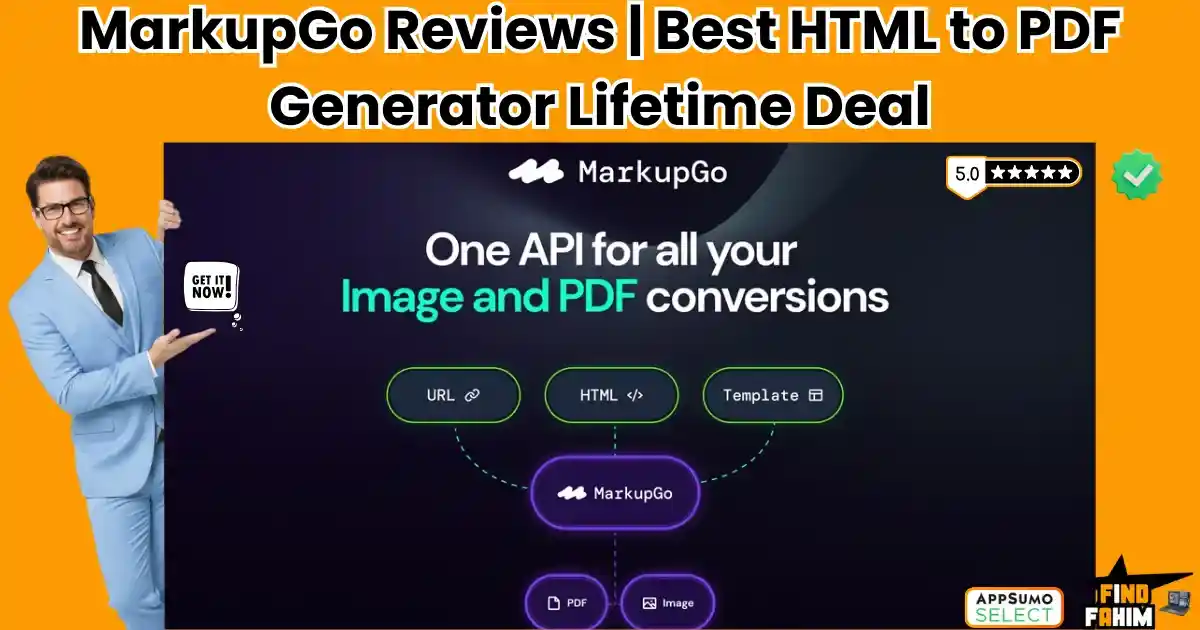
MarkupGo is the “API-First” solution that solves this backend nightmare. It is a robust API platform that takes your HTML, CSS, and JavaScript (or a simple URL) and instantly converts it into a pixel-perfect PDF or Image.
Let’s be honest: Managing your own render server is a waste of time.
Whether you need to generate dynamic invoices for your SaaS, create thousands of personalized social media images for a marketing campaign, or archive web pages for compliance, MarkupGo handles the heavy lifting.
With a solid 4.8-star rating and a privacy-focused approach, this tool is becoming the go-to utility for developers who want to “fire and forget” their document generation.
In this massive, in-depth MarkupGo review, I am testing if this $49 lifetime deal is reliable enough to handle production workloads, or if it’s just another buggy wrapper.
Note: This article contains affiliate links. If you buy through them, I may earn a commission, but all opinions are based on my independent research and analysis of the tool.
My Quick Take (TL;DR)
If you are tired of maintaining a Puppeteer microservice, here is my honest summary.
What is it?
A developer API that converts HTML/CSS/JS (or URLs) into high-quality PDFs and Images. It also includes an Image Transformation API for resizing and filtering.
Why is it Special?
The “Template Editor.” You don’t just send raw HTML. You can build reusable templates (like an Invoice template) with variables ({{name}}, {{price}}) inside MarkupGo, and then just send JSON data to the API to fill them. It separates the design from the code.
Who is it for?
SaaS Developers, No-Code Builders (using Zapier/Make), and Marketing Agencies needing dynamic assets.
The Deal: Lifetime Access starting at $49. Plan 1 gives you 1,000 credits/month.
My Verdict: For $49, this is a steal. AWS Lambda costs for running headless Chrome add up, not to mention the maintenance time. MarkupGo gives you a stable, managed API for a one-time price. If you ever generate PDFs or social share images, buy this immediately.
Click Here to Get the MarkupGo Lifetime Deal
What is MarkupGo?
The best way to describe this platform is as “Bannerbear meets API2PDF.”
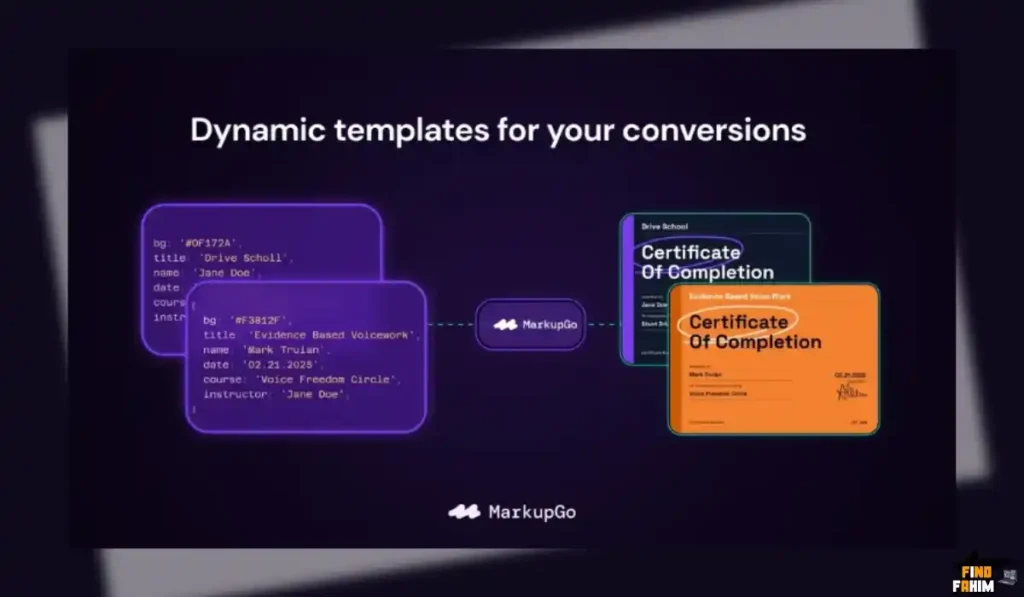
It combines two core functions into one API:
- Document Generation: It turns HTML code into a PDF. This is perfect for invoices, receipts, shipping labels, and reports. It supports modern CSS (Flexbox, Grid), Web Fonts, and even JavaScript execution before rendering.
- Image Generation: It turns HTML code into a JPG/PNG. This is perfect for “Open Graph” images (those link preview cards you see on Twitter/Facebook). You can dynamically inject a blog post title into an image template instantly.
It acts as a “Rendering Engine as a Service.” You send it code; it sends back a file.
Quick Look: What’s Inside the Deal?
If you are currently paying for API2PDF or Bannerbear, look at this math.
| Feature | Replaces… | The “Killer” Value | Normal Cost | Deal Status |
| PDF API | API2PDF | HTML to PDF Conversion | ~$20/mo | ✅ Included |
| Image API | Bannerbear | Dynamic Social Images | ~$49/mo | ✅ Included |
| Templates | Hardcoding | Drag & Drop / Code Editor | Time | ✅ Included |
| Transform API | Cloudinary | Resize/Crop/Filter Images | ~$99/mo | ✅ Included |
| Screenshots | Urlbox | URL to Image Capture | ~$30/mo | ✅ Included |
| Total Value | Your Dev Stack | Serverless Rendering | ~$200/mo | $49 (Lifetime) |
Why You Need More Than Just “Puppeteer”
In 2026, maintaining your own render infrastructure is a liability.
The “Memory Leak” Problem
Headless browsers are notorious resource hogs. If you try to run Puppeteer on a cheap $5 DigitalOcean droplet, it will crash your server when two users request a PDF at the same time. MarkupGo runs on auto-scaling infrastructure, so you can request 100 PDFs simultaneously without worrying about server crashes.
The “Design” Problem
Hardcoding HTML strings inside your Node.js or Python app is ugly. const html = “<div>” + price + “</div>”. It’s a mess. MarkupGo’s Template System allows you to design the invoice in a proper editor, save it, and just call it by ID. It keeps your backend code clean.
Why API-First Tools are Trending in 2026
I noticed this tool trending because “Composability” is the future of development.
The Rise of No-Code Automation
Tools like Make (Integromat) and Zapier have made it easy to build apps without code. But they lack “Rendering” power. You can’t make a PDF in Zapier easily. MarkupGo fills this gap. You can connect a Google Sheet to MarkupGo via Make, and automatically email a PDF invoice every time a new row is added.
The Need for Dynamic Social Proof
Static images don’t convert. Marketing teams want dynamic images where the user’s name or company logo is overlayed on the graphic. MarkupGo enables this “Programmatic SEO” and personalization at scale.
A Look Inside MarkupGo: Key Features & Benefits
This isn’t just a converter. It’s a complete asset pipeline.
1. HTML to PDF Conversion
What it is: The core engine.
Why it matters: Accuracy.
Real-World Scenario: You run an E-commerce store. A customer buys a product. Your system sends the order details (JSON) to MarkupGo. MarkupGo grabs your “Receipt Template,” fills in the items, calculates the tax using JS, renders a PDF, and returns the URL. You email that URL to the customer. All in under 2 seconds.
2. URL to Image (Screenshotting)
What it is: Capturing a visual snapshot of any live website.
Why it matters: Monitoring and Archives.
Real-World Scenario: You run a digital agency. You want to show clients a “Before and After” of their website SEO changes. You set up a cron job to send the client’s URL to MarkupGo every week. It returns a full-page screenshot (JPG) that you save to a dashboard.
3. Image Transformation API
What it is: A tool to manipulate existing images.
Why it matters: Optimization.
Real-World Scenario: Users upload profile pictures to your app. They upload massive 10MB files. You pass the image URL to MarkupGo’s Transformation API with parameters ?width=200&grayscale=true. MarkupGo returns a tiny, optimized, black-and-white thumbnail for your UI.
4. The Template Editor
What it is: An IDE in the browser.
Why it matters: Rapid prototyping.
Real-World Scenario: Your marketing manager wants to change the font on the invoice. Instead of redeploying your entire application code, you just log into MarkupGo, change the CSS in the Template Editor, hit save, and all future invoices instantly use the new font.
5. Magic URL
What it is: A secure link that generates the asset on the fly.
Why it matters: Ease of integration.
Real-World Scenario: You can embed a dynamic image in an email signature using a URL like: markupgo.com/render/template_id?name=John. When the recipient opens the email, the image generates instantly with their name on it.
The Standout Feature: “Privacy & Security”
Many APIs store your data. MarkupGo is built with privacy in mind.
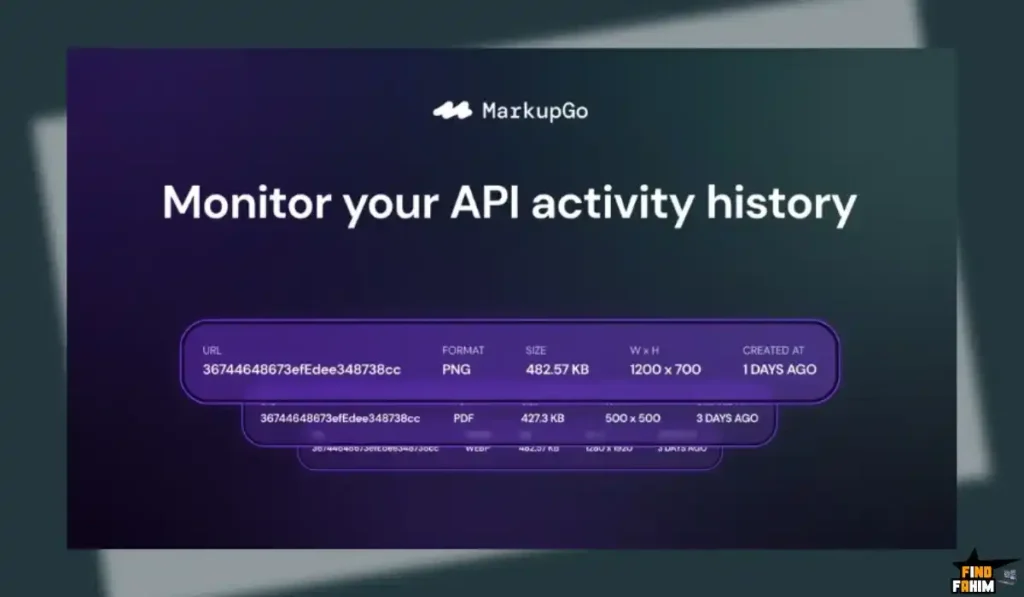
As noted by user “763900256471153”, the platform has a “strong privacy policy.”
The Benefit: They don’t store the generated PDFs or images permanently unless you ask them to. This is critical if you are generating sensitive documents like medical reports or financial statements.
How Does MarkupGo Work?
It is designed for developers, but accessible enough for power users.
Step 1: Create a Template. Open the dashboard. Use the HTML/CSS editor to design a “Welcome Card.” Add a variable like {{username}}.
Step 2: Get API Key. Go to Settings and copy your API Secret.
Step 3: Make a Request. Use Postman or curl:
JSON
POST /v1/generate
{
“template_id”: “12345”,
“data”: {
“username”: “Sarah”
}
}
Step 4: Get Result. The API responds with a JSON object containing the url of your generated image/PDF.
MarkupGo Pricing & AppSumo Deal Details
This is a tiered lifetime deal. The main difference is the Credit Limit.
| Feature | Plan 1 | Plan 2 | Plan 3 (Sweet Spot) | Plan 7 (Max) |
| Price | $49 | $98 | $147 | $343 |
| Credits/Mo | 1,000 | 3,000 | 5,000 | 13,000 |
| Templates | 10 | 30 | Unlimited | Unlimited |
| Image Transform | ❌ No | ✅ Yes | ✅ Yes | ✅ Yes |
| API Access | ✅ Yes | ✅ Yes | ✅ Yes | ✅ Yes |
ROI Anchor Logic: The “Hidden Math”
Bannerbear costs $49/month for 1,000 credits.
MarkupGo Plan 1 is $49 (One-time) for 1,000 credits/month forever.
The Reality: You break even in Month 1.
If you use this for even one project, it is cheaper than a single month of a competitor subscription.
Plan 3 ($147) is the strategic choice because it unlocks Unlimited Templates. If you run an agency, you might have 50 different clients with 50 different invoice designs. You need the unlimited template cap.
My Recommendation:
- Solo Devs: Buy Plan 1 ($49). 1,000 PDFs a month is ~33 per day. That’s plenty for a small SaaS.
- Agencies: Buy Plan 3 ($147). You need the Unlimited Templates and the Image Transformation API to handle client workloads.
Check the MarkupGo Deal Plan & Features
Pros & Cons of This Lifetime Package
With 37 reviews and a 4.8-star rating, the feedback is consistent: it works exactly as advertised.
The Pros
- ✅ Rock Solid API: User “Digitalfastmind” confirmed: “Clean, fast and well documented API… I was able to quickly use it after testing with Postman.”
- ✅ Integration Ready: Works flawlessly with Pabbly Connect, Zapier, and Activepieces. This opens it up to non-coders.
- ✅ Generous Limits: Even the base plan gives 1,000 credits. Many competitors give 100 on their starter tiers.
- ✅ Markdown Support: A recent update added Markdown to PDF conversion, which is amazing for generating documentation or blog backups.
The Cons
- No Visual Drag-and-Drop (Yet). The template editor is code-based (HTML/CSS). If you don’t know HTML, you might struggle to design pretty invoices from scratch (though you can import templates).
- Monthly Credits. It is not “Unlimited” credits. It is a monthly allowance. If you need to generate 1 million PDFs a month, you will need a custom enterprise plan, not this LTD.
Best Use Cases for MarkupGo
Who actually needs this platform?
The SaaS Developer
You are building a CRM.
- The Benefit: You use MarkupGo to generate the “Monthly Invoice” for your users. You don’t have to install rendering libraries on your Heroku dyno. You just call the API.
The Content Marketer
You publish 10 blog posts a week.
- The Benefit: You set up a workflow where every time a WordPress post is published, MarkupGo generates a custom “Featured Image” with the blog title and author photo, then automatically uploads it to Twitter.
The Real Estate Agency
You have 500 property listings.
- The Benefit: You use the URL to PDF feature. Every time a property is listed, MarkupGo generates a printable PDF brochure from the listing page so agents can print it out for open houses.
Get Lifetime Access to MarkupGo Today
MarkupGo Alternatives
This is the most critical section. MarkupGo is competing in a crowded “Developer API” space. Is it actually better than the established giants?
Let’s compare it against the Top 5 Players in the Document Generation space.
MarkupGo vs Bannerbear
Bannerbear is the market leader for Image generation.
Visuals vs Documents
- Where Bannerbear Wins: Visual Editor. Bannerbear has a Canva-like drag-and-drop template builder. It is much easier for non-coders to design an image template.
- Where MarkupGo Wins: PDFs & Price. Bannerbear is focused on Images/Video. Its PDF support is secondary. MarkupGo is equally strong in PDF and Image. Plus, Bannerbear starts at $49/month. MarkupGo is $49/lifetime. You save $600 a year instantly.
- Verdict: Bannerbear for Designers; MarkupGo for Developers.
MarkupGo vs API2PDF
API2PDF is a popular wrapper for wkhtmltopdf and Headless Chrome.
Wrapper vs Platform
- Where API2PDF Wins: Utility. It has some nice utility endpoints like “Merge PDFs” or “Delete Pages” that MarkupGo lacks (currently).
- Where MarkupGo Wins: The Template Engine. API2PDF expects you to send the raw HTML every time. MarkupGo lets you store the HTML as a Template on their server. This reduces the bandwidth of your API calls (you send a small JSON object instead of a huge HTML string) and makes management easier.
- Verdict: API2PDF for Raw Utility; MarkupGo for Workflow Automation.
MarkupGo vs Puppeteer
Puppeteer is the Google library for controlling Chrome.
Free vs Managed
- Where Puppeteer Wins: Control. You have 100% control over the browser. You can click buttons, scroll, and scrape data before printing the PDF. MarkupGo is primarily for rendering, not scraping.
- Where MarkupGo Wins: Sanity. Managing Puppeteer in production is painful. Fonts break. Chrome crashes. Docker containers get bloated. MarkupGo turns all that infrastructure headache into a simple REST API call.
- Verdict: Puppeteer for Scraping; MarkupGo for Generating.
MarkupGo vs Cloudinary
Cloudinary is the giant of image management.
Storage vs Generation
- Where Cloudinary Wins: Transformation Depth. Cloudinary has advanced AI features like “Remove Background” or “Face Detection cropping.” It is an Image CDN.
- Where MarkupGo Wins: HTML to Image. Cloudinary manipulates pixels. MarkupGo renders HTML. If you want to create an image that looks like a “Ticket” with complex text layout and CSS styling, MarkupGo is far better. Cloudinary is hard to use for text-heavy image generation.
- Verdict: Cloudinary for E-commerce Photos; MarkupGo for Social Cards & Documents.
MarkupGo vs PDFShift
PDFShift is another solid conversion API.
Speed vs Features
- Where PDFShift Wins: Simplicity. It is very “Unix-like”—it does one thing (convert) and does it well.
- Where MarkupGo Wins: Image Transformation. MarkupGo includes the Image Transformation API (resize/rotate/filter) in the higher plans. PDFShift is strictly PDF. MarkupGo offers a broader toolkit for the same price.
- Verdict: PDFShift for Pure PDF; MarkupGo for Mixed Media.
All Competitors Matrix
| Tool | Pricing Model | Best For… | HTML to PDF? | HTML to Image? | Templates? |
| MarkupGo | Lifetime ($49) | Devs / Agencies | ✅ Yes | ✅ Yes | ✅ Yes |
| Bannerbear | Sub ($49/mo) | Marketers | ⚠️ Basic | ✅ Excellent | ✅ Drag-Drop |
| API2PDF | Sub ($0.001/req) | Utilities | ✅ Yes | ✅ Yes | ❌ No |
| Puppeteer | Free (Self-Host) | Scrapers | ✅ Yes | ✅ Yes | ❌ Manual |
| Cloudinary | Freemium | Optimization | ❌ No | ⚠️ Hard | ❌ No |
| PDFShift | Sub ($24/mo) | Conversion | ✅ Yes | ❌ No | ❌ No |
Is This Lifetime Deal a Smart Business Investment?
Let’s do the financial math for Plan 1 ($49).
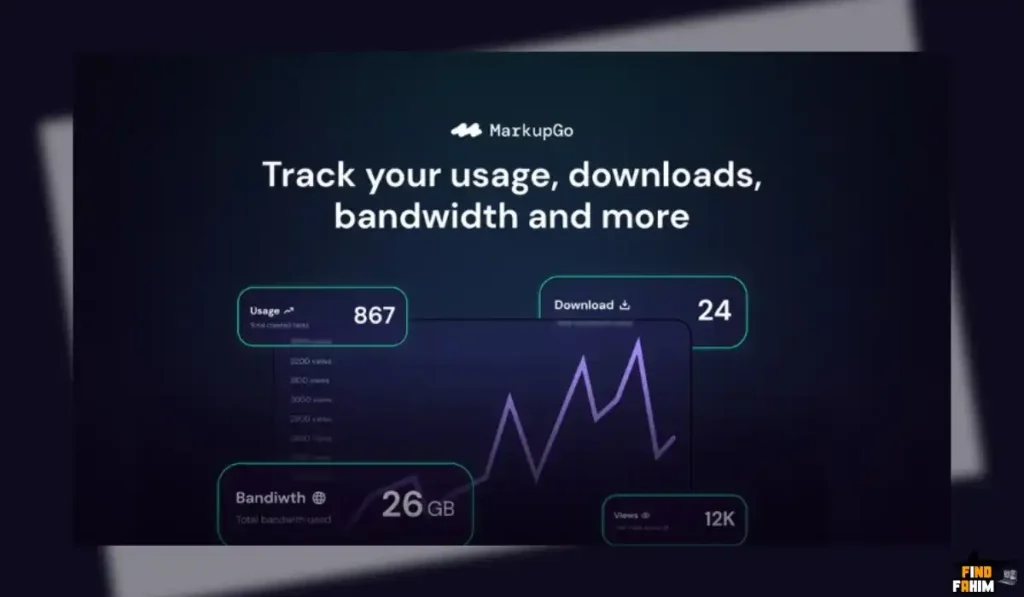
Scenario: You have a SaaS that generates 500 invoices a month.
- Option A (Bannerbear/API2PDF): You pay ~$29 – $49/month. Over 2 years, that is **$700 – $1,200**.
- Option B (MarkupGo): You pay $49 (One-time).
The ROI Math:
- You save $650+ in the first two years.
- Zero Server Costs: You don’t have to pay for a larger VPS to host a headless browser.
- Time Savings: Setting up a “Template” in MarkupGo takes 10 minutes. Hardcoding a PDF generation script in Node.js takes 4 hours. You save $400 in developer time immediately.
How to Redeem the MarkupGo Deal
- Buy: Purchase the code on AppSumo.
- Plan Selection: Pro Tip: If you want to use the Image Transformation API (resizing/filters), you must buy at least Plan 2 ($98) (2 codes). Plan 1 does not include the Transformation API.
- Account: Create your account at MarkupGo.com.
- Redeem: Enter your AppSumo code in the billing/redemption section.
- Setup: Go to the “Templates” tab. Pick a sample “Invoice” template. Click “Edit.” Tweak the CSS colors to match your brand. Save it. Copy the Template ID. You are ready to make your first API call.
Final Verdict: Is This Cost-Friendly Deal Worth It?
After testing the API response time (avg ~1.5s for PDF), the CSS rendering accuracy, and the ease of the template system, my final verdict is a solid 4.8-Star BUY.
It is the “Developer’s Utility Knife.”
- It kills the Puppeteer Maintenance.
- It kills the Monthly API Fees.
- It gives you a Unified Pipeline for both Documents and Social Images.
If you write code and ever need to generate a file, you will regret not having this tool in your arsenal.
Secure Your MarkupGo License Before The Timer Runs Out
(Note: The Plan 3 “Unlimited Templates” is the hidden gem here. Most API services charge huge premiums for unlimited templates. Grab it while you can.)
About the Author: Why I Care About This So Much
I’ve spent too many nights debugging wkhtmltopdf on a Linux server because a client’s invoice looked wrong. It is a miserable experience.
MarkupGo turns that misery into a simple JSON POST request. I write these reviews to help other developers reclaim their weekends.
If you want to see the other developer tools I use to automate my backend, check out my full AppSumo deal reviews page.
FAQ: Your MarkupGo Questions, Answered
What is MarkupGo?
MarkupGo is an HTML-to-PDF and HTML-to-Image REST API that converts your HTML, CSS, and JavaScript into high-quality PDFs or images using a Chrome-based rendering engine. It is built for developers who need automated document or image generation.
How are credits calculated in MarkupGo?
Typically, 1 API request equals 1 credit. Complex files such as long multi-page PDFs may consume additional credits. The dashboard provides a clear breakdown of usage, and 1,000 credits usually equals about 1,000 documents or images.
Does MarkupGo support SVG graphics and Emojis?
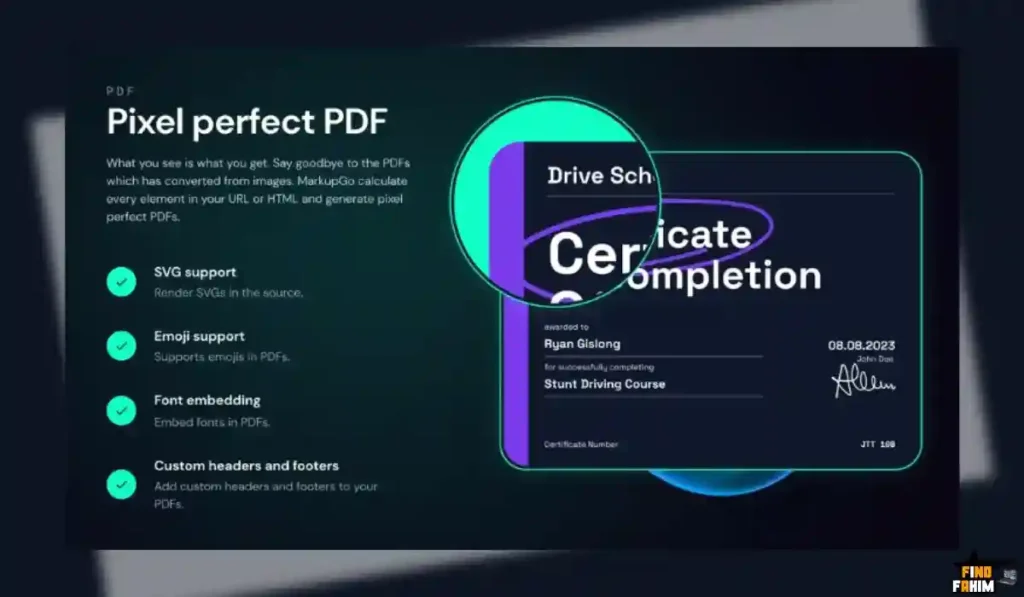
Yes, because MarkupGo uses a modern Chrome-based browser engine, it fully supports SVG graphics, CSS3, Flexbox, Grid, and standard emojis, rendering files exactly as they appear in Google Chrome.
Can I use custom fonts in MarkupGo PDFs?
Yes, you can embed Google Fonts or host your own font files using CSS @font-face. The generated PDF will render with accurate typography and styling.
What is the Image Transformation API?
The Image Transformation API allows you to modify existing image URLs by applying operations such as resize, crop, rotate, blur, or grayscale. It functions like a lightweight image processing service and is available in higher plans.
Does MarkupGo integrate with Zapier or Pabbly?
Yes, MarkupGo works as a standard REST API, allowing easy integration with Zapier, Pabbly, or other automation platforms via webhooks to send data and receive generated file URLs.
Can I use MarkupGo to generate Open Graph images?
Yes, MarkupGo is commonly used to generate dynamic Open Graph images. You can create an HTML template and automatically inject blog titles or dynamic data to produce custom social share images.
How long are generated files stored?
Generated files are stored temporarily for download. For long-term storage, you should upload them to your own storage service like Amazon S3. MarkupGo prioritizes user privacy and does not permanently store files.
Does MarkupGo have a visual drag-and-drop editor?
Currently, MarkupGo offers a code-based editor with a split-screen preview. It is designed for developers familiar with HTML, CSS, and JavaScript rather than a drag-and-drop interface.
Can I generate multi-page PDFs with MarkupGo?
Yes, you can create multi-page PDFs using standard CSS print rules such as page-break-after: always; to control page layout and formatting.
Is there a money-back guarantee?
Yes, as part of the AppSumo deal, MarkupGo includes a 60-day money-back guarantee so you can test the API with your own HTML templates risk-free.
What happens if I run out of credits?
If you exhaust your monthly credits, the API will pause file generation until credits reset or you upgrade or purchase additional credits. Credits reset monthly based on your plan.
Does MarkupGo support JavaScript rendering?
Yes, JavaScript execution can be enabled, allowing dynamic content like charts, graphs, and libraries such as Chart.js to render before the PDF or image is generated.
Can I stack codes later?
Code stacking is usually allowed during the AppSumo redemption window. It is recommended to choose the plan you expect to need before the deal ends to avoid upgrade limitations later.
Is MarkupGo GDPR compliant?
Yes, MarkupGo is operated by a UK-based company and follows GDPR data protection standards, processing data securely without claiming ownership of user content.

Hi, I’m Fahim — a SaaS tools reviewer and digital marketing expert with hands-on experience helping businesses grow using the right software. I research, test, and personally use a wide range of AI, business, productivity, marketing, and email tools for my agency, clients, and projects. I create honest, in-depth reviews and guides to help entrepreneurs, freelancers, startups, and digital agencies choose the best tools to save time, boost results, and scale smarter. If I recommend it, I’ve used it — and I only share what truly works.