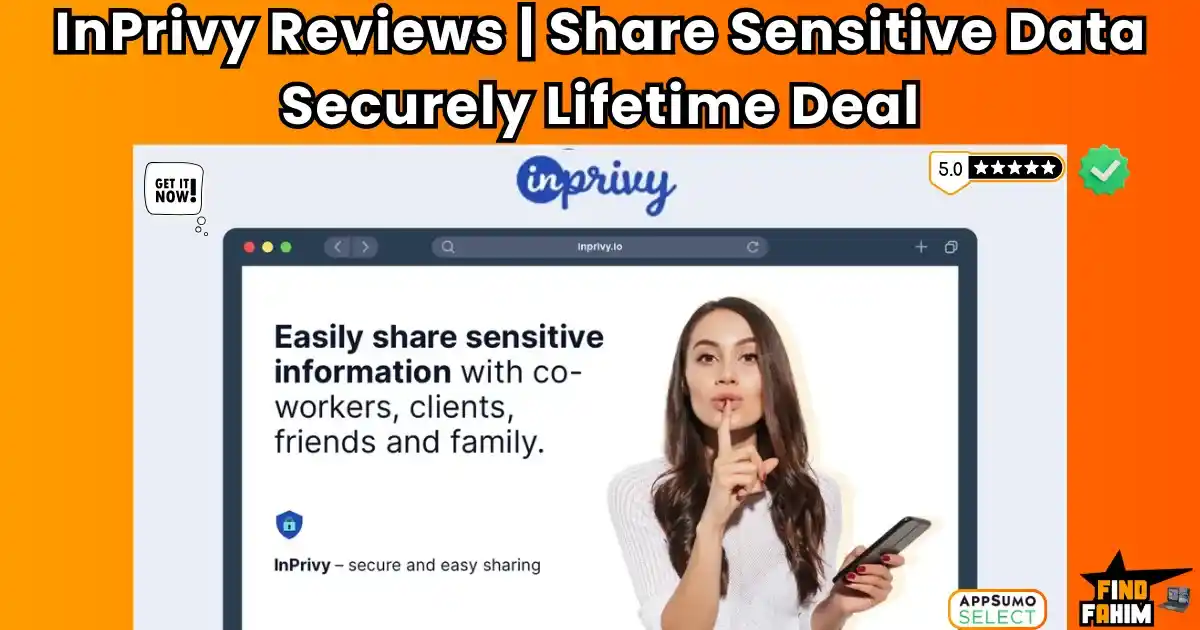

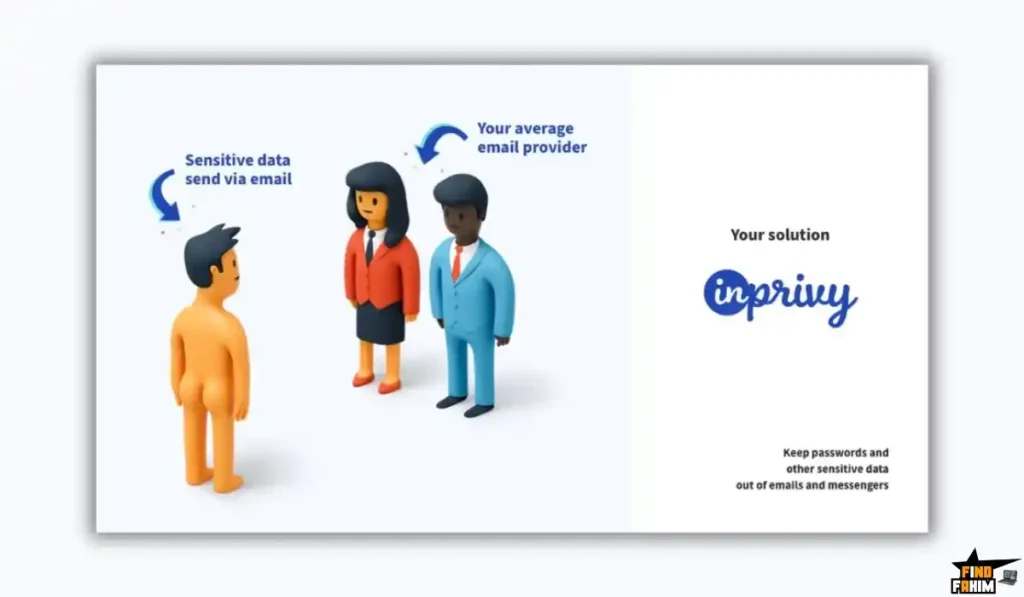
We’ve all done it. You need to send a client a password, so you type it into Slack or email and hit “send.” Then, that little pit forms in your stomach because you know that sensitive login is now sitting in their inbox—and yours—forever, waiting to be hacked.
InPrivy is the 4.9-star-rated security tool that instantly fixes this bad habit. It lets you share passwords and files via secure, “burn-after-reading” links that self-destruct once opened. In these in-depth InPrivy reviews, we’re testing this “hidden gem” AppSumo deal to see if it’s the ultimate $39 security upgrade for your business.
My Quick Take (TL;DR)
You’re in a. here because you’re an agency owner, freelancer, or IT professional. You handle sensitive client data, and you know that sending passwords via email is a security nightmare waiting to happen. You want a professional, secure way to share secrets without a monthly subscription. Here’s my direct take.
- What is it? InPrivy is a secure information-sharing platform. It allows you to convert sensitive text (passwords, API keys) or files into a secure link that automatically expires or “explodes” after it is viewed.
- Why is it a Game-Changer? It’s simple and branded. Unlike generic tools, InPrivy lets you use your own custom domain and logo. Plus, the “Public Sharing URL” lets clients send you secrets securely without needing an account.
- Who is it for? Web developers, marketing agencies, IT support teams, and anyone who needs to share confidential data with clients or teammates securely.
- The AppSumo Deal: This is a $39 lifetime deal. It is a single, all-inclusive plan that includes Unlimited Secrets, Unlimited Team Members, and 30GB of storage.
- My Verdict: With a near-perfect 4.9-star rating from 62 reviews, this is a “blue-chip” utility. It is one of the most useful, low-cost investments you can make to protect your business and look like a pro. It’s a “no-brainer” buy.
Check the InPrivy Lifetime Deal on AppSumo Now!
Now, let’s talk about the “Security Theater” most of us perform. When a client asks for their website login, maybe you send the username in an email and the password in a separate text message. You feel safer, but you’re not. That data is still sitting in chat logs, unencrypted and vulnerable.
If you run an agency, this is a liability. If a client gets hacked because you emailed their root password, it’s your reputation on the line.
This is the exact problem InPrivy solves. It replaces that risky “email shuffle” with a professional, encrypted process. You send a link. The client clicks it. They see the password. The link destroys itself. Poof. No trail, no risk, no problem.
What is InPrivy? (Your “Secret Agent” Sharing Tool)
The best way to describe InPrivy is as a “Secure Communication Tunnel.” It’s not a password manager (like LastPass) where you store things forever. It is a transfer tool designed to get a secret from Point A to Point B safely.
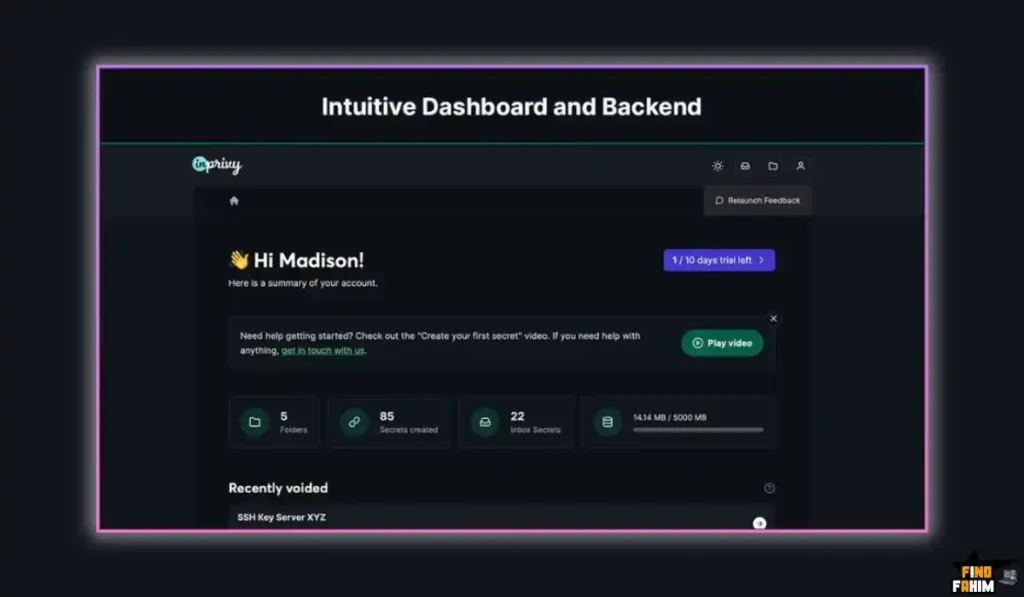
It works on a “Zero-Knowledge” architecture. Even InPrivy doesn’t know what you are sharing.
It’s built for two main workflows:
- Sending Secrets: You create a link for a password, file, or note. You set the rules (e.g., “Delete after 1 view” or “Delete in 24 hours”). You send the link.
- Receiving Secrets: You give your client your “Public Sharing URL” (e.g., secure.myagency.com/upload). They type in their password or upload their tax document. You get a secure link to view it.
This tool is built for professionals who need to share:
- CMS Logins (WordPress, Shopify)
- API Keys & Tokens
- Legal Documents & Contracts
- Bank Details & Credit Card Info
Why This 4.9-Star Deal is a “Hidden Gem.”
In the world of AppSumo, a 4.9-star rating is elite status. InPrivy has maintained this score across 62 reviews since its launch in 2021. That proves one thing: Stability.
This is not a buggy “v1” beta test. This is a mature, German-engineered platform (founded by Andreas and the Ivy. Mayhem team) that has been reliable for years.
The user reviews tell the story of a tool that is “underestimated.”
- User “ichbins” calls it “Truly a gem” and notes that its capabilities (like document sharing) are often overlooked.
- User “CMCA” praises the “Peace of mind” it gives them, highlighting how the “one-time links… help avoid email scanning.”
- User “creativecontrarian” says it “nails the two things that matter most: simplicity and speed.”
When you buy this deal, you aren’t taking a risk. You are buying a proven utility that hundreds of other businesses already rely on daily.
A Look Inside InPrivy: Key Features & Benefits
This lifetime package is packed with “pro” features that usually cost $20/month on other platforms.
Unlimited Secrets & “Burn” Options
- What it is: You can create as many secure links as you want. You have total control over the “destruct” triggers. You can set a link to expire after 1 view, after 1 hour, or even after 30 days.
- Why it matters: This gives you granular control. For a super-sensitive password, use “1 view.” For a project brief, maybe set it to “7 days” so the client can open it a few times.
Custom Branding & Domains (CNAME)
- What it is: This is the “agency” superpower. You can connect your own domain (e.g., secure.myagency.com) and upload your own logo and colors.
- Why it matters: When your client opens the secure link, they don’t see “InPrivy.” They see YOUR brand. It looks like a proprietary, high-end security tool that you built. This builds massive trust and authority with your clients.
The “Public Sharing” Page (Reverse Sharing)
- What it is: A dedicated page where anyone can send you a secret securely. You don’t need to create a link first. You just put this link in your email signature.
- Why it matters: This solves the problem of clients emailing you passwords. Just tell them, “Please upload your credentials via my secure portal here.” It keeps your inbox clean and your clients safe.
Secure File Sharing (30GB Storage)
- What it is: Most “password” sharing tools only do text. InPrivy lets you attach files (up to the 30GB limit).
- Why it matters: This is perfect for sending sensitive contracts, tax forms, or backup files that you don’t want sitting in a Google Drive folder forever.
Unlimited Team Members
- What it is: You can invite your entire team to your InPrivy workspace.
- Why it matters: This is a huge value-add. You can enforce a company-wide security policy. Every employee can have their own login to share passwords securely, ensuring no one on your team ever sends a raw password via Slack again.
The Standout Feature: “Simplicity & Speed”
The single standout feature of InPrivy isn’t a complex algorithm; it’s the User Experience (UX).
Security tools are notoriously clunky, slow, and hard to use. If a tool is hard to use, your team won’t use it. They’ll go back to emailing passwords.
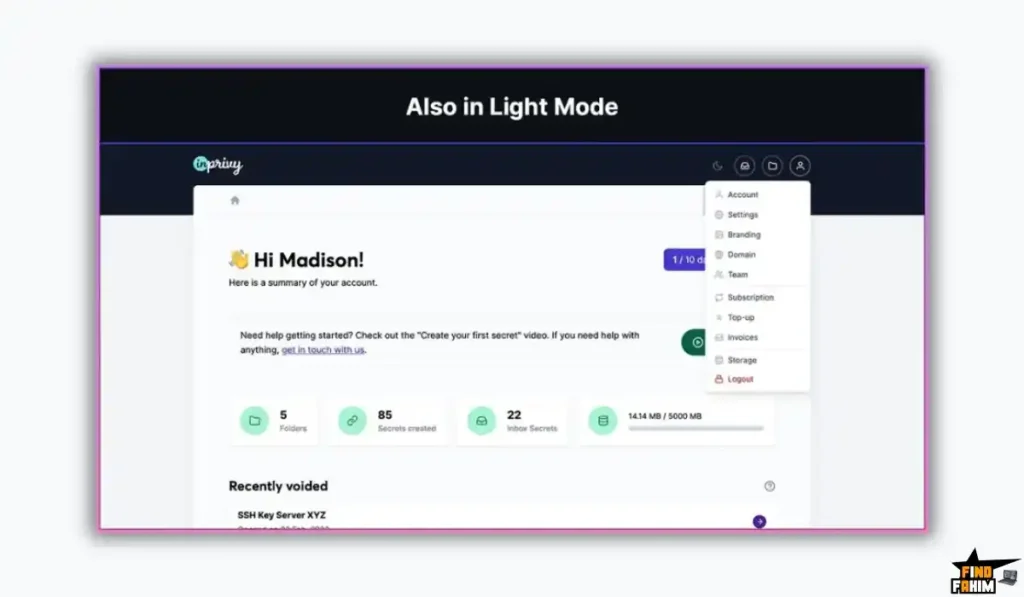
InPrivy is designed to be “blazing fast” (as user “creativecontrarian” noted).
- You open the dashboard.
- You paste the password.
- You click “Get Link.”
- Done.
There is no friction. The UI is clean, modern, and intuitive. This simplicity is what ensures adoption. It makes security the “path of least resistance” for your agency.
How Does InPrivy Work? (A Quick Look)
The process is designed to take seconds.
- Paste Your Secret: Log in and paste your text (or upload a file) into the main box.
- Set Limits: Choose your “Lifetime” (e.g., 1 view or 1 day) and add a PIN code if you want extra security.
- Generate Link: Click “Create Secret.” You get a unique URL (on your custom domain).
- Share: Send that link to your client via email, Slack, or WhatsApp.
- Track: Check your dashboard. You will see exactly when the link was opened. Once it hits the limit, the data is permanently erased.
The InPrivy AppSumo Deal Details
This is the simplest deal structure on AppSumo. It is a one-time payment for the fully unlocked “Business” plan.
| Feature | Lifetime Deal (1 Code) |
| One-Time Price | $39 |
| Secrets & Folders | Unlimited |
| Team Members | Unlimited |
| Storage | 30 GB |
| Custom Domain (CNAME) | ✅ Yes |
| Custom Branding | ✅ Yes |
| Public Sharing URL | ✅ Yes |
| History Log | 90 Days |
| 2FA Security | ✅ Yes |
| Get the InPrivy Appsumo Deal Now! | |
Which Plan Should You Get? My Recommendation
There is only one plan, and it is perfect.
For $39, you get Unlimited Team Members and Unlimited Secrets. There is no need to “stack” codes for more users. This single code covers your entire agency, forever. It is an incredible value.
Pros & Cons of This Lifetime Package
With a 4.9-star rating, this is a polished, mature tool. Here is my honest, balanced breakdown.
Pros
- Unbeatable Price: $39 for an unlimited team security tool is one of the best ROI deals I’ve seen.
- Custom Branding: The ability to put this on your own domain makes you look like a serious, high-end agency.
- “Public Sharing” Page: This feature alone saves endless back-and-forth emails with clients.
- It’s Not Just for Passwords: The file sharing (30GB) makes it a versatile tool for sending contracts and sensitive documents.
- Reliability: It’s been live and stable since 2021 with a dedicated founder.
Cons
- The Deal Will End: This is a “no-brainer” price for a tool with ongoing server costs (storage). Deals like this don’t stay $39 forever. The biggest downside is simply missing out on it and having to pay monthly fees for a competitor later.
Best Use Cases for InPrivy
- For Web Design Agencies: When you hand over a site, use InPrivy to send the WP-Admin credentials. It looks professional and ensures the client is the only one with the password.
- For IT Support: Use the “Public Sharing URL” to let employees send you their temporary passwords securely when you need to fix their accounts.
- For Freelancers: Send your bank transfer details (IBAN/Routing numbers) via InPrivy instead of a plain PDF invoice, adding an extra layer of security to your payments.
- For Legal/HR Teams: Use the file attachment feature to send sensitive employee contracts or termination notices that need to be read once and then “disappear” from the digital record.
For other amazing tools to build your business, don’t forget to check out my hand-picked list of the best AppSumo lifetime deals!
Get Your InPrivy Lifetime Deal Now!
InPrivy vs The Competition
This is the most important part of the review. InPrivy is a specialized security utility. It competes with two very different types of tools:
- Full Password Managers (like 1Password), which have “sharing” features built in.
- One-Off Sharing Tools (like OneTimeSecret), which are free but basic.
InPrivy’s strategy is to be the “Professional Middle Ground.” It’s not a full password vault, but it’s far more powerful and branded than a free tool. It’s designed specifically for agencies and freelancers who need to look professional while sharing secrets.
InPrivy vs 1Password (Psst!)
1Password is the gold standard for password management. Its “Psst!” (Password Secure Sharing Tool) feature allows you to share items from your vault via a link.
Where 1Password Takes the Lead
1Password is a massive, enterprise-grade ecosystem. It manages your entire digital life, generates passwords, and syncs across all devices. If you need a tool to store your own passwords, 1Password is the superior choice. Its sharing feature is integrated directly into the vault, which is convenient if you already live in that ecosystem.
Why InPrivy is the Smarter “Agency” Choice
1Password is expensive. The “Business” plan costs $7.99 per user, per month. For a team of 10, that’s $960 per year.
InPrivy is $39 one-time for unlimited team members.
But the real difference is the “Public Sharing URL.” 1Password lets you send secrets, but it doesn’t have a branded portal for clients to send you secrets. InPrivy does. If you need to collect passwords from clients (who don’t use 1Password), InPrivy is the far smoother, professional solution.
InPrivy vs Bitwarden (Send)
Bitwarden is the open-source favorite. Its “Send” feature allows you to transmit text and files securely.
Where Bitwarden Takes the Lead
Bitwarden is known for its open-source transparency and security audits. Its “Send” feature allows for files up to 500MB (on paid plans), which is generous. It’s a fantastic tool for personal security fanatics.
Why InPrivy Wins on Branding
Bitwarden is functional, but not “agency-branded.” When you send a link, it looks like a Bitwarden link.
InPrivy is 100% White-Label. You can connect your own domain (secure.myagency.com) and add your logo. When your client opens the link, they see your brand, not Bitwarden’s. This builds massive trust and makes you look like a premium service provider. For an agency, that brand impression is worth the $39 alone.
InPrivy vs OneTimeSecret
OneTimeSecret is the “OG” free tool. It’s a simple website where you paste text and get a link.
Where OneTimeSecret Takes the Lead
It’s fast and free. You don’t need to log in. If you just need to send a wifi password to a friend once a year, it’s the perfect quick fix.
Why InPrivy is the Professional Solution
OneTimeSecret is “anonymous” and basic. You have no history log. You don’t know who opened the link, or when. You can’t attach files. And most importantly, it looks generic.
InPrivy gives you a history log, file attachments (30GB), and custom branding. Sending a client a generic OneTimeSecret link looks lazy. Sending them a branded InPrivy link looks professional and secure.
InPrivy vs WeTransfer
WeTransfer is the giant of file sharing. It’s great for sending big videos, but it’s not built for secrets.
Where WeTransfer Takes the Lead
WeTransfer excels at huge files. You can send 2GB for free. If you are a video editor sending raw footage, WeTransfer is the right tool.
Why InPrivy Wins for “Sensitive” Data
WeTransfer is for files, not secrets. It sends an email with a download link. It doesn’t have the “Burn After Reading” (self-destruct) security for text-based secrets like API keys or passwords.
InPrivy handles both. You can send a password and a sensitive PDF contract in one secure “envelope” that destroys itself after viewing. For legal, HR, and IT data, InPrivy is the much safer choice.
InPrivy vs LastPass
LastPass is another major password manager that offers sharing features.
Where LastPass Takes the Lead
Like 1Password, LastPass is a full vault. It’s great for storing your personal credentials and autofilling them in your browser.
Why InPrivy Wins on Cost and “Reverse Sharing”
LastPass has had security controversies in the past, which makes some agencies hesitant. It’s also a subscription model ($3/user/month minimum).
InPrivy wins on the “Reverse Sharing” feature again. LastPass makes it very hard for a non-user (your client) to share a password with you securely. InPrivy’s “Public Sharing Page” makes it effortless. You send them a link, they type the password, and it’s done. No account needed for them.
All Competitors Table
| Tool | Key Strength | Pricing Model | Best For |
| InPrivy | Branded Sharing & Unlimited Team | Lifetime Deal ($39) | Agencies & IT Teams |
| 1Password | Full Password Vault | Subscription ($8/user/mo) | Enterprise Security |
| Bitwarden | Open Source Security | Subscription ($3/user/mo) | Tech-Savvy Individuals |
| OneTimeSecret | Fast & Free | Free | Quick One-Offs |
| WeTransfer | Large File Transfer | Freemium | Video Editors |
| LastPass | Browser Autofill | Subscription ($3/user/mo) | Personal Use |
Is This a Smart Business Investment?
Let’s do the simple, powerful math.
- 1Password Business: $7.99/user/month. For a team of 5, that is $480 per year.
- Bitwarden Teams: $3/user/month. For a team of 5, that is $180 per year.
- OneTimeSecret: Free, but zero branding and zero tracking (high risk).
The InPrivy lifetime deal costs $39. One time. And it includes Unlimited Team Members.
This cost-friendly deal pays for itself in just 1 month compared to a team subscription on 1Password.
After that, you are saving hundreds of dollars every year. But the real ROI is Brand Trust. Sending a client a password via a link that says secure.youragency.com makes you look like a million-dollar company. That perception is priceless.
How to Redeem the InPrivy Deal
- Go to the official InPrivy AppSumo deal page.
- Click “Buy Now” to purchase the $39 Lifetime Plan. (No stacking needed).
- AppSumo will send you a unique code. You have 60 days to redeem it on the InPrivy website to activate your lifetime account.
- Pro Tip: Immediately set up your Custom Domain (CNAME) in the settings to start branding your links.
Final Verdict: Is This Cost-Friendly Deal Worth It?
After this deep dive into the InPrivy reviews and its secure sharing features, my final verdict is an absolute, 5-star YES.
This is a “Blue-Chip Utility.” With a 4.9-star rating from 62 reviews, it is stable, trusted, and does exactly what it promises.
It solves a critical problem (sharing passwords securely) with a solution that is cheaper, better branded, and more team-friendly than the big password managers. The “Public Sharing URL” feature alone is worth the $39 price tag for any agency that needs to collect logins from clients.
It’s not a flashy AI tool. It’s a “security infrastructure” tool. And for $39, it is a mandatory purchase for anyone who takes their client’s data security seriously.
Grab the InPrivy Lifetime Deal Before It’s Gone!
Note: A 4.9-star security tool with “Unlimited Team Members” for $39 is an anomaly. Deals with “unlimited users” almost always get removed or changed to per-seat pricing. This is your chance to lock it in for your whole team.
About the Author: Why I Care About This So Much
I run a digital business, and I deal with client passwords every day. I used to have the “sticky note of shame” or the “email draft” with sensitive logins. I knew it was dangerous, but the “pro” tools were too expensive and clunky.
InPrivy changed my workflow overnight. I now have a simple bookmark. I click it, paste the password, and send a branded link. My clients feel safe, I feel professional, and I never have to worry about a data breach from an old email. It’s the best $39 “insurance policy” I’ve ever bought.
FAQ: Your InPrivy Questions, Answered
What is InPrivy?
InPrivy is a secure secret-sharing tool that lets you send passwords, text notes, and files through self-destructing encrypted links that delete themselves after being viewed.
Is InPrivy safer than email for sending passwords?
Yes. Email stores messages forever on multiple servers, while InPrivy uses encrypted links that burn after viewing, making it far more secure for sensitive data.
Can I use my own custom domain with InPrivy?
Yes. InPrivy supports CNAME so you can share secrets from your own domain, such as secret.yourdomain.com, improving branding and trust.
Is the Unlimited Team feature truly unlimited?
Yes. The lifetime deal allows you to add unlimited team members to your workspace, each with their own login and access control.
Does InPrivy let me send secure files?
Yes. You get 30GB of encrypted storage for securely sending files such as contracts, credentials, and sensitive documents.
What is the Public Sharing URL in InPrivy?
It’s a permanent branded link that clients can use to securely send you passwords or files without needing an account, perfect for agencies and freelancers.
What if I purchase InPrivy and don't like it?
You are protected by AppSumo’s 60-day money-back guarantee, giving you two full months to try InPrivy completely risk-free.
Is the data I share through InPrivy encrypted?
Yes. InPrivy uses AES-256 encryption with a Zero-Knowledge setup, meaning even they cannot access or read your shared secrets.
Can I track whether someone opened my secure link?
Yes. InPrivy provides access logs showing when a link was opened, the number of views, and the IP address of the viewer.
Can I password-protect my secret link in InPrivy?
Yes. You can add a second layer of protection by requiring a password or PIN before a recipient can open the secret link.
How long do shared secrets stay active in InPrivy?
You choose the expiration, from 1 view to 30 days. InPrivy intentionally avoids permanent storage to prevent long-term vulnerability.
Is InPrivy better than 1Password for sharing secrets with clients?
Yes. InPrivy lets you use your own branded domain and includes an inbound sharing link, making it more professional and easier for clients to send secrets back to you.
Does InPrivy work on mobile devices?
Yes. InPrivy is fully responsive and works smoothly on all mobile browsers, making it easy to send and receive secrets on the go.
Is the InPrivy AppSumo deal stackable?
No. It’s a single-code lifetime deal, but since it includes unlimited team members and generous storage, stacking is unnecessary.
What happens if I forget to delete a link in InPrivy?
You can use auto-expiration settings or manually kill any link instantly from the dashboard, ensuring no unwanted secrets remain accessible.

Hi, I’m Fahim — a SaaS tools reviewer and digital marketing expert with hands-on experience helping businesses grow using the right software. I research, test, and personally use a wide range of AI, business, productivity, marketing, and email tools for my agency, clients, and projects. I create honest, in-depth reviews and guides to help entrepreneurs, freelancers, startups, and digital agencies choose the best tools to save time, boost results, and scale smarter. If I recommend it, I’ve used it — and I only share what truly works.