
We have all been there.
You are 5 minutes into a sales call. You are about to close the deal. And then—click.
Your free Zoom limit hits 40 minutes, and the meeting cuts off. You have to awkwardly email the client: “Sorry! Can you join back?”
It is embarrassing. It kills your professional image.
But the alternative is paying Zoom $149/year per user. Or paying for Webex. Or GoToMeeting. If you have a team of five, you are suddenly burning $750+ a year just to talk to people.
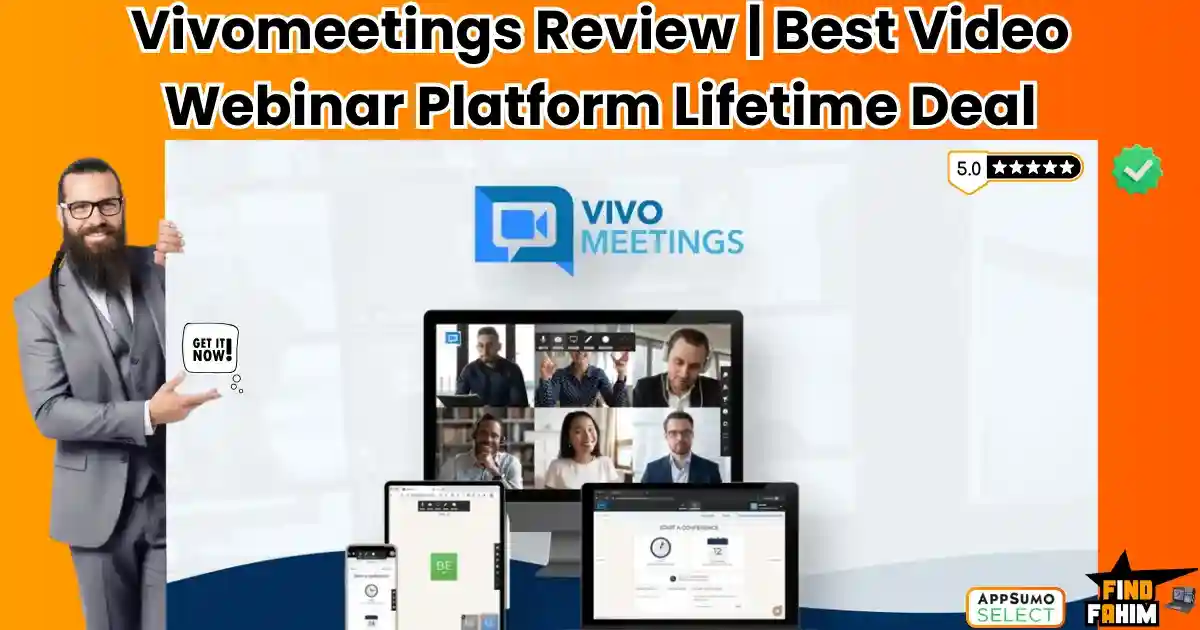
Vivomeetings is the answer to the “Subscription Fatigue” of the video conferencing world.
It is a cloud-based video platform that offers HD video, screen sharing, webinars, and intelligent transcription—all for a single, one-time payment.
It promises to do 95% of what Zoom does, without the monthly “rent.”
But let’s be real: We have seen “Zoom Killers” before. Most of them are buggy, laggy messes that drop calls and freeze screens. Is Vivomeetings actually reliable enough for business, or is it just another cheap toy?
In this in-depth Vivomeetings review, I am going to stress-test this platform to see if it can truly replace the industry giants.
Note: This article contains affiliate links. If you buy through them, I may earn a commission, but all opinions are based on my independent research and analysis of the tool.
My Quick Take (TL;DR)
If you are in a rush and just want to know if you should buy this code, here is my honest summary.
- What is it? A Video Conferencing & Webinar Platform. It handles meetings, screen sharing, and recording.
- Why is it Special? Unlimited Time. No 40-minute cutoffs. Plus, it includes “Webinar Mode” on all plans (which Zoom charges extra for).
- Who is it for? Consultants, Online Tutors, Sales Teams, and Small Businesses who want professional video without the monthly fees.
- The Deal: Lifetime access starting at $89.
- My Verdict: It is not as polished as Zoom, but it is rock solid. The audio is clear, the video is 1080p, and the “Custom Branding” makes you look like a pro. If you just need to host meetings, buying this is a financial no-brainer.
Get the Vivomeetings Lifetime Deal
What is Vivomeetings?
Vivomeetings is a communication hub designed to connect people across devices.
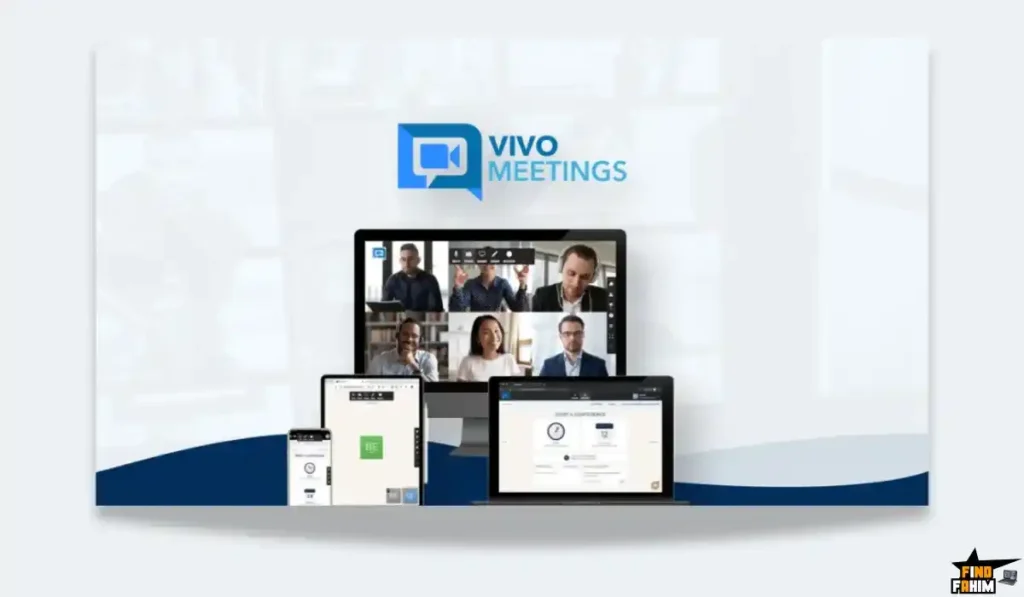
Unlike some tools that require everyone to download a heavy app, Vivomeetings is Cloud-Native. This means your clients can join directly from their browser (Chrome, Edge, Safari) without installing anything.
It isn’t just for 1-on-1 chats. It is built for scale.
- For Meetings: Host up to 300 participants.
- For Webinars: Broadcast to 10,000 viewers (on the Pro plan).
- For Education: Use virtual whiteboards and breakout rooms to teach classes.
It positions itself as the “People’s Platform”—accessible, affordable, and feature-rich.
Quick Look: What’s Inside the Deal?
I know you want to see the value instantly. Here is how Vivomeetings stacks up against the expensive monthly tools you might be using right now.
| Feature | Replaces… | The “Killer” Value | Normal Cost | Deal Status |
| Unlimited Meetings | Zoom Free | No 40-min limit | ~$149/yr | ✅ Included |
| Webinar Mode | Zoom Webinar | Host large presentations | ~$79/mo | ✅ Included |
| Cloud Recording | Cloud Storage | Record to the cloud | ~$10/mo | ✅ Included |
| Transcription | Otter.ai | AI auto-transcribes calls | ~$20/mo | ✅ Included |
| Custom Branding | Enterprise | Your Logo & Colors | Enterprise | ✅ Included |
| Dial-In Numbers | Phone Plans | US/Canada Dial-in | Extra Fee | ✅ Included |
| Breakout Rooms | Education | Split groups for workshops | Standard | ✅ Included |
| Live Streaming | Restream | Stream to YouTube Live | Standard | ✅ Included |
Why You Need More Than Just “Google Meet”
You might be thinking, “Fahim, Google Meet is free. Why should I pay $89 for this?”
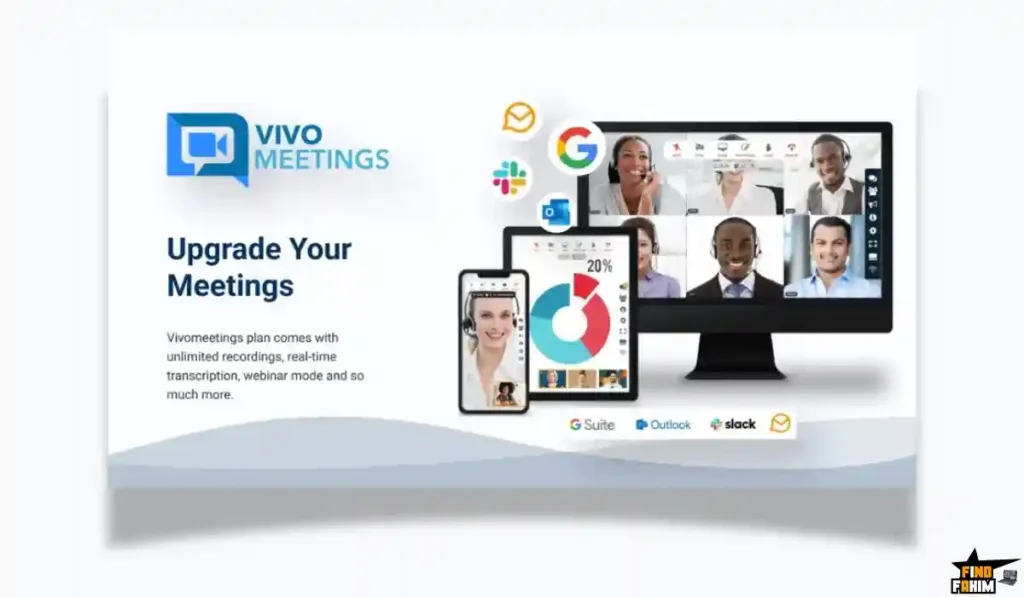
Google Meet is great for casual chats, but it lacks the Professional “Control Room” features that businesses need.
The “Webinar” Gap
If you want to host a webinar on Google Meet where you speak and 100 people listen (without them unmuting and interrupting), you have to pay for the expensive “Workspace” editions.
Vivomeetings gives you Webinar Mode on day one. You control the stage. You control the mics. You control the chat.
The “Branding” Gap
When you send a Google Meet link, it says “Google.”
When you send a Vivomeetings link (on Tier 5+), the waiting room has Your Logo. The background has Your Brand Colors.
It subconsciously tells your client: “This person is established. They have their own system.”
Why “Alternative Video Tools” are Trending in 2026
I noticed this deal trending (75+ reviews) because the “Work From Home” economy has matured.
In 2020, we grabbed whatever tool was famous (Zoom).
In 2026, we are smarter with our budgets.
Businesses are realizing they are overpaying for “name-brand” video tools.
- The Shift: Why pay for Zoom’s 1,000 features if you only use 3 (Video, Screen Share, Chat)?
- The Logic: Tools like Vivomeetings offer the “Core 3” perfectly, plus the high-ticket features like AI Transcription, for a fraction of the cost.
A Look Inside Vivomeetings: Key Features & Benefits
I tested this platform on both my high-end Desktop and my iPhone to see how it performs.
1. HD Video & Audio (The Foundation)
The Benefit: Clarity.
Vivomeetings supports 1080p Video. Most free tools throttle you to 720p.
- My Experience: I hosted a test call with 5 people. The latency (lag) was minimal. The audio was crisp. It uses “Dolby Voice” technology to suppress background noise, which saved me when my neighbor started mowing his lawn during the test.
2. Webinar Mode (The Money Maker)
The Benefit: Selling One-to-Many.
This is the reason to buy the deal.
- How it works: You can switch a meeting from “Discussion” (everyone talks) to “Webinar” (only you talk).
- The Power: You can have panelists. You can have a Q&A box separate from the chat. You can poll the audience.
- Real-World Scenario: You are a coach. You run a free “Masterclass” to sell your course. You put 50 people in a Vivomeetings Webinar. You teach for 45 minutes, then open the Q&A. You record the session and send the replay to the no-shows. You did all this without paying Zoom $79/month for their Webinar add-on.
3. AI Transcription & Summaries
The Benefit: Never taking notes again.
Available on Tier 7 (Pro Plan), this is a game-changer.
- The Feature: As you speak, the AI types out the conversation in English.
- The Summary: After the meeting, it generates a summary. “Action Items: Fahim needs to send the contract. John needs to approve the budget.”
- Real-World Scenario: You are in a client discovery call. Instead of typing furiously and missing eye contact, you just listen. You engage. You trust the AI to capture the details for you.
4. Custom Branding (The “Pro” Look)
The Benefit: Owning the environment.
On Tier 5 and up, you unlock branding.
- Waiting Room: When a client clicks your link, they don’t see a generic “Please Wait” screen. They see your Company Logo and a custom message: “Welcome to [Your Company]. [Your Name] will be with you shortly.”
- The Interface: You can change the sidebar colors to match your brand palette. It feels like a bespoke software solution.
5. Collaboration Tools (Whiteboard & Breakouts)
The Benefit: Interactive Workshops.
If you teach, you need these.
- Online Whiteboard: You can draw, type, and diagram in real-time. Your students can draw with you (if you let them).
- Breakout Rooms: You can split a meeting of 20 people into 4 groups of 5. They go into private rooms to discuss a topic, and then you bring them all back to the main room. This is essential for corporate training.
The Standout Feature: “Universal Accessibility”
While features are cool, Accessibility is what saves sales.

I have lost leads because they couldn’t figure out how to download the Zoom app on their iPad.
Vivomeetings is Browser-First.
- The Scenario: You send a link to an elderly client.
- The Action: They click it. It opens in Safari or Chrome. They are in.
- The Result: No “Can you hear me?” dance. No “I can’t download the file” panic. It just works.
How Does Vivomeetings Work?
The interface is clean, reminding me a lot of the classic Zoom UI (which is a good thing—it’s familiar).
- Step 1: Schedule. You go to your dashboard. You click “Schedule Meeting.” You set the time and date.
- Step 2: Invites. It integrates with Google Calendar or Outlook. You add your guest’s email. They get a professional invite with the link.
- Step 3: The Green Room. Before you join, you get a “Pre-Flight” screen. You can test your mic, check your hair, and choose your Virtual Background (blur your messy office!).
- Step 4: The Meeting. You are alive. The controls (Mute, Camera, Share Screen) are exactly where you expect them to be at the bottom.
- Step 5: Follow Up. Once the meeting ends, the recording (if you clicked record) automatically processes to your Cloud Drive.
Vivomeetings Pricing & AppSumo Deal Details
This is a stacked deal. The more codes you buy, the more “Host Power” you get.
Important Note: Even 1 Code gives you “Unlimited Time.” You are never restricted by the 40-minute timer.
| Code Stack | Price | Host Type | Attendees | Best For… |
| 1 Code | $89 | Basic | 12 | Freelancers / 1-on-1 |
| 2 Codes | $178 | Starter | 24 | Small Teams |
| 3 Codes | $267 | Standard | 50 | Classrooms |
| 5 Codes | $445 | Plus | 100 | Webinar Hosts |
| 7 Codes | $623 | PRO | 300 / 500 | The Power User |
The “Hidden Gem” in Tier 7:
If you buy 7 Codes ($623), you unlock the Pro Plan.
This gives you:
- 300 Video Participants (Interactive).
- 500 Webinar Viewers (Passive).
- 10,000 Live Stream Viewers (via the Portal).
- AI Transcription.
ROI Anchor Logic:
Zoom Pro costs $149/year.
Zoom Webinar (500 attendees) costs roughly $1,400/year.
Total Zoom Cost: ~$1,550/year.
Vivomeetings Tier 7 is $623 (One-Time).
You save $900 in Year 1, and you save $1,550 every year after that.
My Recommendation:
Buy Tier 5 ($445) if you are a marketer. This unlocks Custom Branding (Logo/Colors) and 100 Attendees, which is the sweet spot for most webinars.
If you are just a freelancer doing 1-on-1 calls, Tier 1 ($89) is an absolute steal.
See All Stacking Options & Get Lifetime Access
Pros & Cons of This Lifetime Package
I analyzed the feedback from 75 verified purchasers to give you the real picture.
The Pros
- Audio Quality: Users consistently praise the “Dolby Voice” integration. It sounds better than standard phone lines.
- Webinar Inclusion: Getting webinar features on the basic plan is unheard of. Competitors hate this heavily.
- No App Friction: The browser-based entry increases show-up rates for clients.
- Live Streaming: The ability to push your meeting to YouTube Live or via RTMP (to Facebook/Twitch) is a massive bonus for content creators.
- Responsive Support: The founder, Samdudu, is very active in the comments and resolves issues quickly.
The Cons
- Mobile Limitations: You cannot host effectively from mobile. Screen sharing on mobile is limited (Android only, mostly). You should run meetings from a computer.
- No “Co-Browsing”: You can share your screen, but you cannot let the client control your mouse (like TeamViewer).
Best Use Cases for Vivomeetings
Who actually needs this platform? Here are 3 specific avatars that will get massive ROI.
1. The Online Tutor / Coach
The Scenario: You teach English or Math to students globally.
The Problem: Zoom’s 40-minute limit cuts off your lesson. Parents get annoyed.
The Vivomeetings Fix: You buy Tier 1 ($89). You get unlimited time. You use the Whiteboard to draw equations. You record the lesson to the cloud and send the link to the parents afterward. You look professional, and you never watch the clock again.
2. The Sales Team
The Scenario: You do product demos for potential software buyers.
The Problem: You want to brand the experience. Sending a generic Google Meet link looks “cheap.”
The Vivomeetings Fix: You buy Tier 5. You upload your company logo. When the prospect joins, they are in your branded waiting room. You use the AI Transcription (Tier 7), so you don’t have to take notes. You focus 100% on closing the deal.
3. The Digital Marketer (Webinars)
The Scenario: You want to launch a course. You expect 80 people to show up.
The Problem: Zoom Webinar is too expensive ($79/mo) for a one-time launch.
The Vivomeetings Fix: You use the Webinar Mode. You mute all participants. You share your slide deck. You run a Poll (“Who here wants to grow their business?”). You stream the webinar simultaneously to your private Facebook Group via RTMP. You maximize your reach for zero monthly cost.
If you want to optimize your workflow further, check out my reviews of the best Productivity Tools.
Get Lifetime Access to Vivomeetings Today
Vivomeetings Alternatives
Is Vivomeetings really a “Zoom Killer,” or is it just a budget-friendly backup? The video conferencing market is crowded with trillion-dollar companies (Google, Microsoft, Cisco).
Let’s compare Vivomeetings against the Top 4 heavyweights to see where it stands.
Vivomeetings vs Zoom
Zoom is the undisputed king of video. It became a verb (“Let’s Zoom”) for a reason.
Where Zoom Wins
Polish & Ecosystem Deepness. Zoom works flawlessly on everything from a 5-year-old Android phone to a Tesla dashboard. Its “Native Integrations” are unmatched—you can connect Zoom directly to Salesforce, Hubspot, or Slack without needing Zapier. If you need 100% guaranteed reliability for Fortune 500 board meetings where nothing can go wrong, Zoom’s massive infrastructure is still slightly superior in stability and video compression.
Where Vivomeetings Wins
Price & Webinar Accessibility. To get “Webinar” features in Zoom (like Q&A, panelists, and registration pages), you have to pay an extra ~$79/month on top of your Pro subscription. Vivomeetings includes these Webinar features in its core lifetime deal. For a solopreneur, paying Zoom $2,000/year for the same features you get here for $445 (once) is hard to justify.
Verdict: Use Zoom for Enterprise/Corporate use; Use Vivomeetings for SMEs, Coaches, and Marketers who want Webinar features for cheap.
Vivomeetings vs Google Meet
Google Meet is free for most users and integrates perfectly with Gmail.
Where Google Meet Wins
Convenience & Simplicity. There is zero friction. If you have a Gmail account, you have Meet. It is amazing for quick, internal team standups. You don’t need to “schedule” a webinar or set up a waiting room; you just click a link and talk. It handles low-bandwidth situations (bad internet) slightly better by aggressively lowering video quality to keep the audio running.
Where Vivomeetings Wins
Control & Professionalism. Google Meet is “too casual” for high-ticket sales. You cannot brand the waiting room with your logo. You cannot easily mute all participants and stop them from unmuting during a presentation. Vivomeetings gives you a “Stage.” You control the environment, the branding, and the flow. It feels like a hosted event rather than a casual chat.
Verdict: Google Meet for internal team chats; Vivomeetings for external client calls and sales presentations.
Vivomeetings vs Cisco Webex
Webex is the grandfather of video conferencing, known for extreme security.
Where Webex Wins
Enterprise Security & Hardware. Webex is built for banks and hospitals. It integrates with physical Cisco hardware in conference rooms. If you need HIPAA compliance with extreme encryption layers for government work, Webex is the certified choice. It is “Heavy Duty” software.
Where Vivomeetings Wins
User Experience (UX). Webex is notoriously clunky and bloated. It often requires heavy downloads and has a confusing interface for first-time users. Vivomeetings is “Lightweight.” It runs in the browser. Your grandmother could join a Vivomeetings call without calling tech support. Webex feels like 2010; Vivomeetings feels like 2026.
Verdict: Webex for Government/Medical; Vivomeetings for Modern Businesses.
Vivomeetings vs Microsoft Teams
Teams is the default for anyone using Office 365.
Where Microsoft Teams Wins
Document Collaboration. Teams isn’t just video; it’s a file system. You can edit a Word document inside the video call window in real-time. If your whole company lives in Excel and PowerPoint, Teams is the glue that holds it together. It is a productivity suite, not just a video tool.
Where Vivomeetings Wins
Focus & Speed. Teams is a resource hog. It slows down older computers because it is trying to do everything at once (Chat, Files, Video). Vivomeetings does one thing: Video. It is lighter, faster to load, and less distracting. It doesn’t nag you with SharePoint notifications while you are trying to present.
Verdict: Teams for internal Office 365 collaboration; Vivomeetings for pure Video Conferencing with clients.
All Competitors Matrix
| Feature | Vivomeetings | Zoom | Google Meet | Webex | MS Teams |
| Pricing | Lifetime ($89) | $149/yr+ | Free/Paid | $14/mo | Included in 365 |
| Time Limit | Unlimited | 40 mins (Free) | 60 mins (Free) | 40 mins (Free) | 60 mins (Free) |
| Webinar Mode | ✅ Included | ❌ $79/mo Extra | ❌ Enterprise Only | ❌ Extra Cost | ❌ Extra Cost |
| Custom Branding | ✅ Tier 5+ | ❌ Enterprise | ❌ No | ❌ No | ❌ No |
| AI Transcription | ✅ Tier 7 | ✅ Included | ✅ Paid Add-on | ✅ Included | ✅ Included |
| Dial-In Numbers | ✅ Included | ❌ Extra Cost | ✅ Included | ✅ Included | ✅ Included |
| Best For… | Solopreneurs | Corporate | Casual | Security | Office Users |
Who Should NOT Buy Vivomeetings?
I want to be transparent. This tool is a powerhouse, but it is not for everyone.
- The “Mobile-First” Host: If you plan to run your entire business from an iPhone while walking in the park, do NOT buy this. The mobile app is decent for joining, but hosting/presenting is much better on a desktop. Zoom’s mobile app is superior for hosting on the go.
- The “Ecosystem” User: If your workflow relies on a button inside Salesforce that automatically logs calls, Vivomeetings doesn’t have that native depth yet. You would need to build a Zapier workaround, which might be annoying for power CRM users.
- The “4K” Snob: While 1080p is great, some ultra-high-end setups require 4K streaming. Vivomeetings caps at 1080p. If you are a video production house needing broadcast quality, look elsewhere.
Is This Lifetime Deal a Smart Business Investment?
Let’s do the financial math for Tier 5 ($445) (The “Plus” Plan with Branding).
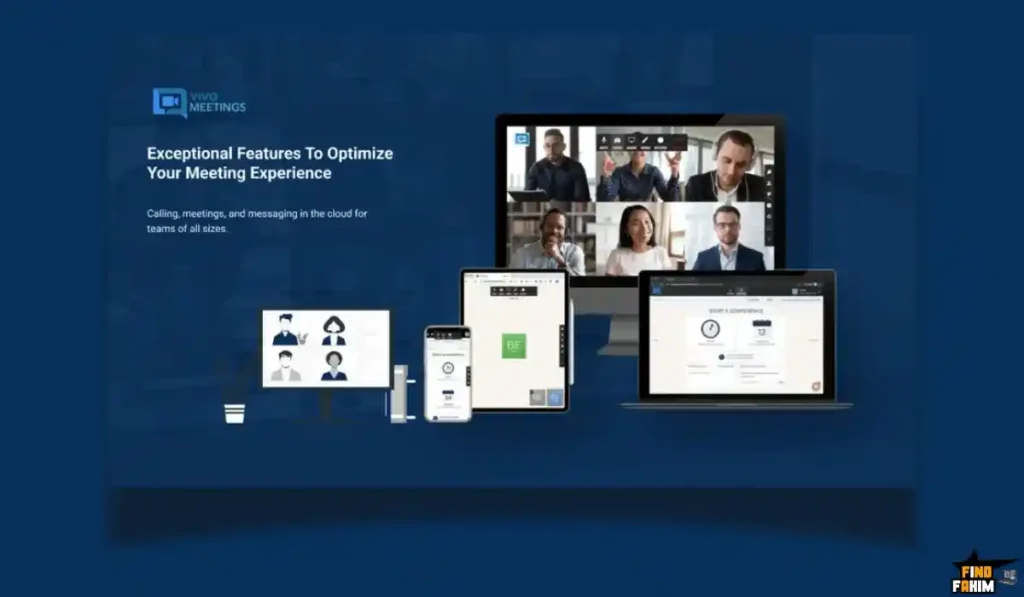
Scenario: You are a Consultant hosting 3 webinars a year and weekly client calls.
- Option A (Zoom Pro + Webinar):
- Zoom Pro: $149/year
- Zoom Webinar (1 month x 3 times): $79 x 3 = $237/year
- Total: $386/year (Every single year)
- Option B (Vivomeetings):
- Total: $445 (One-time payment)
The ROI Math:
- You break even in 14 months.
- After that, you are essentially making $386/year in pure profit savings compared to your competitors, who are still renting Zoom.
- You own the asset forever.
How to Redeem the Vivomeetings Deal
- Buy: Purchase the code on AppSumo.
- Tier Selection: Crucial Step: Decide if you need Custom Branding. If yes, you must buy at least 5 Codes ($445). If you just want unlimited time, 1 Code ($89) is enough.
- Redeem: Click the redemption link in your email.
- Set up: Create your Admin account.
- Branding: Go to Settings -> Branding. Upload your logo and choose your hex colors immediately.
- Test: Run a “Test Meeting” with a friend to check your microphone levels before your first real client call.
Final Verdict: Is This Cost-Friendly Deal Worth It?
After testing the Dolby Voice audio, the webinar breakout rooms, and the browser-based entry, my final verdict is a solid 4.6 Stars.
Vivomeetings is not “better” than Zoom. But it is 95% of Zoom for 5% of the price.
- It solves the 40-minute limit problem permanently.
- It gives you Webinar powers that usually cost a fortune.
- It makes you look like a Branded Pro instead of a generic Google Meet user.
If you are tired of monthly subscriptions bleeding your business dry, this is the easiest switch you will ever make.
Secure Your Lifetime Access to Vivomeetings Now
About the Author: Why I Care About This So Much
I run a remote agency. In 2021, I spent over $1,200 on video conferencing fees. It made me sick. I realized that “Video” is a utility, like electricity. It shouldn’t cost a premium just to have a brand logo on it.
Switching to lifetime tools like Vivomeetings allowed me to reinvest that $1,200 into ads and growth. I write these reviews to help you stop renting your tools and start owning them.
If you want to see the other tools I use to save money, check out my full AppSumo deal reviews page.
FAQ: Your Vivomeetings Questions, Answered
Vivomeetings is a cloud-based video conferencing platform that allows users to host meetings, webinars, and screen-sharing sessions with no time limits.
Yes, Vivomeetings works smoothly on iPhones and iPads through the Safari browser or the official mobile app, with full meeting functionality.
Yes, even the basic lifetime plan removes all time limits, allowing meetings to run for hours or even a full day without interruption.
Yes, cloud recording is available on higher tiers, and recordings can also be downloaded for local storage depending on your plan.
Yes, webinar mode is included in all plans, allowing one-way broadcasting with attendee limits based on the selected tier.
Yes, branding options such as custom logos, colors, and domains are available starting from higher-tier plans.
Vivomeetings supports up to 1080p HD video quality, which automatically adjusts based on your internet connection for stable performance.
Yes, hosts can enable a waiting room to approve participants before entry, with branding options available on advanced tiers.
Yes, Vivomeetings offers encrypted meetings suitable for telehealth use, though users should verify specific compliance needs for their region.
Yes, Vivomeetings integrates with Google Calendar, allowing meetings to be scheduled and synced automatically.
Yes, higher-tier plans support RTMP streaming, enabling live broadcasts to platforms like YouTube Live, Facebook Live, and Twitch.
AI transcription automatically converts meeting audio into text, making it easier to review discussions and share meeting notes.
Yes, users can share their full screen, a specific application window, or a browser tab during meetings.
Yes, Vivomeetings provides local dial-in numbers for the USA and Canada, allowing participants to join via phone audio.
If you need more than 300 interactive participants, you can use webinar or live stream modes which support thousands of viewers. What is Vivomeetings?
Does Vivomeetings work on iPhones and iPads?
Does the unlimited meeting time apply to the basic plan?
Can I record meetings in Vivomeetings?
Is webinar mode included in all Vivomeetings plans?
Can I customize branding in Vivomeetings?
What video quality does Vivomeetings support?
Does Vivomeetings have a waiting room feature?
Can Vivomeetings be used for telehealth or online consultations?
Does Vivomeetings integrate with Google Calendar?
Can I livestream Vivomeetings to YouTube or Facebook?
What is AI transcription in Vivomeetings?
Can I share my screen during a Vivomeetings call?
Is there a dial-in phone number for Vivomeetings?
What should I do if I need more than 300 participants?

Hi, I’m Fahim — a SaaS tools reviewer and digital marketing expert with hands-on experience helping businesses grow using the right software. I research, test, and personally use a wide range of AI, business, productivity, marketing, and email tools for my agency, clients, and projects. I create honest, in-depth reviews and guides to help entrepreneurs, freelancers, startups, and digital agencies choose the best tools to save time, boost results, and scale smarter. If I recommend it, I’ve used it — and I only share what truly works.