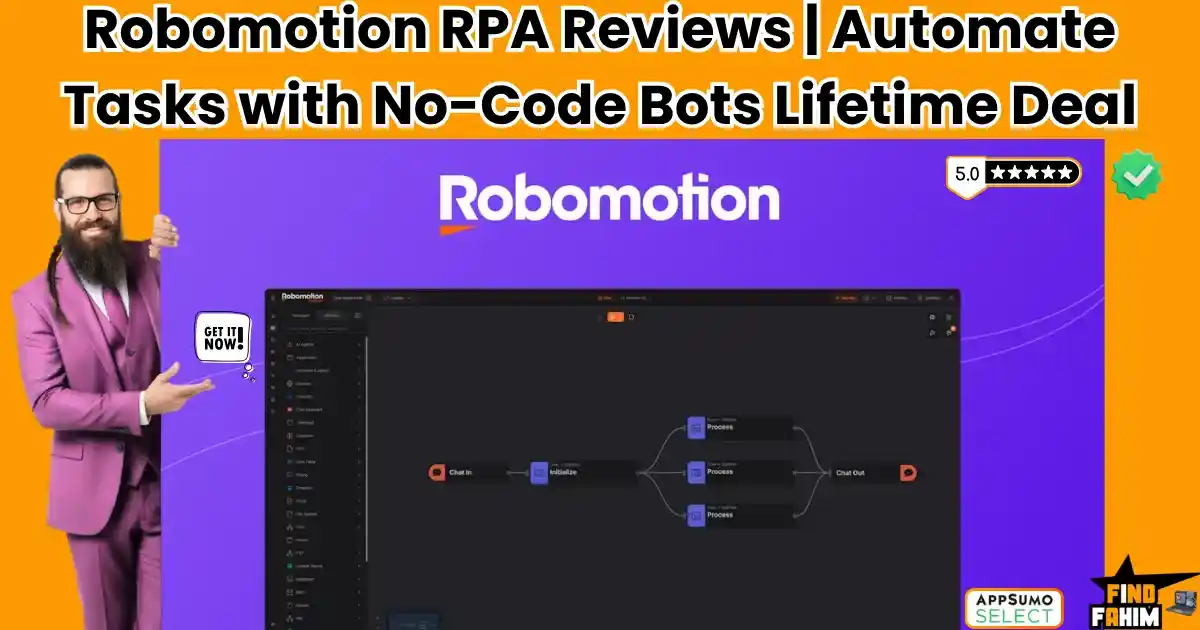

Copying and pasting data between software that refuses to talk to each other is a massive drain on your daily energy. Robomotion RPA is an advanced desktop and web automation tool built to rescue you from those boring, highly repetitive tasks.
If a software lacks an API, standard automation tools break. Robomotion fixes this by acting like a digital human, physically clicking buttons and typing data on your actual screen.
Note: This article contains affiliate links. Opinions are my own, independent research and analysis.
My Quick Take (TL;DR)
If you manage complex data entry or scrape websites daily, you need a robotic workforce. Here is the direct summary of this AppSumo offer.
- What is it? A Robotic Process Automation (RPA) platform. It uses software bots to automate web and desktop applications across Mac, Windows, and Linux.
- Why is it Special? It does not rely on APIs. It physically interacts with user interfaces, allowing you to automate legacy desktop apps and protected websites.
- Who is it for? Operations managers, data analysts, e-commerce owners, and digital agencies are doing heavy manual labor.
- The Deal: Lifetime access starting at $119 on AppSumo.
- My Verdict: A highly technical, massive money-saver. It requires a learning curve, but it completely replaces expensive enterprise tools like UiPath for small businesses.
Click Here to Get the Robomotion RPA Lifetime Deal on AppSumo
What is Robomotion RPA?
To understand this tool, you must understand the difference between standard automation and Robotic Process Automation (RPA).
Standard tools like Zapier operate strictly in the background using APIs. If a software does not have a public API, Zapier cannot touch it. You are locked out.
Robomotion RPA bypasses the API completely. You install a lightweight agent on your computer. This software robot then takes control of your mouse and keyboard virtually. It reads your screen, clicks specific buttons, downloads PDF files, and types information into Excel spreadsheets exactly like a human employee would.
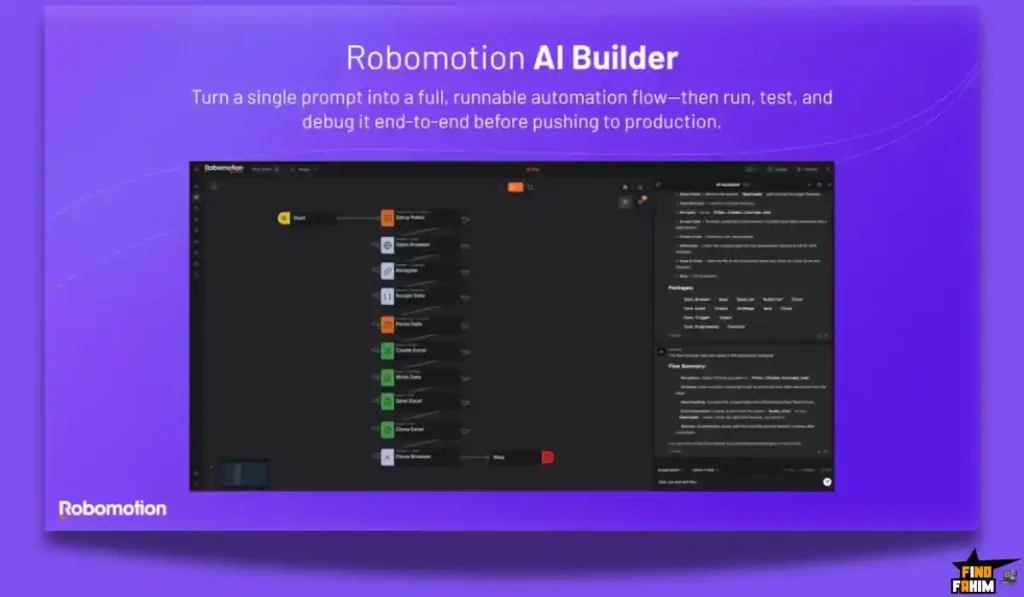
You build these instructions using a visual drag-and-drop flow designer on their cloud dashboard. Once built, the robot executes the workflow locally on your machine, saving you hundreds of hours of manual clicking.
Quick Look: Robomotion RPA vs Manual Workflow
If you spend your mornings downloading bank statements and matching them to accounting software, look at this operational breakdown. Here is what this tool actually replaces.
| Feature | Replaces… | The Real Value | Normal Cost | Deal Status |
| Desktop Automation | Manual Data Entry | Automates legacy software | High Labor | ✅ Included |
| Web Scraping | Virtual Assistants | Pulls data from any site | ~$15/hour | ✅ Included |
| Encrypted Vaults | Unsafe Spreadsheets | Secures your login passwords | Essential | ✅ Included |
| Cross-Platform Bots | Windows-Only Tools | Works natively on Mac/Linux | Premium | ✅ Included |
| Total Value | Human Assistants | Massive Hourly Savings | ~$2,000+/yr | $119 (Lifetime) |
Why Native Integrations Are Failing Businesses
You might assume every app connects easily in 2026. This is a massive misconception.
Legacy desktop applications, old banking portals, and custom internal tools often lack modern APIs.
When connections fail, you must hire virtual assistants for manual data entry. A human reading one screen to type into another is slow, error-prone, and expensive.
Why Desktop Automation is Trending in 2026
This AppSumo deal is trending because AI has completely changed how we build automation.
Historically, building an RPA bot required heavy coding knowledge to tell the software exactly where to click.
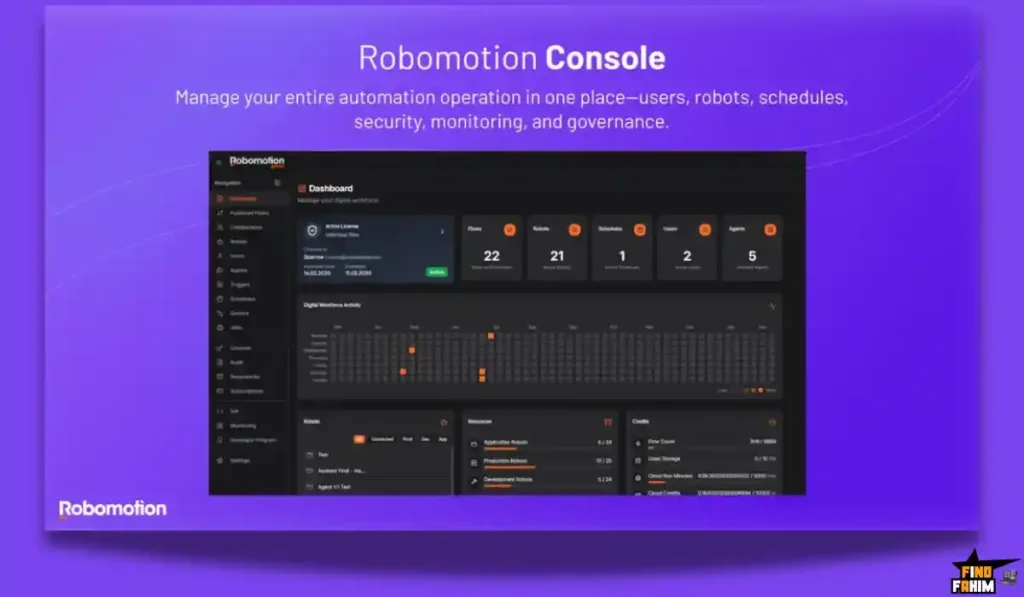
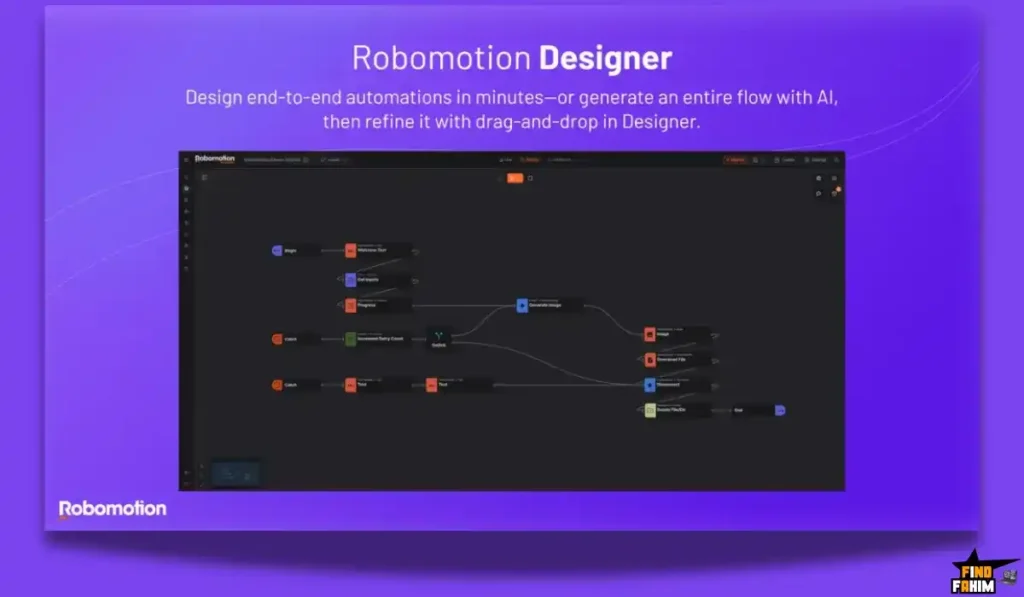
Now, Robomotion integrates natural language directly into the flow builder. You just type your request in plain English. The AI builds the complex nodes automatically, making RPA accessible to everyone.
A Look Inside Robomotion RPA: Key Features
Here is exactly what you get when you move your manual operations over to this dedicated robotic platform, and why these features matter.
Visual Drag-and-Drop Flow Designer
You do not need to be a software engineer to use this. The core of the platform is a visual canvas.
You drag “nodes” onto the screen to build a sequence. For example, you drag a node to open Chrome, a node to navigate to a URL, a node to type a password, and a node to click login. You connect these nodes with arrows to create the logic path for your bot.
Encrypted Credential Vaults
If a robot is going to log into your bank or your social media accounts, security is critical.
Robomotion features highly secure, encrypted vaults. You store your sensitive passwords and API keys inside these vaults. The data is encrypted locally. Even the developers cannot see your passwords. The robot simply retrieves the encrypted key during the workflow to log in securely.
Cross-Platform Desktop Agents
Most legacy RPA tools force you to use a Windows PC. Robomotion is built differently.
You can download the robot agent natively on Windows, Mac, and Linux systems. They even support running lightweight agents on a Raspberry Pi. This means you can buy a cheap $50 micro-computer, install the bot, and let it run web scraping tasks 24/7 in the corner of your office.
Advanced Triggers and Scheduling
You do not have to manually click “run” every time you want a task completed. The software features robust scheduling.
You can tell the bot to wake up every morning at 8:00 AM, log into your CRM, and email you a PDF report. You can also use triggers. The bot can sit idle until a specific file is dropped into a folder, which immediately triggers the workflow to begin processing that file.
The Standout Feature: Plain English AI Builder
This specific engineering update completely separates this tool from complex coding alternatives. Building complex XPath queries to find specific buttons on a website is notoriously difficult.
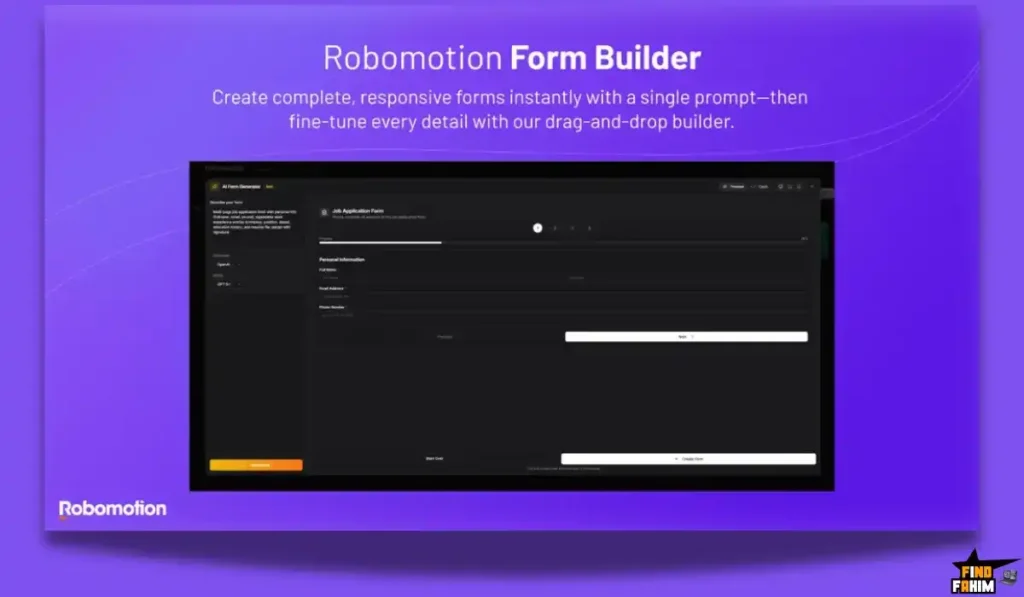
Robomotion recently integrated an AI Flow Builder. You open the chat interface and type, “Go to Amazon, search for standing desks, scrape the first page of results, and save them to a Google Sheet.” The AI engine automatically generates the required nodes and connects them on your canvas instantly.
Recent 2026 Platform Updates
The development team is incredibly responsive to the AppSumo community. In the last few months, they have shipped several major upgrades to the core engine:
- Conversational AI Iterations: You can now chat with the AI to refine your flows step-by-step instead of building them manually.
- External Git Support: Developers can now build flows outside the platform using coding tools like Claude Code or Codex.
- Public Webhooks: You can now trigger your desktop robots instantly by sending a web request from external apps.
Robomotion RPA Pricing & AppSumo Deal Details
This lifetime deal is structured around six specific license tiers. You pay once, and you own the robotic workforce forever without recurring subscription fees.
| Feature | Tier 1 | Tier 2 | Tier 3 | Tier 4 | Tier 6 (Max) |
| Price (One-Time) | $119 | $179 | $309 | $589 | $1,619 |
| Production Robots | 2 | 4 | 6 | 10 | 20 |
| Users / Seats | 2 | 4 | 6 | 10 | Unlimited |
| Flows Limit | 25 | 50 | 125 | 400 | Unlimited |
| Scheduling Speed | 30-min | 15-min | 10-min | 5-min | 1-min interval |
| Cloud Execution | 0 Hours | 0 Hours | 0 Hours | 0 Hours | 36 Hours/mo |
Understanding Production vs Application Robots
It is vital to understand the limits before buying. A “Production Robot” is the actual worker. If you have two production robots, you can run two different automated tasks on two different computers simultaneously.
An “Application Robot” (or Dev Robot) is strictly used for testing and building flows inside your dashboard. It cannot run scheduled tasks.
My Stacking Recommendation
For solo digital marketers and small e-commerce owners, Tier 2 ($179) is the absolute sweet spot. It gives you 4 production robots and allows you to schedule tasks every 15 minutes.
For data agencies and IT consultants, you must upgrade to Tier 4 ($589). This unlocks a massive 400 flows, 10 production robots, and tight 5-minute scheduling intervals. It gives you enough infrastructure to completely automate a medium-sized company’s administrative workload.
Secure Your Robomotion RPA Lifetime Plan on AppSumo
Pros & Cons of This Lifetime Package
With a strong rating from early tech-savvy buyers, the community absolutely loves the cross-platform capabilities. However, before migrating your workflows, we must look closely at the operational realities of learning RPA.
✅ Cross-Platform Power: No other RPA tool currently on AppSumo supports Mac, Windows, and Linux so effortlessly. You are not forced to buy a dedicated Windows server.
✅ Massive Cost Savings: Enterprise RPA software charges thousands of dollars per bot every single year. Securing permanent production robots for a one-time fee is incredibly rare.
✅ Responsive Development: Buyers consistently praise the founder for his hands-on Discord support and rapid deployment of the new AI flow-building features.
❌ The Learning Curve: Because it handles highly complex web scraping and desktop interactions, the interface can feel overwhelming. Expect to spend hours watching tutorials.
❌ Local Machine Dependency: Unless you buy the massive Tier 5 or Tier 6 for cloud execution, your physical computer must be turned on and awake for the desktop robots actually to run.
Who Should NOT Buy Robomotion RPA?
Do not buy this if you are completely non-technical and refuse to learn basic logic structures. While the AI builder helps massively, RPA requires patience.
If a website changes its design, your bot will break, and you must know how to fix the workflow. Furthermore, if you only need to connect two modern cloud apps (like sending a Gmail attachment to Dropbox), use a simple API tool instead. This is overkill for basic tasks.
How Does Robomotion RPA Work?
If you have never set up a desktop software robot before, here is exactly how fast you can launch your first automation.
- Install the Agent: Download the lightweight robot software to your Mac or Windows computer.
- Connect to Cloud: Link your local agent to your cloud workspace using a secure token.
- Build the Logic: Open the web dashboard and drag nodes to create your logic, or ask the AI to build it for you.
- Test the Flow: Run a test execution. Watch your mouse move automatically as the robot tests the steps on your screen.
- Schedule It: Assign the finalized flow to a production robot and set it to run automatically every morning at 9 AM.
Best Use Cases for Robomotion RPA
Who actually extracts the highest return on investment from this specific robotic setup?
- The Competitive Scraper: You run a pricing comparison site. You build a robot to visit five competitor websites every four hours. The bot reads their pricing data, extracts it into a CSV file, and uploads it to your database completely unattended.
- The E-commerce Manager: You sell on platforms without good APIs. You set a trigger so that every time an order email arrives, the robot opens your desktop shipping software, types the customer address, prints the label, and updates the tracking number.
- The Agency Operations Lead: You generate monthly reports for twenty clients. The robot logs into Google Analytics, exports the data, opens an Excel template, formats the charts, generates a PDF, and emails it to the client automatically.
Stop Manual Data Entry. Build Your First Robot Today.
Robomotion RPA Alternatives
Is this the best tool for the job, or should you use an established heavyweight? Let’s compare it directly against the top players in the automation space.
Robomotion RPA vs UiPath
UiPath is the massive, undisputed enterprise giant of the RPA world, used by Fortune 500 banks.
Where UiPath Wins: Deep Enterprise Features. UiPath has incredibly advanced computer vision, massive audit trails, and strict compliance features built for heavily regulated industries.
Where Robomotion Wins: Price and Accessibility. UiPath costs thousands of dollars annually and requires certified developers to deploy. Robomotion provides powerful core RPA functionality for a single lifetime payment, making it accessible for startups and mid-sized agencies.
Robomotion RPA vs Make (Integromat)
Make is the visual champion of cloud-based API automation, highly favored by digital marketers.
Where Make Wins: Cloud Speed and Ease. Make connects thousands of apps instantly via their APIs. Because it runs purely in the cloud, it processes massive amounts of data instantly without needing your computer turned on.
Where Robomotion Wins: UI Interaction. If an app lacks an API, Make cannot touch it. Robomotion can physically log into the website and click the buttons. You often need both: Make for cloud APIs, and Robomotion for legacy desktop tasks.
Robomotion RPA vs Zapier
Zapier is the most famous, standard API connector on the internet.
Where Zapier Wins: Brand Ecosystem. Zapier connects to almost every single software on the planet with zero coding required. It is the absolute easiest tool for beginners to understand.
Where Robomotion Wins: Complex Logic and Price. Zapier is notoriously expensive, charging you for every single “task” completed. A heavy workflow can cost hundreds a month. Robomotion limits robots, not tasks, allowing infinite runs for free once purchased.
Robomotion RPA vs Microsoft Power Automate
Power Automate is Microsoft’s native automation tool, deeply integrated into Windows.
Where Power Automate Wins: The Microsoft Stack. If your entire company runs on Excel, SharePoint, and Teams, Power Automate is brilliant. The desktop version is also heavily integrated into Windows 11 for free.
Where Robomotion Wins: Cross-Platform Support. Power Automate Desktop strictly requires a Windows machine. Robomotion runs flawlessly on Mac and Linux, making it the superior choice for diverse development teams.
Robomotion RPA vs AutoHotkey
AutoHotkey is a free, open-source scripting language used by hardcore coders for Windows automation.
Where AutoHotkey Wins: Lightweight Customization. If you know how to code, you can build incredibly fast, highly specific keyboard macros that run instantly with zero cloud dependency.
Where Robomotion Wins: Visual Management. AutoHotkey requires strict coding syntax and lacks a central dashboard to monitor errors. Robomotion provides a beautiful visual canvas, schedule management, and encrypted vaults to handle complex business logic visually.
The Competitor Matrix Table
| Platform | Pricing Model | Key Strength | Best For… |
| Robomotion | Lifetime ($119+) | Cross-Platform Bots | Agencies & Scrapers |
| UiPath | Enterprise Sub | Deep Compliance | Fortune 500 Companies |
| Make | Sub ($10+/mo) | Visual API Routing | Cloud Marketers |
| Zapier | Sub ($20+/mo) | Simple App Links | Solo Beginners |
| Power Automate | Sub / Included | Windows Integration | Enterprise MS Users |
| AutoHotkey | Free (Open Source) | Keyboard Macros | Hardcore Windows Coders |
Ready to Automate Your Desktop? Grab Robomotion Now
Is This Lifetime Deal a Smart Business Investment?
If you want to know exactly how fast this tool pays for itself, let’s break down the real-world math.
Here is the exact cost of choosing this deal to automate your company’s data entry versus paying for standard enterprise RPA tools:
- Cost of UiPath / Enterprise RPA (1 Year): Minimum $3,000+ per bot in licensing and server fees.
- Cost of Robomotion (Tier 2 – 4 Robots): $179 paid exactly once.
The ROI Math:
- You break even financially on the very first day you launch a production robot.
- Over a standard three-year business cycle, choosing this software saves your company roughly $9,000 in recurring enterprise licensing fees.
- More importantly, if a robot replaces just ten hours of human data entry per week, you are saving hundreds of dollars in weekly labor costs permanently.
How to Redeem the Robomotion RPA Deal
Ready to secure your digital workforce? Follow these quick steps to get your account running.
- Buy: Click the AppSumo link below to secure your activation code.
- Redeem: You will instantly receive a unique code in your email inbox.
- Activate: Follow the instructions to create your cloud account and apply the code within sixty days.
- Install: Download the local agent to your Mac or Windows machine, connect it to the cloud, and build your first automated flow risk-free.
Final Verdict: Is This AppSumo Deal Worth It?
After analyzing the cross-platform capabilities, the encrypted vaults, and the incredible new AI flow builder, my final verdict is a highly confident 4.6-Star YES.
It is the ultimate equalizer for small businesses. It eliminates boring, manual data entry. It gives solo founders access to enterprise-grade robotic processing without the massive corporate price tag.
While the initial learning curve is steep for non-technical users, the operational payoff is massive. If you want to stop doing the repetitive clicking yourself and hire a digital workforce that never sleeps, grab this lifetime code before it leaves the store.
Secure Your Robomotion RPA Lifetime License Before It Ends
About the Author
I spend my time researching and analyzing SaaS products, digital tools, and lifetime deals to help smart entrepreneurs stop overpaying for software. We all know the extreme frustration of doing the same manual data entry every single morning.
I do the heavy lifting of checking these offers—digging into the specific limits, the scheduling intervals, and the cross-platform capabilities—so you know exactly what you are getting. If you want to see what other software I am analyzing to cut business costs, check out my Full Guide to the Best Lifetime Software Deals.
FAQ: Your Robomotion RPA Questions, Answered
Robomotion is a low-code robotic process automation platform that allows users to build software robots to automate repetitive tasks across web browsers and desktop applications.
Yes. Robomotion supports Windows, macOS including Intel and ARM, and Linux with native desktop agents.
No. Robomotion provides a visual builder and an AI assistant that allows users to create automation workflows without coding knowledge.
A production robot in Robomotion is a digital worker that runs your automation workflows on a schedule and determines how many tasks can run at the same time.
Yes. Robomotion allows users to schedule automation flows to run at specific times such as hourly, daily, or weekly.
Robotic process automation is a technology that uses software bots to mimic human actions like clicking, typing, and navigating systems to automate repetitive tasks.
API automation connects systems directly through backend access, while RPA interacts with software through the user interface like a human user.
Yes. RPA tools can open web pages, extract information such as prices or contact data, and save it into files or databases.
Yes. For local automation, the computer must remain on and connected to the internet unless cloud execution is used.
Yes. Most RPA tools use encrypted credential storage to protect sensitive data such as login details and passwords. What is Robomotion RPA?
Does Robomotion work on Mac computers?
Do I need coding skills to use Robomotion?
What is a production robot in Robomotion?
Can Robomotion automate tasks on my computer automatically?
What is robotic process automation (RPA)?
What is the difference between API automation and RPA?
Can RPA tools scrape data from websites?
Do RPA bots require a computer to stay on?
Is robotic process automation secure?

Hi, I’m Fahim — a SaaS tools reviewer and digital marketing expert with hands-on experience helping businesses grow using the right software. I research, test, and personally use a wide range of AI, business, productivity, marketing, and email tools for my agency, clients, and projects. I create honest, in-depth reviews and guides to help entrepreneurs, freelancers, startups, and digital agencies choose the best tools to save time, boost results, and scale smarter. If I recommend it, I’ve used it — and I only share what truly works.