Managing your digital footprint across five social networks usually requires a messy stack of expensive tools.
Linke is an all-in-one link management platform that combines a URL shortener, a bio page builder, and an advanced analytics suite into a single dashboard that tracks traffic, retargets visitors, and alerts you instantly via SMS if a link goes viral.
Let’s talk about the “Link Tax.”
To be a serious marketer in 2026, you likely pay for:
- Linktree Pro ($6/mo) for your bio page.
- Bitly ($35/mo) for branded short links.
- PixelMe ($29/mo) for retargeting.
You are bleeding nearly $70 a month just to share links. It feels like paying a toll every time you want to send traffic to your own website.
Linke disrupts this model by giving you the entire stack for the price of a nice dinner.
It consolidates your bio pages, your custom domain shortener, and your ad retargeting pixels into one “Command Center.” Instead of monthly fees, you pay a one-time lifetime fee of $49. It handles everything from simple link shortening to complex “Link Buzz” alerts that tell you when to capitalize on a viral moment.
With a solid 4.5-star rating and unique features like “Link Health Checks” (which tell you if your destination URL is broken), Linke’s lifetime deal is positioning itself as the smarter, data-driven alternative to the big players. In this in-depth Linke review, we are testing if this budget-friendly tool is robust enough to handle your agency’s traffic.
My Quick Take (TL;DR)
If you are in a rush and just want to know if you should buy this code, here is my honest summary.
- What is it? Linke is a comprehensive link management suite. It creates “Bio Pages” (like Linktree), shortens URLs (like Bitly), and tracks clicks.
- Why is it a Game-Changer? Buzz Alerts. Linke monitors your traffic velocity. If a link suddenly gets 500 clicks in an hour, it sends you an SMS. This lets you know you are going viral while it’s happening, not 2 days later.
- Who is it for? Remote Teams, Agencies, and Marketers who run paid ads (because of the Retargeting Pixel feature).
- The Deal: Lifetime Access for $49.
- My Verdict: If you run ads or manage multiple brands, this is a no-brainer. The “Retargeting Pixel” feature alone pays for the tool. Buy it, set up your custom domain, and cancel your Bitly subscription immediately.
Click Here to Get the Linke Lifetime Deal
What is Linke?
The best way to describe this platform is as a “Traffic Control Tower.”
Most tools just shorten a link. Linke manages the entire lifecycle of a click.
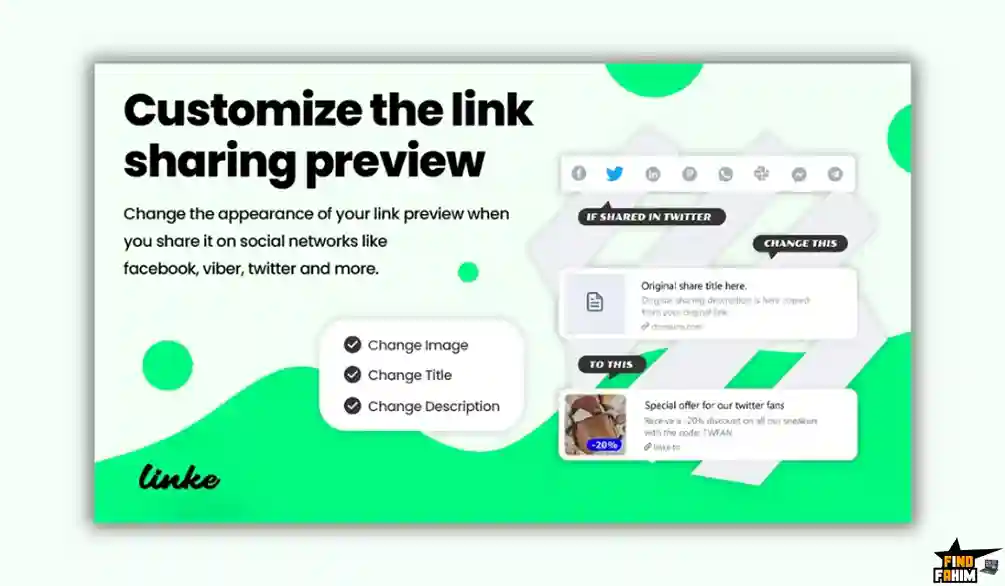
- Before the Click: It customizes the preview. When you post the link on Facebook, you choose exactly which image and title appear (Dynamic Previews).
- During the Click: It fires a “Retargeting Pixel.” Even if the user doesn’t buy anything, you capture them in your Facebook Audience to show them ads later.
- After the Click: It analyzes the data. It tells you their country, browser, and OS.
- If it Breaks: It checks the destination. If your website goes down, it alerts you via SMS so you can switch the link destination instantly.
Quick Look: What’s Inside the Deal?
If you are currently paying for Bitly or Linktree, look at this math.
| Feature | Replaces… | The “Killer” Value | Normal Cost | Deal Status |
| Bio Pages | Linktree Pro | Unlimited Branded Pages | ~$72/yr | ✅ Included |
| Shortener | Bitly | Custom Domain Short links | ~$300/yr | ✅ Included |
| Retargeting | PixelMe | Add FB/Google Pixels | ~$348/yr | ✅ Included |
| Buzz Alerts | Nothing | SMS Alerts for Viral Traffic | Unique | ✅ Included |
| QR Codes | Flowcode | Custom Color/Logo QRs | ~$10/mo | ✅ Included |
| Total Value | Your Links | A Complete Traffic Suite | ~$800/yr | $49 (Lifetime) |
Why You Need More Than Just a “URL Shortener”
Here is the dirty secret of the URL shortening industry: It costs them almost nothing.
Redirecting a link is incredibly cheap for a server. Yet, companies like Bitly charge enterprise prices because they know businesses need the data.
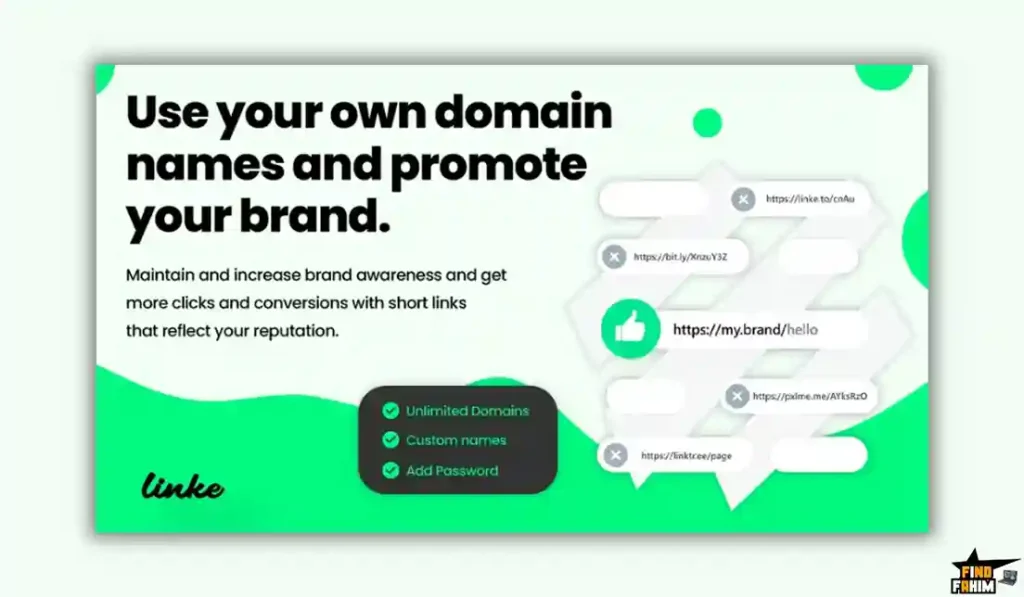
They gatekeep features like “Custom Domains” (e.g., links.yourbrand.com) behind expensive tiers.
Linke democratizes this. It gives you Unlimited Custom Domains on the $49 plan. You can look like a Fortune 500 company with branded links without paying the corporate tax.
Why Linke is Trending in 2026
I noticed this tool climbing the charts because it solves three specific modern problems.
1. The “Viral” Economy
In 2026, content goes viral fast. Creators need to know instantly if a TikTok post is blowing up so they can monetize it. Linke’s “Buzz Alerts” (SMS notifications for traffic spikes) are the only tool that solves this specific need for speed.
2. The Privacy Pivot (First-Party Data)
With tracking cookies dying, “Retargeting Links” are becoming essential. Marketers need a way to track interest without relying on third-party cookies. Linke allows you to build custom audiences from people who simply click a link, which is a massive advantage for ad buyers.
A Look Inside Linke: Key Features & Benefits
This package combines three distinct tools: A Bio Builder, A Shortener, and a Watchdog.
1. The Bio Page Builder (The “Linktree” Replacement)
What it is: A drag-and-drop mobile landing page. You add buttons, videos, and social icons.
Why it matters: You only get one link in your Instagram/TikTok bio. This page acts as a mini-website.
- Real-World Scenario: You are a musician. You release a new song. You update your Linke Bio Page to embed the Spotify player at the top, followed by a link to buy merch. You don’t need a web developer; you just drag the “Spotify Block” to the top.
2. Unlimited Retargeting Pixels (The “Marketer’s Dream”)
What it is: You can attach your Facebook Pixel, Google Analytics ID, or TikTok Pixel to any short link.
Why it matters: This allows you to build “Audiences” from people who click links to third-party sites.
- Real-World Scenario: You are an affiliate marketer promoting a product on Amazon. Usually, you can’t retarget people who visit Amazon because you don’t own the site. With Linke, you share a short link. When they click, your pixel fires before they redirect to Amazon. Now, you can run Facebook Ads targeting everyone who clicked that link.
3. “Buzz” & “Down” Alerts (The “Watchdog”)
What it is: An automated monitoring system.
- Buzz Alert: “Link X just got 1,000 clicks in 10 minutes!” (Viral).
- Down Alert: “Link Y is returning a 404 Error!” (Broken).
- Real-World Scenario: You send a newsletter. Suddenly, your website crashes. Linke sends you an SMS: “Destination Down.” You log in and change the short link to point to a backup landing page. You saved the campaign revenue because you knew instantly.
4. Dynamic Social Previews (The “Click Magnet”)
What it is: You can control how your link looks when shared on WhatsApp, Facebook, or Twitter. You can upload a specific image and write a custom title for the preview card.
- Real-World Scenario: You are sharing a link to a boring PDF report. Usually, Facebook would show a blank gray box. With Linke, you upload a flashy graphic that says “FREE REPORT: DOWNLOAD NOW.” Your Click-Through Rate (CTR) doubles.
The Standout Feature of Linke: “Device Targeting”
Most shorteners just redirect everyone to the same place. Linke is smarter.
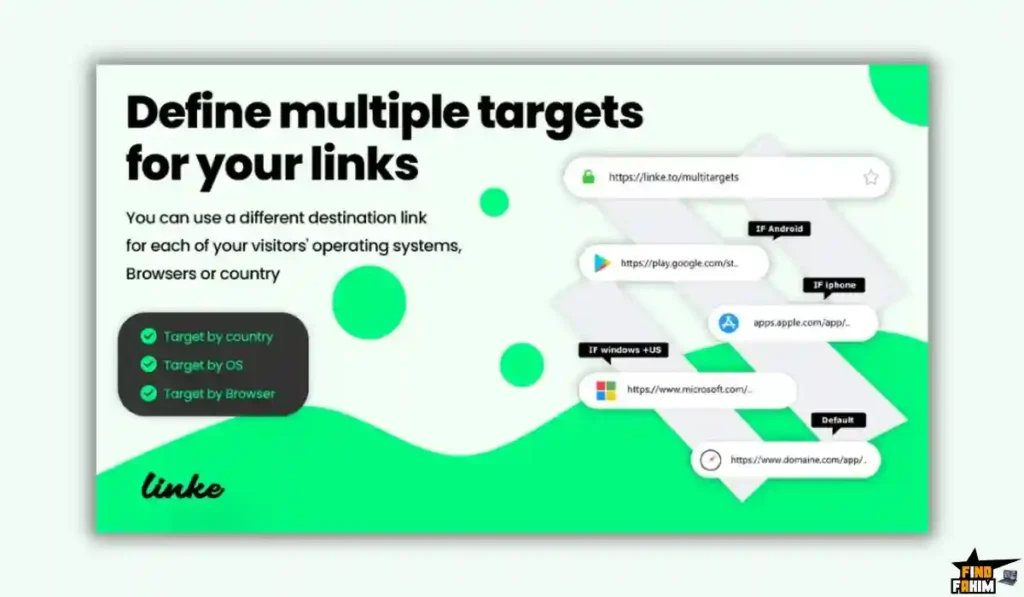
It allows Smart Routing based on the device.
- iPhone User Clicks: Redirects to the Apple App Store.
- Android User Clicks: Redirects to the Google Play Store.
- Desktop User Clicks: Redirects to your Website Homepage.
You use ONE single link for all your marketing, but the user always lands in the right place.
How Does Linke Work?
It’s a simple 3-step process.
Step 1: Paste Your Link
Paste your long URL into the dashboard.
Step 2: Customize
- Choose your domain (go.brand.com).
- Add your Retargeting Pixel (e.g., “Facebook Ads Pixel”).
- Set your Preview Image (for social sharing).
Step 3: Track
Share the link. Watch the analytics dashboard populate in real-time with country, device, and referrer data.
Linke Pricing & AppSumo Deal Details
This is a Single-Tier Lifetime Deal. There is no complex stacking logic here, which is refreshing.
| Feature | Lifetime License |
| Price | $49 (One-Time) |
| Short Links | Unlimited |
| Bio Pages | Unlimited |
| Custom Domains | Unlimited |
| Retargeting Pixels | Unlimited |
| Buzz Alerts | Unlimited |
| QR Codes | Included |
Click Here to Get the Linke Appsumo Deal
ROI Anchor Logic: The “Hidden Math”
- Bitly’s cheapest custom domain plan is $35/month.
- Linktree Pro is $6/month.
- Linke is $49 once.
The Reality: If you use this tool for just two months, you have broken even compared to Bitly. If you use it for a year, you have saved over $400.
Pros & Cons of This Lifetime Package
I promised you honesty. With 90 reviews and a 4.5-star rating, the tool is mature, but it has some quirks.
The Pros
- ✅ Unlimited Custom Domains: Most LTDs cap you at 1 or 3 domains. Linke gives you Unlimited. If you run an agency with 50 clients, you can connect a branded domain for every single one of them for free.
- ✅ SMS Alerts: I haven’t seen this in other tools. Getting a text message when a link breaks is a lifesaver for serious campaigns.
- ✅ Country/Device Targeting: Smart routing for App Store links is a pro feature usually found in expensive tools.
- ✅ No “Powered By” Branding: You can remove the Linke branding from your bio pages, making it look 100% professional.
- ✅ Fast Support: User “BlockandPixel” mentioned that support responded quickly, even over the weekend.
- ✅ Secret Edit Link: You can give a client a “Secret Link” to edit their own bio page without giving them your login password. This is brilliant for agencies.
The Cons
- ❌ Interface Speed: Some users mentioned the dashboard can feel a bit slow when loading analytics graphs. It’s not “instant” like Google Analytics.
- ❌ Deal Ends Soon: This is a classic “legacy” deal on AppSumo. It has been around a while, which means it could disappear at any moment.
Best Use Cases for Linke
Who actually needs this platform?
1. The “Affiliate Marketer.”
You promote products on Amazon or ClickBank. You need to cloak your ugly affiliate links (site.com?ref=12345).
- The Scenario: You use Linke to create a branded short link: deals.yoursite.com/tool. You attach your Facebook Pixel.
- The Benefit: Even if they don’t buy immediately, you have “Pixeled” them. You can now retarget them with ads on Instagram. This is a massive competitive advantage.
2. The “Social Media Agency.”
You manage Instagram for 10 local businesses (gyms, restaurants).
- The Scenario: Instead of buying 10 subscriptions to Linktree Pro ($60/mo), you use one Linke Lifetime account. You create 10 separate Bio Pages, each with its own custom domain (links.gymname.com).
- The Benefit: You charge the client a setup fee, but it costs you $0.
3. The “Digital Creator / YouTuber.”
You have a YouTube channel and want to drive traffic to your merch store.
- The Scenario: One of your videos goes viral. Linke sends you a SMS Buzz Alert: “Traffic spiking on Merch Link!”
- The Benefit: You wake up, see the alert, and quickly update that link to point to a “Flash Sale” landing page to maximize revenue.
Start Tracking Your Links with Linke Today
Linke Alternatives
This is the most important part of the review.
We are comparing a $49 Lifetime Deal against established giants that charge monthly subscriptions. Does the low price mean low quality? Or is this a “David vs Goliath” situation where the little guy wins?
Let’s fight it out against the Top 5 players in the link management space.
Linke vs Linktree
Linktree is the most famous “Bio Link” tool in the world. It is the standard for creators, musicians, and influencers.
- Where Linktree Wins: Integrations & Aesthetics. Linktree has deep, native integrations with platforms like Spotify, Apple Music, and Square. If you are a musician, Linktree’s “Music Player” embed looks much more polished. Their premium templates are designed by top artists and feel very “high fashion.”
- Where Linke Wins: Cost & Domain Ownership. Linktree charges $6/month just to remove their logo and use your own. They charge $24/month for advanced analytics. Linke gives you all of this for $49 once.
- Crucial Difference: Linktree forces you to use their URL (linktr.ee/yourname). This AppSumo deal lets you use your own domain (links.yourname.com) for free, giving you 100% brand ownership.
- Verdict: If you are a Musician or Influencer who needs a specific “aesthetic,” stick with Linktree. If you are an Agency or Business, Linke is a far superior value.
Linke vs Bitly
Bitly is the “Coca-Cola” of URL shortening. It is the enterprise standard used by Fortune 500 companies.
- Where Bitly Wins: Enterprise Reliability. Big banks use Bitly because it has 99.999% uptime SLAs and massive API limits. If you are sending 10 million SMS links a day, you need Bitly’s infrastructure. It also has deep integrations with tools like Salesforce and Adobe Marketing Cloud.
- Where Linke Wins: The “Custom Domain” Paywall. Bitly is notoriously expensive for small businesses. They charge $35/month just to connect one custom domain. If you want multiple domains, the price jumps to hundreds of dollars. It gives you Unlimited Custom Domains for $49.
- Verdict: For small businesses and agencies, Bitly is a ripoff. Linke is the “Freedom” alternative.
Linke vs Rebrandly
Rebrandly is the closest competitor in terms of “Branded Links.” It is excellent for teams.
- Where Rebrandly Wins: Team Collaboration. Rebrandly is built for corporate marketing departments. It has excellent features for “Workspaces,” Single Sign-On (SSO), and granular user permissions (e.g., “Intern can create links but not delete them”).
- Where Linke Wins: Retargeting Pixels. Rebrandly charges extra for “Retargeting” features (often requiring plans that cost $80+/month). This deal includes Unlimited Retargeting Pixels for the lifetime deal.
- Verdict: If you have a marketing team of 20 people, use Rebrandly. If you are a growth marketer running ads, Linke wins on features.
Linke vs PixelMe
PixelMe is a specialized tool that focuses almost entirely on “Link Retargeting” for ad buyers.
- Where PixelMe Wins: Ad Dashboard Integration. PixelMe isn’t just a shortener; it connects directly to your Facebook Ads Manager to show you the ROI (Return on Ad Spend) of your links. It tracks conversions deeply. It is a tool built specifically for media buyers.
- Where Linke Wins: Versatility & Price. PixelMe is expensive (starts at $29/mo) and is a “One-Trick Pony.” It does the retargeting, the Bio Pages, the QR codes, plus the Buzz Alerts.
- Verdict: Linke does 80% of what PixelMe does for 10% of the price. Winner: Linke.
Linke vs Switchy
Switchy is another legendary AppSumo deal that many “Sumo-lings” already own.
- Where Switchy Wins: UI/UX & Smart Pages. Switchy has a very modern, flashy interface. It makes link editing feel fun. It also has better “Smart Page” templates that act like mini-websites with intermediary landing pages.
- Where Linke Wins: Monitoring. Switchy focuses on the “Look” of the link. This tool focuses on the “Health” of the link. Linke’s “Down Alerts” (checking if the destination is returning a 404 error) is a critical utility feature that Switchy lacks.
- Verdict: If you want pretty links, choose Switchy. If you want reliable/monitored links, choose Linke.
All Competitors Matrix
| Tool | Pricing | Custom Domains | Retargeting | Bio Pages | Best For… |
| Linke | Lifetime ($49) | ✅ Unlimited | ✅ Unlimited | ✅ Yes | Agencies / Marketers |
| Linktree | $6/mo+ | ❌ No | ⚠️ Basic | ✅ Best | Creators / Artists |
| Bitly | $35/mo+ | ⚠️ Expensive | ❌ No | ✅ Basic | Enterprise |
| Rebrandly | $29/mo+ | ✅ Yes | ⚠️ Add-on | ❌ No | Corporate Teams |
| PixelMe | $29/mo+ | ✅ Yes | ✅ Best | ❌ No | Ad Buyers |
| Switchy | Lifetime ($39) | ✅ Yes | ✅ Yes | ✅ Yes | Smart Pages |
Who Should NOT Buy Linke?
I want to be transparent. This tool is amazing, but it is not for everyone.
- Don’t buy it if you need “Enterprise SLAs.” If you are a bank or hospital and you need a contract that guarantees 99.999% uptime with financial penalties for downtime, stick with Bitly Enterprise. Linke is reliable, but it is a startup tool.
- Don’t buy it if you need complex “Payment Integrations.” Linktree is better for accepting donations or selling merch directly inside the bio page (with native PayPal/Square buttons). It is better to simply redirect traffic to your own store.
- Don’t buy it if you hate “Simple UIs.” The interface is functional and clean, but it is not “flashy.” It looks a bit dated compared to modern tools like Switchy. If you care about UI aesthetics over raw utility, you might be disappointed.
Is This Lifetime Deal a Smart Business Investment?
Let’s do the financial math.
Scenario: You are a freelancer or agency managing just 3 clients.
You need custom short links (go.client1.com, link.client2.com) for all of them.
- Option A (Bitly): You pay $35/month (Starter Plan). Cost: $420/year.
- Option B (Linktree): You pay $6/month per client x 3 clients. Cost: $216/year.
- Option C (Linke): You pay $49 (One-time).
The ROI Math:
- You save $370+ in the very first year compared to Bitly.
- You save $160+ in the very first year compared to Linktree.
- You unlock “Agency Powers” (Unlimited Retargeting, Buzz Alerts) that the other tools charge extra for.
- The break-even point is about 2 months of a Bitly subscription. It is an asset that pays you back almost immediately.
How to Redeem the Linke Deal
- Buy: Purchase the code on AppSumo.
- Redeem: Click “Buy Now” (It’s a single code, so no stacking confusion).
- Account: Create your account at Linke. To.
- Domains: Pro Tip: Go to the “Domains” settings immediately. Follow the instructions to add a CNAME record to your DNS (e.g., go.mybrand.com). This makes your links look professional instantly and unlocks the true value of the tool.
Final Verdict: Is This Cost-Friendly Deal Worth It?
After testing the SMS alerts, the retargeting pixels, and the custom domain setup, my final verdict is a solid 4.5-Star YES.
It is the Swiss Army Knife of traffic management.
- It kills the “Bitly Tax.”
- It kills the “Linktree Tax.”
- It protects your campaigns with Buzz Alerts.
Knowing when a link is broken instantly via SMS is a feature worth $49 alone. If you share links on the internet (which is literally everyone), you need this tool in your stack.
Secure Your Linke License Before The Timer Runs Out!
Note: Deal ends soon. This is one of the few deals offering Unlimited Domains, which is rare in 2026.
About the Author: Why I Care About This So Much
I run paid ads for clients. For years, I lost data because I couldn’t put pixels on the links I shared in emails or bio pages.
Linke solved this. It allowed me to build “Retargeting Audiences” from simple link clicks. I write these reviews to help marketers find the hidden gems that give them an unfair advantage.
If you want to see the other tools I use to save money, check out my Full AppSumo Deal Reviews Page.
FAQ: Your Linke Questions, Answered
What is Linke?
Linke is an advanced URL shortener and bio page builder that offers branded links, detailed analytics, retargeting pixels, QR codes, and automatic link health monitoring.
Does Linke support custom domains?
Yes, Linke allows unlimited custom domains so you can create branded short links like go.yourbrand.com/offer instead of generic tracking URLs.
What are Buzz Alerts in Linke?
Buzz Alerts notify you via email or SMS when a link experiences a sudden spike in traffic, helping you identify viral content or campaigns instantly.
Can I use Facebook or Google pixels with Linke?
Yes, Linke supports Facebook, Google, TikTok, Twitter, and LinkedIn pixels, allowing you to retarget users who click your links even without a website.
Is there a limit on bio pages in Linke?
No, the lifetime deal includes unlimited bio pages, making it ideal for managing multiple brands, clients, or social profiles.
Does Linke generate QR codes?
Yes, Linke includes a customizable QR code generator with color options, logo placement, and design styles.
What happens if a destination link breaks?
Linke performs automatic link health checks and sends alerts if a destination URL returns an error or goes offline so you can fix it quickly.
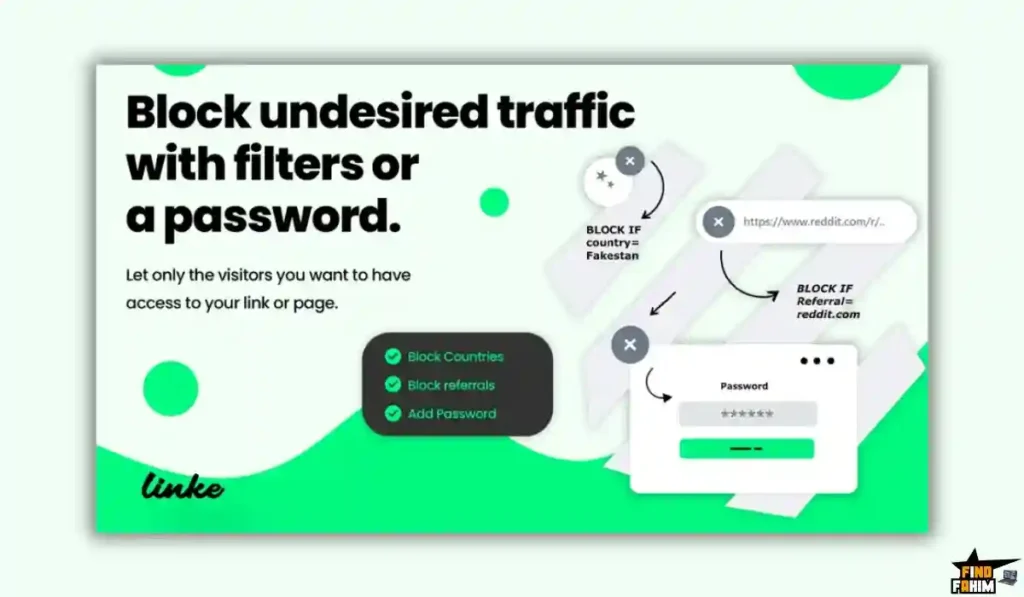
Can I password-protect short links?
Yes, Linke allows password protection on any link, requiring users to enter a password before being redirected.
Does Linke support device targeting?
Yes, device targeting lets you send users to different destinations based on whether they are using iOS, Android, or desktop devices.
Is the Linke lifetime deal stackable?
No, the deal is not stackable. A single code unlocks all unlimited features included in the lifetime plan.
Why are custom branded links better than generic short links?
Branded links increase trust and click-through rates because users are more likely to click recognizable domains instead of spam-looking URLs.
What is URL cloaking and does Linke support it?
URL cloaking hides the final destination URL in the browser bar, keeping your branded link visible. It should be used carefully due to ad platform policies.
Is Linke good for Instagram bio links?
Yes, Linke is commonly used as a Linktree alternative, allowing you to create bio pages with multiple buttons for social media, blogs, and offers.
Does Linke support deep linking?
Yes, Linke supports deep linking, enabling links to open specific mobile apps like YouTube or Spotify instead of a web browser.
Is Linke GDPR compliant?
Yes, Linke includes GDPR-compliant consent banners for bio pages and tracking links to help you meet privacy requirements.

Hi, I’m Fahim — a SaaS tools reviewer and digital marketing expert with hands-on experience helping businesses grow using the right software. I research, test, and personally use a wide range of AI, business, productivity, marketing, and email tools for my agency, clients, and projects. I create honest, in-depth reviews and guides to help entrepreneurs, freelancers, startups, and digital agencies choose the best tools to save time, boost results, and scale smarter. If I recommend it, I’ve used it — and I only share what truly works.