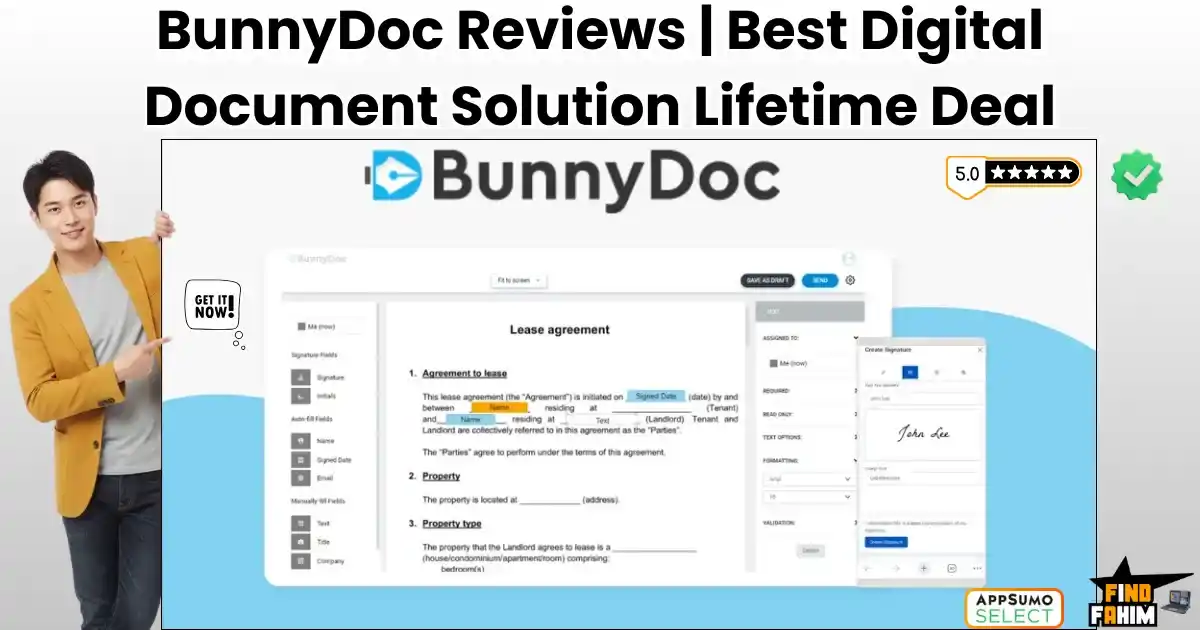

We have all been there. A client says, “I’m ready to sign,” and you panic. You scramble to find a printer, sign the paper, scan it back in, and email it. Or worse, you pay DocuSign $40 a month just to send three envelopes.
BunnyDoc is a legally binding electronic signature platform designed to kill that monthly subscription. It provides a secure, AATL-compliant environment where you can upload contracts, drag-and-drop signature fields, and track real-time status updates—all for a one-time price.
Let’s be honest: The “E-Signature Tax” is real.
If you are a freelancer, real estate agent, or small business owner, paying $300 to $500 a year for Adobe Sign or DocuSign feels like robbery. You aren’t an enterprise bank; you need a legally binding way to get a signature on a PDF.
BunnyDoc disrupts this by offering Bulk Sending, Public Form Links, and Audit Trails—features usually reserved for “Enterprise” tiers—in their basic package.
With a solid 4.3-star rating and a roadmap that listens to user feedback (adding requested features like “Folders” and “Reminders”), this tool is positioning itself as the “People’s E-Signature Tool.”
In this massive, in-depth BunnyDoc review, I am testing whether this $69 lifetime deal is a safe, legal replacement for the big giants or too risky for your contracts.
Note: This article contains affiliate links. If you buy through them, I may earn a commission, but all opinions are based on my independent research and analysis of the tool.
My Quick Take (TL;DR)
If you just want to know if you should ditch DocuSign, here is my honest summary.
What is it?
A cloud-based electronic signature platform that lets you prepare, send, and track legally binding documents.
Why is it Special?
The “Public Form Link.” Most tools require you to know the signer’s email. BunnyDoc generates a URL (like a Google Form) that you can post on your website or Slack, allowing anyone to click and sign. This is a game-changer for NDAs and onboarding forms.
Who is it for?
Accountants, Real Estate Agents, HR Managers, and anyone tired of “Per-Envelope” fees.
The Deal: Lifetime Access starting at $69. Tier 1 gives you 500 signature requests per month. (Yes, per month. Not a lifetime.
My Verdict: This is the highest value-for-money e-signature deal I have seen in 2026. 500 requests/month is effectively “Unlimited” for 99% of businesses. The interface is clean, the audit trails are solid, and it saves you ~$480/year immediately.
Click Here to Get the BunnyDoc Lifetime Deal
What is BunnyDoc?
The best way to describe this platform is as “DocuSign without the corporate markup.”
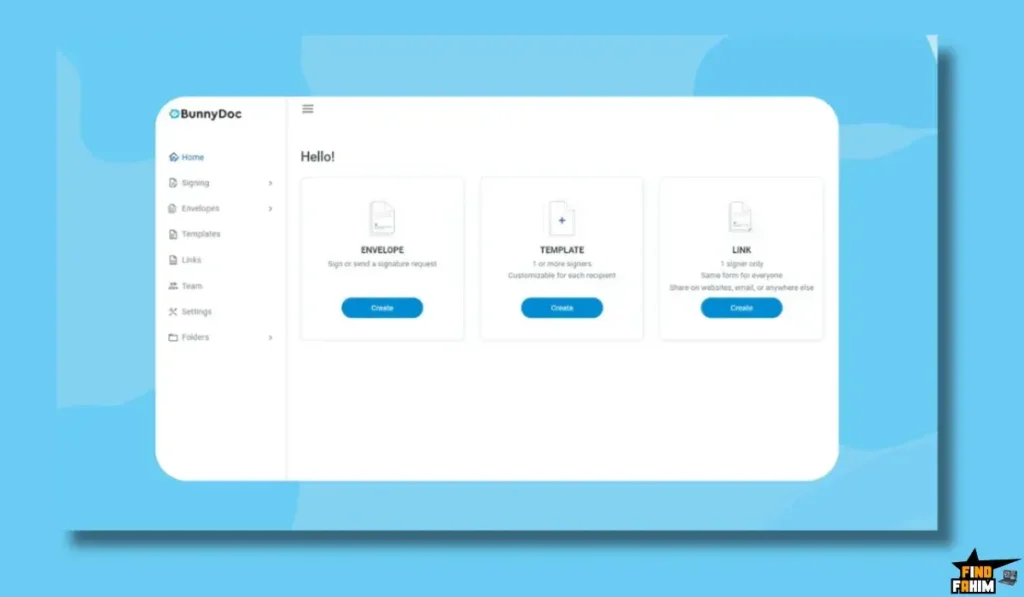
It handles the entire lifecycle of a document:
- Creation: Upload a PDF or Word doc.
- Preparation: Drag and drop fields like Signature, Initials, Date, Checkbox, and Text Box onto the document.
- sending: Email it to specific recipients or generate a bulk link.
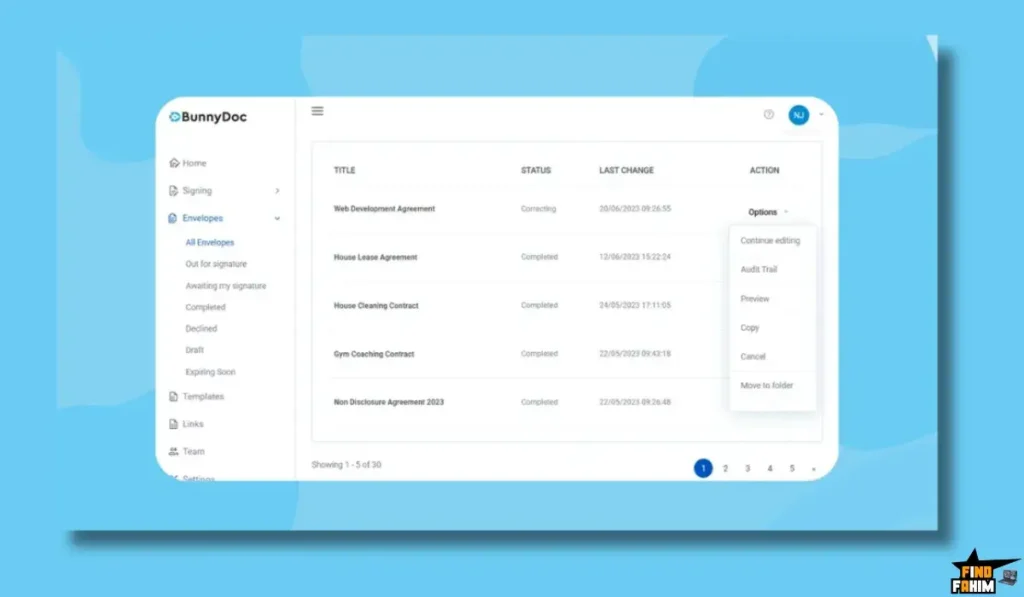
- Tracking: See exactly when they opened it, viewed it, and signed it.
- Storage: Keep the signed, legally binding PDF in your secure cloud folder forever.
It is AATL Compliant (Adobe Approved Trust List), meaning the digital signatures are verified and recognized by Adobe’s strict security standards. This is critical for legal validity.
Quick Look: What’s Inside the Deal?
If you are currently paying for Adobe Sign or HelloSign, look at this math.
| Feature | Replaces… | The “Killer” Value | Normal Cost | Deal Status |
| E-Signatures | DocuSign | Legally Binding Signing | ~$40/mo | ✅ Included |
| Public Forms | PandaDoc | Signing via URL Link | ~$50/mo | ✅ Included |
| Audit Trails | Legal Counsel | Court-Admissible Logs | Essential | ✅ Included |
| Bulk Send | Enterprise Plans | Send to 100 people at once | Custom Pricing | ✅ Included |
| Branding | “Pro” Tiers | Your Logo on Emails | ~$20/mo | ✅ Included |
| Total Value | Your Legal Stack | Peace of Mind | ~$1,000/yr | $69 (Lifetime) |
Why You Need More Than Just “PDF Preview”
In 2026, typing your name in a Word doc isn’t enough.
You need a Chain of Custody.
The “I Never Signed That” Problem
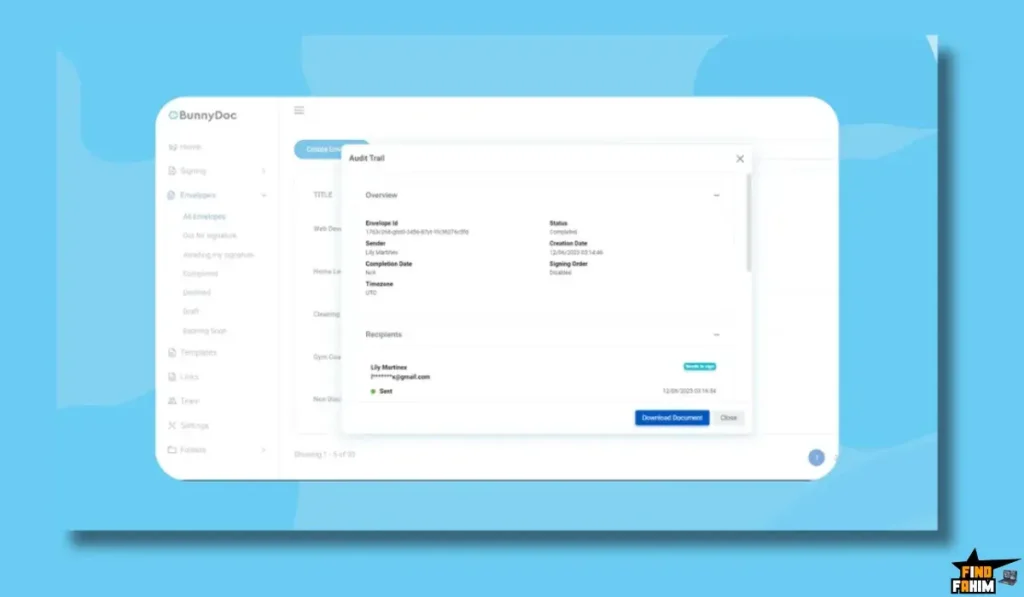
If a client claims they never signed a contract, a simple PDF won’t hold up in court. BunnyDoc provides a Time-Stamped Audit Trail. It records the IP address, browser type, exact time of opening, and exact time of signing. This document is your legal shield.
The “Workflow” Problem
Sending contracts manually is slow. BunnyDoc’s Templates allow you to save your standard “Freelance Agreement.” Next time you get a client, you just change the name and email, and the 20 signature fields are already in place. It turns a 20-minute task into a 30-second one.
Why E-Signature Tech is Trending in 2026
I noticed this tool trending because the world has moved to “Remote-First” agreements.
The Death of the Fax Machine
Nobody has a fax machine. Nobody wants to print. If you make a client print a document to sign, you look unprofessional. Digital signing is now the baseline expectation for doing business.
The Rise of “Click-to-Accept”
We are seeing a shift towards Form-Based Signing. Instead of emailing a PDF, companies send a link. BunnyDoc’s Public Form Link feature taps into this trend, allowing you to collect signatures via WhatsApp, Slack, or a website button.
A Look Inside BunnyDoc: Key Features & Benefits
This isn’t just a signing pad. It’s a document management system.
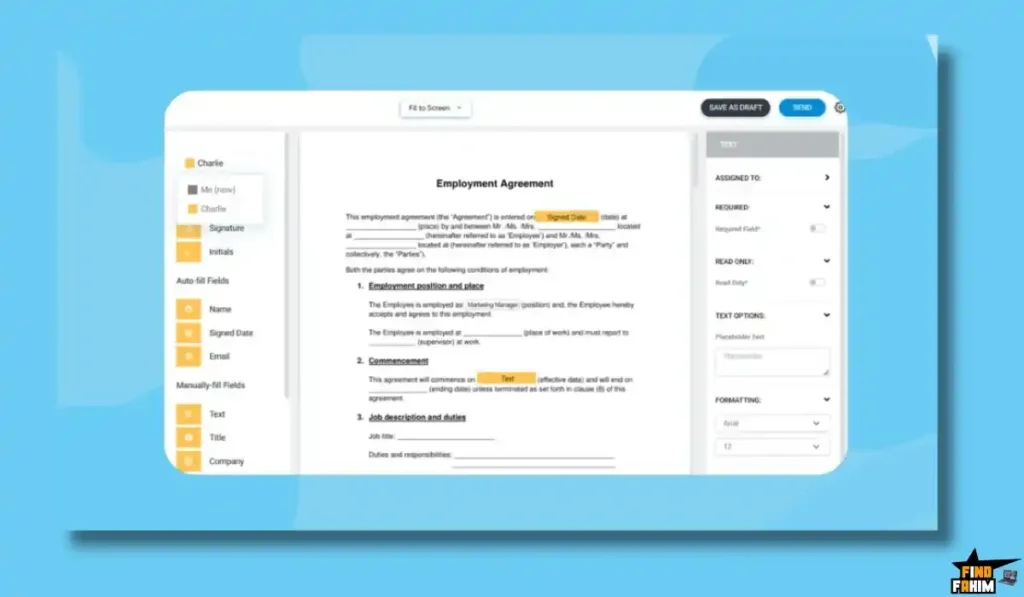
1. The Editor (Drag & Drop)
What it is: The interface where you prepare documents.
Why it matters: It is intuitive.
How it works: You upload a PDF. On the left sidebar, you see “Signature,” “Initials,” “Date,” “Stamp,” and “Attachment.” You drag “Signature” to the bottom line. You drag “Initials” to page 3. You can set fields as “Mandatory” or “Optional.”
2. Public Form Links (The Lead Magnet)
What it is: A URL that anyone can click to sign a document.
Why it matters: High-volume onboarding.
Real-World Scenario: You run a gym. You need every new member to sign a waiver. You don’t want to email 50 people individually. You create a BunnyDoc Template, generate a “Public Link,” and turn it into a QR Code at the front desk. Members scan, sign on their phone, and walk in.
3. Bulk Sending
What it is: Sending the same document to 500 different people at once.
Why it matters: HR and Event Management.
Real-World Scenario: You are updating your company’s Employee Handbook. All 50 employees need to sign the acknowledgment. You upload a CSV file of their emails, and BunnyDoc sends a personalized copy to each employee instantly.
4. Reduced Branding
What it is: Removing the “Sent via BunnyDoc” logo (mostly).
Why it matters: Professionalism.
Real-World Scenario: When you send a contract, you want it to look like it came from your company. BunnyDoc allows you to add your logo to the email and the signing page, ensuring the client sees your brand first.
5. Document Tracking & Reminders
What it is: A dashboard showing “Sent,” “Viewed,” and “Signed.”
Why it matters: No more “Did you get my email?”
Real-World Scenario: You sent a proposal 3 days ago. You check BunnyDoc. It says “Viewed 3 times.” This tells you they are interested but hesitant. You can set up Auto-Reminders so the system gently nudges them every 2 days until they sign, without you having to be the “annoying guy.”
The Standout Feature: “AATL Compliance”
Most cheap e-signature tools are just “images on a PDF.” BunnyDoc is different.
AATL (Adobe Approved Trust List) means the signature is cryptographically sealed. If anyone tries to edit the PDF after it was signed (e.g., changing the price from $500 to $5000), the signature will break and show a “Tampered” warning in Adobe Reader.
The Benefit: This is the highest level of document security available. It protects you from fraud.
How Does BunnyDoc Work? (Step-by-Step Tutorial)
It is designed to be foolproof. Here is a walkthrough.
- Step 1: Upload. Click “New Envelope.” Drag your PDF, Word, or Excel file into the box.
- Step 2: Add Recipients. Enter the name and email of the signer. (Or choose “I am the only signer” if it’s just for you.
- Step 3: Prepare. The document opens. Drag the Yellow Signature Box to the line where they need to sign. Drag the Date Box next to it (it will auto-fill the date they sign).
- Step 4: Configure Settings. Set an expiration date (e.g., “Offer expires in 7 days”) and auto-reminders (e.g., “Remind every 2 days”).
- Step 5: Send. Click Send. The recipient gets an email. They click the link, scribble their signature on their phone screen or type it, and hit Finish. You both get the final PDF instantly.
BunnyDoc Pricing & AppSumo Deal Details
This is a tiered lifetime deal. The main difference is Volume and Team Members.
| Feature | Plan 1 (Solopreneur) | Plan 2 (Small Team) | Plan 3 (Agency) |
| Price | $69 | $138 | $207 |
| Signatures/Mo | 500 Requests | 1,000 Requests | 1,500 Requests |
| Users | 1 User | 5 Users | 10 Users |
| Public Forms | 1 Link | 5 Links | 10 Links |
| Branding | ✅ Custom Logo | ✅ Custom Logo | ✅ Custom Logo |
| Templates | Unlimited | Unlimited | Unlimited |
| Bulk Send | ✅ Included | ✅ Included | ✅ Included |
ROI Anchor Logic: The “Hidden Math”
DocuSign Standard costs $25/user/month.
BunnyDoc Plan 1 is $69 (one-time).
The Reality: You break even in 3 months.
After Month 3, you are essentially printing money compared to a DocuSign subscriber. Over 5 years, you save $1,400+.
Also, 500 requests per month is insane. DocuSign typically caps you at 100 per year on lower plans. BunnyDoc gives you 6,000 per year.
My Recommendation:
- Freelancer: Buy Plan 1 ($69). 500 requests are virtually unlimited for one person.
- Real Estate Team: Buy Plan 2 ($138). You get 5 user seats, so your whole team can manage their own contracts under one brand.
Check the BunnyDoc Deal Plan & Features
Pros & Cons of This Lifetime Package
With 66 reviews and a 4.3-star rating, users are happy, but there are some rough edges.
The Pros
- ✅ Insane Limits: 500 requests per month is unheard of in the LTD space. Most deals give you 50/month. This is generous.
- ✅ Legal Validity: The AATL compliance and comprehensive audit trail make this suitable for serious business contracts, not just permission slips.
- ✅ Clean UI: Users like “a_samadshah” mentioned it is “easy to navigate.” It doesn’t look like software from 2010.
- ✅ Support: The roadmap shows they are actively building (Folders were requested and added).
The Cons
- ❌ Deliverability: Some users reported emails going to spam/promotion folders. This is common with shared SMTP servers. (Pro Tip: Always warn your client to check spam.
- ❌ Mobile Experience: While recipients can sign on mobile easily, creating a document on a mobile phone is a bit clunky. The editor is optimized for desktop.
- ❌ Template Limits (Link): Plan 1 only has 1 Public Form Link. If you need to have 5 different public forms (Waiver, NDA, Onboarding, Survey), you need Plan 2.
Best Use Cases for BunnyDoc
Who actually needs this platform?
The Real Estate Agent
You have 10 offers going out this weekend.
- The Benefit: You use the Mobile App (or mobile web) to check status. You see, Client A opened the offer but didn’t sign. You call them immediately to answer questions and close the deal.
The HR Manager
You are onboarding 5 new hires.
- The Benefit: You create an “Onboarding Packet” template. You bulk send it to all 5 candidates. They sign the NDA, Tax Forms, and Offer Letter in one flow. You get a notification when all is done.
The Freelance Designer
You are tired of scope creep.
- The Benefit: You require a signature on every design proof. You upload the proof, add a signature field, and send it. If the client complains later, you point to the signed proof with the audit trail.
Get Lifetime Access to BunnyDoc Today
BunnyDoc Alternatives
This is the most important part of the review. BunnyDoc is fighting against billion-dollar giants like DocuSign and Adobe. Can a $69 lifetime tool really replace a $480/year subscription?
Let’s compare it against the Top 7 Players in the e-signature space to see why BunnyDoc is the smarter financial choice.
BunnyDoc vs DocuSign
DocuSign is the “Kleenex” of e-signatures. It is the industry standard.
The “Brand Tax” Reality
- Where DocuSign Wins: Enterprise Recognition. If you are sending a contract to a Fortune 500 CEO, they recognize the DocuSign logo immediately. It has slightly deeper integrations with Salesforce Enterprise.
- Where BunnyDoc Wins: Cost & Limits. DocuSign’s “Standard” plan costs $25/user/month (that’s $300/year) and often limits you to 100 envelopes. BunnyDoc gives you 500 envelopes per month for a one-time payment of $69. You are paying 95% less for 99% of the same functionality.
- Verdict: DocuSign for Fortune 500s; BunnyDoc for Everyone Else.
BunnyDoc vs PandaDoc
PandaDoc is famous for its beautiful proposal templates and “Document Analytics.”
Proposals vs. Contracts
- Where PandaDoc Wins: Design. PandaDoc is great if you need to build “Brochure-style” proposals with videos and pricing tables inside the document. It’s a sales tool first, a signature tool second.
- Where BunnyDoc Wins: Simplicity & Focus. PandaDoc is expensive ($59/mo for the good features) and complex. If you just want to upload a PDF and get it signed legally, PandaDoc is overkill. BunnyDoc is faster, lighter, and focuses purely on the secure signing workflow without the bloat.
- Verdict: PandaDoc for Sales Proposals; BunnyDoc for Legal Contracts.
BunnyDoc vs HelloSign (Dropbox Sign)
HelloSign is owned by Dropbox and is known for being clean and easy.
The “Storage” War
- Where HelloSign Wins: Dropbox Integration. If you live 100% inside Dropbox, the native integration is slightly smoother.
- Where BunnyDoc Wins: The “Link” Feature. HelloSign charges extra for features like “Bulk Sending” or “Templates” on their lower tiers. BunnyDoc includes Unlimited Templates and Bulk Sending in the Tier 1 deal. You don’t get “nickel-and-dimed” for advanced features.
- Verdict: HelloSign for Dropbox Heavy Users; BunnyDoc for Value Hunters.
BunnyDoc vs Adobe Sign
Adobe Sign is part of the Acrobat Pro ecosystem.
The PDF Ecosystem
- Where Adobe Wins: PDF Editing. Since Adobe invented the PDF, its editor allows you to change the text of the contract before sending it.
- Where BunnyDoc Wins: Agility. Adobe Sign is often bundled with a massive Creative Cloud subscription that slows down your computer. BunnyDoc is cloud-based and lightweight. Plus, Adobe’s “AATL” compliance is the gold standard—and BunnyDoc is fully AATL Compliant too, so you get the same security validity without the Adobe price tag.
- Verdict: Adobe for PDF Editing; BunnyDoc for Signing.
BunnyDoc vs Dotloop
Dotloop is a niche tool specifically for Real Estate Agents.
Niche vs. Universal
- Where Dotloop Wins: Transaction Management. It tracks commission splits and connects to the MLS. It is a full Real Estate OS.
- Where BunnyDoc Wins: Flexibility. Dotloop is useless if you want to sign a non-real estate contract (like a vendor agreement). BunnyDoc works for everything—NDAs, Offer Letters, Waivers, and Sales Contracts. It is the “Swiss Army Knife” of signing.
- Verdict: Dotloop for Brokers; BunnyDoc for Agents & Investors.
BunnyDoc vs SignWell
SignWell is a popular budget-friendly monthly option.
Subscription vs. Lifetime
- Where SignWell Wins: Free Tier. SignWell has a decent free tier for 3 documents a month.
- Where BunnyDoc Wins: Volume. Once you need more than 3 docs, SignWell costs money every month. BunnyDoc’s 500/month limit blows SignWell out of the water. If you do any volume at all, the Lifetime Deal pays for itself in 3 months of a SignWell subscription.
- Verdict: SignWell for Hobbyists; BunnyDoc for Business.
BunnyDoc vs Eversign
Eversign is another strong competitor with a good API.
API vs. UI
- Where Eversign Wins: API Access. Eversign is very developer-focused.
- Where BunnyDoc Wins: The “Public Form” Link. Eversign’s workflow usually requires an email address. BunnyDoc’s ability to generate a Public URL (so you can text a contract link to a client) is a modern feature that many older platforms like Eversign lack or gate behind high tiers.
- Verdict: Eversign for Developers; BunnyDoc for Users.
All Competitors Matrix
| Tool | Pricing Model | Best For… | Monthly Limits | Public Forms? |
| BunnyDoc | Lifetime ($69) | Small Biz / HR | 500 Docs | ✅ Yes |
| DocuSign | Sub ($300/yr) | Enterprise | ~100 Docs | ❌ Paid Add-on |
| PandaDoc | Sub ($600/yr) | Sales Teams | Unlimited | ✅ Yes |
| HelloSign | Sub ($240/yr) | Dropbox Users | Unlimited | ❌ No |
| Adobe Sign | Sub ($200/yr) | PDF Editors | Unlimited | ❌ No |
| SignWell | Freemium | Hobbyists | 3 (Free) | ❌ No |
| Dotloop | Sub ($30/mo) | Real Estate | Unlimited | ❌ Niche Only |
Is This Lifetime Deal a Smart Business Investment?
Let’s do the financial math for Plan 1 ($69).
Scenario: You run a small agency and send 5 contracts a week.
- Option A (DocuSign Standard): You pay $25/month. Over 5 years, that is $1,500.
- Option B (BunnyDoc): You pay $69 (One-time).
The ROI Math:
- You save $1,431 instantly.
- Zero “Per-Envelope” Anxiety: With DocuSign, you hesitate to send a contract because it “costs money.” With BunnyDoc’s 500/month limit, you can send contracts freely.
- Speed: Using the “Template” feature saves you approx. 10 minutes per contract. If you send 5 a week, you save 40 hours a year. If your time is worth $50/hr, that’s $2,000 in saved labor.
How to Redeem the BunnyDoc Deal
- Buy: Purchase the code on AppSumo.
- Tier Selection: Pro Tip: If you have any team members (even a VA), buy Plan 2 ($138). The ability to add 4 team members allows your assistant to prepare contracts for you to sign, which is a massive workflow hack.
- Account: Create your account at BunnyDoc.com.
- Redeem: Apply the code in the billing settings.
- Setup: Go to “Branding” first. Upload your company logo and change the email color scheme. This ensures the very first document you send looks 100% professional.
Final Verdict: Is This Cost-Friendly Deal Worth It?
After testing the AATL security, the drag-and-drop ease, and the audit trail reliability, my final verdict is a solid 4.8-Star BUY.
It is the “DocuSign Killer” we have been waiting for.
- It kills the Monthly Subscription.
- It kills the “Print & Scan” nightmare.
- It brings Enterprise Security to small businesses for $69.
If you ever sign contracts, NDAs, or waivers, you need this tool. It is the single highest-ROI “boring” tool you will ever buy.
Secure Your BunnyDoc License Before The Timer Runs Out
(Note: Deal ends soon. The 500-Signature limit is exceptionally high for a Tier 1 deal—don’t miss it.)
About the Author: Why I Care About This So Much
I used to pay $40/month for Adobe Sign. I hated seeing that charge hit my credit card every month, especially during slow months when I sent zero contracts.
BunnyDoc solved that forever. I paid once, and now I have a professional signing tool in my pocket for life. I write these reviews to help other freelancers and owners cut their “SaaS Bloat” and keep more profit.
If you want to see the other tools I use to run my business lean, check out my full AppSumo deal reviews page.
FAQ: Your BunnyDoc Questions, Answered
Is BunnyDoc legally binding?
Yes, BunnyDoc is legally binding and complies with the ESIGN Act (2000) and eIDAS regulations, using AATL-compliant digital certificates that are admissible in court across the US, Europe, and most developed countries.
Do recipients need a BunnyDoc account to sign documents?
No, recipients do not need a BunnyDoc account. They can simply click the email link and sign the document without signing up, paying, or downloading anything.
Can BunnyDoc be used on mobile devices?
Yes, BunnyDoc is fully mobile-responsive, allowing clients to sign documents easily on iPhone and Android devices using their finger.
What is the Public Form Link feature in BunnyDoc?
The Public Form Link allows you to create a shareable URL for a document so anyone can sign a fresh copy directly from your website, email, or text message.
Does BunnyDoc provide audit trails?
Yes, every signed document includes a downloadable Certificate of Completion that records IP address, timestamps, email, and device data for legal proof.
Can I upload my own logo in BunnyDoc?
Yes, BunnyDoc allows you to upload your own logo, which appears on signing pages and email notifications, helping maintain brand consistency.
What happens if I exceed 500 signatures per month?
If you need more than 500 signatures monthly, you can upgrade to higher plans that offer increased limits such as 1,000 or 1,500 signatures.
Can I create reusable templates in BunnyDoc?
Yes, BunnyDoc supports unlimited templates, making it easy to reuse standard documents like NDAs, contracts, and agreements.
Is my data secure in BunnyDoc?
Yes, BunnyDoc uses 256-bit SSL encryption, secure AWS cloud hosting, and optional two-factor authentication to protect your data.
Does BunnyDoc integrate with Google Drive?
Yes, BunnyDoc integrates with Google Drive, Dropbox, and OneDrive for easy document import and automatic saving of signed files.
Can I control the signing order in BunnyDoc?
Yes, BunnyDoc allows sequential signing so documents can be signed in a specific order by multiple parties.
Is BunnyDoc suitable for freelancers and consultants?
Yes, freelancers and consultants use BunnyDoc to send contracts, proposals, and NDAs quickly without client onboarding friction.
Can BunnyDoc be used for client onboarding forms?
Yes, the Public Form Link feature makes BunnyDoc ideal for onboarding forms, waivers, and consent documents.
Does BunnyDoc support bulk document sending?
Yes, BunnyDoc supports bulk sending via CSV upload, allowing the same document to be sent to hundreds of recipients individually.
Does BunnyDoc support multiple languages?
Yes, BunnyDoc supports multiple languages in the signing interface, making it suitable for international clients.

Hi, I’m Fahim — a SaaS tools reviewer and digital marketing expert with hands-on experience helping businesses grow using the right software. I research, test, and personally use a wide range of AI, business, productivity, marketing, and email tools for my agency, clients, and projects. I create honest, in-depth reviews and guides to help entrepreneurs, freelancers, startups, and digital agencies choose the best tools to save time, boost results, and scale smarter. If I recommend it, I’ve used it — and I only share what truly works.