
We have all been there. You type the same “Thanks for your email, here is the link to my calendar” response for the 500th time this month. Or you stare at a potential client’s LinkedIn post, knowing you should leave a thoughtful comment, but your brain is fried.
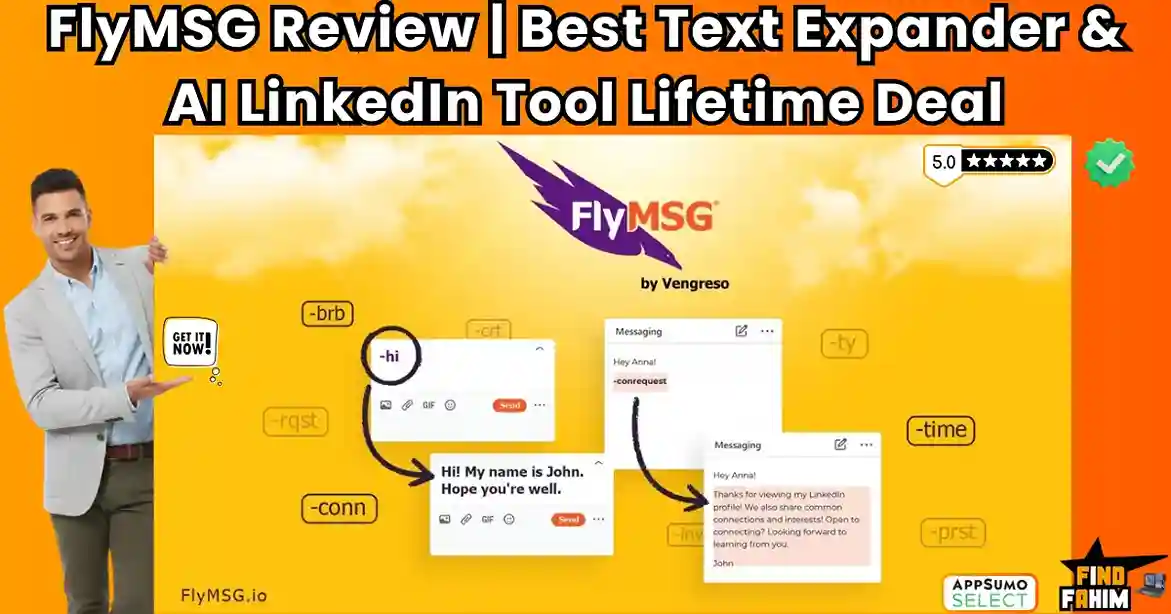
FlyMSG is a hybrid productivity tool that combines a powerful Text Expander with an AI LinkedIn Assistant. It essentially gives you “Keyboard Superpowers.”
Let’s be honest: Typing is the bottleneck of sales.
If you are in sales, recruiting, or customer support, you waste hours every week copying and pasting templates from a Google Doc into emails. And networking on LinkedIn? That takes even longer.
FlyMSG solves both problems in one extension.
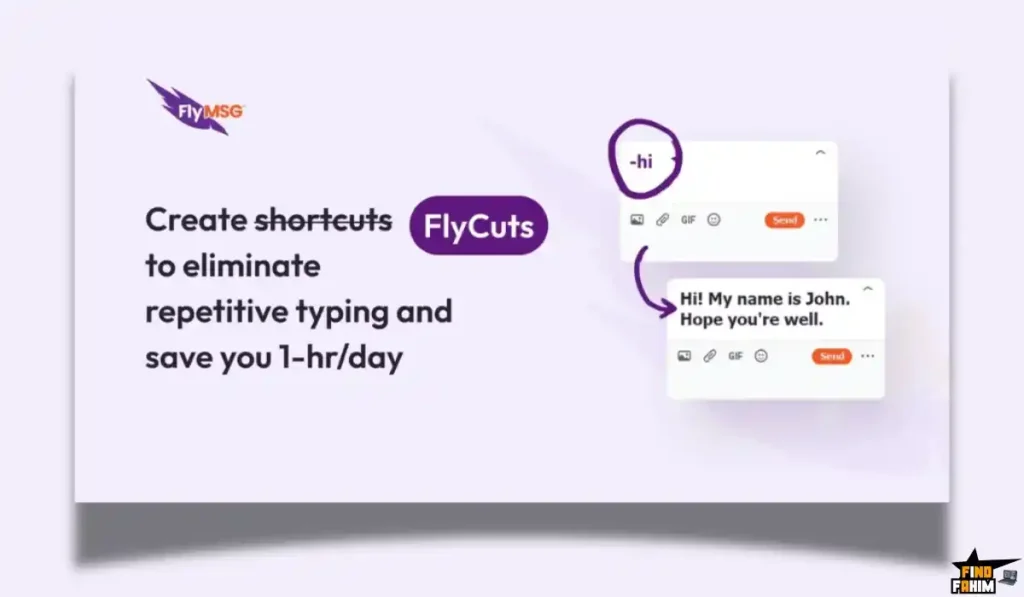
First, it acts like TextExpander: you type a shortcode like -cal, and it instantly expands into your full scheduling link and blurb.
Second, it acts like a Networking Assistant: It lives inside LinkedIn and writes thoughtful, context-aware comments on posts in seconds to boost your visibility.
With a solid 4.8-star rating and over 66 reviews, this “Super Productivity App” claims to save users 30+ hours a month. In this in-depth FlyMSG review, I am testing if this $69 lifetime deal is the ultimate efficiency hack or just another browser extension.
Note: This article contains affiliate links. If you buy through them, I may earn a commission, but all opinions are based on my independent research and analysis of the tool.
My Quick Take (TL;DR)
If you hate repetitive typing and find LinkedIn engagement tedious, here is my honest summary.
What is it? A 3-in-1 productivity suite: An Auto-Text Expander, an AI LinkedIn Comment Generator, and a Social Post Creator.
Why is it Special? The “Hybrid” Utility. Most tools are just expanders (like TextExpander) or just LinkedIn tools (like Taplio). FlyMSG combines both workflow needs into one extension.
Who is it for? Sales Professionals, Recruiters, Customer Support Agents, and anyone who types the same things repeatedly.
The Deal: Lifetime Access for $69. This includes unlimited snippets (“FlyCuts”) and access to the AI features.
My Verdict: This is an absolute steal for the Text Expander features alone. When you add the AI LinkedIn tools, it becomes a “must-have” for anyone doing social selling. It replaces at least 3 other monthly subscriptions.
Click Here to Get the FlyMSG Lifetime Deal
What is FlyMSG?
The best way to describe this platform is as “TextExpander meets an AI Social Media Intern.”
It lives as a sidebar or overlay in your browser (Chrome/Edge).
- The Expander: It stores your frequently used text—email templates, Zoom links, bios, and onboarding steps—in the cloud. You assign a “FlyCut” (shortcut) to them. Whenever you type that shortcut anywhere on the web (Gmail, Salesforce, Slack), it magically expands into the full text.
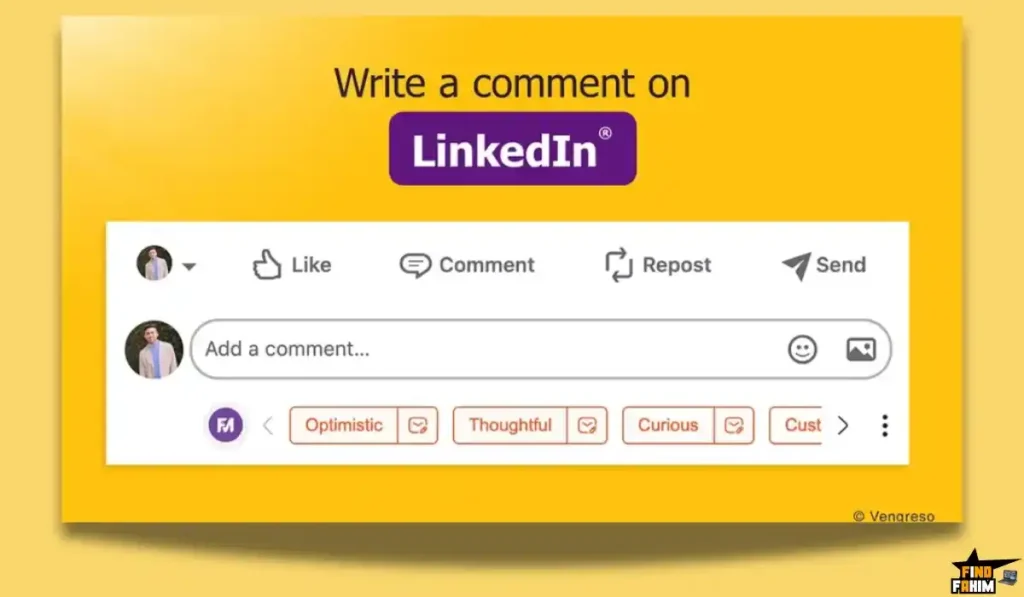
- The AI Writer: It uses OpenAI’s tech to help you write. Specifically, it shines on LinkedIn. It reads a post you are looking at and suggests a thoughtful comment (e.g., “Agree,” “Disagree,” “Question”) so you can engage with prospects without spending 10 minutes thinking of what to say.
Quick Look: What’s Inside the Deal?
If you are currently paying for TextExpander or a LinkedIn tool, look at this math.
| Feature | Replaces… | The “Killer” Value | Normal Cost | Deal Status |
| FlyCuts | TextExpander | Auto-Type Templates | ~$40/yr | ✅ Included |
| FlyEngage | Engage AI | Auto-Write LinkedIn Comments | ~$30/mo | ✅ Included |
| FlyPosts | Taplio / Jasper | Generate LinkedIn Posts | ~$40/mo | ✅ Included |
| Cloud Storage | Google Docs | Sync Snippets Across Devices | Free | ✅ Included |
| FlyPlates | Template Libraries | 400+ Pre-Written Templates | N/A | ✅ Included |
| Total Value | Your Productivity Stack | Speed & Engagement | ~$1,000/yr | $69 (Lifetime) |
Why You Need More Than Just “Copy and Paste”
In 2026, “Copy and Paste” is too slow.
The “Context Switching” Problem
Every time you switch tabs to find a template in Google Docs, you lose focus. FlyMSG brings the library to you. You never leave your email tab. You just type -intro, and the email appears. This micro-saving happens 50 times a day, adding up to hours per week.
The “Engagement” Problem
LinkedIn algorithms reward comments. But writing “Great post!” is useless. You need substantive comments. FlyEngage AI reads the post and generates a relevant, multi-sentence response. It allows you to engage with 20 prospects in the time it used to take to engage with 2.
Why Text Expansion is Trending in 2026
I noticed this tool trending because efficiency is the only way to survive in a saturated market.
The Rise of “Micro-Automation”
People are tired of complex Zaps and automations. They want simple fixes. Eliminating the physical act of typing “Let me know if you have any questions” saves mental load.
The “Social Selling” Boom
Sales isn’t just cold calling anymore; it’s commenting. Tools that automate the friction of commenting (without being spam bots) are becoming standard issue for modern sales teams.
A Look Inside FlyMSG: Key Features & Benefits
This isn’t just a snippet tool. It’s a workflow accelerator.
FlyCuts (The Engine)
What it is: Unlimited shortcuts for your text.
Why it matters: You can format them with bolding, images, and hyperlinks.
Real-World Scenario: You are a recruiter. You create a FlyCut called -reject. When you type it, it pastes a polite, formatted rejection letter into the email body, saving you from writing it emotionally every time.
FlyEngage AI (The Networker)
What it is: An AI button that appears on LinkedIn posts.
Why it matters: It gives you “modes” like Celebrate, Curious, or Disagree.
Real-World Scenario: You see a prospect post about a new product launch. You click “Celebrate.” FlyEngage writes: “Congrats on the launch! The new feature looks like a game-changer for the X industry. How are you handling the rollout?” You click the post. Done in 5 seconds.
FlyPosts AI (The Content Creator)
What it is: A generator for your own LinkedIn posts.
Why it matters: It overcomes writer’s block.
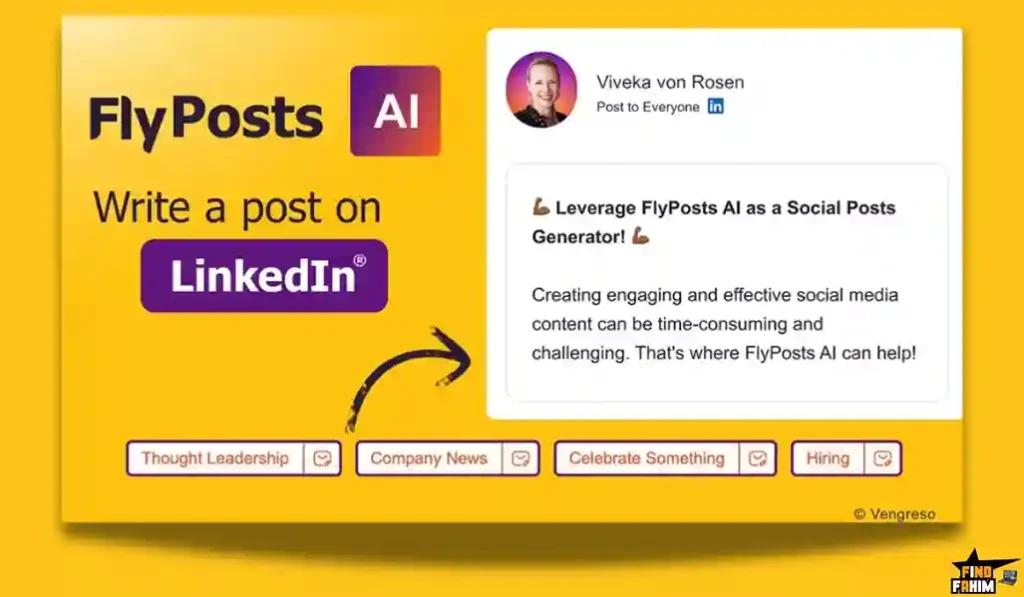
Real-World Scenario: You want to post about “Remote Work.” You give FlyMSG the topic. It generates a structured post with hooks, emojis, and hashtags ready to go viral.
FlyPlates (The Library)
What it is: A built-in library of over 400 sales and HR templates.
Why it matters: You don’t have to write templates from scratch.
Real-World Scenario: You don’t know how to follow up with a “Ghosted” client. You search the FlyPlates library, find a proven “Break-up Email,” save it as a FlyCut, and use it immediately.
The Standout Feature: “Rich Media Snippets”
Many text expanders only do plain text. FlyMSG supports Rich Text & Media.
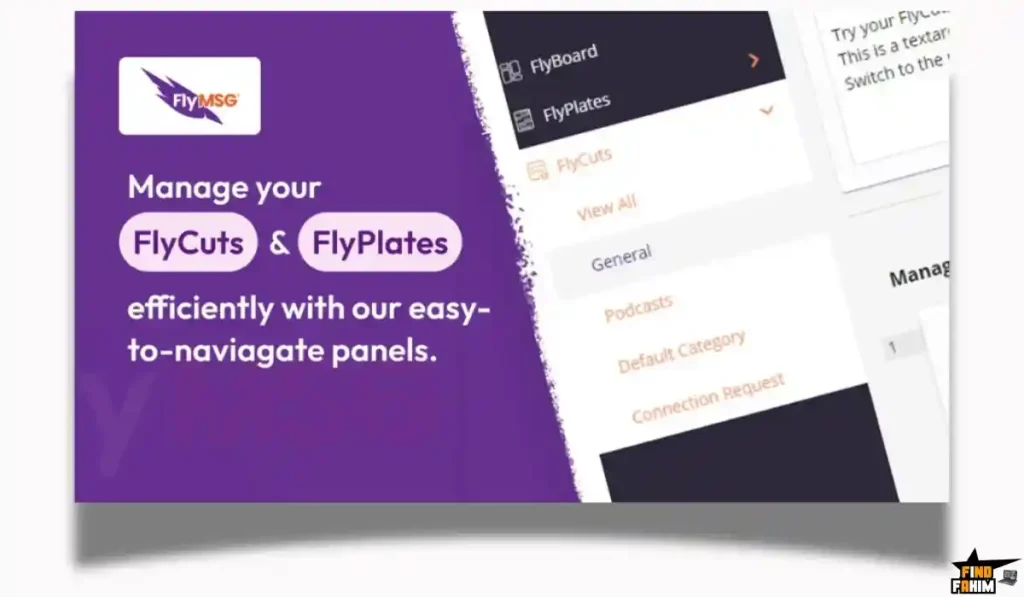
You can save a snippet that includes:
- Your Headshot/Logo
- Hyperlinks
- Bold/Italic formatting
- Tables
The Benefit: This effectively allows you to “summon” fully designed email signatures or mini-landing pages into any text box on the internet. It turns a Gmail compose window into a website builder.
How Does FlyMSG Work? (A Quick Look)
It is designed to be invisible until you need it.
- Step 1: Install Extension. Add it to Chrome or Edge.
- Step 2: Create a FlyCut. Open the dashboard. Paste your frequent text (e.g., your Calendly link). Assign a shortcode (e.g., -cal).
- Step 3: Type. Go to LinkedIn DM or Gmail. Type -cal.
- Step 4: Expand. Poof. The text replaces the code instantly.
FlyMSG Pricing & AppSumo Deal Details
This is a straightforward lifetime deal with a massive discount.
| Feature | Single Code |
| Price | $69 |
| FlyCuts (Snippets) | Unlimited |
| FlyPlates (Templates) | Unlimited |
| Characters per Cut | Unlimited |
| AI Post Prompts | 30/day |
| FlyEngage AI | ✅ Access Included |
| FlyPosts AI | ✅ Access Included |
| Languages | All Supported |
ROI Anchor Logic: The “Hidden Math”
TextExpander costs $40/year.
Taplio (for LinkedIn AI) costs $400+/year.
FlyMSG is $69 (one-time).
The Reality: You pay for this deal in roughly 2 months of comparable software costs.
Even if you never use the AI features, getting a lifetime license for an Unlimited Text Expander for $69 is a bargain compared to the monthly subscription of TextExpander.
My Recommendation:
- Everyone: Buy 1 Code ($69). There is no complex stacking here. One code gets you the full suite. It is an easy impulse buy that pays off immediately.
Check the FlyMSG Deal Plan & Features
Pros & Cons of This Lifetime Package
With 66 reviews and a 4.8-star rating, users love the utility, but there are a few nuances.
The Pros
- ✅ Time Savings: Reviewers like “mrapp” confirm it is a “game changer for LinkedIn commenting,” saving hours of mental effort.
- ✅ Unlimited Snippets: Unlike free tools that cap you at 10 snippets, this LTD gives you unlimited storage. You can essentially back up your entire brain.
- ✅ Support: The founder, Mario Martinez Jr., is extremely active in the comments, often replying within hours. This suggests long-term stability for the product.
- ✅ Onboarding: Users praised the “in-app onboarding” and training videos, making it easy to learn even if you aren’t tech-savvy.
The Cons
- ❌ Persona Limit: As noted by user “ydgafm,” the AppSumo deal is limited to 1 Persona for the AI features. If you manage 5 different CEO accounts, you might need a paid upgrade.
- ❌ Browser Dependent: It works best on Chrome/Edge. If you are a die-hard Safari or Desktop App user (e.g., typing into Microsoft Word desktop), the functionality is limited compared to system-wide expanders.
- ❌ Custom Prompt Confusion: Some users were initially confused about how to use custom prompts, though the founder clarified that this is fully available in the UI.
Best Use Cases for FlyMSG
Who actually needs this platform?
The Sales Development Rep (SDR)
You send 50 outreach messages a day.
- The Benefit: You have FlyCuts for every objection (“Too expensive,” “Not interested,” “Call me later”). You handle objections in milliseconds rather than typing out arguments.
The Customer Support Agent
You answer the same tickets repeatedly (“How do I reset my password?”).
- The Benefit: You create a rich-text FlyCut with screenshots and instructions. You resolve tickets 10x faster than typing.
The LinkedIn Thought Leader
You want to grow your following.
- The Benefit: You use FlyEngage to comment on 10 influencer posts every morning while drinking your coffee. You stay visible without the burnout.
Get Lifetime Access to FlyMSG Today
FlyMSG Alternatives
This is the most important part of the review. FlyMSG is a hybrid, so it competes with two different categories of tools: Text Expanders and LinkedIn AI Tools. Can one $69 tool really replace them both?
Let’s compare it against the Top 5 players in the productivity space.
FlyMSG vs TextExpander
TextExpander is the “OG” of the industry. It works everywhere (Desktop, Mac, Windows, iOS).
System-Wide vs. Browser-Based
- Where TextExpander Wins: Everywhere Access. TextExpander works inside Microsoft Word, Slack Desktop App, and Notepad. It is installed on your OS. FlyMSG is a Browser Extension, so it only works inside Chrome/Edge (Gmail, LinkedIn, Salesforce web).
- Where FlyMSG Wins: Price & AI. TextExpander costs ~$40/year forever. FlyMSG is $69 once. Plus, TextExpander has zero AI features. It just pastes text. FlyMSG actually helps you write the text.
- Verdict: TextExpander for Desktop Apps; FlyMSG for Web Work.
FlyMSG vs Magical
Magical is a popular free/freemium Chrome extension for text expansion.
Free vs. Power
- Where Magical Wins: Simplicity. Magical is very lightweight and easy to set up for basic “Data Entry” tasks (like moving info from LinkedIn to a Sheet).
- Where FlyMSG Wins: Rich Media & Formatting. Magical is great for plain text. FlyMSG shines with Rich Text (images, bolding, hyperlinks) and its massive library of 400+ FlyPlates (templates). If you need to send professional HTML-style emails, FlyMSG is better.
- Verdict: Magical for Data Entry; FlyMSG for Sales Communication.
FlyMSG vs Taplio
Taplio is the premium “Personal Brand” tool for LinkedIn.
Brand Building vs. Efficiency
- Where Taplio Wins: Analytics & Scheduling. Taplio is a full social media management suite. It schedules posts, tracks follower growth, and analyzes viral trends. FlyMSG does not schedule posts; it just helps you write them.
- Where FlyMSG Wins: Cost. Taplio is expensive ($400+/year). FlyMSG gives you the “AI Commenting” and “AI Writing” part of Taplio for a fraction of the price. If you just need help writing, Taplio is overkill.
- Verdict: Taplio for Influencers; FlyMSG for Sales Reps.
FlyMSG vs Engage AI
Engage AI is a specialized tool solely for LinkedIn commenting.
Niche vs. Suite
- Where Engage AI Wins: Deep Integration. It focuses 100% on commenting monitoring. It has some advanced “prospect monitoring” features in its higher tiers.
- Where FlyMSG Wins: Versatility. Engage AI does nothing for your email or Slack. It is a “Unitasker.” FlyMSG is a “Multitasker.” You get the same commenting power, plus the ability to auto-expand text in Gmail. It’s a better value for money.
- Verdict: Engage AI for Social Managers; FlyMSG for Everyone Else.
FlyMSG vs Grammarly (GO)
Grammarly now has AI writing features.
Polish vs. Speed
- Where Grammarly Wins: Quality Control. Grammarly is the best at fixing your grammar and tone. It ensures you don’t make mistakes.
- Where FlyMSG Wins: Speed of Creation. Grammarly improves what you already wrote. FlyMSG writes it for you or expands it from a shortcut. FlyMSG is about raw speed and reducing keystrokes.
- Verdict: Grammarly for Editing; FlyMSG for Typing.
All Competitors Matrix
| Tool | Pricing Model | Best For… | Text Expander? | AI LinkedIn? |
| FlyMSG | Lifetime ($69) | Sales & Support | ✅ Yes | ✅ Yes |
| TextExpander | Sub ($40/yr) | Desktop Apps | ✅ Yes | ❌ No |
| Magical | Freemium | Data Entry | ✅ Yes | ⚠️ Limited |
| Taplio | Sub ($400/yr) | Influencers | ❌ No | ✅ Yes |
| Engage AI | Sub ($30/mo) | Social Monitoring | ❌ No | ✅ Yes |
| Grammarly | Freemium | Proofreading | ❌ No | ⚠️ Writing Only |
Who Should NOT Buy FlyMSG?
I want to be transparent. FlyMSG is a productivity powerhouse, but it is built for specific modern workflows.
-
Do you work 100% Offline? FlyMSG is a Cloud-First Browser Extension. It is built for where modern business happens: Gmail, Salesforce, LinkedIn, and Zendesk. If you prefer working exclusively inside offline desktop apps (like old-school Word), you won’t get the full benefit. But if you work in the browser, this is significantly faster than clunky desktop software.
-
Are you a “Safari Only” User? Currently, the extension is optimized for the two biggest business browsers: Google Chrome and Microsoft Edge. If you are strictly a Safari user, this isn’t for you yet. However, most productivity pros switch to Chrome just to unlock these powerful automation tools.
-
Are you looking for a “Spam Bot”? FlyMSG is a Co-Pilot, not an Autopilot. It helps you write viral LinkedIn posts and comments 10x faster, but it won’t “auto-post” while you sleep. It keeps your account safe, human-sounding, and protects you from LinkedIn bans—which is better for long-term growth.
Is This Lifetime Deal a Smart Business Investment?
Let’s do the financial math for 1 Code ($69).
Scenario: You are a Sales Rep sending 20 outreach emails a day.
- Option A (TextExpander + LinkedIn Tool): You pay ~$40/yr for the expander and ~$300/yr for the AI tool. Total: $340/year.
- Option B (FlyMSG): You pay $69 (One-time).
The ROI Math:
- You save $270+ in the first year alone.
- Time Savings: If FlyMSG saves you 2 minutes per email (by using templates), and you send 20 emails a day, that is 40 minutes saved per day.
- Over a month, that is 13 hours of reclaimed time. If your time is worth $20/hour, you just “earned” $260 in productivity in Month 1.
How to Redeem the FlyMSG Deal
- Buy: Purchase the code on AppSumo.
- Install: Download the FlyMSG extension from the Chrome Web Store.
- Account: Create your account at FlyMSG.io.
- Redeem: Enter your AppSumo code in the billing section to unlock the “Growth/Premium” lifetime status.
- Setup: Crucial Step: Create your first “FlyCut” immediately. Make it something you type every day, like your email address or Zoom link. This builds the habit instantly.
Final Verdict: Is This Cost-Friendly Deal Worth It?
After testing the snippet expansion speed, the rich-text formatting, and the quality of the AI LinkedIn comments, my final verdict is a solid 4.8-Star YES.
It is the best “bang for your buck” productivity tool on the market.
- It kills the Copy-Paste Drudgery.
- It kills the LinkedIn Writer’s Block.
- It costs less than two months of its competitors.
If you work in a browser and value your time, this is an automatic buy.
Secure Your FlyMSG License Before The Timer Runs Out
Note: Deal ends soon. The 400+ Template Library alone is worth the price of admission for new sales reps.
About the Author: Why I Care About This So Much
I used to keep a “Snippets” text file on my desktop that I would copy-paste from all day. It was miserable.
FlyMSG automated that entire process for me. Now, I can onboard a new client or send a proposal in seconds just by typing three letters. I write these reviews to help you stop working hard and start working smart.
If you want to see the other tools I use to save 20 hours a week, check out my full AppSumo deal reviews page.
FAQ: Your FlyMSG Questions, Answered
FlyMSG is a browser-based text expansion and productivity tool that helps users save snippets, expand shortcodes, and automate writing inside web apps like LinkedIn, Gmail, and Google Docs.
Yes, FlyMSG works on Mac inside supported browsers like Chrome and Edge, but it does not function as a standalone app for native Mac software such as Pages or Keynote.
Yes, FlyMSG allows you to save images, logos, headshots, and even GIFs inside snippets, which is a major advantage over many free text expansion tools.
Yes, FlyMSG stores snippets securely in the cloud using enterprise-grade encryption and does not record keystrokes, only recognizing the shortcodes you create.
Yes, FlyMSG features like FlyEngage AI and FlyPosts are optimized to work inside LinkedIn Sales Navigator for faster commenting and prospecting.
The AppSumo lifetime deal is intended for single-user access, but FlyMSG offers team and organization plans if you upgrade later.
You can save unlimited snippets, FlyCuts, and FlyPlates with the lifetime deal, without any storage limits.
Yes, FlyMSG includes built-in spell checking across multiple languages to ensure expanded text is accurate and error-free.
FlyMSG supports over 39 major languages, making it suitable for international sales, outreach, and multilingual content creation.
Yes, developers use FlyMSG to store and reuse code snippets such as HTML templates, CSS blocks, and common scripts.
No, FlyMSG currently works as a desktop browser extension and does not include a mobile keyboard or iOS-style text expansion app.
You can search your snippet library directly from the FlyMSG browser icon and insert content without remembering the exact shortcode.
Yes, FlyMSG includes an import wizard that lets you migrate snippets from tools like TextExpander without starting over.
Yes, since Google Docs runs in the browser, FlyMSG works seamlessly for expanding snippets and inserting content.
Yes, FlyMSG has a very low learning curve, and most users can start using it within minutes thanks to simple shortcuts and in-app onboarding. What is FlyMSG?
Does FlyMSG work on Mac?
Can I add images to FlyMSG snippets?
Is FlyMSG secure to use?
Does FlyMSG work with LinkedIn Sales Navigator?
Can I share FlyMSG snippets with my team?
How many snippets can I save in FlyMSG?
Does FlyMSG include a spell checker?
What languages does FlyMSG support?
Can FlyMSG be used for coding snippets?
Is there a FlyMSG mobile app?
What if I forget a FlyMSG shortcode?
Can I import snippets from TextExpander?
Does FlyMSG work in Google Docs?
Is FlyMSG easy to learn for beginners?

Hi, I’m Fahim — a SaaS tools reviewer and digital marketing expert with hands-on experience helping businesses grow using the right software. I research, test, and personally use a wide range of AI, business, productivity, marketing, and email tools for my agency, clients, and projects. I create honest, in-depth reviews and guides to help entrepreneurs, freelancers, startups, and digital agencies choose the best tools to save time, boost results, and scale smarter. If I recommend it, I’ve used it — and I only share what truly works.