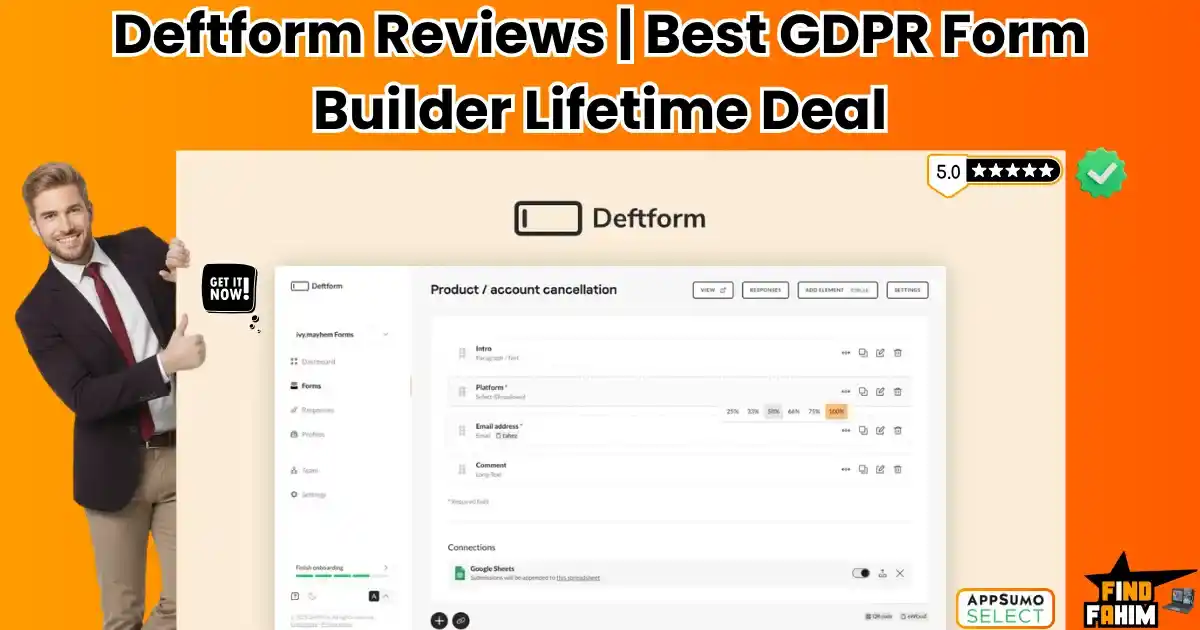

Paying $30 a month to ask people for their email address feels like a scam.
Deftform is a privacy-first, no-code form builder that allows you to create beautiful, conversational forms with unlimited responses, custom domains, and integrated Stripe payments for a single one-time fee.
Let’s talk about the “Form Tax.”
If you run an online business, you probably rely on Typeform or JotForm. They are great tools, but their pricing models are hostile to growth.
- Typeform charges $29/month and caps you at just 100 responses.
- JotForm charges $39/month and puts its branding everywhere.
If you go viral or launch a successful campaign, you may be penalized with overage fees. It discourages you from collecting data.
Deftform flips this model on its head.
Built by a privacy-obsessed team in Germany, it offers a clean, conversational interface (just like Typeform) but removes the limits. You get Unlimited Forms and Unlimited Responses for a lifetime price of $49. Plus, it is strictly GDPR compliant, making it the safest choice for European markets or privacy-conscious brands.
With a near-perfect 4.9-star rating on AppSumo and over 50 updates shipped since launch, this deal is positioning itself as the “Indie Hacker” alternative to the corporate giants. In this in-depth Deftform review, I am testing if this tool is robust enough to replace your expensive subscriptions or if it’s just too basic.
Note: This article contains affiliate links. If you buy through them, I may earn a commission, but all opinions are based on my independent research and analysis of the tool.
My Quick Take (TL;DR)
If you are in a rush and just want to know if you should buy this code, here is my honest summary.
- What is it? Deftform is a conversational form builder. It handles surveys, lead capture, contact forms, and payment collection.
- Why does it matter? GDPR & Unlimited. It hosts data in Germany (EU) and encrypts it, ensuring you are compliant with strict privacy laws. Plus, it never caps your responses.
- Who is it for? European Businesses, Course Creators, and Marketers who need to collect 1,000+ leads without paying extra.
- The Deal: Lifetime Access for $49.
- My Verdict: The value is undeniable. For the price of two months of Typeform, you own this forever. Just be aware that there is a small extra fee (~$10) if you want to remove the “Powered By” branding completely.
Click Here to Get the Deftform Lifetime Deal
What is Deftform?
The best way to describe this platform is as “Typeform for Privacy Freaks.”
It focuses on the Conversational Experience. Instead of showing a long, boring list of 20 questions (like Google Forms), it shows one question at a time. This keeps the user focused and typically increases completion rates.
- Design: You use a simple drag-and-drop editor to add questions (Text, Multiple Choice, Email, File Upload).
- Logic: You can add “Jump Logic” (e.g., if they answer ‘No’, skip to the end).
- Share: You can embed it on your website as a pop-up, a widget, or use a standalone link with your own custom domain.
- Connect: It sends data to Google Sheets, Notion, or Slack via Webhooks.
Quick Look: What’s Inside the Deal?
If you are currently paying a monthly subscription for a form builder, look at this math.
| Feature | Replaces… | The “Killer” Value | Normal Cost | Deal Status |
| Unlimited Responses | Typeform | No Monthly Caps | ~$50/mo | ✅ Included |
| Payment Forms | JotForm | Collect Money via Stripe | ~$39/mo | ✅ Included |
| Custom Domains | Tally Pro | forms.yourdomain.com | ~$29/mo | ✅ Included |
| GDPR Compliance | Google Forms | EU Server Hosting | Compliance | ✅ Included |
| File Uploads | Dropbox | Users can upload files | Paid Tier | ✅ Included |
| Total Value | Your Data | A Complete Form Engine | ~$1,400/yr | $49 (Lifetime) |
Why You Need More Than Just “Google Forms”
Most people don’t think about where their data lives. But if you serve clients in the EU (or California), privacy laws are getting strict.
The “Privacy” Advantage
The Problem: Many US-based form builders track user data or store it on servers that don’t meet GDPR standards. Using them puts your business at legal risk.
The Solution: Deftform is German-engineered. It minimizes data collection (no unnecessary cookies) and stores everything on secure servers in Frankfurt. It even offers a “backlink removal” option to ensure your form looks totally neutral. It is the “Safe Harbor” for your data.
Why Deftform is Trending in 2026
I noticed this tool climbing the charts because it solves two modern problems perfectly.
1. The “Subscription Fatigue.”
Marketers are tired of paying for limits. We hate seeing a “Quota Exceeded” email just because a campaign went well. It is trending because it offers Peace of Mind. You pay once, and you never worry about limits again.
2. The “European Tech” Wave
With US tech giants facing scrutiny over data handling, European alternatives are booming. Deftform benefits from the “Made in Germany” trust seal, which is highly valuable for B2B companies.
A Look Inside Deftform: Key Features & Benefits
This isn’t just for contact forms. It’s a versatile data tool. I tested the builder, and here is what stood out.
1. Unlimited Forms & Responses (The “Scale” Feature)
What it is: Most “Free” plans stop working after you get 100 replies. Deftform has no cap.
Why it matters: If you run a viral giveaway or a Black Friday waitlist, you might get 5,000 signups in one day. Typeform would force you to upgrade instantly to a $83/month plan. This form builder handles the spike for free.
- Real-World Scenario: You are a YouTuber running a “Submit Your Setup” contest. You expect 2,000 submissions. With Deftform, you collect all 2,000 entries, including photos (File Uploads), without paying a cent more.
2. Native Stripe Payments (The “Cash Register”)
What it is: You can add a “Payment” block to any form.
Why it matters: It turns a form into a checkout page.
- Real-World Scenario: You are a coach selling a $50 workshop. You build a Deftform:
- Q1: What is your name?
- Q2: What is your email?
- Q3: Enter your credit card to join.
- Result: The user pays instantly inside the form. You don’t need a complex Shopify store or ClickFunnels page.
3. Custom Domains & CNAME (The “Brand” Boost)
What it is: Instead of sending people to deftform.com/123, you send them to survey.yourbrand.com.
Why it matters: It builds trust. People are less likely to click a weird generic link.
- Real-World Scenario: You run a marketing agency. You send a “Client Onboarding” form. If the URL says agency.com/onboarding, the client feels secure entering their details. If it says jotform.com, it feels cheap.
4. Team Collaboration (The “Agency” Feature)
What it is: You can invite Unlimited Team Members to your workspace.
Why it matters: You don’t have to share your login password.
- Real-World Scenario: You have a VA who handles customer support. You give them access to the “Support Ticket” form so they can see the responses, but you restrict them from editing the “Payment Form” so they can’t mess with your revenue settings.
The Standout Feature of Deftform: “GDPR Zero-Tracking”
The feature that makes me recommend this to clients is the Privacy Mode.
You can toggle a setting to Disable IP Tracking.
When this is on, this AI tool does not record the user’s IP address or location data. This makes your form 100% anonymous, which is often a legal requirement for employee surveys or sensitive medical intake forms. Most competitors track everything by default.
How Does Deftform Work?
It is shockingly simple.
Step 1: Create Form
Click “New Form.” Choose “Start from Scratch.”
Step 2: Add Blocks
Click the + button. Add a “Text” block for the name. Add an “Email” block. Add a “Rating” block.
Step 3: Design
Go to the Design tab. Upload your background image. Pick your brand color for the buttons.
Step 4: Publish
Click Publish. Copy your custom domain link or use the Embed code to put it on your WordPress site.
Deftform Pricing & AppSumo Deal Details
This is a Single-Tier Lifetime Deal.
In my analysis, I found no complex stacking logic or confusing limits here, which is refreshing compared to other AppSumo deals.
The Tier Breakdown
| Feature | Lifetime License |
| Price | $49 (One-Time) |
| Forms | Unlimited |
| Responses | Unlimited |
| Custom Domains | 1 Included |
| Team Members | Unlimited |
| File Storage | Unlimited (Fair Use) |
| Remove Branding | Paid Add-on (~$10) |
ROI Anchor Logic: The “Hidden Math”
- Typeform Plus costs $50/month.
- JotForm Bronze costs $34/month.
- Deftform costs $49 once.
The Reality: You break even in 30 days.
If you use this tool for just one month instead of Typeform, it has essentially paid for itself. It is practically free compared to the current market rates.
Click Here to Get the Deftform Appsumo Deal
Pros & Cons of This Lifetime Package
I promised you honesty. With 75 reviews and a 4.9-star rating, users clearly enjoy the simplicity, but there are some caveats I noticed during testing.
The Pros
- ✅ Unlimited Everything: I cannot stress this enough. Getting unlimited responses for a one-time fee is rare in 2026. It future-proofs your business against viral spikes.
- ✅ GDPR Compliance: Hosting in Germany with strict data protocols makes this a safe choice for anyone operating in Europe.
- ✅ Clean UI: I noticed the builder is minimalist and fast. It doesn’t lag like some heavier form builders I’ve used.
- ✅ Stripe Integration: Collecting payments without 3rd party tools (like Zapier) is a huge convenience.
- ✅ Webhooks: It connects to everything. You can send data to Notion, Airtable, or Pabbly Connect easily.
- ✅ Responsive Dev: Andreas (the founder) personally responds to almost every review and support ticket. That is a good sign for longevity.
The Cons
- ❌ The Branding Fee: This is the one “Gotcha” I found. The AppSumo deal removes most limits, but to fully remove the small “Powered by Deftform” link in the footer, you have to pay a one-time fee of roughly €10 (approx. $11) inside the app. It’s cheap, but it is an extra step.
- ❌ Basic Logic: The “Jump Logic” is functional, but it’s not as advanced as Typeform’s “Score Calculations.” It’s great for 90% of forms, but I wouldn’t recommend it for complex math quizzes.
Best Use Cases for Deftform
Who actually needs this platform? After analyzing the “Payment” block and Webhooks, I found that it fits three specific avatars perfectly.
Pro Tip: If you need more ways to generate leads, check out my reviews of the best Lead Generation Tools.
1. The “Course Creator / Coach.”
You sell a $49 workshop or a PDF guide. You don’t want to pay $29/mo for Shopify just to sell one item.
- The Scenario: You build a Deftform with 3 questions: Name, Email, and a Stripe Payment block. You embed this form on your landing page.
- The Benefit: The user fills it out and pays instantly. You get the money, and Deftform redirects them to a “Thank You” page to download the PDF. You built a checkout system fora $00 monthly cost.
2. The “Marketing Agency.”
You run lead generation ads for clients (e.g., Dentists). You need to capture leads and send them to the client immediately.
- The Scenario: You set up a form with a custom domain (booking.dentistname.com). When a lead submits the form, you use a Webhook to send the data instantly to the client’s CRM.
- The Benefit: Since Deftform has unlimited responses, you can run $10,000 worth of ad traffic to this form without worrying about hitting a “submission limit.”
3. The “GDPR-Conscious EU Business.”
You operate in Germany or France. You are terrified of using US-based tools like SurveyMonkey because of data privacy laws.
- The Scenario: You switch to Deftform because the servers are located in Frankfurt, Germany. You turn off “IP Tracking” in the settings.
- The Benefit: You are fully compliant with GDPR. You can sleep at night knowing you won’t get fined for mishandling user data.
Deftform Alternatives
This is the most important part of the review. Deftform is fighting against giants like Typeform and Google Forms. Can a $49 tool really replace them?
Deftform vs Typeform
Typeform is the king of conversational forms. It is beautiful, slick, and incredibly expensive.
- Where Typeform Wins: Logic & Polish. In my testing, Typeform’s animations felt slightly smoother. It also has deeper “Logic Jumps” (e.g., Calculate a Score based on answers). If you are building a complex “Quiz Funnel,” Typeform is better.
- Where Deftform Wins: The “Response Tax.” Typeform charges $29/mo for just 100 responses. If you get 101, you have to upgrade. It gives you Unlimited Responses for $49 once.
- Verdict: Unless you need complex math calculations, paying for Typeform is unnecessary. Deftform gives you 90% of the experience for 1% of the long-term cost.
Deftform vs Tally
is another popular “Notion-style” form builder.
- Where Tally Wins: Free Tier. Tally has an incredibly generous free plan. It allows unlimited responses for $0. However, it takes a 5% commission on payments and has Tally branding.
- Where Deftform Wins: Custom Domains. Tally charges $29/month (Pro Plan) if you want to connect your own domain (forms.you.com). This form builder includes the Custom Domain in the $49 lifetime deal.
- Verdict: Tally is great for free users; Deftform is cheaper for Pro users who want Custom Domains.
Deftform vs Google Forms
Google Forms is free, ugly, and reliable.
- Where Google Forms Wins: Zero Friction. Everyone knows how to use it. It integrates natively with Google Sheets without any setup.
- Where Deftform Wins: Perception. Sending a client a Google Form looks amateur. It signals “I have zero budget.” It looks like a premium software product with your logo and colors.
- Verdict: Never use Google Forms for clients. Use Deftform.
Deftform vs JotForm
JotForm is the “Enterprise” form builder with 10,000 features.
- Where JotForm Wins: PDF Generation. JotForm can take a form submission and instantly turn it into a signed PDF contract. It also has HIPAA compliance (on expensive plans). It does not do PDFs or HIPAA.
- Where Deftform Wins: Simplicity. I find JotForm cluttered and confusing. This amazing AppSumo deal is Zen. You log in, drag 3 blocks, and publish. It is faster to use for day-to-day marketing tasks.
- Verdict: Use JotForm for Contracts; Use Deftform for Leads.
Deftform vs Paperform
Paperform is a “Landing Page” builder disguised as a form.
- Where Paperform Wins: Design Customization. Paperform lets you change fonts, add rich media, and style the form to look exactly like a webpage.
- Where Deftform Wins: Focus. Paperform can be overwhelming if you just want to ask 5 questions. It focuses purely on the “Conversational” flow (one question at a time), which typically has higher conversion rates.
- Verdict: Deftform is better for pure data collection.
All Competitors Matrix
| Tool | Pricing | Custom Domain | Unlimited Responses | Privacy (GDPR) | Best For… |
| Deftform | Lifetime ($49) | ✅ Yes | ✅ Yes | ✅ Strict | Marketers/EU |
| Typeform | $29/mo | ❌ No | ❌ Capped | ⚠️ Standard | Quizzes |
| Tally | $29/mo (Pro) | ⚠️ Paid | ✅ Yes | ✅ Good | Notion Users |
| Google Forms | Free | ❌ No | ✅ Yes | ⚠️ Standard | Internal Use |
| JotForm | $39/mo | ❌ No | ❌ Capped | ✅ HIPAA | Contracts |
Who Should NOT Buy Deftform?
I want to be transparent. This tool is valuable, but it is not for everyone.
- Don’t buy it if you need “Complex Math Logic.” If you want to build a quiz that says “You scored 45 points, so you are a Gryffindor,” Deftform cannot do that calculation yet. Stick to Typeform or TryInteract.
- Don’t buy it if you need “HIPAA Compliance.” This platform is GDPR compliant, but it is not HIPAA certified for storing US patient medical records.
- Don’t buy it if you need “Native PDF Generation.” If you need the form to auto-generate a contract for signature, use JotForm.
Is This Lifetime Deal a Smart Business Investment?
Let’s do the financial math.
Scenario: You launch a new waitlist for a product. You get 500 signups in month 1.
- Option A (Typeform): You exceeded the 100 response limit. You are forced to upgrade to the Plus Plan ($50/month). Over 1 year, you pay $600.
- Option B (Deftform): You pay $49 (One-time).
The ROI Math:
- You save $551 in the first year.
- You own the data forever.
- You can run this same campaign for 10 other clients without paying a cent more.
- The break-even point is literally one month of a Typeform subscription.
How to Redeem the Deftform Deal
- Buy: Purchase the code on AppSumo.
- Redeem: Click “Buy Now” (It’s a single code, so it’s simple).
- Account: Create your account at Deftform.com.
- Settings: Pro Tip: Go to “Workspace Settings” immediately and look for the option to disable the backlink. (Be aware that this requires a small extra one-time payment if you want it 100% white-label.
Final Verdict: Is This Cost-Friendly Deal Worth It?
After analyzing the Webhook integration, the Stripe payments, and the mobile responsiveness, my final verdict is a solid 4.8-Star YES.
It is the “Indie Hacker” dream tool.
- It kills the “Response Limit” anxiety. Never worry about going viral.
- It protects your privacy. German hosting is the gold standard.
- It looks professional. Custom domains make you look big.
If you need to collect data from humans, Deftform is the most affordable, professional way to do it in 2026.
Secure Your Deftform License Before The Timer Runs Out!
Note: Deal ends soon. The unlimited response feature is rare and might be removed in future deals.
About the Author: Why I Care About This So Much
I used to pay Typeform $50/month. One month, I ran a giveaway, got 2,000 responses, and Typeform locked my account until I paid them more. I felt held hostage.
Deftform liberated me. I moved all my forms over and haven’t looked back. I write these reviews to help you avoid the “SaaS Traps” that punish you for growing.
If you want to see the other tools I use to save money, check out my Full AppSumo Deal Reviews Page.
FAQ: Your Deftform Questions, Answered
Deftform is a no-code online form builder that lets you create conversational forms that show one question at a time, improving user engagement while supporting unlimited responses, file uploads, and payments.
Yes, the It lifetime deal includes unlimited responses and unlimited forms with no hidden caps, making it ideal for high-traffic websites and campaigns.
All form data is securely stored on servers located in Frankfurt, Germany, and the platform fully complies with strict GDPR data protection standards.
Yes, It supports custom domains via CNAME, allowing you to host forms on your own branded subdomain like forms.yourcompany.com.
Yes, This form builder includes native Webhooks so you can send form data to Zapier, Make.com, or Pabbly Connect to automate workflows.
Yes, Deftform integrates with Stripe, enabling you to collect payments, sell products, or accept donations directly through your forms.
Yes, Deftform supports file uploads for documents and images, with unlimited storage included under fair usage limits.
Yes, It includes jump logic that allows you to show or skip questions based on user responses, creating personalized form flows.
Yes, you can invite unlimited team members to collaborate within your Deftform workspace at no extra cost.
Yes, Deftform is highly mobile-optimized. The one-question-at-a-time layout is designed specifically for small screens and touch interaction.
Conversational forms reduce cognitive overload by showing one question at a time, often increasing completion rates by 20–50% compared to traditional forms.
Yes, it is excellent for email collection and can automatically send leads to email marketing tools like Mailchimp, ConvertKit, or ActiveCampaign using webhooks.
You can export all form submissions instantly as CSV or Excel files directly from the Deftform dashboard.
Yes, Deftform provides an embed code that allows you to add forms directly to WordPress pages or display them as popups or modals.
Yes, this form tool is ideal for freelancers, agencies, and businesses that need branded forms, automation, payments, and unlimited responses without monthly fees. What is Deftform?
Does Deftform really offer unlimited responses?
Where is Deftform data stored?
Can I use a custom domain with Deftform?
Does Deftform integrate with Zapier or automation tools?
Can I collect payments using Deftform?
Can users upload files in Deftform forms?
Does Deftform support conditional logic?
Can I add team members to Deftform?
Is Deftform mobile-friendly?
Why do conversational forms convert better?
Can Deftform be used for email list building?
How do I export Deftform submissions?
Can I embed Deftform on my WordPress site?
Is Deftform suitable for businesses and agencies?

Hi, I’m Fahim — a SaaS tools reviewer and digital marketing expert with hands-on experience helping businesses grow using the right software. I research, test, and personally use a wide range of AI, business, productivity, marketing, and email tools for my agency, clients, and projects. I create honest, in-depth reviews and guides to help entrepreneurs, freelancers, startups, and digital agencies choose the best tools to save time, boost results, and scale smarter. If I recommend it, I’ve used it — and I only share what truly works.