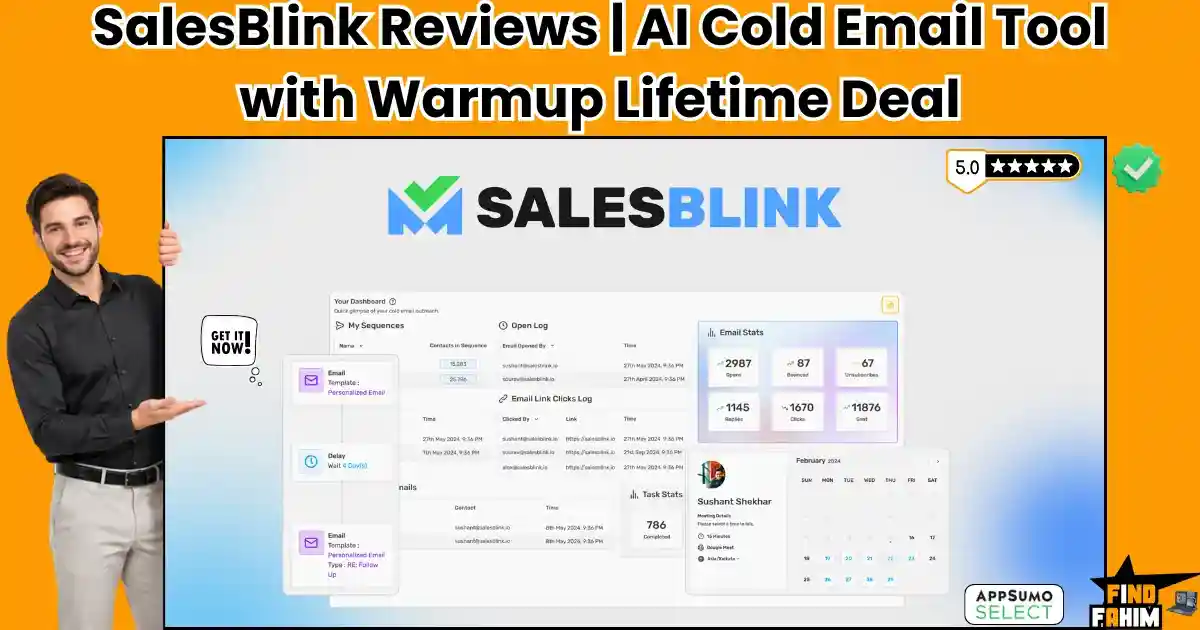

Sending cold emails often feels like shouting into a void. You spend hours writing pitches, only to watch your domain reputation tank as messages hit the spam folder.
SalesBlink fixes this entirely. It is an AI-powered outreach engine that writes sequences, warms up sender accounts, and organizes replies. Currently on AppSumo, starting at $79, it puts your outbound sales on autopilot.
Disclaimer: This article contains affiliate links. If you buy through these links, I earn a small commission at no extra cost to you. All opinions and research are my own.
My Quick Take (TL;DR)
Tired of paying monthly fees for separate warmup tools and sequence builders? Here is the executive summary.
- What is it? An AI-driven cold email tool with built-in deliverability protection.
- Why is it Special? A 30,000+ inbox warmup pool protects your domain while BlinkGPT writes your follow-up sequence.
- Who is it for? B2B founders, marketing agencies, and sales teams.
- The Deal: A $79 lifetime deal for 50,000 monthly sends. Stack to Tier 2 ($158) for unlimited sending.
- My Verdict: With a 4.5-star rating, this perfectly replaces expensive subscriptions by combining sending, warming, and AI replies.
Get the SalesBlink Lifetime Deal on AppSumo Now
What is SalesBlink?
SalesBlink is an outreach automation platform designed to turn cold contacts into booked meetings. Founded in 2020 by Sushant Shekhar, it solves the most frustrating parts of outbound sales: low open rates and manual writing.
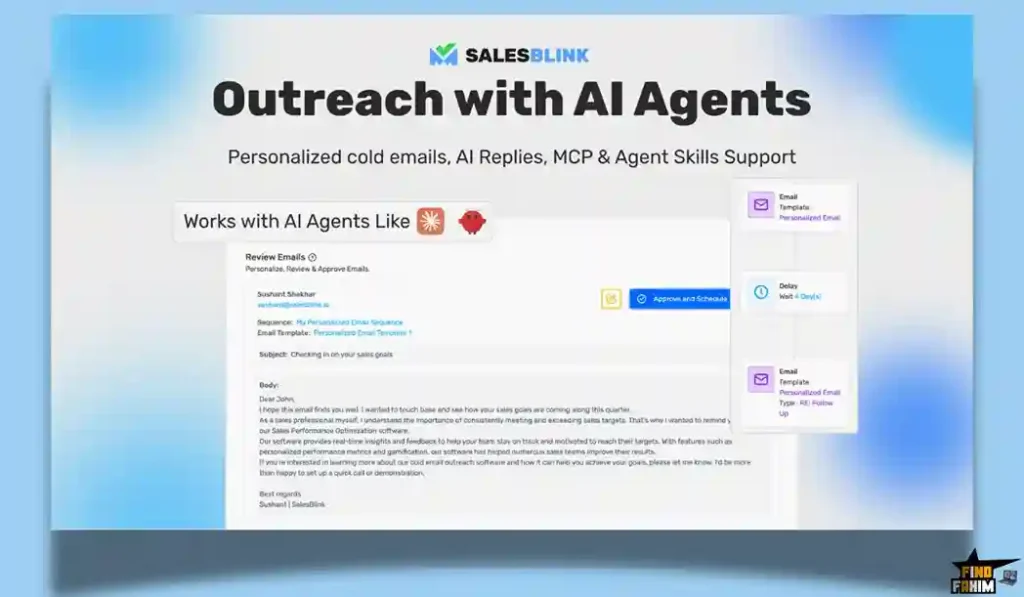
Standard tools force you to draft templates and manage deliverability separately. SalesBlink operates differently. Type a description of your product, and BlinkGPT AI generates a multi-step sequence tailored to your brand. The platform manages follow-ups, tracks replies in a unified inbox, and allows prospects to book calls directly.
Quick Look: SalesBlink vs Manual Workflow
Building a high-volume cold email machine requires extreme organization if you rely on older, manual methods.
Let us look at the exact operational value of replacing your current software stack with this single lifetime deal.
| Feature | Replaces… | The Real Value | Normal Cost | Deal Status |
| Email Sequences | Mailchimp / Gmail | AI writes the multi-step pitch | ~$40/mo | ✅ Included |
| Domain Warmup | Warmup Inbox | 30k network keeps you out of spam | ~$39/mo | ✅ Included |
| Unified Inbox | Multiple browser tabs | All replies feed into one dashboard | Administrative Time | ✅ Included |
| Meeting Scheduler | Calendly | Native booking links in the email | ~$15/mo | ✅ Included |
| Total Value | Fragmented Tools | Automated B2B Pipeline | ~$1,128+/yr | $79 (Lifetime) |
Why Manual Cold Email Is Failing Businesses
Mass email blasts from spreadsheets fail today. Google and Yahoo aggressively block generic, copy-pasted text. Sending hundreds of identical messages will quickly blacklist your domain.
Managing replies manually destroys sales pipelines. Switching between multiple sender accounts causes missed messages. If you take 48 hours to answer a hot lead, the deal goes cold.
Why AI-Automated Outreach Is Trending in 2026
B2B buyers demand highly personalized responses before replying. AI models solve this by writing highly specific opening lines for every contact, allowing massive daily volume that feels entirely human.
These systems also protect your domain. Instead of blasting emails, they slowly increase the sending volume. They converse with trusted inboxes in the background, convincing spam filters that your domain is safe.
A Look Inside SalesBlink: Key Features
This platform strips away the tedious administrative work of outbound sales. Here is a detailed breakdown of the core features included in the deal.
BlinkGPT Sequence Generator
Staring at a blank screen, trying to write a catchy subject line, wastes hours. With SalesBlink, you simply enter a plain-text description of your service and your target audience. The BlinkGPT AI instantly generates a complete sequence, including the initial pitch, the value proposition, and multiple timed follow-up emails designed to get a reply.
Automated Email Warmup
Buying a new domain and immediately sending 1,000 emails will ruin your sender reputation permanently. SalesBlink includes a built-in warmup network of over 30,000 active email addresses. It automatically sends dummy emails back and forth from your account, opening and replying to them. This builds a strong sender reputation so your actual sales pitches land in the primary inbox.
Master Unified Inbox
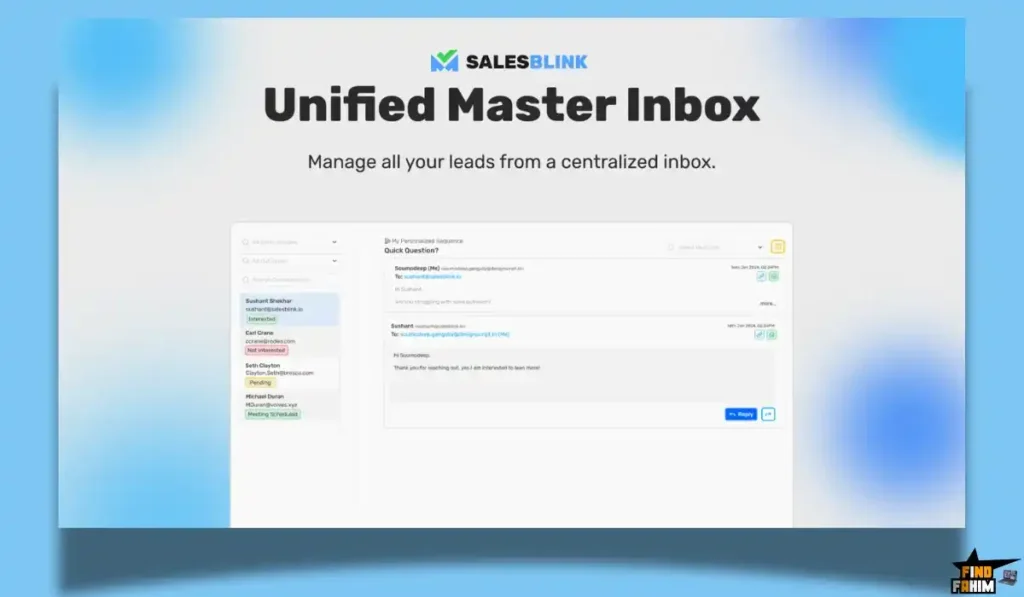
Running outreach campaigns at scale means you need multiple sender addresses. Instead of checking ten different Gmail accounts, SalesBlink pulls every single reply into one centralized dashboard. You can read, organize, and reply to every lead from a single screen, ensuring no prospect ever falls through the cracks.
Built-In Meeting Scheduler
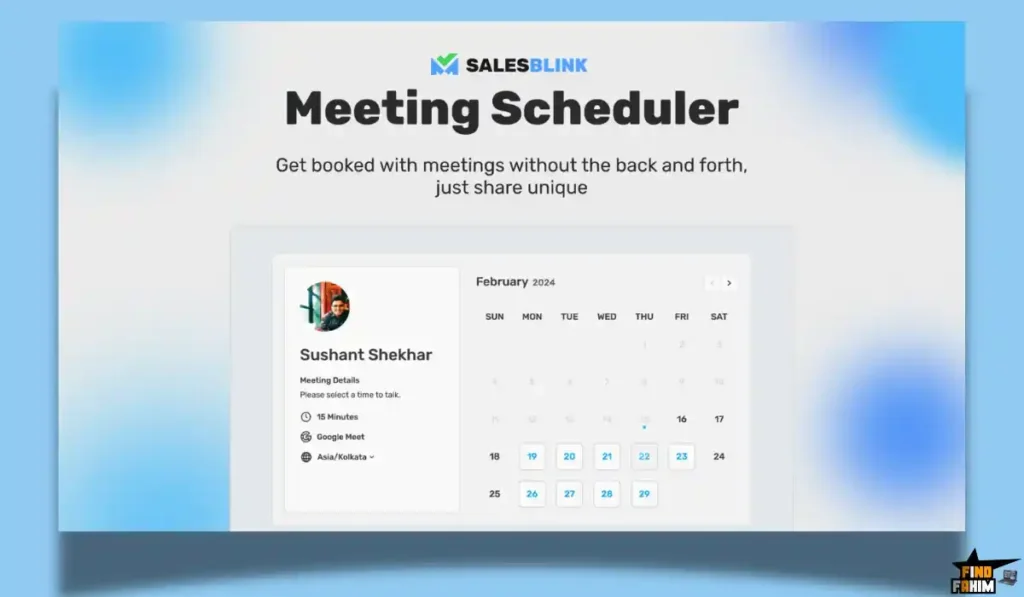
Friction kills sales. Sending a prospect back and forth through multiple links just to pick a time drops your conversion rate. SalesBlink connects directly to your Google or Outlook calendar, generating a native scheduling link. When a lead wants to talk, they simply click the link in your email and pick a time, eliminating the scheduling headache.
The Standout Feature: Built-In Warmup & AI Agents
Most cold email platforms force you to buy separate deliverability software just to keep your domain safe.
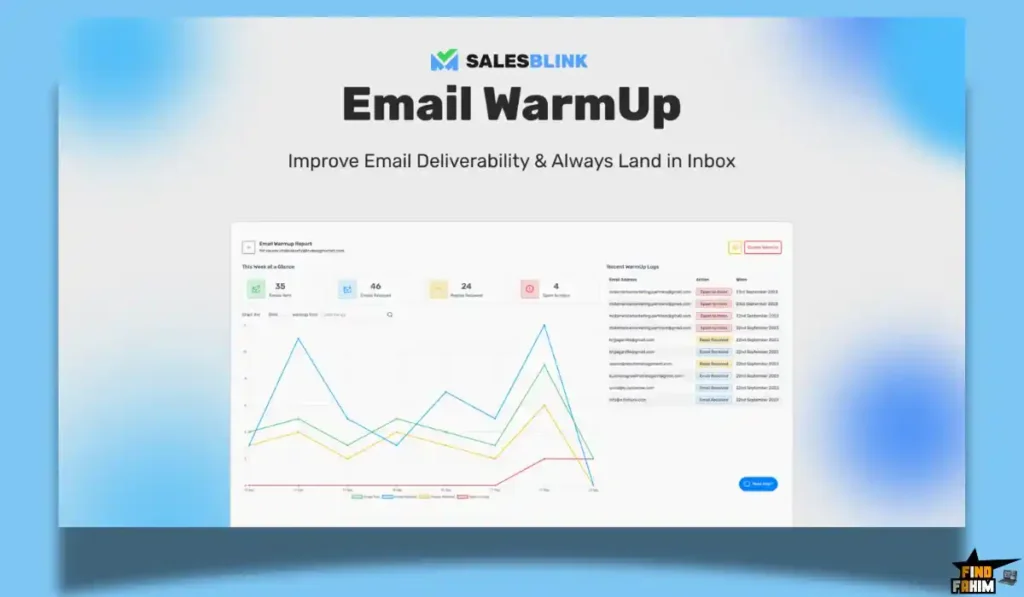
SalesBlink eliminates this extra cost by connecting your domain to a 30,000-inbox warmup pool immediately. Combining this heavy background protection with the newly released AI Agents—which automatically read and draft replies to incoming leads—creates a completely self-running outbound pipeline that actually protects your domain reputation.
Recent 2026 Platform Updates
The development team actively pushes major feature releases to keep the tool highly relevant in a fast-moving market.
In April 2026, they launched a massive architectural update that prepared the platform for AI Agents. With new MCP and AI Skills, users can now connect SalesBlink’s backend directly to external models such as Claude and OpenClaw. This means you can command an external AI agent to schedule emails, check metrics, and manage your pipeline without even logging into the dashboard yourself.
SalesBlink Pricing & AppSumo Deal Details
The AppSumo lifetime deal uses a highly scalable code-stacking structure, allowing you to stack up to 10 total codes. Here is a look at the most popular tiers to help you decide.
| License Tier | Price (One-Time) | Email Sends | AI Credits | Workspaces |
| Tier 1 (1 Code) | $79 | Up to 50,000 | 2,000 | 1 |
| Tier 2 (2 Codes) | $158 | Unlimited | 4,000 | 1 |
| Tier 3 (3 Codes) | $237 | Unlimited | 6,000 | 3 |
| Tier 5 (5 Codes) | $395 | Unlimited | 12,000 | 10 |
| Tier 10 (Max) | $790 | Unlimited | 22,000 | 100 |
Understanding the Stacking Strategy
If you run a single brand, Tier 2 ($158) is the absolute best value because it removes all sending limits entirely. Agencies should aim for Tier 5 or Tier 10 to secure sufficient separate workspaces to accommodate large client rosters.
AppSumo Refund Policy
AppSumo backs this offer with a strict 60-day money-back guarantee. You can thoroughly test the domain warmup pool and AI sequence builder for two full months completely risk-free.
Secure Your SalesBlink Lifetime License Here
Pros & Cons of This Lifetime Package
Based on verified user feedback and technical dashboard testing, here is the balanced truth about where this platform excels and where it falls short.
The Pros
✅ Unlimited Sending Options: Tier 2 and above remove all monthly email sending caps entirely.
✅ Built-In Warmup: Eliminates the need to buy separate deliverability tools like Warmup Inbox.
✅ AI Sequence Writing: Generates high-converting templates instantly from basic text prompts.
✅ Unified Inbox: Pulls all replies from multiple domains into one easy-to-read screen.
✅ Agency Ready: Higher tiers include multiple workspaces to keep client data separated.
The Cons
❌ Tier 1 Restrictions: The lowest tier hard-caps your sending at 50,000 emails, forcing high-volume users to stack codes.
❌ Learning Curve: Setting up custom tracking domains and DNS records requires some technical patience for beginners.
Who Should NOT Buy SalesBlink?
Skip this deal if you run a local bakery or a retail store that relies entirely on foot traffic. Also, avoid this if you only need to send weekly newsletters to an opted-in subscriber list; you should use a standard tool like Mailchimp for newsletters, not a cold outreach engine.
How Does SalesBlink Work?
Moving your outbound sales process into an automated pipeline is fast. Here is exactly how to launch your first campaign.
- Register: Secure your AppSumo codes and create your workspace.
- Connect: Link your sending email addresses and adjust your DNS records for tracking.
- Warmup: Turn on the automated warmup feature to build your domain reputation for a few weeks.
- Generate: Use the BlinkGPT prompt to write your multi-step email sequence.
- Launch: Upload your prospect list, hit send, and watch the replies feed into your unified inbox.
Best Use Cases for SalesBlink
Because it handles both the writing and the technical sending limits, it adapts perfectly to highly aggressive sales models. Here are four professionals who benefit the most:
- The B2B SaaS Founder: Automate product demos by sending highly targeted pitches to specific software buyers and letting the AI handle the calendar booking.
- The Marketing Agency: Stack codes to unlock multiple workspaces, allowing you to run distinct outreach campaigns for five different clients simultaneously.
- The Lead Generation Specialist: Use unlimited email accounts and the built-in warmup pool to safely contact thousands of prospects weekly without getting banned.
- The Solo Consultant: Get the output of a full-time sales development representative without paying a salary, keeping your calendar full of discovery calls.
Stop Landing in Spam. Grab SalesBlink Today.
SalesBlink Alternatives
The cold email market is highly competitive. Let us look at how this AI-focused platform stacks up against the established giants. Understanding their specific strengths prevents you from buying redundant tools.
SalesBlink vs Lemlist
Where Lemlist Wins: Image personalization. Lemlist is highly famous for allowing you to put a prospect’s name or company logo directly onto an image inside the email.
Where SalesBlink Wins: Cost scaling. Lemlist charges a high monthly fee per active seat. SalesBlink offers unlimited sending on its Tier 2 lifetime deal, saving you thousands.
SalesBlink vs Mixmax
Where Mixmax Wins: Gmail integration. Mixmax places its tracking features directly inside your native Gmail window, making it highly comfortable for traditional users.
Where SalesBlink Wins: AI sequence generation. Mixmax relies on manual template creation. SalesBlink uses AI to write the entire multi-step campaign for you from scratch.
SalesBlink vs Outreach
Where Outreach Wins: Enterprise reporting. It is a massive, highly expensive platform built for corporate teams of 50+ sales reps needing deep revenue forecasting.
Where SalesBlink Wins: Simplicity and pricing. Outreach requires weeks of onboarding and thousands of dollars. SalesBlink gets a startup launching campaigns in an hour.
SalesBlink vs Instantly
Where Instantly Wins: Infinite inbox connections. Instantly built its reputation purely on allowing users to connect hundreds of email addresses for mass volume.
Where SalesBlink Wins: Built-in scheduling. SalesBlink includes a native meeting scheduler, keeping the prospect inside your ecosystem rather than pushing them to a third-party link.
SalesBlink vs Mailshake
Where Mailshake Wins: Phone dialing. It includes a native VOIP dialer, allowing you to call prospects directly from the dashboard.
Where SalesBlink Wins: Deliverability focus. SalesBlink’s massive 30,000+ warmup pool aggressively protects newer domains far better than basic sending tools.
The Competitor Matrix Table
| Email Platform | Pricing Model | Core Focus | Native Meeting Scheduler |
| SalesBlink | Lifetime ($79+) | AI Outreach & Warmup | ✅ Yes |
| Lemlist | Monthly Sub | Image Personalization | ❌ No |
| Mixmax | Monthly Sub | Gmail Extension | ❌ No |
| Outreach | Monthly Sub | Enterprise Sales | ❌ No |
| Instantly | Monthly Sub | Mass Inbox Volume | ❌ No |
| Mailshake | Monthly Sub | Email + Cold Calling | ❌ No |
Skip the Expensive Subscriptions – Get SalesBlink Here
Is This Lifetime Deal a Smart Business Investment?
Let us look at the exact financial math of the $158 Tier 2 Plan to see how fast this outreach engine pays for itself.
Here is the exact cost of choosing this deal versus paying for separate premium subscriptions to handle sending and warmup.
- Cost of Lemlist + Calendly (1 Year): ~$100/mo for email tools + ~$15/mo for scheduling, totaling over $1,380 annually.
- Cost of SalesBlink Tier 2 (Unlimited Sends): $158 paid exactly once.
The ROI Math:
- You break even financially in roughly six weeks.
- Over a standard three-year business cycle, this software saves your operation thousands in recurring SaaS fees.
- Automating the warmup and reply tracking frees up hours of administrative work, allowing you to focus purely on taking sales calls.
How to Redeem the SalesBlink Deal
Ready to put your cold email pipeline on autopilot? Follow these quick steps to set up your workspace immediately.
- Buy: Click the AppSumo link below to secure your specific license tier based on your sending volume.
- Redeem: Receive your unique code and register your account directly on the official SalesBlink website.
- Activate: Apply the code in your billing dashboard within 60 days to lock in your lifetime limits.
- Connect: Link your email domains and activate the warmup feature.
- Generate: Let the AI draft your first campaign and push it live.
Final Verdict: Is This AppSumo Deal Worth It?
After analyzing the strict requirements of modern email deliverability and evaluating verified user reviews, my final verdict is a definitive 4.5-Star BUY.
SalesBlink solves a highly frustrating problem for modern businesses: getting emails actually seen by human eyes. It takes the highly technical process of domain warming, sequence writing, and reply tracking, and compresses it into a single, easy-to-use dashboard.
If you are currently paying massive monthly fees for separate warmup tools and writing assistants, you are wasting capital. Grab this lifetime deal, consolidate your outreach stack, and fill your calendar with highly qualified buyers.
Secure Your SalesBlink Lifetime License Before It Ends
About the Author
Sushant Shekhar built SalesBlink to stop sales teams from wasting time on spam folders. His work blending artificial intelligence with strict email deliverability protocols is incredibly impressive, saving founders hours of manual labor. Thank you, Sushant, for bringing this deal to the community. In my view, this tool is an absolute must-have for anyone serious about outbound lead generation. To see how you can improve your entire software stack, check out my Top Email Marketing Tool Lifetime Deals.
FAQ: Your SalesBlink Questions, Answered
SalesBlink is an AI-powered outreach platform that helps automate cold email campaigns, domain warmup, and meeting scheduling in one system.
SalesBlink uses a network of real inboxes to automatically send, open, and reply to emails, helping improve your domain reputation and email deliverability.
Yes. SalesBlink includes AI writing tools that generate initial outreach emails and follow-up sequences based on your product or service description.
Yes. SalesBlink allows connecting multiple sender accounts, especially on higher tiers, to safely scale outreach volume.
Yes. SalesBlink provides a unified inbox that collects replies from all connected email accounts into one dashboard.
Yes. SalesBlink includes a built-in meeting scheduler that integrates with Google Calendar and Outlook.
Cold email outreach is the process of sending emails to potential customers who have not interacted with your business before.
Email warmup helps build sender reputation and reduces the chances of emails landing in spam folders.
Yes. AI tools can optimize messaging, personalize content, and improve engagement rates in outreach campaigns.
A unified inbox is a system that combines messages from multiple email accounts into a single interface for easier management. What is SalesBlink?
How does SalesBlink email warmup work?
Can SalesBlink write cold emails automatically?
Can I connect multiple email accounts in SalesBlink?
Does SalesBlink have a unified inbox?
Does SalesBlink support meeting scheduling?
What is cold email outreach?
Why is email warmup important?
Can AI improve cold email response rates?
What is a unified inbox in email tools?

Hi, I’m Fahim — a SaaS tools reviewer and digital marketing expert with hands-on experience helping businesses grow using the right software. I research, test, and personally use a wide range of AI, business, productivity, marketing, and email tools for my agency, clients, and projects. I create honest, in-depth reviews and guides to help entrepreneurs, freelancers, startups, and digital agencies choose the best tools to save time, boost results, and scale smarter. If I recommend it, I’ve used it — and I only share what truly works.