
You know that creeping feeling… Did your client really not see your proposal, or are they just ignoring you? And are they tracking whether you’ve opened their email?
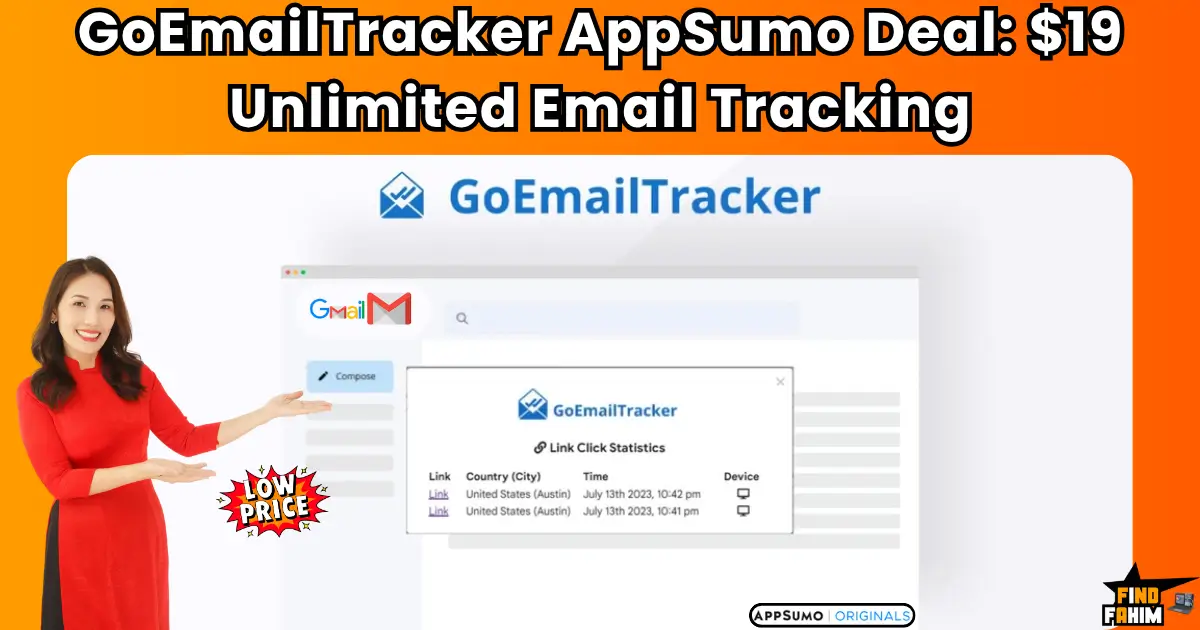
GoEmailTracker is the simple, AI-powered Gmail tool that solves both problems, showing you who opens your emails and who is tracking you. In these in-depth GoEmailTracker reviews, we’re testing this $19 AppSumo lifetime deal to see if it’s the “no-brainer” utility you’ve been missing.
My Quick Take for the Savvy Solopreneur
I think you’re here because you’re a freelancer, salesperson, or marketer. You live in your Gmail inbox, and you’re tired of “flying blind.” You want to know if your emails are being read without paying a high monthly subscription. Here’s my direct take.
- What is it? GoEmailTracker is a simple, lightweight email tracking platform. It’s a Chrome/Edge extension that works directly inside your Gmail or Google Workspace account.
- Why is it a Game-Changer? It has a unique “tracker-detector” feature. It adds a badge to incoming emails to warn you if the sender is tracking you. This is a powerful privacy feature, on top of its “unlimited tracking” for your own sent emails.
- Who is it for? Sales teams, freelancers, and any professional who wants to know exactly when their emails are opened, clicked, and engaged with.
- The AppSumo Deal: This is a $19 one-time payment for a lifetime plan. It is a single, non-stackable deal.
- My Verdict: This is a 5-star utility. It’s a new “v1” tool, but for $19, it replaces a $10/month subscription to Mailtrack or Boomerang forever. It’s a simple, high-value, “no-brainer” purchase for any Gmail user.
Check the GoEmailTracker Lifetime Deal on AppSumo Now!
Now, let’s talk about the “black box” of email. Sending an important email into the void is one of the most frustrating parts of modern business.
You spend an hour crafting the perfect proposal. You hit “send.” And then… silence.
Did it go to spam? Did they open it and hate it? Did they not even see it? You’re left to guess, and your follow-up email (“Just checking in to see if you got my last email…”) sounds weak and desperate.
This lack of information is a massive disadvantage. The solution has always been to use a tracker like Mailtrack or Boomerang, but they all want another $10 or $12 every single month, forever, just to add a simple “read receipt” to your email.
This is the exact problem the GoEmailTracker lifetime deal solves. It’s a simple, permanent, and incredibly affordable fix to a problem every single one of us has.
What is GoEmailTracker? (Your Gmail “Read Receipt” Power-Up)
The best way to describe GoEmailTracker is as a simple, lightweight “power-up” for your Gmail or Google Workspace account. It’s a browser extension (for Chrome or Edge) that integrates directly into your “compose” window.
It does two main jobs:
- Offensive Tracking: When you send an email, it inserts a tiny, invisible pixel. When your recipient opens the email, that pixel is loaded, and GoEmailTracker sends you a live notification. It also turns your links into trackable links. This gives you “WhatsApp-style” double-ticks in your “Sent” folder.
- Defensive Tracking: This is the cool part. When you receive an email, the tool scans it for tracking pixels from other people. It will place a badge on the email to warn you, “The sender of this email will know when you open it.”
It also throws in a few nice bonuses, like an AI Email Writer and a custom signature generator, to make it a more complete “inbox” solution.
Why You Need More Than Just Gmail’s “Send” Button
If you’re in sales or client-facing, “data” is not just a nice-to-have; it’s everything. The person who has the most information always wins.
- Without Tracking: You send a proposal and wait 3 days to follow up.
- With Tracking: You get a live notification that your client is opening your proposal right now. You can wait 30 minutes and send a perfectly timed, “casual” follow-up (“By the way, I also wanted to mention…”), striking while the iron is hot.
Knowing who is engaged and when they are engaged is a strategic superpower. It’s the difference between guessing and knowing.
The “Honest Truth” About the 4.1-Star Rating
Now, we must be 100% honest. This is a brand new, “v1” (version 1) tool. It has a 4.1-star rating from 15 reviews. This is not a 5-star, “blue-chip” champion like Screpy.
The 5-star reviews (“daniel9933,” “msisakib”) all say the same thing: “It works exactly as intended,” and the value is “great… at a very affordable price.”
The 3-star reviews (like “len.kwok”) point out that the tracking sometimes fails, especially when sending to a corporate Outlook inbox (which can have high-level security that blocks tracking pixels).
This is what we call a “v1” limitation. So, here is our expert verdict: This is not a $50/month enterprise-grade sales platform for a 1,000-person sales team.
It’s a $19 lifetime deal for a solopreneur. For that price, it’s a 5-star value. You are buying a simple utility that solves a simple problem for less than the price of lunch. It’s a “no-brainer” purchase with a 60-day money-back guarantee, making it 100% risk-free.
A Look Inside GoEmailTracker: Key Features & Benefits
This lifetime package is all about simple, focused utility.
Unlimited Email Open & Click Tracking
- What it is: The core of the platform. You get unlimited tracking. It adds “double-tick” read receipts to your “Sent” folder, so you can see at a glance who has (and has not) opened your message.
- Why it matters: “Unlimited” is the key. Most competitors on a $19 plan would cap you. GoEmailTracker lets you track every single email you send, forever. You also get a “live feed” of all email activities and statistics on your dashboard.
The “Tracker-Detector” (Privacy Shield)
- What it is: This is the unique “defensive” feature. The extension adds a small badge to emails in your inbox if it detects that the sender is using a tracking pixel to watch you.
- Why it matters: This is a huge, and often overlooked, “pro” feature. As one 5-star reviewer (“daniel9933”) said, “I’m not only able to see if my email has been opened, but I can see if senders are tracking whether or not I’ve opened THEIR email.” This gives you the strategic upper hand in a negotiation.
AI Email Writer
- What it is: A built-in AI assistant (like ChatGPT) that lives inside your “compose” window. You can ask it to write a new email or, more usefully, write a reply to an email you’ve received.
- Why it matters: It’s a massive time-saver. You don’t have to copy-paste between your Gmail and a separate AI tab. It’s right there, in your workflow.
Custom Email Signature Generator
- What it is: A simple tool to create a professional, custom email signature.
- Why it matters: This is a nice “value-add” that saves you from having to buy another small monthly subscription or fiddle with confusing HTML.
Gmail Workspace Add-on (for Mobile)
- What it is: The deal includes the Gmail Workspace™ add-on, which allows you to get tracking and insights on your Android and iOS mobile devices.
- Why it matters: This is a critical feature. Most trackers are “desktop-only.” This ensures that you can send and track important emails even when you’re on the go.
The Standout Feature: Replacing a Monthly Subscription for $19
The single standout feature of this entire offer is the price.
The value proposition is not complex. It’s simple, powerful math:
- A Mailtrack Pro subscription costs $9.99/month (billed annually). That’s $120 per year.
- A Boomerang “Pro” plan costs $14.99/month. That’s $180 per year.
The GoEmailTracker lifetime deal costs $19. One time.
This isn’t a 10x value proposition; it’s a 100x value proposition. It pays for itself in less than two months of a competitor’s subscription. For a solopreneur or freelancer, this is a “no-brainer” utility that frees up $100+ in cash flow, every single year, forever.
How Does GoEmailTracker Work? (A Quick Look)
The setup is famously simple and takes about two minutes.
- Buy the Deal: You purchase the $19 deal on AppSumo.
- Install the Extension: You get a link to install the GoEmailTracker extension on your Chrome or Edge browser.
- Connect Your Account: You give it permission to connect to the 1 Gmail/Workspace account you want to track (this is the 1-email-address limit).
- You’re Done: The next time you open Gmail, you will see new “track” icons in your “Compose” window and the “double-ticks” in your “Sent” folder. It’s completely automatic.
The GoEmailTracker AppSumo Deal Details (A Deep Dive)
This is a non-stackable, single-plan deal. It’s designed to be simple and affordable for everyone.
| Feature | Lifetime Plan (1 Code) |
| One-Time Price | $19 |
| Email Addresses | 1 |
| Unlimited Emails Tracking | ✅ Yes |
| Link Click History & Stats | ✅ Yes |
| Live Notifications | ✅ Yes |
| AI Email Writer | ✅ Yes |
| “Tracker-Detector” Feature | ✅ Yes |
| Custom Email Signature | ✅ Yes |
| Gmail Workspace Add-on (Mobile) | ✅ Yes |
| Save Email Templates | 3 (Max) |
| See the GoEmailTracker Deal! | |
Which Plan Should You Get? My Recommendation
There is only one plan to buy: the $19 Lifetime Plan.
This is a classic “utility” deal. It’s not a massive, complex platform. It’s a simple, low-cost tool that solves a single, annoying problem. The value is incredible, and the 60-day money-back guarantee makes it 100% risk-free.
Pros & Cons of This Lifetime Package
This is a “v1” tool with a 4.1-star rating. It’s important to be 100% honest about what you are buying.
The Pros (What I Love)
- Incredible, “No-Brainer” Value: This is the #1 pro. It’s $19 once to replace a $120 per year subscription. The ROI is astronomical.
- The “Tracker-Detector” is a Killer Feature: This is a unique and powerful privacy tool that most competitors don’t offer.
- “Unlimited” Tracking: There are no caps on how many emails you can track. This is a huge advantage over free plans.
- It’s Simple and Lightweight: It “works exactly as intended” without adding a bunch of bloated features you don’t need.
- AI Writer Included: The built-in AI writer is a fantastic bonus that adds even more value.
The Cons (What to Be Aware Of)
- It’s a “v1” Tool: As the reviews show, it’s a new tool. It may have occasional glitches (like the Outlook tracking issue one user noted) that more “mature” (and expensive) platforms have already fixed.
- Only for 1 Email Address: The $19 deal only covers one email account. This is a “solopreneur” tool, not an “agency” tool.
- Limited Templates: The 3-template limit is a bit low, but for $19, it’s hard to complain.
Best Use Cases for GoEmailTracker
Here are just a few real-world scenarios where this $19 tool is a perfect fit:
- For Freelancers: Send your proposal and know the instant your client opens it. This gives you the perfect window to follow up.
- For Sales Teams (of 1): Stop guessing. You can see which leads are “hot” (opening your email 5 times) and which are “cold” (never opened it at all).
- For Job Hunters: Send your resume and know if the hiring manager actually read it, giving you peace of mind.
- For the “Privacy-Conscious” User: Use the “tracker-detector” to see which of your friends, family, or colleagues are tracking you.
For other amazing, high-value utilities like this, don’t forget to check out my hand-picked list of the best AppSumo lifetime deals!
Get Your GoEmailTracker Lifetime Deal Now!
GoEmailTracker vs. The Competition
This is a simple comparison. GoEmailTracker is a lightweight “utility” tool, and it competes with other utilities and features inside of giant platforms.
GoEmailTracker vs. Mailtrack / Boomerang
These are its direct, subscription-based competitors. They are both excellent, mature tools.
- Where They Win: They are more mature and have a few more features. Boomerang, for example, is famous for its “Send Later” and “Inbox Pause” features.
- Why GoEmailTracker Wins: Price. It’s not a contest. Mailtrack costs $120/year, and Boomerang costs $180/year. GoEmailTracker costs $19 once. For the 90% of users who just want open/click tracking, GoEmailTracker is the obvious, high-value financial choice.
GoEmailTracker vs. HubSpot / Saleshandy
These are the “all-in-one” sales platforms.
- Where They Win: They are massive platforms. They include a full CRM, pipeline management, and complex “sequence” builders. Their email tracking is just one feature out of 100.
- Why GoEmailTracker Wins: They are bloated, complex, and extremely expensive. GoEmailTracker is for the solopreneur who doesn’t want a $150/month “all-in-one” platform. They just want a simple, lightweight tool that does one job perfectly.
GoEmailTracker vs. SendFox
This is a critical “AppSumo ecosystem” comparison.
- What SendFox Does: As I covered in my SendFox review, it’s an “AppSumo Original” for mass-market newsletters and automations (sending to 5,000+ contacts).
- What GoEmailTracker Does: It’s for your 1-to-1 Gmail communication.
- Verdict: They do not compete. A smart marketer uses both: SendFox for their weekly newsletter and GoEmailTracker for their daily sales and client emails.
GoEmailTracker vs. Mystrika
This is another strategic “apples and oranges” comparison.
- What Mystrika Does: As I’ve detailed in my Mystrika review, it’s a “pro” tool for cold email outreach to people you don’t know, with features like email warm-up and unlimited sending accounts.
- What GoEmailTracker Does: It’s for warm email tracking from your primary Gmail account.
- Verdict: You would never use GoEmailTracker for cold email (you’d be banned by Google). You use Mystrika for your cold prospecting and GoEmailTracker for tracking your warm leads.
GoEmailTracker vs. Reoon Email Verifier
This is a “partner” comparison, not a “competitor” one.
- What Reoon Does: As I’ll cover in my Reoon review, it’s an essential utility that cleans your email list before you send.
- What GoEmailTracker Does: It tracks the email after you send.
- Verdict: You use Reoon to verify a new lead is real, and then you use GoEmailTracker to see if they opened your proposal.
All Competitors Table
| Tool | Key Strength | Pricing Model | Best For |
| GoEmailTracker | Simple 1-to-1 Gmail Tracking | Lifetime Deal ($19) | Solopreneurs & Freelancers |
| Mailtrack | Mature & Reliable Tracking | Subscription ($120/year) | Professionals |
| HubSpot Sales | All-in-One Sales CRM | Very Expensive Subscription | Enterprise Sales Teams |
| SendFox | Bulk Newsletters (Mass Email) | Lifetime Deal ($49) | Content Creators |
| Mystrika | Cold Email Outreach (B2B) | Lifetime Deal ($125) | B2B Sales |
| Reoon | Email List Cleaning | Lifetime Deal ($79) | All Marketers (Utility) |
Is This a Smart Business Investment?
Let’s do the simple, powerful math one more time.
- A subscription to Mailtrack or Boomerang costs, on average, $120 per year.
- The GoEmailTracker lifetime deal costs $19. One time.
This cost-friendly deal pays for itself in less than two months.
After that, you are saving $120 every single year, forever. This isn’t just an “investment”; it’s a “no-brainer” utility purchase. It’s like buying a lifetime supply of lightbulbs for the price of one. The ROI is immediate and permanent.
How to Redeem the GoEmailTracker Deal
- Go to the official GoEmailTracker AppSumo deal page.
- Click “Buy Now” to purchase the $19 Lifetime Plan. (It is not stackable).
- AppSumo will send you a unique code. You have 60 days to redeem it on the GoEmailTracker website to activate your lifetime account.
- Install the Chrome or Edge extension and connect your Gmail account.
Final Verdict: Is This Cost-Friendly Deal Worth It?
After this deep dive into the GoEmailTracker reviews and its simple, clear features, my final verdict is a 5-star yes.
But let’s be 100% clear about what we are giving 5 stars to. We are not giving 5 stars to a massive, perfect, enterprise-grade platform.
We are giving 5 stars to a $19 utility that flawlessly replaces a $120/year subscription.
This is a “v1” tool, and it has some minor “v1” quirks (like the 3-template limit). But for a $19 one-time payment, you get unlimited open and click tracking and the unique “tracker-detector” feature. The value is just too high to ignore. It’s a “must-buy” for any solopreneur or freelancer who lives in their Gmail inbox.
Grab the GoEmailTracker Lifetime Deal Now!
Note: This is a brand new, v1 deal at an introductory price. As the founder adds more features (like more templates or team plans), this $19 price will almost certainly go up or disappear. This is your chance to get in on the ground floor.
About the Author: Why I Care About This So Much
I’m a solopreneur, and I live in my inbox. I know the pain and paranoia of sending a critical email into the dark. Did the client see my invoice? Did that big-shot CEO get my partnership proposal? For years, I refused to pay $10/month for a “read receipt.” It just felt like a ripoff.
A tool like GoEmailTracker is a “no-brainer” for people like me. It’s a tool I’ll use 50 times a day. It gives me peace of mind and a strategic advantage for a single $19 payment. That’s not just a “deal”; it’s a “fix” for a problem I’ve had for a decade.
FAQ: Your GoEmailTracker Questions, Answered
- What is GoEmailTracker?
It’s a simple Chrome/Edge extension that adds email tracking (open and click tracking) to your Gmail or Google Workspace account. - Is it really unlimited tracking?
Yes, the $19 lifetime deal gives you unlimited email and link click tracking. - What is the “Tracker-Detector” feature?
It’s a unique feature that adds a badge to emails in your inbox to warn you if the sender is using a tracking pixel to see if you’ve opened their email. - Does this work with Outlook?
No. This tool is built specifically for Gmail and Google Workspace. One review noted that tracking an email sent to an Outlook inbox can sometimes fail, likely due to corporate security settings. - How many email accounts does this cover?
The $19 lifetime deal covers one email address. - What if I buy the GoEmailTracker deal and don’t like it?
You are fully protected by AppSumo’s 60-day money-back guarantee. You can test it for two full months, completely risk-free. - Is it hard to install?
No. It’s a simple browser extension. You can be set up and tracking your first email in less than 2 minutes. - Is it a “v1” tool? What does that mean?
Yes, it’s a very new tool (founded in 2024). This means it’s a “ground-floor” opportunity, but it may have a few more bugs or fewer features than a 10-year-old tool like Mailtrack. - How is this different from Mailtrack or Boomerang?
It does the same core job (open/click tracking) but is $19 once instead of $120+ per year. - How is this different from SendFox?
SendFox is for mass marketing (sending a newsletter to 5,000 people). GoEmailTracker is for your 1-to-1 daily Gmails. - What is the 3-template limit?
The deal allows you to save up to 3 email templates inside Gmail. This is a “v1” limitation, but still useful for your top 3 most common replies. - Is it GDPR-compliant?
Yes, the AppSumo page confirms the platform is fully GDPR-compliant. - Is this deal stackable?
No, this is a simple, non-stackable deal. One code per person. - Does it work on my phone?
Yes, the deal includes the Gmail Workspace™ add-on, which allows you to get tracking and insights on your Android and iOS devices. - Is the $19 price worth it?
Absolutely. It pays for itself in less than two months of a competitor’s subscription. It’s one of the highest-value “utility” deals on AppSumo.

Hi, I’m Fahim — a SaaS tools reviewer and digital marketing expert with hands-on experience helping businesses grow using the right software. I research, test, and personally use a wide range of AI, business, productivity, marketing, and email tools for my agency, clients, and projects. I create honest, in-depth reviews and guides to help entrepreneurs, freelancers, startups, and digital agencies choose the best tools to save time, boost results, and scale smarter. If I recommend it, I’ve used it — and I only share what truly works.