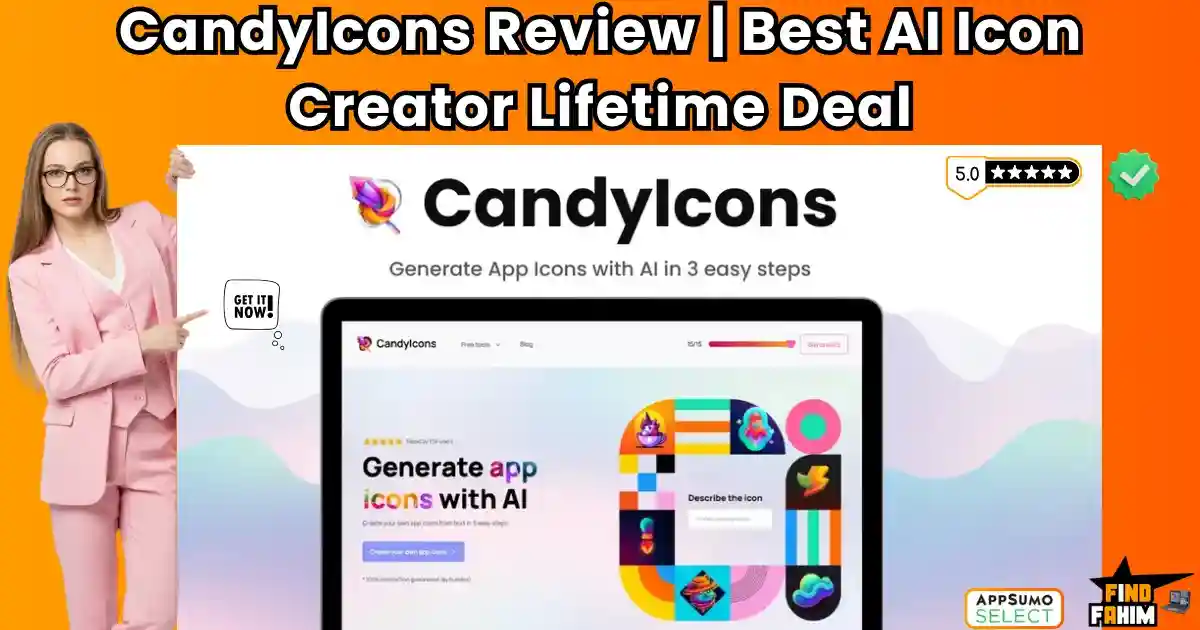

Finding the perfect app icon usually involves one of two painful options: hiring a designer for $200+ or scouring free icon sites for hours, only to find the same generic “flat style” rocket ship everyone else is using.
CandyIcons is an AI-powered icon generator that turns text descriptions into high-resolution, professional app icons in three clicks. Powered by DALL-E 3 technology, it creates unique, royalty-free assets that you actually own.
Let’s be honest: Midjourney is hard.
If you have tried to generate an icon on Midjourney, you know the struggle. You spend 30 minutes tweaking the prompt to achieve a “white background,” but it still produces weird artifacts.
CandyIcons streamlines this. It is a specialized wrapper for DALL-E 3 that is fine-tuned specifically for icon aesthetics—from 3D clay styles to minimal line art.
With a solid 4.8-star rating and a massive library of 15+ pre-set styles, this tool is positioning itself as the “Canva for App Icons.” In this in-depth CandyIcons review, I am testing if this $39 lifetime deal is a valid replacement for a professional graphic designer.
Note: This article contains affiliate links. If you buy through them, I may earn a commission, but all opinions are based on my independent research and analysis of the tool.
My Quick Take (TL;DR)
If you are a developer or marketer who needs assets fast, here is my honest summary.
- What is it? An AI generator dedicated solely to creating App Icons and Favicons.
- Why is it Special? Full Copyright Ownership. Unlike some free AI tools where rights are murky, CandyIcons explicitly grants you full commercial ownership of the generated images.
- Who is it for? SaaS Founders, Mobile App Developers, and Web Designers.
- The Deal: Lifetime Access starting at $39. Stackable codes increase your monthly credits.
- My Verdict: If you build apps or websites, buy 1 Code immediately. It pays for itself after the first icon. The “iOS Asset Generator” alone saves hours of resizing work.
Click Here to Get the CandyIcons Lifetime Deal
What is CandyIcons?
The best way to describe this platform is as “Midjourney with a UI for Icons.”
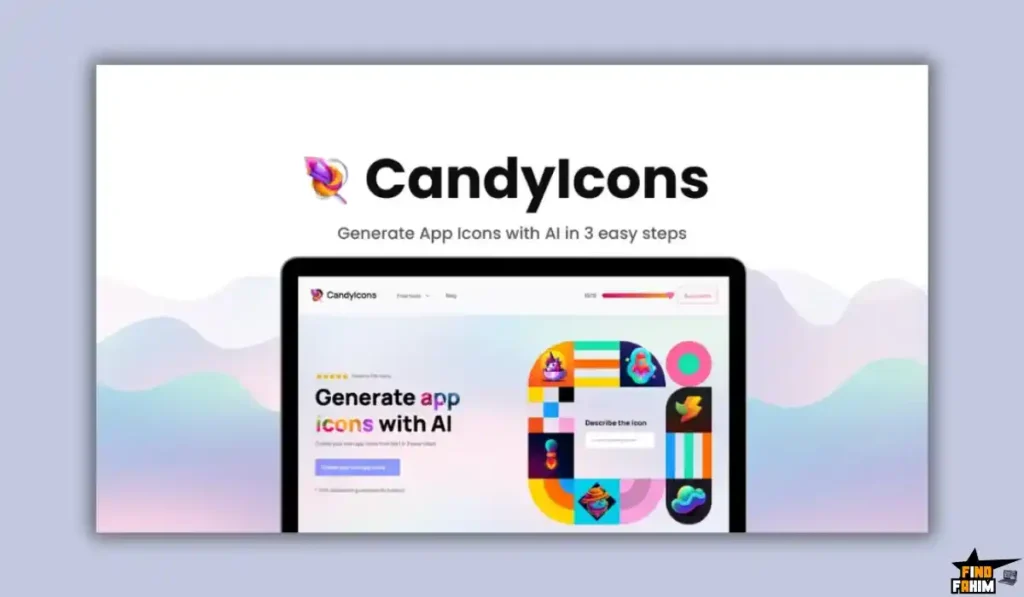
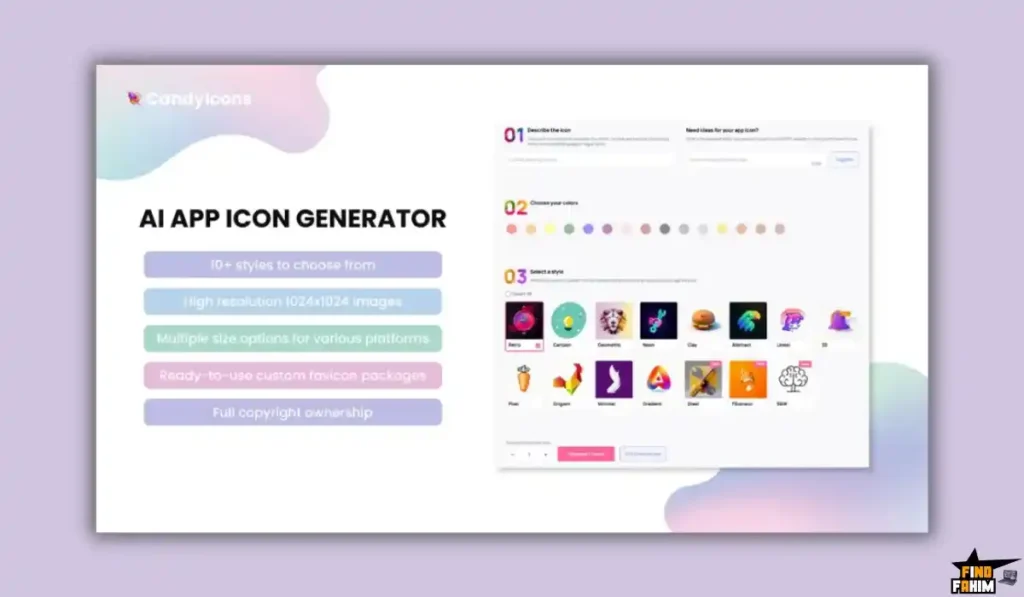
It removes the complexity of “prompt engineering.” You don’t need to know complex lighting parameters. You just type “A friendly robot holding a wrench,” select the “3D Render” style, choose your brand colors, and hit Generate.
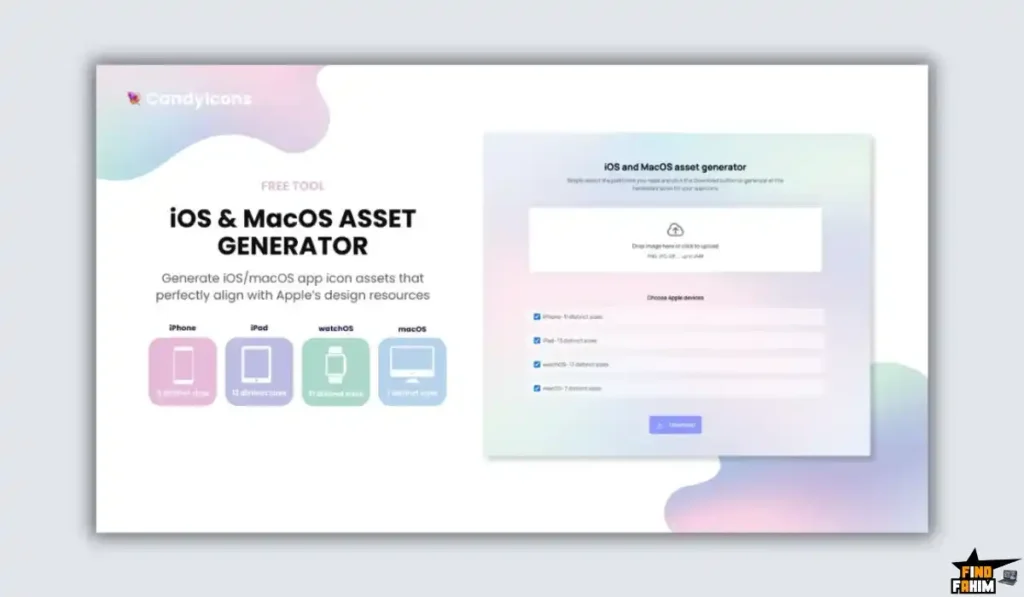
It handles the post-production too. It automatically upscales the image to 1024x1024px (high res) and provides a tool to export it for every single Apple device requirement (iPhone, iPad, Watch, Mac) in one click.
Quick Look: What’s Inside the Deal?
If you are currently paying a designer or buying icon packs, look at this math.
| Feature | Replaces… | The “Killer” Value | Normal Cost | Deal Status |
| AI Icon Gen | Fiverr Designers | Custom Icons in seconds | ~$50/icon | ✅ Included |
| Asset Export | Photoshop Resizing | Auto-Resize for iOS/Mac | Your Time | ✅ Included |
| Copyright | Stock Photo Licenses | Full Commercial Rights | Varies | ✅ Included |
| Favicon Gen | Generic Favicons | Matching Browser Icons | ~$10/mo | ✅ Included |
| High Res | Upscalers | 1024×1024 PNGs | ~$9/mo | ✅ Included |
| Total Value | Your Design Budget | Unlimited Creativity | ~$500/yr | $39 (Lifetime) |
Why You Need More Than Just “Stock Icons”
In 2026, “Generic” is the enemy of conversion.
The “App Store” Problem
Your app icon is the first thing a user sees in the App Store. If it looks like a generic “FontAwesome” glyph, users assume your app is low quality. CandyIcons allows you to create rich, 3D, textured icons that look like they were designed by an Apple expert.
The “Favicon” Problem
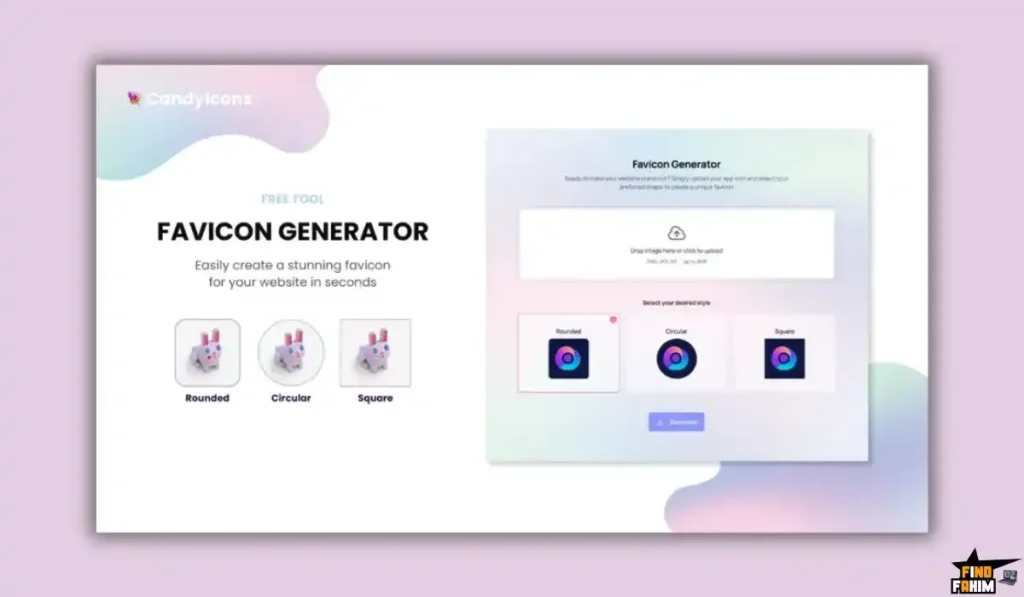
Most websites treat favicons (the little icon in the browser tab) as an afterthought. CandyIcons ensures your favicon matches your brand identity perfectly. It even generates the specific rounded or circular crops needed for modern browsers.
Why AI Design is Trending in 2026
I noticed this tool trending because of the “Hyper-Niche” AI movement.
1. The End of “Generalist” AI
People are tired of wrestling with ChatGPT for images. They want tools that do one thing perfectly. CandyIcons is fine-tuned only for icons. It won’t accidentally generate a landscape photo. It understands the constraints of a square canvas.
2. The Speed to Launch
Indie hackers are launching products in 24 hours. They can’t wait 3 days for a designer on Upwork. CandyIcons reduces the “Design Phase” from days to minutes.
A Look Inside CandyIcons: Key Features & Benefits
This isn’t just a random image generator. It’s a workflow tool.
1. The 15+ Style Presets (The “Designer’s Eye”)
What it is: A selector that lets you choose the “Vibe” of the icon.
Why it matters: You don’t need to describe the art style.
Real-World Scenario: You are building a finance app. You select the “Metallic” or “Gradient” style. You type “Gold Coin.” The AI generates a sleek, modern coin that fits perfectly on an iOS 19 home screen.
If you are building a game, you select “Pixel Art” or “Clay 3D” for a fun, playful look.
2. The iOS & macOS Asset Generator
What it is: A built-in exporter that takes your icon and chops it up.
Why it matters: Xcode (Apple’s coding tool) requires about 15 different sizes of your icon (20px, 29px, 40px, 60px, etc.). Doing this manually in Photoshop is torture.
Real-World Scenario: You generate a cool robot icon. You click “Export for iOS.” The tool gives you a ZIP file with every single size properly named (icon_60pt@2x.png, etc.). You drag that folder into Xcode, and you are done.
3. Full Commercial Copyright
What it is: You own the PNG.
Why it matters: Some AI tools have restrictive licenses (e.g., “Personal use only”).
Real-World Scenario: Your app takes off and gets acquired by Google. Due diligence lawyers check your assets. Because you used CandyIcons, you have clear ownership of the logo, avoiding any legal IP headaches.
4. Custom Color Palette
What it is: The ability to enforce your brand colors.
Why it matters: Random AI generations often pick weird colors.
Real-World Scenario: Your brand hex code is #FF5733 (Orange). You input this into CandyIcons. The AI ensures the generated icon uses that exact shade of orange, keeping your branding consistent across your website and app.
The Standout Feature: “One-Click iOS Asset Export.”
While the AI generation is the flashy part, the Asset Exporter is the feature that actually saves you money.
Most AI tools just give you one JPG. You then have to open Photoshop, resize it to 20px, 40px, 60px, and 1024px, and rename every file for Xcode. It is a tedious, 30-minute nightmare.
CandyIcons automates this entirely. With a single button press, it generates a .zip file containing every single required icon size for iOS (iPhone/iPad/Watch) and macOS. You simply drag this folder into Xcode, and your app is ready to ship. It turns a 30-minute chore into a 3-second click.
How Does CandyIcons Work?
It is designed to be dead simple. You can go from “Idea” to “Download” in under 2 minutes.
- Step 1: Describe It. Type a simple prompt like “A cute blue robot head” or “Minimalist currency symbol.”
- Step 2: Pick a Style. Don’t guess the art style. Select one of the 15+ presets like 3D Clay, Metallic, Sticker, or Pixel Art.
- Step 3: Customize Colors. Paste your brand’s Hex Code (e.g., #FF5733) to ensure the icon matches your app’s UI.
- Step 4: Export. Preview the results. If you like it, click “Export” to get the full high-res pack and ownership rights immediately.
CandyIcons Pricing & AppSumo Deal Details
This is a stackable lifetime deal. The main difference between tiers is the Monthly Credits.
Note: 1 Credit = 1 Icon Generation.
| Feature | 1 Code | 2 Codes | 3 Codes | 10 Codes (Agency) |
| Price | $39 | $78 | $117 | $390 |
| Credits/Mo | 40 Credits | 80 Credits | 120 Credits | 400 Credits |
| Resolution | 1024×1024 | 1024×1024 | 1024×1024 | 1024×1024 |
| Commercial Use | ✅ YES | ✅ YES | ✅ YES | ✅ YES |
| Favicon Gen | Included | Included | Included | Included |
ROI Anchor Logic: The “Hidden Math”
Midjourney costs $10/month (Basic Plan).
Over 2 years, that is $240.
CandyIcons is $39 (one-time).
The Reality: You break even in 4 months.
Plus, Midjourney doesn’t auto-resize for iOS. If you factor in the time saved on resizing, the ROI is instant.
My Recommendation:
- Solo Developer: Buy 1 Code ($39). 40 icons a month is plenty for one or two projects.
- Agency: Buy 3 Codes ($117). You will likely burn through credits, testing different styles for clients.
Click Here to Get the CandyIcons Appsumo Deal
Pros & Cons of This Lifetime Package
With 137 reviews and a 4.8-star rating, users love the simplicity, but there are limitations.
The Pros
- ✅ Quality: Powered by DALL-E 3, the images are sharp, coherent, and follow instructions well.
- ✅ Workflow: The “One-Click Export” for Apple devices is a massive time-saver for developers.
- ✅ Simplicity: The interface is clean. No complex settings. Just Text -> Icon.
- ✅ Ownership: Explicit commercial rights give peace of mind for business use.
The Cons
- ❌ Credit Limits: Credits reset monthly. If you are on a creative spree and burn your 40 credits in one day, you have to wait until next month (or stack more codes).
- ❌ No “Image-to-Image”: User “Anais_Agency” suggested uploading a reference image. Currently, you can only use text prompts.
Best Use Cases for CandyIcons
Who actually needs this platform?
The Indie App Developer
You are coding the next “To-Do List” app. You are a great coder but a terrible artist.
- The Benefit: You type “Minimalist Checkmark, Blue Gradient, 3D.” Boom. You have a professional icon that looks like it belongs on the App Store Top Charts.
The Niche Website Builder
You build affiliate sites (e.g., “Best Dog Collars”). You need a custom favicon and logo.
- The Benefit: You generate a “Cute Dog Collar Vector” icon. You download the favicon version. Your site instantly looks more trustworthy than competitors using generic clipart.
The Notion Creator
You sell Notion templates. You need custom icons for your dashboards to make them premium.
- The Benefit: You create a consistent “Icon Set” (e.g., all Neon Style) for your template. You sell the template for a higher price because the design is unique.
Get Lifetime Access to CandyIcons Today
CandyIcons Alternatives
This is the most important part of the review. CandyIcons is fighting against massive AI giants like Midjourney and specialized design platforms like Recraft. Can a specialized $39 tool really beat the billion-dollar generalists?
Let’s compare it against the Top 5 players in the AI Design space.
CandyIcons vs Midjourney
Midjourney is the undisputed king of AI art generation. It creates the most stunning, artistic images on the planet.
The “Art vs. Asset” Workflow
- Where Midjourney Wins: Artistic Freedom. You can generate anything—landscapes, photorealistic portraits, dragons. It is not limited to icons. If you want complex, sprawling art, Midjourney is superior.
- Where CandyIcons Wins: Specific Workflow. Midjourney runs on Discord (clunky) and generates images with random aspect ratios. CandyIcons is a web app that forces the square aspect ratio, handles the upscaling automatically, and exports the specific iOS sizes. It is a “Productivity Tool,” whereas Midjourney is an “Art Tool.”
- Verdict: Midjourney for Concept Art; CandyIcons for App Assets.
CandyIcons vs Recraft.ai
Recraft.ai is a powerful AI tool specifically designed for generating vector art and icons.
The Vector (SVG) Advantage
- Where Recraft.ai Wins: Scalability (SVG). Recraft generates actual vector files. You can scale the icon to the size of a billboard without losing quality. CandyIcons outputs PNGs (raster), which are great for screens but pixelate if printed on a bus.
- Where CandyIcons Wins: Simplicity & Export. Recraft has a steep learning curve with complex style settings. CandyIcons is “Text-to-Icon” in 3 clicks. Plus, Recraft doesn’t automatically generate the 15 different file sizes needed for Xcode deployment as CandyIcons does.
- Verdict: Recraft for Print/Logos; CandyIcons for Digital Apps.
CandyIcons vs Kittl
Kittl is a browser-based design tool that competes with Canva but focuses on “Pro” design templates and vintage aesthetics.
Manual Control vs AI Speed
- Where Kittl Wins: Typography & Layout. Kittl allows you to manipulate text, curve fonts, and edit layers manually. If you need an icon with complex text inside it, Kittl gives you granular control.
- Where CandyIcons Wins: Speed & Price. Kittl is a subscription (starting around $15/mo). CandyIcons is a one-time payment. Also, Kittl is more manual—you drag and drop elements. CandyIcons generates the whole concept from zero in seconds.
- Verdict: Kittl for T-Shirt Design; CandyIcons for App Icons.
CandyIcons vs Canva
Canva has its own AI image generator (Magic Media) built directly into its editor.
The Convenience Factor
- Where Canva Wins: Ecosystem. You probably already use Canva. It’s easy to drop the generated icon onto a flyer, social post, or pitch deck immediately. It integrates with everything.
- Where CandyIcons Wins: Style Consistency. Canva’s AI is often “hit or miss” with specific styles like “3D Clay” or “iOS Metallic.” CandyIcons has these styles pre-programmed. It is much harder to get a professional-looking app icon out of Canva’s generic generator without advanced prompting skills.
- Verdict: Canva for Social Media; CandyIcons for the App Store.
CandyIcons vs IconifyAI
IconifyAI is the closest direct competitor, offering a similar “AI App Icon” generation service.
The Pricing Model Battle
- Where IconifyAI Wins: Preview Quantity. IconifyAI often generates more variations per batch (sometimes 4-6) compared to CandyIcons’ standard output, giving you more choices upfront.
- Where CandyIcons Wins: Lifetime Value. IconifyAI typically operates on a “Credit Pack” model where you pay $10-$20 every time you need more icons. CandyIcons offers a Lifetime Deal where you get a fresh batch of credits every month forever. Over 12 months, CandyIcons is significantly cheaper.
- Verdict: IconifyAI for One-Offs; CandyIcons for Long-Term Devs.
All Competitors Matrix
| Tool | Pricing Model | Output Format | Asset Export | Best For… |
| CandyIcons | Lifetime ($39) | PNG (1024px) | ✅ iOS/Mac Auto | App Developers |
| Recraft.ai | Freemium / Sub | SVG / Vector | ❌ Manual | Print & Logos |
| Midjourney | Sub ($10/mo+) | PNG | ❌ Manual | Digital Artists |
| Kittl | Sub ($15/mo+) | SVG / PNG | ❌ Manual | Merch Design |
| Canva | Freemium | PNG / JPG | ❌ Manual | Social Posts |
| IconifyAI | Pay-Per-Credit | PNG | ✅ iOS Auto | One-Time Users |
Who Should NOT Buy CandyIcons?
I want to be transparent. This tool is a powerhouse for its niche, but it is not for everyone.
- Don’t buy it if you need “Vector (SVG) Files.” As of 2026, CandyIcons exports in High-Res PNG. If you need an SVG for a massive billboard print where you need infinite scalability, this tool is not there yet.
- Don’t buy it if you are a “Control Freak.” You cannot edit the layers. You cannot say “move the robot’s arm to the left.” You have to regenerate the whole image. If you need layer-by-layer control, stick to Adobe Illustrator.
Is This Lifetime Deal a Smart Business Investment?
Let’s do the financial math for 1 Code ($39).
Scenario: You are launching a new mobile game and need an icon and some in-game assets.
- Option A (Fiverr Designer): You pay a freelancer $50 for one icon design. You wait 3 days.
- Option B (CandyIcons): You pay $39 (One-time). You generate 20 variations in 5 minutes.
The ROI Math:
- You save $11 on your very first project.
- You get the iOS Asset Generator included (saving you hours of resizing).
- You own the tool forever for future projects.
- The break-even point is literally one use.
How to Redeem the CandyIcons Deal
- Buy: Purchase the code on AppSumo.
- Stacking: If you want more credits, buy multiple codes. (1 Code = 40 credits/mo, 2 Codes = 80 credits/mo).
- Account: Create your account at CandyIcons.com.
- Redeem: Go to your dashboard and paste the AppSumo code.
- Pro Tip: Use the “Favicon Generator” immediately for your personal website. It’s a free “quick win” to see the value instantly.
Final Verdict: Is This Cost-Friendly Deal Worth It?
After testing the DALL-E 3 integration, the style presets, and the export workflow, my final verdict is a solid 4.8-Star YES.
It is the ultimate “Niche Tool.”
- It solves one problem (making app icons).
- It solves it perfectly.
- It costs less than a single hour of a designer’s time.
If you have ever launched an app, a website, or a Notion template, you know the pain of finding a good logo. CandyIcons removes that pain for $39. It is a must-have in your digital toolkit.
Secure Your CandyIcons License Before The Timer Runs Out!
Note: Deal ends soon. The copyright ownership is a massive feature that makes this safe for commercial work.
About the Author: Why I Care About This So Much
I used to spend hours in Photoshop just resizing one logo into 15 different sizes for Xcode. It was mind-numbing work.
CandyIcons automates that boring stuff. I write these reviews to help developers and creators stay in their “Zone of Genius” and let AI handle the grunt work.
If you want to see the other tools I use to save time, check out my full AppSumo deal reviews page.
FAQ: Your CandyIcons Questions, Answered
CandyIcons is an AI-powered design tool that generates professional app icons and favicons from simple text descriptions, using the DALL·E 3 engine to create high-resolution assets optimized for app stores.
No, CandyIcons is not free. It offers a lifetime deal starting at $39, which provides better icon consistency, commercial rights, and app-store-ready outputs compared to free AI tools.
Yes, CandyIcons gives you full commercial copyright ownership of every icon you generate, allowing legal use in paid apps, client projects, and branding without attribution.
Absolutely. CandyIcons icons can be used in iOS apps, Android apps, SaaS platforms, websites, marketing materials, and client branding projects.
Currently, CandyIcons exports high-resolution PNG files at 1024x1024 pixels. Native SVG export is not available, but the PNG quality is sufficient for all digital platforms.
You can convert CandyIcons PNGs to SVG using tools like Vectorizer.ai or Adobe Illustrator’s Image Trace feature, and the clean AI-generated icons convert very well to vector format.
Midjourney excels at artistic scenes, but CandyIcons is optimized for workflow, providing square ratios, consistent lighting, and automatic iOS icon resizing that Midjourney lacks.
CandyIcons is one of the best AI icon generators for iOS because it includes Xcode export and automatically generates all required Apple icon sizes.
Yes, CandyIcons includes a favicon generator that creates browser-ready formats like ICO and PNG with customizable shapes such as square, rounded, or circular.
Yes, the 1024x1024 PNG output meets Google Play Store requirements and works perfectly for Android app submissions.
Yes, CandyIcons offers a lifetime deal on AppSumo where you pay once and receive monthly credits without ongoing subscription fees.
No, CandyIcons is a text-to-image tool only. You must describe your icon using text prompts rather than uploading sketches or reference images.
No, credits reset monthly. Unused credits do not roll over to the next billing cycle.
Yes, CandyIcons has over 130 verified AppSumo reviews with an average rating of 4.8 stars and is widely used by developers and agencies.
CandyIcons generates icons with solid backgrounds by default, but the subjects are clean and easy to remove using any standard background remover tool. What is CandyIcons?
Is CandyIcons free to use?
Do I own the copyright to CandyIcons images?
Can I use CandyIcons for commercial projects?
Does CandyIcons support SVG export?
How can I convert CandyIcons PNG files to SVG?
How does CandyIcons compare to Midjourney for icons?
What is the best AI app icon generator for iOS?
Can CandyIcons generate favicons?
Does CandyIcons work for Android apps?
Is there a CandyIcons lifetime deal available?
Can I upload my own image to CandyIcons?
Do CandyIcons credits roll over each month?
Is CandyIcons a legit and trusted tool?
Can CandyIcons create transparent background icons?

Hi, I’m Fahim — a SaaS tools reviewer and digital marketing expert with hands-on experience helping businesses grow using the right software. I research, test, and personally use a wide range of AI, business, productivity, marketing, and email tools for my agency, clients, and projects. I create honest, in-depth reviews and guides to help entrepreneurs, freelancers, startups, and digital agencies choose the best tools to save time, boost results, and scale smarter. If I recommend it, I’ve used it — and I only share what truly works.