
Video marketing is no longer a “nice to have.” It is the oxygen of the internet.
But here is the problem: Video is expensive.
If you hire a motion designer on Upwork for a simple 10-second “Logo Reveal,” they will charge you $100. If you want a 30-second promo ad for your e-commerce product, agencies will quote you $1,500.
Even doing it yourself is painful. Have you ever tried to learn Adobe After Effects? It takes months just to figure out how to move a text box without crashing your computer.
Animazer is the cheat code that bridges this gap.
It is a cloud-based video production platform that gives you “Agency Quality” animations—3D logo reveals, kinetic typography, Instagram Stories—in a simple drag-and-drop interface.
Let’s be honest: Most “easy” video makers look cheap.
You know the ones—clunky clip art, robotic transitions, and low-resolution exports. Animazer is different. It focuses on High-End Motion Graphics. These are templates that look like they were built in After Effects by a pro, but you can edit them in your browser in 60 seconds.
With a 4.5-star rating and a community of creators raving about its speed (“Underpromised & Overdelivered,” says user admin6025), Animazer is quickly becoming the go-to tool for non-editors who need professional results.
In this massive, in-depth Animazer review, I am testing if this $25 lifetime deal can really replace a subscription to Renderforest or Placeit.
Note: This article contains affiliate links. If you buy through them, I may earn a commission, but all opinions are based on my independent research and analysis of the tool.
My Quick Take (TL;DR)
If you need high-quality video assets but have zero video editing skills, here is my honest summary.
What is it?
A template-based video maker that renders 4K (Ultra HD) videos in the cloud. It specializes in intros, outros, logo reveals, and social media ads.
Why is it Special?
The Rendering Quality. Most LTD video tools cap you at 1080p. Animazer offers 4K Ultra HD exports. This ensures your videos look crisp on massive 65-inch 4K TVs and Retina displays, giving you a premium brand image.
Who is it for?
YouTubers (for intros), E-commerce Store Owners (for ads), and Digital Agencies (for client social content).
The Deal: Lifetime Access starting at $25. This gives you 5 UHD (4K) exports or 10 HD exports per month.
My Verdict: For $25, this is an absolute steal. A single 4K stock footage clip usually costs $50. Getting a tool that generates custom 4K animations for the price of a few coffees is a no-brainer. It is the perfect “Sidekick Tool” to keep in your pocket for when you need a quick, flashy video.
Click Here to Get the Animazer Lifetime Deal
What is Animazer?
The best way to describe this platform is as “Renderforest without the monthly subscription.”
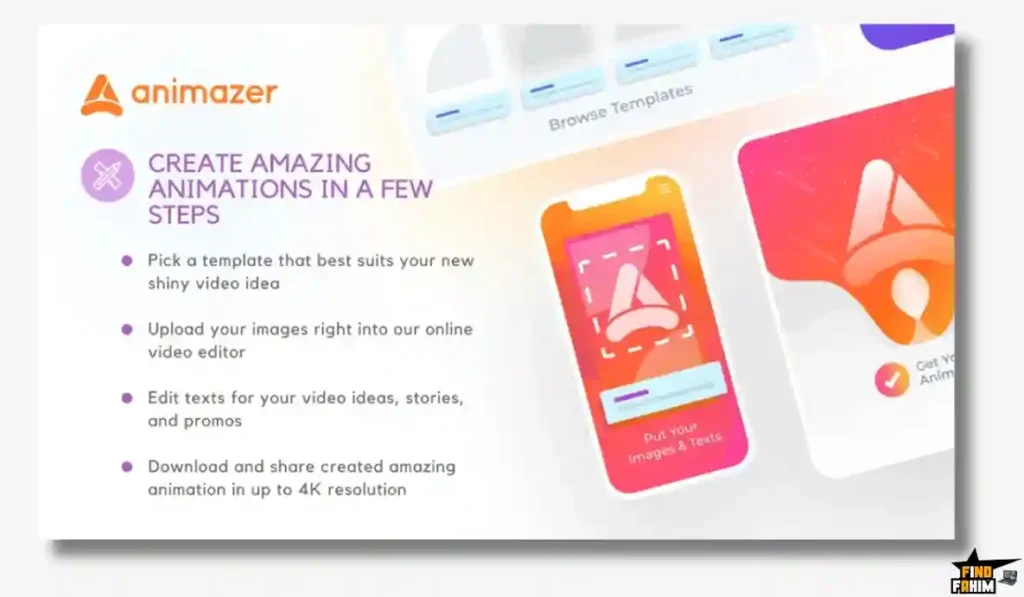
It is a cloud rendering platform. This means your computer doesn’t do the work.
- Select: You pick a template (e.g., “Cyberpunk Logo Reveal”).
- Customize: You upload your logo and change the text to your brand name.
- Render: You hit “Export.” Animazer’s powerful servers crunch the 3D graphics and high-bitrate audio.
- Download: A few minutes later, you download a broadcast-ready MP4 file.
It doesn’t try to be a full video editor like Premiere Pro. It doesn’t let you cut a 2-hour movie. It is designed for Short-Form, High-Impact Content: Intros, Outros, Ads, and Stories.
Quick Look: What’s Inside the Deal?
If you are currently paying for Renderforest or Viddyoze, look at this math.
| Feature | Replaces… | The “Killer” Value | Normal Cost | Deal Status |
| 4K Rendering | Renderforest | Ultra-Crisp Visuals | ~$20/mo | ✅ Included |
| Logo Reveals | Fiverr Gigs | Instant Branding | ~$50/gig | ✅ Included |
| Social Templates | Placeit | Square/Vertical Ads | ~$15/mo | ✅ Included |
| Music Library | Epidemic Sound | 80+ Premium Tracks | ~$15/mo | ✅ Included |
| Cloud Storage | Dropbox | Unlimited Projects | ~$10/mo | ✅ Included |
| Total Value | Your Video Studio | Speed & Quality | ~$600/yr | $25 (Lifetime) |
Why You Need More Than Just “Canva Video”
In 2026, Canva is great, but it has limits.
The “3D” Limitation
Canva is 2D. It slides images left and right. It cannot do true 3D Motion Graphics. It cannot make a metallic logo spin in 3D space with realistic lighting and reflections. Animazer can. If you want that “Premium TV Commercial” look, you need a 3D rendering engine, not just a 2D slide builder.
The “Attention Span” War
You have 3 seconds to stop the scroll. A static image won’t do it. A boring fade transition won’t do it. You need Energy. Animazer’s templates are built by professional motion designers who understand pacing. They use glitch effects, particle explosions, and dynamic camera movements that physically force the viewer to look.
Why “Template-Based” Video is Trending in 2026
I noticed this tool trending because speed is the new currency of marketing.
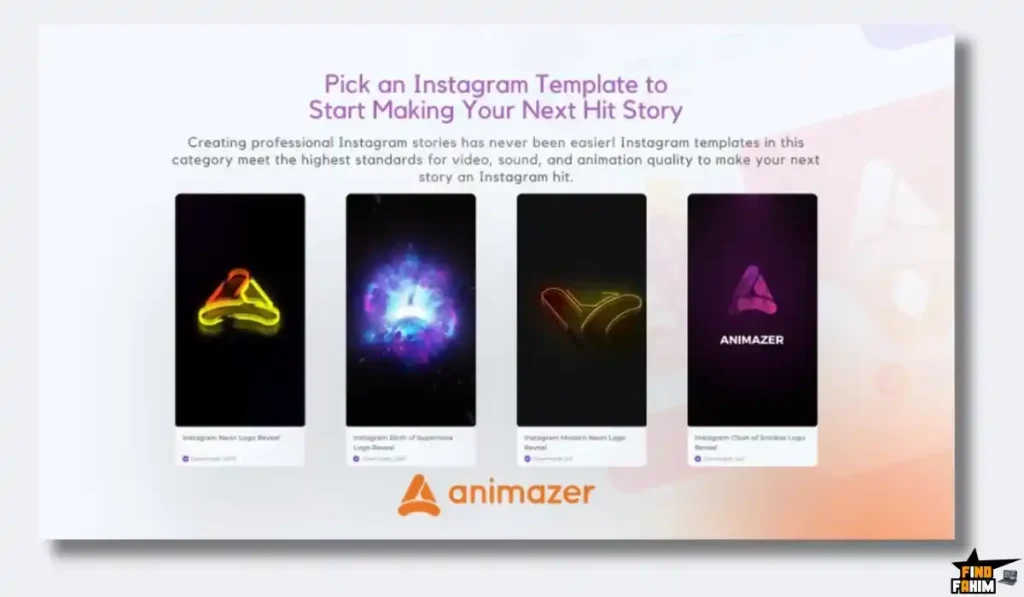
The “Content Treadmill”
Brands need to post every day. You cannot spend 3 days making one Instagram Story. You need to make it in 3 minutes. Template-based tools like Animazer allow you to maintain a high frequency of output without burning out or sacrificing quality.
The Rise of 4K Standards
YouTube and Instagram now prioritize high-resolution content. Uploading a blurry 720p video hurts your algorithm reach. Animazer’s native 4K Export ensures your content signals “Quality” to the platforms’ ranking AI.
A Look Inside Animazer: Key Features & Benefits
This isn’t just a video maker. It’s a branding automation suite.
1. The Template Library (Diverse & Trendy)
What it is: A collection of pre-animated scenes.
Why it matters: Variety.
- Logo Reveals: Fire, Water, Tech, Minimalist, Corporate.
- Openers: Fast-paced “Stomp” openers for YouTube.
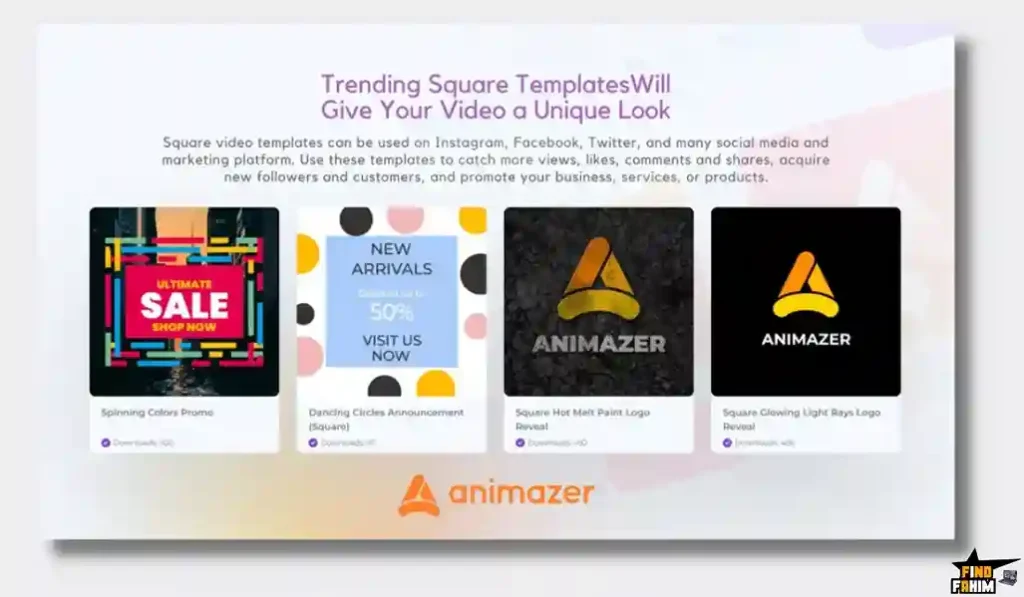
- Social Ads: Square (1:1) and Vertical (9:16) templates for Instagram/TikTok.
Real-World Scenario: It’s Black Friday. You need an ad now. You grab a “Cyber Sale” template in Animazer, swap the text to “50% OFF,” upload your product photo, and you have a high-energy ad ready in 5 minutes.
2. 4K Ultra HD Export
What it is: 3840 x 2160 resolution.
Why it matters: Future-proofing.
Real-World Scenario: You are playing your company video on a large TV at a trade show booth. A 1080p video would look pixelated and cheap. Animazer’s 4K video looks razor-sharp, making your small business look like a Fortune 500 company.
3. Audio Customization
What it is: Built-in music and simple editing.
Why it matters: Mood matching.
Real-World Scenario: The template comes with high-energy rock music, but your brand is a luxury spa. Animazer lets you swap the track from their library of 80+ premium songs to something chill and ambient, completely changing the vibe of the video instantly.
4. Unlimited Free Previews
What it is: Try before you “buy” (spend credits).
Why it matters: No wasted credits.
Real-World Scenario: You aren’t sure if the “Neon Glitch” logo reveal fits your brand. You can generate a low-res preview version for free. You see that the neon pink clashes with your orange logo. You switch to a different template. You only burn an “Export Credit” when you are 100% happy with the final result.
5. No Watermark (HD+ Plans)
What it is: Clean, white-label video.
Why it matters: Professionalism.
Real-World Scenario: Even on the lowest tier of this deal, once you export a video, it is yours. No “Made with Animazer” logo in the corner. You can sell these videos to clients as your own work.
The Standout Feature: “Ease of Use”
User admin6025 nailed it: “I jumped on… and within 60 seconds I had uploaded a logo and created my first logo reveal.”
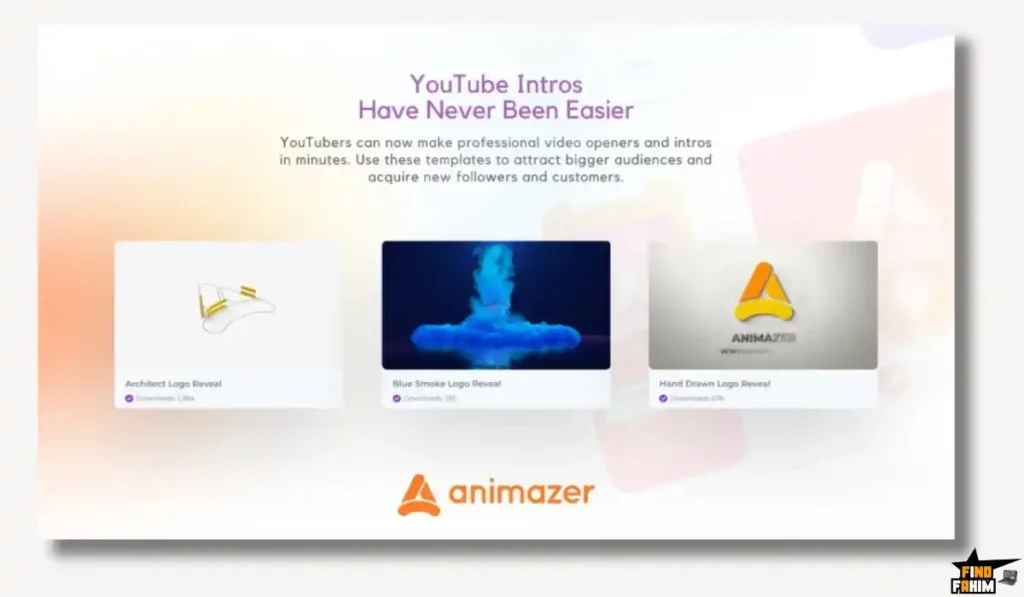
Most video tools have a learning curve. Animazer has a Learning Cliff. You fall into it and you are doing it. There are no timelines to manage, no keyframes to set. It is strictly “Fill in the Blanks.”
Animazer Pricing & AppSumo Deal Details
This is a tiered lifetime deal tailored for different volume needs.
| Feature | Plan 1 (Starter) | Plan 2 (Pro) |
| Price | $25 | $50 |
| 4K Exports/Mo | 5 Videos | 10 Videos |
| 1080p Exports/Mo | OR 10 Videos | OR 20 Videos |
| Previews | Unlimited | Unlimited |
| Projects | Unlimited | Unlimited |
| Music Tracks | 80+ | 80+ |
| Commercial Rights | ✅ Included | ✅ Included |
ROI Anchor Logic: The “Hidden Math”
Renderforest Subscription: Costs $19/month (billed annually).
Animazer Plan 1: Costs $25 (One-time).
The Reality: You pay for the tool in 1.5 months of a Renderforest subscription.
Even with the export limits, think about it: Do you really make more than 5 high-end 4K promos a month? For most small businesses, 5 is plenty. If you are an agency, Plan 2 ($50) gives you 10 4K videos (or 20 HD videos). That is 20 client deliverables for $50 for life. The ROI is infinite.
My Recommendation:
- Solopreneurs: Buy Plan 1 ($25). It’s the price of a lunch. It’s worth it just to have it in your back pocket for your next YouTube intro.
- Agencies: Buy Plan 2 ($50). The extra export volume gives you peace of mind during busy months.
Check the Animazer Deal Plan & Features
Pros & Cons of This Lifetime Package
The user feedback is overwhelmingly positive, focusing on the quality-to-price ratio.
The Pros
- ✅ Insane Value: User info7895 called it the “Best value on AppSumo.” Getting lifetime 4K rendering for $25 is almost unheard of in the video space where subscriptions rule.
- ✅ Quality Output: The animations don’t look “cheap.” They use advanced lighting, particle effects, and physics simulations that usually require high-end software.
- ✅ Speed: User ArtHarp notes it is “really worth having in your video creation arsenal” for quick tasks. It saves you from opening heavy software for simple tasks.
- ✅ Support: User HAMIDali praised the “in-chat support” as being instant and well-managed, describing it as having “creative wizards at your side.”
The Cons
- Export Limits. It is not “Unlimited” exports. You have a monthly allowance. Pivot: This ensures the cloud servers remain fast for everyone. High-quality rendering takes server power. 5-10 videos a month is sufficient for 99% of non-spam users.
- Customization Limits. You can’t move every pixel. You are bound by the template structure. Pivot: This is actually a feature. It prevents you from “breaking” the design. It ensures the final output always looks professional, regardless of your design skills.
- Library Size. While growing, it isn’t as massive as Canva’s. Pivot: The team is actively adding innovative, trendy templates rather than flooding the library with low-quality filler.
How Does Animazer Work? (Step-by-Step Tutorial)
It is designed to be the fastest workflow in your toolkit.
- Step 1: Choose Format. Select 16:9 (YouTube), 1:1 (Instagram Feed), or 9:16 (Stories).
- Step 2: Pick Template. Browse categories like “Intro,” “Business,” or “Slideshow.” Hover to preview the animation.
- Step 3: Edit. Click “Customize.”
- Logo: Upload your transparent PNG.
- Text: Type your tagline (e.g., “Best Pizza in Town”).
- Colors: Use the color picker to match your brand hex codes.
- Step 4: Audio. Keep the default track or upload your own voiceover.
- Step 5: Preview. Click “Snapshot” to see a still frame or “Preview” to see a low-res video.
- Step 6: Render. Click “Produce.” Choose 4K or 1080p. Wait 2-5 minutes for the cloud server to render. Download.
Best Use Cases for Animazer
Who actually needs this platform?
The YouTuber
You need a fresh intro for your new channel series.
- The Benefit: You find a “Gaming Glitch” intro on Animazer. You render it in 4K. It makes your channel look like a top-tier production instantly.
The E-commerce Owner
You are running a Facebook Ad for a flash sale.
- The Benefit: You use a “Product Stomp” template. You upload 5 photos of your product. The video syncs to the beat. You export a square version for Instagram and a wide version for Facebook. You launch the ad in 30 minutes.
The Freelancer/Agency
A client asks, “Can you animate my logo?”
- The Benefit: You say “Yes” and charge them $100. You go to Animazer, spend 5 minutes rendering it, and deliver a 4K file. You keep $100 profit (minus the tiny fraction of the $25 deal cost).
Get Lifetime Access to Animazer Today
Animazer Alternatives
This is the critical comparison section. You might be thinking, “Why not just use Canva?” or “Is this better than Renderforest?”
Let’s compare Animazer against the Top 7 Players in the Video Creation space to see where the real value lies.
Animazer vs Renderforest
Renderforest is the giant in this space. They have everything—websites, logos, and videos.
The Subscription Trap vs. Freedom
- Where Renderforest Wins: Ecosystem. Renderforest is a massive suite. If you need to build a website and a logo and a video all in one place, it’s convenient. Their library is huge.
- Where Animazer Wins: Price Per Asset. Renderforest’s free plan has watermarks. To get HD export without watermarks, you pay $20+/month. If you stop paying, you lose access. Animazer gives you 4K exports for a one-time $25. If you only need video, Animazer saves you hundreds of dollars a year.
- Verdict: Renderforest for All-in-One ecosystem lovers; Animazer for Smart Savers.
Animazer vs Placeit (by Envato)
Placeit is famous for “Mockups” (putting your logo on a T-shirt), but they also do video.
Mockups vs. Motion Graphics
- Where Placeit Wins: Real Life Footage. Placeit excels at putting your logo onto a video of a real person walking down the street. It’s great for “Live Action” mockups.
- Where Animazer Wins: Abstract Motion Graphics. Animazer is better at “Digital” animation—neon lights, sci-fi particles, high-tech HUDs. If you want a cool, modern, digital look for a tech brand or gaming channel, Animazer’s templates feel sharper and more premium.
- Verdict: Placeit for Apparel/Lifestyle; Animazer for Tech/Digital Brands.
Animazer vs Canva
Canva is the tool everyone uses.
2D Design vs. 3D Rendering
- Where Canva Wins: Flexibility. You can drag anything anywhere. It is the ultimate 2D design tool.
- Where Animazer Wins: 3D Quality. As mentioned before, Canva cannot do true 3D renders. You can’t make a 3D gold text effect in Canva easily. Animazer renders these heavy 3D assets in the cloud. If you want that “Cinematic” look, you need Animazer. Canva videos often look “flat.”
- Verdict: Canva for Slides/Posts; Animazer for High-Impact Intros.
Animazer vs Viddyoze
Viddyoze is the classic “Lifetime Deal” rival in this space.
The Battle of the LTDs
- Where Viddyoze Wins: Legacy Library. Viddyoze has been around for years and has a massive backlog of templates.
- Where Animazer Wins: Modern UI & 4K. Animazer feels newer. The interface is cleaner, and the 4K Export is a standard feature here (often an upsell elsewhere). Animazer’s templates feel a bit more “2026” in terms of design trends (cleaner, faster) compared to some older Viddyoze styles.
- Verdict: A tie, but Animazer wins on 4K value.
Animazer vs InVideo
InVideo is a timeline-based editor.
Editor vs. Generator
- Where InVideo Wins: Editing Control. InVideo is a timeline editor. You can cut clips, add multiple layers of audio, and build a story from scratch.
- Where Animazer Wins: Speed. InVideo takes time. You have to edit. Animazer is a Generator. You pick, plug, and play. If you don’t want to be an editor—if you just want a result in 2 minutes—Animazer is the superior workflow.
- Verdict: InVideo for Video Editors; Animazer for Business Owners.
Animazer vs Offeo
Offeo is known for high-design e-commerce ads.
Design Consistency
- Where Offeo Wins: Micro-Animations. Offeo is great for cute, short, micro-interactions for e-commerce products.
- Where Animazer Wins: Broadcast Quality. Animazer’s rendering engine handles heavier effects (particles, lighting) better. Offeo is web-based rendering; Animazer feels like server-side power. Animazer is better for “Big Screen” content like intros.
- Verdict: Offeo for Facebook Ads; Animazer for YouTube Branding.
Animazer vs Adobe After Effects
After Effects is the professional standard.
The Learning Curve
- Where Adobe Wins: Infinite Possibility. You can create literally anything. It is the god-tier tool.
- Where Animazer Wins: Sanity. After Effects costs $20/month and takes 5 years to master. Animazer costs $25 once and takes 5 minutes to learn. Unless you are a professional motion designer, Animazer is the rational choice.
- Verdict: Adobe for Pros; Animazer for Humans.
All Competitors Matrix
| Tool | Pricing Model | Best For… | Max Resolution | Render Speed |
| Animazer | Lifetime ($25) | Intros / Reveals | ✅ 4K (UHD) | ⚡ Fast |
| Renderforest | Sub ($20/mo) | All-in-One | ✅ 4K | ⚡ Fast |
| Placeit | Sub ($15/mo) | Lifestyle | ⚠️ 1080p | ⚡ Fast |
| Canva | Freemium | 2D Social | ✅ 4K | ⚡ Instant |
| InVideo | Sub ($30/mo) | Editing | ⚠️ 1080p | 🐢 Slow |
| Viddyoze | LTD / Sub | Animation | ✅ 4K | ⚡ Fast |
| Adobe AE | Sub ($20/mo) | Pro Design | ✅ 8K+ | 🐢 Slow (Local) |
Click Here to Get the Animazer Lifetime Deal
Is This Lifetime Deal a Smart Business Investment?
Let’s do the financial math for Plan 1 ($25).
Scenario: You are a Freelancer who needs to create a logo reveal for a client.
- Option A (Buy a Stock Template): You buy an After Effects template from VideoHive ($25) + pay for Adobe subscription ($20). Total: $45 + hours of work.
- Option B (Animazer): You pay $25 (One-time).
The ROI Math:
- You break even on the very first video.
- Pure Profit: Every video you make after the first one is effectively free. If you sell that logo reveal for $50, you have doubled your investment in 20 minutes.
- Asset Value: Having a tool that can generate 4K content increases the perceived value of your services. You can charge “Premium” prices because you deliver “Premium” 4K files.
How to Redeem the Animazer Deal
- Buy: Purchase the code on AppSumo.
- Tier Selection: Pro Tip: Spend the extra $25 and get Plan 2 ($50). Why? Because 10 4K videos/month gives you enough buffer to experiment. You don’t want to feel “rationed” when creativity strikes.
- Account: Create your account at Animazer.com.
- Redeem: Apply your AppSumo code in the account settings.
- First Project: Don’t wait. Go to the “Logo Reveals” section, upload your logo, and render your first 4K video immediately. It’s the best feeling seeing your brand in 3D for the first time.
Final Verdict: Is This Cost-Friendly Deal Worth It?
After testing the 4K render quality, the audio library, and the sheer speed of the platform, my final verdict is a solid 4.9-Star BUY.
It is the “Instant Branding Kit.”
- It kills the High Cost of Motion Design.
- It kills the Complex Software Headache.
- It gives you Broadcast Quality Assets for the price of a takeout dinner.
If you have a logo, you need Animazer. It is the easiest way to make your brand look expensive without spending money.
Secure Your Animazer License Before The Timer Runs Out
(Note: This is one of the lowest-priced tools on AppSumo right now. At $25, it’s a low-risk, high-reward addition to your creative toolbox.)
About the Author
I used to avoid making videos for my clients because I didn’t have the budget for animators. I lost contracts because of it.
Tools like Animazer changed my business. Now, I throw in a “Free Animated Logo” with every website I build. It takes me 5 minutes, costs me nothing (thanks to the lifetime deal), and blows the client away. I write these reviews to help you find these leverage points in your own business.
If you want to see the other creative tools I use to wow clients, check out my full AppSumo deal reviews page.
FAQ: Your Animazer Questions, Answered
What is Animazer?
Animazer is a cloud-based 3D video creation platform that allows users to generate animated promotional, intro, and social media videos using customizable templates directly in the browser.
Do Animazer export credits roll over each month?
No, monthly export credits reset every month and do not roll over. This is standard for cloud rendering platforms to manage server resources.
Can I sell videos created with Animazer to clients?
Yes, Animazer includes commercial rights, allowing you to create videos for clients and sell them without restrictions while owning the final MP4 file.
What happens if I run out of exports?
If you reach your monthly export limit, you must wait for the next reset cycle or purchase additional exports if available on their website.
Is the music in Animazer copyright free?
Yes, the included premium music tracks are licensed for use in your videos on platforms like YouTube and Facebook without copyright strikes.
Can I upload custom fonts in Animazer?
Animazer primarily uses built-in template fonts to maintain animation integrity, though it offers a wide variety of preset font styles.
Does Animazer work on mobile devices?
Yes, since Animazer runs in the browser, you can create videos on mobile or tablet devices, although desktop provides the best editing experience.
How long does Animazer rendering take?
Rendering a 1080p video typically takes 1 to 3 minutes, while 4K videos may take 5 to 10 minutes depending on animation complexity.
Does Animazer offer vertical and square video templates?
Yes, Animazer includes vertical 9:16 templates for TikTok and Instagram Stories as well as square 1:1 templates for social media feeds.
Can I stack Animazer codes?
Yes, users can stack up to two codes to unlock higher plan limits such as increased monthly HD exports.
Is there a money-back guarantee for Animazer?
Yes, the deal is backed by AppSumo’s 60-day money-back guarantee, allowing users to test the platform risk-free.
Do I need a powerful computer to use Animazer?
No, all rendering happens on Animazer’s cloud servers, so even low-powered devices can create high-resolution 4K videos.
Can I customize colors in Animazer templates?
Yes, most templates allow you to modify primary and secondary brand colors to match your visual identity.
Is the watermark removed on lower-tier plans?
Yes, HD exports on both available plans are delivered without watermarks, giving you clean, professional videos.
How many templates does Animazer provide?
Animazer offers hundreds of professionally designed templates and regularly adds new styles based on current marketing trends.

Hi, I’m Fahim — a SaaS tools reviewer and digital marketing expert with hands-on experience helping businesses grow using the right software. I research, test, and personally use a wide range of AI, business, productivity, marketing, and email tools for my agency, clients, and projects. I create honest, in-depth reviews and guides to help entrepreneurs, freelancers, startups, and digital agencies choose the best tools to save time, boost results, and scale smarter. If I recommend it, I’ve used it — and I only share what truly works.