
Managing a physical retail store alongside an e-commerce website is exhausting. Vitepos fixes the exact inventory nightmares that retail business owners face daily.
When you run WooCommerce, selling online is straightforward. But opening a physical storefront doubles your complexity. If a customer buys your last physical t-shirt, but your database doesn’t update instantly, an online shopper might buy that exact out-of-stock item minutes later. You are forced to issue a refund and damage your reputation.
Instead of buying expensive third-party Point of Sale (POS) software that relies on fragile API webhooks, what if your physical cash register lived directly inside your website?
Boasting an exceptional 4.9-star rating on AppSumo, Vitepos transforms your WooCommerce database into a lightning-fast physical cash register. You pay a single flat fee to own your checkout infrastructure forever.
In this Vitepos review, I break down its offline caching, hardware compatibility, and industry alternatives.
Note: This article contains affiliate links. If you buy through them, I may earn a commission, but all opinions are based on my independent research.
My Quick Take (TL;DR)
Tired of paying monthly fees for retail software that fails to sync? Here is my summary of this AppSumo offer.
- What is it? A native WordPress plugin converting your WooCommerce backend into a physical Point of Sale (POS) cash register.
- Why is it Special? Single Codebase Inventory. Living inside WordPress means zero API syncing delay. It also fully supports WooCommerce HPOS (High-Performance Order Storage).
- Who is it for? Brick-and-mortar retailers, restaurants, pop-up vendors, and hybrid entrepreneurs.
- The Deal: Lifetime Access starting at $119 on AppSumo.
- My Verdict: An incredibly profitable asset for retailers. The offline mode is a brilliant safety net. However, you must ensure your underlying WordPress hosting is highly optimized, as the POS relies entirely on your server speed.
Click Here to Get the Vitepos Lifetime Deal on AppSumo
What is Vitepos? (Your Local WooCommerce Bridge)
Think of this platform as a specialized cash register screen built explicitly for WordPress.
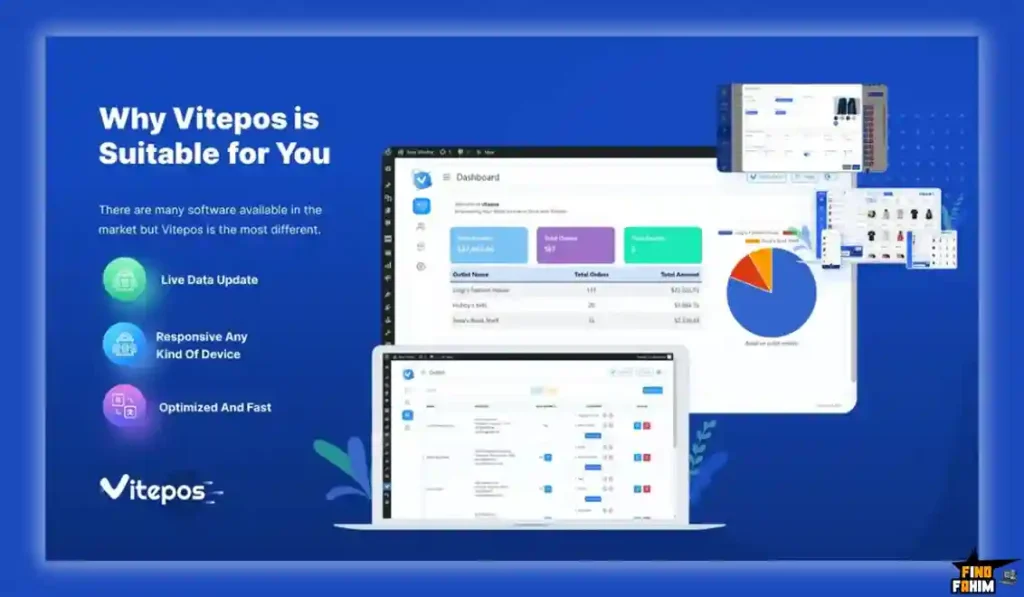
Standard WooCommerce dashboards are slow, clunky, and built for administrators. You cannot put a long checkout line in front of that default screen.
Vitepos solves this UI problem. When cashiers log in, they see a highly optimized retail grid with large product photos, barcode scanning, and quick-tap payment buttons.
Manage multiple retail operations from one single database:
- Grocery & Retail Shops: Scan barcodes, calculate taxes, and print physical receipts.
- Restaurants: Manage table layouts, route orders to kitchen display screens, and handle waiters.
- Pop-Up Stores: Run the system on an iPad via a cellular hotspot to process Stripe terminal payments locally.
You get an enterprise-grade retail interface while retaining total ownership of your data.
Quick Look: SaaS POS vs Lifetime Alternatives
If you are currently paying a high monthly fee for a premium retail cash register system, look at this mathematical breakdown of what Vitepos replaces in your business overhead.
| Feature | Replaces… | The Real Value | Normal Cost | Deal Status |
| Physical POS | Square / Vend | Run a fast physical checkout | ~$80/mo | ✅ Included |
| Inventory Sync | Paid API Connectors | Zero out-of-stock errors | ~$50/mo | ✅ Included |
| Multi-Outlet | Expensive Upgrades | Manage different city stores | ~$40/mo | ✅ Included |
| Restaurant Tools | Dedicated Food POS | Send tickets to the kitchen | ~$100/mo | ✅ Included |
| Custom Invoices | Receipt Software | Print branded physical receipts | Extra Cost | ✅ Included |
| Total Value | Your Retail Stack | Zero Renewal Fees | ~$3,240+/yr | $119 (Lifetime) |
Why Standard Retail POS Systems Are Failing WooCommerce Owners
You might be thinking, “I already use a free card reader from my bank. Why do I need specialized POS software?”
Because disconnected retail systems create a massive administrative tax on your time. If you use a generic card terminal that is disconnected from your website, you are operating two different businesses simultaneously.
At the end of every business day, you have to manually count the physical products you sold and manually type the updated stock quantities into WordPress. If an employee forgets, your website continues selling products that no longer exist on your physical shelves.
Third-party syncing tools (like Zapier) attempt to bridge this gap, but they rely on scheduled API calls. If the API rate limits max out during a busy Black Friday sale, the sync fails. Vitepos eliminates the bridge. The physical register is the website.
Why “Unified Commerce” is Trending in 2026
I noticed this specific AppSumo deal trending because the retail industry is currently shifting heavily toward “Unified Commerce.”
Consumers in 2026 expect a highly fluid shopping experience. They want to buy a pair of shoes on your website, but they want the option to return those exact shoes in person at your physical store location. They want to earn loyalty points online and redeem them at your physical cash register.
If you are running two separate software systems, handling an online return in a physical store is an accounting nightmare requiring manual payment refunds and manual database restocking. Vitepos allows your cashiers to pull up an online order directly on their physical register and process a return instantly with a single tap. This unified approach drastically improves customer satisfaction.
A Look Inside Vitepos: Key Features
This is a highly complex retail infrastructure packaged into a lightweight plugin. Here are the core features you are installing on your server.
1. Offline Mode Operations
This is arguably the most critical feature for any physical retailer. If your internet connection drops, standard cloud POS systems freeze entirely. You cannot process cash sales, and a line of angry customers forms. Vitepos utilizes browser caching (IndexedDB). If your Wi-Fi drops, the POS remains fully functional. You can continue scanning items and accepting cash payments. The system saves the transaction data locally on the iPad or computer. The exact moment your internet connection is restored, the system automatically pushes all the saved sales data up to your WooCommerce database.
2. Multi-Outlet and Counter Management
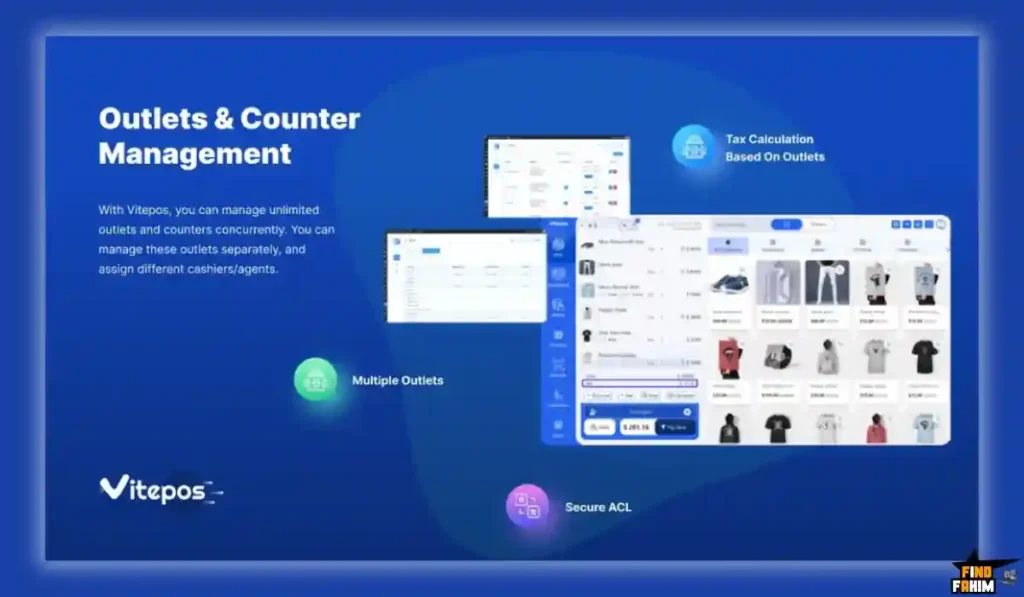
If you own three different retail locations across the city, you do not need three separate websites. Vitepos allows you to create unlimited specific “Outlets” inside your single dashboard. You assign specific inventory quantities to the “Downtown Outlet” and different quantities to the “Northside Outlet.” You can then assign specific employee cashier roles to specific locations, ensuring staff only see the data relevant to their exact building.
3. Hardware and Barcode Compatibility
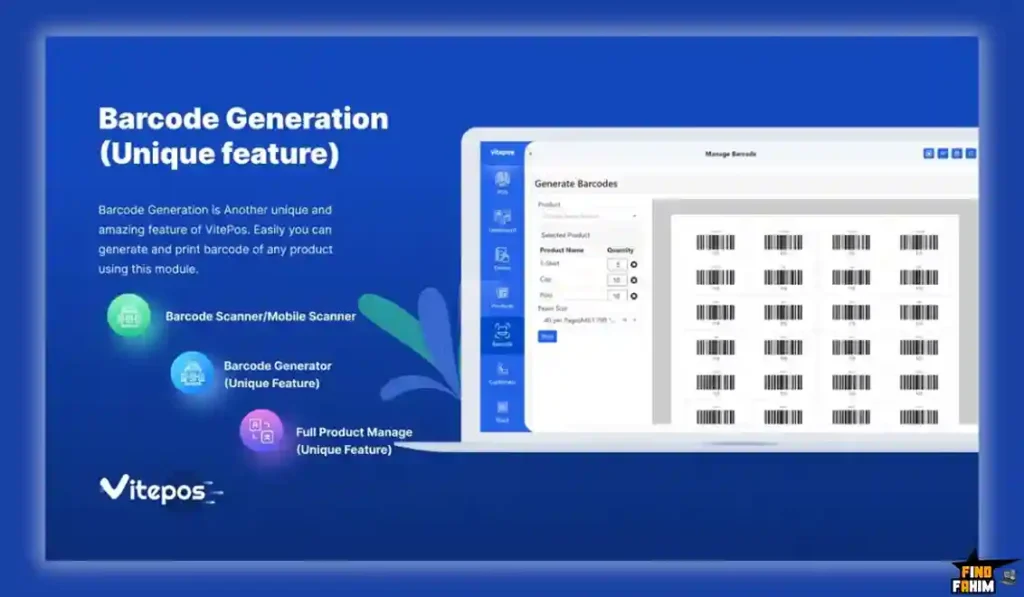
A POS software is useless if it cannot communicate with physical retail hardware. Vitepos does not force you to buy expensive proprietary equipment. It works through any modern web browser, meaning you can use it on a PC, a Mac, an iPad, or an Android tablet. Furthermore, it supports standard USB and Bluetooth barcode scanners. It includes a native barcode generator, allowing you to print custom SKU stickers for products that do not have manufacturer barcodes.
4. Split Payments and Cash Drawer Control
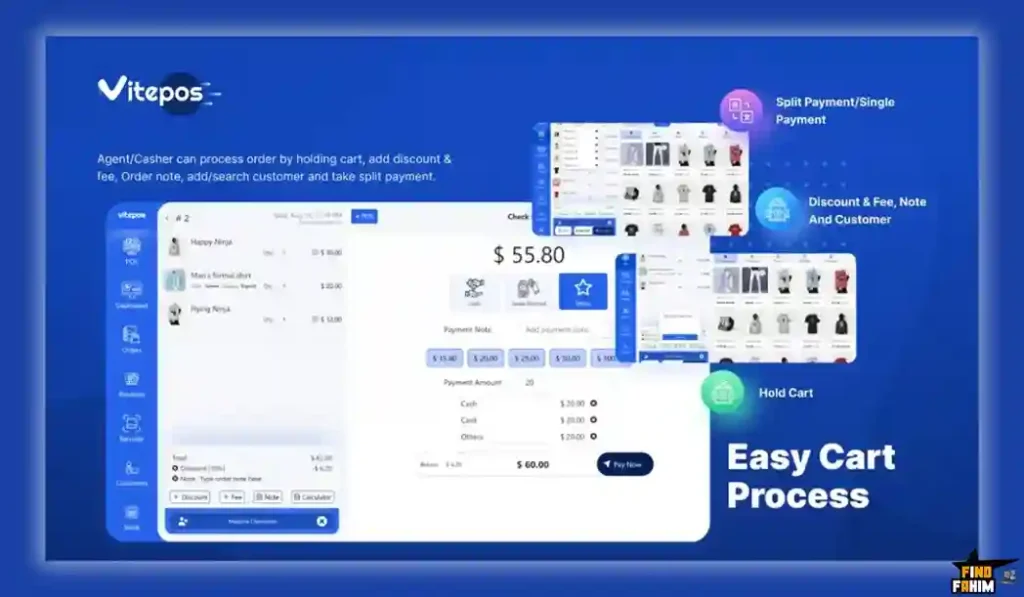
Real-world retail is messy. Customers frequently want to pay $20 in physical cash and put the remaining $45 on a credit card. Vitepos handles split payments natively without confusing the cashier. It also includes strict cash drawer management. At the beginning of a shift, the cashier enters the starting cash float. Throughout the day, every cash transaction is recorded. At the end of the shift, the manager can print an exact drawer summary report to verify that no money is missing.
The Standout Feature: Native HPOS and WooCommerce Sync
This specific engineering detail deserves its own dedicated section because it is the primary reason large e-commerce stores justify moving to this platform.
Historically, WooCommerce was notoriously slow at processing massive amounts of orders because it stored transaction data inWordPress’ss wp_postmeta tables. If you ran a busy retail store selling hundreds of items an hour, this database structure would crash your server.
Recently, WooCommerce introduced HPOS (High-Performance Order Storage), which moves order data into dedicated, highly efficient database tables. Vitepos has been completely re-engineered to support HPOS natively.
Why is this a massive advantage? It means you can process incredibly fast transactions at your physical counter without slowing down the page load speed of your actual e-commerce website. Your online shoppers will experience lightning-fast page loads, while your physical cashiers experience instant receipt printing, all happening on the same server infrastructure.
Vitepos Pricing & AppSumo Deal Details
This lifetime deal is structured around “Stacking Tiers” with a total of 10 available options. You pay once, and you own the plugin license forever.
To give you a clear picture of how the limits scale as your business grows, I have highlighted the most strategic tiers below (1, 2, 3, 5, and 10). Pay extremely close attention to the site’s limit.
| Feature | 1 Code | 2 Codes | 3 Codes | 5 Codes | 10 Codes |
| One-Time Price | $119 | $238 | $357 | $595 | $1,190 |
| WordPress Sites | 1 | 2 | 5 | 10 | 30 |
| Outlets/Locations | Unlimited | Unlimited | Unlimited | Unlimited | Unlimited |
| Restaurant Module | ✅ Yes | ✅ Yes | ✅ Yes | ✅ Yes | ✅ Yes |
| HPOS Support | ✅ Yes | ✅ Yes | ✅ Yes | ✅ Yes | ✅ Yes |
| Barcode Generator | ✅ Yes | ✅ Yes | ✅ Yes | ✅ Yes | ✅ Yes |
| Stripe Terminal | ✅ Yes | ✅ Yes | ✅ Yes | ✅ Yes | ✅ Yes |
The Truth About the Site Limits
Vitepos is highly transparent about its licensing structure.
The “Sites” limit refers to entirely separate WordPress installations. If you own one brand (e.g., “Bob’s Coffee”) but you have 15 different physical coffee shop locations across the state, you only need 1 Code. You install the plugin on your main website, and you can create unlimited physical outlets under that single license.
You only need higher tiers if you run a digital marketing agency and you are installing this software for completely different clients with different domain names.
My Stacking Recommendation
- If you are a solo retail owner, 1 Code ($119) is the exact mathematical play. It covers your single domain and lets you run unlimited physical cash registers.
- If you are a web design agency, I highly recommend stacking 5 Codes ($595) or higher. This gives you 10 site licenses. You can install this on a local client’s WooCommerce site and charge them a $50/month “Retail Technology Maintenance Fee,” turning your one-time software purchase into a permanent recurring revenue asset.
Secure Your Vitepos Lifetime Plan on AppSumo
Pros & Cons of This Lifetime Package
With an exceptional 4.9/5 rating from over 130 early buyers, the retail community clearly values the platform, but we must evaluate the technical realities of hosting your own POS.
The Pros
- ✅ Zero API Syncing Delays: Because it lives directly inside your WooCommerce database, stock adjustments happen in milliseconds. There are no CRON jobs or delayed webhooks to worry about.
- ✅ Offline Reliability: The ability to process cash sales when your internet service provider goes down is a critical safety net that prevents lost revenue.
- ✅ Hardware Agnostic: You do not have to buy a $1,000 proprietary register. You can literally run your retail store using a $200 Android tablet and a basic Bluetooth receipt printer.
- ✅ Customer Display Support: It includes a secondary screen feature so the customer can actively watch the items being rung up and see their final total, which builds massive trust at the counter.
The Cons
- ❌ Server Dependency: This is the most critical drawback. Standard cloud POS systems process data on their own massive servers. Vitepos processes data on your server. If you buy cheap, $3/month shared web hosting, your cash register will be incredibly slow. You absolutely must invest in high-quality Managed WordPress hosting (like Kinsta, WP Engine, or Cloudways) to ensure the POS runs fast.
- ❌ No Native White-Labeling: A few agency users noted that you cannot completely strip the Vitepos branding out of the backend to hide the software’s origin from your clients.
- ❌ Terminal Payment Limitations: While it supports Stripe Terminal and Wallee, if you use a highly obscure local bank for your physical credit card processing, you will have to punch the total into the card reader manually, rather than the software sending the total directly to the reader.
How Does Vitepos Work?
Here is exactly how fast you can launch your physical retail counter.
- Step 1: Install: Upload the plugin ZIP to WordPress and enter your AppSumo license key.
- Step 2: Create Outlets: Map physical locations (like “Main Street” or “Warehouse”) and assign specific WooCommerce products to them.
- Step 3: Cashier Roles: Create staff PINs so every transaction and refund is cleanly tracked for auditing.
- Step 4: Connect Hardware: Open Vitepos on your iPad or touchscreen monitor. Pair your Bluetooth scanner and thermal receipt printer via browser settings.
- Step 5: Process a Sale: Scan an item, tap “Pay,” accept cash or card, and print the receipt. Your WooCommerce inventory drops instantly.
Best Use Cases for Vitepos
Who actually benefits from this specific WordPress configuration?
- 1. The Hybrid Pop-Up Brand: You sell apparel online but attend weekend farmers’ markets. Instead of writing sales on paper, your staff uses an iPad on a cellular hotspot. They scan items and take Stripe payments on-site. Your website inventory stays perfectly accurate, preventing online overselling.
- 2. The Local Cafe: You sell packaged coffee beans online but need a fast POS for the front counter. Utilizing the Restaurant module, the cashier taps a latte order, and it instantly routes to a digital Kitchen Display Screen (KDS) for the barista to prepare.
- 3. The B2B Wholesaler: Contractors walk into your warehouse wanting bulk supplies based on your custom web pricing. Because Vitepos reads WooCommerce directly, it honors your wholesale pricing plugins. The cashier selects the contractor’s profile, and the POS automatically applies their 20% B2B discount at the register.
Stop Manual Syncing. Transform Your Store with Vitepos Today.
Vitepos Alternatives
This is the critical evaluation phase. Is Vitepos reliable enough to replace the industry heavyweights in retail hardware, or should you stick to an established monthly subscription? Let’s compare it directly against the Top 5 players in the retail space to ensure you make the right choice.
Vitepos vs Square POS
Square is the absolute giant of independent retail, famous for its sleek white hardware and free baseline software.
- Where Square Wins: Hardware ecosystem and barrier to entry. Square provides free physical card readers and handles the payment processing directly. You can start selling in minutes without knowing anything about web servers.
- Where Vitepos Wins: Inventory centralization. Square integrates poorly with WooCommerce. Their native syncing plugins frequently break or duplicate product variations. Vitepos is built natively inside the WordPress environment, guaranteeing perfect inventory accuracy.
Vitepos vs Shopify POS
Shopify offers a massive, comprehensive POS application designed to work flawlessly with its e-commerce platform.
- Where Shopify POS Wins: Corporate polish and massive scalability. Shopify handles the server infrastructure entirely. Their Pro POS features advanced staff attribution and detailed local analytics.
- Where Vitepos Wins: The Financial Reality. Shopify charges expensive monthly fees for titsecommerce platform, and then charges an additional heavy monthly fee per location to unlock Shopify POS Pro. Vitepos offers an infinitely scalable location model for a single lifetime payment on open-source software.
Vitepos vs Lightspeed
Lightspeed is an enterprise-grade retail and restaurant management system.
- Where Lightspeed Wins: Complex inventory routing. Lightspeed is built for massive retail chains (like bicycle shops or golf courses) that need to track individual serial numbers, vendor purchase orders, and complex matrix variants across dozens of states.
- Where Vitepos Wins: Usability and Cost. Lightspeed is incredibly expensive and requires weeks of training to understand the backend. Vitepos provides the core features small businesses actually need without the overwhelming enterprise bloat.
Vitepos vs Oliver POS
Oliver POS is arguably Vitepos’s most direct competitor. It is also a native WooCommerce POS system that works beautifully.
- Where Oliver POS Wins: Hardware partnerships. Oliver actively sells custom-branded physical hardware (like dual-screen registers and mobile scanners) that come with their software pre-installed.
- Where Vitepos Wins: The Lifetime Deal. Oliver POS relies on a standard SaaS monthly subscription model. Over a three-year business cycle, the financial savings of buying the Vitepos AppSumo deal make it a vastly superior capital investment for bootstrapped retailers.
Vitepos vs FooSales
FooSales is another highly respected WooCommerce point of sale plugin.
- Where FooSales Wins: Native Mobile Apps. FooSales has highly polished, dedicated native applications available directly in the iOS App Store and Google Play Store, whereas Vitepos operates entirely through the mobile web browser.
- Where Vitepos Wins: One-time cost and Restaurant features. FooSales requires a yearly software license fee. Furthermore, Vitepos recently updated its platform to include dedicated restaurant modules (like Kitchen Display routing), which general retail plugins often lack.
All 5 Competitors Matrix
| Feature | Vitepos | Square POS | Shopify POS | Lightspeed | Oliver POS | FooSales |
| Pricing Model | Lifetime ($119+) | Free + High Fees | High Monthly | Enterprise | Monthly Subs | Yearly License |
| WooCommerce Sync | ✅ Native / Perfect | Buggy Plugins | Custom API | API Connectors | Native | Native |
| Offline Mode | ✅ Yes (IndexedDB) | Limited | Limited | Yes | Yes | Yes |
| Restaurant Tools | ✅ Yes (KDS) | Dedicated App | ❌ No | Dedicated App | Retail Focus | Retail Focus |
| Hardware Used | Any Web Browser | Proprietary | Proprietary | Proprietary | Custom/Browser | Native Apps |
| Best For… | Bootstrapped Retail | Casual Pop-ups | Brand Chains | Massive Chains | Turnkey Hardware | App Lovers |
Ready to Own Your Retail Tech? Grab Vitepos Now
Who Should NOT Buy Vitepos?
To ensure you make a highly profitable investment, I must be completely transparent about where this tool falls short.
- Do not buy it if you use cheap, basic web hosting. As mentioned earlier, this software turns your website server into a cash register. If you use a $3/month shared hosting plan from GoDaddy or Bluehost, your server will choke under the pressure of database queries. You need dedicated resources. If you are not willing to pay for premium WordPress hosting, stick to a cloud solution like Square.
- Do not buy it if you need complex serialized inventory. If you sell expensive electronics and need to track the exact serial number of every individual television or laptop from the manufacturer to the customer, Vitepos is not deep enough. You need an enterprise tool like Lightspeed.
Is This Lifetime Deal a Smart Business Investment?
Let’s evaluate the exact financial math for an agency choosing between Vitepos (Stacking 5 Codes) and a standard professional POS plugin.
Scenario: You run a web design agency, and you build hybrid ecommerce sites for local boutique shops.
- Cost of FooSales (10 Client Sites for 1 Year): ~$300/site = $3,000/year.
- Cost of Vitepos (5 Codes / 10 Sites): $595 (One-time payment).
The ROI Math:
- You break even in less than 3 months.
- Over a standard 3-year business cycle, choosing Vitepos saves your agency $8,405 in software licensing fees.
- More importantly, you can package this software into your client proposals. You can offer a “Complete Local Retail Setup” for a flat $1,500 fee per client. Because your software cost is permanently fixed at zero after the initial purchase, the setup fees you charge your clients become pure, uninterrupted profit. It is a massive margin booster.
How to Redeem the Vitepos Deal
- Buy: Click the link below to purchase the activation code securely on AppSumo. (Evaluate your client site needs to decide between 1, 2, 3, 5, or 10 codes).
- Redeem: You will instantly receive a unique activation code in your email inbox or AppSumo account.
- Activate: Follow the specific instructions to download the Vitepos plugin ZIP file, install it on your WordPress site, and apply the license key to unlock the lifetime limits.
- Configure: Immediately create a test outlet, assign a cashier role, and run a test transaction to verify your server processing speed and barcode scanner compatibility.
- Verify: Remember that AppSumo offers a 60-day money-back guarantee. You have two full months to test the offline caching capabilities and the Stripe terminal integrations entirely risk-free.
Final Verdict: Is This AppSumo Deal Worth It?
After analyzing the offline browser caching, the HPOS database efficiency, and the new restaurant routing features, my final verdict is a highly confident 4.8-Star YES.
It is the ultimate “Omnichannel Bridge” for WordPress users.
- It removes the massive Monthly SaaS Overhead.
- It stops Inventory Desync Errors permanently.
- It provides Enterprise Physical Interfaces for bootstrapped retailers.
While you absolutely must pair this software with high-performance web hosting, Vitepos provides exactly what growing retailers need: total ownership over their inventory data without paying a monthly tax to a hardware corporation. Grab the lifetime code and modernize your retail counter.
Secure Your Vitepos Lifetime License Before It Ends
About the Author
I spend my time researching and analyzing SaaS products, digital tools, and lifetime deals to help smart entrepreneurs stop overpaying for software. We all know the extreme frustration of overselling physical products because your cash register failed to sync with your website database, which is exactly why I investigated the Vitepos lifetime deal today.
I do the heavy lifting of evaluating these offers—digging into the specific HPOS database capabilities, the offline IndexedDB caching limits, and the physical hardware compatibilities—so you know exactly what you are getting before you pull out your credit card. If you want to see what other software I am currently analyzing to cut business costs, check out my Full Guide to the Best Lifetime Software Deals.
FAQ: Your Vitepos Questions, Answered
What is Vitepos?
Vitepos is a browser-based point-of-sale plugin for WooCommerce that allows store owners to manage in-person sales, inventory, and checkout directly from their WordPress dashboard.
What is the AppSumo refund policy for this deal?
AppSumo provides a 60-day money-back guarantee. You can install the plugin, connect hardware like barcode scanners, and test the system. If it does not work well with your hosting environment, you can request a refund within 60 days.
Does Vitepos work without an internet connection?
Yes, it includes an offline mode that stores product data and transactions locally in the browser. When the internet connection returns, the system automatically syncs the saved transactions with the WooCommerce database.
Do I need special POS hardware to use Vitepos?
No, the plugin works in a web browser and supports standard hardware such as USB or Bluetooth barcode scanners, receipt printers, tablets, laptops, and desktop computers.
How does the site limit work on the AppSumo deal?
The site limit applies to separate WordPress installations. For example, Tier 1 allows installation on one domain, but you can create unlimited outlets and registers within that same website.
Can Vitepos manage restaurant tables?
Yes, recent updates added restaurant features including visual table management, waiter assignments, and the ability to send food orders directly to a kitchen display screen.
Is Vitepos compatible with WooCommerce HPOS?
Yes, it fully supports WooCommerce High Performance Order Storage which improves database performance and helps handle high transaction volumes efficiently.
How can I process credit card payments using Vitepos?
The plugin integrates with Stripe Terminal and Wallee for physical card payments. For other gateways, you can process payments manually using custom payment options.
Can I scan barcodes using my smartphone camera?
Yes, if you open the POS interface on a smartphone or tablet browser, the system can use the device camera to scan product barcodes.
Can I customize printed receipts?
Yes, you can customize invoices with logos, addresses, tax numbers, footer messages, and even include QR codes or barcodes for easier returns.
Do I need to renew the Vitepos license every year?
No, the AppSumo offer is a lifetime deal where you pay once and receive the software license and future updates without recurring fees.
What is a WooCommerce POS system?
A WooCommerce POS system connects your physical store checkout with your online WooCommerce inventory so stock levels, orders, and customer data stay synchronized.
Can WooCommerce manage both online and offline sales?
Yes, when combined with a POS plugin, WooCommerce can track both eCommerce orders and in-store purchases from the same dashboard.
Do POS systems help with inventory management?
Yes, modern POS systems automatically update stock levels after each sale, helping businesses avoid overselling and maintain accurate inventory records.
Is a browser-based POS system reliable for retail stores?
Yes, browser-based POS solutions are reliable when they include offline support, fast syncing, and secure connections with the store database.

Hi, I’m Fahim — a SaaS tools reviewer and digital marketing expert with hands-on experience helping businesses grow using the right software. I research, test, and personally use a wide range of AI, business, productivity, marketing, and email tools for my agency, clients, and projects. I create honest, in-depth reviews and guides to help entrepreneurs, freelancers, startups, and digital agencies choose the best tools to save time, boost results, and scale smarter. If I recommend it, I’ve used it — and I only share what truly works.