
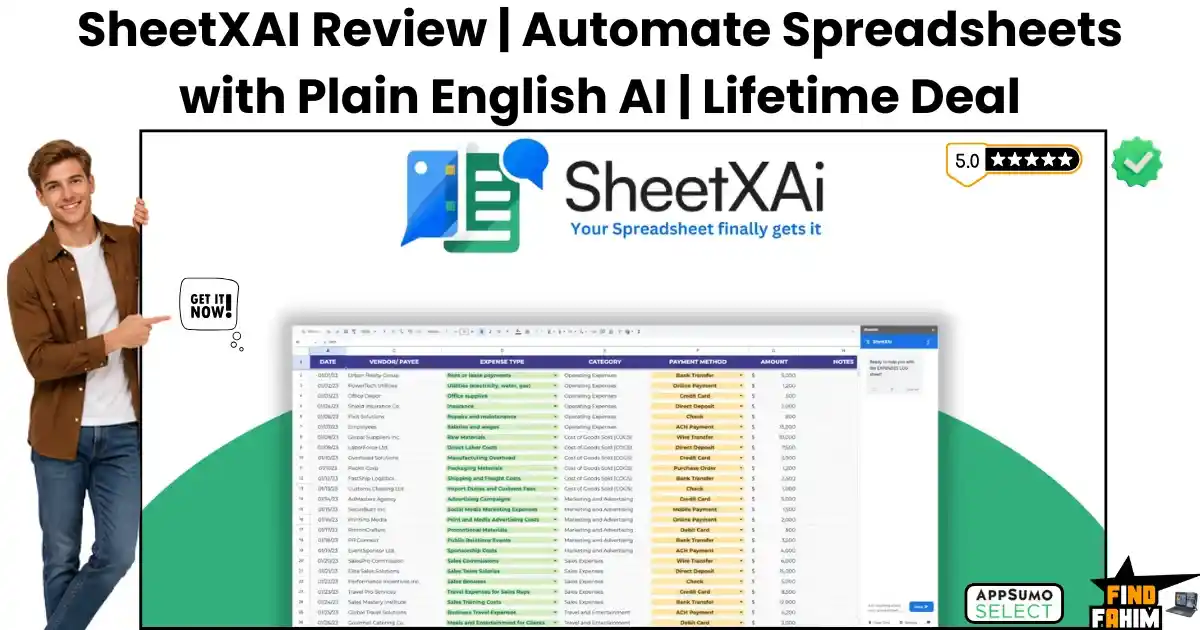

Wrestling with broken spreadsheet formulas and manually copying data from messy PDF invoices drains your daily energy. Hiring virtual assistants just to clean up formatting errors or write bulk product descriptions creates massive overhead and shrinks your profit margins over time.
Spending hours typing out repetitive data and troubleshooting broken VLOOKUPs destroys your focus, pulling you away from actually growing your revenue.
SheetXAI acts as your personal data scientist. This SheetXAI lifetime deal turns your standard Google Sheets and Microsoft Excel files into a powerful automation engine that cleans, extracts, and generates content using plain English.
Disclaimer: This article contains affiliate links. If you purchase through these links, I may earn a small commission at no extra cost to you. All opinions are entirely my own.
My Quick Take (TL;DR)
- What is it? A spreadsheet automation tool that connects Google Sheets and Excel to advanced language models for bulk data tasks.
- Special Feature: An unstructured data extractor that reads messy receipts, PDFs, and handwritten notes, organizing the details into neat rows.
- For Who: E-commerce managers, data analysts, content marketers, and digital agency owners.
- The Deal: A multi-tier AppSumo package starting at $39, scaling up for heavy data processing.
- Verdict: A mandatory switch for anyone tired of fighting complex macros and wasting hours on repetitive data entry.
Claim Your SheetXAI Lifetime Deal Now
What is SheetXAI?
SheetXAI is an advanced spreadsheet automation plugin designed to help business owners manage complex data without writing custom code. It replaces messy macros by allowing you to control your spreadsheets using natural language commands.
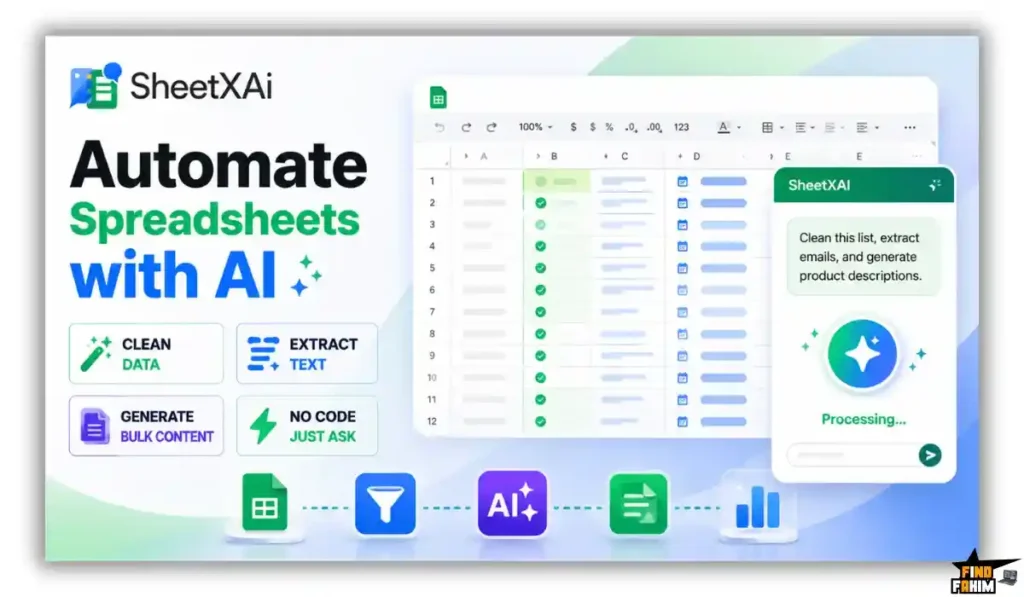
Instead of searching Google for complicated syntax, you simply type what you need. The system cleans your lists, extracts specific text, and generates bulk content directly inside your active grid.
The Cost of Manual Data Entry
This software package removes the need to pay steep recurring fees for separate data scrapers and expensive virtual assistants. Here is the exact financial breakdown of the included value.
| Feature | Replaces… | The Real Value | Normal Cost | Deal Status |
| Data Cleaning | Virtual Assistants | Fixes messy formatting | ~$1,200/year | ✅ Included |
| PDF Extraction | Docparser | Pulls data from receipts | ~$350/year | ✅ Included |
| Bulk Generation | Jasper | Writes product descriptions | ~$480/year | ✅ Included |
| Background Sync | Zapier | Runs tasks while closed | ~$240/year | ✅ Included |
| Total Cost | Fragmented Stack | Centralized AI Hub | ~$2,270/year | $39 (Lifetime) |
A Look Inside SheetXAI: Key Features
SheetXAI provides a powerful suite designed specifically to protect your time. These primary functions eliminate frustrating administrative tasks.
Natural Language Commands
Most spreadsheet users hate dealing with complex formulas that break easily. This platform features an intelligent command engine that understands plain English instructions.
You simply highlight a column and type a request like, “Format these names and remove all the blank spaces.” The tool executes the change across thousands of cells, saving you hours of frustrating manual cleanup.
Unstructured Data Extraction
Pulling information from vendor invoices and messy legal contracts usually requires endless copying and pasting. This software reads raw PDFs, images, and handwritten notes, identifying the core details for you.
You upload your files, and the tool intelligently maps the dates, prices, and names into the correct columns. This keeps your financial records accurate while freeing your team from tedious clerical work.
Bulk Content Publishing
Writing hundreds of SEO meta descriptions for a massive catalog drains your creative energy. This platform generates massive volumes of text directly inside your spreadsheet cells.
You can highlight your product titles, ask the AI to write engaging descriptions, and then push that content directly to WordPress or Ghost. Managing your entire editorial calendar from a single spreadsheet keeps your marketing highly organized.
Background Task Processing
Waiting for a heavy spreadsheet to process massive data requests slows down your entire computer. The dashboard allows long-running scraping tasks to run in the background.
You can trigger a massive data pull, close your browser, and walk away. The software finishes the job on its own servers and populates your sheet, ensuring your daily work never grinds to a halt.
The Ultimate LLM Gateway
Relying on a single artificial intelligence model limits your creative output. This platform includes an advanced gateway that gives you access to over thirty different language models, including Claude, Gemini, and Grok.
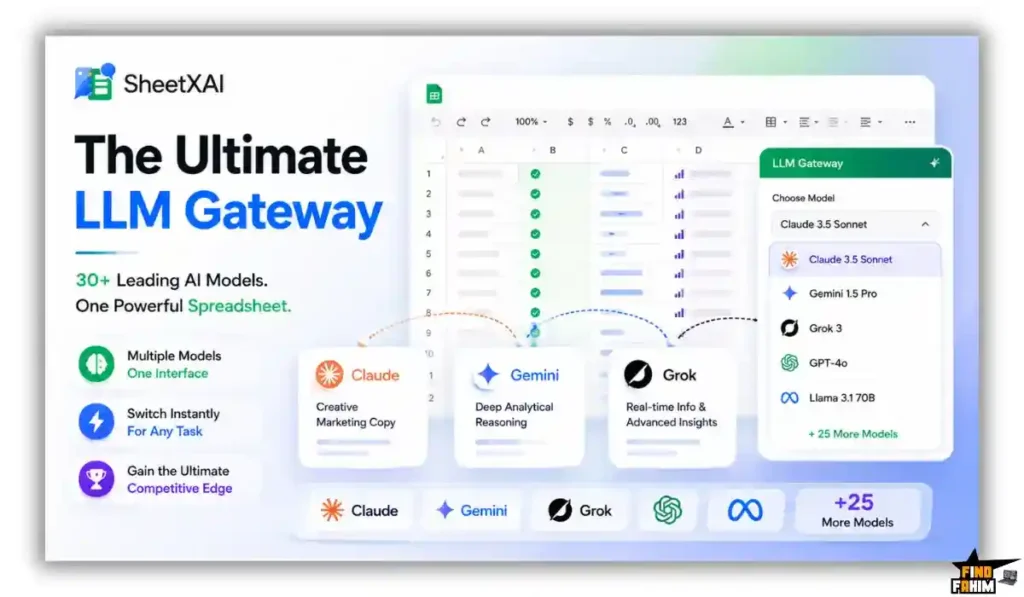
When you need creative marketing copy, you can toggle the settings to use Claude. If you require deep analytical reasoning, you switch to Gemini. Accessing all these premium models from a simple drop-down menu inside your spreadsheet gives you an extreme competitive advantage over standard Excel users.
What is New in 2026
The SheetXAI development team pushed a massive architectural overhaul in early 2026, delivering crucial upgrades that technical users requested.
- Introduced deep WooCommerce syncing to push generated product descriptions directly to live stores.
- Added an advanced background task manager to handle massive data pulls without freezing your browser.
- Released a dedicated image analysis feature that extracts handwritten text from scanned receipts.
- Expanded the LLM Gateway to include the newest versions of Claude and Grok for better reasoning.
SheetXAI Pricing & AppSumo Deal
| Deal Feature | Tier 1 ($39) | Tier 2 ($149) | Tier 3 ($199) | Tier 4 ($299) |
| Credits/Month | 1,000 Credits | 5,000 Credits | 10,000 Credits | 20,000 Credits |
| LLM Gateway | Basic Models | Premium Models | Premium Models | Premium Models |
| Web Scraping | ❌ No | ✅ Yes | ✅ Yes | ✅ Yes |
| Background Sync | ❌ No | ✅ Yes | ✅ Yes | ✅ Yes |
| Bring Your Key | ❌ No | ❌ No | ✅ Yes | ✅ Yes |
Which Plan Should You Buy?
Solo marketers handling basic SEO tasks should start with Tier 1. Small agencies processing heavy PDFs and receipts must secure Tier 2 to access the web scraping tools. Heavy data firms need Tier 4 to unlock massive monthly credits and the crucial Bring Your Own Key (BYOK) features to drop their usage costs.
Important Note on the Refund Policy
This deal includes a generous 60-day money-back guarantee. You can test the platform with zero financial risk. Evaluating the plain English commands and PDF extraction is safe before committing to a permanent switch.
Let AI Handle Your Spreadsheets — Get SheetXAI Here
Pros & Cons of This Lifetime Package
Moving your entire data workflow to a new tool requires careful financial consideration. Here is the strict truth about this package.
The Pros
- ✅ Replaces expensive virtual assistants hired specifically for basic data entry.
- ✅ Includes a gateway to access over 30 top-tier language models inside your grid.
- ✅ Extracts messy text from PDFs, images, and handwritten invoices easily.
- ✅ Features native background processing so your computer never freezes during heavy tasks.
- ✅ Allows you to buy an optional higher tier to use your own API keys for cheaper generation.
The Cons
- ❌ The lowest pricing tier restricts your access to the premium language models and scraping tools.
- ❌ Setting up the direct WordPress integration requires generating secure application passwords.
Who Should NOT Buy SheetXAI?
If you only track a small grocery list and have zero interest in automating your business metrics, this tool offers too much power. It will feel overwhelming for casual users who just need a basic calculator.
Furthermore, if you demand highly visual dashboard charts and refuse to work inside a traditional cell-based grid environment, this specific data manager is a bad fit.
Why Relying on VLOOKUPs and Macros Ruins Productivity
Wrestling with legacy spreadsheet formulas creates a terrible bottleneck for your team.
“When a single broken #REF error crashes your entire financial report, you waste hours hunting for a misplaced comma instead of analyzing the actual numbers.”
This messy setup traps you in constant maintenance mode. You spend your weekends watching tutorial videos on complicated syntax, pulling you away from high-level strategy and slowing down your client deliverables.
The Power of Connecting LLMs Directly to Cell Data
Modern analysts demand extreme speed when processing massive datasets. Smart tools are trending right now because founders can skip the complex coding phase and manipulate data using plain human conversation.
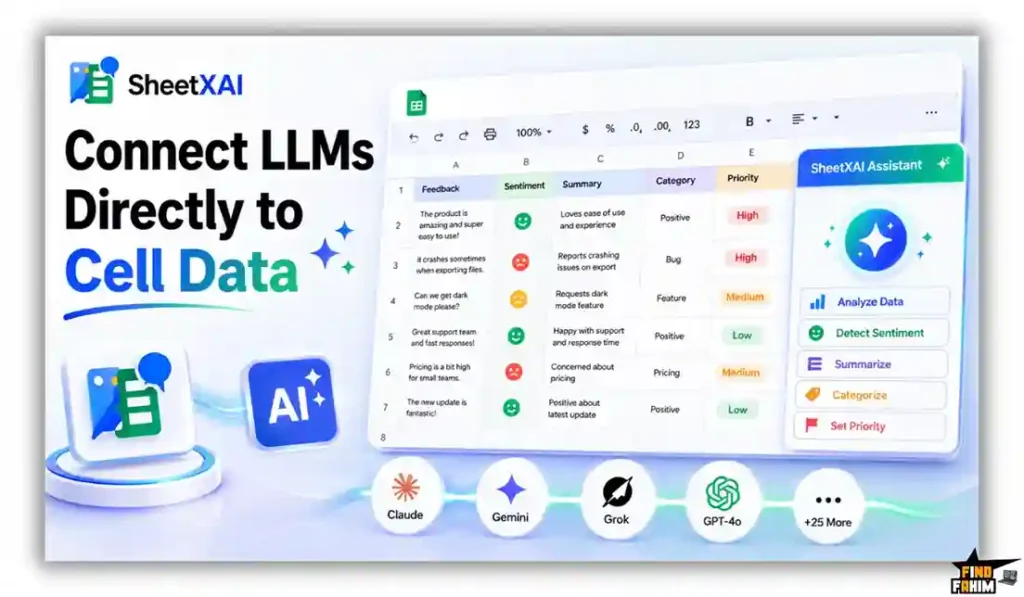
Using an intelligent assistant inside your grid changes your workflow entirely. It drastically reduces expensive administrative labor, allowing you to clean lists, summarize feedback, and format columns in minutes rather than days.
The Data Automation Process
- Install the Add-on: Log into your Google Workspace or Microsoft account and install the secure plugin directly into your spreadsheet environment.
- Select Your Model: Open the sidebar menu and choose the specific language model you want to use from the extensive gateway list.
- Type Your Command: Highlight the messy cells and write a plain English prompt asking the system to format, clean, or extract the data.
- Upload Your Files: Drag and drop your PDFs or scanned receipts into the designated folder to let the tool organize the text into neat rows.
- Run Background Tasks: Trigger large scraping or content generation jobs and safely close the tab while the servers handle the heavy lifting.
Best Use Cases for SheetXAI
- E-commerce Managers: Managing hundreds of new product listings is a huge hassle. You will use the bulk generation tools to write fresh SEO descriptions and push them straight to your WooCommerce store, ensuring your pages rank higher on search engines.
- Data Analysts: Cleaning messy client data requires endless sorting. You will leverage the natural language commands to strip out blank spaces, fix phone number formatting, and categorize responses quickly to prepare your final reports.
- Digital Agencies: Organizing expenses from scattered PDF receipts gets messy. You will use the extraction features to pull the exact prices and dates from vendor invoices, offering easy tracking to maximize your monthly budget accuracy.
Unlock SheetXAI for a One-Time Fee of $39
SheetXAI Alternatives
The digital data market is packed with expensive subscription tools. Let us review how this platform stacks up against established industry leaders to prevent you from buying redundant tools and wasting your business budget.
SheetXAI vs Coefficient
Where Coefficient Wins: Direct enterprise syncing. Coefficient excels at connecting massive CRMs like Salesforce and HubSpot to your spreadsheets, offering highly reliable two-way syncing for large sales teams relying on live dashboards.
Where SheetXAI Wins: Plain English manipulation. Coefficient expects your data to be clean. This software actually helps you format messy text, write new content, and extract information from physical receipts using advanced language models.
SheetXAI vs Supermetrics
Where Supermetrics Wins: Heavy ad-spend reporting. Supermetrics is the absolute industry standard for pulling complex PPC campaign data from Facebook Ads, Google Ads, and LinkedIn into a single reporting dashboard for marketing agencies.
Where SheetXAI Wins: Startup affordability and flexibility. Supermetrics charges aggressive monthly fees that burn cash quickly. This tool gives you a broader range of automation capabilities for a single lifetime payment. If you are reading a Supermetrics alternative review, you know how fast those reporting costs add up.
SheetXAI vs Zapier
Where Zapier Wins: Millions of app connections. Zapier acts as the ultimate bridge between different software, allowing you to trigger an action in Slack when a new row is added to your spreadsheet effortlessly.
Where SheetXAI Wins: Internal grid processing. Zapier moves data from place to place. This platform actually manipulates the data while it sits inside the spreadsheet, cleaning errors and generating new text without needing external webhooks.
SheetXAI vs SheetAI.app
Where SheetAI.app Wins: Basic text expansion. SheetAI offers a very simple, lightweight tool for absolute beginners who just want to type a quick formula to write a single email or generate a short list of ideas.
Where SheetXAI Wins: Advanced business features. This tool goes much further by offering background processing, a gateway to 30+ models, and deep integration with WordPress to actually publish the content you generate.
SheetXAI vs Manual Excel Macros (VBA)
Where VBA Wins: Offline legacy systems. Writing raw Visual Basic for Applications (VBA) code allows massive financial institutions to run deep, rigid offline programs securely behind intense corporate firewalls.
Where SheetXAI Wins: Zero coding required. Learning VBA takes months of frustrating practice. This platform democratizes data automation, allowing anyone on your team to execute complex tasks by simply asking for them in plain English.
Top 5 Competitors Matrix
| Platform | Pricing Model | Core Focus | Native LLM Gateway | Best For… |
| SheetXAI | Lifetime Deal | Grid Automation | ✅ Yes | Agencies & Sellers |
| Coefficient | Monthly Sub | CRM Data Syncing | ❌ No | Enterprise Sales |
| Supermetrics | Monthly Sub | Ad Campaign Reporting | ❌ No | Paid Media Teams |
| Zapier | Monthly Sub | Webhook Bridging | ❌ Limited | Operations Teams |
| SheetAI.app | Monthly Sub | Basic Text Formulas | ❌ No | Solo Freelancers |
| Excel VBA | Free (Built-in) | Hardcoded Macros | ❌ No | Financial Analysts |
Stop Fighting Formulas — Switch to SheetXAI
Is This Deal a Smart Business Investment?
Purchasing the Tier 1 package for just $39 is a massive financial victory for any digital operator. The cost of hiring clerical staff to format messy columns and pull details from PDF invoices runs deep into the thousands of dollars annually.
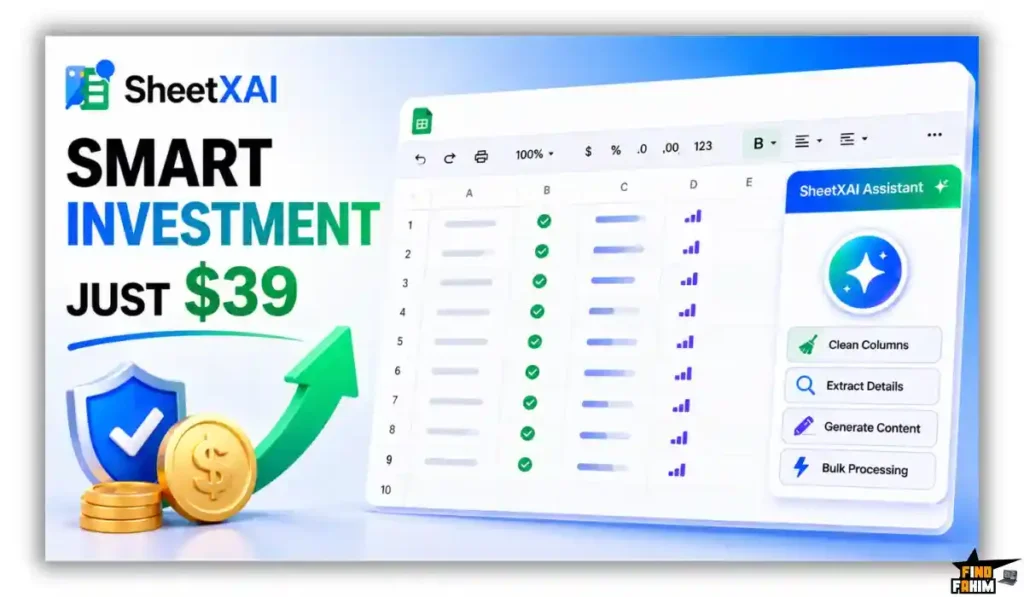
This structural shift pays for itself the very first time you generate bulk SEO descriptions or clean a massive client email list. Switching to this unified environment saves your business massive administrative overhead. It provides a highly capable technical foundation to process data rapidly and protect your team’s focus.
How to Redeem the SheetXAI Deal
- Buy: Click the secure affiliate links provided in this article to visit the official AppSumo discount page.
- Register: Complete your purchase and create a new account using your primary business email address.
- Activate: Apply your lifetime license code within the required sixty-day window to lock in your credit limits.
- Use: Install the add-on, highlight your messy cells, and type your first plain English command immediately.
Final Verdict: Is This Deal Worth It?
I give this spreadsheet automation tool a definitive BUY rating for any serious professional. It eliminates the strict technical walls and steep learning curves associated with writing complex macros.
“By combining unstructured data extraction, bulk publishing, and access to premium language models, it gives you custom engineering power in a highly visual interface.”
If you want to handle massive datasets and firmly assert your efficiency in the workspace, you need to grab this software today. Secure this package before the promotional pricing disappears, and you are stuck fixing broken formulas manually.
Grab Your SheetXAI Lifetime License Before It Ends
About the Author
David D. built this platform after watching teams lose countless productive hours stuck in boring manual data entry. He hated seeing people waste entire weekends fixing broken spreadsheet formulas, so he created SheetXAI. It lets you turn plain English into working spreadsheets using AI agents, completely skipping the usual formula headaches.
Here at FindFahim, helping you find real software solutions to escape burnout is my main mission. I chose to review this deal because smart automation gives you the freedom to scale your business without the stress. While you look for ways to cut overhead and optimize your software spend, I also recommend reading my breakdown on Klaviyo pricing to keep your marketing budget fully under control.
FAQ: SheetXAI Lifetime Deal
SheetXAI is an AI-powered spreadsheet plugin that helps users clean data, extract information from PDFs, generate content, and automate spreadsheet tasks using natural language.
No. SheetXAI lets users give commands in plain English, reducing the need to learn VBA, complex formulas, or advanced spreadsheet syntax.
Yes. SheetXAI can process invoices, receipts, and PDFs to extract information such as dates, names, and totals into organized spreadsheet rows.
The LLM Gateway lets users choose from more than 30 language models, including models from providers such as Claude and Gemini, for different spreadsheet tasks.
Yes. Higher SheetXAI tiers include integrations with WordPress and WooCommerce, allowing users to send generated content such as product descriptions directly to their websites.
Yes. Higher tiers allow users to connect their own Claude or OpenAI API keys, which can significantly reduce the internal credit cost of AI generation.
An AI spreadsheet tool uses artificial intelligence to automate tasks such as data cleaning, extraction, content generation, analysis, and spreadsheet editing.
Yes. AI can automate repetitive tasks such as cleaning datasets, extracting information, generating text, and processing large amounts of spreadsheet data. What is SheetXAI?
Does SheetXAI require coding skills?
Can SheetXAI extract data from scanned receipts and PDFs?
What is the LLM Gateway in SheetXAI?
Can SheetXAI publish content to WordPress and WooCommerce?
Does SheetXAI support BYOK?
What is an AI spreadsheet tool?
Can AI automate repetitive spreadsheet tasks?

Hi, I’m Fahim — a SaaS tools reviewer and digital marketing expert with hands-on experience helping businesses grow using the right software. I research, test, and personally use a wide range of AI, business, productivity, marketing, and email tools for my agency, clients, and projects. I create honest, in-depth reviews and guides to help entrepreneurs, freelancers, startups, and digital agencies choose the best tools to save time, boost results, and scale smarter. If I recommend it, I’ve used it — and I only share what truly works.