
Manually scrubbing through hours of long-form video to find viral clips is a massive waste of your operational budget. Worse, paying for expensive cloud-based subscriptions with strict monthly download limits destroys your profit margins.
Reelify AI solves this problem directly. It is a powerful desktop software designed to handle your video clipping, auto-captioning, and formatting right from your own local hardware.
Disclaimer: This article contains affiliate links. If you purchase through these links, I may earn a small commission at no extra cost to you. All opinions, market analysis, and research are entirely my own.
My Quick Take (TL;DR)
- What is it? A native Mac video editor using unlimited artificial intelligence to turn long videos into viral clips.
- Special Feature: Operates completely locally. It finds hooks and generates captions without uploading private files to servers.
- For Who: Podcasters, YouTubers, marketing agencies, and SaaS founders.
- The Deal: A scalable AppSumo lifetime deal starting at $59.
- Verdict: Boasting a perfect 5-star rating, this platform permanently replaces expensive credit-heavy subscriptions like Opus Clip.
Click Here to Get the Reelify AI Lifetime Deal on AppSumo
What is Reelify AI?
Reelify AI is an enterprise-grade desktop application built to handle high-volume video processing. It solves the biggest problem facing social media teams: the rising cost of maintaining daily output when tools charge strictly by the minute.
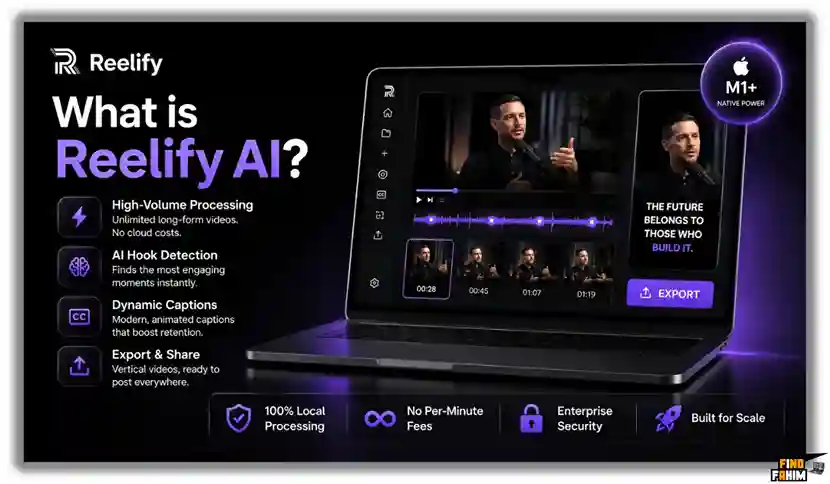
Instead of paying cloud server premiums, this software brings clipping locally. You import large podcast interviews, automatically detect emotional hooks, generate dynamic captions, and export high-quality vertical videos from one interface, instantly reducing your editing overhead.
Quick Look: What’s Inside the Deal
Paying for separate video rendering, transcription software, and caption animations destroys your profit margins.
Transitioning to this unified offline platform instantly reclaims your budget. Here is the financial value.
| Feature | Replaces… | The Real Value | Normal Cost | Deal Status |
| Unlimited Clipping | Opus Clip | AI hook detection | ~$340/yr | ✅ Included |
| Auto-Captions | Rev | Word-by-word text | ~$180/yr | ✅ Included |
| Auto-Framing | Premiere Pro | Keeping subjects centered | ~$264/yr | ✅ Included |
| Local Exporting | Cloud Servers | Private offline rendering | ~$120/yr | ✅ Included |
| Total Value | Fragmented Tools | Unified Mac Clipper | ~$904+/yr | $59 (Lifetime) |
Why Manual Video Editing Is Failing
Managing long podcasts manually creates tedious administrative work. Hunting for a compelling 30-second hook inside a two-hour interview burns cash that is better spent on paid ads.

Traditional cloud subscriptions fail modern creators entirely. Charging strict monthly premiums just to export captioned media actively punishes marketing agencies requiring high-volume daily output.
Why Native AI Clippers Are Trending in 2026
Modern teams demand extreme efficiency and offline stability. Desktop applications are trending heavily because we must launch optimized social media clips instantly, completely bypassing slow cloud servers that take hours to process massive files.
Pairing incredibly fast, localized architecture with built-in formatting fixes major production bottlenecks. When you stop worrying about empty credits, your volume spikes massively.
A Look Inside Reelify AI: Key Features
This platform strips away complicated developer environments and expensive video editors. By focusing entirely on a clean interface, your marketing team can deploy aggressive video campaigns in minutes.
Local Video Processing
You do not need to upload massive raw files to cloud servers. The system imports two-hour podcasts directly onto your local hard drive. This eliminates agonizing upload wait times and keeps unreleased client content perfectly secure from leaks.
Smart Virality Detection
You no longer have to manually scrub through boring footage. The platform scans audio tracks to detect emotional peaks naturally. It automatically cuts out dead air to create aggressive, fast-paced vertical clips optimized for social media algorithms.
Dynamic Auto-Captions
You do not have to pay for expensive transcription software. The application generates highly accurate, word-by-word captions instantly. You apply customizable fonts and colors, ensuring your content remains highly engaging for audiences watching in silent mode.
Active Speaker Tracking
This tool acts as an automated camera operator. The system actively tracks the main speaker across wide shots and dynamically adjusts the framing. It ensures the right person stays centered in the frame, keeping the final output highly professional.
Standout Feature: Unlimited AI Clipping
Almost every major cloud competitor forces you to adhere to strict per-minute processing limits. Reelify AI completely ignores this major restriction by utilizing the native hardware power of Apple Silicon chips to provide truly unlimited rendering.
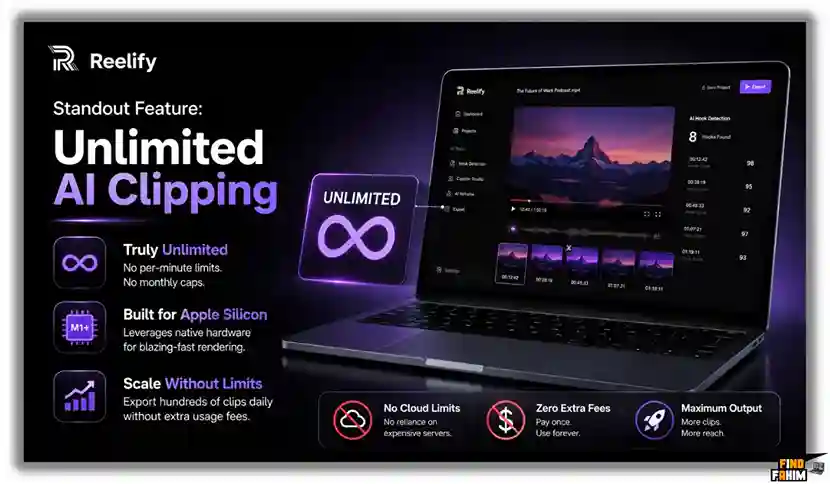
You will never hit a monthly credit cap again. This processing structure allows high-volume marketing agencies to export hundreds of clips daily without paying expensive extra usage fees.
Recent 2026 Platform Updates
The Reelify AI engineering team actively deploys major platform enhancements directly based on intensive feedback from their highly active AppSumo creator community.
These specific updates actively reduce rendering times and improve accurate text generation directly on your private desktop ecosystem.
- B-Roll Integration: Upgrading backend systems to finalize native connections for automated stock footage overlays during long podcast explanations.
- Multi-Language Models: Launching a dedicated roadmap initiative to handle native caption generation for non-English speakers.
- Custom Brand Kits: Adding complex controls that allow agencies to save specific font shadows and color schemes for different clients.
Reelify AI Pricing & Lifetime Deal Details
This AppSumo deal scales directly with your digital studio. Single creators get massive value from the entry plan. However, marketing agencies handling heavy rendering across multiple workstations must secure higher tiers to activate additional Mac licenses.
| Feature | Tier 1 | Tier 2 | Tier 3 | Tier 4 |
| One-Time Price | $59 | $108 | $157 | $206 |
| Mac Licenses | 1 Machine | 3 Machines | 10 Machines | 25 Machines |
| AI Clipping | Unlimited | Unlimited | Unlimited | Unlimited |
| Video Processing | Unlimited | Unlimited | Unlimited | Unlimited |
| Commercial Rights | ✅ Yes | ✅ Yes | ✅ Yes | ✅ Yes |
Check Reelify AI Lifetime Deal All Plan on AppSumo
Understanding the Stacking Strategy
Because Reelify AI operates natively on your Mac, you must manage machine licenses carefully. Upgrading to Tier 2 provides three active installations, making it highly cost-effective for small editing teams sharing Apple Silicon laptops.
Lifetime Deal Refund Policy
AppSumo includes a strict 60-day money-back guarantee. You have two full months to test local rendering speeds, generate clips, and verify auto-caption accuracy completely risk-free.
Pros & Cons of This Lifetime Package
Here is the truth about where this clipping software excels and where it falls short.
The Pros
- ✅ Unlimited Clipping: Processes locally without monthly credit limits.
- ✅ Total Privacy: Keeps raw footage on your hard drive, preventing leaks.
- ✅ Offline Access: Generate vertical clips without an internet connection.
- ✅ One-Time Cost: Replaces expensive rendering subscriptions instantly.
- ✅ Fast Processing: Apple M-series chips cut massive podcasts in minutes.
The Cons
- ❌ Apple Silicon Only: Windows and older Intel Mac users cannot run this application.
- ❌ Hardware Reliant: You need adequate hard drive space for massive raw files.
Who Should NOT Buy Reelify AI?
Skip this deal if your office operates strictly on Windows or Chromebooks. This engine relies explicitly on Apple Silicon architecture. Also, avoid this if you refuse to publish short-form video. If your agency relies entirely on text-based blogs, paying for a video processor is a massive waste of cash.
How Does Reelify AI Work?
Processing massive video files locally is incredibly simple. By skipping heavy timeline editing, you generate viral clips in minutes.
Here is exactly how you turn a raw podcast into finished social media content:
- Import: Drag your raw video (up to two hours) directly from your hard drive into the application.
- Scan: The engine processes your audio locally to detect emotional peaks, jokes, and highly engaging hooks.
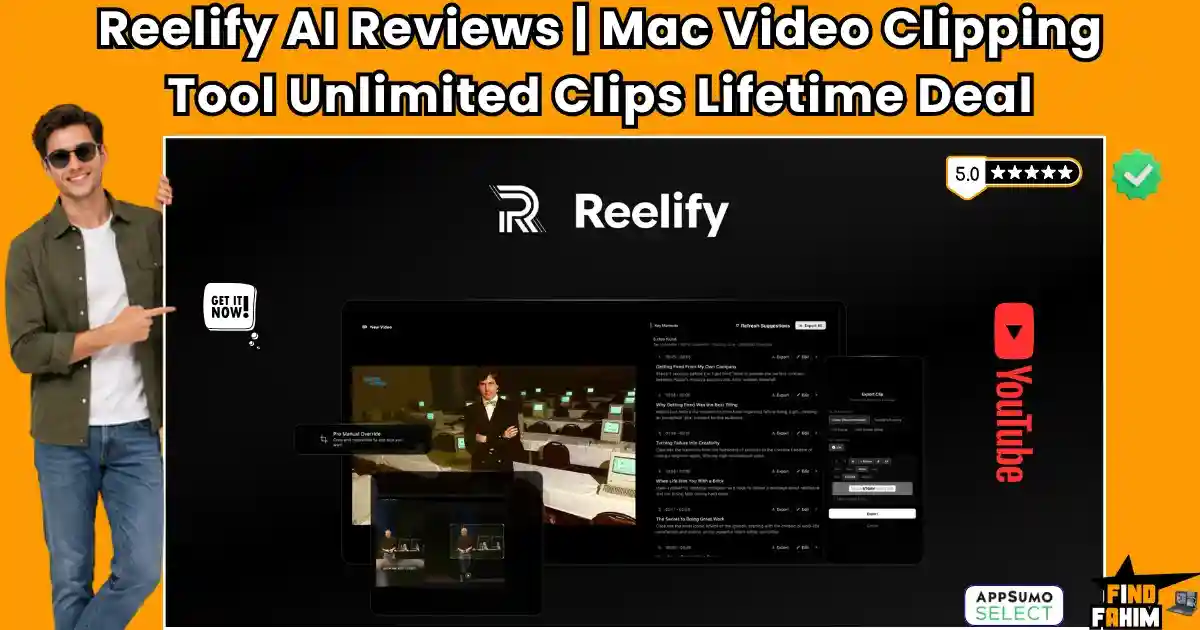
- Review: Browse the generated list of suggested clips and select the moments that fit your messaging perfectly.
- Refine: Adjust start and end times visually, ensuring your video never trails off into dead air.
- Brand: Apply custom fonts to your captions, reframe the speaker, and export the vertical files instantly.
Best Use Cases for Reelify AI
Because it handles highly diverse video formats securely, this platform adapts perfectly to professionals managing complex digital operations.
Here are four professionals who will get the highest return on investment from dedicating their time to this specific localized software.
- Podcasters: Turn a single two-hour interview into 30 different promotional clips for social media instantly.
- YouTubers: Extract the most engaging emotional peaks from your long-form essays to build an audience on Shorts.
- Digital Agencies: Process massive volumes of client webinars without ever paying for expensive monthly cloud credits.
- Coaches & Educators: Isolate specific educational answers from live training sessions to share as bite-sized Instagram Reels.
Secure Your Reelify AI Lifetime License Here
Reelify AI Alternatives
The video clipping market is heavily saturated with expensive tools. Let us look at how this highly cost-effective desktop processor stacks up against established cloud platforms. Understanding their specific strengths prevents you from buying redundant tools to manage your social media output. Here is exactly how it compares to five of the current market leaders.
Reelify AI vs Opus Clip
Opus Clip is the absolute giant of web-based short-form content generation for modern creators.
- Where Opus Clip Wins: A massive cloud server infrastructure that works on any operating system or low-end browser.
- Where Reelify AI Wins: Financial predictability. Opus Clip charges heavy monthly fees based on how many minutes you upload. Reelify AI gives you truly unlimited clipping for a single lifetime payment.
Reelify AI vs Vizard
Vizard is highly popular for quick browser-based webinar editing and presentations.
- Where Vizard Wins: Deep integration with cloud-based webinar recording and browser-based timeline editing.
- Where Reelify AI Wins: Total privacy and processing speed. Vizard forces you to upload massive video files and wait in server queues. Reelify AI processes everything instantly on your private hard drive.
Reelify AI vs Munch
Munch focuses heavily on brand marketing and social media trend analysis algorithms.
- Where Munch Wins: Highly specific keyword extraction algorithms optimized for enterprise brand marketing.
- Where Reelify AI Wins: Offline capability. Munch requires a constant, fast internet connection to work. Reelify AI allows you to process heavy podcast files entirely offline while sitting on an airplane.
Reelify AI vs Premiere Pro
Adobe Premiere Pro is the absolute global standard for professional film and video production.
- Where Premiere Pro Wins: Absolute, frame-by-frame control over complex Hollywood-level color grading and visual effects.
- Where Reelify AI Wins: Automated simplicity. Premiere requires hours of manual cutting and keyframing. Reelify AI identifies the viral moments and frames them automatically in seconds without human effort.
Reelify AI vs CapCut
CapCut dominates the mobile app market for fast, highly engaging TikTok edits.
- Where CapCut Wins: A massive library of viral templates, transitions, and audio effects directly linked to TikTok trends.
- Where Reelify AI Wins: Long-form media management. CapCut struggles heavily with two-hour files and manual hook finding. Reelify AI is built specifically to process massive podcasts without crashing your system.
The Competitor Matrix Table
| Platform | Pricing Model | Core Focus | Native Offline Execution |
| Reelify AI | Lifetime Deal | Mac AI Clipper | ✅ Yes |
| Opus Clip | Monthly Sub | Cloud Clipping | ❌ No |
| Vizard | Monthly Sub | Browser Editing | ❌ No |
| Munch | Monthly Sub | Brand Extraction | ❌ No |
| Premiere Pro | Monthly Sub | Studio Editing | ✅ Yes |
| CapCut | Freemium | Viral Templates | ❌ No |
Skip the Expensive Subscriptions – Get Reelify AI Here
Is This Lifetime Deal a Smart Business Investment?
Let us look at the exact financial math of the Tier 1 Plan to see how fast this processor pays for itself in real-world value.
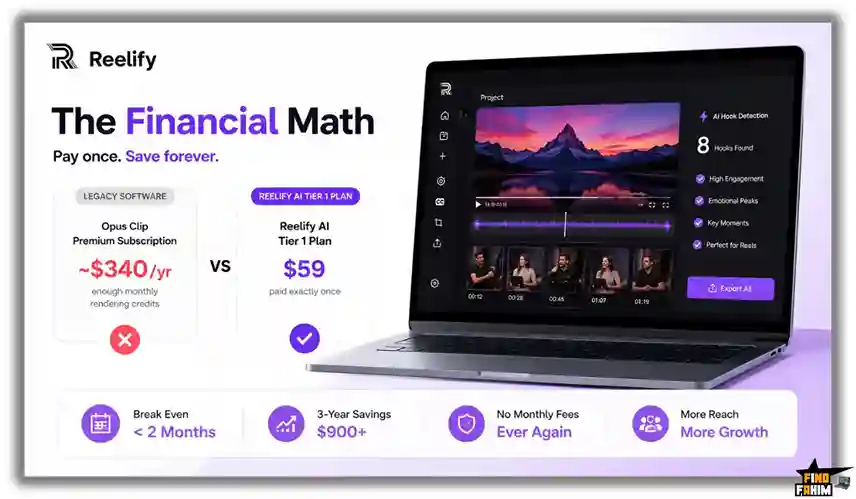
Here is the exact cost of choosing this deal versus paying for premium subscriptions to handle our daily social media needs natively.
- Cost of Legacy Software (1 Year): ~$340/yr to hold a premium Opus Clip subscription with enough monthly rendering credits.
- Cost of Reelify AI Tier 1 Plan: $59 paid exactly once.
We break even financially in less than two months. Over a standard three-year business cycle, this software saves our operation over $900 in recurring fees. Having an autonomous, offline ecosystem prevents us from throttling our daily publishing schedule, directly increasing our total brand reach.
How to Redeem the Reelify AI Deal
Ready to delete your monthly software subscriptions and speed up your workflow? Follow these steps safely.
This immediate execution guarantees you can lock in your exact tier limit before the current AppSumo deal expires permanently.
- Buy: Click the AppSumo link to secure your tier under the 60-day money-back guarantee.
- Redeem: Get your unique activation code directly via email.
- Download: Download the Reelify application straight to your Mac.
- Activate: Apply the code inside the software settings to permanently lock in your access.
- Execute: Drop in your first podcast and export the clips completely risk-free.
Final Verdict: Is This Lifetime Deal Worth It?
After analyzing the strict requirements of modern social media publishing and evaluating the video clipping market, my final verdict is a definitive BUY.
Reelify AI solves the most frustrating administrative problem in our industry: strict rendering limits. By giving us direct tools to generate auto-captions, reframe subjects, and extract viral hooks natively for a single payment, it is easily one of the most profitable investments Apple users can make for their digital strategy.
Secure Your Reelify AI Lifetime License Before It Ends
About the Author
Jatin Pandey founded Reelify to help digital entrepreneurs completely bypass complicated, expensive video clipping tools. His dedicated engineering team focused entirely on building an autonomous video operating system with direct, high-speed Apple Silicon integration to speed up your workflow.
Here at FindFahim, my absolute focus is on testing these specific SaaS lifetime deals to help marketing agencies cut their recurring software costs. I do the heavy lifting, evaluating these tools so you know exactly what you are buying. To keep upgrading your tech stack and auto-publish SEO-optimized articles, check out my breakdown here: Katteb Lifetime Deal.
FAQ: Your Reelify AI Questions, Answered
Reelify AI is a native Mac desktop application that uses artificial intelligence to convert long-form videos into short captioned clips for social media platforms.
No. Reelify AI is designed specifically for Apple Silicon Mac computers and requires M1, M2, M3, or newer chips.
No. Reelify AI processes videos locally on your Mac hardware, so there are no monthly generation credits or per-minute limits.
No. Reelify AI processes videos directly on your computer, keeping private content fully local for better privacy and security.
Yes. Reelify AI can generate dynamic captions automatically and allows users to customize fonts, colors, and styles to match their branding.
Yes. Reelify AI includes a visual timeline editor where users can adjust clip timing, framing, and trimming manually.
AI video clipping software automatically detects important moments from long videos and converts them into short-form social media clips.
Short-form clips help creators increase engagement, reach wider audiences, and repurpose long videos for platforms like TikTok, Instagram Reels, and YouTube Shorts.
Yes. Modern AI video tools can transcribe spoken audio and generate synchronized captions automatically.
Yes. Local AI video editors process content directly on your device instead of uploading files to external cloud servers. What is Reelify AI?
Does Reelify AI work on Windows computers?
Does Reelify AI have generation or credit limits?
Does Reelify AI upload videos to the cloud?
Can Reelify AI automatically generate captions?
Can I manually edit clips inside Reelify AI?
What is AI video clipping software?
Why are short-form video clips important for content creators?
Can AI tools create captions automatically?
Are local AI video editors better for privacy?

Hi, I’m Fahim — a SaaS tools reviewer and digital marketing expert with hands-on experience helping businesses grow using the right software. I research, test, and personally use a wide range of AI, business, productivity, marketing, and email tools for my agency, clients, and projects. I create honest, in-depth reviews and guides to help entrepreneurs, freelancers, startups, and digital agencies choose the best tools to save time, boost results, and scale smarter. If I recommend it, I’ve used it — and I only share what truly works.