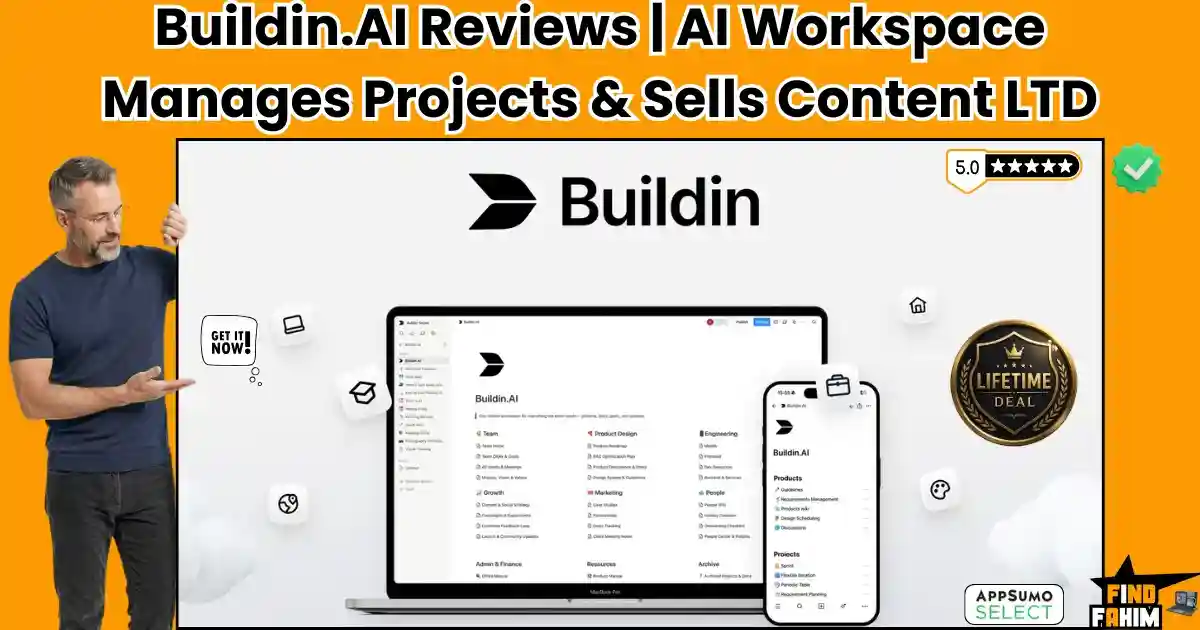

When your daily workflow scatters across six different applications, your productivity pays the ultimate price. Teams waste hours jumping between note-taking apps, task managers, and separate platforms just to sell their digital products.
Buildin fixes this fragmentation. It is an all-in-one AI workspace that lets you create documents, manage complex projects, and sell premium content directly from one dashboard. Currently running an AppSumo lifetime deal starting at $49, this platform replaces expensive subscriptions by keeping your research, writing, and monetization in a single place.
Disclaimer: This article contains affiliate links. If you buy through these links, I earn a small commission at no extra cost to you. All opinions and research are my own.
My Quick Take (TL;DR)
Are you tired of paying for Notion, Trello, and Gumroad separately? Managing your daily workflow should not require three different expensive software subscriptions.
Here is the executive summary of this AppSumo offer, breaking down exactly what you get, why it matters, and who it serves best.
- What is it? A unified workspace combining documents, databases, project management, and digital product sales.
- Why is it Special? It integrates multiple artificial intelligence models (GPT, Gemini, DeepSeek) directly into your mind maps and databases.
- Who is it for? Project managers, remote teams, and digital creators.
- The Deal: A $49 lifetime deal for 100GB of storage. Stack to Tier 3 ($309) for 500GB and 6 team seats.
- My Verdict: With a 4.2-star rating, this platform successfully centralizes knowledge management while adding direct content monetization.
Click Here to Get the Buildin Lifetime Deal on AppSumo
What is Buildin?
Buildin is a collaborative workspace designed to replace the messy web of individual productivity apps. Founded by Gavin Wang in Hong Kong, it solves the painful problem of context-switching that drains creative energy.
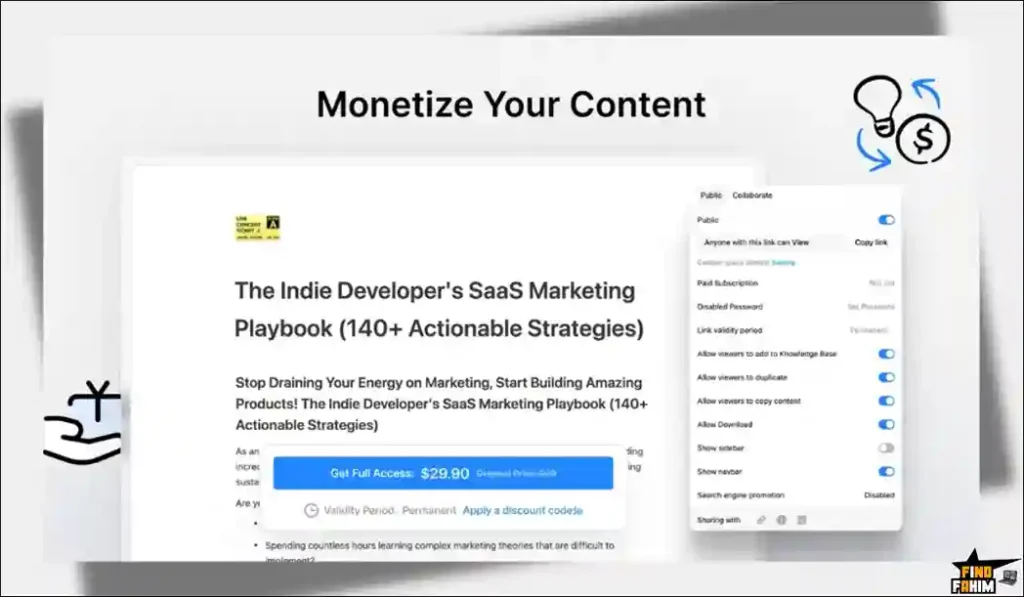
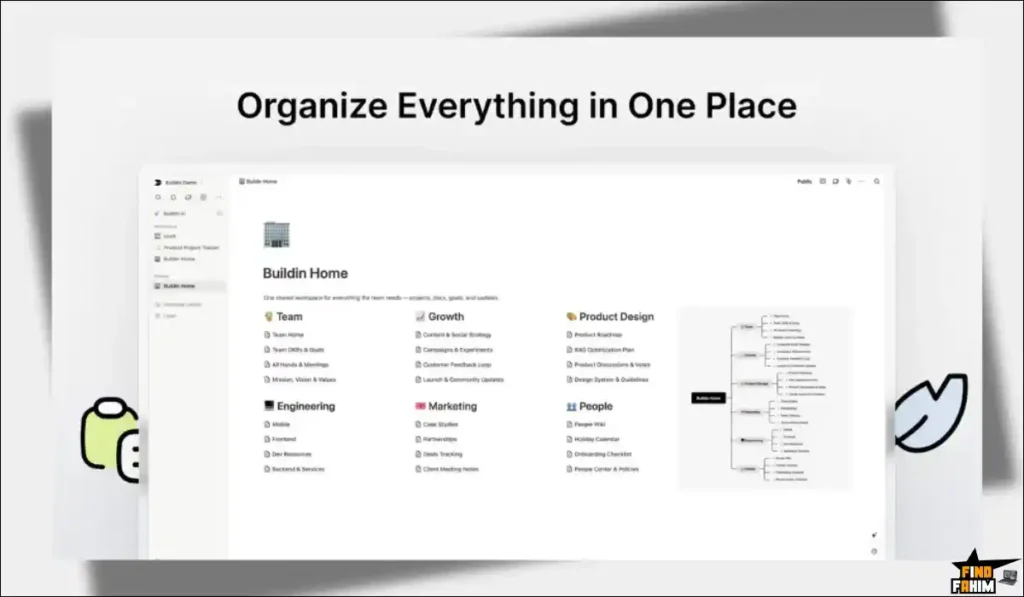
Instead of writing in Google Docs and tracking tasks in Asana, Buildin brings everything under one roof. You can map out ideas visually, convert them into trackable databases, query your past notes using built-in chat models, and immediately lock premium content behind paid subscription walls.
Quick Look: Buildin vs Manual Workflow
Transitioning from a scattered software stack into a single workspace reclaims hours of lost productivity. When you stop paying for separate subscriptions, your operating margins immediately improve.
Let us look at the exact operational value of replacing your current tools with this single lifetime deal.
| Feature | Replaces… | The Real Value | Normal Cost | Deal Status |
| Document Wikis | Notion | Centralized team knowledge | ~$120/yr | ✅ Included |
| Project Boards | Trello | Visual task tracking | ~$120/yr | ✅ Included |
| AI Writing | ChatGPT | Multi-model text generation | ~$240/yr | ✅ Included |
| Content Sales | Gumroad | Native paid subscriptions | 10% Fees | ✅ Included |
| Total Value | Fragmented Tools | Unified AI Workspace | ~$480+/yr | $49 (Lifetime) |
Why Fragmented Workflows Are Failing Businesses
Scattering company data across multiple unlinked applications destroys team efficiency. When project details live in an isolated chat window, and the actual execution happens in a separate task manager, information gets lost immediately.
Paying individual monthly fees for note-taking, project tracking, and file hosting drains your operating budget. Employees waste hours simply searching for old documents across different platforms, drastically lowering their daily output.
Why Unified AI Workspaces Are Trending in 2026
Modern professionals demand centralized platforms that keep their data completely connected. Workspaces combining text documents directly with visual project boards are trending rapidly because they eliminate the need to switch browser tabs.
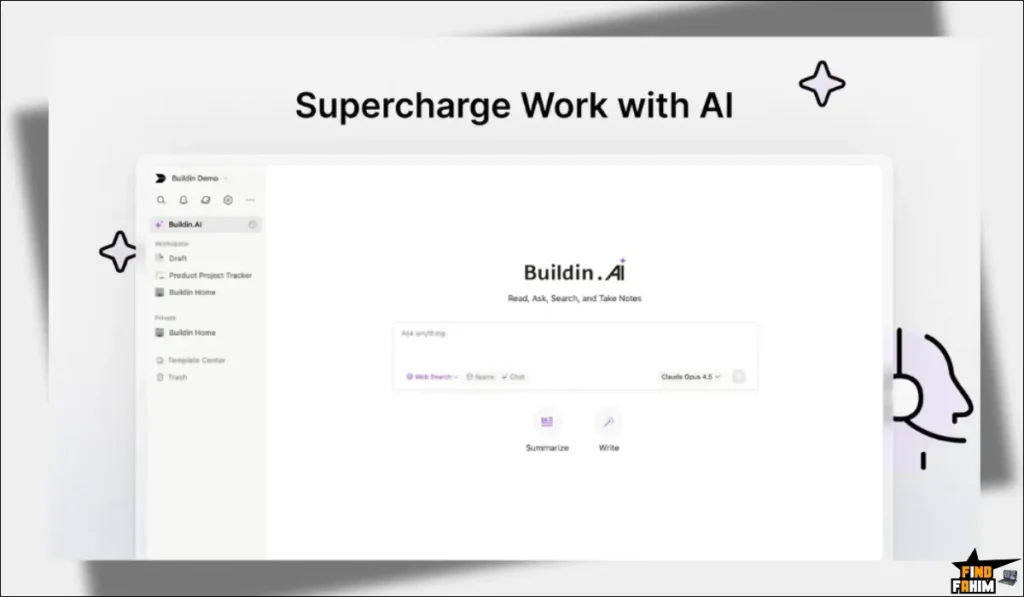
Adding chat models natively into these databases changes how teams research. Instead of manually reading old wikis, users simply ask the bot questions about their past notes, retrieving exact answers instantly without breaking their concentration.
A Look Inside Buildin: Key Features
This platform removes the friction of jumping between separate productivity applications. By centralizing your operations, your team reclaims the hours previously spent searching for lost data.
Here is a detailed breakdown of the exact tools included in this workspace, designed to help you write faster, organize better, and generate direct revenue.
Multi-Model AI Assistant
You are not locked into a single language model. The platform lets you choose between GPT, Gemini, and DeepSeek, matching the right intelligence to the specific task. The system can summarize long documents, generate fresh drafts, or translate your text instantly.
Space Q&A
Finding old information is incredibly fast. The Space Q&A feature allows you to ask direct questions based on your existing workspace history. It scans your past notes, PDFs, and wikis to retrieve the exact data point you need.
Visual Project Management
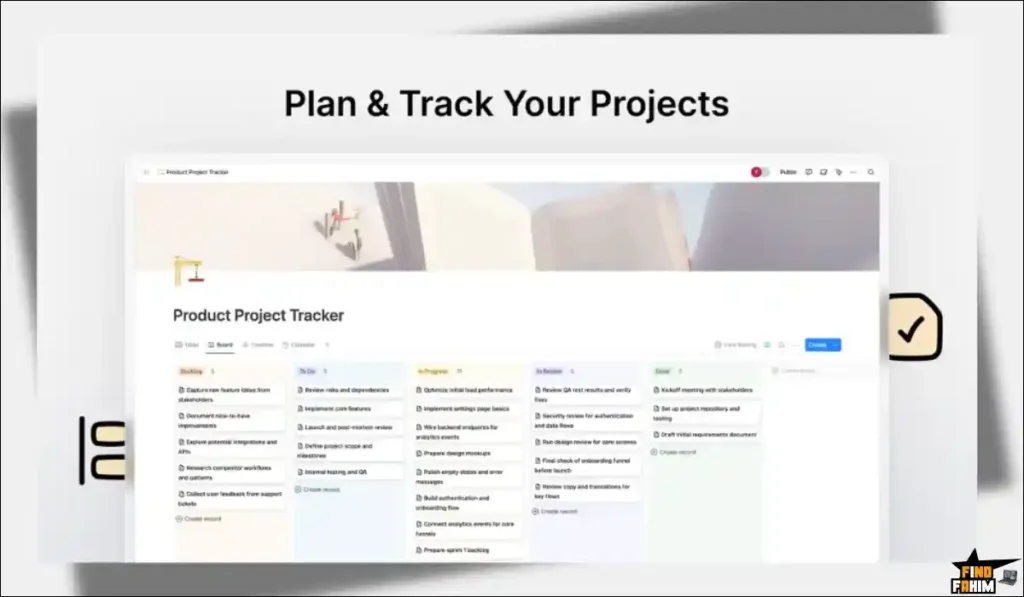
Move from planning to execution without changing apps. The system includes flexible databases that you can view as Kanban boards, timelines, or simple lists. You can track progress from the backlog to completion while keeping all the related documents attached to the exact task card.
Interactive Mind Maps
Visual thinkers can quickly map out complex concepts using native mapping tools. When you finish brainstorming, the platform easily converts those visual nodes into structured outlines and trackable tasks, ensuring your ideas turn into actual projects.
The Standout Feature: Built-In Monetization
Most workspaces only store information. Buildin allows you to actually sell it.
You can lock specific folders, playbooks, templates, or entire workspaces behind a paywall. By offering paid subscriptions directly through the platform, you eliminate the need to integrate third-party checkout software.
Recent 2026 Platform Updates
The development team has shipped major updates rapidly throughout early 2026 to support the AppSumo community. They are actively listening to user feedback and deploying highly requested features to compete with industry giants.
These updates include a highly refined API importer that ensures clean data transfer for new users coming from other platforms. Additionally, they expanded their backend capabilities, allowing users to switch freely between GPT, Gemini, and DeepSeek to match the correct model to specific writing tasks.
Buildin Pricing & AppSumo Deal Details
The AppSumo lifetime deal uses a tier-based structure rather than stackable codes. You simply choose the exact license limit that fits your organization’s storage and team size requirements.
Here is a look at the available tiers to help you decide which package provides the right amount of bandwidth for your specific content operation. (Note: Buildin only offers four strict tiers, so all options are listed below.
| License Tier | Price (One-Time) | Seats | Storage | AI Chat Requests |
| Tier 1 | $49 | 1 | 100 GB | 50 / month |
| Tier 2 | $139 | 3 | 250 GB | 100 / month |
| Tier 3 | $309 | 6 | 500 GB | 150 / month |
| Tier 4 (Max) | $469 | 10 | 750 GB | 200 / month |
Understanding the Stacking Strategy
Since there are no stackable codes, you must buy the exact tier you need upfront. Solo creators should grab Tier 1 ($49), while small agencies should target Tier 3 ($309) for the expanded 500GB storage and additional team seats.
AppSumo Refund Policy
AppSumo protects this purchase with a strict 60-day money-back guarantee. You get two full months to test the cross-platform syncing, database views, and writing tools completely risk-free.
Secure Your Buildin Lifetime License Here
Pros & Cons of This Lifetime Package
Transitioning your entire digital life into a new system requires careful consideration. You need to know exactly where the software excels and where it currently falls short.
Based on verified user feedback and technical dashboard testing, here is the balanced truth about what works perfectly and what needs improvement.
The Pros
✅ Built-In Sales: Sell premium templates and documents directly without external plugins.
✅ Model Choice: Easily switch between GPT, Gemini, and DeepSeek for different tasks.
✅ Clean Migration: Implements a highly accurate API import system for bringing over existing data.
✅ Generous Storage: Tier 1 offers 100GB of file hosting, which easily beats standard free tiers.
✅ Cross-Platform: Real-time syncing across Windows, Mac, Android, iOS, and the web.
The Cons
❌ Limited AI Limits: The monthly chat requests (50 on Tier 1) are quite low for heavy power users.
❌ Maturing Interface: As a newer platform, some advanced database formulas found in older tools are still in development.
Who Should NOT Buy Buildin?
Skip this deal if you only need a basic grocery list app on your phone; this software is far too heavy for simple reminders. Also, avoid this if your corporate office mandates the strict use of the Microsoft SharePoint and Teams ecosystem.
How Does Buildin Work?
Moving scattered notes into a digital brain takes minutes. Onboarding is incredibly straightforward. Here is exactly how to set up and launch your first premium product:
-
Register: Secure your AppSumo license and create your workspace.
-
Import: Bring in your old CSV, HTML, Word, or database files.
-
Organize: Build folders, map ideas, and set up project boards.
-
Create: Draft content using the multi-model AI assistant.
-
Monetize: Lock templates behind a paywall and share your subscription link.
Best Use Cases for Buildin
Blending creation, organization, and direct sales, this platform acts as a blank canvas for your specific business logic. Here are four professionals who get the highest return on investment:
-
Digital Creators: Build educational playbooks and sell access directly to followers.
-
Project Managers: Link Kanban boards directly to technical documentation and meeting notes.
-
Solo Consultants: Keep client deliverables, research, and invoicing data organized in secure folders.
-
Research Students: Store PDFs and use Space Q&A to instantly find exact citations.
Stop Switching Tabs. Grab Buildin Today.
Buildin Alternatives
The knowledge management software market is highly competitive. Let us look at how this newcomer stacks up against the established productivity giants.
Understanding their specific strengths prevents you from buying redundant tools. Here is how it compares to the industry leaders.
Buildin vs Notion
Where Notion Wins: Massive template community. Notion has been around longer, meaning thousands of free templates exist across the internet.
Where Buildin Wins: Native monetization. Notion requires you to use external checkout platforms to sell a template. Buildin handles the paid subscriptions natively.
Buildin vs Evernote
Where Evernote Wins: Web clipping. Evernote still has one of the absolute best browser extensions for saving random articles and receipts.
Where Buildin Wins: Database structures. Evernote is primarily just a filing cabinet for text. Buildin allows you to build interconnected databases and Kanban boards.
Buildin vs Obsidian
Where Obsidian Wins: Offline privacy. Obsidian stores files locally on your hard drive, making it highly secure for completely offline work.
Where Buildin Wins: Team collaboration. Obsidian requires paid add-ons to sync or share files easily. Buildin is built for real-time multiplayer editing out of the box.
Buildin vs Trello
Where Trello Wins: Pure simplicity. Trello is an incredibly simple Kanban board that anyone can learn in five minutes.
Where Buildin Wins: Document depth. Trello cards cannot hold massive amounts of text easily. Buildin lets you attach entire encyclopedias of knowledge directly to a task.
The Competitor Matrix Table
| Productivity Platform | Pricing Model | Core Focus | Built-In Monetization |
| Buildin | Lifetime ($49+) | Workspace & Sales | ✅ Yes |
| Notion | Monthly Sub | Databases & Docs | ❌ No |
| Evernote | Monthly Sub | Note Archiving | ❌ No |
| Obsidian | Free / Paid Sync | Local Markdown | ❌ No |
| Trello | Monthly Sub | Basic Kanban | ❌ No |
Skip the Expensive Subscriptions – Get Buildin Here
Is This Lifetime Deal a Smart Business Investment?
Let us look at the exact financial math of the $139 Tier 2 Plan to see how fast this digital workspace pays for itself.
Here is the exact cost of choosing this deal versus paying for separate premium subscriptions to handle databases, writing tools, and digital sales.
- Cost of Notion + ChatGPT Plus (1 Year): ~$120/yr for team workspaces + ~$240/yr for monthly models, totaling over $360 annually.
- Cost of Buildin Tier 2 (250GB Storage): $139 paid exactly once.
The ROI Math:
- You break even financially in roughly four months.
- Over a standard three-year business cycle, this software saves your operation over $900 in recurring SaaS fees.
- By selling your templates directly through the platform, you avoid the high transaction fees charged by external digital marketplaces, keeping more of your own revenue.
How to Redeem the Buildin Deal
Ready to consolidate your digital life into a single, highly organized brain? Follow these quick steps to set up your workspace immediately.
If you are migrating from another platform, the process is incredibly smooth. Here is what you need to do:
- Buy: Click the AppSumo link below to secure your specific license tier based on your storage needs.
- Redeem: Receive your unique code and register your account directly on the official Buildin website.
- Activate: Apply the code in your billing dashboard within 60 days to lock in your lifetime limits.
- Import: Run the automated migration tool to pull in your old notes and databases.
- Build: Start creating your first project board and let the system assist your writing.
Final Verdict: Is This AppSumo Deal Worth It?
After analyzing the strict requirements of modern knowledge workers and evaluating verified user reviews, my final verdict is a solid 4.2-Star BUY.
Buildin solves a highly frustrating problem for creators and managers: jumping between five different apps just to finish one project. It takes the highly technical process of database building, search queries, and content monetization, and compresses it into a single dashboard.
If you are currently paying massive monthly fees for separate task managers and chat subscriptions, you are wasting capital. Grab this lifetime deal, consolidate your workspace, and turn your knowledge into recurring revenue.
Secure Your Buildin Lifetime License Before It Ends
About the Author
Gavin Wang founded Buildin to stop professionals from losing their ideas across scattered applications. His work blending database architecture with multiple language models is incredibly effective. Thank you, Gavin, for bringing this excellent organizational tool to the community.
I spend my time testing SaaS platforms to find the absolute best software deals for remote teams and creators. In my view, this workspace perfectly replaces expensive monthly subscriptions. Visit the FindFahim blog to read my Top AppSumo Lifetime Deals.
FAQ: Your Buildin Questions, Answered
Buildin is an all-in-one workspace that combines document editing, databases, mind maps, project management, and digital product monetization into one platform.
Yes. Buildin includes a native importer that transfers Notion documents, including databases and relationships, into the platform.
Buildin allows users to choose between multiple AI models such as GPT, Gemini, and DeepSeek for writing and research tasks.
Buildin allows users to lock content behind a paywall so customers can subscribe and access premium folders, templates, or documents.
Yes. Buildin supports cross-platform access with apps for Windows, Mac, iOS, Android, and web browsers.
Yes. Buildin supports real-time collaboration, commenting, and permission controls for teams.
An all-in-one workspace tool combines multiple productivity features like notes, tasks, databases, and collaboration into a single platform.
Users look for alternatives to improve performance, add new features, or reduce dependency on a single ecosystem.
Document monetization allows creators to sell access to content such as templates, guides, or knowledge bases through subscriptions.
A mind mapping tool helps users visually organize ideas, brainstorm concepts, and structure information for better planning. What is Buildin?
Can Buildin import data from Notion?
Which AI models does Buildin support?
How does Buildin monetization work?
Does Buildin have a mobile app?
Can Buildin be used for team collaboration?
What is an all-in-one workspace tool?
Why are tools like Notion alternatives popular?
What is document monetization in productivity tools?
What is a mind mapping tool used for?

Hi, I’m Fahim — a SaaS tools reviewer and digital marketing expert with hands-on experience helping businesses grow using the right software. I research, test, and personally use a wide range of AI, business, productivity, marketing, and email tools for my agency, clients, and projects. I create honest, in-depth reviews and guides to help entrepreneurs, freelancers, startups, and digital agencies choose the best tools to save time, boost results, and scale smarter. If I recommend it, I’ve used it — and I only share what truly works.