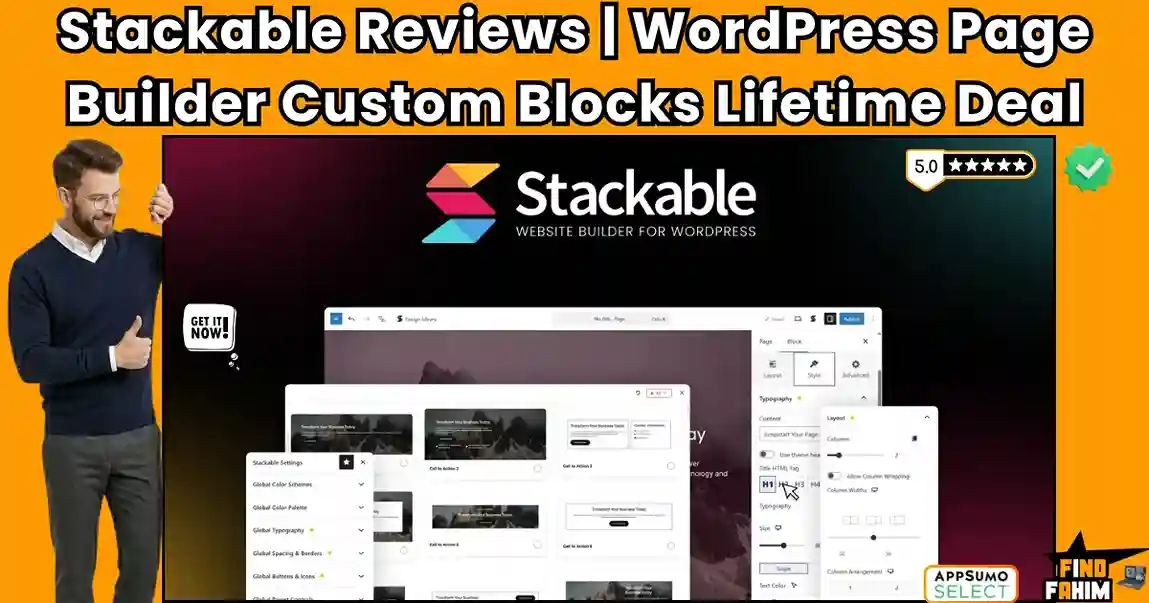

Building a WordPress website should not feel like a server stress test to see how many plugins your hosting environment can survive. For years, digital agencies and freelancers have relied on heavy, bloated page builders that drastically slow down load times and create endless compatibility nightmares.
Stackable is a highly popular AppSumo deal designed to solve this exact performance crisis. It transforms the native WordPress Gutenberg editor into a lightning-fast, full-featured page builder. In this in-depth review, we are testing this 4.8-star, developer-loved toolkit to see if it can truly replace your heavy visual builders without sacrificing design freedom.
Disclaimer: This article contains affiliate links. If you purchase through these links, I may earn a small commission at no extra cost to you. All opinions, market analysis, and research are entirely my own.
My Quick Take (TL;DR)
If you are tired of battling Core Web Vitals and want to build sophisticated, high-speed WordPress sites, here is the executive summary of this AppSumo offer.
- What is it? A premium Gutenberg companion that adds 44 custom blocks, 350+ ready-made layouts, and advanced dynamic content controls directly into the native WordPress editor.
- Why is it Special? It offers the design flexibility of a traditional page builder (like Elementor) but outputs perfectly clean, lightweight HTML that guarantees lightning-fast load speeds.
- Who is it for? WordPress developers, web design agencies, and freelancers who want to build high-performance client sites at scale.
- The Deal: A 4-tier lifetime deal starting at $69 for 3 websites, scaling up to $276 for unlimited agency sites.
- My Verdict: Backed by a flawless 4.8-star rating from 53 reviews, this is a mandatory investment for anyone migrating away from bloated legacy page builders.
Get the Stackable Lifetime Deal Now
What is Stackable?
Stackable is best described as the ultimate bridge between WordPress’s native block editor and heavy, full-featured page builders. It is a comprehensive design plugin that supercharges your default editing environment.
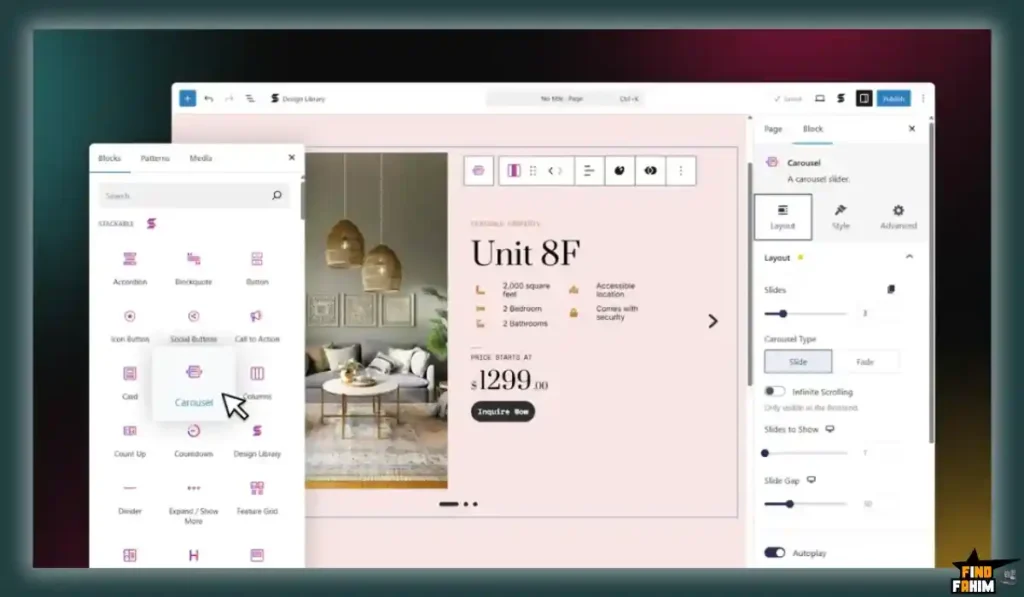
Instead of forcing you into a proprietary third-party interface, Stackable integrates seamlessly into Gutenberg. It provides a massive arsenal of 44 highly customizable blocks, ranging from simple buttons and advanced headings to complex feature grids, pricing tables, and dynamic content displays. It empowers teams to spin up responsive, beautifully designed websites without writing custom CSS or relying on bloated external frameworks.
Quick Look: Stackable vs Traditional Page Builders
If you manage a portfolio of WordPress client sites, your choice of builder dictates your server costs and maintenance time. Look at exactly how Stackable’s native approach replaces fragmented design stacks.
| Feature / Process | Heavy Page Builders (Legacy) | The Stackable Native Approach |
| Code Output | Heavy <div> nesting and massive CSS files. | Clean, semantic HTML generated natively. |
| Performance | Requires heavy caching and optimization plugins. | Lightning-fast out of the box. Passes Core Web Vitals. |
| Interface | Proprietary overlay that hijacks the WP dashboard. | Uses the native Gutenberg Block Editor perfectly. |
| Theme Lock-in | High. Disabling the plugin breaks the entire site. | Low. Content degrades gracefully if deactivated. |
| Dynamic Data | Requires expensive add-ons (like Crocoblock). | Built-in dynamic content and ACF integration. |
Why Bloated Page Builders Are Failing Creators
Heavy visual builders like Elementor were once the industry standard. Today, their outdated architecture actively harms your SEO.
Traditional builders inject massive amounts of unnecessary code into every page, destroying your Google Core Web Vitals. They also frequently cause critical plugin conflicts, forcing you to waste billable hours fixing broken layouts.
Why Native Gutenberg Block Builders Are Trending in 2026
Because search engines prioritize raw page speed, WordPress is rapidly shifting toward native block tools.
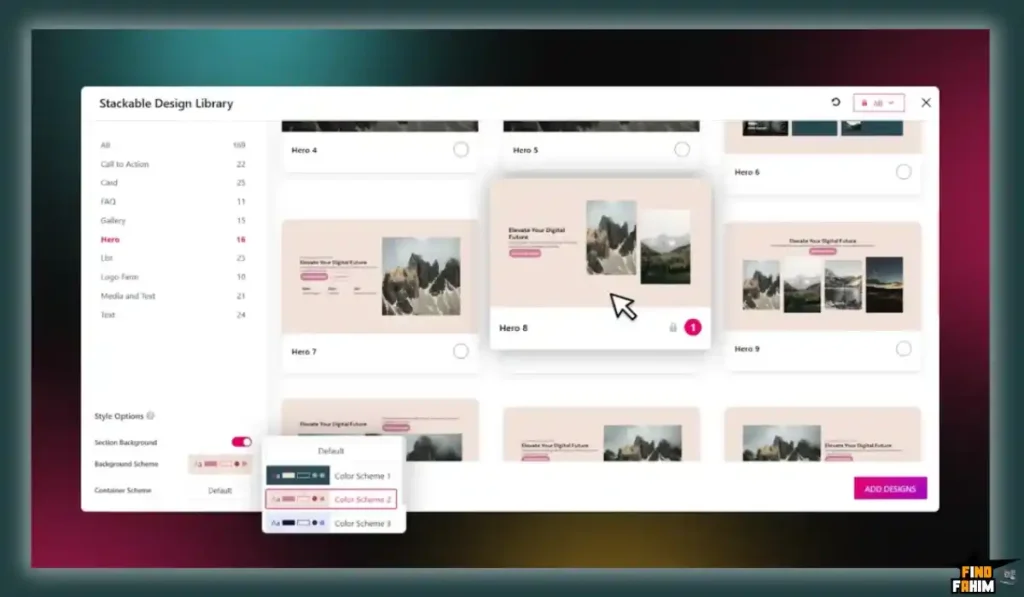
Gutenberg block libraries trend because they utilize the core framework instead of hijacking your site. Tools like Stackable provide the exact flexbox controls and pixel-perfect design capabilities of a heavy builder, but deliver the massive SEO advantages of lightweight, unbloated code.
A Look Inside Stackable: Key Features
This lifetime package is meticulously engineered for raw speed and agency workflow efficiency. Here are the core pillars that provide the absolute highest value for professional WordPress developers.
44 Advanced Custom Blocks
Stackable provides 44 highly sophisticated blocks engineered for building complex layouts. This includes advanced Accordions, Countdowns, Video Popups, Testimonial sliders, and highly customizable Icon Lists. Every single block is optimized to load only the specific CSS required, keeping your live website incredibly lightweight.
350+ Ready-Made Layouts & Wireframes
You no longer have to stare at a blank screen. The plugin includes a massive library of over 350 premium, pre-designed block layouts and full-page wireframes. Instantly drop in high-converting hero sections, feature grids, and complex pricing tables to drastically fast-track your client design process.
Global Design System
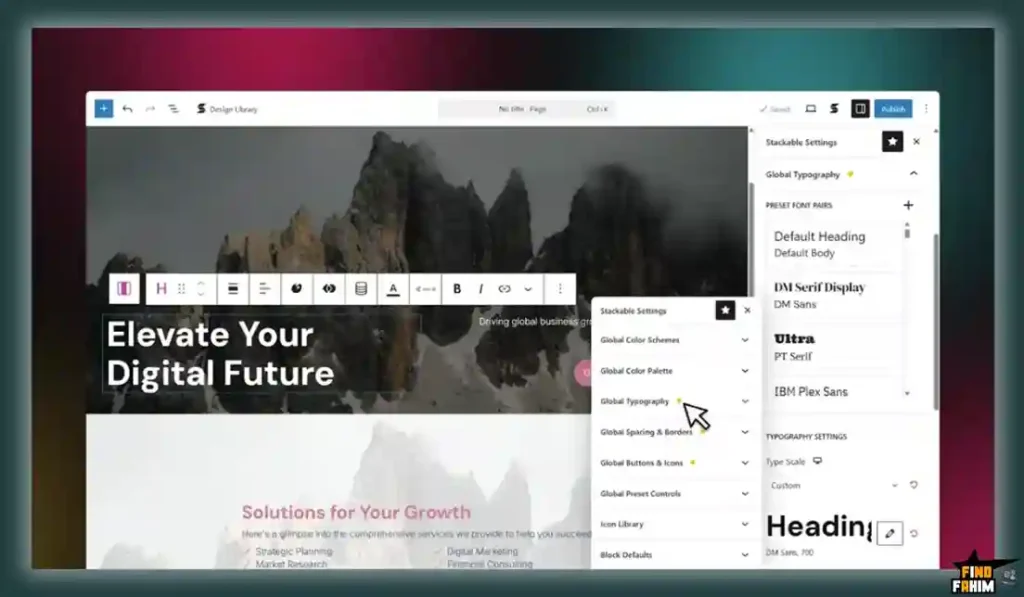
Maintaining design consistency across a massive website is usually a nightmare. Stackable fixes this with a robust Global Design System. You define exact typography, global color palettes, and spacing rules centrally. When a client requests a brand change, update it once to instantly sync everywhere.
Advanced Flexbox & Responsiveness Controls
Professional web design requires granular control over complex mobile layouts. Stackable offers advanced Flexbox options and dedicated responsive controls. You can easily hide specific blocks on mobile, adjust padding per device, and control exact column wrapping perfectly without writing a single line of CSS.
The Standout Feature: Dynamic Content Integration
While the block library is fantastic, the Dynamic Content functionality is what truly transforms Stackable from a simple design tool into a powerful, agency-grade website builder.
Stackable natively integrates with custom field plugins like ACF, Toolset, and Meta Box. You can design a stylized block and dynamically map text or images directly from your WordPress database. This allows you to build complex, data-driven directory sites or WooCommerce catalogs effortlessly.
Stackable Updates: What is New in 2026
AppSumo buyers demand software that is actively maintained. Founder Benjamin Intal—a veteran who previously built 30+ addons for Visual Composer—has kept this platform on the bleeding edge of WordPress development.
The most impactful recent upgrades to the 160,000+ active user base include:
- Full Site Editing (FSE) Readiness: Complete compatibility with WordPress’s modern block themes.
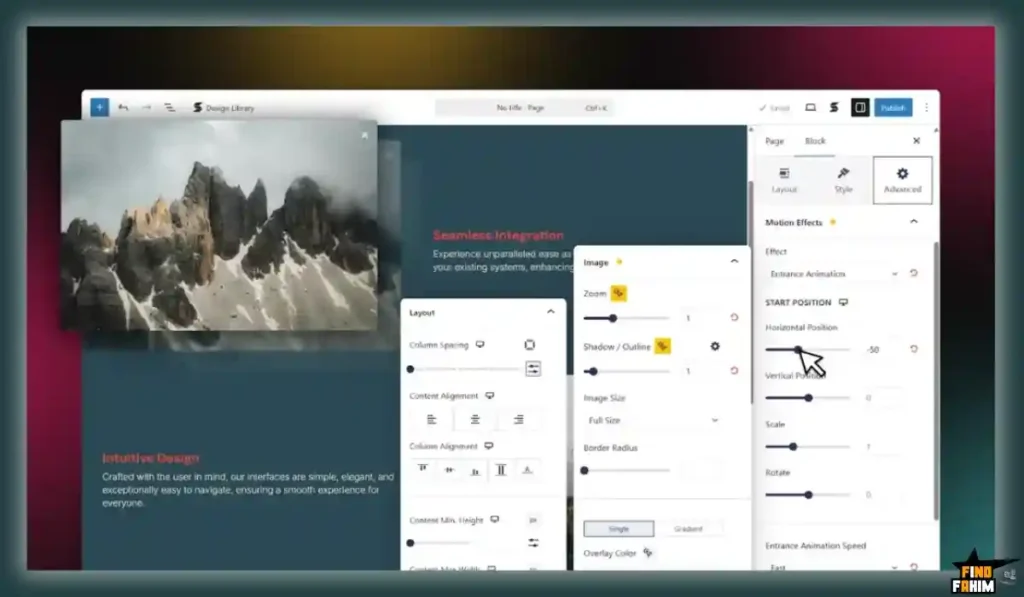
- Motion Effects & Lightboxes: Added advanced entrance/exit animations, hover states, and native lightbox functionality for images without needing external plugins.
- Conditional Display: Granular controls to show or hide specific blocks based on user login status, roles, or dynamic query parameters.
Stackable Pricing & AppSumo Deal Details
This lifetime deal utilizes a highly strategic, four-tier structure. This allows individual bloggers and large-scale web design agencies to secure the exact license limits they need.
| Deal Feature | Tier 1 ($69) | Tier 2 ($138) | Tier 3 ($207) | Tier 4 ($276) |
| Website Activations | 3 Websites | 10 Websites | 50 Websites | Unlimited Websites |
| Custom Blocks | 44 Blocks | 44 Blocks | 44 Blocks | 44 Blocks |
| Premium Layouts | 350+ Layouts | 350+ Layouts | 350+ Layouts | 350+ Layouts |
| Dynamic Content | Included | Included | Included | Included |
| Global Design System | Included | Included | Included | Included |
| Integrations | All Included | All Included | All Included | All Included |
Lock In Your Stackable Lifetime Price
Pros & Cons of This Lifetime Package
With a flawless 4.8-star rating from highly critical WordPress developers, this is a heavily battle-tested toolkit. Here is the truth about its current operational state based on verified feedback.
The Pros
- Unmatched Performance: The clean code output practically guarantees passing Google Core Web Vitals scores.
- Agency Scalability: Tier 4 offers unlimited website activations, providing infinite ROI for design agencies.
- Dynamic Data Mastery: Deep integrations with ACF, Meta Box, and Toolset make complex site builds easy.
- Theme Agnostic: Blends perfectly with any block theme, though users specifically praise its flawless integration with GeneratePress and Blocksy.
- Veteran Leadership: Built by a founder with over a decade of high-level WordPress product experience.
The Cons
- Activation Confusion: Some Tier 4 users reported minor initial confusion mapping their AppSumo code to the unlimited license in the dashboard, though support resolves this quickly.
- Gutenberg Dependency: If you genuinely hate the native WordPress editor interface, this tool will not change your mind.
Who Should NOT Buy Stackable?
Skip this deal entirely if you do not use WordPress. Additionally, if you run an agency completely locked into the Divi or Elementor ecosystem and refuse to train your staff on Gutenberg, this transition will be too jarring. Stackable is strictly for developers ready to embrace the modern, block-first era of WordPress.
How Does Stackable Work?
Transitioning your workflow to Stackable is seamless. Here is how fast you can launch a new, high-performance landing page.
- Install & Activate: Upload the lightweight Stackable plugin directly through your WordPress dashboard.
- Set Global Styles: Open the Stackable settings and input your client’s exact brand colors, typography, and spacing variables.
- Deploy Layouts: Open a new page, click the Stackable library icon, and instantly drop in a fully structured, wireframed layout.
- Map Dynamic Data: If building a template, use the dynamic tags icon to connect your block text directly to your ACF database fields.
- Publish Fast: Hit publish. Zero caching nightmares, zero bloated CSS files—just clean, instant loading.
Best Use Cases for Stackable
Who extracts the highest financial return on investment from this block-building platform?
- Web Design Agencies Agencies must buy Tier 4. Paying $276 once for unlimited client websites permanently deletes thousands of dollars in annual Elementor Pro licensing fees.
- Speed-Obsessed Bloggers If you run SEO content sites, page speed is your lifeblood. Stackable lets you build beautiful affiliate review boxes without sacrificing millisecond load times.
- Freelance Developers Freelancers can use 350+ ready-made layouts to drastically cut down design time. You can spin up a professional, responsive client site in hours instead of weeks.
Start Scaling Your WordPress Agency Today
Stackable Alternatives
The Gutenberg block library market is highly competitive. Let’s look at exactly how Stackable’s all-in-one value proposition stacks up against legacy builders and modern block competitors.
Stackable vs Elementor
Elementor is the undisputed giant of visual page building, dominating the legacy market.
- Where Elementor Wins: Absolute visual freedom. Elementor’s absolute positioning and massive third-party widget ecosystem are unparalleled for complex, completely custom, non-standard layouts.
- Where Stackable Wins: Raw performance and stability. Stackable outputs significantly less code, ensuring vastly superior page load speeds. It also inherently avoids the catastrophic site-breaking plugin conflicts Elementor is famous for during major core updates.
Stackable vs Divi
Divi by Elegant Themes is another legacy powerhouse known for its lifetime deal and visual flair.
- Where Divi Wins: Built-in split testing and a massive, highly dedicated community ecosystem.
- Where Stackable Wins: Zero shortcode lock-in. If you ever disable Divi, your website turns into a broken mess of [et_pb] shortcodes. If you disable Stackable, your content degrades gracefully back into standard, readable HTML.
Stackable vs GenerateBlocks
GenerateBlocks is an ultra-minimalist block library favored by hardcore developers.
- Where GenerateBlocks Wins: Extreme minimalism. It provides only 6 core blocks, forcing developers to build everything manually, which results in the absolute theoretical minimum amount of code.
- Where Stackable Wins: Workflow speed and UI elements. Stackable offers 44 specialized blocks and 350+ layouts. GenerateBlocks requires you to manually build an accordion or slider from scratch using containers; Stackable gives it to you instantly, saving hours of billable time.
Stackable vs Spectra (by Brainstorm Force)
Spectra is a highly popular Gutenberg library built by the creators of the Astra theme.
- Where Spectra Wins: Deep native integration with the Astra theme ecosystem and a slightly simpler learning curve for absolute beginners.
- Where Stackable Wins: Dynamic content and developer tools. Stackable’s robust integration with ACF, Toolset, and its advanced Flexbox controls make it a much more powerful choice for agencies building complex, data-driven directory or membership sites.
Top Competitors Matrix
| Platform | Core Architecture | Primary Strength | Performance Impact | Best For… |
| Stackable | Native Block Editor | Dynamic Data & Speed | Extremely Light | Agencies & Devs |
| Elementor | Proprietary Overlay | Visual Flexibility | Heavy Bloat | Visual Designers |
| Divi | Proprietary Overlay | All-in-One Ecosystem | Heavy Bloat | Generalist Freelancers |
| GenerateBlocks | Native Block Editor | Extreme Minimalism | Ultra Light | Hardcore Coders |
| Spectra | Native Block Editor | Astra Theme Synergy | Very Light | Beginners & Bloggers |
Switch to Stackable and Save Big
Is This Lifetime Deal a Smart Business Investment?
If you manage WordPress sites professionally, the financial logic behind this AppSumo deal is bulletproof. Look at the exact cost of a heavy agency stack over one year.
The recurring subscription fees are substantial:
- Elementor Pro: ~$399/year
- Crocoblock: ~$199/year
- Total Budget: $598+ every year
Stackable Tier 4: $276 exactly once.
You break even in less than six months.
More importantly, by delivering lightning-fast, Core Web Vitals-compliant sites, you can charge premium rates for superior SEO performance while your software overhead permanently drops to zero.
How to Redeem the Stackable Deal
Ready to replace your expensive page builders? Follow these simple steps:
- Buy: Click the AppSumo link below to secure your tier risk-free.
- Redeem: Create an account at wpstackable.com and apply your unique code.
- Download: Grab the premium plugin zip file from your new dashboard.
- Execute: Upload the plugin to WordPress, input your license key, and start building high-performance websites immediately.
Final Verdict: Is This AppSumo Deal Worth It?
After analyzing the dynamic data capabilities and massive performance benefits over legacy builders, my final verdict is a definitive 5-Star BUY.
Stackable perfectly bridges the design power of Elementor with the lightning speed of native Gutenberg. For agencies, securing Tier 4 is an absolute no-brainer.
You get a lightweight, FSE-ready toolkit that permanently eliminates annual software fees. With a flawless 4.8-star rating, secure this battle-tested platform before it leaves AppSumo forever.
Secure Your Stackable Lifetime Deal Before It Ends
About the Author
Welcome to FindFahim. I analyze digital tools to help smart entrepreneurs stop overpaying for monthly software subscriptions. I know the extreme frustration of bloated software draining your budget and slowing down client delivery.
My mission is to level the playing field. I investigate multi-tier AppSumo offers and technical limits so you know exactly what you are buying.
To aggressively scale your agency, check out my breakdown here: Top 20 AppSumo Lifetime Deals.
FAQ: Your Stackable Questions, Answered
Stackable is a Gutenberg block plugin for WordPress that helps users design advanced layouts and build professional websites using customizable blocks.
You can install Stackable from the WordPress dashboard by going to Plugins > Add New, searching for Stackable, and clicking install and activate, or by uploading the premium plugin file manually.
Stackable requires WordPress version 6.0 or higher and PHP version 7.0 or higher to function properly.
Yes. Stackable works with most WordPress themes, especially modern block-based themes designed for Gutenberg.
You should update Stackable to the latest version, as updates are regularly released to maintain compatibility with WordPress core changes.
Yes. Stackable integrates with tools like Advanced Custom Fields, WooCommerce, WPML, Rank Math, and other popular WordPress plugins.
The Gutenberg editor is the default WordPress editor that uses blocks to create and design content layouts visually.
Block plugins extend the default editor by adding more design elements and layout options for building advanced pages.
Gutenberg block plugins like Stackable act as lightweight alternatives to traditional page builders such as Elementor or WPBakery.
Gutenberg offers more flexibility and visual control compared to the classic editor, making it suitable for modern website design. What is Stackable?
How do I install Stackable on WordPress?
What are the system requirements for Stackable?
Is Stackable compatible with all WordPress themes?
What should I do if Stackable stops working after an update?
Does Stackable support integrations with other plugins?
What is the Gutenberg block editor?
Why use block plugins in WordPress?
What are WordPress page builder alternatives?
Is Gutenberg better than classic WordPress editor?

Hi, I’m Fahim — a SaaS tools reviewer and digital marketing expert with hands-on experience helping businesses grow using the right software. I research, test, and personally use a wide range of AI, business, productivity, marketing, and email tools for my agency, clients, and projects. I create honest, in-depth reviews and guides to help entrepreneurs, freelancers, startups, and digital agencies choose the best tools to save time, boost results, and scale smarter. If I recommend it, I’ve used it — and I only share what truly works.