
Video editing is notoriously the most time-consuming bottleneck in modern digital marketing. You spend hours hunting for royalty-free background music, fighting with complex timeline layers, and manually typing out subtitles just to publish a single promotional clip.
FlexClip is a comprehensive, AI-powered online video editor designed to completely eliminate these technical hurdles by combining an intuitive timeline with a massive stock media library and powerful AI automation tools.
(Note: This article contains affiliate links. Opinions are my own independent research and market analysis).
My Quick Take (TL;DR)
Tired of expensive, heavy desktop video software crashing your computer? Here is the executive summary.
- What is it? A cloud-based platform with 4,000+ templates, built-in AI tools, and 4M+ stock assets.
- Why is it Special? A centralized workflow. Screen record, add stock footage, and auto-generate AI subtitles entirely within your browser.
- Who is it for? Creators, digital marketers, and business owners need rapid video production.
- The Deal: A multi-tier lifetime deal starting at $99, backed by a 60-day guarantee.
- My Verdict: Upgrade to Tier 2 or 3 for 4K exports and unlimited stock. It is a powerhouse investment that easily replaces Kapwing.
Get the FlexClip Lifetime Deal Now
What is FlexClip?
To understand this platform’s value, consider the daily friction in standard video production. Most creators use completely separate tools for screen recording, downloading stock footage, generating voiceovers, and editing timelines.

FlexClip replaces this fragmented workflow as your centralized, browser-based production studio. It bridges the gap between basic apps and overly complex professional software. You get instant access to a drag-and-drop timeline, dynamic text animations, and an advanced AI suite that handles script generation and audio processing. Instead of overloading your hard drive with heavy files, everything is processed and saved securely in the cloud.
Quick Look: FlexClip vs Manual Video Production
If you currently manage a fragmented video production pipeline, your profit margins and time are shrinking. Look at what this unified web application replaces in your daily operations.
| Feature / Process | Replaces… | The Real Value | Normal Cost | Deal Status |
| Stock Library | Envato Elements | 4M+ assets built-in | ~$20/month | Included |
| Auto Subtitles | Descript Subscriptions | Instant AI captioning | ~$15/month | Included |
| Timeline Editor | Adobe Premiere | No heavy local rendering | ~$22/month | Included |
| Screen Recorder | Camtasia | Direct-to-timeline capture | ~$12/month | Included |
| AI Voiceovers | ElevenLabs | Text-to-speech built-in | ~$19/month | Included |
Why Complex Desktop Editors Are Failing Creators
Forcing your team to learn heavy apps like Premiere Pro is a massive operational mistake. Those tools are built for Hollywood film colorists, not for marketers pushing out five vertical ads before lunch.
Furthermore, desktop editors require incredibly expensive hardware. Rendering a simple 4K video will freeze a standard machine.
Why Cloud Platforms Are Trending in 2026
The demand for high-volume video content is higher than ever. Clients want daily YouTube Shorts and polished presentations delivered in days, not weeks.
Creators no longer have the luxury of spending hours on a single edit. Cloud platforms process rendering on external servers, meaning you can export massive 4K videos from a basic laptop. AI-enhanced editors are now a mandatory modern infrastructure.
A Look Inside FlexClip: Key Features
This platform is incredibly robust, yet intentionally straightforward. There are no steep learning curves or complicated node-based editing systems. You simply open your browser, import your media, and start building. Here is exactly what is inside the editor.
The Ready-Made Video Templates
Staring at a blank timeline wastes production time. FlexClip provides over 4,000 professionally designed templates across specific categories like real estate, marketing promos, and education. Select a template, swap the text with your branding, drop your logo, and export.
The AI-Powered Editing Suite
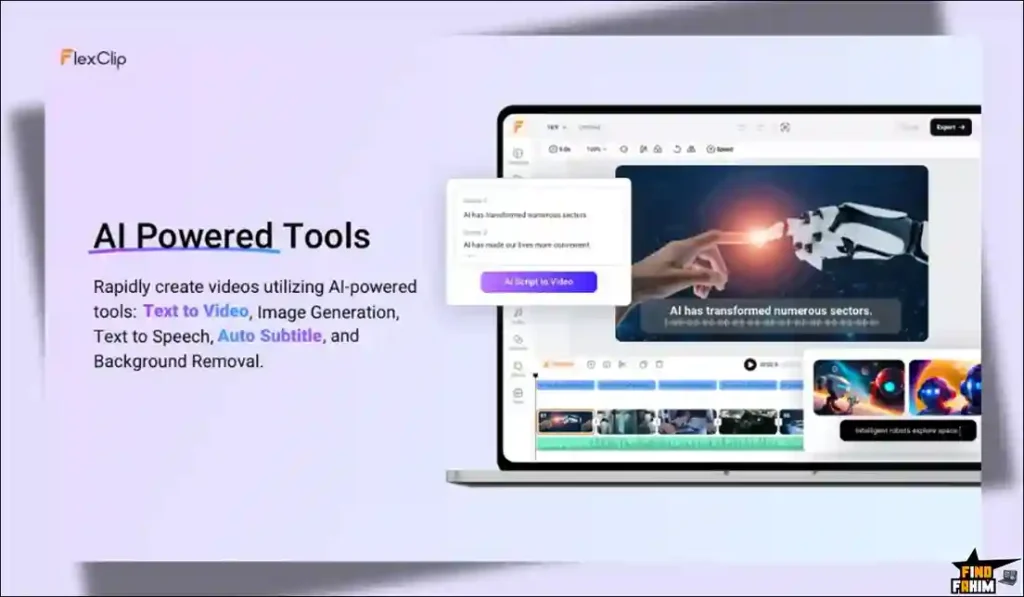
FlexClip integrates AI to speed up mundane tasks. Your lifetime deal includes monthly AI credits to access powerful generative tools. Utilize the text-to-video generator, create AI images, and deploy realistic text-to-speech voiceovers. You can produce narrated YouTube videos without ever buying an expensive studio microphone.
Built-In Screen and Webcam Recording
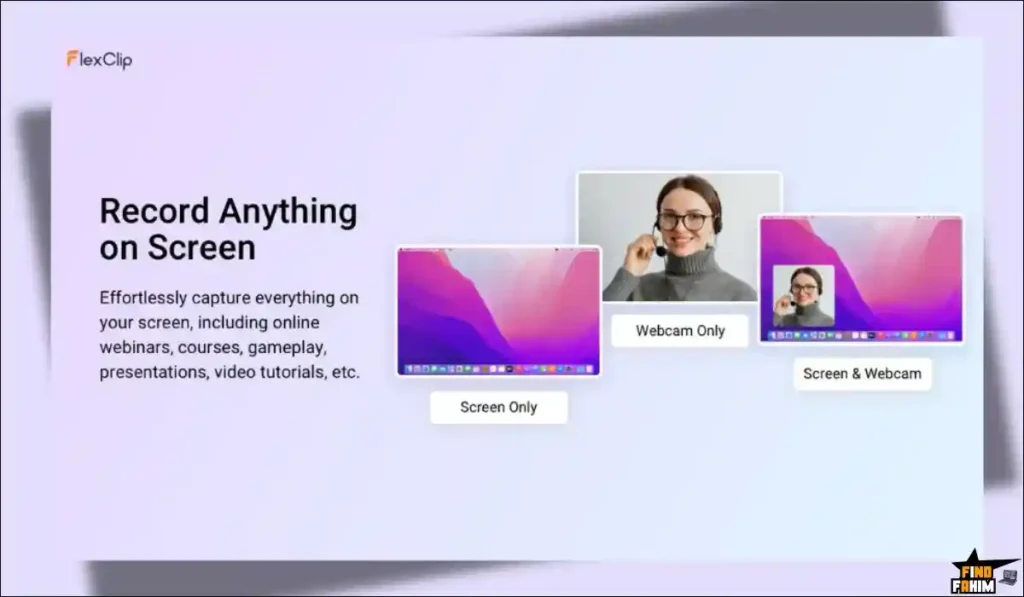
This feature eliminates expensive third-party screen recording tools. FlexClip lets you record your screen and webcam simultaneously directly in the browser. Capture your full monitor or a single tab. The recording drops instantly onto your timeline, ready to be trimmed.
The Massive Royalty-Free Stock Library
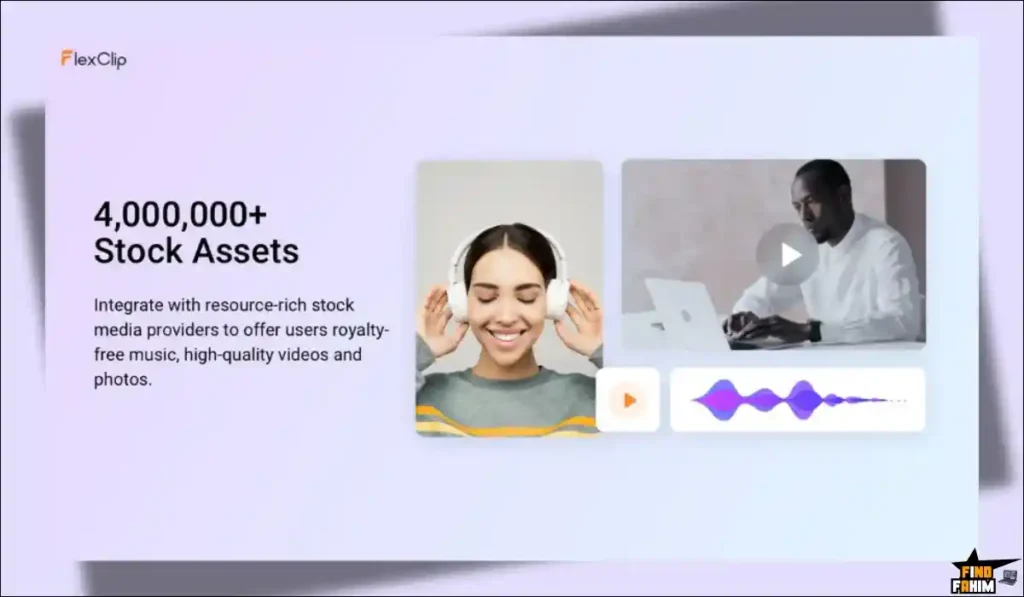
Finding b-roll usually requires a secondary subscription. FlexClip includes seamless integration with top stock providers, granting instant access to 4,000,000+ royalty-free videos, photos, and music. Drop cinematic drone footage directly into your project without worrying about YouTube copyright strikes.
The Standout Feature: Auto AI Subtitles
Manually typing subtitles is agonizing work. FlexClip’s automatic subtitle generator completely automates this process with stunning accuracy.
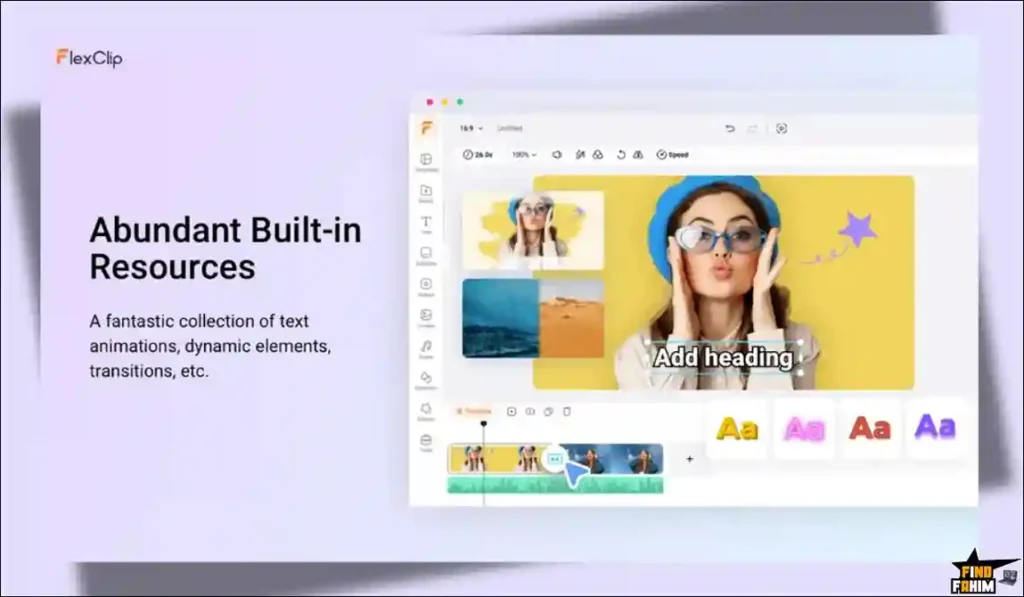
The AI instantly generates perfectly timed captions across your video. Apply over 1,000 dynamic text animations and transitions to make them visually pop. This is critical for social media, where most users watch videos muted. Adding highly animated subtitles drastically increases viewer retention rates.
FlexClip Updates: What is New in 2026
AppSumo buyers have eagerly awaited this return. According to founder David Lin, the team spent their time away completely evolving the software architecture to create a smarter, more intuitive editing experience.
The most impactful updates include:
-
Pooled AI Credits: Seamlessly allocate your generation limits across text-to-speech, image creation, and scripting tools.
-
Reduced Friction: Eliminating production hurdles so you can focus entirely on visual storytelling.
FlexClip Pricing & AppSumo Deal Details
Unlike simple single-tier applications, this lifetime deal is structured into three specific, highly strategic tiers. This allows you to scale your purchase based on your exact production needs, hardware requirements, and client volume.
| Deal Feature | Tier 1 ($99) | Tier 2 ($198) | Tier 3 ($297) |
| Max Resolution | 1080p Full HD | 4K Ultra HD | 4K Ultra HD |
| Stock Assets / Project | 5 Assets | Unlimited | Unlimited |
| Cloud Storage | 30 GB | 100 GB | 100 GB |
| Video Hosting Space | 100 GB | 1 TB | 1 TB |
| AI Credits | 3,000 | 7,000 | 12,000 |
| Commercial Rights | Included | Included | Included |
| Watermark | Removed | Removed | Removed |
Lock In Your FlexClip Lifetime Price
Important Note on the Refund Policy
This software comes with AppSumo’s standard 60-day money-back guarantee. You have two full months to test the rendering speeds, evaluate the massive stock library, and generate AI voiceovers. If the platform does not fit your workflow, you can secure a full refund with one click from your AppSumo dashboard.
Pros & Cons of This Lifetime Package
Based on community feedback and over 470 reviews, here is the truth about the platform’s current state.
The Pros
- Massive Stock: Unlimited access to 4M+ assets directly inside the editor.
- World-Class Support: Highly responsive support team (especially Beryl).
- Generous AI Credits: Pool credits flexibly across all AI tools.
- Cloud Stability: Handles complex timelines smoothly without browser crashes.
- Ready-Made Templates: Over 4,000 designs to speed up your production.
The Cons
- Tier 1 Limits: Restricted to 1080p and just 5 stock assets per project.
- AI Glitches: The AI script-to-video function occasionally times out.
Who Should NOT Buy FlexClip?
Skip this for cinematic documentaries; it cannot replace DaVinci Resolve’s color grading. Also, avoid Tier 1 if you run an agency—the strict 5-stock limit will instantly bottleneck b-roll workflows.
How Does FlexClip Work?
The workflow is completely seamless and requires zero software installation or technical background.
- Select a Starting Point: Open your browser and either choose from over 4,000 pre-built templates or start with a completely blank timeline.
- Import Media: Upload your own raw video files, record your screen directly into the browser, or search the massive 4 million asset stock library for b-roll.
- Edit and Assemble: Drag and drop your clips onto the timeline. Use the splitting and trimming tools to remove dead space and arrange your scenes logically.
- Enhance with AI: Click the auto-subtitle button to generate perfect captions, add dynamic text overlays, and insert background music.
- Export: Render your final project directly in the cloud in either 1080p or 4K, ready to be published to YouTube, TikTok, or client folders.
Best Use Cases for FlexClip
Who extracts the highest financial return on investment from this cloud-based video editor?
1. Digital Marketing Agencies
Rapidly launch ad campaigns across platforms. Use pre-built templates, drop in client logos, and push out high-converting video ads in twenty minutes without a dedicated motion graphics artist.
2. YouTube Content Creators
Perfect for profitable faceless channels. Generate realistic AI voiceovers, pull unlimited 4K stock footage, and utilize auto-subtitles to keep viewer retention incredibly high.
3. Online Course Instructors
Build educational modules effortlessly. Record your presentation slides and webcam simultaneously, trim awkward pauses, and export the curriculum directly to the cloud.
Start Creating Professional AI Videos Today
FlexClip Alternatives
The market for cloud video editors is highly competitive and rapidly evolving. Let’s look at how this AppSumo lifetime deal stacks up against five established industry heavyweights.
FlexClip vs Adobe Premiere Pro
Premiere Pro is the undisputed industry standard for professional film editing.
- Where Premiere Wins: Ultimate technical control. It offers flawless color grading, complex keyframing, and multi-cam syncing that web applications simply cannot match.
- Where FlexClip Wins: Speed and cost. Premiere requires an expensive monthly subscription and a massive computer workstation. FlexClip runs perfectly on a basic laptop for a one-time fee.
FlexClip vs Apple iMovie
iMovie is the default, free starting point for Apple users.
- Where iMovie Wins: Completely free ecosystem integration. It is baked directly into Apple devices and works flawlessly for basic, offline video trimming.
- Where FlexClip Wins: Cross-platform flexibility and AI automation. iMovie lacks built-in stock media and auto-subtitles. FlexClip works on Windows and Linux, completely freeing you from the strict Apple hardware ecosystem.
FlexClip vs Kapwing
Kapwing is a massively popular web editor specifically built for social media.
- Where Kapwing Wins: Meme creation and ultra-fast social formatting built specifically for fast-paced TikTok and Instagram creators.
- Where FlexClip Wins: The pricing structure. Kapwing forces you into an expensive monthly subscription to remove watermarks. FlexClip provides similar web-based editing power, plus 4 million stock assets, for a single AppSumo payment.
FlexClip vs Canva Video
Canva is a dominant force in the graphic design industry.
- Where Canva Wins: Brand kits and graphic integration. If you design social graphics in Canva, their video timeline is heavily tied into that exact same visual ecosystem.
- Where FlexClip Wins: Advanced video-first features. FlexClip’s timeline management, screen recording, and AI auto-captioning systems are significantly more robust than Canva’s basic, slide-based editor.
FlexClip vs InVideo
InVideo is a direct cloud-based competitor focused heavily on templates.
- Where InVideo Wins: Pure prompt-to-video AI generation, specifically designed for spinning up faceless videos instantly.
- Where FlexClip Wins: Manual timeline control. FlexClip offers a much better balance between AI automation and traditional manual editing, without trapping you in recurring monthly subscription fees.
Top 5 Competitors Matrix
| Platform | Pricing Model | Core Strength | Ideal Hardware | Best For… |
| FlexClip | Lifetime Deal | All-in-One Cloud | Basic Laptop | Marketers |
| Premiere Pro | Monthly Sub | Technical Editing | Workstation | Film Pros |
| Apple iMovie | Free App | Basic Offline Cuts | Mac / iPad | Home Users |
| Kapwing | Monthly Sub | Fast Social Edits | Basic Laptop | TikTokers |
| Canva Video | Monthly Sub | Graphic Integration | Basic Laptop | Social Media |
| InVideo | Monthly Sub | Prompt-to-Video AI | Basic Laptop | Agencies |
Switch to FlexClip and Save Big
Is This Lifetime Deal a Smart Business Investment?
If you are debating this deal’s value, look at the exact financial math of standard, fragmented video production over a single year.
The recurring subscription fees for a typical software stack are staggering:
- Timeline Editor (Premiere Pro): ~$264/year
- AI Captioning (Descript): ~$180/year
- Stock Library (Storyblocks): ~$360/year
- Total Typical Budget: $800+ per year
- FlexClip (Tier 3): $297 exactly once
The ROI is undeniable. You break even within the first four months. Even if you only use the AI auto-subtitles and occasionally pull 4K stock footage for client presentations, Tier 3 pays for itself rapidly. It is the ultimate low-cost infrastructure upgrade.
How to Redeem the FlexClip Deal
Ready to stop paying monthly fees for heavy video editing software? Follow these quick steps to secure your lifetime account before the deal closes.
- Buy: Click the AppSumo link below to secure your redemption code. Remember, this purchase is fully backed by a 60-day money-back guarantee, making it risk-free.
- Register: Go to the official FlexClip website and create a brand new account using your primary business email address.
- Activate: Navigate to your account settings or billing portal and paste your unique AppSumo code to unlock your lifetime access limits.
- Create: Open the editor, select a high-converting template, and start rendering your first video immediately.
Final Verdict: Is This AppSumo Deal Worth It?
After evaluating the speed of the browser-based timeline, testing the exact accuracy of the AI auto-subtitles, and looking at the massive value of the integrated stock media library, my final verdict is a definitive 4.9-Star BUY.
FlexClip is a remarkably stable platform that completely removes the technical friction of video creation. If you purchase this deal, you must absolutely stack codes or purchase Tier 2 or Tier 3. The 1080p and 5-stock-asset limitations on Tier 1 are far too restrictive for professional work. However, at Tier 3 ($297), you unlock a 4K powerhouse with unlimited stock assets and 12,000 AI credits, effectively replacing hundreds of dollars in annual software subscriptions. Grab this deal before it permanently leaves the AppSumo store.
Secure Your FlexClip Lifetime Deal Before It Ends
About the Author
Welcome to FindFahim, the premier SaaS Review Platform where I spend my time analyzing digital tools to help smart entrepreneurs save big and stop overpaying for monthly software subscriptions. We all know the extreme frustration of software crashing during a massive video export, which is exactly why I investigated the FlexClip lifetime deal today.
I do the heavy lifting of evaluating these multi-tier offers, digging into specific limits, stock libraries, and refund policies, so you know exactly what you are buying. To see what else I am currently reviewing to cut your business costs, check out my breakdown here: Top 20 AppSumo Lifetime Deals.
FAQ: Your FlexClip Questions, Answered
FlexClip is a web-based video editing platform that allows users to create professional videos using templates, AI tools, and stock media without installing software.
FlexClip runs entirely in your browser, where you can edit videos using a drag-and-drop timeline, add text, music, and AI voiceovers, and export videos from the cloud.
FlexClip supports Chrome, Firefox, and Safari, but Google Chrome is recommended for the best performance and stability.
Yes. FlexClip works on mobile browsers for basic tasks, but full video editing features are best used on a desktop or laptop.
You can trim a video by selecting the clip on the timeline and adjusting its edges using the trim tool to remove unwanted sections.
Yes. FlexClip includes built-in screen and webcam recording tools that allow you to capture content directly inside your project.
An online video editor is a cloud-based tool that allows users to create and edit videos directly in a web browser without downloading software.
Yes. Most online video editors are designed with simple interfaces and templates, making them easy for beginners to use.
No. Since processing happens in the cloud, most online video editors work well on standard computers with a stable internet connection.
Yes. AI tools can automate tasks like subtitles, voiceovers, and scene creation, making video production faster and easier. What is FlexClip?
How does FlexClip work?
Which browsers work best with FlexClip?
Can I use FlexClip on mobile devices?
How do I trim a video in FlexClip?
Can FlexClip record screen or webcam videos?
What is an online video editor?
Are online video editors suitable for beginners?
Do online video editors require high-end computers?
Can AI tools improve video editing speed?

Hi, I’m Fahim — a SaaS tools reviewer and digital marketing expert with hands-on experience helping businesses grow using the right software. I research, test, and personally use a wide range of AI, business, productivity, marketing, and email tools for my agency, clients, and projects. I create honest, in-depth reviews and guides to help entrepreneurs, freelancers, startups, and digital agencies choose the best tools to save time, boost results, and scale smarter. If I recommend it, I’ve used it — and I only share what truly works.