
Building a lead magnet used to require a copywriter, a graphic designer, and a web developer. You would spend weeks writing an ebook, formatting it in a clunky PDF editor, and then fighting with complex landing page software just to set up a simple email capture form.
By the time you finally hit publish, the market trend had already passed you by.
Subpage is an AI-powered platform that eliminates this friction. It replaces the heavy landing page builders and outdated PDF generators with a fast, Notion-style editor designed specifically for creating and gating interactive lead magnets. You type your content, click a button to lock it, and start collecting emails immediately.
Currently available as an AppSumo lifetime deal, Subpage promises to be the fastest way to turn your knowledge into an email list. In this detailed breakdown, I analyze the features, the recent change in company ownership, and whether this tool is actually worth your investment.
Transparency Note: I spend dozens of hours researching and analyzing SaaS tools so you don’t have to. If you grab this lifetime deal through my links, I may earn a small commission at zero extra cost to you. All verdicts are based on my independent research and market analysis.
My Quick Take (TL;DR)
If you want to build an email list without paying monthly fees for landing page software, here is the executive summary.
- What is it? A specialized platform for building interactive, Notion-style web pages that are “gated” behind an email capture form.
- Why is it Special? Speed and simplicity. The AI can generate a multi-tab lead magnet structure for you, and the built-in gating means you do not have to connect third-party form builders just to collect a lead.
- Who is it for? Content creators, solopreneurs, newsletter writers, and marketers who want to offer free value (guides, templates, resources) in exchange for contact information.
- The Deal: A lifetime deal starting at $69 for 1 Organization, unlimited lead magnets, and a custom subdomain linking. You can stack up to 5 codes for agency-level organization limits.
- My Verdict: If you are still sending people standard PDF files via Google Drive links, you need this. It makes your brand look highly professional and automatically captures leads. However, if you are looking for an SEO-optimized website builder to rank on Google, this is the wrong tool.
Get the Subpage Lifetime Deal on AppSumo
What is Subpage?
Subpage is a hybrid of a document editor and a lead-generation funnel.
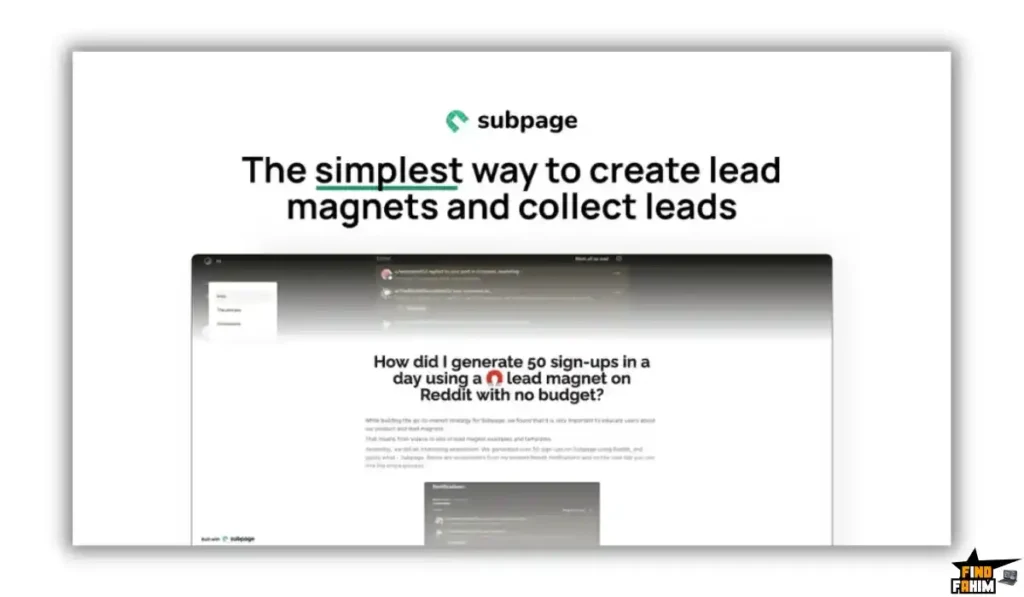
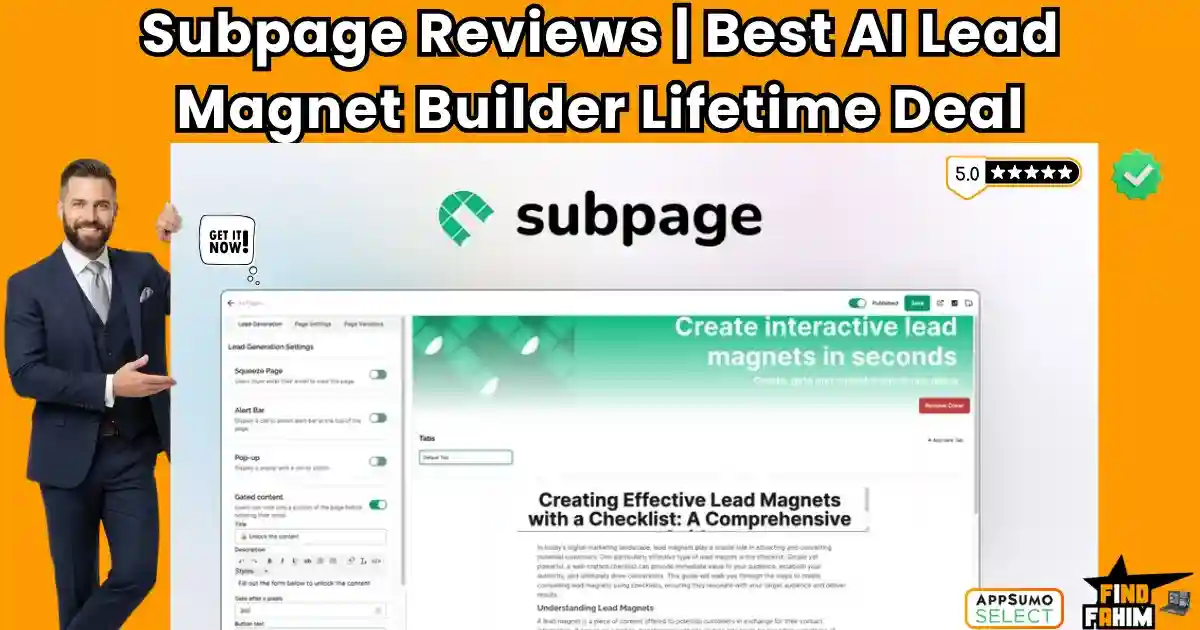
Instead of building a heavy, multi-page website, Subpage allows you to create lightweight “Micro-Pages.” The interface looks and feels very similar to Notion. You can add text, embed videos, insert images, and organize information into clean layouts.
The core function, however, is the Gating System. You can write a highly valuable guide, but set a rule that says: “The user can only read the first paragraph. To unlock the rest of the page, they must enter their email address.” Once they do, the content unlocks instantly, and their email is sent directly to your analytics dashboard or exported via Zapier to your CRM.
Quick Look: What’s Inside the Deal?
Let’s look at the financial and operational value of replacing your current lead generation stack with Subpage.
| Feature | Replaces… | The Advantage | Normal Cost | Deal Status |
| Page Builder | ClickFunnels / Leadpages | No complex coding or heavy load times | ~$40/mo | Included |
| Content Gating | Custom Web Development | Built-in email capture overlays | High Cost | Included |
| AI Generation | ChatGPT Copywriting | Drafts are structured directly in the editor | ~$20/mo | Included |
| Analytics | Google Analytics | Native tracking of views and conversions | Essential | Included |
| Custom Branding | Generic URLs | Whitelabeling and custom subdomains | Premium Upsell | Included |
| Total Value | Traditional Funnel Stack | Speed to Market | ~$60+/mo | $69 (Lifetime) |
Why You Need More Than Just “PDF Lead Magnets”
For the last decade, the standard way to collect an email was offering a “Free Ebook.” You would design a PDF, upload it, and send a link.
This method is dying.
- Mobile Friction: PDFs are terrible to read on mobile phones. Users have to pinch and zoom to read the text.
- Zero Analytics: Once a user downloads a PDF, you have no idea if they actually read it, what links they clicked, or where they lost interest.
- Outdated Content: If you find a typo in your PDF, you have to fix the source file, re-export it, re-upload it, and update the link.
Subpage fixes this by making the lead magnet a live, interactive web page. It is perfectly mobile-responsive, tracks user engagement, and allows you to update the content in real-time without breaking any links.
Why “Content-Led Lead Generation” is Trending in 2026
Market analysis shows a massive shift in how creators build audiences. Algorithms on major social platforms are actively suppressing links that take users off their sites. Relying entirely on social media followers means you are building your business on rented land.
The trend for 2026 is moving toward Audience Ownership. Creators are aggressively pushing to convert their social media followers into email subscribers. To do this effectively, you need high-value, easily accessible lead magnets. Tools that reduce the friction of creating these assets are becoming essential infrastructure for digital businesses.
A Look Inside Subpage: Key Features
This platform strips away the bloated features of traditional website builders and focuses entirely on conversion.
1. The Notion-Style Editor
What it is: A block-based writing interface.
Why it matters: You do not need design skills. You just start typing. You can use slash commands to add headings, dividers, and multimedia. It ensures the final product always looks clean, minimalist, and highly readable.
2. Subpage AI Integration
What it is: An artificial intelligence assistant built directly into the page editor.
Why it matters: If you suffer from blank-page syndrome, you can ask the AI to generate a multi-tab lead magnet structure based on a simple prompt. It gives you the skeleton of your guide, which you can then customize and expand.
3. Centralized Lead Management
What it is: A native dashboard for your collected contacts.
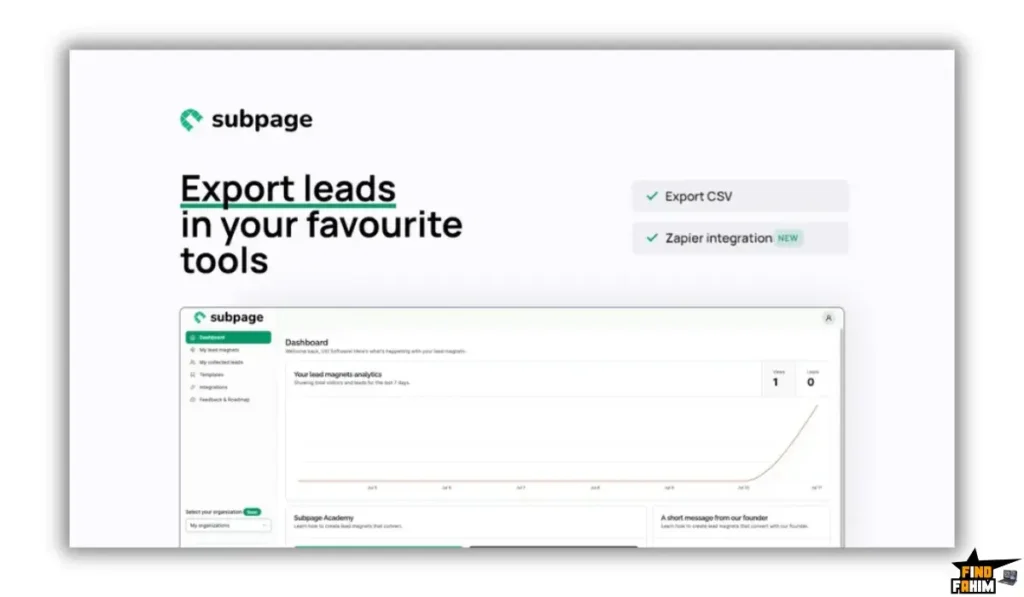
Why it matters: You do not strictly need a third-party CRM to start. Subpage holds your collected leads, tracks views versus conversions, and allows you to export them via CSV when you are ready to run an email campaign.
4. Whitelabeling and Custom Domains
What it is: Removing the software’s branding.
Why it matters: Professionalism is key to trust. With this deal, you can remove the “Made with Subpage” badges and host the lead magnet on your own subdomain (e.g., https://www.google.com/search?q=resources.yourwebsite.com), keeping your brand front and center.
The Standout Feature: The “Gating” Mechanism
The most powerful aspect of Subpage is how it handles access control.
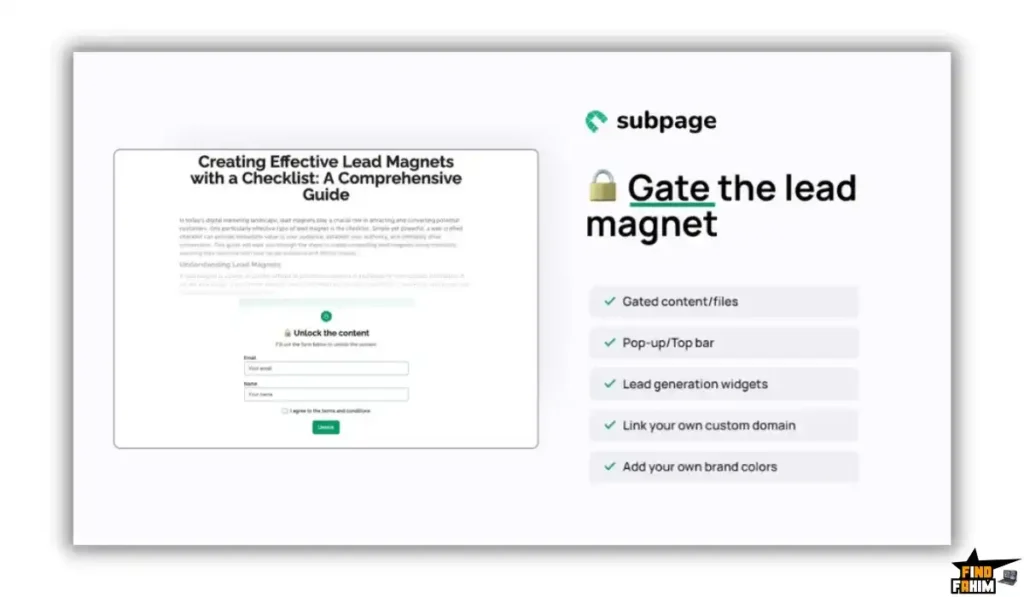
In traditional setups, you build a landing page, connect a form, and then set up an automation to email the user a link to a hidden page. It is a multi-step process that often breaks.
Subpage uses Native Gating. You build the content and the capture form in the same place. You can choose to blur out the content, show a pop-up, or require an email before the page even loads. The transition from “visitor” to “subscriber” is instantaneous. The user gets immediate gratification by unlocking the content right there on the page, leading to much higher satisfaction rates.
Subpage Pricing & AppSumo Deal Details
This lifetime deal offers a highly scalable tier system. You buy “Codes” to increase your limits, specifically targeting how many different Organizations you can manage.
| Feature | Tier 1 (1 Code) | Tier 2 (2 Codes) | Tier 3 (3 Codes) |
| Price (One-Time) | $69 | $138 | $207 |
| Organizations | 1 Org | 3 Orgs | 10 Orgs |
| Lead Magnets | Unlimited | Unlimited | Unlimited |
| Invited Users | 20 per Org | 20 per Org | 20 per Org |
| Custom Subdomains | Included | Included | Included |
| Whitelabel | Included | Included | Included |
Note: The deal stacks up to 5 Codes ($345), which unlocks an impressive 100 Organizations for large-scale agency operations.
Secure Your Subpage Lifetime License Here
Pros & Cons of This Lifetime Package
Based on deep feature analysis and user feedback, here is the honest breakdown of the platform.
The Pros
- Unmatched Speed: You can genuinely go from an idea to a live, gated lead magnet in under 15 minutes.
- Aesthetic Appeal: The default styling is modern, clean, and highly readable, eliminating the risk of building an “ugly” page.
- Generous Limits: Even the base $69 tier offers unlimited lead magnets and unlimited access to leads. They do not cap your growth.
- Active Development: The platform was recently acquired by a new owner (George), who has immediately started fixing bugs and pushing highly requested updates (like the ability to delete and manage custom domains independently).
The Pivot
- Limitation 1: Not Built for SEO. Reviewers have correctly pointed out that Subpage has practically zero SEO potential.
- Pivot: This is by design. Subpage is a destination for traffic you already control (from your social media, YouTube, or paid ads). It is a conversion tool, not a blogging platform meant to rank organically on Google.
- Limitation 2: Lack of Advanced Design Control. You cannot inject custom CSS or radically alter the layout beyond the block editor limits.
- Pivot: The restriction is what makes it fast. By locking the design into proven, high-converting templates, it prevents users from breaking the mobile responsiveness.
How Does Subpage Work? (Step-by-Step Tutorial)
The workflow is designed for marketers, not developers.
- Step 1: Create a Workspace. Set up your organization and link your custom subdomain.
- Step 2: Draft the Content. Open the editor and write your guide, embed your YouTube videos, or upload your resources. Use the AI tool if you need an outline.
- Step 3: Apply the Gate. Select the specific sections of the page you want to hide behind the email capture wall.
- Step 4: Customize the Form. Adjust the text on the lead capture pop-up to offer a strong call to action.
- Step 5: Publish and Share. Generate the live link and place it in your social media bios or ad campaigns.
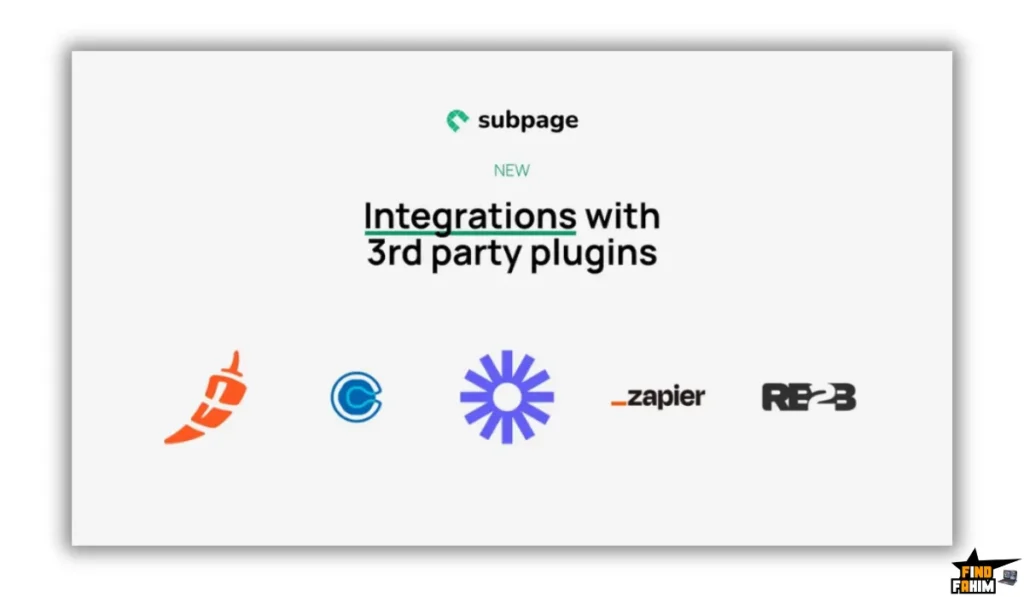
- Step 6: Automate. Connect Subpage to Zapier to automatically push new emails into your primary newsletter software.
Best Use Cases for Subpage
Who gets the most ROI from this specific setup?
The Social Media Creator
You have a large following on Twitter or LinkedIn, but a tiny email list.
- The Benefit: You can quickly build a “Top 10 Tools” list in Subpage, gate it, and drop the link in your next viral post to capture hundreds of emails effortlessly.
The Consultant or Solopreneur
You want to offer a free mini-course or resource library to attract high-ticket clients.
- The Benefit: You can embed training videos directly into a Subpage, requiring an email address to watch the series, instantly generating warm leads for your consulting business.
The Digital Marketing Agency
You run paid ad campaigns for local businesses offering free quotes or downloadable guides.
- The Benefit: By stacking codes, you can set up isolated Workspaces for different clients, building high-converting lead capture pages without touching their main website infrastructure.
Start Building Your Interactive Lead Magnets Today
Subpage Alternatives
The lead generation software market is incredibly crowded. When you are trying to capture an email address, the tool you choose dictates the entire user experience. If a potential subscriber hits friction, a confusing layout, or a poorly designed interface, they bounce, and you lose the lead. Let’s look at how Subpage actually stacks up against the other methods you are likely already considering for your marketing stack.
Subpage vs ConvertKit
ConvertKit is a massive email marketing platform, and it includes built-in landing page builders to help creators capture leads.
- Where ConvertKit Wins: The Ecosystem. If you just want a dead-simple form that instantly drops a user into an automated email sequence, ConvertKit handles the page, the form, and the email delivery all under one roof. It is highly convenient.
- Where Subpage Wins: The Content Experience. A standard ConvertKit landing page is usually just a headline, a bulleted list, and an email box. The user signs up, and then you have to email them a link to the actual value (like a hidden page or a Dropbox file). Subpage flips this workflow entirely. You build the actual value—the text, the embedded videos, the comprehensive guide—directly on the page, and simply put an email gate in front of it. The user gets immediate, frictionless access the second they hit submit.
- Verdict: ConvertKit is best for standard newsletter signups. Subpage is superior for delivering high-value, interactive resource guides.
Subpage vs Notion
Many creators love building their guides in Notion and then using a third-party wrapper like Super to turn those databases into public websites.
- Where Notion Wins: Database Power. Notion’s ability to create highly complex, linked relational databases and kanban boards is completely unmatched by a simple page builder like Subpage. If you are organizing thousands of linked data points, Notion is the tool for the job.
- Where Subpage Wins: Native Gating and Cost. If you want to put an email gate in front of a Notion site, you have to duct-tape several tools together. You need Notion, plus Super. so for the custom domain hosting, plus a tool like MemberSpace or Outseta to handle the actual email capture and gating functionality. That gets technically complicated and adds up to a hefty monthly subscription bill. Subpage handles the hosting, the building, and the gating natively in one single click.
- Verdict: Notion is perfect for internal company wikis and complex public databases. Subpage is the smarter, cheaper choice for public lead generation.
Subpage vs Beacon
Beacon is a classic digital marketing tool designed specifically to create traditional PDF lead magnets, checklists, and workbooks.
- Where Beacon Wins: Traditional Formats. Some audiences still prefer a physical file they can download, save to their desktop, and print out on paper. If you absolutely need a printable PDF format, Beacon excels at designing and formatting them quickly.
- Where Subpage Wins: Modern Interactivity and Mobile UX. Subpage ditches the static file entirely in favor of a live web experience. Trying to read a traditional PDF on a smartphone usually requires frustrating pinching and zooming. A Subpage mini-site is natively responsive, so it looks perfect on any mobile screen. Plus, because it is a live webpage, you can update it instantly without forcing your audience to download a new version, and you can track analytics to see exactly what parts of your guide people are actually reading.
- Verdict: Beacon is great for offline reading materials. Subpage is built for modern, trackable digital experiences.
Subpage vs ClickFunnels
ClickFunnels is the heavy machinery of the direct-response marketing world.
- Where ClickFunnels Wins: Complex Sales Flows. If your primary goal is to drive cold traffic through a multi-step sequence featuring order bumps, one-click upsells, downsells, and complex checkout pages, ClickFunnels is the necessary infrastructure.
- Where Subpage Wins: Simplicity and Price. ClickFunnels carries a massive learning curve and will cost you hundreds of dollars every single month. If you are just trying to capture an email address in exchange for a helpful guide, using ClickFunnels is like using a sledgehammer to drive a small nail. Subpage takes roughly ten minutes to learn and costs a single flat fee of $69.
- Verdict: ClickFunnels is for aggressively selling products. Subpage is for cleanly capturing leads.
Subpage vs Google Docs
This is the ultimate free workaround that many early-stage creators use for sharing information.
- Where Google Docs Wins: Real-Time Collaboration. If you are actively co-writing a rough draft with a team of four other people, Google Docs is the undisputed standard. It is built for team editing.
- Where Subpage Wins: Professional Authority. Sending a potential client or subscriber a “View Only” Google Doc link looks distinctly amateurish. It screams that you did not want to put effort into the presentation. Furthermore, you cannot gate a Google Doc to collect emails; anyone with the link can view it anonymously. Subpage takes that same raw text and turns it into a branded, polished, lead-generating asset that actually builds trust and captures the email.
- Verdict: Google Docs is for drafting and editing. Subpage is for professional publishing.
All 5 Competitors Matrix
| Platform | Pricing Model | Ease of Use | Content Gating | Best For… |
| Subpage | Lifetime ($69) | Very High | Native / 1-Click | Interactive Resource Guides |
| ConvertKit | Sub ($29+/mo) | High | Basic Forms | Newsletter Creators |
| Notion + Super | Sub ($16+/mo) | Medium | Requires 3rd Party | Complex Public Databases |
| Beacon | Sub ($49+/mo) | Medium | Download Only | Traditional PDF Ebooks |
| ClickFunnels | Sub ($147+/mo) | Low | Complex Funnels | Heavy Sales Sequences |
| Google Docs | Free | Very High | ❌ No Gating | Internal Team Drafting |
Skip the Subscriptions – Get Subpage for a One-Time Fee
Who Should NOT Buy Subpage?
This tool is highly specialized, which means it is not for everyone. Do not buy this deal if:
- You are an SEO Specialist: As mentioned in the user reviews, Subpage is not designed to rank on Google. It lacks the metadata controls and architecture of a proper CMS like WordPress. If your goal is organic search traffic, do not use this.
- You need complex conditional logic: If you need a form that says “If user selects X, show question Y, then redirect to page Z,” Subpage is too simple. You need a dedicated form builder like Typeform or Fillout for that.
- You want to build a full website: This is for micro-pages and single-purpose lead magnets. It is not a replacement for your primary company homepage.
Is This Lifetime Deal a Smart Business Investment?
Let’s break down the return on investment for the $69 Base Tier.
Scenario: You are a consultant offering a free “Client Onboarding Checklist” to generate leads.
- Option A (Traditional Stack): You pay $30/month for a basic landing page builder and spend 5 hours designing it. Over two years, that costs **$720**.
- Option B (Subpage Lifetime): You pay $69 exactly once.
The ROI Math:
- You break even financially in just over 2 months.
- Because the deal includes unlimited lead magnets, your cost-per-lead drops to essentially zero over time, no matter how many different guides or resources you create.
- Backed by AppSumo’s 60-day refund policy, you can build a page, drive traffic to it for a month, and see if it converts better than your old methods entirely risk-free.
How to Redeem the Subpage Deal
- Purchase: Secure your code(s) on the AppSumo deal page.
- Create Account: Go to the Subpage website and sign up.
- Redeem Code: Navigate to your billing or account settings and apply your unique AppSumo code to upgrade your account to the Premium Lifetime tier.
- Set Up Domain: Follow the documentation to link your custom subdomain (e.g., https://www.google.com/search?q=resources.yourname.com) for a fully whitelabeled experience.
- Build: Start your first lead magnet and launch it the same day.
Final Verdict: Is This Cost-Friendly Deal Worth It?
After analyzing the feature set and the market need for fast, frictionless email capture, my final verdict is a solid 4.5-Star BUY.
It solves a highly specific, painful problem for digital creators.
- It stops you from relying on ugly, static PDFs.
- It removes the technical headache of connecting landing pages to gating software.
- It provides a clean, modern experience for your end user.
If you rely on content to drive your business, adding Subpage to your toolkit for a one-time fee of $69 is a highly strategic move.
Secure Your Subpage Lifetime Deal Before The Timer Runs Out
About the Author
FindFahim is where I break down AppSumo Lifetime Deals, SaaS tools, and Hosting solutions so you don’t have to spend hours doing the research yourself. My goal isn’t just to list software features—it’s to analyze the market, compare the alternatives, and help you stop wasting money on tools you don’t need.
For this Subpage review, I focused heavily on the shift away from traditional PDFs toward interactive, gated web experiences because high-friction lead magnets are killing conversion rates. My research indicates this is a highly efficient tool for its specific use case.
Want more deep-dive analyses? Check out my full library of Lifetime Deal Reviews.
FAQ: Your Subpage Questions, Answered
What is Subpage?
Subpage is a lead generation platform that helps marketers create gated micro-pages where visitors must enter their email to access valuable content like guides, checklists, or resources.
Is the Subpage lifetime deal stackable?
Yes, the deal is stackable. One code gives you one organization, but you can stack up to five codes to unlock up to 100 organizations, which is ideal for agencies managing multiple brands.
Can I use my own domain with Subpage?
Yes, all tiers allow you to connect a custom subdomain such as freebies.yourdomain.com to host your gated pages.
Does Subpage include branding on the pages?
No, the lifetime deal includes full white-label capability, allowing you to remove Subpage branding for a completely professional appearance.
Can I export leads collected from Subpage?
Yes, you can export all collected leads as a CSV file or automatically send them to other tools using integrations like Zapier.
Does Subpage replace WordPress or Webflow?
No, Subpage is not a full website builder. It is specifically designed for creating gated micro-pages used in lead generation campaigns.
Can Subpage pages rank on Google?
Subpage pages are not built for SEO rankings. They work best as destination pages for traffic coming from social media, email marketing, or paid ads.
Does Subpage include AI features?
Yes, Subpage AI can help generate the structure and content for multi-tab lead magnet pages directly within the editor.
Can I embed videos and images in Subpage pages?
Yes, the Notion-style editor supports embedding multimedia elements like videos and images to make your content more engaging.
What happens if I am not satisfied with Subpage?
The deal includes a 60-day money-back guarantee, allowing you to try the platform risk-free and request a full refund if it does not meet your needs.
Is Subpage actively maintained and updated?
Yes, the product was recently acquired by a new owner who has started releasing bug fixes and new features such as improved custom domain management.
What is a gated micro-page in lead generation?
A gated micro-page is a simple landing page that requires visitors to submit their email address before accessing valuable content like a guide, checklist, or template.
Are gated lead magnets effective for collecting emails?
Yes, gated lead magnets are widely used in marketing because they offer valuable content in exchange for contact information, helping businesses grow their email lists.
Who should use Subpage?
Subpage is ideal for marketers, creators, consultants, and agencies who want to distribute resources or lead magnets while collecting email leads.
Can agencies manage multiple clients with Subpage?
Yes, agencies can stack codes to create multiple organizations, allowing them to manage separate lead generation pages for different clients or brands.

Hi, I’m Fahim — a SaaS tools reviewer and digital marketing expert with hands-on experience helping businesses grow using the right software. I research, test, and personally use a wide range of AI, business, productivity, marketing, and email tools for my agency, clients, and projects. I create honest, in-depth reviews and guides to help entrepreneurs, freelancers, startups, and digital agencies choose the best tools to save time, boost results, and scale smarter. If I recommend it, I’ve used it — and I only share what truly works.