
If your website takes longer than 3 seconds to load, your conversion rate instantly drops by 25%.
You are losing money every single day, and the culprit is usually sitting right under your nose: your web hosting. Most entrepreneurs start their journey by purchasing cheap shared hosting from massive corporations. It looks affordable in year one, but then year two arrives, and your renewal bill mysteriously triples. You are trapped paying high monthly fees for slow, outdated servers running on spinning hard drives.
RARHost is attempting to break this cycle entirely.
Available right now on Dealify, RARHost is offering a highly unconventional Lifetime Web Hosting package. Instead of paying monthly or yearly, you pay a single flat fee to host your websites forever. Powered by ultra-fast NVMe SSD storage and LiteSpeed web servers, it promises top-tier performance without the recurring tax.
They even offer Lifetime Reseller plans, allowing agencies to host client sites and keep 100% of the profit. But with a mixed bag of early user reviews—and some highly specific server limits hidden in the fine print—is this hosting reliable enough for your business? In this highly technical RARHost review, I break down the exact server specifications to tell you exactly what this host can (and cannot) handle.
Note: This article contains affiliate links. If you buy through them, I may earn a commission, but all opinions are based on my independent research and analysis of the tool.
My Quick Take (TL;DR)
If you are tired of getting price-gouged on hosting renewals, here is my honest summary of this Dealify offer.
- What is it? A lifetime shared and reseller web hosting service utilizing cPanel, LiteSpeed servers, and NVMe SSDs.
- Why is it Special? No Recurring Fees. You get industry-standard tools (cPanel, Softaculous, SSL) for a one-time payment. The inclusion of WHM (Web Host Manager) on the Reseller tiers is exceptionally rare for lifetime deals.
- Who is it for? Freelancers, Small Agencies, Bloggers, and Web Developers need staging environments.
- The Deal: Lifetime Access starting at $59 on Dealify.
- My Verdict: It is a highly profitable investment for low-to-medium traffic websites, personal blogs, and agency staging sites. However, strict physical resource limits (50MB/s I/O) mean you should avoid putting massive, high-traffic WooCommerce stores on this specific plan.
Get the RARHost Lifetime Deal on Dealify
What is RARHost?
The easiest way to understand this platform is to think of it as a traditional cPanel host optimized for speed.
When you buy hosting from older companies, they often pack thousands of users onto a single server using cheap SATA hard drives and older Apache web server software. This makes your WordPress backend feel sluggish.
RARHost modernizes the shared hosting model by upgrading the physical hardware and the software stack.
- Hardware: They use NVMe SSDs (Non-Volatile Memory Express). These drives read and write data significantly faster than standard SSDs.
- Software: They use LiteSpeed Web Server, which natively outperforms Apache, especially when paired with their built-in LSCache (LiteSpeed Cache) plugin for WordPress.
You get the familiar, easy-to-use cPanel interface, but the engine running underneath is built for modern WordPress performance.
Quick Look: What’s Inside the Deal?
If you are currently paying a yearly bill to a mainstream hosting provider, look at this mathematical breakdown of what RARHost replaces.
| Feature | Replaces… | The Real Value | Normal Cost | Deal Status |
| Unlimited Websites | Basic Shared Plans | Host your entire portfolio | ~$120/yr | ✅ Included |
| cPanel Interface | Custom/Clunky Panels | Industry-standard management | ~$15/mo | ✅ Included |
| LiteSpeed Caching | Paid WP Plugins (WP Rocket) | Instant page load speed | ~$59/yr | ✅ Included |
| WHM Reseller | Expensive Agency Hosting | Host clients for profit | ~$400/yr | ✅ Tiers 4-6 |
| Email Hosting | Google Workspace (Basic) | Create @yourdomain.com | ~$72/yr | ✅ Included |
| Total Value | Your Hosting Stack | Zero Renewal Fees | ~$600+/yr | $59 (Lifetime) |
Why You Need More Than Just “Cheap First-Year Hosting”
You might be thinking, “I can just buy hosting for $2.95 a month. Why spend $59 upfront?”
Because that $2.95 price tag is a trap. The hosting industry is notorious for “Introductory Pricing.” You sign up for three years at a massive discount. You build your site, set up your emails, and get comfortable.
When year four arrives, that $2.95/month silently converts into $14.99/month. You are now paying $180 a year for the same server. Most people refuse to move because migrating a website and email inboxes is a massive headache. You become a hostage to your hosting provider. RARHost eliminates this hostage situation.
Why “Lifetime Reseller Hosting” is Trending in 2026
I noticed this specific Dealify offer trending because of the inclusion of the Reseller Tiers.
In 2026, web design agencies are moving away from handing clients over to third-party hosts. If you design a website for a local plumber, you should not tell them to “Go buy an account on HostGator.” You should host it for them and charge them a $50/month “Care Plan.”
Lifetime Reseller Hosting is the ultimate agency arbitrage. You pay RARHost a single flat fee ($230 to $780). You get access to WHM to create individual cPanel accounts for your clients. You charge 10 clients $50 a month. You are now generating $500 a month in recurring revenue, and your server costs are permanently zero.
A Look Inside RARHost: Key Features
This is not a custom, experimental dashboard. It relies on proven, stable technology.
1. The NVMe SSD Architecture
What it is: The physical storage drives inside the server.
Why it matters: NVMe drives plug directly into the server’s motherboard, bypassing older bottlenecks. This means database queries (like searching a site or loading a WordPress admin dashboard) execute instantly.
2. cPanel Control Panel
What it is: The world’s most popular web hosting management interface.
Why it matters: You do not have to learn a new, confusing proprietary dashboard. If you need to create an email address, manage DNS records, or access your File Manager, the workflow is the same as it has been for the last decade.
3. One-Click Softaculous Installer
What it is: A script library inside cPanel.
Why it matters: You do not need to manually download WordPress, create a database, and edit the wp-config.php files. You click the WordPress icon, type in your site name, and the server installs the CMS automatically in under 10 seconds.
4. Unlimited Email Accounts
What it is: The ability to create [email protected] directly on the server.
Why it matters: Many modern, trendy hosts (like Cloudways) strictly provide server space and force you to buy Google Workspace or Zoho for email. RARHost includes native email management, saving you additional monthly fees.
The Standout Feature: “LiteSpeed with LSCache”
This is the technical feature that actually makes RARHost fast.
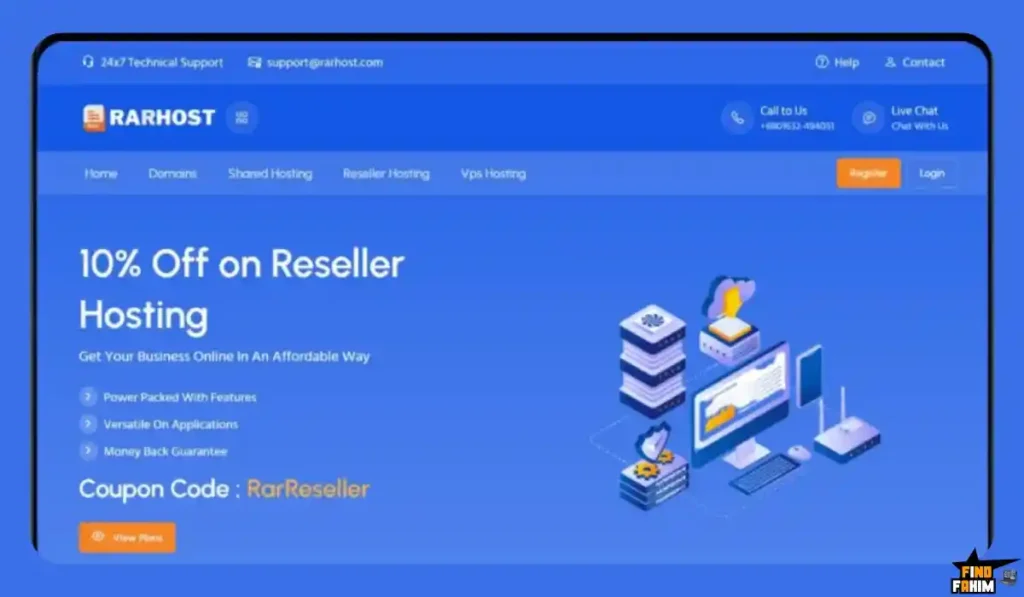
Most budget hosts use Apache. RARHost uses LiteSpeed. LiteSpeed handles concurrent traffic highly efficiently without crashing. More importantly, it pairs natively with the LiteSpeed Cache (LSCache) plugin for WordPress.
Instead of buying premium caching plugins like WP Rocket, you install the free LSCache plugin. It communicates directly with the RARHost server to serve static HTML copies of your pages to visitors instantly, drastically lowering your Time to First Byte (TTFB) and improving your Google Core Web Vitals.
RARHost Pricing & Dealify Deal Details
This deal is split into two distinct categories: Shared Hosting (for personal use) and Reseller Hosting (for agencies). Pay very close attention to the server limits (vCPU, RAM, and I/O) to ensure you pick the right tier.
Category 1: Standard Shared Hosting Tiers
| Feature | Starter | Advanced | Turbo |
| Price (One-Time) | $59 | $99 | $199 |
| Storage (NVMe) | 10 GB | 30 GB | Unlimited |
| Websites | Unlimited | Unlimited | Unlimited |
| RAM / vCPU | 2GB / 2 Cores | 2GB / 2 Cores | 2GB / 2 Cores |
| I/O Speed | 50 MB/s | 50 MB/s | 50 MB/s |
Category 2: Reseller Hosting Tiers (WHM Included)
| Feature | Starter Reseller | Advanced Reseller | Turbo Reseller |
| Price (One-Time) | $230 | $480 | $780 |
| cPanel Accounts | 20 Accounts | 50 Accounts | 100 Accounts |
| Storage (NVMe) | 20 GB | 500 GB | Unlimited |
| Resources Per cPanel | 2GB RAM / 2 Cores | 2GB RAM / 2 Cores | 2GB RAM / 2 Cores |
The Truth About the “Unlimited” Limits
RARHost is very transparent about its physical limits, which is actually a good sign. Every single cPanel account gets exactly:
- 2 vCPU & 2GB RAM: This is plenty of memory for standard WordPress sites.
- I/O 50MB/s & 1024 IOPS: This is the hard limit on how fast data can be read/written. It prevents one user from crashing the whole server.
- EP 30: You can have 30 concurrent entry processes running at the same millisecond.
Secure Your RARHost Lifetime Plan on Dealify
Pros & Cons of This Lifetime Package
With a 4.0/5 rating from early buyers, the value is undeniable, but we must look at the technical risks of a lifetime host.
The Pros
- ✅ Zero Recurring Fees: The financial relief of never paying a hosting bill again is immense.
- ✅ High RAM Allocation: Getting 2GB of RAM on a basic shared hosting plan is highly generous (most cheap hosts give you 768MB or 1GB).
- ✅ WHM Reseller Options: The ability to buy 100 white-labeled cPanel accounts for a flat fee of $780 is an agency owner’s dream.
- ✅ Free Migration: They will migrate up to 3 of your existing websites for free, removing the technical headache of moving servers.
The Cons
- ❌ The 50MB/s I/O Limit: While 2GB of RAM is great, the I/O speed is capped at 50MB/s. If you run a massive, heavy WooCommerce store with hundreds of concurrent checkout requests, this I/O limit will cause your site to bottleneck and slow down.
- ❌ 30-Day Refund Window: Dealify offers a 30-day refund, which is shorter than AppSumo’s standard 60-day window. You need to test your site speed within the first month.
How Does RARHost Work?
If you have never used cPanel before, here is exactly how fast you can launch a site.
Step 1: Point Your Domain
Log in to your domain registrar (like Namecheap) and change your Nameservers to the ones provided in your RARHost welcome email.
Step 2: Log into cPanel
Access your RARHost control panel. The interface is clean and categorized by Files, Databases, Domains, and Software.
Step 3: Issue an SSL Certificate
Scroll to the “Security” section. Click “Let’s Encrypt SSL.” Click “Issue” next to your domain name. Your site is now securely encrypted with HTTPS.
Step 4: Install WordPress
Scroll to the bottom under “Softaculous Apps Installer.” Click the WordPress logo. Enter your Site Name, an Admin Username, and a strong password. Click “Install.”
Step 5: Activate LiteSpeed
Log in to your new WordPress dashboard. Go to Plugins -> Add New. Search for “LiteSpeed Cache.” Install and activate it. Your site is now fully optimized and live.
Best Use Cases for RARHost
Who actually benefits the most from this specific server configuration?
1. The “Web Design Agency”
You build WordPress sites for local businesses.
- The Scenario: You need a place to build staging sites for clients to review, and a place to host their simple brochure websites once finished.
- The Benefit: You buy the $230 Reseller Plan. You give every client their own isolated 2GB RAM cPanel account. You charge them hosting fees forever, generating pure profit.
2. The “Serial Entrepreneur”
You own 15 different domains for various side hustles and landing pages.
- The Scenario: Paying $10/month per site is draining your budget.
- The Benefit: You buy the $99 Advanced tier. You host all 15 low-to-medium traffic sites on one account using the Unlimited Websites feature. Your holding costs drop to zero.
3. The “Content Blogger”
You write a standard informational blog.
- The Scenario: You need fast page load speeds to pass Google’s Core Web Vitals.
- The Benefit: Because a blog is mostly static text and images, the LiteSpeed server caches your entire site. The 50MB/s I/O limit never affects you because the database is rarely queried. Your site loads in under a second.
Stop Paying Monthly Hosting Bills. Get RARHost Today.
RARHost Alternatives
This is the critical evaluation phase. Is RARHost reliable enough to replace the industry heavyweights, or should you stick to a monthly subscription? Let’s compare it against the Top 5 players in the web hosting space.
RARHost vs HostGator
HostGator is the classic, entry-level shared hosting giant.
- Where HostGator Wins: Corporate Stability. Owned by Newfold Digital, HostGator is a massive corporation. They are not going anywhere, and their 24/7 phone support is well-established.
- Where RARHost Wins: Speed and Price. HostGator still relies heavily on older server tech for their basic plans, and their renewal prices jump aggressively after your first term. RARHost gives you superior NVMe hardware, LiteSpeed, and a lifetime price tag that HostGator will never offer.
- Verdict: HostGator for people who want the safety of a massive corporation. RARHost for speed enthusiasts looking for a financial bargain.
RARHost vs SiteGround
SiteGround is the premium standard for managed shared hosting.
- Where SiteGround Wins: Custom Tooling and Support. SiteGround uses a proprietary dashboard (Site Tools) that is faster than cPanel, and their custom SG Optimizer plugin is brilliant. Their technical support is arguably the best in the industry at solving deep WordPress errors.
- Where RARHost Wins: The Financial Reality. SiteGround is notoriously expensive upon renewal (often jumping to $20 to $30 a month for basic plans). If you know how to manage your own WordPress site and do not need someone to hold your hand, paying a one-time fee to RARHost makes significantly more financial sense.
- Verdict: SiteGround is for beginners who need high-end customer support. RARHost for technical users who want to avoid high renewal rates.
RARHost vs Namecheap
Namecheap offers some of the cheapest monthly shared hosting available.
- Where Namecheap Wins: Ecosystem Integration. If you buy your domains on Namecheap, keeping your hosting there is incredibly convenient. Their basic plans are very cheap (often $2/month).
- Where RARHost Wins: Server Software. Namecheap’s basic Stellar plans use older server technology. You have to upgrade to their more expensive plans to get premium caching features. RARHost includes LiteSpeed and NVMe natively on their $59 Tier 1 plan.
- Verdict: Namecheap is for absolute beginners wanting a centralized ecosystem. RARHost for users who want premium server speeds without a monthly bill.
RARHost vs Cloudways
Cloudways is a managed cloud hosting platform (VPS).
- Where Cloudways Wins: Dedicated Resources. Cloudways puts your site on a dedicated VPS (DigitalOcean, AWS, etc.). You do not share your resources with anyone else. If your site gets 10,000 visitors in an hour, Cloudways scales easily.
- Where RARHost Wins: Simplicity and Cost. Cloudways charges strictly monthly, and the interface requires a learning curve (there is no cPanel or File Manager). RARHost gives you the comforting familiarity of cPanel and a one-time payment structure.
- Verdict: Cloudways for high-traffic WooCommerce stores and SaaS apps. RARHost for blogs, portfolios, and local business sites.
RARHost vs Hostinger
Hostinger is currently the most aggressive competitor in the budget hosting space.
- Where Hostinger Wins: The hPanel Interface. Hostinger built its own control panel (hPanel), which is arguably cleaner and faster to navigate than cPanel. They also use LiteSpeed servers and offer incredibly cheap 4-year introductory deals.
- Where RARHost Wins: The Reseller Opportunity. Hostinger does not offer traditional WHM reseller hosting. If you want to isolate clients into their own dashboards, RARHost’s Reseller tiers offer a business model that Hostinger’s standard shared plans cannot match.
- Verdict: Hostinger for polished, modern budget hosting. RARHost is specifically for the WHM Reseller capabilities.
All 5 Competitors Matrix
| Feature | RARHost | HostGator | SiteGround | Namecheap | Cloudways | Hostinger |
| Pricing | Lifetime ($59+) | ~$15/mo (Renew) | ~$20/mo (Renew) | ~$5/mo (Renew) | $11/mo+ | ~$8/mo (Renew) |
| Server Tech | LiteSpeed + NVMe | Apache | Nginx/Custom | Apache/Cloud | Varies (VPS) | LiteSpeed |
| Control Panel | cPanel | cPanel | Site Tools | cPanel | Custom | hPanel |
| Reseller WHM | ✅ Yes (Tiers 4-6) | ❌ Extra Cost | ❌ No | ❌ Extra Cost | ❌ No | ❌ No |
| Resource Limits | Strict (50MB/s I/O) | Hidden/Shared | Moderate | Moderate | Dedicated | Moderate |
| Best For… | Agencies/Staging | Beginners | Premium Support | Domain Buyers | High Traffic | Long-Term Deals |
Ready to Ditch Monthly Fees? Grab RARHost Now
Who Should NOT Buy RARHost?
To ensure your website doesn’t crash, I must be completely transparent about the hardware limitations of this offer.
- Do not buy it if you run a large WooCommerce Store. E-commerce sites are highly dynamic. They bypass caching because the server has to calculate shopping carts, shipping rates, and user profiles in real-time. The 50MB/s I/O limit on RARHost will choke if 20 people try to check out at the exact same time. Use a dedicated VPS (like Cloudways) for heavy e-commerce.
- Do not buy it if you need Root Access. This is a shared environment. You do not get SSH root access to install custom server modules (like specific versions of Node.js or Redis). It is built for PHP applications like WordPress.
Is This Lifetime Deal a Smart Business Investment?
Let’s evaluate the financial math for the Starter Reseller Plan ($230), which offers the highest potential return on investment.
Scenario: You are a freelancer managing websites for 15 local clients.
- Cost of Reseller Hosting elsewhere (1 Year): ~$30/month = $360/year.
- Cost of RARHost Starter Reseller: $230 (One-time).
The ROI Math:
- You break even in less than 8 months.
- If you charge those 15 clients $30/month for hosting and maintenance, you are generating $450 every single month in revenue.
- Because your server cost is permanently $0, that entire $450 becomes pure, uninterrupted profit. It transforms hosting from an expense into a permanent income asset.
How to Redeem the RARHost Deal
- Buy: Purchase the activation code securely on Dealify. (I highly recommend evaluating the Reseller tiers if you manage client sites.
- Redeem: You will receive a unique activation code in your email inbox from Dealify.
- Activate: Follow the link in the email, create your account on the RARHost billing portal, and apply the code to zero out the cart balance.
- Migrate: If you have existing sites, immediately open a support ticket to claim your free website migration assistance.
- Verify: You must activate the code within 60 days of purchase to secure the lifetime status.
Final Verdict: Is This Cost-Friendly Deal Worth It?
After analyzing the NVMe specifications, the LiteSpeed integration, and the specific physical resource limits, my final verdict is a cautious but highly profitable 4.0-Star YES.
It is the ultimate “Secondary Hosting Infrastructure.”
- It removes the Monthly Overhead for staging sites.
- It provides High-Speed Caching for static blogs.
- It offers Agency-Grade WHM Access for a single payment.
While I would not host a million-dollar e-commerce store on it, RARHost is mathematically unbeatable for hosting client brochure websites, personal portfolios, and staging environments. Grab the reseller deal and start keeping 100% of your hosting revenue.
Secure Your RARHost Lifetime License Before It Ends
About the Author
I spend my time researching and analyzing SaaS products, digital tools, and lifetime deals to help smart entrepreneurs stop overpaying for software. We all know the frustration of getting trapped in expensive monthly or yearly web hosting contracts, which is exactly why I investigated the RARHost lifetime deal today. I do the heavy lifting of evaluating these offers—digging into the actual server limits and NVMe infrastructure—so you know exactly what you are buying before you pull out your credit card. If you want to see what other software I am currently analyzing to cut business costs, check out my Full Guide to the Best Hosting Deals.
FAQ: Your RARHost Questions, Answered
RARHost is a shared and reseller web hosting provider that offers NVMe storage, LiteSpeed servers, and cPanel management for hosting websites and managing domains.
RARHost offers a 30-day money-back guarantee through the Dealify offer, allowing users to test the hosting service, migrate a website, and evaluate performance before committing.
Yes, RARHost allows you to create unlimited email accounts directly inside cPanel. These email accounts share the same NVMe storage space allocated to your hosting plan.
The 50MB/s I/O limit refers to the speed at which data transfers between storage and server memory. This is sufficient for most blogs and websites but may slow down heavy database operations.
Yes, RARHost shared hosting plans support unlimited websites by adding addon domains inside the same cPanel account.
RARHost shared hosting places multiple websites inside one cPanel account, while reseller hosting provides WHM access to create separate cPanel accounts for each website.
Yes, RARHost provides limited SSH access to your domain directory, but root server access is not available because it is a shared hosting environment.
Yes, RARHost servers run automatic daily backups to help protect websites from accidental data loss or plugin issues.
Shared hosting is a type of web hosting where multiple websites share the same server resources such as CPU, RAM, and storage.
Reseller hosting allows users to create and manage separate hosting accounts for multiple websites or clients using a control panel like WHM.
LiteSpeed hosting uses the LiteSpeed web server technology, which improves website speed and performance through advanced caching and optimized resource management.
NVMe storage is a high-speed solid-state storage technology that delivers faster data transfer speeds compared to traditional SSD or HDD hosting.
Daily backups help protect websites by allowing users to restore their files and databases if something breaks, gets deleted, or becomes infected with malware.
Yes, RARHost provides free migration assistance for up to three websites, helping users move their sites from another hosting provider.
Yes, RARHost servers use security tools like Clam AV to scan for malware and malicious code injections. What is RARHost?
What is the refund policy for RARHost?
Does RARHost include email hosting?
What does the 50MB/s I/O limit mean in RARHost?
Can I host multiple websites with RARHost?
What is the difference between RARHost shared and reseller hosting?
Does RARHost provide SSH access?
Does RARHost include automatic backups?
What is shared hosting?
What is reseller hosting?
What is LiteSpeed hosting?
What is NVMe storage in web hosting?
Why are daily backups important for websites?
Does RARHost offer free website migration?
Does RARHost include malware protection?

Hi, I’m Fahim — a SaaS tools reviewer and digital marketing expert with hands-on experience helping businesses grow using the right software. I research, test, and personally use a wide range of AI, business, productivity, marketing, and email tools for my agency, clients, and projects. I create honest, in-depth reviews and guides to help entrepreneurs, freelancers, startups, and digital agencies choose the best tools to save time, boost results, and scale smarter. If I recommend it, I’ve used it — and I only share what truly works.