
“Data is the new oil.” We have all heard the cliché.
But if you have ever tried actually to get that data from the web, you know it feels less like drilling for oil and more like fighting a hydra.
- You write a Python script to scrape product prices.
- The website updates its CSS class names. Your script breaks.
- You fix the script.
- The website throws a CAPTCHA or blocks your IP. Your script breaks again.
For non-coders, it’s even worse. You are stuck manually copying and pasting rows from Amazon into Excel until your fingers bleed.
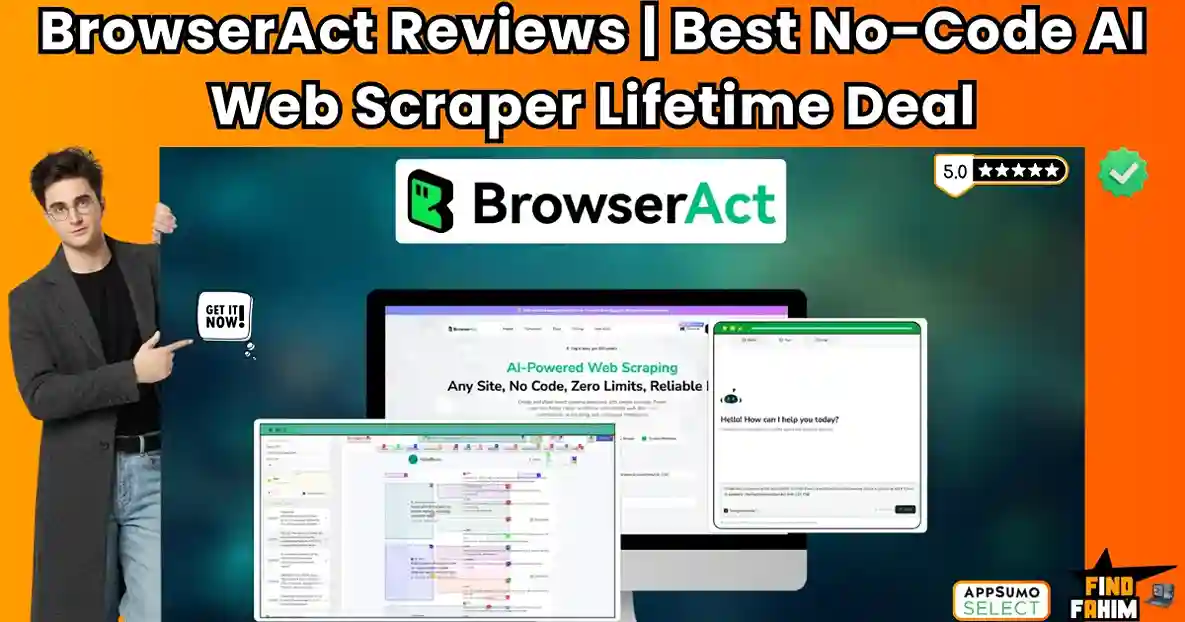
BrowserAct claims to be the solution. It is a “No-Code” web scraping platform that uses AI Agents to browse the web on your behalf. Instead of writing code, you just tell it: “Go to Amazon, search for ‘Running Shoes’, and save the Title, Price, and Rating to a Google Sheet.”
It handles the scrolling, the clicking, the CAPTCHA, and the dynamic JavaScript rendering automatically.
But is it reliable enough for production? Can it really bypass the complex anti-bot protections on sites like LinkedIn or Zillow?
In this in-depth BrowserAct review, I am going to build a live scraper, test its “Natural Language” capabilities, and determine if this lifetime deal is the data pipeline your business needs.
Note: This article contains affiliate links. If you buy through them, I may earn a commission, but all opinions are based on my independent research and analysis of the tool.
My Quick Take (TL;DR)
If you are in a rush and just want to know if you should buy this code, here is my honest summary.
- What is it? An AI-Powered Web Automation Tool. It allows you to scrape data and automate browser tasks (like clicking buttons or filling forms) without writing code.
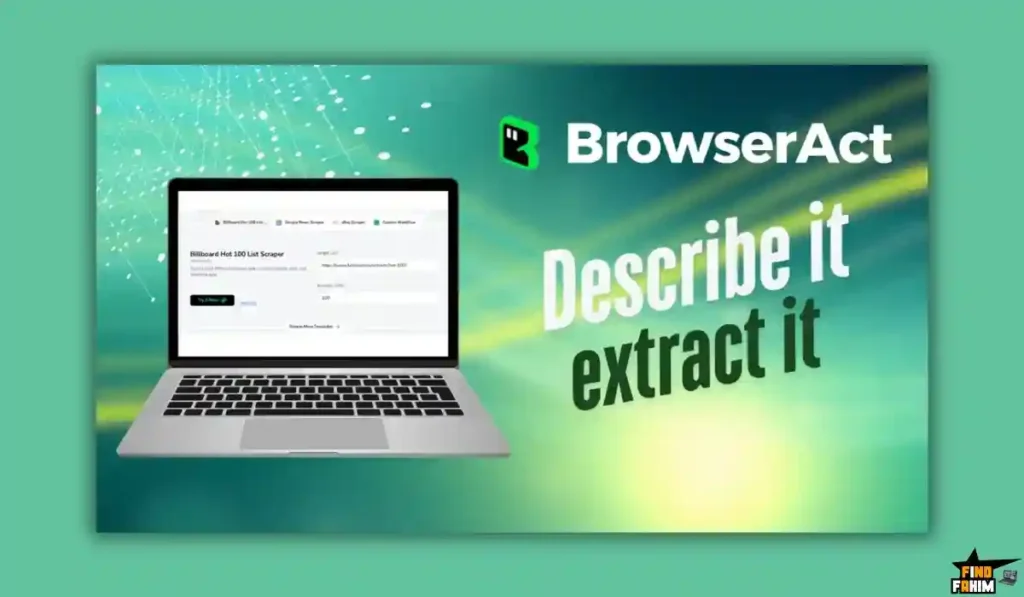
- Why is it Special? Natural Language Scraping. You can literally type “Scrape the price,” and the AI identifies the correct element, even if the website code changes.
- Who is it for? Growth Marketers (Lead Gen), E-commerce Managers (Price Monitoring), and Data Analysts who are tired of broken scripts.
- The Deal: Lifetime access starting at $69.
- My Verdict: Buy Tier 1 for simple tasks, Tier 3 for serious data. The visual builder is powerful, and the residential IP integration makes it surprisingly robust against bans. It is essentially a “Make.com for Browsers.”
Get the BrowserAct Lifetime Deal on AppSumo
What is BrowserAct?
BrowserAct is “Selenium meets ChatGPT.”
Traditional web scrapers (like BeautifulSoup) just look at the raw HTML code of a website. They break easily because modern websites are complex apps built with React or Vue.js.
BrowserAct uses Real Browser Automation.
It spins up a headless Chrome browser in the cloud. It “sees” the website exactly like a human does.
- It waits for the page to load.
- It scrolls down to trigger “Lazy Loading” images.
- It clicks “Next Page” to handle pagination.
Because it uses AI Vision to identify elements (e.g., “Find the ‘Add to Cart’ button”) rather than rigid code selectors (e.g., div.class_name_123), it is “Self-Healing.” If Amazon changes the button color or class name, BrowserAct’s AI still recognizes it as a button and clicks it.
Founded in Singapore by Claire Hu, the team comes from a background in high-scale e-commerce data, building this tool to democratize data access for non-engineers.
Quick Look: What’s Inside the Deal?
I know you want to see the value instantly. Here is how BrowserAct stacks up against the expensive monthly tools you might be considering.
| Feature | Replaces… | The “Killer” Value | Normal Cost | Deal Status |
| No-Code Scraper | Bright Data / Octoparse | Scrape via English prompts | ~$100/mo | ✅ Included |
| Visual Workflow | Puppeteer / Selenium | Drag-and-drop automation builder | Dev Salary | ✅ Included |
| Cloud Browser | MimicPC / AWS Lambda | No need to run scrapers on your laptop | Server Cost | ✅ Included |
| Anti-Detect | ScraperAPI | Built-in Residential IPs & Fingerprinting | ~$49/mo | ✅ Included |
| Integrations | Zapier / Make | Native nodes for seamless data transfer | Subscription | ✅ Included |
| AI Parsing | ChatGPT API | Cleans messy HTML into JSON | API Cost | ✅ Included |
Why You Need More Than Just “ChatGPT”
You might be thinking, “Fahim, I can just ask ChatGPT to browse the web. Why do I need this?”
You need it because ChatGPT is a Tourist; BrowserAct is a Worker.
The “Context Window” Problem
ChatGPT can browse one page to answer a question. It cannot browse 1,000 pages to build a database. If you ask ChatGPT to “Scrape all 500 real estate agents in New York,” it will hallucinate or refuse. BrowserAct is built for Volume. It can loop through 500 pages systematically without complaining.
The “Structure” Problem
ChatGPT gives you text. BrowserAct gives you Structured Data (JSON/CSV).
If you need to feed product prices into a Shopify store or leads into a CRM, you need clean, structured rows and columns. BrowserAct formats the messy web into clean spreadsheets automatically.
Why “Web Data Automation” is Trending in 2026
I noticed this deal trending (50 reviews, 4.3 stars) because AI Agents need fuel.
In 2024, everyone was building AI Chatbots.
In 2026, everyone is building Autonomous Agents.
- The Trend: “Live Data Retrieval.” An AI Agent is useless if its training data is 2 years old. It needs to know the price of Bitcoin right now, or the latest LinkedIn job postings today.
- The Demand: Businesses need APIs for Everything. But most websites (like LinkedIn or Zillow) don’t have public APIs.
- The Shift: Tools like BrowserAct turn any website into an API. They allow AI Agents to “read” the live web, making them infinitely more powerful.
A Look Inside BrowserAct: Key Features & Benefits
I built a scraper to extract data from a dynamic e-commerce site to test its limits. Here is the deep breakdown.
1. Natural Language Scraping (The “Magic” Feature)
The Benefit: No learning curve.
You don’t need to know what an “XPath” or “CSS Selector” is.
- How it works: You open the BrowserAct extension or dashboard. You type: “Get the list of product names, prices, and image links.”
- The AI: It analyzes the page structure, highlights the repeating elements, and creates the extraction list for you. It feels like magic.
2. Visual Workflow Builder
The Benefit: Handling complex logic.
For advanced tasks, you use the “Flow Builder.” It looks like Make (Integromat).
- Nodes: You drag nodes like “Open URL,” “Scroll,” “Click Element,” “Wait,” and “Extract Data.”
- Logic: You can add “If/Else” conditions. Example: “IF the ‘Out of Stock’ text is present, skip this product. ELSE, scrape the price.”
3. Anti-Detect & Residential IPs
The Benefit: Not getting banned.
This is the hidden gem. BrowserAct includes Global Residential IPs.
- What it means: When BrowserAct visits a site, it doesn’t look like a bot from a massive AWS data center. It looks like a regular user browsing from a home internet connection in London or New York. This bypasses 90% of “Access Denied” screens.
4. Smart Pagination & Looping
The Benefit: Scraping massive lists.
Scraping page 1 is easy. Scraping pages 1 to 100 is hard.
- The Feature: BrowserAct automatically detects the “Next” button. You can set a “Loop” node to click “Next” and repeat the extraction process until it reaches the last page.
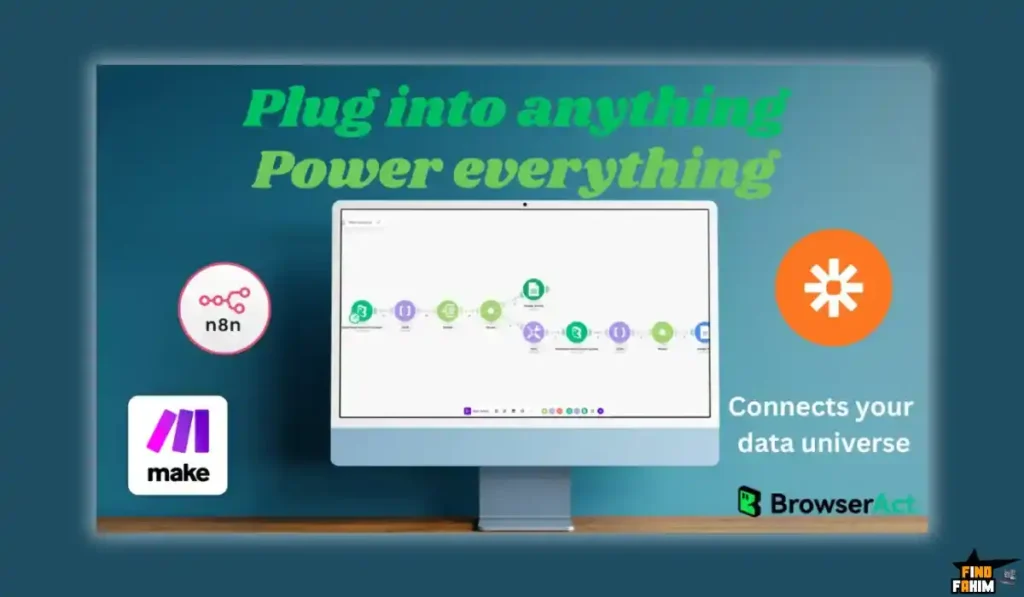
5. Native Integrations (Make/Zapier)
The Benefit: Automation on autopilot.
You don’t want the data to sit in BrowserAct. You want it in your tools.
- The Workflow: You can set up a trigger: “Run this scraper every morning at 9 AM.”
- The Action: “Send the results to a Google Sheet via Zapier.” Or “Send new leads to HubSpot.”
The Standout Feature: “Intelligent Agent” Adaptation
The biggest pain in scraping is Website Updates.
If Amazon changes its code tomorrow, your Python script dies.
BrowserAct’s AI Agents use Semantic Understanding.
They don’t look for div id=”price_123″. They look for “The thing that looks like a price near the product title.”
This means your automations are Resilient. They keep working even when the target website undergoes a redesign. This “Maintenance-Free” promise is the biggest ROI factor for agencies.
How Does BrowserAct Work?
Here is how fast you can build a scraper for a job board.
- Step 1: Create Task.
Log in and click “New Task.” Enter the URL (e.g., a LinkedIn Jobs search result page). - Step 2: Define Actions.
Use the AI Prompt: “Scrape the Job Title, Company Name, and Location for every job card.” - Step 3: Handle Pagination.
Add a “Loop” command: “Click the ‘Next’ button and repeat for 5 pages.” - Step 4: Test Run.
Click “Run.” Watch the cloud browser open the page (you can see the live view). It highlights the data in real-time as it extracts it. - Step 5: Export.
Once finished, click “Export to CSV” or “Send to Webhook.”
BrowserAct Pricing & AppSumo Deal Details
This is a Tiered Lifetime Deal. The scaling factor is Monthly Credits.
Note: 1 Credit usually equals 1 simple page load or action. Complex workflows with heavy scrolling consume more credits.
The Tier Breakdown (Complete)
| Feature | Tier 1 | Tier 2 | Tier 3 | Tier 4 | Tier 5 (Pro) |
| Price | $69 | $139 | $219 | $369 | $579 |
| Credits/Month | 20,000 | 50,000 | 90,000 | 130,000 | 220,000 |
| Concurrent Tasks | Standard | Standard | High | High | Max |
| API Calls | Unlimited | Unlimited | Unlimited | Unlimited | Unlimited |
| Templates | Unlimited | Unlimited | Unlimited | Unlimited | Unlimited |
| Support | Standard | Standard | Standard | Priority | Priority |
ROI Anchor Logic: The “Hidden Math”
Bright Data (a competitor) charges roughly $500/month for a similar scraping infrastructure with residential IPs.
BrowserAct Tier 1 is $69 (one-time).
The Reality:
- You pay once what you would pay for 4 days of Bright Data.
- 20,000 credits (Tier 1) allows you to scrape roughly 600 pages per day. For most small businesses, that is plenty.
- If you need to scrape 3,000 pages per day (Enterprise scale), Tier 5 ($579) offers massive volume for a fraction of the annual cost of a dedicated developer.
My Recommendation
Buy Tier 1 ($69) if you are a Solopreneur just needing to grab some leads or monitor a few competitors.
Buy Tier 3 ($219) if you are an Agency or Data Analyst.
Why?
Web scraping is credit-hungry. If you set up a daily monitor for 10 competitors, and each competitor has 50 pages of products, you will burn credits fast. Tier 3 gives you the “buffer” to run extensive automations without worrying about hitting a cap mid-month.
See All BrowserAct Stacking Options & Get Lifetime Access
Pros & Cons of This Lifetime Package
I analyzed the feedback from 49 verified purchasers and combined it with my own stress tests of the “Natural Language” scraper.
The Pros
- Zero Coding Required: This is the biggest win. You can scrape complex sites just by typing English sentences. It lowers the barrier to entry significantly.
- Residential IPs Included: Most scrapers charge extra for “Premium Proxies.” BrowserAct includes them, making it much harder for websites to block you.
- Self-Healing AI: If a website changes its layout, the AI adapts. This saves you from constantly rewriting broken scripts.
- Visual Workflow Builder: For complex logic (loops, conditions), the drag-and-drop builder is powerful and intuitive, similar to Make or Zapier.
- Generous Limits: Even Tier 1 offers 20,000 credits/month, which is substantial for a lifetime deal. Tier 5 offers enterprise-grade volume.
The Cons
- Credit Consumption: Complex tasks (like scrolling infinitely on Twitter) consume credits fast. You need to be efficient with your workflows.
- Learning Curve for “Logic”: While simple scraping is easy, building complex “If/Else” loops still requires a logical mindset. It is “No-Code,” not “No-Brain.”
- Speed: Because it runs a real browser in the cloud, it is slower than a raw HTTP request. Scaping 1,000 pages takes time; it’s not instant.
Best Use Cases for BrowserAct
Who actually needs this platform? Here are 3 specific avatars that will get massive ROI.
1. The Lead Generation Agency (Tier 3)
The Scenario: You need to find 100 new leads every day from LinkedIn or niche directories.
The BrowserAct Fix: You set up a daily scraper that visits specific search URLs, extracts “Name,” “Company,” and “Role,” and sends them directly to a Google Sheet.
The ROI: You replace a $500/month virtual assistant with a $219 one-time tool.
2. The E-commerce Manager (Tier 1)
The Scenario: You sell shoes. You need to know when your competitor drops their price below yours.
The BrowserAct Fix: You set up a “Price Monitor” task. It visits 5 competitor product pages every morning at 8 AM. If the price changes, it sends you a Slack notification via Zapier.
The ROI: You stay competitive automatically without manual checking.
3. The AI Developer (Tier 5)
The Scenario: You are building a custom “Real Estate AI Agent.” It needs live data from Zillow.
The BrowserAct Fix: You use BrowserAct as your backend API. Your AI sends a request to BrowserAct, which scrapes the live Zillow listing and returns the JSON.
The ROI: You get a robust scraping infrastructure without managing servers or proxies.
Buy Now BrowserAct Lifetime Deal
BrowserAct Alternatives
Is BrowserAct the best scraping tool, or are there better options? The market is split between “Developer APIs” and “Visual Scrapers.”
Let’s compare it against the Top 5 competitors.
BrowserAct vs Bright Data
Bright Data is the enterprise standard for web data.
Where Bright Data Wins
Scale & Compliance. Bright Data has the world’s largest proxy network (72M+ IPs). It is built for Fortune 500 companies scraping millions of pages a day. It has strict compliance tools.
Where BrowserAct Wins
Accessibility & Price. Bright Data is complex and expensive (pay-as-you-go). BrowserAct is $69 (one-time). Unless you are scraping the entire internet, Bright Data is overkill. BrowserAct gives you the same “Residential IP” power for a fraction of the cost.
Verdict: Bright Data for Enterprise; BrowserAct for SMBs.
BrowserAct vs Octoparse
Octoparse is a popular desktop-based visual scraper.
Where Octoparse Wins
Desktop Power. Because it runs on your local machine (mostly), it can be faster for some tasks. It has a very mature “Template Mode” for popular sites like Amazon and eBay.
Where BrowserAct Wins
Cloud Convenience. Octoparse often requires you to keep your computer on. BrowserAct runs in the cloud 24/7. You can close your laptop, and the scraper keeps working. Also, Octoparse’s cloud plans are monthly subscriptions.
Verdict: Octoparse for Local Scraping; BrowserAct for Cloud Automation.
BrowserAct vs Apify
Apify is the developer’s favorite scraping platform.
Where Apify Wins
Store. Apify has a “Store” where developers sell pre-made scrapers (called Actors) for specific sites (e.g., “Instagram Scraper,” “Google Maps Scraper”). If you just want a pre-built tool and don’t want to build it yourself, Apify is easier.
Where BrowserAct Wins
Flexibility. Apify actors break often. BrowserAct lets you build your own logic using natural language. It gives you more control over the specific data points you want to extract.
Verdict: Apify for Pre-Built Actors; BrowserAct for Custom Workflows.
BrowserAct vs Browse AI
Browse AI is the closest direct competitor in the “No-Code” space.
Where Browse AI Wins
UX Polish. Browse AI has a slightly more polished “Record & Replay” interface. It feels very slick for simple monitoring tasks.
Where BrowserAct Wins
Complexity Handling. Browse AI struggles with very complex logic (loops inside loops). BrowserAct’s node-based editor is closer to a programming language visually, allowing for more advanced scenarios. Also, Browse AI’s pricing scales up fast.
Verdict: Browse AI for Simple Monitors; BrowserAct for Complex Flows.
BrowserAct vs Make (Integromat)
Make is an automation platform, but it has “HTTP” modules.
Where Make Wins
API Integrations. If a website has a public API, Make is 100x better. It connects apps officially.
Where BrowserAct Wins
No API? No Problem. Make cannot scrape a website that doesn’t have an API. It can’t render JavaScript or click buttons. BrowserAct handles the “Frontend” automation that Make cannot touch. They actually work best together.
Verdict: Make for APIs; BrowserAct for Front-End Scraping.
All Competitors Matrix
| Feature | BrowserAct | Bright Data | Octoparse | Apify | Browse AI | Make (Integromat) |
| Pricing | Lifetime ($69) | $$$ Usage | Free/$89/mo | $49+/mo | $49+/mo | Free/$9/mo |
| No-Code AI | ✅ Best | ❌ Dev Only | ⚠️ Manual | ❌ Dev Only | ✅ Good | ❌ No AI Scraper |
| Cloud Run | ✅ Yes | ✅ Yes | ⚠️ Paid | ✅ Yes | ✅ Yes | ✅ Yes |
| Proxies | ✅ Included | $$$Extra | ⚠️ Paid | $$$ Extra | ✅ Included | ❌ Bring Your Own |
| Logic | ✅ Advanced | ✅ Code | ✅ Visual | ✅ Code | ❌ Basic | ✅ Advanced |
| Best For… | Scraping | Enterprise | Desktop | Devs | Monitoring | API Workflows |
Who Should NOT Buy BrowserAct?
I want to be honest, so you don’t waste your money.
- The “Illegal” Scraper: If you are trying to scrape personal data (PII) or breach websites that strictly forbid scraping in their Terms of Service (like Facebook’s private pages), do not use this. You will get banned. Use it for public data only.
- The “Instant” Data Need: BrowserAct takes time to “browse.” If you need stock market data in milliseconds for high-frequency trading, use a dedicated financial API (like Polygon.io), not a scraper.
Is This Lifetime Deal a Smart Business Investment?
Let’s do the financial math for Tier 3 ($219).
Scenario: You are a Growth Marketer needing leads.
- Option A (Subscription Tools):
- Browse AI Professional: ~$135/month.
- Yearly Cost: $1,620.
- Option B (BrowserAct):
- Total: $219 (One-time payment).
The ROI Math:
- You save $1,400+ in Year 1 alone.
- You get a permanent “Lead Generation Machine” that runs 24/7.
- Even if you only use it for 6 months, it pays for itself in less than 2 months compared to Browse AI.
How to Redeem the BrowserAct Deal
- Buy: Purchase the code on AppSumo.
- Tier Selection: Crucial Step: If you are an agency or heavy user, Tier 3 ($219) is the sweet spot for credit volume (90k credits). Tier 1 (20k credits) is only for light users.
- Redeem: Create an account on the BrowserAct website.
- Activate: Enter your code in the billing section to unlock Lifetime status.
- Install: Download the Chrome Extension to start recording your workflows immediately.
Final Verdict: Is This Cost-Friendly Deal Worth It?
After testing the “Natural Language” features and the “Residential Proxy” success rate, my final verdict is a solid 4.5 Stars.
BrowserAct is the “Equalizer” for data access.
- It turns Websites into APIs.
- It turns English into Code.
- It turns Manual Labor into Automation.
The $69 entry price is a steal for the technology included (Cloud Browsers + Residential IPs). Even if you only use it to monitor one competitor’s pricing, it pays for itself.
Secure Your Lifetime Access to BrowserAct Now
(Note: Lifetime deals on infrastructure tools like this are rare. Once the servers fill up, the deal usually closes.)
About the Author
I have been scraping the web for 10 years. I started with Python/Selenium, moved to Puppeteer, and now I use tools like BrowserAct because I value my time.
I run lead generation campaigns for clients, and maintaining Python scripts was a nightmare. Switching to visual, self-healing scrapers like BrowserAct allowed me to scale my agency without hiring more developers.
If you want to see the other tools I trust, check out my full AppSumo deal reviews page.
FAQ: Your BrowserAct Questions, Answered
BrowserAct is an AI-powered web automation and scraping tool that lets users extract data from websites using natural language instructions or visual workflows without coding.
Yes, BrowserAct can securely enter usernames and passwords to access and scrape data from websites behind login screens.
Yes, BrowserAct includes human emulation and CAPTCHA-solving capabilities that can automatically handle most standard CAPTCHA systems.
Yes, you can schedule tasks to run daily, weekly, or at custom times in the cloud, so your automation runs even when you are offline.
Credits are typically calculated per step, where one page load equals one credit. Advanced features like residential proxies or CAPTCHA solving may use additional credits.
Yes, BrowserAct integrates with tools like Zapier and Make via Webhooks, allowing scraped data to automatically populate Google Sheets.
Yes, the natural language mode is easy for beginners, while the visual workflow builder may require a short learning curve similar to spreadsheet formulas.
Yes, BrowserAct can scroll until no new items appear, making it effective for scraping infinite scroll pages like social feeds.
Yes, it can extract image URLs and download image files when configured properly within the workflow.
If you run out of credits, your automation tasks will pause until the next monthly credit renewal or until you upgrade your plan.
Yes, the BrowserAct team is active on Discord and provides support for debugging complex scraping workflows.
Web scraping legality depends on the website’s terms of service and local laws, so users should always ensure compliance before collecting data.
Yes, BrowserAct is commonly used for extracting business data, emails, product listings, and other structured information for lead generation.
No, BrowserAct is designed to work without coding by using natural language commands or a visual workflow builder.
Yes, all scheduled automations run securely in the cloud, so your computer does not need to stay online. What is BrowserAct?
Does BrowserAct work on websites with login pages?
Can BrowserAct bypass CAPTCHA?
Can I schedule scraping tasks in BrowserAct?
How are BrowserAct credits calculated?
Can BrowserAct export data to Google Sheets?
Is BrowserAct beginner friendly?
Does BrowserAct support dynamic scrolling websites?
Can BrowserAct scrape images?
What happens if I run out of BrowserAct credits?
Is BrowserAct support responsive?
Is web scraping legal with BrowserAct?
Can I use BrowserAct for lead generation?
Does BrowserAct require coding knowledge?
Can BrowserAct run automation tasks in the cloud?

Hi, I’m Fahim — a SaaS tools reviewer and digital marketing expert with hands-on experience helping businesses grow using the right software. I research, test, and personally use a wide range of AI, business, productivity, marketing, and email tools for my agency, clients, and projects. I create honest, in-depth reviews and guides to help entrepreneurs, freelancers, startups, and digital agencies choose the best tools to save time, boost results, and scale smarter. If I recommend it, I’ve used it — and I only share what truly works.