
Building a website usually falls into two categories: “Easy but expensive” (Wix, Squarespace) or “Cheap but complicated” (WordPress).
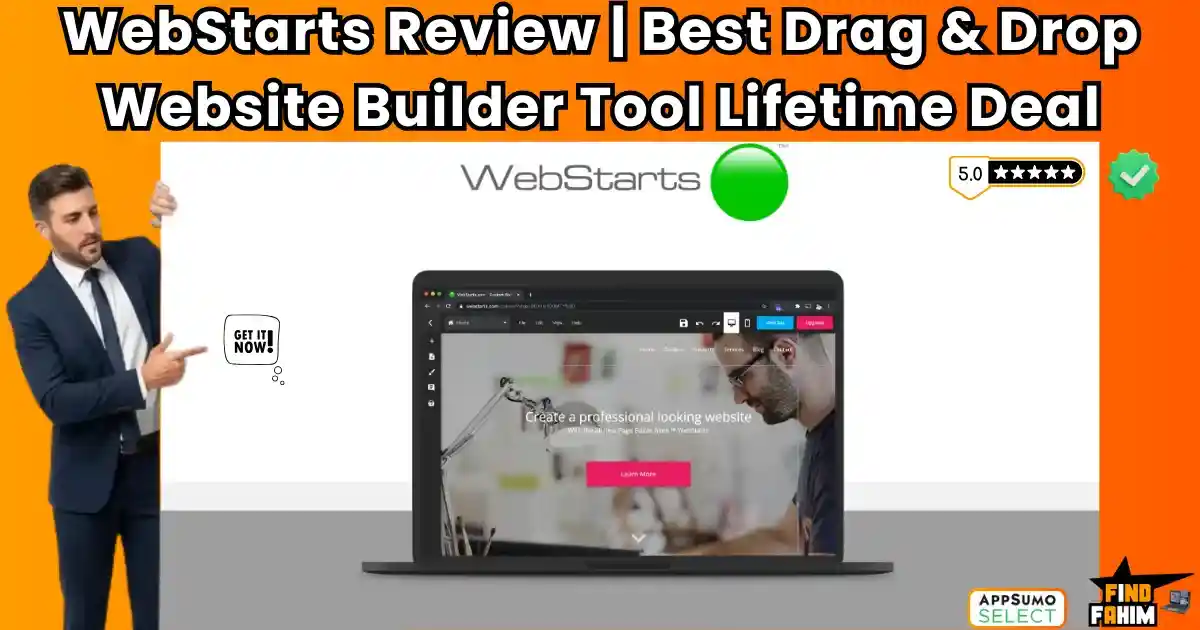
WebStarts is a drag-and-drop website builder that aims to be the “Adult Lego” of web design. It gives you the creative freedom to move any element anywhere on the page—no grid restrictions—while handling all the boring technical stuff like hosting, SSL, and domain emails in the background.
Let’s be honest: Monthly subscriptions kill small businesses.
If you sign up for Wix or Squarespace, you are looking at $16 to $29 per month forever. That is over $300 a year just to keep your portfolio online. And the moment you stop paying, your site disappears. You are renting your digital existence.
WebStarts disrupts this rent-seeking model.
It offers a Business Plan features suite—including 40GB of storage, 5 custom email addresses, and e-commerce tools—for a one-time price. It combines the visual freedom of a design tool like Canva with the power of an online store and blog.
With a solid 4.7-star rating from over 340 reviewers and a recent 2026 update adding AI tools and “wider page body” support, this platform is positioning itself as the ultimate “Set and Forget” solution. In this in-depth WebStarts review, I am testing if this $69 lifetime deal is a robust alternative to the big giants or just a basic builder.
Note: This article contains affiliate links. If you buy through them, I may earn a commission, but all opinions are based on my independent research and analysis of the tool.
My Quick Take (TL;DR)
If you are tired of paying monthly hosting fees and just want a site that works, here is my honest summary.
- What is it? A visual, drag-and-drop website builder that includes hosting, email, and e-commerce.
- Why is it Special? True Drag-and-Drop. Unlike some editors that force you into a “block” grid, this tool lets you move images and text literally anywhere on the canvas (pixel-perfect positioning).
- Who is it for? Content Creators, Marketers, and Digital Agencies who want to build sites fast without coding.
- The Deal: Lifetime Access starting at $69.
- My Verdict: If you need a professional site without the monthly “rent,” this is a no-brainer. It is perfect for landing pages, portfolios, and small stores. The templates are a bit basic, but the customization freedom makes up for it.
Click Here to Get the WebStarts Lifetime Deal
What is WebStarts?
The best way to describe this platform is as “Canva for Websites.”
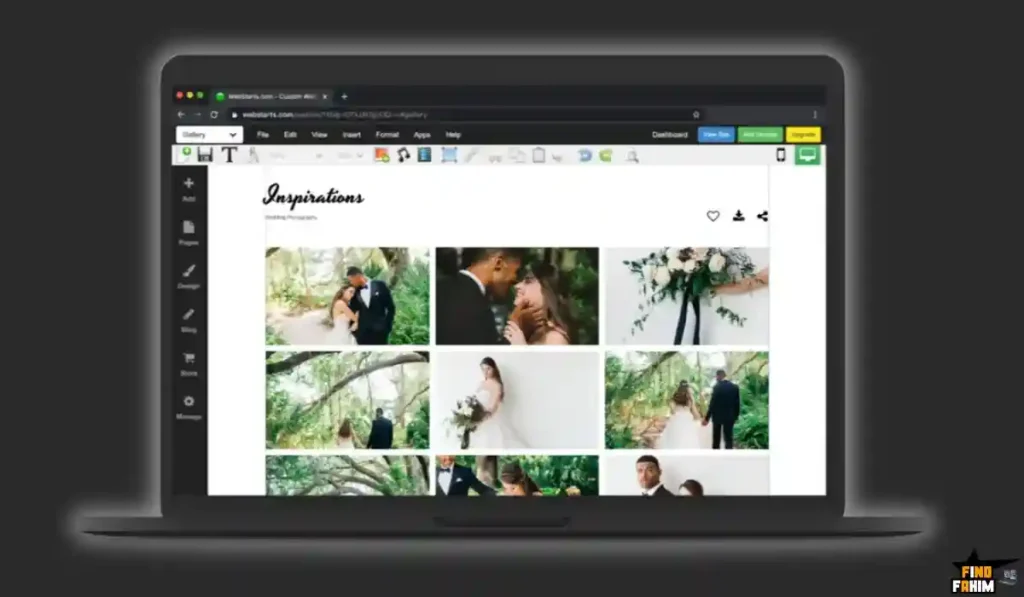
Most builders lock you into rigid templates. You can’t move a button “there” because the code doesn’t allow it. You are fighting the grid.
WebStarts is different. It uses a “Free-Form” Editor.
If you want to put your logo in the absolute bottom-right corner of the screen, you just click it and drag it there. It stays there. It gives you total control over the X and Y axes of every element.
It is an all-in-one ecosystem. It doesn’t just build the site; it hosts it. It manages your domain emails (like [email protected]). It even includes an AI Writer to help you generate text and a Blog App to drive traffic.
Quick Look: What’s Inside the Deal?
If you are currently paying a monthly subscription for Wix or Weebly, look at this math.
| Feature | Replaces… | The “Killer” Value | Normal Cost | Deal Status |
| Visual Builder | Wix / Squarespace | Drag-and-Drop Freedom | ~$23/mo | ✅ Included |
| Hosting & SSL | GoDaddy | Fast Cloud Hosting | ~$10/mo | ✅ Included |
| Custom Email | Google Workspace | 5 Business Inboxes | ~$30/mo | ✅ Included |
| E-Commerce | Shopify Basic | Sell Products & Services | ~$39/mo | ✅ Included |
| AI Writer | Jasper | Auto-Generate Content | ~$20/mo | ✅ Included |
| Total Value | Your Stack | Full Digital Presence | ~$1,500/yr | $69 (Lifetime) |
Why You Need More Than Just a “Template”
Standard builders are getting smarter, but they are also getting more expensive and restrictive.
The “Mobile View” Problem
Many builders just “squish” your desktop site onto a mobile screen, breaking the design. WebStarts gives you a Dedicated Mobile Editor. You can tweak the mobile version independently—hide a large image, resize a button—without affecting the desktop version.
The “Email” Problem
Most builders charge extra for a professional email address. They make you buy it from Google Workspace for $6/user/month.
WebStarts includes 5 custom email addresses in the Tier 1 deal. This alone saves you $360/year for a team of five. It is one of the few deals that includes the “Communication Layer” with the “Hosting Layer.”
Why No-Code Building is Trending in 2026
I noticed this tool trending because the “Do It Yourself” economy is booming.
1. The “Owned Audience” Shift
Social media algorithms are unpredictable. Creators are realizing they need a “Home Base” they actually own. A website is the only place where you control 100% of the user experience. WebStarts makes building this home base accessible to non-techies who cannot afford a $5,000 agency fee.
2. The Speed of Execution
In 2026, you can’t spend 3 months coding a site. You need to launch a landing page today to test an idea. The “Adult Lego” logic of WebStarts allows you to go from “Idea” to “Live URL” in under 2 hours. Speed is the new currency.
A Look Inside WebStarts: Key Features & Benefits
This isn’t just a page builder. It’s a full business suite.
1. True Drag-and-Drop Editor
What it is: A canvas where you have total freedom.
Why it matters: One reviewer called it an “Adult Lego experience.” You don’t need to understand CSS, padding, or margins.
- Real-World Scenario: You want your “Buy Now” button to overlap slightly with your product image for a cool 3D effect. On other builders, this is impossible because the “blocks” won’t touch. On WebStarts, you just drag it there. Done.
2. Built-in E-Commerce Store
What it is: A fully functional store to sell physical or digital goods.
Why it matters: You don’t need a separate Shopify subscription.
- Real-World Scenario: You are a designer selling merchandise. You upload your T-shirt designs, set the price, and connect your payment gateway (Stripe/PayPal). The system handles the checkout, the confirmation emails, and the inventory tracking. You keep the profits without paying transaction fees to the platform.
3. Dedicated Mobile Optimization
What it is: A separate view to control how your site looks on phones.
Why it matters: 60% of traffic is mobile. If your site looks bad on a phone, you lose the customer.
- Real-World Scenario: You have a beautiful 4K video background on your desktop site. It looks great on a monitor but loads slowly on a phone. In the Mobile Editor, you can hide the video and replace it with a fast-loading static image, ensuring your mobile speed score stays high.
4. White Label & Agency Features
What it is: The ability to build sites for clients.
Why it matters: You can start a “Web Design Agency” with zero overhead.
- Real-World Scenario: A local restaurant needs a menu site. You buy the 3-Code stack (15 email addresses, 150GB storage). You built their site in 3 hours using a template. You charge them $1,000 for the design. The hosting costs you nothing because you own the lifetime deal.
The Standout Feature: “AI Content & Design”
WebStarts isn’t stuck in 2010. The 2026 update brought serious AI power.
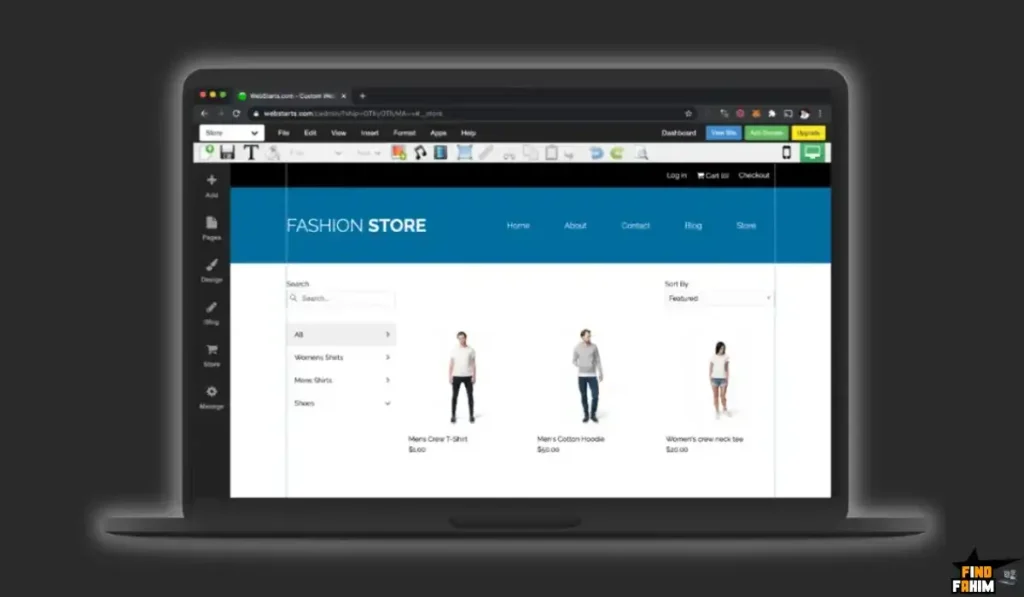
The founder, Adam, recently rolled out AI features that help you select and replace text with AI suggestions.
Why this is huge:
Writer’s block is the #1 reason websites don’t get finished.
- Real-World Scenario: You are staring at a blank “About Us” page. You don’t know what to write. You click the AI tool, type “Yoga instructor in Florida,” and it generates a professional, SEO-friendly bio for you instantly. You are editing, not writing.
How Does It Work?
It is designed for speed.
Step 1: Pick a Design
Choose from hundreds of customizable templates (or start blank).
Step 2: Drag & Drop
Click “Add Element.” Choose Text, Image, Box, or Video. Drag it onto the screen.
Step 3: Connect Domain
Use the built-in domain wizard to search for a name or connect to one you already own.
Step 4: Publish
Click the green button. Your site is live globally with SSL encryption.
WebStarts Pricing & AppSumo Deal Details
This is a Stackable Lifetime Deal available in 3 Tiers.
The scaling factor is Storage and Custom Email Addresses.
The Tier Breakdown
| Feature | 1 Code | 2 Codes | 3 Codes (Agency) |
| Price | $69 (One-Time) | $138 | $207 |
| Storage | 40 GB | 100 GB | 150 GB |
| Email Inboxes | 5 Emails | 10 Emails | 15 Emails |
| Pages | Unlimited | Unlimited | Unlimited |
| Bandwidth | Unlimited | Unlimited | Unlimited |
| White Label | ✅ YES | ✅ YES | ✅ YES |
ROI Anchor Logic: The “Hidden Math”
- Wix Business Basic costs $27/month. That is $324 per year.
- WebStarts Tier 1 is $69 (one-time).
The Reality: You break even in 3 months.
After 3 months, you are essentially making a profit compared to renting a site on Wix. Over 5 years, you save over $1,500.
My Recommendation
Buy 1 Code ($69) if you are a freelancer or solo business owner. 40GB is huge (enough for thousands of high-res images).
Buy 3 Codes ($207) if you are an Agency. You get 15 custom email addresses you can distribute to clients or team members.
Click Here to Get the WebStarts Appsumo Deal
Pros & Cons of This Lifetime Package
I promised you honesty. With a 4.7-star rating, users love it, but there are some nuances.
The Pros
- ✅ Creative Freedom: The “Free-Form” editor is a breath of fresh air for designers who hate grid restrictions.
- ✅ Speed: Reviewers consistently mention that image loading is fast and sites stay online reliably.
- ✅ Support: The founder (Adam) and his team are active. Users praise the “patience” of the support team, even with silly questions.
- ✅ Email Included: Getting 5 hosted email inboxes is a massive value add that most LTDs strip out.
- ✅ SEO Ready: It includes sitemaps, meta tags, and alt text fields out of the box.
The Cons
- ❌ Templates: Some users noted that the templates are “very basic” compared to the ultra-modern styles of Squarespace. You might need to customize them heavily to get that “2026 look.”
- ❌ Localization: A reviewer mentioned difficulty translating dynamic buttons (like “Read More” or month names) into other languages. If you are building for a non-English audience, this requires a workaround.
Best Use Cases for WebStarts
Who actually needs this platform? After testing the “Free-Form” editor, I found it fits three specific avatars perfectly.
Pro Tip: If you want to drive traffic to your new site, check out my reviews of the best SEO Tools.
1. The “Portfolio Creator.”
You are a photographer or graphic designer. You need a site that showcases your work visually without code.
- The Scenario: You drag your photos onto the canvas. You resize them exactly how you want. You connect your name.com domain.
- The Benefit: You look professional for $69. No monthly bill eating into your freelance profits.
2. The “Micro-Agency.”
You build simple sites for local businesses (plumbers, bakeries).
- The Benefit: You use the White Label features. You build the site on WebStarts, charge the client a setup fee, and manage it for them. The “Unlimited Pages” means you aren’t restricted as the client grows.
3. The “Content Marketer.”
You need landing pages for ads, but your main engineering team is too busy.
- The Benefit: You use WebStarts to spin up a high-converting landing page in 30 minutes. You capture leads using the built-in forms and track visitors immediately.
Start Building Your Website with WebStarts Today
WebStarts Alternatives
This is the most important part of the review. WebStarts is fighting against the titans of the industry. Can a $69 one-time purchase really beat the billion-dollar platforms?
Let’s compare it against the Top 5 players in the Website Builder space.
WebStarts vs Wix
Wix is the closest direct competitor. Both use a “pixel-perfect” drag-and-drop editor.
- Where Wix Wins: Templates & App Market. Wix has thousands of ultra-modern templates and a massive App Market with third-party plugins. If you need a very niche feature (like a restaurant reservation system), Wix likely has a dedicated app for it.
- Where WebStarts Wins: Price & Value. Wix’s comparable “Business” plan is roughly $27/month. Over 5 years, that is $1,620. It is $69 once. Also, Wix often charges extra for email inboxes, while WebStarts includes 5 of them.
- Verdict: Use Wix for complex, app-heavy sites; Use WebStarts for standard business sites to save money.
WebStarts vs WordPress
WordPress is the king of the internet, powering 40% of all websites.
- Where WordPress Wins: Scalability. If you are building the next New York Times or a massive e-commerce empire, you need WordPress. It is open-source and infinitely customizable if you know how to code (or hire a developer).
- Where WebStarts Wins: Maintenance. WordPress is high-maintenance. You have to update plugins, worry about security patches, and manage hosting. this ai builder is a “Walled Garden”—they handle security, updates, and hosting for you. You just design.
- Verdict: WordPress for developers; WebStarts for DIY business owners.
WebStarts vs Squarespace
Squarespace is known for its beautiful, award-winning design templates.
- Where Squarespace Wins: Aesthetics. Squarespace templates look like art. You almost can’t make an ugly site on Squarespace because the editor restricts you to a grid. It forces good design.
- Where WebStarts Wins: Creative Freedom. Squarespace’s grid can be frustrating if you want to move a logo just a little bit to the left. this tool lets you put elements anywhere. And again, the lifetime price beats the $23/mo subscription.
- Verdict: Squarespace for artists; WebStarts for marketers.
WebStarts vs Weebly
Weebly (now owned by Square) is an older drag-and-drop builder.
- Where Weebly Wins: Square Integration. Since Square owns it, the POS (Point of Sale) integration for physical retail stores is very tight.
- Where WebStarts Wins: Development Pace. Weebly feels stagnant. The editor hasn’t changed much in years. This platform is actively updating with AI tools and new features. The “Free-Form” editor of WebStarts is also more flexible than Weebly’s blocky structure.
- Verdict: Weebly feels outdated; WebStarts feels current.
WebStarts vs Carrd
Carrd is the king of one-page sites.
- Where Carrd Wins: Simplicity. If you only need a single landing page or a “Link in Bio” site, Carrd is unbeatable ($19/year). It is lighter and faster for single-page needs.
- Where WebStarts Wins: Multi-Page & E-Commerce. Carrd struggles if you need a blog, a store, or multiple service pages. It is a full website builder, not just a landing page tool.
- Verdict: Carrd for one-pagers; WebStarts for full sites.
All Competitors Matrix
| Tool | Pricing Model | Editor Style | Email Included? | Best For… |
| WebStarts | Lifetime ($69) | Free-Form Drag & Drop | ✅ Yes (5 Boxes) | Agencies / DIY |
| Wix | Sub ($27/mo+) | Free-Form Drag & Drop | ❌ Extra Cost | Niche Apps |
| Squarespace | Sub ($23/mo+) | Structured Grid | ❌ Extra Cost | Visual Portfolios |
| WordPress | Free + Hosting | Block Editor (Gutenberg) | ❌ Host Dependent | Developers / Blogs |
| Weebly | Sub ($10/mo+) | Structured Blocks | ❌ Extra Cost | Retail Stores |
| Carrd | Sub ($19/yr) | Section Based | ❌ No | One-Page Sites |
Who Should NOT Buy WebStarts?
I want to be transparent. This tool is a powerhouse, but it is not for everyone.
- Don’t buy it if you need “Complex Multi-Language Sites.” As one reviewer noted, translating dynamic buttons (like “Read More” or cart checkout flows) into languages like Czech or Slovak can be tricky. It lacks a native “Multi-Language Switcher” deep in the core.
- Don’t buy it if you are a “Template Rely-er.” If you want to just swap text and launch, you might find the templates a bit basic compared to 2026 design trends. You need to be willing to drag, drop, and style things yourself to make it look premium.
Is This Lifetime Deal a Smart Business Investment?
Let’s do the financial math for 1 Code ($69).
Scenario: You are a freelancer launching a personal portfolio.
- Option A (Squarespace Personal): You pay $16/month. Over 3 years, that is $576.
- Option B (WebStarts): You pay $69 (One-time).
The ROI Math:
- You save $500+ in the first 3 years.
- You get 5 Professional Emails included (saving another ~$180/year vs Google Workspace).
- The break-even point is roughly 4 months of a standard hosting bill.
Even if you only use it for a simple landing page, the “Ad-Free” hosting alone is worth the price of admission.
How to Redeem the WebStarts Lifetime Deal
- Buy: Purchase the code on AppSumo.
- Account: Create your free account at WebStarts.com.
- Redeem: Go to your account settings or the upgrade page and enter your AppSumo code.
- Domain: Pro Tip: If you already own a domain, change your nameservers to ns1.webstarts.com and ns2.webstarts.com immediately. It takes up to 48 hours to propagate, so do this first!
- Design: Pick a template and start dragging.
Final Verdict: Is This Cost-Friendly Deal Worth It?
After testing the editor responsiveness, the mobile customization, and the e-commerce features, my final verdict is a solid 4.6-Star YES.
It is the best “Utility Player” in the website builder world.
- It kills the Hosting Fees.
- It kills the Email Subscription Fees.
- It gives you Total Creative Control.
If you are willing to spend a little time tweaking the design, WebStarts gives you a professional digital presence for the price of a nice dinner.
Secure Your WebStarts License Before The Timer Runs Out!
Note: Deal ends soon. The 5-Email inclusion is a massive value that might change in future deals.
About the Author: Why I Care About This So Much
I remember paying Bluehost, GoDaddy, and Google Workspace separate bills every month just to run a simple blog. It felt like death by a thousand cuts.
WebStarts unifies all of that. I write these reviews to help creators stop renting their presence on the internet and start owning it.
If you want to see the other tools I use to save money, check out my Full AppSumo Deal Reviews Page.
FAQ: Your WebStarts Questions, Answered
WebStarts is an all-in-one website builder that lets you create websites, blogs, online stores, and business emails using a drag-and-drop editor with hosting included.
If the editor gets stuck, try using Google Chrome, updating your browser, clearing cache, or disabling any AdBlock extensions that may interfere with the editor scripts.
Yes, you can connect a custom domain from providers like Namecheap or GoDaddy by updating your nameservers to WebStarts’ DNS settings.
Yes, It allows you to create an online store, sell products, and accept payments through Stripe credit cards and PayPal.
Yes, WebStarts automatically generates a mobile version of your site and also provides a dedicated Mobile Editor to customize layouts for phones.
Lifetime deal users receive phone support during business hours plus 24/7 email support for technical and account-related issues.
Yes, It includes a built-in blogging app with post scheduling, social sharing, and SEO-friendly features.
Yes, all WebStarts websites include a free SSL certificate (HTTPS), improving both security and Google search rankings.
Yes, stacking codes increases storage and email inboxes. For example, stacking 3 codes unlocks 150GB storage and 15 professional email accounts.
Yes, This deal offers real email inboxes like [email protected] that work with webmail and email clients such as Outlook or Apple Mail.
Yes, the latest updates include AI tools that help generate website content, write paragraphs, and suggest basic design improvements.
No, WebStarts is a hosted website builder similar to Wix, meaning site code cannot be easily exported to external hosting platforms.
Yes, WebStarts provides SEO tools such as meta tags, image alt text, XML sitemaps, and direct search engine submission options.
Yes, higher-tier plans included in this deal allow multiple contributors or unlimited collaborators depending on the number of stacked codes.
Yes, you can create password-protected pages or member-only areas where users must log in to access exclusive content. What is WebStarts?
What should I do if the WebStarts editor is not loading?
Can I use my own domain name with WebStarts?
Does WebStarts include eCommerce features?
Are WebStarts websites mobile-friendly?
How do I get customer support from WebStarts?
Can I add a blog to my WebStarts website?
Does WebStarts provide SSL security?
Can I stack AppSumo codes for WebStarts?
Are WebStarts email accounts fully functional?
Does WebStarts include AI writing tools?
Can I export my WebStarts website to another host?
Is WebStarts good for SEO?
Can multiple people collaborate on a WebStarts site?
Does WebStarts support members-only or private pages?

Hi, I’m Fahim — a SaaS tools reviewer and digital marketing expert with hands-on experience helping businesses grow using the right software. I research, test, and personally use a wide range of AI, business, productivity, marketing, and email tools for my agency, clients, and projects. I create honest, in-depth reviews and guides to help entrepreneurs, freelancers, startups, and digital agencies choose the best tools to save time, boost results, and scale smarter. If I recommend it, I’ve used it — and I only share what truly works.