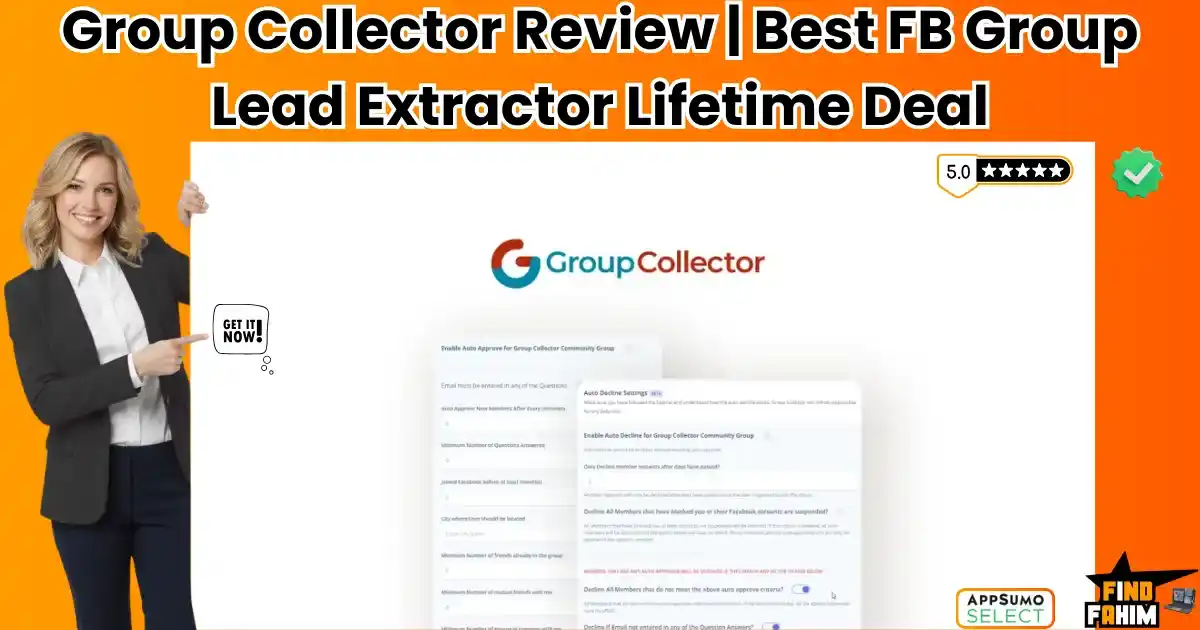

Facebook Groups are gold mines for leads, but the platform has a major flaw: it deletes member answers the moment you hit “Approve.”
Group Collector is a Chrome extension that automates Facebook Group onboarding by collecting member answers (including emails) and syncing them directly to your Google Sheets and email marketing software before approval.
Let’s be honest: Managing a Facebook Group is manual labor.
You have 50 people waiting to join. You have to check their profiles, read their answers, copy their email address, paste it into a spreadsheet, and then click approve. If you click approve first, that data vanishes forever.
Most group owners either do this manually (wasting hours) or pay for expensive tools like GroupLeads ($27/month) or GroupKit ($34/month).
Group Collector solves this for a one-time price.
It acts as a bridge between your Facebook Group and your business. It can auto-approve members who meet your criteria (e.g., “Must enter an email”), reject spammers, and push that valuable data straight into ActiveCampaign, ConvertKit, or a Google Sheet. It turns your community into an automated lead funnel.
With a solid 4.7-star rating and a developer who updates the tool whenever Facebook changes its layout, this extension is the secret weapon for community managers. In this in-depth Group Collector review, I am testing if this $79 lifetime deal is reliable enough to handle thousands of members without breaking.
Note: This article contains affiliate links. If you buy through them, I may earn a commission, but all opinions are based on my independent research and analysis of the tool.
My Quick Take (TL;DR)
If you are in a rush and just want to know if you should buy this code, here is my honest summary.
- What is it? A browser extension for Facebook Group admins. It scrapes member answers during the approval process.
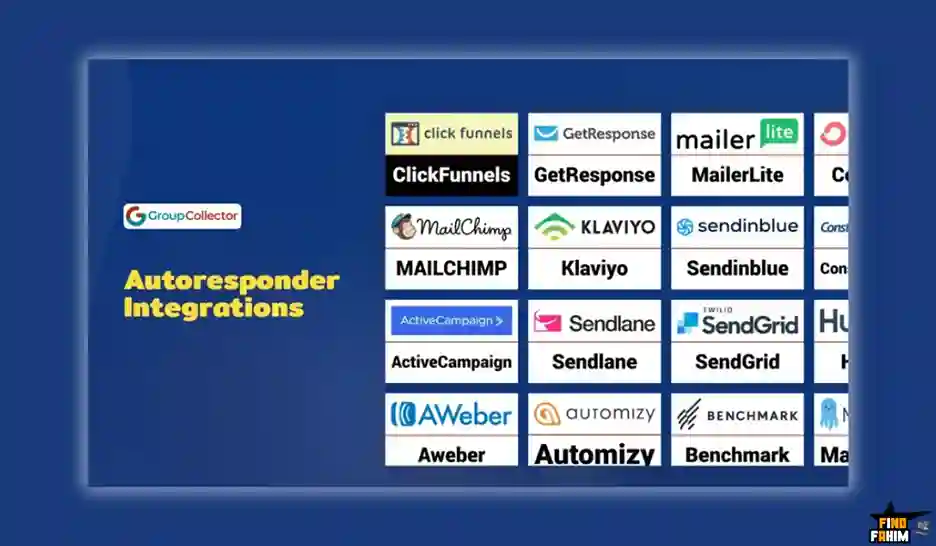
- Why does it matter? No-Zapier Integration. Unlike some tools that require a paid Zapier account to move data, this tool connects directly to 20+ autoresponders.
- Who is it for? Coaches, Course Creators, and Community Managers who use FB Groups as a top-of-funnel strategy.
- The Deal: Lifetime Access for $79.
- My Verdict: If you own a Facebook Group, this is mandatory. It pays for itself in 3 months compared to GroupLeads. Just remember: it’s a Chrome Extension, so it only works on your desktop, not your phone.
Click Here to Get the Group Collector Lifetime Deal
What is Group Collector?
The best way to describe this tool is as a “Lead Catcher” for Facebook.
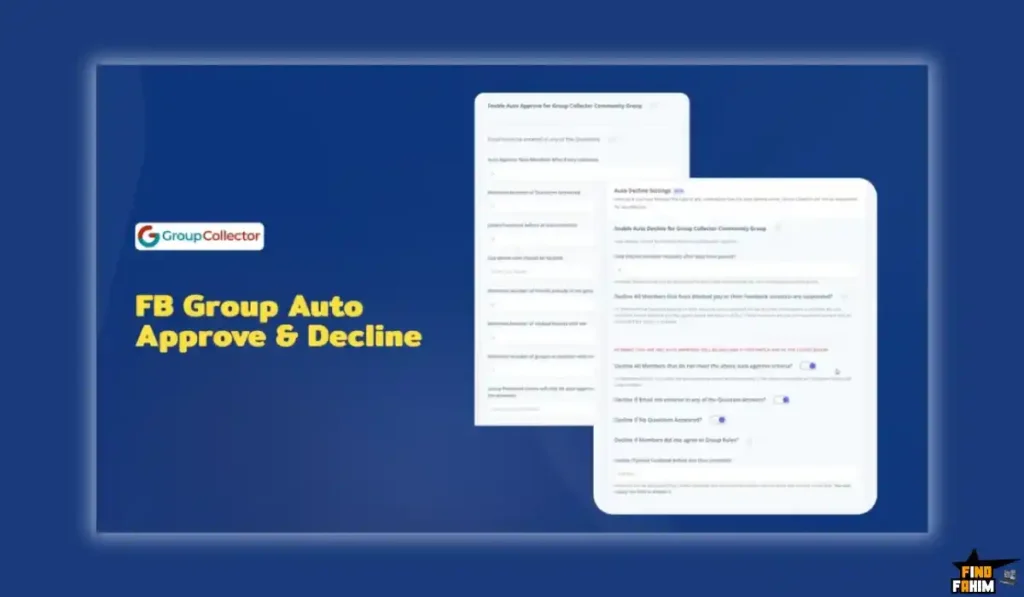
It sits in your browser. When a new member requests to join your group, the extension “intercepts” the approval click.
- It reads the answers (Name, Email, Goals).
- It saves them to a Google Sheet.
- It pushes the email to your CRM (e.g., Mailchimp).
- Only then does it tell Facebook to “Approve” the user.
This entire process happens in milliseconds, ensuring you never lose a lead’s data.
Quick Look: What’s Inside the Deal?
If you are currently doing this manually or paying monthly, look at the math.
| Feature | Replaces… | The “Killer” Value | Normal Cost | Deal Status |
| Data Extraction | Copy/Paste | Saves Emails to Sheets | 5+ Hours/wk | ✅ Included |
| Auto-Approve | VA | Filter & Approve by Logic | $10/hr | ✅ Included |
| Email Sync | Zapier | Direct to ActiveCampaign | ~$20/mo | ✅ Included |
| Unlimited Groups | GroupLeads | Run 10+ Groups for Free | ~$57/mo | ✅ Included |
| Custom Audience | Ads Manager | Retarget Group Members | N/A | ✅ Included |
| Total Value | Your Time | Automated Lead Gen | ~$684/yr | $79 (Lifetime) |
The “Vanishing Data” Problem: Why You Need This
Facebook wants to keep users on Facebook. They do not want you building an email list.
That is why they delete member answers instantly upon approval.
The Opportunity
When someone joins your group, they are highly motivated. If you ask, “What is your email for a free guide?”, 50-80% will give it to you.
The Solution
Group Collector acts as the “Save Button” that Facebook forgot to build. It ensures that every person who joins your community also joins your email list, creating a traffic source you actually own.
Why Community Automation is Trending in 2026
I noticed this tool trending because organic reach is dying.
1. The “Owned Audience” Shift
Smart marketers realize they can’t rely on the Facebook algorithm. Moving users from “Rented Land” (Facebook Group) to “Owned Land” (Email List) is the only safe long-term strategy.
2. The Rise of Niche Micro-Groups
Instead of one massive page, brands are running 10+ smaller, niche groups. Managing these manually is impossible. Tools that offer Unlimited Groups (like this one) are essential for this multi-group strategy.
A Look Inside the Platform: Key Features & Benefits
This isn’t just a scraper. It’s a full onboarding automation suite.
1. The Auto-Approve Engine (The “Gatekeeper”)
What it is: You can set rules for who gets into your group.
How it works: You can tell the software, “Only approve people who have answered all 3 questions AND entered an email address.”
Real-World Scenario: You run a local real estate group. You get 50 requests a day. 20 are spammers. Group Collector automatically declines the spammers and approves the locals who gave their emails. You wake up to 30 new qualified leads without lifting a finger.
2. Direct Autoresponder Integrations (Save on Zapier)
What it is: Most cheap scrapers only send data to Google Sheets. You then need Zapier to move it to your CRM.
The Magic: This tool integrates directly with ActiveCampaign, ConvertKit, MailerLite, GetResponse, and 20+ others.
Real-World Scenario: A user joins your “Keto Diet” group. They enter their email. Group Collector pushes them instantly to your ConvertKit “Welcome Sequence.” By the time they see your group content, they have already received your Welcome Email with the free meal plan.
3. The Custom Audience Builder (The “Ad Hack”)
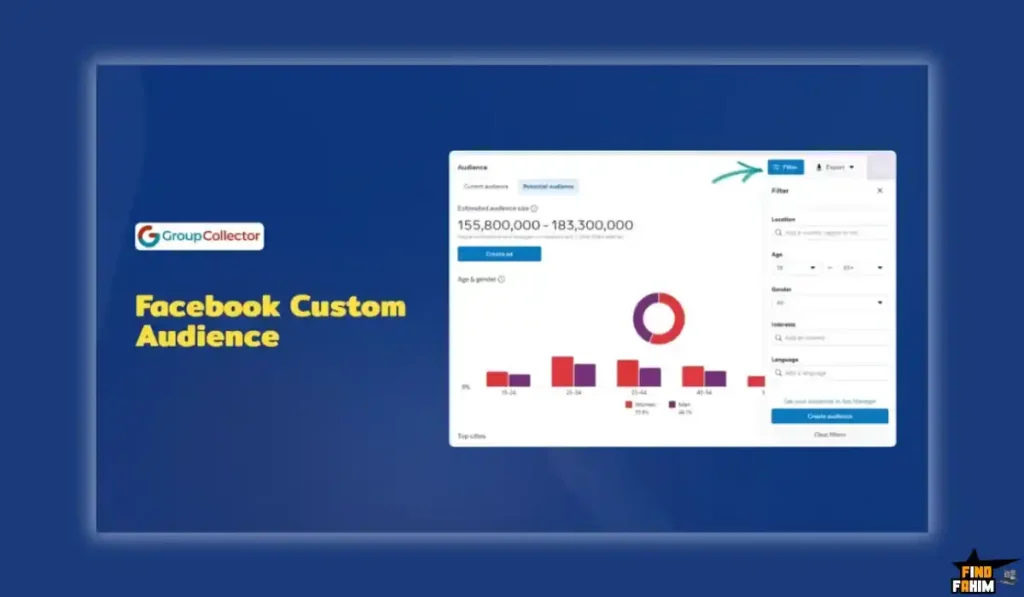
What it is: It allows you to build a Facebook Custom Audience from your group members.
Why it matters: You can run ads targeting only your group members (who already know and trust you).
Real-World Scenario: You are launching a paid course. Instead of targeting “Cold Interest” audiences, you target your “Group Member Audience.” Your ad costs drop significantly because the relevance score is huge.
4. Unlimited Groups & Members
What it is: The license covers Unlimited Facebook Groups.
The Value: Competitors like GroupLeads charge you more as you add more groups (e.g., $57/mo for 5 groups). With this deal, you can run an empire of 50 niche groups for the same $79 price.
The Standout Feature: “No-Zapier Sync”
The feature that saves the most money is the Native Integration.
Using Zapier to move 1,000 leads a month would cost you $20-$30/month on a Zapier Starter plan.
Group Collector connects directly via API keys. It bypasses Zapier entirely, keeping your monthly operational costs at $0.
How Does It Work? (A Quick Look)
It takes about 10 minutes to set up.
Step 1: Install Extension
Add the Chrome Extension to your browser and enter your license key.
Step 2: Connect Google Sheet
Create a new Google Sheet and paste the URL into Group Collector. This is your database.
Step 3: Connect CRM
Select your email provider (e.g., Mailchimp) and paste your API key. Map the “Email” field.
Step 4: Set Criteria
Go to your Group’s “Member Requests” page. Click “GC Auto Approve.” The bot will start scanning and approving based on your rules.
Group Collector Pricing & AppSumo Deal Details
This is a Single-Tier Lifetime Deal.
Simple and effective.
The Tier Breakdown
| Feature | Lifetime License |
| Price | $79 (One-Time) |
| FB Groups | Unlimited |
| Members Approved | Unlimited |
| Google Sheet Sync | Included |
| Autoresponder Sync | Included (No Zapier needed) |
| Auto-Approve Logic | Included |
ROI Anchor Logic: The “Hidden Math”
- GroupLeads (Basic Plan) is $27/month.
- GroupKit is $34/month.
- Group Collector is $79 once.
The Reality: You break even in just 3 months.
If you plan to run your group for more than 90 days, this is financially the only logical choice.
My Recommendation
Buy It.
- Why? Even if you only have one small group right now, the ability to capture emails automates your growth. At $79, it is cheaper than hiring a VA for one day.
Click Here to Get the Lifetime Deal
Pros & Cons of This Lifetime Package
I promised you honesty. With 92 reviews and a 4.7-star rating, it is a community favorite, but it has technical constraints.
The Pros
- ✅ Unlimited Everything: No caps on how many members you can approve or how many groups you connect. This is rare in the SaaS world.
- ✅ No Zapier Tax: The direct integrations save you an extra $20-$30/month.
- ✅ Legacy Support: It works with both the “New” Facebook layout and the “Old” one. The developer is quick to patch it when Zuckerberg breaks things.
- ✅ Auto-Decline: It doesn’t just approve; it cleans. You can auto-decline people who didn’t answer questions, keeping your community high-quality.
- ✅ Data Backup: Even if the API connection fails, the data is always saved to the local dashboard and Google Sheet as a backup.
- ✅ Team Friendly: You can share your license key with a Virtual Assistant so they can manage the group from their computer.
The Cons
- ❌ Desktop Only: This is a Chrome Extension. It does not work on the Facebook Mobile App. You must sit at a computer to run the approval process.
- ❌ Facebook Dependencies: If Facebook pushes a major UI update tomorrow, the extension will break for a few days until the developer patches it. This is the nature of all “scraper” tools.
Best Use Cases for Group Collector
Who actually needs this extension? After testing the “Auto-Approve” filters, I found that it fits three specific avatars perfectly.
1. The “High-Ticket Coach.”
You run a “7-Figure Agency Secrets” group. You require members to enter their email to get a free “Agency Blueprint” PDF.
- The Scenario: You set Group Collector to Auto-Approve anyone who enters a valid email. The tool grabs the email and sends it to ActiveCampaign.
- The Benefit: Your welcome email (containing the PDF) hits their inbox 30 seconds after they join. The speed to lead is instant.
2. The “SaaS Founder.”
You have a “User Community” for your software. You need to verify that new members are actually paying customers.
- The Scenario: You ask a joining question: “What is your license key or email used for purchase?” You use the Google Sheet sync to collect this data.
- The Benefit: Your support team can periodically check the spreadsheet to cross-reference members with your Stripe database. It’s a fast way to filter out spies.
3. The “Local Business Network.”
You run a “Chicago Small Biz Networking” group. You want to keep spammers out.
- The Scenario: You set a strict rule: “Decline anyone whose account is less than 3 months old or who lives outside Chicago.”
- The Benefit: The tool filters the noise. You don’t have to manually check the profile creation date of 50 people every morning. It keeps the community quality high.
Start Automating Your Group Leads Today
Group Collector Alternatives
This is the most important part of the review. The tool is fighting against subscription giants like GroupLeads and GroupKit. Can a one-time payment tool really keep up?
Let’s compare it against the Top 5 options in the market.
Group Collector vs GroupLeads
GroupLeads is the market leader. It is polished, robust, and expensive.
- Where GroupLeads Wins: Message Automation. GroupLeads can send a personalized DM to a new member via Messenger as it approves them. Group Collector focuses purely on data extraction and email sync, not outbound messaging.
- Where Group Collector Wins: The Price Tag. GroupLeads starts at $27/month for just 1 group. If you have 5 groups, it costs $57/month. Group Collector costs $79 once for Unlimited Groups.
- Verdict: Unless you absolutely need the “Auto-DM” feature (which Facebook often blocks as spam anyway), paying monthly for GroupLeads is unnecessary. Group Collector does the core job (Email Scraping) just as well for 1% of the long-term cost.
Group Collector vs GroupKit
GroupKit is another premium CRM-style extension.
- Where GroupKit Wins: CRM Interface. GroupKit feels more like a CRM inside Facebook. It allows you to tag members and track conversations in a nice dashboard overlay. It is built for “High Touch” sales.
- Where Group Collector Wins: Simplicity. GroupKit costs $34/month. It is complex. Group Collector is “Set and Forget.” You set it up once, and it just pumps leads into your real CRM (like HubSpot or ConvertKit). You don’t need a CRM inside Facebook; you need the data out of Facebook.
- Verdict: GroupKit for High-Ticket Sales; Group Collector for Email List Building.
Group Collector vs Manual Copy-Paste
Most people start by copying emails manually.
- Where Manual Wins: It’s Free. It costs $0.
- Where Group Collector Wins: Sanity. Copying 50 emails takes about 30 minutes. That is 3.5 hours a week. If your time is worth $20/hr, you are losing $70/week doing grunt work. This tool does it in 3 seconds.
- Verdict: Manual is fine for <10 members/week; Automation is mandatory for anything more.
Group Collector vs Zapier
Some people try to use Zapier to move data.
- Where Zapier Wins: Flexibility. Zapier connects to 5,000 apps.
- Where Group Collector Wins: The “Trigger” Problem. Facebook Groups do not have a Zapier trigger for “New Member Answers.” You literally cannot automate this with Zapier alone because Facebook doesn’t give Zapier that data. You need a Chrome Extension to scrape the page first.
- Verdict: You need Group Collector to feed Zapier (or skip Zapier entirely with the native integrations).
All Competitors Matrix
| Tool | Pricing | Email Sync | Unlimited Groups | Best For… |
| Group Collector | Lifetime ($79) | ✅ Yes | ✅ Yes | Smart Marketers |
| GroupLeads | Sub ($27/mo+) | ✅ Yes | ❌ No (Tiered) | Messaging Focus |
| GroupKit | Sub ($34/mo) | ✅ Yes | ✅ Yes | Sales CRM |
| Manual Work | Free (Time) | ❌ Slow | ✅ Yes | Hobbyists |
Who Should NOT Buy Group Collector?
I want to be transparent. This tool is a scraper, and it has limitations.
- Don’t buy it if you manage your group 100% from your iPhone. This is a Chrome Extension. It requires a desktop browser (Chrome, Edge, Brave) to run. If you don’t own a laptop, you cannot use it.
- Don’t buy it if you expect “Facebook API” stability. Facebook changes its code often. When they do, all extensions (including GroupLeads) break for 24-48 hours until the devs patch it. You need patience during these updates.
- Don’t buy it if you need “Auto-DM.” If your strategy relies on sending a Messenger DM to every new member, this tool doesn’t do that. It focuses on Email capture.
Is This Lifetime Deal a Smart Business Investment?
Let’s do the financial math for a standard community owner.
Scenario: You have 1 Facebook Group and generate 100 leads a month.
- Option A (GroupLeads): You pay $27/month. Over 2 years, that is $648.
- Option B (Group Collector): You pay $79 (One-time).
The ROI Math:
- You save $569 in the first 2 years.
- You save 5 hours/month of manual data entry.
- Each lead you capture is worth (conservatively) $1. If you capture 80 leads, the tool is paid for.
- The break-even point is just 3 months of a GroupLeads subscription.
How to Redeem the Group Collector Deal
- Buy: Purchase the code on AppSumo.
- Redeem: Click “Buy Now” (It’s a single code, very simple).
- Install: Download the Chrome Extension from the Google Web Store.
- Activate: Enter your License Key inside the extension pop-up.
- Setup: Pro Tip: Watch the “Installation Video” carefully. You need to connect your Google Sheet before you start approving members to ensure the data has somewhere to go.
Final Verdict: Is This Cost-Friendly Deal Worth It?
After testing the auto-approve speed, the direct integrations, and the backup reliability, my final verdict is a solid 4.7-Star YES.
It is the smartest purchase for any Community Manager.
- It kills the “Data Entry” grind.
- It kills the Monthly Subscription.
- It builds your Asset (Email List).
If you own a Facebook Group, you are leaving money on the table every day you don’t use this. Group Collector is the “Set and Forget” solution.
Secure Your Group Collector License Before The Timer Runs Out!
About the Author
I run a Facebook group for freelancers. For months, I manually copied emails into Mailchimp. One day, I forgot, clicked “Approve All,” and lost 50 emails. I was furious.
Group Collector stopped that pain instantly. Now my list grows while I sleep. I write these reviews to help you stop doing robot work.
If you want to see the other tools I use to save money, check out my Full AppSumo Deal Reviews Page.
FAQ: Your Group Collector Questions, Answered
Group Collector is a Chrome extension that automates Facebook group member approvals and saves answers, emails, and profile data directly to Google Sheets and email marketing tools.
No. Group Collector is a Chrome extension and only works on desktop browsers like Chrome or Brave on Windows, macOS, or Linux.
Yes. It runs locally in your browser and mimics normal human behavior. As long as approvals are done at a reasonable speed, it is very safe to use.
No. Group Collector integrates directly with over 35 email marketing platforms such as ActiveCampaign, ConvertKit, Mailchimp, and AWeber, saving you extra monthly costs.
Yes. The license is user-based, not device-based, allowing you to log in on multiple computers or share access with a virtual assistant.
Yes. The developer actively updates the extension whenever Facebook changes its interface, ensuring continued compatibility.
Yes. You can set negative approval rules, such as auto-declining members who skip required questions, helping maintain group quality.
Yes. The lifetime deal supports unlimited Facebook groups, making it ideal for community managers and agencies.
All data is saved to your connected Google Sheets and email marketing tools, meaning you fully own and control your data.
Yes. If publicly available, Group Collector can capture profile location details such as city to support location-based approval rules.
Yes. It works with both public and private groups as long as you are an admin or moderator with approval permissions.
Email lists are owned assets, unlike Facebook groups. Collecting emails protects your business if Facebook limits or removes your group.
Yes. Group Collector lets you export member data in a format compatible with Facebook Ads Manager for custom audience targeting.
Yes. Since Brave is Chromium-based, Group Collector works the same way as it does in Google Chrome.
If approvals are done manually without the extension active, member data cannot be collected, so the tool must be running during approval. What is Group Collector?
Does Group Collector work on mobile?
Is Group Collector safe for my Facebook account?
Do I need Zapier to use Group Collector?
Can I use Group Collector on multiple computers?
Does Group Collector work with the new Facebook group layout?
Can Group Collector automatically decline members?
Can I use Group Collector with multiple Facebook groups?
Where is the data collected by Group Collector stored?
Does Group Collector collect user location data?
Does Group Collector work with private Facebook groups?
Why is collecting emails from Facebook groups important?
Can I retarget Facebook group members with ads?
Does Group Collector work with Brave browser?
What happens if I approve members without running Group Collector?

Hi, I’m Fahim — a SaaS tools reviewer and digital marketing expert with hands-on experience helping businesses grow using the right software. I research, test, and personally use a wide range of AI, business, productivity, marketing, and email tools for my agency, clients, and projects. I create honest, in-depth reviews and guides to help entrepreneurs, freelancers, startups, and digital agencies choose the best tools to save time, boost results, and scale smarter. If I recommend it, I’ve used it — and I only share what truly works.