
Running your daily business operations on messy, broken spreadsheets actively destroys your profit margins. When I see management teams spending expensive billable hours copying data between disconnected client lists and marketing trackers, I know they burn cash through sheer operational failure.
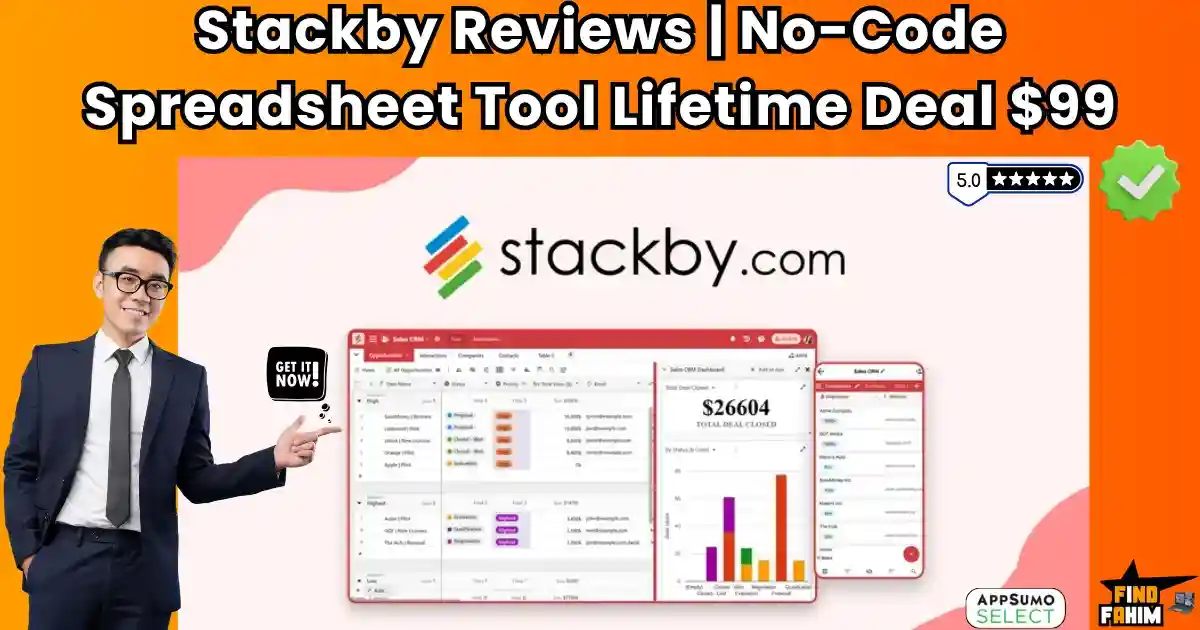
The direct solution to this administrative chaos is the Stackby AppSumo deal. This no-code database platform provides a centralized, automated workspace to organize my entire pipeline permanently without expensive recurring subscription fees.
Disclaimer: This article contains affiliate links. If you purchase through these links, I may earn a small commission at no extra cost. All opinions are entirely my own.
My Quick Take (TL;DR)
-
What is it? A visual, no-code relational database that turns basic spreadsheets into automated operational trackers.
-
Special Feature: Native API column connectors automatically pull live data from external platforms directly into my database cells.
-
For Who: Digital marketing agencies, freelance consultants, SaaS founders, and project managers handling complex workflows.
-
The Deal: A single $99 payment secures permanent lifetime access, eliminating exorbitant monthly database software subscriptions forever.
-
Verdict: It completely replaces fragmented Google Sheets by offering a highly structured, automated data system explicitly built for protecting my bottom line.
Check the Stackby Lifetime Deal Now!
What is Stackby? (Your Spreadsheet-Database Hybrid)
The best way to describe Stackby is to imagine if Google Sheets and a powerful database had a baby. It looks and feels as simple as a spreadsheet, but it has the power of a complex relational database and the automation of a no-code tool.
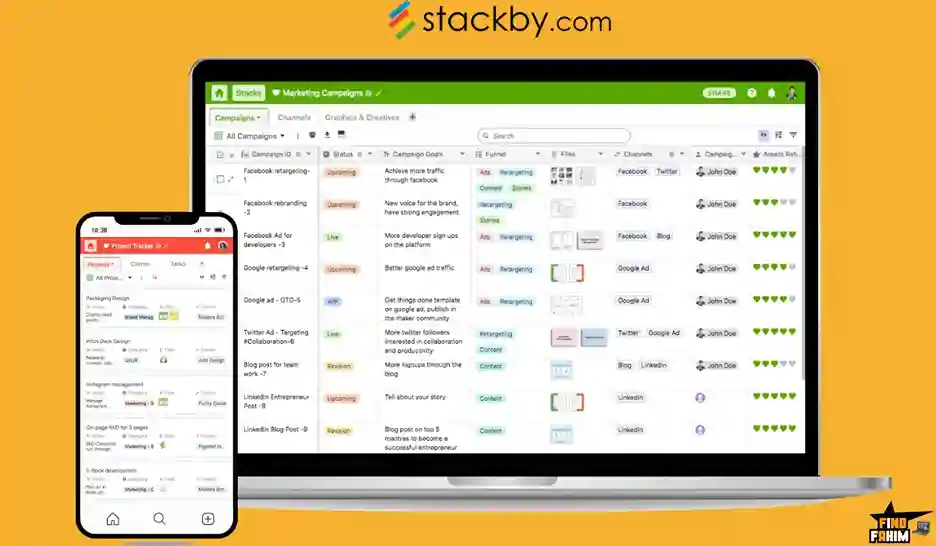
On the surface, you have rows and columns. But in Stackby, a “column” isn’t just for text or numbers. You can have 25 different types of columns, including:
- Attachments (like images or PDFs)
- Dropdowns
- Progress bars
- Formulas
- Relational links (to connect to other tables)
- API Connectors (the magic feature)
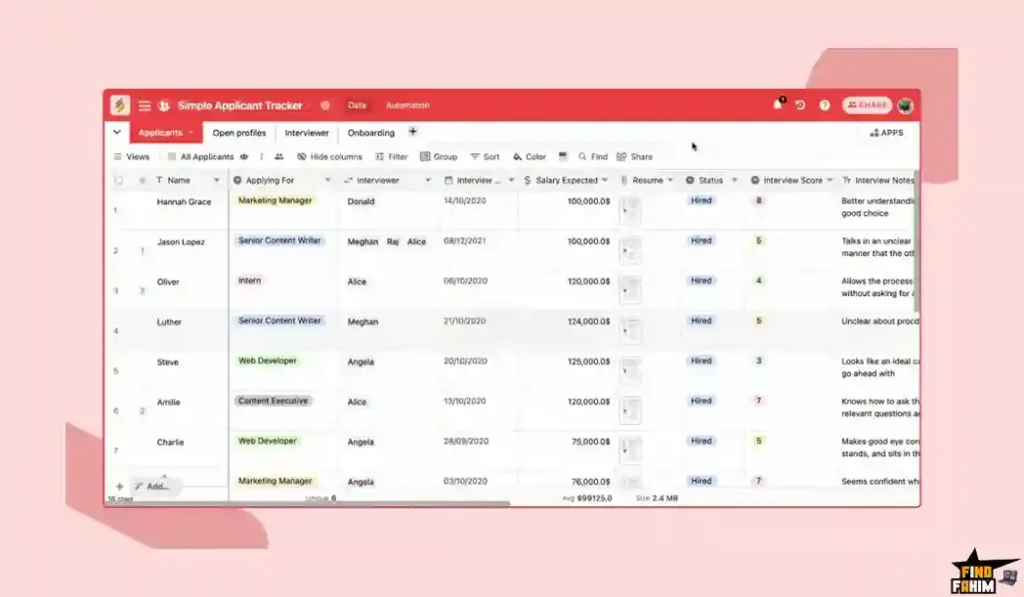
This allows you to stop just storing data and start working with it. You can create a “stack” (a database) for anything, from a project tracker and a client CRM to a video production calendar. It’s a tool that lets you build your own custom software for your business, without writing a single line of code.
Why You Need More Than Just Google Sheets
I love Google Sheets. It’s free, familiar, and flexible. But it’s also “dumb.” It’s a blank page that can’t do anything on its own. The moment you try to do anything complex, the system breaks.
- Want to see your tasks in a Kanban view? You can’t.
- Want to link your “Clients” sheet to your “Projects” sheet? You’re in for a world of complex VLOOKUP formulas that will eventually break.
- Want to automatically pull in the latest YouTube stats for your video tracker? Impossible.
- Want to build an automation? You have to buy another tool like Zapier.
This is the market gap that Stackby fills. It takes the simple, easy-to-use spreadsheet interface you already love and adds the powerful database, automation, and API features you desperately need. It’s the “spreadsheet on steroids” that can actually run your business.
Why Stackby is Trending in 2025: The “Airtable Alternative”
The no-code “spreadsheet-database” market is one of the hottest in all of tech, and Airtable has been the undisputed king. However, in 2025, many users are becoming frustrated with Airtable’s new focus on “enterprise” customers and its high, per-user monthly pricing.
Stackby is trending because it has emerged as the #1 lifetime deal alternative to Airtable.
Users in the reviews are saying it directly:
- “I’ve used the Ai**ble product… I’m not happy with the apparent change of direction that the company is taking… Stackby is a great product with very attentive support.”
- “As someone who has used AirTable and SmartSuite, I found Stackby to have just about everything those two services had and more—for a better price.”
This Stackby AppSumo deal is your golden ticket to get a true, powerful Airtable competitor for a single, one-time payment.
A Look Inside Stackby: Key Features & Benefits
This lifetime package is incredibly deep. It’s a true platform, not just a simple app. Here are the core features that make it so powerful.
The Spreadsheet-Database Core
- What it is: The foundation of Stackby. It’s a flexible grid that lets you organize any kind of data using 25+ unique column types, like dropdowns, attachments, progress bars, and formulas.
- Why it matters: It gives you structure. You’re not just typing in a cell; you’re using dedicated fields, which makes your data clean, organized, and easy to sort and filter.
Multiple Data Views
- What it is: You can instantly change how you look at your data. Take any “stack” and view it as a Grid (spreadsheet), a Kanban board (like Trello), a Calendar, a Gallery (for images), or a Form.
- Why it matters: This lets you use the same data for different jobs. Your marketing team can use the Calendar view for their content schedule, while your sales team uses the Kanban view for their client pipeline… but it’s all pulling from the same, single source of truth.
Relational Database Features
- What it is: This is the “database” part. It lets you link tables (stacks) together. You can have one stack of “Clients” and another stack of “Projects” and link them, so you can see all the projects for a single client.
- Why it matters: This is something Google Sheets simply cannot do. It eliminates data duplication and allows you to build sophisticated, interconnected systems for running your entire business.
Real-Time Collaboration
- What it is: Stackby is built for teams. You can add comments, checklists, and @mention teammates on any individual row.
- Why it matters: It keeps all your conversations in context. You don’t have to jump over to Slack or email to discuss a task; the entire conversation can happen right on the task itself, which is a massive productivity win.
The Standout Feature: 50+ Column-Level API Connectors
This is the killer feature. This is the one thing that makes Stackby a true game-changer, and it’s something its main competitors don’t have.
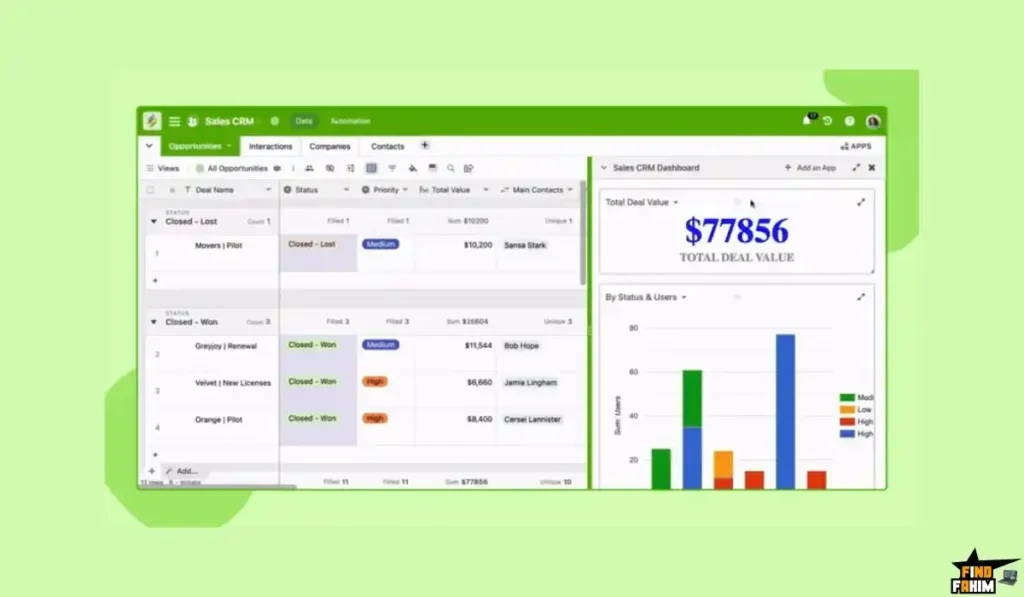
What it is: It’s a special type of column that can connect to a third-party service, pull in live data, and display it in a cell.
Why it matters: This is where your data becomes automated.
- For SEOs: You can have a list of blog post URLs, and a Stackby column can automatically connect to Ahrefs or SEMrush to pull in the latest backlink count or keyword rankings for each one.
- For Marketers: You can have a list of competitors, and a Stackby column can connect to Facebook Ads to pull in their ad copy.
- For YouTubers: You can have a list of your videos, and Stackby can connect to the YouTube API to automatically pull in the latest view counts, likes, and comments for each video.
This feature turns your static, dead spreadsheet into a living, self-updating dashboard that pulls data from all your other tools. This feature alone is worth the price of the deal.
How Does Stackby Work? (A Quick Look)
The workflow is designed to be simple for beginners but powerful for pros.
- Start with a Template (or Import): You can pick from over 300+ pre-built templates (like “Project Tracker” or “Content Calendar”) or import your existing data from Google Sheets, Excel, or even Airtable.
- Customize Your Columns: You build your database by adding the 25+ different column types. You add a “Dropdown” for status, an “Attachment” for files, and a “Link” to connect to your clients table.
- Connect Your APIs (Optional): You add a “Connect to API” column, choose “YouTube,” and tell it to pull the “view_count” for the videos in your list.
- Automate (Tier 5): If you’re on the top-tier plan, you can build automations, like “When a new Form is submitted, send me a Slack notification and create a new task.”
- View Your Data: You can now switch between the Grid view, the Kanban view, and the Calendar view to manage your work.
The Stackby AppSumo Deal Details (A Deep Dive)
This is a true lifetime deal that is stackable up to 5 codes. It’s very important to understand the tiers, because the best features are unlocked as you stack.
| Feature | 1 Code | 2 Codes | 3 Codes | 4 Codes | 5 Codes (Best Value) |
| One-Time Price | $99 | $198 | $297 | $396 | $495 |
| Users | 1 | 2 | 3 | 4 | 5 |
| Stacks (Databases) | 20 | 20 | 25 | 25 | 30 |
| Rows per Stack | 5,000 | 7,000 | 10,000 | 10,000 | 15,000 |
| Attachment / Stack | 4 GB | 4 GB | 10 GB | 10 GB | 15 GB |
| Revision History | N/A | N/A | N/A | N/A | 6 months |
| Automation Runs /mo | 0 | 0 | 0 | 0 | 500 |
| Check the Stackby Lifetime Deal All Plan | |||||
Which Plan Should You Get? My Recommendation
This is one of the most critical tier analyses we’ve ever done.
- Tiers 1-4: These plans are excellent for data organization and management. If you just need a better, smarter spreadsheet to store and link your data, these are a great value.
- The “Power User” Plan (Tier 5): This is the only plan I can truly recommend for a serious business. The main reason is that Tier 5 is the only plan that unlocks automations (500 per month). Automation is the key to a no-code platform. Without it, you’re just using a fancy spreadsheet. Tier 5 also unlocks 6 months of revision history. This is the “pro” plan.
A quick note on the Add-ons: You will see one-time-payment add-ons for “Powerups,” the “Apps Marketplace,” and “Sync between databases.” These are for hyper-advanced users. For 99% of businesses, the Tier 5 deal provides all the core power you will ever need.
Pros & Cons of This Lifetime Package
With a 4.8-star rating on Capterra/G2, this is a top-tier, enterprise-grade tool. Here’s my honest, balanced look.
The Pros (What I Love):
- It’s a True Airtable Killer: It has the power, polish, and features of a top-tier no-code tool, and this lifetime deal makes it a vastly superior value.
- The API Connectors are a Game-Changer: This is a true “killer feature” that even Airtable doesn’t have. Pulling live data from Ahrefs or YouTube into your spreadsheet is a marketer’s dream.
- Excellent, Responsive Support: The reviews are filled with praise for the founder and the support team, calling them “patient,” “invaluable,” and “very responsive.” This is a huge, positive sign for a lifetime deal.
- Great UI & Multi-Platform: Users love the clean interface and the fact that it has functional mobile and desktop apps, which is a must for a productivity tool.
The Cons (What to Be Aware Of):
- The Deal is a Limited-Time Offer: This is my biggest complaint. A mature, 5-star Airtable competitor that is actively developed and has a high-value lifetime deal is a rare find. It will not be around forever.
- The Automation is gated at Tier 5: The only real con of the deal structure is that the powerful automation features are only included if you stack to 5 codes. This makes the true “entry price” for power users $495, not $99.
Best Use Cases for Stackby
- For Marketing Agencies: This is a must-have. You can build a custom, all-in-one dashboard to manage all your clients. You can track their projects, their content calendars, their budgets, and use the API columns to pull in their live Google Analytics, Ahrefs, and social media data, all in one view.
- For SEO Teams: Build the ultimate SEO dashboard. Create a stack to track all your articles, with API columns pulling in live keyword rankings from SEMrush, backlink counts from Ahrefs, and pageviews from Google Analytics.
- For Content Creators (YouTubers/Bloggers): Create a “Content Machine” stack. You can track your video ideas, scripts, production status, and then have API columns automatically update the view counts, likes, and comments for each video after it’s published.
- For Solopreneurs: Use it as your “second brain” and business OS. You can have a stack for your contacts (a simple CRM), a stack for your projects (a Trello replacement), and a stack for your content, all linked together. For other amazing tools to build your business, don’t forget to check out my hand-picked list of the best AppSumo lifetime deals.
Get Your Stackby Lifetime Deal Now!
Stackby vs The Competition
This is the most important part of this review. Stackby is not just another “spreadsheet tool”; it’s a direct, lifetime-deal challenger to some of the biggest and most expensive subscription platforms in the world. Its strategy is to give you the power of a database and the unique ability to connect to live APIs, all for a one-time price. Let’s see how it truly stacks up.
Stackby vs Airtable
This is the main event. Airtable is the 800-pound gorilla of the no-code database world. It’s beautiful, powerful, and has a massive user base. It’s also famous for its high, per-user monthly pricing and its recent shift to focus on large enterprise clients.
Where Airtable Takes the Lead
Airtable is an incredibly polished and mature platform. Its “Interface Designer” is a very powerful feature that allows you to build custom, visual applications on top of your data. It also has a vast ecosystem of third-party apps and a slightly more advanced “Automations” feature set, with higher run limits on its paid plans. For large, complex organizations with big budgets, Airtable is a proven, enterprise-grade solution.
Why Stackby Wins for Smart Entrepreneurs
For solopreneurs, marketers, and small-to-medium agencies, Stackby wins on three critical fronts:
- The Price: This is a knockout. Airtable’s “Team” plan is $20 per user, per month ($240/year per person). The Stackby lifetime deal gives you a more powerful plan for a one-time payment. You break even in just a few months and then save thousands of dollars forever.
- The API Connectors: This is Stackby’s secret weapon. Airtable cannot do this out of the box. You cannot create a column, connect it to the Ahrefs API, and have it automatically pull in your backlink data. With Stackby, this is a core feature. For marketers and SEOs, this makes Stackby a more powerful tool than Airtable for building automated marketing dashboards.
- The Focus: As many users have noted, Airtable is shifting its focus to large enterprise clients, making its pricing and feature-set more complex for small teams. Stackby is focused on us—the agencies, marketers, and solopreneurs—and the AppSumo deal is the ultimate proof of that.
Stackby vs ClickUp
ClickUp is the “everything” tool. It’s an all-in-one project management and productivity platform that aims to replace every other app you use.
Where ClickUp Takes the Lead
ClickUp is the king of task and project management. Its features for managing tasks—like recurring tasks, dependencies, Gantt charts, and workload views—are more robust and deeply integrated than Stackby’s. It’s built from the ground up to manage a project’s lifecycle. It also has native features like Docs and Whiteboards, making it a true all-in-one workspace for a team’s daily collaboration.
Why Stackby Wins for Data Management
The choice is simple: ClickUp is for managing tasks, while Stackby is for managing data. ClickUp’s “lists” are great, but they are not a true relational database. You can’t, for example, easily build a database of your YouTube videos in ClickUp and have an API column that auto-updates the view count. Stackby’s spreadsheet-database hybrid is far more powerful for organizing, linking, and automating data, especially data from third-party tools. Many users have actually moved from ClickUp to Stackby because they found ClickUp’s features overwhelming and preferred Stackby’s database-first approach.
Stackby vs Notion
Notion is the beloved all-in-one “digital brain” or “second brain” for many. It’s a beautiful, flexible workspace that blends documents, wikis, and databases.
Where Notion Takes the Lead
Notion is, first and foremost, a writing and documentation tool. It is a superior “wiki” for building your company’s internal knowledge base. Its text editor is more flexible, and its ability to nest pages within pages makes it a dream for organizing text-based information. Its collaborative features for document editing are also top-notch.
Why Stackby Wins for Structured Data
Notion’s databases are good, but they are not as powerful or structured as Stackby’s. The biggest difference is the API connectors. This is the feature that Notion users have been begging for for years. In Stackby, you can pull in live, automated data from 50+ services. In Notion, you would need to use a third-party automation tool like Zapier or Make to manually build a similar (and less reliable) connection. For anyone who needs to build dashboards with live data from other platforms, Stackby is a more powerful and integrated solution.
Stackby vs Smartsheet
Smartsheet is another enterprise-level giant. It’s like “Excel on steroids” and is heavily focused on large-scale, complex project management, especially for IT, construction, and enterprise workflows.
Where Smartsheet Takes the Lead
Smartsheet’s strength is its deep focus on enterprise-grade project and portfolio management. It has incredibly advanced features for resource management, budget tracking, and complex Gantt charts that are built to handle massive, multi-year projects. It’s also known for its robust security and compliance features, which are required by large corporations.
Why Stackby Wins on Flexibility and Price
Smartsheet is rigid and very expensive. Its “Pro” plan starts at $9/user/month and its “Business” plan (which you need for most of its good features) starts at $19/user/month with a 3-user minimum. It is a costly, top-down tool. Stackby is far more flexible, more user-friendly, and, with the lifetime deal, infinitely more affordable. For 99% of small businesses and agencies, Stackby provides all the power you need (like Kanban, Calendar, and relational data) in a much simpler and more adaptable interface.
Stackby vs Google Sheets
This is the baseline. Google Sheets is free, universal, and familiar to everyone. It’s the ultimate blank canvas.
Where Google Sheets Takes the Lead
It’s free, and everyone on your team already knows how to use it. Its formula and charting capabilities are also extremely powerful and flexible. For pure “number-crunching” and financial modeling, it’s still a fantastic tool.
Why Stackby is a Necessary Upgrade
Google Sheets is a “dumb” grid. It can’t be a database. You can’t link records, you can’t view your data as a Kanban board, you can’t build custom forms, and you absolutely cannot connect a column to the YouTube API to pull in live data. Stackby takes the spreadsheet model you love and adds the database and automation superpowers you’re missing. As one user said, it’s for those who “want the familiarity of Excel or Google Sheets but need more powerful functionality.”
All Competitors at a Glance
| Tool | Key Strength | Pricing Model | Best For |
| Stackby | API Connectors & Database Hybrid | Lifetime Deal (Starts at $99) | Marketers, Agencies & Data Managers |
| Airtable | Polished UI & Enterprise Focus | Expensive Subscription | Large Corporate Teams |
| ClickUp | All-in-One Task Management | Subscription | Project-Based Teams |
| Notion | Docs, Wikis & “Second Brain” | Freemium/Subscription | Writers & Knowledge Managers |
| Smartsheet | Enterprise Project Management | Expensive Subscription | Large-Scale, Complex Projects |
Is This a Smart Business Investment?
A subscription to a comparable tool like Airtable is not just a small fee; it’s a “scaling tax.” Their “Team” plan costs $20 per user, per month. If you have a small agency with just 5 users, that’s $100 per month or $1,200 per year. Every single year.
Now, look at the Stackby lifetime deal. You can get the Tier 5 plan, which includes 5 user seats and the critical automation features, for a one-time payment of $495.
This cost-friendly deal pays for itself in less than 5 months.
After that, you are saving $1,200 every single year, forever. This isn’t just a “smart investment”; it’s a foundational business decision that frees up thousands of dollars in future cash flow that you can spend on what really matters—growing your business.
How to Redeem the Stackby Deal
- Go to the official Stackby AppSumo deal page.
- Choose the License Tier that best fits your needs. (I strongly recommend Tier 5 to unlock the automations, which is the platform’s true power).
- Click “Buy Now” and complete your purchase.
- AppSumo will send you a unique code. You have 30 days to redeem it on the Stackby website to activate your lifetime account.
Final Verdict: Is This Cost-Friendly Deal Worth It?
After this deep dive into the Stackby reviews and its powerful, unique features, my final verdict is an enthusiastic yes. This is not a “lite” tool or a “simple spreadsheet.” This is a serious, professional, and stable platform designed to be the central “brain” of your business.
Its standout feature—the ability to pull live data from 50+ APIs like Ahrefs and YouTube directly into your tables—is a game-changer for marketers and a feature that its main competitors lack. The overwhelming 4.8-star rating on Capterra/G2, combined with reviews praising its incredible support, proves that this is a safe and reliable long-term investment.
If you are an agency, a marketer, or a data-driven entrepreneur who is tired of messy spreadsheets and expensive subscriptions, the Stackby lifetime deal is one of the most powerful and high-value tools you can possibly buy.
Grab the Stackby Lifetime Deal Before It’s Gone!
Pro Tip for Deal Hunters: If this tool wasn’t the perfect fit, don’t forget that the best AppSumo deals are often the ones that are ending soon. I always keep an eye on the ‘Last Call’ page to find hidden gems before they’re gone forever.
About the Author: Why I Care About This So Much
I get genuinely excited when I find a tool like Stackby. I’ve spent my career in marketing, and I know the absolute pain of “spreadsheet hell.” I’ve wasted hundreds of hours copy-pasting data between 10 different tabs just to build a simple report. It’s a soul-crushing, low-value task.
A tool like the Stackby lifetime deal solves this. It’s a platform that automates the boring work so we can focus on the smart, creative work. It gives us, the solopreneurs and small agencies, the power to build automated, data-driven systems that were previously only available to giant corporations with custom-built software. That’s not just a tool; that’s a serious competitive advantage.
FAQ: Your Stackby Questions, Answered
Stackby is a flexible no-code platform that combines the simplicity of spreadsheets with the power of databases and automation. It lets you organize, track, and connect data across marketing, sales, and operations in one workspace.
Yes, Stackby is one of the best Airtable alternatives — especially for marketers and small businesses — offering API integrations, affordable pricing, and a one-time lifetime deal on AppSumo.
API Connectors let you pull live data from 50+ popular tools like YouTube, Ahrefs, Google Analytics, and Facebook Ads directly into your tables — keeping your dashboards automatically updated.
Automations are internal workflows that trigger actions (like sending emails), while API Connectors bring external data into your Stackby workspace. They work together but serve different purposes.
Yes, Stackby offers a limited free plan so you can test its features before upgrading or stacking AppSumo codes for more power.
Yes. Stackby includes native import options for Airtable and Google Sheets, making data migration simple and fast.
Absolutely. Stackby can be used to build a complete CRM system with connected tables for contacts, deals, and activities — without writing any code.
Each stack in Tier 1 supports up to 5,000 rows and 4GB of file attachments, which is more than enough for most small to medium projects.
Yes, Stackby has full-featured Android and iOS apps so you can access, update, and manage your data anywhere.
Yes, all future plan updates are included in the AppSumo lifetime deal, ensuring long-term value without recurring payments.
Yes. With its integrations to tools like YouTube, Google Analytics, and Ahrefs, Stackby helps automate reporting and saves hours of manual data entry.
Yes. Agencies use Stackby for campaign tracking, project management, and client dashboards — all in one collaborative workspace.
You can connect SEO tools like Ahrefs or Google Search Console to auto-fetch keyword and backlink data directly into your dashboards.
Definitely. Stackby’s no-code interface makes it beginner-friendly — if you can use Excel or Google Sheets, you can use Stackby.
They provide permanent access to powerful tools for a one-time cost, helping small businesses save thousands of dollars in monthly subscriptions. What is Stackby in simple terms?
Is Stackby a good alternative to Airtable?
What are API Connectors in Stackby?
What’s the difference between Automations and API Connectors?
Does Stackby have a free plan?
Can I import my Airtable or Google Sheets data into Stackby?
Is Stackby suitable for CRM use?
How much data can I store in Stackby?
Does Stackby offer mobile apps?
Will I get updates with the Stackby lifetime deal?
Can Stackby improve my marketing workflow?
Is Stackby good for agencies?
How does Stackby help with SEO tracking?
Can I use Stackby without technical skills?
Why are AppSumo lifetime deals like Stackby valuable for small businesses?

Hi, I’m Fahim — a SaaS tools reviewer and digital marketing expert with hands-on experience helping businesses grow using the right software. I research, test, and personally use a wide range of AI, business, productivity, marketing, and email tools for my agency, clients, and projects. I create honest, in-depth reviews and guides to help entrepreneurs, freelancers, startups, and digital agencies choose the best tools to save time, boost results, and scale smarter. If I recommend it, I’ve used it — and I only share what truly works.