
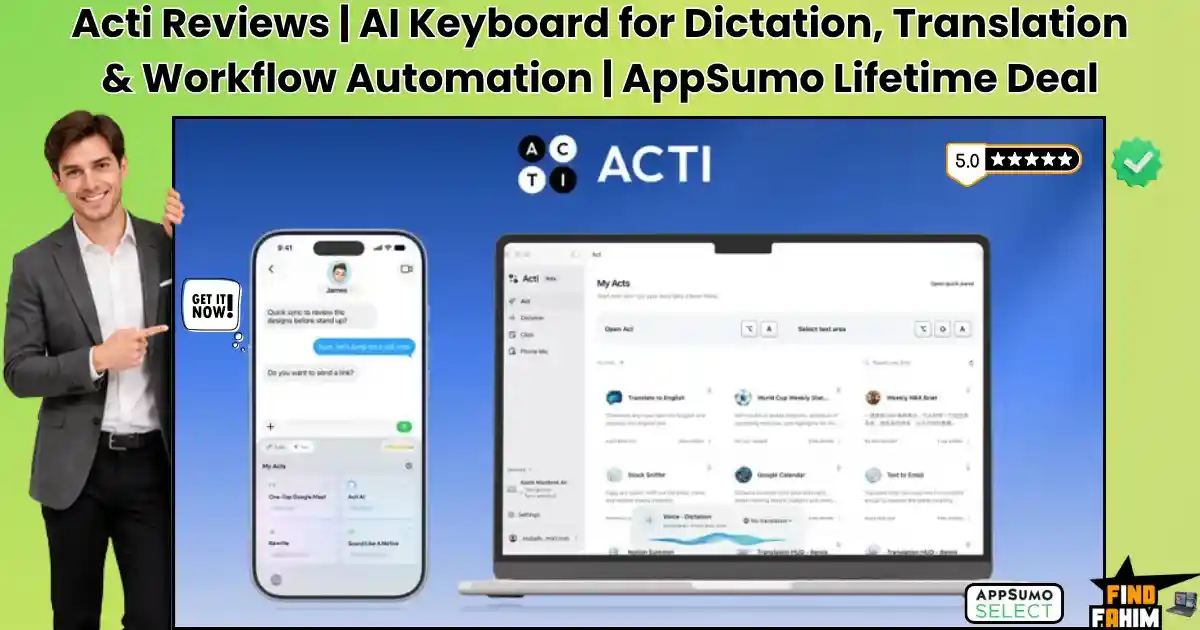

Getting work done on a mobile device or desktop usually forces you into endless copy-paste cycles. You copy text from a messaging app, switch over to ChatGPT or an automation tool, execute a prompt, and manually paste the output back into your primary workspace.
Acti eliminates that operational friction by turning your keyboard itself into an intelligent agent layer. It lets you dictate clean text, do live voice translations, and run multi-step automated workflows across 300+ apps directly from any typing context.
Disclaimer: This article contains affiliate links. If you purchase through these links, I may earn a small commission at no extra cost to you. All opinions are entirely my own.
My Quick Take (TL;DR)
- What is it? An agentic mobile keyboard and desktop ecosystem that executes AI prompts and multi-app workflows natively.
- Special Feature: Features an Act Builder Agent that turns simple spoken or typed instructions into automated cross-app actions.
- For Who: Solo founders, field sales reps, digital marketers, and mobile power users.
- The Deal: An AppSumo lifetime package starting at $59 for 1,000 monthly credits, scaling up for heavy agency automation.
- Verdict: An essential pickup for anyone wanting to eliminate copy-paste overhead between messaging apps and cloud tools.
Claim Your Acti Lifetime Deal Now
What is Acti?
Acti is a cross-platform agentic keyboard software engineered specifically for mobile-first professionals and digital creators. Traditional mobile keyboards are purely passive input tools that force you to jump between external applications to process text or trigger commands. This tool transforms your active typing bar into a command center linked directly to external software APIs.
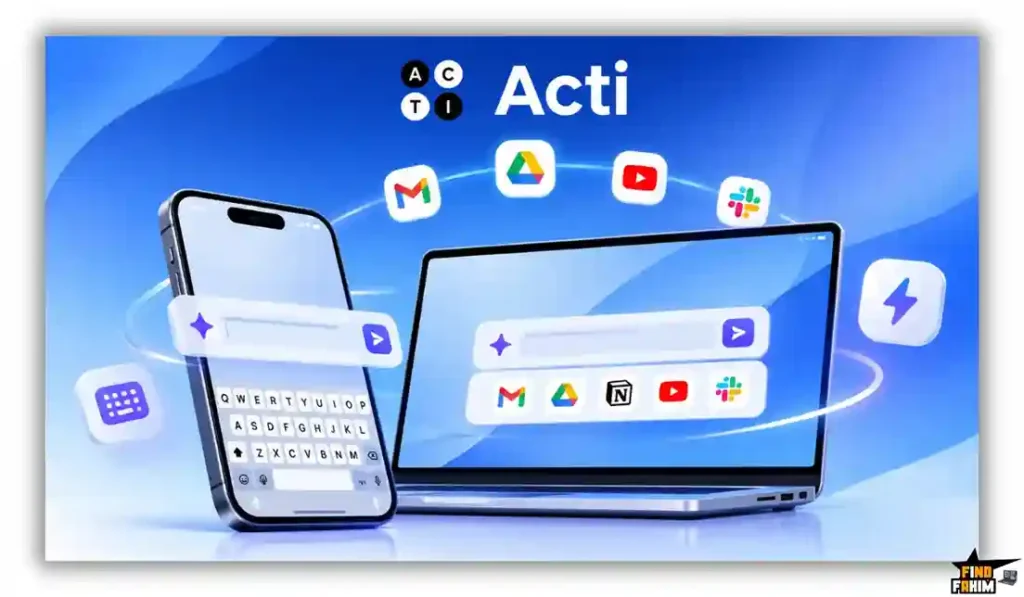
Instead of writing content in a separate artificial intelligence application, you generate, rewrite, and format text directly inside WhatsApp, Gmail, Slack, or Notion. The software processes your natural language requests dynamically, applying your designated tone and structural preferences instantly.
Beyond basic text manipulation, the platform introduces direct task execution capabilities. You can invoke multi-step automations, translate spoken audio across languages, and send structured data into third-party cloud applications without leaving your active chat window.
The True Cost
Relying on separate monthly subscriptions for dictation engines, translation software, and snippet expansion utilities drains your business budget fast.
This single software investment removes those recurring financial burdens entirely. Here is exactly what you replace when you secure this deal.
| Feature | Replaces… | The Real Value | Normal Cost | Deal Status |
| AI Keyboard & Acts | TextExpander / Custom | Executes inline app shortcuts | ~$40/year | ✅ Included |
| Smart Voice Dictation | Wispr Flow Pro | Converts speech to clean text | ~$144/year | ✅ Included |
| Live Voice Translation | DeepL Pro | Translates 100+ languages | ~$105/year | ✅ Included |
| Cross-Device Clipboard | Paste / Pushbullet | Syncs text across platforms | ~$15/year | ✅ Included |
| Total Cost | Fragmented Stack | Consolidated Hub | ~$304/year | $59 (Lifetime) |
A Look Inside Acti: Key Features
Acti provides a highly specialized toolkit engineered to streamline mobile and desktop output. These core functions eliminate repetitive visual switching, allowing you to execute complex digital workflows directly from your keyboard interface.
Agentic Keyboard & Act Builder
Constructing cross-app automations on a mobile device usually requires complex webhook configurations. This software features an intuitive Act Builder Agent that converts plain text or voice commands into multi-step actions.
You can select from over 5,000 pre-built community templates or design custom workflows visually. The system executes requests across 300+ connected applications, allowing you to update CRM records, post social updates, or draft calendar events directly from your typing bar.
Smart AI Dictation Engine
Dictating long-form messages on mobile devices often yields messy transcripts filled with awkward pauses, filler words, and misheard vocabulary. This application includes an advanced speech processing engine that cleans up audio input automatically.
It removes verbal stutters, formats punctuation logically, and structures your thoughts into professional paragraphs in real time. You can speak naturally without worrying about editing typos before sending critical business communications.
Real-Time Cross-Language Translation
Communicating with international clients requires jumping back and forth between translation tools and chat windows. The system provides native translation tools supporting over 100 languages directly inside the typing interface.
You can dictate in your native tongue and have the output rendered instantly in your client’s target language. This real-time processing removes language barriers while maintaining natural conversational nuance across global business negotiations.
Desktop Sync & Phone-As-Mic
Transitioning between desktop computers and mobile devices usually interrupts your operational workflow. The Acti Pro Desktop companion application links your desktop environment directly to your mobile keyboard setup.
You can use your smartphone as a high-precision wireless microphone for your computer or sync your clipboard across devices seamlessly. This cross-platform integration ensures your customized shortcuts and text snippets remain accessible regardless of which device you use.
Transform Your Mobile Workflow — Get Acti Here
What is New in 2026
The engineering team continuously expands the platform infrastructure, adding powerful upgrades for cross-platform users.
- Released the Acti Pro Desktop app with phone-as-mic dictation support, letting users utilize their mobile device as a wireless voice input engine for Mac and Windows.
- Upgraded the Act Builder Agent to support multi-model LLM selection, allowing users to route specific prompts through Claude, OpenAI, or Gemini models based on task complexity.
- Expanded the community Act library past 5,000 pre-built workflows, adding automated integrations for major CRM platforms, project management tools, and social media schedulers.
- Introduced Clips shortcut synchronization, enabling continuous clipboard history access and custom text snippet expansion across connected mobile and desktop environments.
Acti Pricing & AppSumo Deal Details
| Deal Feature | Tier 1 ($59) | Tier 2 ($109) | Tier 3 ($199) | Tier 4 ($399) |
| Monthly AI Credits | 1,000 Credits | 3,000 Credits | 10,000 Credits | 30,000 Credits |
| Device Activations | Unlimited | Unlimited | Unlimited | Unlimited |
| App / API Connections | 300+ Apps | 300+ Apps | 300+ Apps | 300+ Apps |
| Act Builder Agent | ✅ Included | ✅ Included | ✅ Included | ✅ Included |
| Acti Pro Desktop | ✅ Included | ✅ Included | ✅ Included | ✅ Included |
Which Plan Should You Buy?
Casual mobile users and solo professionals looking to streamline daily messaging and basic voice dictation can operate comfortably on Tier 1 ($59). It provides 1,000 monthly AI credits alongside full access to desktop companion features and the Act Builder Agent.
However, active digital marketers, sales executives, and power creators should target Tier 2 ($109). Unlocking 3,000 monthly credits provides ample headroom for executing frequent multi-step app automations, extensive voice translations, and heavy dictation sessions daily. High-volume agencies managing automated team pipelines across multiple client accounts should select Tier 3 (199)orTier4(399) for maximum credit capacity.
Important Note on the Refund Policy
This AppSumo deal includes a 60-day money-back guarantee. You can install the keyboard on your iOS or Android device, set up the desktop companion app, build custom cross-app Acts, and test voice translation completely risk-free for two months.
Pros & Cons of This Lifetime Package
Auditing your daily device usage is essential before changing your input setup. Here is an honest appraisal of the core operational strengths and practical limitations of this application.
The Pros
- ✅ Eliminates repetitive copy-paste steps by running artificial intelligence prompts inside any application.
- ✅ Includes advanced speech-to-text processing that automatically cleans up filler words and formatting.
- ✅ Translates spoken audio and typed text across 100+ languages natively inside the keyboard.
- ✅ Features cross-platform clipboard synchronization and desktop microphone integration.
- ✅ Connects to 300+ software APIs to execute external tasks without leaving your active window.
The Cons
- ❌ High-volume voice dictation and complex multi-step Acts consume monthly credits that require tier selection planning.
- ❌ Initial configuration of custom API webhooks inside the Act Builder takes a short learning period for non-technical users.
Who Should NOT Buy Acti?
If you perform all your work on a single desktop computer and never use a mobile phone for business messaging, this mobile-first keyboard hub provides minimal value for your setup.
Additionally, if your organizational security policy strictly prohibits installing third-party keyboard extensions on company-issued mobile hardware, you will be unable to deploy this software across your corporate devices.
Why Legacy Mobile Workflows Fail
Relying on standard mobile keyboards for modern business communications creates severe operational bottlenecks. Switching between messaging tools, notes apps, and external artificial intelligence generators forces you to navigate clunky touch interfaces repeatedly.

This fragmented process leads to constant context switching, accidental paste errors, and delayed response times when working on the go. Managing separate tools for dictation, snippet management, and language translation clutters your mobile environment and reduces overall productivity.
The Shift to Agentic Input Layers
The modern software industry is moving rapidly toward context-aware input layers. Professionals no longer want to open dedicated applications for simple administrative tasks; they expect their input interfaces to process commands and trigger actions directly.
Adopting an agentic keyboard setup ensures you can generate content, format data, and dispatch web API requests from any text field on your phone. Moving to an integrated workflow engine allows mobile operators to handle agency-level administration without sitting at a desktop terminal.
The Acti Automation Workflow
- Install & Enable: Download the application on your iOS or Android device, enable full keyboard permissions, and pair the desktop companion software.
- Select an Act: Open any text field inside Gmail, WhatsApp, or Slack, and tap the dedicated action button to pull up your saved Acts library.
- Dictate or Type: Speak your instructions naturally using smart voice dictation, allowing the system to format your thoughts cleanly.
- Execute App Triggers: Run custom prompts or trigger multi-step connections to send data directly into connected tools like Notion, HubSpot, or Trello.
- Translate & Send: Apply live cross-language translation if communicating with international contacts, and insert the finalized output into your message field with one tap.
Best Use Cases for Acti
- Field Sales Representatives: Updating CRM records while traveling is exhausting. You can dictate detailed meeting notes into your mobile keyboard right after a client visit, triggering an automated Act that creates a follow-up task and updates deal stages in your sales software instantly.
- Global Customer Support: Replying to buyers across multiple time zones requires clear cross-language communication. You can type or dictate responses in your native language, allowing the keyboard to translate technical answers accurately before sending them to foreign customers.
- Content Marketers & Creators: Capturing spontaneous content ideas on a phone often leads to messy drafts. You can record raw audio thoughts, let the intelligent dictation engine format them into structured outlines, and push the draft straight to your content database without leaving your chat window.
Streamline Your Device Output — Get Acti
Acti Alternatives
Evaluating this software against established input tools ensures you pick the best solution for your personal workflow.
Acti vs TextExpander
Where TextExpander Wins: Deep legacy enterprise adoption and centralized team snippet library management for traditional desktop environments.
Where Acti Wins: Native generative intelligence, speech-to-text dictation cleanup, 300+ app API connections, and real-time voice translation built directly into mobile keyboards.
Acti vs Wispr Flow
Where Wispr Flow Wins: Purpose-built desktop voice dictation speeds designed specifically for high-volume Mac writers.
Where Acti Wins: Full mobile keyboard integration for iOS and Android, agentic multi-app automations, and an affordable lifetime license instead of recurring monthly software fees.
Acti vs Zapier
Where Zapier Wins: Deep backend server triggers, complex data database webhooks, and enterprise-grade multi-branch logic for automated IT infrastructure.
Where Acti Wins: Executing on-demand agent actions directly from your typing interface while crafting personal or business communications.
Acti vs Typedesk
Where Typedesk Wins: Simple visual snippet formatting and team template sharing across desktop environments.
Where Acti Wins: Generative text transformations, live speech translation across 100+ languages, and direct API actions inside mobile applications.
Top Competitors Matrix
| Tool | Pricing Model | Mobile Keyboard | Smart Dictation | Cross-App Acts | Best For… |
| Acti | Lifetime Deal | ✅ Yes | ✅ Yes | ✅ Yes (300+ Apps) | Mobile Power Users |
| TextExpander | Monthly Sub | ❌ Snippets Only | ❌ No | ❌ No | Snippet Managers |
| Wispr Flow | Monthly Sub | ❌ No | ✅ Yes | ❌ No | Desktop Voice Writers |
| Zapier | Monthly Sub | ❌ No | ❌ No | ✅ Yes | Backend IT Automators |
| Typedesk | Lifetime / Sub | ❌ No | ❌ No | ❌ No | Desktop Template Teams |
Stop Copy-Pasting — Switch to Acti
Is This Deal a Smart Business Investment?
Securing Tier 1 for $59 or Tier 2 for $109 is a highly cost-effective decision for any active digital professional. Paying separate annual subscriptions for dictation services, translation extensions, and snippet tools easily costs over $300 every year.
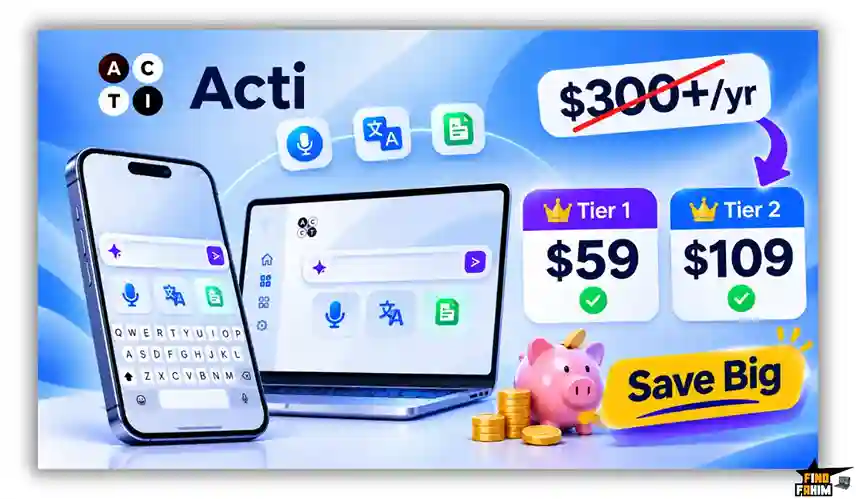
This software consolidates those daily input functions into a single lifetime asset. The efficiency gains from eliminating context switching across your mobile apps pay back the purchase price within a few weeks of active daily use.
How to Redeem the Acti Deal
- Buy: Click the secure partner links in this article to access the official AppSumo promotion page.
- Register: Complete your purchase and establish your account credentials on the platform system.
- Activate: Redeem your lifetime license key within 60 days to lock in your designated credit limits.
- Use: Download the mobile keyboard app, enable full permissions, and begin automating your input workflows.
Final Verdict: Is This Deal Worth It?
Acti earns a clear BUY recommendation for mobile professionals, digital marketers, and solo creators. It solves the operational drag of constant copy-pasting by placing dictation, translation, and cross-app automations inside your typing bar.
If you want to cut device context switching and streamline your daily messaging output without monthly software fees, this platform is an outstanding acquisition. Secure your lifetime license before the promotional window closes.
Lock In Your Acti Lifetime License Today
About the Author
The Acti development team, led by CEO Young Wang, built this platform to eliminate the constant friction of mobile task execution. Having previously scaled input tools to hundreds of millions of global users, Young and his team engineered an agentic keyboard workspace to merge text input, artificial intelligence, and software automation into one seamless typing bar.
Here at FindFahim, identifying software tools that remove repetitive operational overhead is my primary objective. An intelligent, agentic keyboard setup is a powerful asset for scaling your personal and agency output efficiently.
If you clean large cold email lists before triggering outreach automations from your mobile device, I highly recommend checking out our Reoon Email Verifier lifetime deal review. Pairing verified deliverability lists with Acti’s automated messaging capabilities gives you a clean, high-converting outreach pipeline!
FAQ: Your Acti Lifetime Deal
Acti is an AI-powered mobile keyboard and desktop companion that helps users with AI prompts, voice dictation, translation, and automated workflows while typing.
Yes, Acti offers keyboard extensions for iOS and Android, along with Acti Pro Desktop for Mac and Windows. It also supports using a phone as a desktop microphone.
Acts are automated workflows that connect Acti with over 300 apps and APIs, allowing users to trigger multi-step actions through text or voice commands.
Acti converts speech into clean, structured text by removing filler words and stutters and formatting spoken thoughts into paragraphs.
Yes, Acti supports real-time translation across more than 100 languages for typed text and spoken inputs.
Yes, the AI credits included in your selected tier automatically renew every month for the lifetime of your account.
Yes, Acti's desktop companion app lets you connect your phone wirelessly and use it as a microphone for your computer.
Yes, purchases through AppSumo are covered by its standard 60-day money-back guarantee. What is Acti?
Does Acti work on both mobile and desktop?
What are Acts in Acti?
How does Acti's voice dictation work?
Can Acti translate text into different languages?
Do Acti AI credits reset every month?
Can I use my phone as a microphone for my computer?
Does Acti come with a money-back guarantee?

Hi, I’m Fahim — a SaaS tools reviewer and digital marketing expert with hands-on experience helping businesses grow using the right software. I research, test, and personally use a wide range of AI, business, productivity, marketing, and email tools for my agency, clients, and projects. I create honest, in-depth reviews and guides to help entrepreneurs, freelancers, startups, and digital agencies choose the best tools to save time, boost results, and scale smarter. If I recommend it, I’ve used it — and I only share what truly works.